
HP DesignJet T210
4.5Editor score
24-inch roll media
Two-year onsite support
Wi-Fi and Ethernet
Automatic media switching
A large format plotter printer is built to produce technical drawings, maps, posters, plans, and other wide documents with practical detail and consistent color. The right model should match your media width, output speed, software environment, and need for scanning, copying, or remote management.
We compared the ten featured plotters by examining their stated media capabilities, handling features, connectivity, supported workflows, output specifications, and included support. The list covers compact 24-inch models, 36-inch workhorse printers, multifunction systems, and professional Canon imagePROGRAF options.
Each review explains where the printer stands out and where its specifications leave room for another model to fit better. Ratings and availability can change over time, so buyers should confirm current product details, accessory requirements, and prices before placing an order.
4.5Editor score

4.1Editor score

4.0Editor score
As an Amazon Associate we earn from qualifying purchases.
This side-by-side overview compares every featured large format plotter by maximum roll width, primary output function, media-handling convenience, connectivity, and standout workflow features.
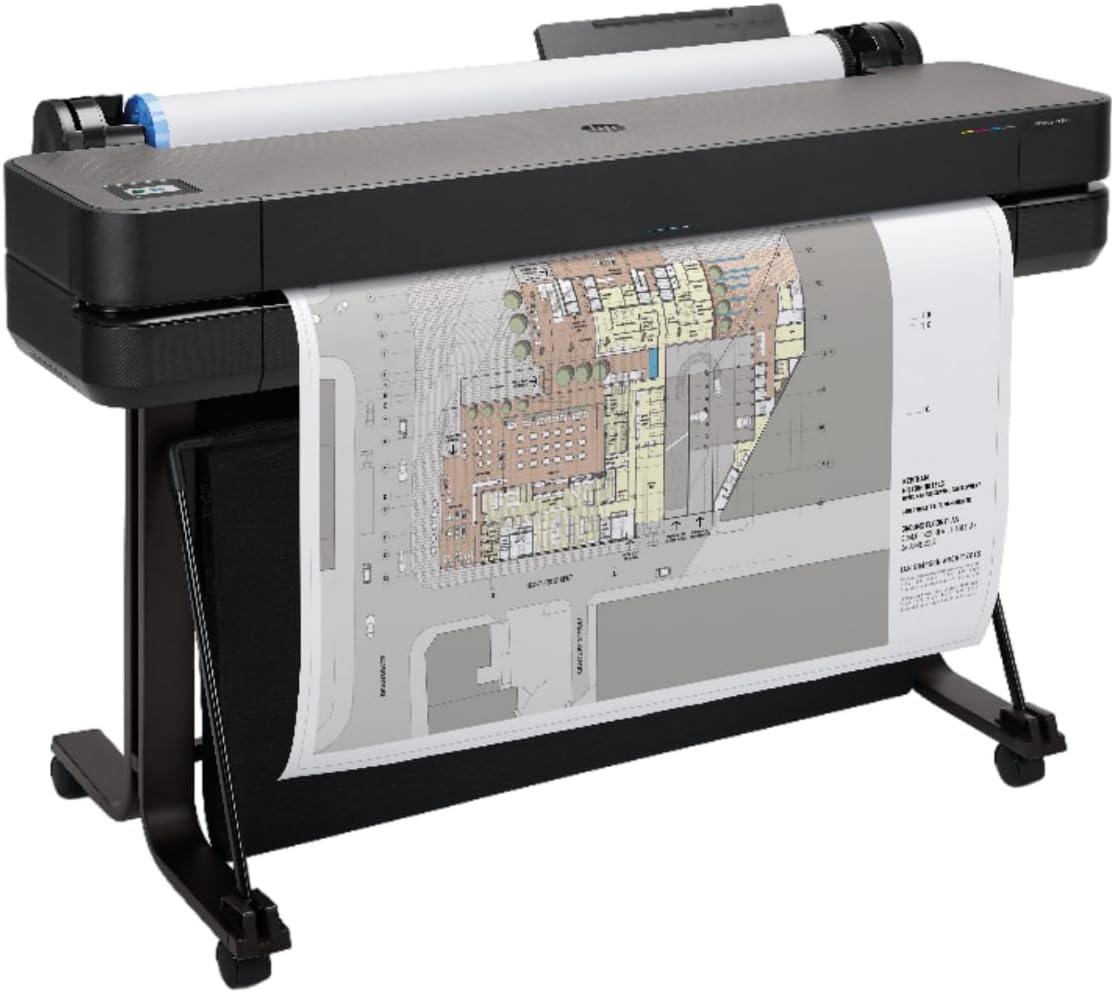




The HP DesignJet T210 is a focused 24-inch plotter aimed at technical line drawings, posters, maps, renders, and sewing patterns. Its 4.4 rating reflects a practical balance of output capability, useful software, and straightforward connectivity. For a buyer who needs a dependable large format workflow without a multifunction scanner, it is a strong starting point.
We may earn a commission when you buy through this link, at no additional cost to you.
Media handling is one of the model’s most attractive features. It accepts roll media up to 24 inches wide, can handle sheets up to 13 by 19 inches with the optional automatic sheet feeder, and switches automatically between roll and sheet media. An automatic horizontal cutter simplifies completed roll jobs, while support for Ethernet, USB 2.0, and Wi-Fi makes placement flexible.
The T210 can produce up to 59 A1 or D-size pages per hour, with listed times of up to 45 seconds per page. HP Click supports PDF error checking, alerts, auto-nesting, saved print settings, and common formats including PDF, JPEG, TIFF, DWF, HP-GL/2, and PNG. The trade-off is that its 500MB memory is modest compared with more demanding professional workflows, and the sheet feeder is not included.
This is a sensible recommendation for architects, engineers, construction professionals, and design studios that mainly work below 24 inches and value automatic media handling. Buyers who need scanning and copying should look at a multifunction alternative, while those planning frequent 36-inch projects should move up in width.
Automatic switching between roll and sheet media reduces manual intervention when a job changes format. The included cutter and optional sheet feeder make the T210 adaptable to technical drawings, maps, posters, and smaller presentation materials.
Gigabit Ethernet, USB 2.0, and Wi-Fi give users several ways to place the printer. HP Smart and one-click file management are particularly useful for offices that need to send large files without remaining beside the machine.
We may earn a commission when you buy through this link, at no additional cost to you.
The HP DesignJet T650 is a well-rounded 36-inch plotter for architecture, engineering, construction, and professional large-format output. Its 4.1 rating is supported by a strong combination of speed, 1GB of memory, automatic roll and sheet switching, a media bin, and two years of onsite support.
We may earn a commission when you buy through this link, at no additional cost to you.
This model can print up to 82 A1 or D-size pages per hour, with a listed speed of up to 25 seconds per page. It accepts rolls up to 36 inches wide and sheets up to 13 by 19 inches through the included automatic sheet feeder. Automatic media switching, a media bin, and a horizontal cutter cover the core handling needs of a busy design office.
HP Click adds PDF error checking, alerts, auto-nesting, preset print options, and direct workflow integration with design and CAD applications. Ethernet, USB, and Wi-Fi support flexible placement, while HP Smart and one-click printing help teams manage multi-file output remotely. The main limitation is that it remains a single-function plotter, so scanning and copying are not part of the package.
The T650 is our top overall choice because it combines 36-inch capacity, a fast stated throughput, included sheet feeding, and two-year onsite coverage in one work-oriented configuration. It is especially appropriate for firms producing mixed CAD, site-plan, map, and presentation output at a steady volume.
The listed maximum of 82 A1 or D-size prints per hour makes the T650 suitable for busy offices handling multiple projects. Its 25-second A1 figure also supports a more productive workflow than the smaller T210.
Two years of onsite support can be valuable for a machine placed in a studio or remote construction office. HP Click and HP Smart complement that physical support with file preparation, remote management, and automated nesting features.
We may earn a commission when you buy through this link, at no additional cost to you.
The HP DesignJet T630 is a 36-inch plotter offered with an auto sheet feeder, media bin, and stand. Its 4.0 rating reflects a capable production setup designed for architects, engineers, and construction professionals who regularly need technical drawings, renders, posters, and maps.
We may earn a commission when you buy through this link, at no additional cost to you.
Its principal advantage is a ready-to-use media configuration. Rolls up to 36 inches wide are supported, while the included automatic sheet feeder handles sheets up to 13 by 19 inches. Automatic switching between roll and sheet media, a media bin, and an automatic horizontal cutter streamline mixed-format workflows.
Connectivity includes Gigabit Ethernet, USB 2.0, and Wi-Fi, while HP Click provides PDF error checking, alerts, auto-nesting, saved settings, and support for PDF, JPEG, TIFF, DWF, HP-GL/2, and PNG files. As a single-function device, however, it does not add scan-and-copy convenience, and the supplied information does not state its print-speed or memory figures.
Choose the T630 when a complete 36-inch media setup matters more than multifunction features. It is a particularly polished choice for offices that want the sheet feeder, media bin, and stand included from the outset, while teams needing document reproduction should consider the T830 instead.
The included feeder, bin, and stand remove several common accessory decisions. Automatic media switching helps preserve productivity when a project moves between continuous roll work and individual sheets.
HP Click’s error checking, alerts, and auto-nesting can reduce avoidable reprints and improve material use. Direct compatibility with common CAD and design applications also supports a smoother handoff from digital files to finished plans.
We may earn a commission when you buy through this link, at no additional cost to you.
This HP DesignJet T210 configuration pairs the 24-inch plotter with a two-year HP Care Pack offering onsite support. Its 4.5 rating is the highest among the listed models, and the added coverage is especially relevant to offices that depend on a printer for daily architectural, engineering, or construction work.
We may earn a commission when you buy through this link, at no additional cost to you.
The underlying machine supports rolls up to 24 inches wide and sheets up to 13 by 19 inches when the optional automatic sheet feeder is added. Sheet feed, roll feed, automatic media switching, and an automatic horizontal cutter support a variety of drawing and poster formats.
It can output up to 59 A1 or D-size pages per hour and includes 500MB of memory. HP Click offers preconfigured settings, PDF checks, alerts, and auto-nesting, while HP Smart supports one-click printing and remote management. The care pack strengthens an already practical configuration, but the optional feeder and modest memory remain considerations.
This version is best for users who want a 24-inch plotter plus extended onsite assistance without moving to a larger chassis. It offers a particularly compelling combination of output features and support for small design firms, independent architects, and construction offices handling blueprints, maps, signs, and patterns.
The included two-year onsite care pack can reduce the disruption associated with hardware problems. That is valuable when a printer is central to communication with clients, contractors, and project teams.
Automatic media switching and an included cutter help the T210 move between roll and sheet jobs with less operator effort. Its 24-inch width suits many plans and posters while remaining more compact than 36-inch alternatives.
We may earn a commission when you buy through this link, at no additional cost to you.
The Canon imagePROGRAF TC-21M is a 24-inch large format multifunction printer for users who need to print, scan, and copy within one device. Its 4.4 rating reflects an approachable design that combines wide-format output with a flatbed scanner and a straightforward control interface.
We may earn a commission when you buy through this link, at no additional cost to you.
The standout feature is its multifunction capability. Users can enlarge smaller originals directly from the letter-size flatbed, print large documents directly from a USB flash drive, and scan to or print from the cloud. A tiltable 2.7-inch touchscreen LCD provides an accessible way to manage these functions at the device.
Its automatic sheet feeder accepts up to 100 letter-size sheets or 50 sheets of 11-by-17-inch media, adding flexibility for small and medium documents. Compared with dedicated 24-inch plotters, this configuration is more useful when occasional reproduction and scanning are part of the workflow.
The TC-21M is a compelling option for small architectural, engineering, or design offices that want fewer separate devices. Detailed media weight, maximum sheet size, print speed, and ink details are not provided in the supplied listing, so buyers should verify those specifications for specialized production requirements.
The integrated flatbed scanner eliminates the need for a separate reproduction device in many offices. Enlargement from smaller originals is also convenient for producing presentation-scale copies without an external scanner.
The tiltable touchscreen helps users access copying, cloud workflows, and USB printing without navigating a complex application. The generous automatic feeder improves batch handling for common office paper sizes.
We may earn a commission when you buy through this link, at no additional cost to you.
The HP DesignJet T830 is a 24-inch large format multifunction plotter built for architecture studios and construction offices. Its 4.0 rating reflects a capable combination of printing, scanning, copying, and mobile output in a design described as relatively compact for a large format MFP.
We may earn a commission when you buy through this link, at no additional cost to you.
The printer supports sheets from 8.3 to 24 inches wide and rolls from 11 to 24 inches. Its input tray, media bin, sheet feed, roll feed, and automatic cutter support varied production workflows. The stated output reaches 81 A1 or D-size prints per hour, with a maximum of 26 seconds per page.
Wi-Fi and Gigabit Ethernet enable flexible network placement, while direct mobile printing covers iOS, Android, and Chrome OS. HP ePrint, the HP Smart app, HP Click, and DesignJet Utility for Mac and Windows expand file and device management options. The integrated scanner and copier are key advantages over single-function alternatives.
The T830 is a strong choice for a design office that values document reproduction as much as output. One caution is the listed dynamic security behavior: non-HP chip cartridges might not work, and cartridge compatibility could change. Its ink options are also more extensive than those detailed for the T200 and T600 families.
Scanning and copying are integrated into a 24-inch system, allowing review documents to be reproduced and distributed without a separate large format machine. This can streamline communication around plans, revisions, and site updates.
Direct mobile printing, email workflows, and HP Smart give teams several ways to submit work. HP Click also helps organize project sets and PDF documents, while DesignJet Utility supports Mac and Windows environments.
We may earn a commission when you buy through this link, at no additional cost to you.
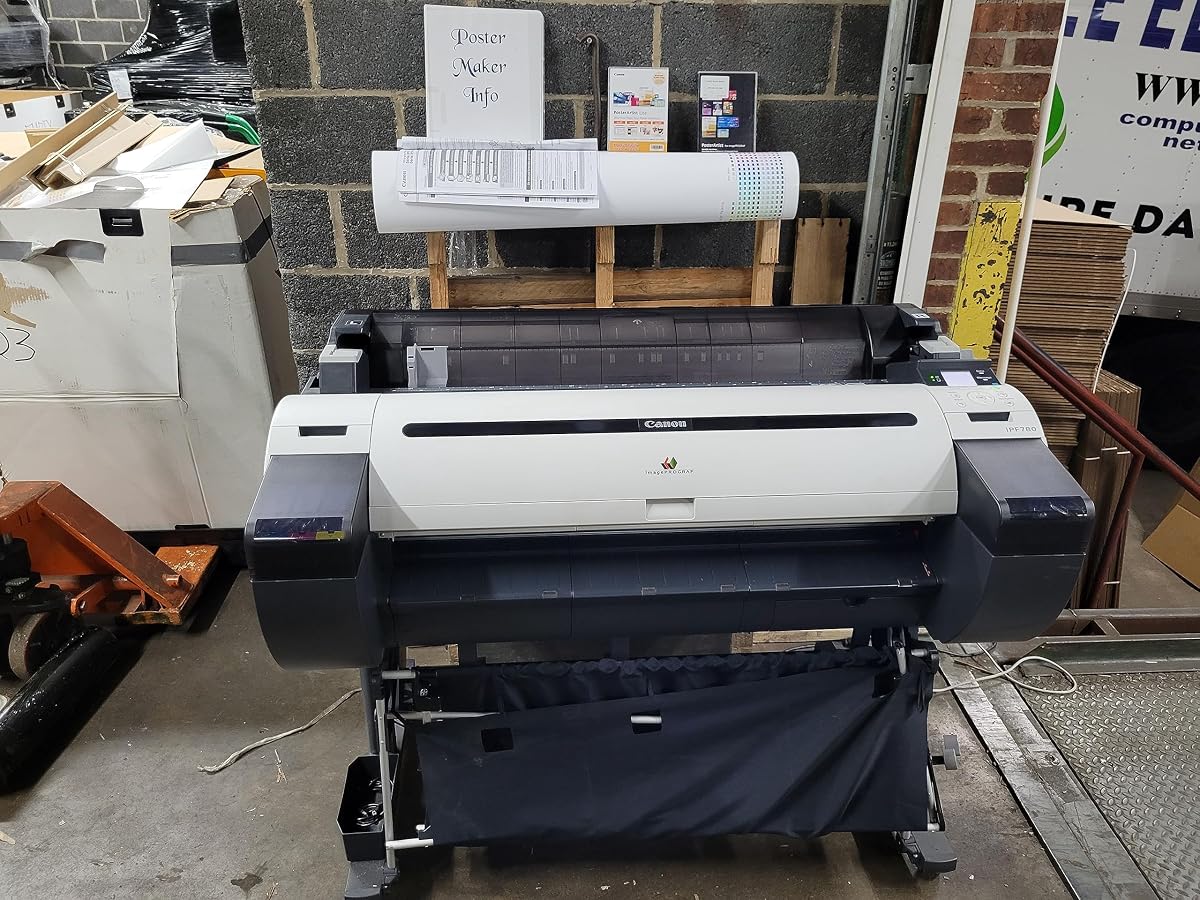
The Canon imagePROGRAF iPF780 is a professional 36-inch large format color printer with a 4.6 customer rating. That places it among the strongest-rated products in this guide and makes it a notable choice for users who favor Canon’s imagePROGRAF line.
We may earn a commission when you buy through this link, at no additional cost to you.
The supplied product information focuses on the 36-inch format, its large format color printing role, and a one-year onsite warranty. It is sold by CES Imaging, identified as a Canon Platinum Reseller, which adds a layer of specialist purchasing support. The listing does not provide detailed media weights, print speeds, ink configuration, or connectivity specifications.
That limited information is important when comparing it with the thoroughly specified HP models here. A 36-inch professional plotter is likely to appeal to design offices producing large drawings, maps, posters, and color graphics, but the precise output performance should be confirmed directly with Canon or the reseller before purchase.
The iPF780 is best recommended for buyers seeking a Canon 36-inch professional printer and comfortable with the high customer rating. It may be a better fit than a general-purpose multifunction model for a workflow built around printing, but buyers needing scanning, copying, or confirmed sheet-feed details should look elsewhere.
Its 4.6 rating is especially notable in a category where many machines carry moderate customer feedback. That makes the iPF780 worth close consideration when the brand and 36-inch professional format are priorities.
The included one-year onsite warranty adds physical service coverage, while the Platinum Reseller listing may help buyers navigate product questions and professional procurement. Confirm current service territory and configuration before ordering.
We may earn a commission when you buy through this link, at no additional cost to you.
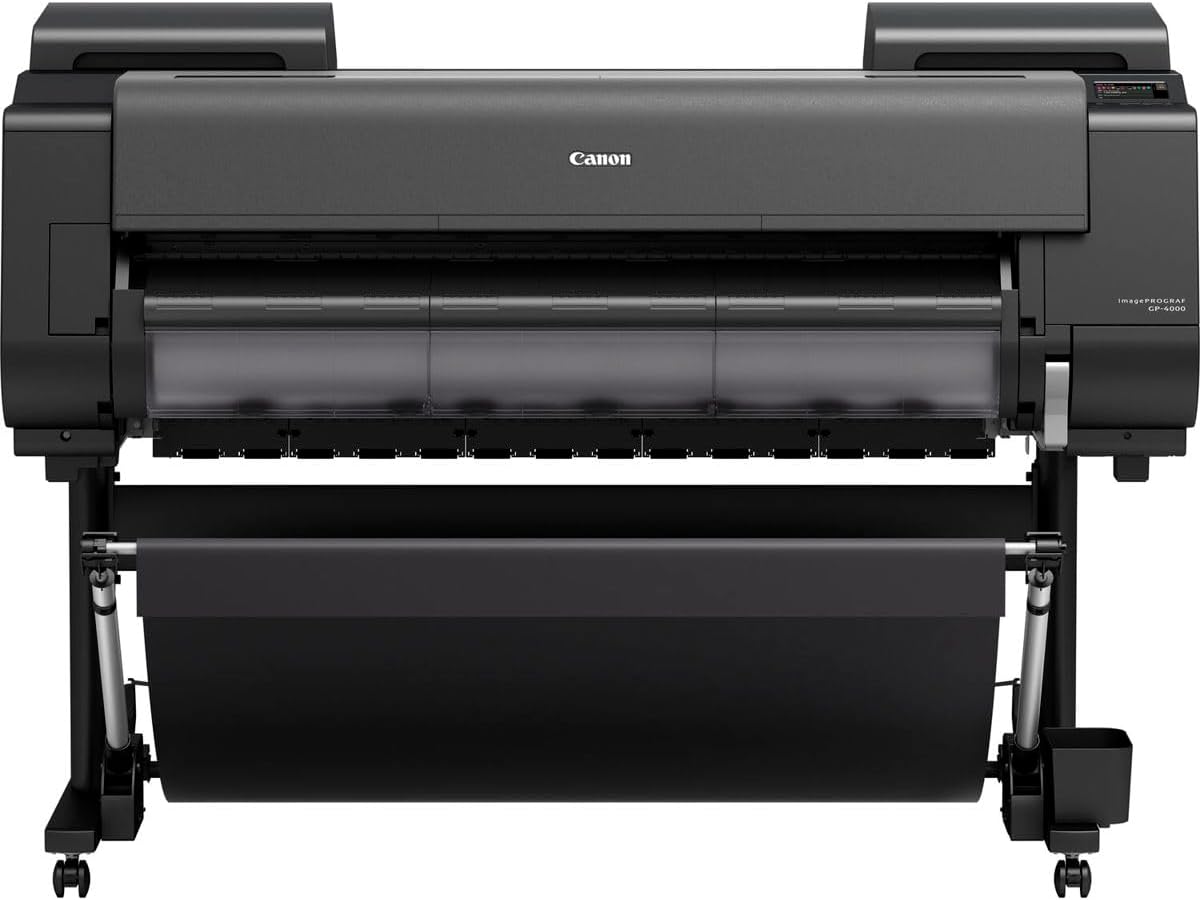
The GP-4000 imagePROGRAF is a specialist large format printer listed by Bayinkjet, a Canon Platinum Reseller. Its 5.0 rating is the highest in the collection, although a small number of visible reviews can make a perfect score less informative than a long-established feedback history.
We may earn a commission when you buy through this link, at no additional cost to you.
The available information confirms the model name, professional imagePROGRAF positioning, and reseller status, but does not state media width, print technology details, ink configuration, speed, connectivity, or supported file types. Because large format purchases depend heavily on those details, prospective buyers should request a complete specification sheet before making a final decision.
The unusually high rating suggests strong customer satisfaction with the listing, yet it should not substitute for technical evaluation. A buyer should confirm roll and sheet capabilities, maximum media dimensions, throughput, consumable availability, installation needs, and warranty coverage directly from the seller or manufacturer.
This model is best considered a premium specialist option for users already familiar with the GP-4000 or Canon imagePROGRAF range. It may be a compelling prospect for professional buyers, but only if the unavailable specifications align with their exact CAD, photographic, or signage requirements.
A 5.0 rating makes the GP-4000 stand out immediately. Prospective buyers should still read the available customer comments and ask how many reviews support the score, because limited feedback can change quickly.
Professional printer decisions should not rely on model name and rating alone. Confirm width, media handling, software, ink, and support with the authorized reseller, especially if the purchase supports time-sensitive project output.
We may earn a commission when you buy through this link, at no additional cost to you.
The Canon imagePROGRAF iPF785 is a professional large format color printer sold by CES Imaging, a Canon Platinum Reseller. Its 4.1 rating places it in the middle of the group, but the model remains a logical option for buyers who want Canon imagePROGRAF output with onsite support.
We may earn a commission when you buy through this link, at no additional cost to you.
The listing emphasizes the large format color role and includes a one-year onsite warranty. As with the iPF780, detailed information about maximum media width, paper handling, print speed, ink technology, and network connectivity is not included in the supplied data. Those specifications should be verified before comparing it directly with fully documented alternatives.
For offices already familiar with Canon’s imagePROGRAF ecosystem, familiarity may be a meaningful advantage. The reseller relationship can also help procurement and service coordination, while the onsite warranty provides a clearer support commitment than an unstated or unavailable configuration.
The iPF785 is most appropriate for professional users seeking a large format Canon color printer and comfortable relying on the seller for detailed configuration guidance. Those needing a 24-inch compact MFP, a fast 36-inch workflow with explicit output figures, or a clearly documented sheet feeder should choose a model with more complete specifications.
The iPF785 is positioned for professional color output rather than basic home printing. A one-year onsite warranty gives institutional buyers a defined service element for a machine that may sit in a central production area.
Buying from a Canon Platinum Reseller can be helpful when a studio wants product guidance around a specific imagePROGRAF model. Buyers should request exact media and software compatibility so the selected configuration meets project requirements.
We may earn a commission when you buy through this link, at no additional cost to you.
The Canon imagePROGRAF TM-305 is a 36-inch, five-color inkjet plotter for professional large format output. Its 4.3 rating gives it a solid result, and the five-color configuration differentiates it from the four-color HP models detailed in this guide.
We may earn a commission when you buy through this link, at no additional cost to you.
The printer is sold as a standalone unit by CES Imaging, identified as a Canon Platinum Reseller, and includes a one-year onsite warranty. Its 36-inch format makes it relevant to wide technical drawings, maps, posters, and color graphics, while the five-color ink system is the model’s most clearly stated differentiating feature.
The listing explicitly notes that a scanner is not included. That keeps the package focused on printing and avoids implying that it can perform the scan-and-copy tasks offered by the T830 and TC-21M. Print speed, memory, connectivity, sheet capacity, and detailed media support are not included in the available product information.
The TM-305 is a good match for professional buyers who prioritize a five-color 36-inch inkjet and onsite coverage. It is less suitable for anyone seeking an all-in-one document system, though a dedicated scanner can be considered separately if reproduction and archiving are essential.
The five-color ink system gives the TM-305 a distinct technical profile from four-color printers in the lineup. Buyers focused on nuanced color output should compare Canon’s intended applications and supported media in detail.
Because no scanner is included, teams must plan any reproduction workflow separately. The dedicated print configuration may still appeal to production studios that already have efficient document capture equipment.
We may earn a commission when you buy through this link, at no additional cost to you.
The right plotter depends less on general printer specifications than on media width, document type, production volume, and how the machine will be connected and serviced.
Start by comparing the widest media each machine can accept. The HP T210 and TC-21M are centered on 24-inch output, while the T650, T630, GP-4000 listing, and Canon TM-305 occupy the 36-inch class. Wider output is useful for oversized drawings, maps, banners, and presentation boards, but it can also require more floor space and a suitable location.
Choose width based on your largest routine job, not an occasional aspirational project. A 24-inch model can be more practical for a small office, while a 36-inch printer reduces the need to tile or reduce oversized plans.
Dedicated plotters focus on printing and may suit teams whose files originate digitally. Multifunction models add scanning and copying, which is valuable for revisions, site documents, and physical source material. The HP T830, Canon TC-21M, and T830-style office workflows are better suited to reproduction than single-function units such as the T210, T630, or T650.
Choose a multifunction system when document capture is frequent. If your team already digitizes everything and needs only large output, a dedicated plotter can offer a simpler workflow and avoid paying for unused functions.
Roll feed, sheet feed, automatic switching, media bins, and cutters determine how smoothly the printer handles mixed work. The T650 and T630 automatically switch between roll and sheet media and include a media bin. The T210 also offers automatic switching, but its sheet feeder is optional. The TC-21M emphasizes sheet feeding with capacity for letter-size and 11-by-17-inch media.
Prioritize handling features that match your daily workload. Frequent mixed-format jobs justify automation, while a user printing only one media type may not need every accessory included.
For a professional plotter, output speed becomes important when a queue of drawings, renders, or posters must be completed. The T650 is listed at up to 82 A1 or D-size prints per hour and 25 seconds per page, while the T830 is listed at 81 per hour and 26 seconds per page. The T210 models are listed at 59 per hour and 45 seconds per page.
Memory matters for complex files and larger queued jobs. The T650 provides 1GB, while the T210 has 500MB. Confirm whether your usual CAD files, rasters, and layered PDFs remain within the chosen printer’s recommended workflow.
A plotter often lives away from the desk of the person preparing its files. Gigabit Ethernet, USB, and Wi-Fi are present across the detailed HP configurations, while HP Smart and HP Click support remote submission, one-click jobs, alerts, and error checking. The T830 adds direct mobile printing, email options, and applications for major mobile platforms.
Choose a network setup that matches your institution’s security policies. Wired Ethernet can be preferable in locked-down environments, whereas Wi-Fi and mobile tools improve convenience for distributed teams.
The T200 and T600 families use HP 712 color cartridges with an HP 713 printhead, and the T830 supports a broad HP 728 cartridge range. Canon’s TM-305 stands apart with a five-color inkjet system, while the TC-21M and other Canon listings do not provide ink details in the supplied information. Ink type can influence color intent, media compatibility, and supply planning.
Review both file format support and ink configuration. HP Click accepts PDF, JPEG, TIFF, DWF, HP-GL/2, and PNG files, which is valuable for technical and design workflows. For specialized color or substrate requirements, confirm the manufacturer’s approved media list.
Large format printers are central to professional workflows, so downtime can delay more than a personal print job. The T650 and the Care Pack version of the T210 include two-year onsite support, while the Canon iPF780, iPF785, and TM-305 listings each include a one-year onsite warranty. The T210 base configuration includes a one-year limited hardware warranty.
Compare service duration, response terms, and regional coverage. A reseller relationship can help with setup, but onsite coverage remains especially valuable when the printer is in a separate studio, construction office, or production room.
A printer is only one part of a large format workflow. Evaluate how files move from CAD or design software, how errors are detected, how media is loaded, and how finished documents are shared. HP Click’s PDF error checking and auto-nesting can reduce avoidable waste, while one-click and mobile printing can simplify repetitive submissions.
The best configuration minimizes intervention without creating a complicated setup. For a small office, simpler is often preferable; for a busy studio, automation, memory, speed, and support can justify a more capable machine.
Begin by installing the printer on a stable, level surface with enough clearance for its widest media, media bin, and output path. Load only compatible rolls or sheets, confirm the media type in the printer software, and set the correct paper size before submitting a job. For a new installation, review the included setup guidance and test a small document before running a full project.
For recurring work, save the correct media and output settings in the driver or approved printing application. Use PDF error checking and auto-nesting where available, and inspect a proof when line weight, text, color, or scaling is critical. Let the cutter complete its travel before removing a roll, and avoid manually pulling media against the drive mechanism.
Keep the print path clean, use approved inks, and replace cartridges and printheads according to the manufacturer’s instructions. Schedule service for warning messages, unusual streaks, or repeated calibration prompts, and keep the original packaging and documentation for transport. Confirm support terms, consumable availability, and current media compatibility before removing a unit from service.
The main difference is the maximum width of media each model can accept. A 24-inch plotter is often easier to accommodate and may be sufficient for plans, posters, maps, and patterns up to that width. A 36-inch model supports larger sheets and rolls, making it more useful for oversized construction documents, maps, and presentation graphics.
It depends on how often documents must be scanned or copied. Multifunction models are convenient for offices that regularly reproduce plans, revisions, and physical source material. A single-function plotter is generally more focused for users whose files are already digital and primarily need large-format printing.
Many models in this guide are designed for CAD-oriented workflows. The detailed HP T200, T600, and T830 listings support common CAD applications and formats such as PDF, DWF, TIFF, JPEG, PNG, and HP-GL/2. You should still confirm the exact software, driver, and file types used by your organization before purchasing.
Automatic media switching allows the printer to change between roll media and individual sheets without requiring the operator to reconfigure the media source manually. This is helpful in mixed-production offices that regularly alternate between long plans, maps, posters, and sheet-fed documents.
Onsite support can be very important when a printer is used for time-sensitive project work. Several featured HP and Canon configurations include onsite service periods, which can reduce the need to transport a large machine. Buyers should compare coverage duration and local service terms rather than assuming every configuration is identical.
Check the printhead and ink system, supported media, maximum sheet and roll dimensions, connectivity, driver compatibility, and available warranty service. Also confirm that cartridges or other consumables remain obtainable for the exact model. The listing should clearly identify whether a scanner, feeder, stand, or other accessory is included.
Not necessarily. A five-color system may benefit certain color-oriented workflows, while a four-color plotter can still be ideal for technical lines, crisp text, maps, and CAD work. The best choice depends on the color applications, media, speed, workflow, and support requirements of your organization.
Many modern plotters can receive work over a wired or wireless network, and some support mobile, email, cloud, or direct USB workflows. The most reliable setup still depends on your security policy and file types. For offices with complex CAD projects, maintaining a direct driver and network connection remains useful for predictable management.
The HP DesignJet T210 with two-year onsite support stands out as a balanced 24-inch option, while the T650 is the strongest all-around choice for buyers who want 36-inch output, fast stated throughput, an included feeder, and extended coverage. The T630 completes a similar 36-inch workflow with a particularly useful bundled media setup.
Prioritize the factors that affect daily work: maximum output width, whether you need scanning and copying, how often media types change, the complexity of your files, and the level of service available in your location. Canon’s iPF780, iPF785, and TM-305 may suit buyers committed to the imagePROGRAF platform, while the TC-21M offers a more compact multifunction path.
Ratings, package contents, availability, and prices can change, so check the current listing and manufacturer specifications before buying. Confirm media compatibility, software support, included accessories, consumables, and warranty terms to ensure the chosen large format plotter printer fits your real production workflow.