
SFF Gaming PC i5-14400F
Intel Core i5-14400F
RTX 5060 8GB graphics
16GB DDR4 memory
512GB NVMe storage
Our Small Form Factor Gaming Pcs guide compares ten compact builds, examining performance, cooling, connectivity, expansion options, and desk fit.
Small Form Factor Gaming Pcs deliver desktop-class capability in a package that suits compact desks, entertainment centers, and portable setups. A strong mini gaming PC balances processor and graphics performance with thermals, connectivity, memory, and storage, making the enclosure’s small size only one part of the equation.
We compared ten products using their published specifications and listed features, covering processors, graphics, memory, storage, ports, cooling, wireless support, dimensions, and expansion. The list includes complete gaming systems, compact creator-oriented mini PCs, an entry-level SFF, and an ITX case for buyers planning their own build.
Each review reveals which configuration best serves a particular type of gamer, from high-end performance to modest 1080p play or DIY flexibility. Product availability, configurations, and prices can change, so confirm the current listing, included components, and exact model details before making a purchase.

4.3Editor score

5.0Editor score
This side-by-side comparison highlights the processors, graphics, memory, and connectivity that distinguish each compact system, while also identifying the case-only option for DIY builders.



The Cooler Master NR2 Pro is a high-performance Small Form Factor Gaming PC built around the Ryzen 7 9800X3D and GeForce RTX 5070 Ti 16GB. Its 4.3 rating reflects a configuration that emphasizes strong 1440p gaming potential, generous memory, fast storage, and a deliberately compact ITX enclosure rather than bare-minimum office-class hardware.
We may earn a commission when you buy through this link, at no additional cost to you.
The 8-core, 16-thread processor reaches a stated 4.7GHz base speed and 5.2GHz turbo speed, while the RTX 5070 Ti provides the graphics muscle for modern games and demanding creative work. The system includes 32GB of DDR5 6000MHz RGB memory in a 2x16GB arrangement and a 2TB Gen4 M.2 SSD with a Gen4x4 NVMe controller.
Cooling is handled by a 280mm AIO and the NR200P Max case, paired with an 850W 80+ Gold power supply. This is a substantial thermal and power package for an 18.25-liter chassis, so buyers should allow the case’s airflow and panel configuration to do their job. Alternate glass or mesh side panels are listed, giving users some flexibility in appearance versus maximum ventilation.
This is the most balanced recommendation for a gamer who wants high-end 1440p capability without a full tower. It is particularly attractive for buyers who value a complete, specified system with 32GB of fast memory, 2TB of storage, WiFi, Bluetooth, USB-C, and multiple display outputs. Those wanting a smaller office appliance or entry-level console replacement should choose a less ambitious configuration.
The combination of Ryzen 7 9800X3D and RTX 5070 Ti 16GB targets high-refresh 1440p gaming. The listed 120-plus FPS claim applies to high or higher settings at 1440p, making the specification especially relevant for gamers who want detail and frame rate without tower-sized hardware.
A 280mm liquid cooler and mesh-panel option help address the thermal demands of a dense SFF build. USB-C, five USB 3.2 connections, WiFi, Bluetooth, HDMI, DisplayPort, and HD audio make the system practical for a polished desk setup.
We may earn a commission when you buy through this link, at no additional cost to you.
The GMKtec EVO-X3 is a compact AI workstation whose Ryzen AI Max+ 395 platform is at least as interesting for creators as for gamers. With 16 cores, 32 threads, up to a 5.1GHz boost clock, 64MB of L3 cache, and a 4.3 rating, it delivers considerable compute capability inside a small metal enclosure.
We may earn a commission when you buy through this link, at no additional cost to you.
Its most distinctive feature is the 128GB of LPDDR5X memory operating at up to 8000MT/s. Unified memory gives the CPU and Radeon 8060S graphics access to a large memory pool, which is valuable for AI inference, video production, large datasets, and multitasking. The dedicated AMD XDNA 2 NPU adds up to 50 TOPS of local AI acceleration without relying entirely on cloud services.
For gaming, the Radeon 8060S is described as comparable to an RTX 4070-class laptop GPU and is positioned for smooth 1080p play. The OCuLink PCIe Gen4 x4 interface adds an important route to stronger external graphics through a compatible dock, though the manufacturer instructs users to power off the mini PC before connecting or disconnecting OCuLink devices.
The EVO-X3 makes the most sense for a buyer who treats gaming as one part of a broader local-computing setup. Its 128GB memory, 2TB SSD, USB4, dual 8K output, WiFi 7, and 2.5G LAN are exceptional for a compact machine, but a dedicated gaming PC offers a more straightforward path to high-refresh 1440p or 4K performance.
The 128GB LPDDR5X configuration allows demanding applications to work with much larger data sets than a conventional 16GB or 32GB mini PC. Its claimed bandwidth benefits video conferencing, photo editing, productivity, and digital-content workflows while also supporting substantial multitasking.
The integrated Radeon 8060S is capable for 1080p gaming and content creation, while OCuLink provides a path to external graphics. That combination gives the EVO-X3 more flexibility than a typical all-in-one mini PC, although an external GPU dock adds another component to consider.
We may earn a commission when you buy through this link, at no additional cost to you.
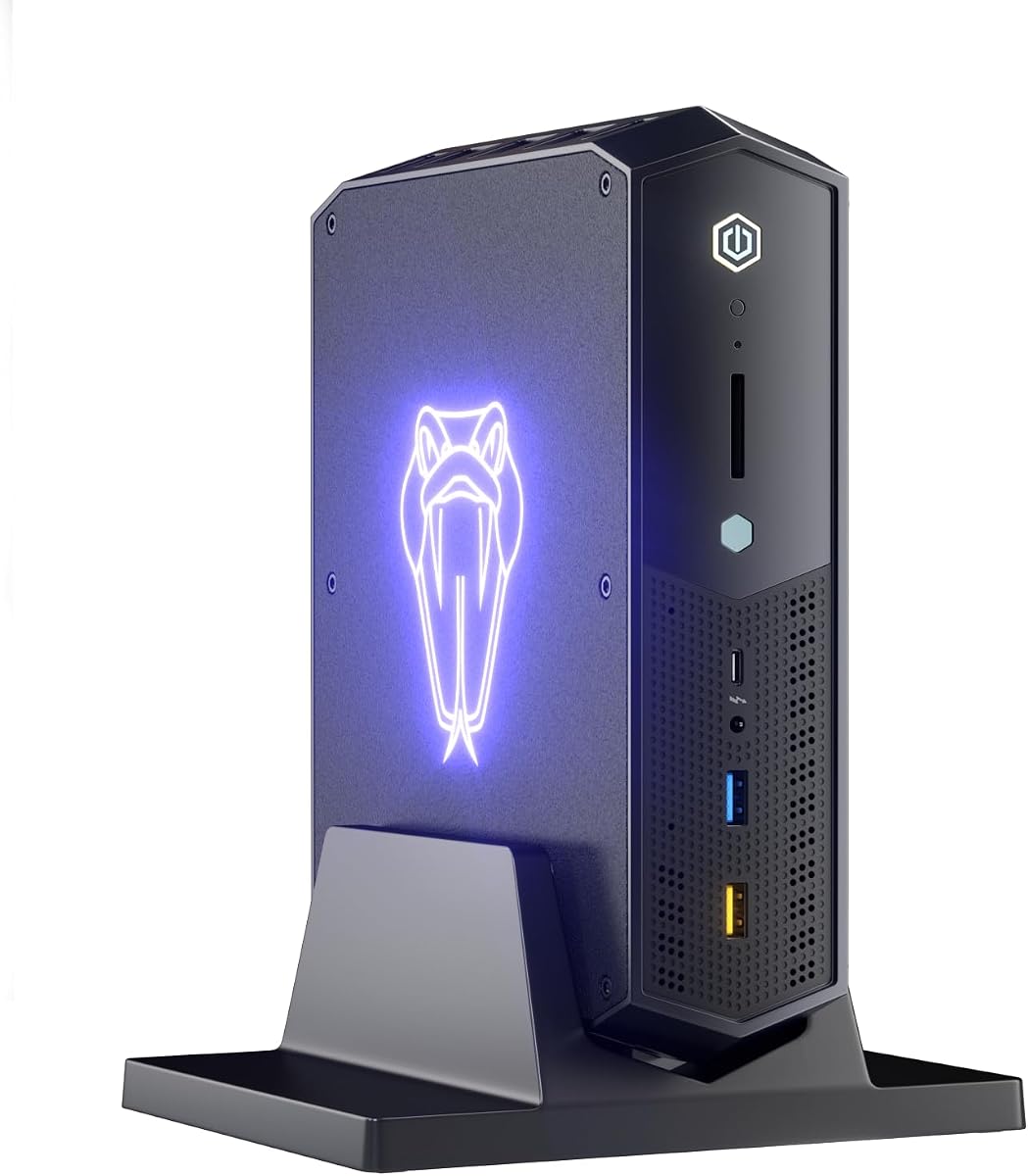
The Intel NUC 12 Serpent Canyon is a compact gaming PC with an unusual combination of portability and discrete graphics. It pairs a 11th-generation Core i7-12700H with 16GB GDDR6 Intel Arc A770M graphics, earns a 5.0 rating, and measures just 9.1 by 7.1 by 2.4 inches.
We may earn a commission when you buy through this link, at no additional cost to you.
The A770M is the central attraction for buyers who want more graphics capability than integrated graphics can offer. It also works alongside Iris Xe integrated graphics, giving the system integrated and discrete display paths. With 32GB of dual-channel DDR4-3200 memory, expandable to 64GB, and a 1TB dual-channel PCIe 4.0 SSD, the specification is suitably balanced for gaming and general productivity.
Connectivity is unusually thorough for such a small enclosure. Two Thunderbolt 4 ports, six USB 3.2 ports, HDMI 2.1, two Mini DisplayPort connectors, a 2.5G Ethernet port, two audio jacks, and an SD Express slot support a wide range of peripherals. The listed display capabilities cover four 4K screens or one 8K screen, which is valuable for productivity setups.
This NUC is a compelling option for a compact gaming system with dedicated graphics and extensive ports. Its older processor generation means buyers should not treat it as the newest performance option, and mobile graphics remain limited compared with a full-size desktop GPU. Even so, the combination of footprint, 16GB discrete graphics, and port selection gives it a distinct advantage.
The 16GB Intel Arc A770M distinguishes the Serpent Canyon from mini PCs limited to integrated graphics. That makes it a more convincing choice for 1080p gaming and creative applications while preserving the convenience of a compact system.
Thunderbolt 4, HDMI, and dual Mini DisplayPort outputs provide numerous ways to attach displays and accessories. Four-screen support makes the NUC more than a compact gaming machine and gives it value for desk arrangements that combine entertainment and productivity.
We may earn a commission when you buy through this link, at no additional cost to you.
The ASUS ROG GR70 is a premium Small Form Factor Gaming PC that combines a Ryzen 9 9955HX with an NVIDIA GeForce RTX 50-Series mobile GPU. Its 5.0 rating and ROG positioning point to a high-end compact system designed for high frame rates, low latency, and substantial creation workloads.
We may earn a commission when you buy through this link, at no additional cost to you.
ASUS emphasizes the GR70’s ability to provide elite-tier performance in a compact chassis. The Ryzen 9 9955HX brings a high core count for gaming, streaming, and multitasking, while the RTX 50-Series mobile GPU supports modern gaming features and efficient creation. The supplied listing does not specify the exact power limit or memory capacity, so those details should be confirmed before comparing it with another desktop replacement.
The custom cooling system is designed to keep temperatures and acoustics under control during intense loads. ROG also highlights WiFi 7 and certified Bluetooth 5.4, supporting fast wireless networking, accessory connections, and online gaming. The silver enclosure is designed to be desk-friendly and travel-ready without looking like an oversized office mini PC.
The GR70 is the premium selection for someone willing to prioritize compact high-end hardware over the lowest possible cost. Its appeal is strongest for gamers who value modern mobile graphics, flagship CPU performance, and wireless connectivity in a small footprint. Buyers who need extensive physical ports, easily expandable memory, or desktop GPU power should investigate those requirements before ordering.
Ryzen 9 9955HX processing and RTX 50-Series mobile graphics create a strong foundation for high-end compact gaming. The small silver chassis is intended to make that performance practical on a limited desk or in a mobile setup.
WiFi 7 can reduce the friction of cable-free online play, while Bluetooth 5.4 supports convenient peripheral connections. These features are particularly useful when desk space limits access to wired networking.
We may earn a commission when you buy through this link, at no additional cost to you.
The SFF Gaming PC with Core i5-14400F and RTX 5060 is a straightforward compact build aimed at modern 1080p and 1440p gaming. It has no published rating, so its value proposition rests on the documented components: a 10-core processor, RTX 5060 8GB graphics, 16GB of DDR4 memory, and a 512GB M.2 NVMe SSD.
We may earn a commission when you buy through this link, at no additional cost to you.
The Core i5-14400F combines six performance cores and four efficiency cores for gaming, streaming, recording, and multitasking. The RTX 5060 supports ray tracing and DLSS and is listed as suitable for smooth 1080p or 1440p gaming at high settings in modern AAA and esports titles. That combination gives this system a useful balance for a smaller, more affordable gaming setup.
The supplied configuration includes dual-channel DDR4 and a fast NVMe drive for quick boots and game loading. The Mini-ITX enclosure is designed to reduce desk clutter, making the system relevant to LAN parties, compact workspaces, and gaming areas where a full tower is inconvenient. Every unit is described as undergoing a 48-hour burn-in and stress test before shipping.
This is the best-budget recommendation for a buyer who prioritizes modern gaming hardware over premium construction, abundant memory, or extensive connectivity details. Sixteen gigabytes of RAM can become a limitation in demanding modern games and heavy multitasking, and the absence of a published rating gives buyers less historical reassurance. Even so, the i5-14400F and RTX 5060 form a compelling core specification.
The RTX 5060 and 10-core Intel processor provide a contemporary gaming foundation in Mini-ITX dimensions. It is a sensible match for gamers who want dedicated graphics and a compact footprint without moving into premium mini-PC territory.
The manufacturer states that each PC passes a 48-hour burn-in and stress test. A one-year warranty and professional technical support add some reassurance, although the lack of an available customer-rating figure should be considered.
We may earn a commission when you buy through this link, at no additional cost to you.
The ROG NUC 16 Edition 20 is positioned as a flagship compact gaming system, pairing an Intel Core Ultra 9 290HX Plus with an NVIDIA GeForce RTX 5090 Mobile GPU. The supplied information is concise, but the component names clearly establish its ambition for maximum gaming and creation performance in a small enclosure.
We may earn a commission when you buy through this link, at no additional cost to you.
An RTX 5090 Mobile GPU is the headline feature for buyers who want the strongest possible graphics performance in a compact chassis. It should be of particular interest to gamers targeting demanding modern titles or creators working with high-resolution media. The Core Ultra 9 290HX Plus handles general compute, multitasking, and the CPU side of gaming workloads.
The configuration also stands out for 64GB of DDR5 RAM and a 2TB PCIe Gen5 SSD. WiFi 7 and Thunderbolt 4 provide modern wireless and wired connectivity, while the ultra-compact SFF design is intended to reduce the physical footprint of a high-end computer. These specifications make the system look particularly complete for advanced users.
This is the most ambitious system in the roundup and the natural choice for a buyer focused on top-tier compact performance. However, the listing does not provide a published rating, detailed port list, memory speed, or cooling specifications, so the final configuration should be checked carefully. Compact high-end hardware also places greater importance on thermals and sustained power limits than the product name alone can reveal.
The RTX 5090 Mobile GPU gives this NUC exceptional graphics potential without requiring a full tower chassis. It is aimed at users who want advanced gaming capability and may also use the system for intensive content creation.
The inclusion of 64GB of DDR5 RAM and a 2TB PCIe Gen5 SSD provides substantial headroom for games, creative applications, and multitasking. These generous components also help the compact system age more gracefully than a typical entry-level mini PC.
We may earn a commission when you buy through this link, at no additional cost to you.
The TOPGRO T1 combines a Core i9-9980HK with GTX 1650 4GB graphics in a small desktop with a 5.0 rating. It offers a recognizable specification and a generous 1TB PCIe 4.0 SSD, making it a practical compact option for light gaming, home use, and general computing.
We may earn a commission when you buy through this link, at no additional cost to you.
The processor has eight cores and 16 threads, a 12MB cache, and boost speeds up to 5.0GHz. A hybrid output mode can use either UHD Graphics 630 or the GTX 1650, depending on the task. The dedicated card adds 4GB of GDDR5 memory, but its age and limited capacity mean the T1 is better aligned with older and less demanding games than current high-end releases.
Memory starts at 16GB DDR4 and can be expanded to 64GB. Storage includes a 1TB PCIe 4.0 M.2 drive, plus two additional M.2 2280 slots that the listing says can support expansion up to 8TB. Two HDMI outputs support 4K at 60Hz, and the port selection includes three USB 3.0, two USB 2.0, and one USB-C connection.
The T1 offers excellent value-oriented convenience with Windows 11 Pro, WiFi 6E, Bluetooth 5.3, and 1.0G Ethernet included. It is a good fit for a secondary gaming PC, an older-title setup, or a compact productivity machine. Gamers seeking newer graphics, modern ray tracing, or high settings in demanding current titles should move to a system with a more recent GPU.
The T1 is unusually flexible for a budget mini PC because its 16GB memory can be expanded and the storage arrangement includes two extra M.2 slots. That allows buyers to add capacity without replacing the entire system.
Dual HDMI, three USB 3.0 ports, USB-C, WiFi 6E, Bluetooth 5.3, and Gigabit Ethernet cover the most common desk needs. Windows 11 Pro and RGB lighting make it particularly approachable as a home and office computer.
We may earn a commission when you buy through this link, at no additional cost to you.
The KAMRUI E3B is an energy-conscious mini PC built around the Ryzen 5 7530U and Radeon Vega 7 graphics. Its 4.4 rating and broad display support make it more compelling as a productivity and media system than as a dedicated high-end gaming computer, although its compact form still fits many gaming-adjacent setups.
We may earn a commission when you buy through this link, at no additional cost to you.
The six-core, 12-thread Zen 3 processor has a 15W TDP, can operate up to 28W, and boosts to 4.5GHz. Its listed single-thread performance is 25 percent higher than the Ryzen 5 5500U, helping with browsing, office applications, and other responsive everyday tasks. Radeon Vega 7 provides seven graphics cores at 1800MHz for display output and light graphical workloads.
The E3B stands out for its triple-display capability through DisplayPort 1.4b, HDMI 2.0, and full-function Type-C. That Type-C port handles charging, 10Gbps data, and 4K at 60Hz display output. Storage expansion is unusually flexible, with two M.2 2280 slots accepting up to 2TB drives, although the 16GB LPDDR4X memory cannot be upgraded.
This is a strong choice for a compact office, study, home-theater, or light-gaming setup where efficiency and multiple displays matter more than dedicated graphics. The integrated GPU can handle casual games, but demanding modern titles are outside its intended performance envelope. Buyers who want a serious gaming experience should save their budget for a model with a discrete or high-performance mobile GPU.
The Ryzen 5 7530U’s six cores, 12 threads, and 28W maximum operating power provide responsive performance for office work, browsing, media, and communication. It is a sensible foundation for a compact secondary system.
DisplayPort, HDMI, and Type-C allow three 4K displays to be used together. The extensive selection of USB ports and Ethernet makes the E3B adaptable to workstations where multiple peripherals and stable wired networking are important.
We may earn a commission when you buy through this link, at no additional cost to you.
The Beelink SER3 is an entry-level mini PC aimed at office tasks, media, light gaming, and general home computing. Its Ryzen 3 3200U uses two cores and four threads, but the compact design, 16GB of memory, and fast storage still make it a useful small computer for users who do not need gaming-scale performance.
We may earn a commission when you buy through this link, at no additional cost to you.
The processor operates from a 2.6GHz base frequency and can boost to 3.5GHz. Its Radeon Vega 3 integrated graphics have three cores at 1200MHz, sufficient for the listing’s stated light-gaming tasks as well as 4K at 60Hz video playback and editing. The system includes 16GB of DDR4-2400 memory, expandable to 32GB through two 16GB modules, and a 500GB PCIe 3.0 x4 M.2 SSD.
For basic desk use, the SER3 offers a useful set of connections: four USB 3.2 ports, two HDMI outputs, a 1000M Ethernet jack, a 3.5mm headset and microphone connection, and a DC input. Dual-band 802.11ac WiFi and Bluetooth add wireless flexibility, and two displays can be connected for multitasking.
This is the most approachable compact option in the list for browsing, documents, video, and casual games. Its two-core processor and Radeon Vega 3 graphics are not appropriate for demanding modern gaming, high-refresh competitive play, or heavy creative work. The three-year warranty and lifetime technical support are useful additions to an entry-level configuration.
The SER3 prioritizes efficient general computing, and 16GB of RAM is a comfortable starting point for browsing, office work, and media. The compact enclosure also makes it easy to place beside a television or in a small working area.
A three-year warranty, lifetime technical support, and 24/7 after-sales service distinguish this entry-level system. Dual displays, Gigabit Ethernet, dual-band WiFi, and four USB 3.2 ports cover common productivity needs.
We may earn a commission when you buy through this link, at no additional cost to you.
The HYTE Revolt 3 is a case-only product, not a ready-made gaming computer. It gives experienced builders a way to create a Small Form Factor Gaming PC around a standard-layout ITX motherboard. Its 4.5 rating reflects a focus on convenient access, broad motherboard compatibility, portability, and a clean metal enclosure.
We may earn a commission when you buy through this link, at no additional cost to you.
The chassis accepts any motherboard using the standard ITX layout. Removable external panels appear on all sides, providing 360-degree access to internal components and wiring. That design is valuable in a small case because it makes installation, cable routing, cooling adjustments, and later upgrades less difficult than in a tightly enclosed conventional tower.
The front I/O includes two USB 3.2 Gen 1 Type-A ports, a USB 3.2 Gen 2 Type-C connection, and a headset combination jack. A carrying handle adds portability, letting the owner move the completed system between locations. The case is backed by a three-year warranty, which is helpful given how much of the final build depends on careful assembly.
This recommendation is best for buyers who want to choose their processor, graphics card, memory, cooling, and storage independently. It offers no gaming performance by itself and requires a full compatible system. Those seeking a turnkey computer should choose one of the complete systems in this guide instead, while experienced builders may appreciate the Revolt 3’s unusually accessible panels and standard ITX compatibility.
Removable panels on every side make the Revolt 3 easier to build and maintain than many compact cases. Users can reach components and cables without dismantling the entire layout, reducing the stress of installing a dense ITX system.
The carrying handle is designed for moving a completed computer, while the black metal enclosure gives the project a finished appearance. Builders still need to select compatible components, account for cooling, and assemble the system themselves.
We may earn a commission when you buy through this link, at no additional cost to you.
Choosing a compact gaming PC requires balancing graphics capability, processor performance, cooling, memory, connectivity, and physical size. The right balance depends on your monitor resolution, preferred games, tolerance for compact-system constraints, and willingness to upgrade.
The GPU has the greatest influence on gaming performance at 1440p and 4K. RTX 5060 and GTX 1650 configurations are positioned around 1080p gaming, with the RTX 5060 also suited to 1440p in suitable titles. Arc A770M, RTX 5070, RTX 5070 Ti, and RTX 5090 Mobile systems provide progressively more ambitious graphics capability, although thermal limits still matter in compact enclosures.
A modern 10-core processor such as the Core i5-14400F can serve gaming, streaming, and multitasking efficiently. Ryzen 7 9800X3D, Ryzen 9 9955HX, and Core Ultra 9 290HX Plus are better aligned with high-end systems and demanding multitasking. Older Core i7, Core i9, and Ryzen 3 processors may remain useful, but their gaming ceiling is generally lower and upgrade potential more limited.
Sixteen gigabytes of memory is now a baseline, while 32GB provides a better balance for modern games, background applications, and creation tools. The 64GB and 128GB configurations suit advanced creative work, AI workloads, and heavy multitasking. Storage capacity should hold the operating system, game library, and media; 1TB or 2TB is more comfortable for extensive libraries, while 512GB may require frequent management.
Compact systems dissipate less heat and have fewer airflow paths than full towers. The NR2 Pro uses a 280mm AIO and offers mesh-panel options, the EVO-X3 uses a three-pipe, triple-fan cooling design, and the ROG GR70 relies on a custom thermal system. A weaker GPU and CPU may run cooler in a small chassis, but high-end mobile and desktop components require careful thermal design and sustained power management.
Some mini PCs use soldered LPDDR memory that cannot be upgraded, while others accept DDR4 or DDR5 modules and include additional M.2 slots. The TOPGRO T1 supports memory expansion and extra storage, the KAMRUI E3B has two M.2 positions but fixed memory, and the HYTE Revolt 3 lets builders select every component. Checking expansion before buying can prevent frustration later.
A gaming PC should support the resolution and refresh rate of your monitor, along with the peripherals you already own. The EVO-X3 supports dual 8K output, the NUC 12 supports up to four 4K displays, and the KAMRUI E3B supports three 4K displays. USB-C, Thunderbolt 4, dual Ethernet, audio connectors, and multiple USB ports can materially improve desk flexibility.
Modern wireless support can simplify a clean desk setup. WiFi 7 appears on the EVO-X3, ROG GR70, and ROG NUC 16, while the TOPGRO T1 uses WiFi 6E. Older and more affordable systems may use dual-band WiFi 5 or WiFi 6. For low-latency gaming or large transfers, 2.5G Ethernet on the EVO-X3 and NUC 12 may be preferable to wireless networking.
A complete system is the simplest option because the processor, graphics, memory, storage, operating system, and cooling are already selected. A mini PC with an external GPU dock offers a flexible hybrid approach, as demonstrated by the EVO-X3’s OCuLink interface. A case-only product such as the HYTE Revolt 3 is entirely different: it offers the highest customization but requires component selection and assembly.
Begin by confirming that the supplied power adapter, display cable, network connection, and peripherals are compatible with the system. Place the computer on a hard, level surface with its intake and exhaust areas unobstructed. Avoid placing a compact PC inside a closed cabinet unless the manufacturer explicitly permits it, and use the mesh or removable panels as intended rather than blocking ventilation.
For a new gaming PC, update the operating system, chipset and graphics drivers, firmware, and any bundled utility software before installing demanding games. Verify that the system recognizes all memory and storage, then check display resolution, refresh rate, audio, wireless networking, and USB devices. Use the original operating system or a clean installation media when transferring files or replacing storage.
Clean dust from exterior vents and filters regularly, especially in dusty environments. Disconnect power before opening the case, use gentle compressed air, and avoid directing sustained airflow at exposed fans or components. Monitor temperatures and frame rates during long sessions, keep the system’s ventilation paths open, and schedule a clean whenever unusual fan noise or declining sustained performance appears.
They can be, because processor and graphics performance are not determined by case size alone. Some compact systems use the same high-end mobile chips found in powerful laptops, while the NR2 Pro pairs flagship-class desktop components in an ITX enclosure. Sustained performance can still depend on cooling, power limits, memory, and thermals.
A mini PC is often preferable when desk space, portability, aesthetics, or lower power use matter most. A full-size desktop generally offers easier component access, more internal expansion, and stronger cooling options. The best choice depends on the hardware configuration and the games you intend to play.
Yes, but the result depends strongly on the GPU, game, settings, and cooling. The RTX 5060, Arc A770M, RTX 5070, RTX 5070 Ti, and RTX 5090 Mobile systems in this guide provide different levels of 1440p capability. The listing for the NR2 Pro specifically describes 120-plus FPS at 1440p on high or higher settings.
Thirty-two gigabytes is a strong general target for modern gaming, streaming, and multitasking. Sixteen gigabytes can work for lighter games and everyday use, while 64GB or 128GB is most relevant to advanced creation, AI, and professional applications. Also check whether the memory is soldered, because integrated LPDDR memory generally cannot be upgraded.
They can, especially when high-end processors and graphics are packed into a small enclosure. Cooling quality, ambient temperature, dust, fan curves, and sustained power limits all affect thermals. Models with purpose-built cooling, such as the NR2 Pro’s 280mm AIO or the EVO-X3’s triple-fan system, are designed to manage sustained loads more effectively.
No. The HYTE Revolt 3 is an ITX computer case and does not include a processor, graphics card, memory, storage, cooling, or operating system. It is a chassis for experienced builders who want to select and install their own components, with removable panels that make the compact assembly more accessible.
It depends on the system. The GMKtec EVO-X3 includes OCuLink for connection to compatible external GPU docks, offering a way to improve graphics performance. Other mini PCs have no dedicated external GPU interface, so upgrading may require replacing the entire unit or using a full-size desktop.
Check the exact CPU and GPU, memory capacity and upgradeability, storage size, display outputs, wireless and wired networking, port layout, included cooling, warranty, and operating system. Compact systems can have shared resources and constrained upgrade paths, so the exact configuration matters more than the product category alone.
The Cooler Master NR2 Pro stands out as the strongest all-around recommendation, combining the Ryzen 7 9800X3D, RTX 5070 Ti 16GB, 32GB of fast DDR5 memory, 2TB of Gen4 storage, and serious cooling in an 18.25-liter chassis. The ASUS ROG GR70 takes the premium route with Ryzen 9 and RTX 50-Series mobile graphics, while the SFF Gaming PC i5-14400F offers the most accessible dedicated-GPU configuration.
For buyers with different priorities, the EVO-X3 emphasizes AI, unified memory, and external GPU expansion; the NUC 12 Serpent Canyon offers discrete graphics and extensive ports; the ROG NUC 16 Edition 20 targets maximum compact performance. The TOPGRO T1, KAMRUI E3B, and Beelink SER3 are more appropriate for lighter gaming and productivity, while the HYTE Revolt 3 serves experienced builders rather than ready-made-PC shoppers.
Before ordering, confirm that the current configuration matches your target resolution, games, cooling expectations, port needs, and upgrade plans. Availability and prices change frequently, so review the latest listing and included components rather than relying solely on a previous configuration or review. The right compact gaming PC is the one that delivers your needed performance without overwhelming your desk or budget.