
Comu Action Pro
4.8Editor score
AI-generated editable documents
Adaptive six-microphone array
113-language transcription
This AI Lapel Devices guide compares ten recorders for audio quality, AI summaries, battery life, privacy, portability, and everyday usability at work.
AI lapel devices combine discreet audio capture with automatic transcription, summaries, and useful post-meeting tools. The best models can preserve conversations while remaining small enough for a shirt pocket, magnetic phone attachment, or hands-free wear. Ideal choices balance dependable microphone performance, sensible battery life, and AI features that genuinely reduce the work of reviewing recordings.
This guide compares ten AI-enabled recorders, wearable badges, pocket note takers, and wireless lavalier microphones. We evaluated the supplied product details for capture methods, language support, recording duration, storage, privacy controls, wearable options, and compatible apps. The list includes devices for meetings, interviews, lectures, field work, translation, and mobile content creation.
Each review highlights the most useful strengths and the compromises worth considering. The top picks provide the strongest balance of features, while specialized options stand out for translation, discretion, audio quality, or affordability. Features and availability can change, and current prices vary, so readers should confirm the latest listing and subscription terms before purchasing.
4.8Editor score

4.5Editor score

4.2Editor score
The comparison below shows how the ten devices differ in recording format, AI capabilities, portability, and practical limits. It is designed to help readers match a recorder to meetings, interviews, lectures, translation, or mobile video work rather than relying on one universal specification.




The Plaud Note Pro combines a remarkably thin recorder with a broad set of features for meetings, calls, interviews, and field notes. Its 4.5 rating reflects a polished product that handles audio capture, transcription, summaries, and follow-up questions in one device. The credit-card-sized aluminum body is only 0.12 inches thin, yet it includes a vivid AMOLED screen that displays battery and recording status.
We may earn a commission when you buy through this link, at no additional cost to you.
Its defining strength is the amount of context it can preserve. Users can record audio, type notes, add images, and press a button to mark important moments. The Ask Plaud system can then answer questions about the original recording, extract key points, draft emails, and suggest next steps. Intelligent switching between call and meeting modes, directional audio, and spatial awareness make it adaptable to different conversation environments.
The supplied information also lists four high-performance MEMS microphones and one VPU microphone. Enhance Mode supports clear speech from as far as 16.4 feet, while Endurance Mode extends continuous recording to 50 hours. The main trade-off is the included Starter Plan, which provides 300 transcription minutes per month; heavier users would need to examine the optional Pro or Unlimited plans.
This is the strongest all-around recommendation for someone who wants more than a dedicated microphone. It suits professionals who want a discreet recorder, visible status checks, organized summaries, and flexible ways to mark a conversation. Choose it when portability, context gathering, and post-meeting productivity matter more than avoiding subscription plans entirely.
Marking a moment, photographing a document, or typing an idea enriches the resulting transcript. Those additions can make an AI summary more useful when a conversation depends on visual information or the speaker's own annotations.
The thin aluminum body slips into a pocket, while the AMOLED display reduces uncertainty about battery life and active recording. It is an effective compromise between a screenless wearable and a more obvious handheld recorder.
We may earn a commission when you buy through this link, at no additional cost to you.
The Pocket AI Voice Recorder is built for people who want to capture a meeting or idea without juggling another handheld device. Its 4.6 rating is the second-highest among the listed products. A single tap starts recording, and the MagSafe-compatible format lets it attach directly to a compatible iPhone or other supported device for hands-free use.
We may earn a commission when you buy through this link, at no additional cost to you.
After recording, the device turns audio into summaries, key action items, and structured conversation maps. Ask Pocket provides a second layer of utility by answering questions grounded in the captured audio. This approach can shorten the time required to revisit a meeting, isolate next steps, or understand what was discussed.
The major compromise is that the starter package includes core features while advanced tools are available through an optional subscription. The supplied data also specifies a battery lasting up to four days on one charge, though actual results depend on use and settings. Buyers who dislike subscriptions should confirm which functions remain available without paying before ordering.
Pocket is particularly suitable for mobile professionals who regularly carry a compatible phone and want recording to be effortless. It is less obviously suited to people needing a screen, physical transport controls, a wearable clip, or a long list of language options. For simple capture and quick summaries, however, the workflow is refreshingly direct.
Attaching the recorder to a compatible phone reduces the need to place it on a table or hold it during a conversation. The magnetic arrangement is particularly convenient when a user is already relying on the phone for calendar, notes, or call-related tasks.
Structured maps and action items make the recording easier to navigate than an undifferentiated transcript. That matters most for busy users who need to understand decisions and responsibilities without listening to the full conversation again.
We may earn a commission when you buy through this link, at no additional cost to you.
The Plaud NotePin S is the most flexible wearable in the group because it can be worn as a necklace, wristband, clip, or pin. It has a 4.4 rating and a dedicated physical record button, giving users immediate tactile control. At 0.61 ounces, it is light enough for extended wear while remaining more present than a device buried in a pocket.
We may earn a commission when you buy through this link, at no additional cost to you.
Plaud Intelligence supports 112 languages and uses several named AI models to produce structured insights. More than 10,000 professional templates can generate formats such as mind maps and to-do lists. Multimodal input and real-time moment marking let users add typed notes or images, while role-specific summaries provide different views of the same conversation.
Its 20-hour continuous recording time is shorter than the Plaud Note Pro, Comulytic Note Pro, and Comu Action Pro. It also includes 300 monthly transcription minutes with the Starter Plan, so regular users may need a larger subscription. These are meaningful constraints for interview-heavy or all-day event work.
The NotePin S is best for a user who values hands-free capture and wants multiple ways to wear a recorder. It works well for walks, field interviews, meetings, and hands-busy work. Buyers should choose it for flexibility and template-driven organization, not for maximum battery life.
Included magnetic pin, clip, lanyard, and wristband make it possible to change the carrying method without buying separate hardware. The physical button also reduces the need to find controls by touch during a conversation.
The device can store up to 64GB of audio locally, helping preserve recordings when connectivity is inconsistent. Transcripts and summaries still require the associated software workflow, but the local capture provides useful assurance.
We may earn a commission when you buy through this link, at no additional cost to you.
The EurekaMind Lite Recorder offers one of the most accessible starting points in this roundup because its Starter Plan includes unlimited transcription and AI summaries. It carries a 4.4 rating and is only 3 millimeters thick, with a weight of 1.02 ounces. A magnetic back lets it attach to a phone or sit inside a card holder.
We may earn a commission when you buy through this link, at no additional cost to you.
Two capture modes are provided for different situations. Ambient Recording Mode is intended for meetings, lectures, and in-person conversations, while Call Recording Mode addresses phone calls. The software identifies different speakers, highlights action items, and creates organized meeting notes. Ask AI can also search the web for deeper context related to a recording.
The key limitation is that reminders, calendar synchronization, and Ask Agent capabilities are premium upgrades. The supplied listing does not state a maximum continuous recording duration, so buyers seeking long event coverage should verify that detail. They should also determine how call recording is performed on their specific phone and whether the device records the appropriate audio path.
This recorder is a compelling choice for students, journalists, and professionals who want generous core transcription without a recurring charge. It excels where portability and free core functions matter. It is less suitable for buyers who require an always-available display, extended battery specification, or advanced tools in the basic package.
A generous free allowance makes the device easier to evaluate because routine recordings do not quickly consume a small monthly quota. Optional upgrades can then be considered only when the user needs reminders, calendar integration, or deeper agent features.
Separate ambient and call modes reduce the need to fiddle with a microphone or phone during a meeting. The physical one-tap approach is particularly useful when the user must capture the beginning of a conversation quickly.
We may earn a commission when you buy through this link, at no additional cost to you.
The Comulytic Note Pro stands out for generous storage, broad language support, and a fast Wi-Fi workflow. Its 4.4 rating reflects a capable recorder aimed at professionals, students, journalists, and frequent note takers. The three-millimeter aluminum body includes a small display protected by Corning Gorilla Glass, along with three magnetic accessories.
We may earn a commission when you buy through this link, at no additional cost to you.
The device stores up to 64GB locally and offers unlimited cloud backup. Its Wi-Fi transfer is advertised as much faster than Bluetooth, allowing recordings to move while the user continues talking. A triple-microphone array uses AI noise reduction to capture speech within five meters, while adaptive recording identifies calls, meetings, video conferences, and interviews.
The free Starter Plan includes unlimited transcription and basic summaries, which is excellent for routine use. Advanced analysis, the Ask Comulytic Assistant, and Contact Insight Hub require the optional Premium Plan. Buyers should therefore distinguish between the device's free transcription allowance and its more advanced interpretation tools rather than treating all AI functionality as included.
Comulytic is best for people who want offline capture, large local storage, and quick cloud delivery. It is a strong fit for travel, bilingual work, long lectures, and organizations that want an industry-aware knowledge base. Those who need immediate power rather than stored capture may prefer a device with a more obvious charging and recording workflow.
Large local storage protects long recording sessions, while faster Wi-Fi transfer helps move those files into the app. Together, these features are especially useful when a user records a full workday and does not want to rely on Bluetooth synchronization.
The app supports 113 languages, includes a real-time translation device mode, and uses specialized knowledge bases for fields such as insurance, real estate, law, and consulting. This can make transcripts more useful than generic conversions.
We may earn a commission when you buy through this link, at no additional cost to you.
The Comu Action Pro is the most ambitious AI recorder in the lineup and earns the highest listed rating at 4.8. Its main attraction is automatic document generation: conversations can become editable presentation slides, email drafts, reminders, to-do lists, and action items. A dedicated AI button lets users request those outputs without composing complicated prompts.
We may earn a commission when you buy through this link, at no additional cost to you.
Audio capture is unusually elaborate. The system combines four omnidirectional microphones, one directional microphone, and one bone-conduction microphone. A built-in motion sensor helps the device select the clearest sound for interviews, meetings, and calls. It also transcribes and summarizes in 113 languages, supports real-time translation, and provides searchable results through the app and website.
Battery life is a major advantage, with the listing stating up to 70 hours for basic recording, transcription, and AI summary services. MagSafe compatibility, Bluetooth, and Wi-Fi make the device convenient for mobile work. The trade-off is that generated documents and summaries remain drafts; users should verify names, figures, commitments, and tone before acting on them.
Comu Action Pro is the premium choice for professionals who want recordings converted directly into workplace artifacts. It is less suitable for someone who only needs a basic microphone and no software-assisted follow-up. For teams seeking automated minutes, presentation structures, and email drafts, it offers the broadest stated creative output in this roundup.
The dedicated AI control turns spoken requests into editable slides, emails, reminders, and action lists. This can shorten the gap between a conversation and the follow-up work it generates, although every output should be reviewed for accuracy.
The combination of directional, omnidirectional, and bone-conduction microphones gives the system several ways to capture a voice. Motion awareness helps it adjust as the user changes position, making it versatile for interviews, calls, and meetings.
We may earn a commission when you buy through this link, at no additional cost to you.
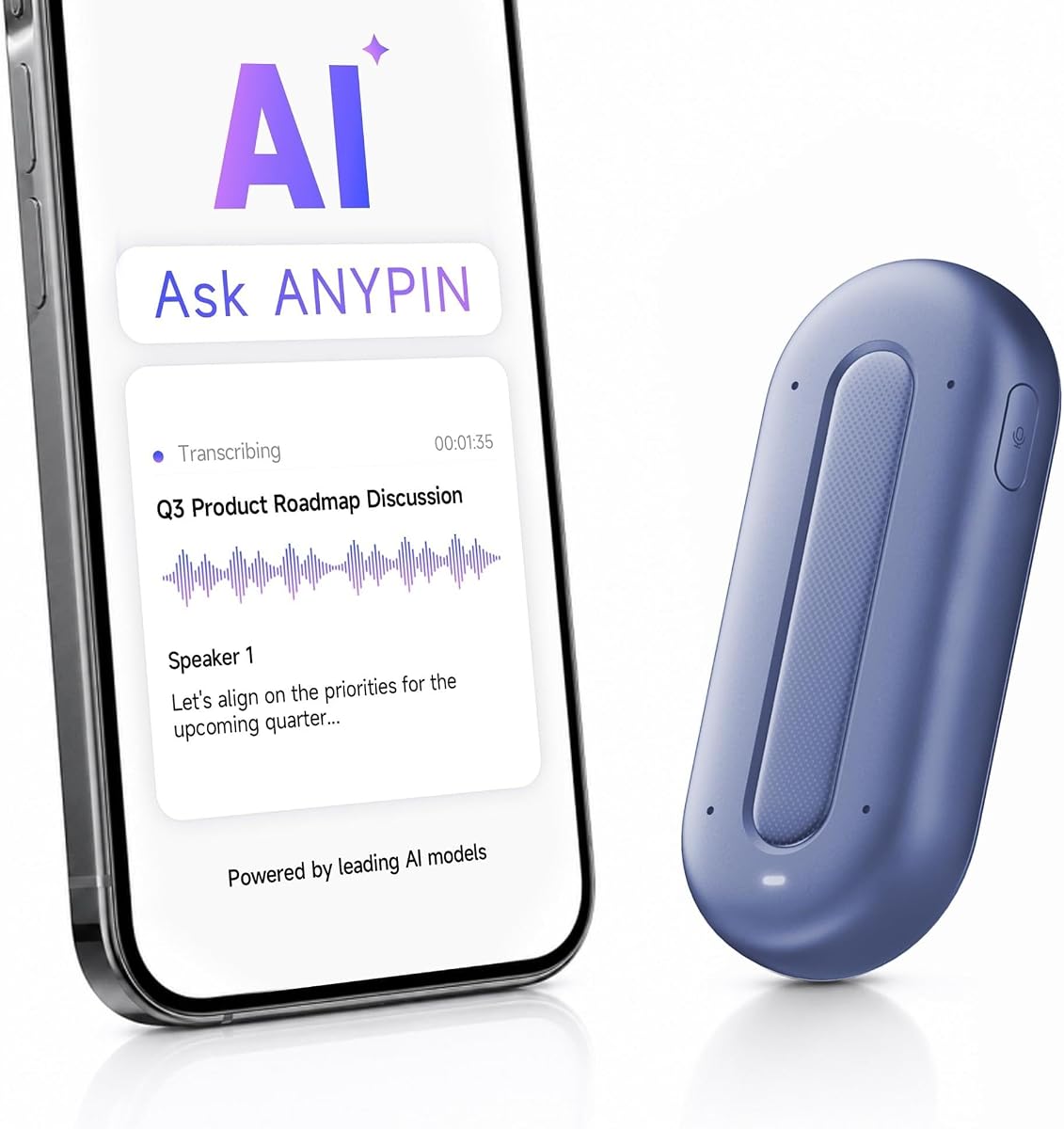
The ANYPIN Note Pod P1 offers a generous introductory transcription package and several thoughtful privacy controls. It comes with one year of unlimited AI transcription and no auto-renewal, after which users remain on a free tier with core features. Its 3.9 rating is the lowest in the group, but the product remains relevant for users who value wearable capture and a lengthy free period.
We may earn a commission when you buy through this link, at no additional cost to you.
The 120-plus language support includes translation, and the AI adds summaries, key points, and action items. A four-microphone array uses noise reduction to separate voices and can capture audio from up to 16 feet. The device weighs 0.7 ounces and can be clipped on, attached with its magnetic backplate, or worn with a separately sold lanyard.
Privacy-oriented features include encryption on the device, a requirement to sync before playback or transcription, auto-pause in geofenced private zones, iPhone Focus following, and scheduled recording. These controls are compelling for sensitive environments. The main technical limitation is that USB-C data transfer is not supported, so the Wi-Fi sync workflow is essential.
ANYPIN is best for privacy-conscious users who want more than a short trial period and prefer a discreet wearable. It is less attractive for buyers who prioritize the highest customer rating, maximum battery duration, or a broader set of included mounting accessories. Confirm that its one-year transcription arrangement and subsequent free tier align with your usage.
A full year of unlimited transcription gives users ample time to determine how often they record and which outputs provide value. The absence of auto-renewal also makes the commitment easier to evaluate, though the Core free tier applies afterward.
Geofenced private zones, scheduled recording, and iPhone Focus support help users control where and when the device records. On-device encryption and compulsory app synchronization add another layer of deliberate data handling.
We may earn a commission when you buy through this link, at no additional cost to you.
The Z01 PRO AI Badge is a wearable language and assistant device rather than a dedicated meeting recorder. It has a 4.2 rating, an offline HD touchscreen, and Bluetooth 6.0 connectivity. Its most attractive feature for travelers and language learners is support for translation across 102 languages, although the supplied details clarify that translation itself requires an internet connection.
We may earn a commission when you buy through this link, at no additional cost to you.
The device can remain connected to a smartphone without depending on a Wi-Fi network. Users can ask for nearby attractions, restaurant recommendations, recipes, reminders, and general guidance through the BagiBagi app. The listing also emphasizes local processing without cloud uploads, allowing personal data and queries to remain on the device for the listed functions.
As a lapel-oriented option, it is less specialized than the dedicated recorders in this guide. There is no stated long recording duration, no detailed transcription allowance, and no microphone range in the supplied information. The main compromise is therefore functional focus: it offers useful wearable assistance, but meeting transcription and summaries are not its central strengths.
The Z01 PRO is best for international travel, language practice, and users who want a screen-equipped AI accessory that does not require Wi-Fi. It may also appeal to buyers who prefer local processing and custom wallpapers. For reliable meeting capture, however, one of the dedicated transcription recorders would be a more straightforward choice.
The product information states that conversations, personal data, and queries are processed on the device without cloud uploads. This focus may appeal to users who want assistance without sending sensitive prompts to remote servers.
Users can upload personal photos, create multi-image collections, make short videos, and apply stickers as wallpapers. The magnetic touchscreen turns what could be a functional badge into a customizable everyday accessory.
We may earn a commission when you buy through this link, at no additional cost to you.
The Z02 AI Badge is a compact wearable that combines voice recording, translation, meeting assistance, and a general AI chatbot. It has the highest listed rating in the group at 5.0. Unlike the Z01 PRO, its supplied product information places meeting minutes, speaker distinction, and AI summaries directly at the center of the feature set.
We may earn a commission when you buy through this link, at no additional cost to you.
Dual capture modes support group discussions or a more focused directional recording. The eight AI tools include meeting minutes, mind-map organization, and AI summaries that isolate keywords, key points, and action items. A double-tap starts recording, swiping up wakes the chatbot, and swiping down controls brightness and volume, creating a simple wearable workflow.
The important caveat is connectivity. The BagiBagi app must be downloaded, and AI voice dialogue, meeting minutes, memo creation, and other intelligent functions require a network connection. Although the listing advertises no hidden fees or subscriptions, users should still confirm that the features they need remain available without a paid plan.
The Z02 is best for users who want an all-in-one wearable meeting tool and value simple physical gestures over a larger display. It is particularly relevant to travelers, students, and business users who need translation and meeting organization. Buyers who need offline transcription or a documented long battery life should ask for those specifications before choosing.
Omnidirectional capture suits group conversations, while directional recording can concentrate on a key speaker. This flexibility makes the badge useful in both collaborative meetings and one-to-one interviews.
Speaker distinction, summaries, mind maps, and action-item extraction turn audio into several forms of organized information. The badge is therefore more useful as a productivity system than as a simple audio archive.
We may earn a commission when you buy through this link, at no additional cost to you.
The SYNCO AI Mini is the most specialized lavalier microphone in the group and the most budget-conscious route into AI-assisted recording. It is designed for Android USB-C phones and tablets with OTG audio input. Its 4.2 rating reflects a practical creator tool that combines wireless capture with voice enhancement and organized AI outputs.
We may earn a commission when you buy through this link, at no additional cost to you.
AI noise reduction and voice enhancement are designed for real environments such as cafes, home offices, classrooms, interviews, meetings, and outdoor locations. Automatic voice leveling compensates when the speaker turns, moves, or changes distance from the microphone. These features address common weaknesses of conventional lavalier recordings without requiring a perfectly controlled studio.
The SYNCO AI app can transform recorded speech into summaries and mind maps, while translation, voice questions, and other AI tools are described as available without a subscription. The main limitation is device compatibility. It cannot simply be assumed to work with an iPhone or a USB-C device that lacks OTG audio support, so buyers should confirm their exact model first.
SYNCO AI Mini is best for mobile creators, educators, and Android users who want a conventional wearable microphone with AI cleanup. It is less appropriate for general meeting transcription, a privacy badge, or a standalone recorder that does not need a phone connection. Its strengths are focused: clear speech, flexible positioning, and free organization tools.
Automatic volume balancing reduces the need to adjust the microphone whenever the speaker shifts position. This is particularly helpful for unscripted interviews, demonstrations, and videos recorded while moving.
Summaries and mind maps turn recorded speech into reusable notes for content planning and lesson preparation. Because the core AI tools are described as free for life, creators can use them without a monthly commitment.
We may earn a commission when you buy through this link, at no additional cost to you.
The best AI lapel device is the one that matches your recording environment, privacy expectations, and desired outputs. Consider audio capture, wearability, battery life, language support, storage, app behavior, and subscription costs before choosing.
A dedicated lavalier microphone can sit near a speaker and connect directly to a phone, making it effective for video, interviews, and presentations. A self-contained recorder offers broader app-based transcription, summaries, storage, and sharing, while a wearable badge is easier to wear discreetly throughout a workday. Choose based on whether the device must operate independently or merely improve audio captured by another device.
Microphone count alone does not determine recording quality, but multiple directional, omnidirectional, and sometimes bone-conduction microphones provide more options for separating voices from background noise. Pay attention to stated capture distance, noise reduction, motion sensing, and call or meeting modes. Consider the environment as well: a small device may struggle in a large, noisy room even if its specifications look impressive.
Basic transcription is only one layer of usefulness. Some devices create summaries, action items, mind maps, presentation slides, email drafts, or reminders, while others add web search, translation, speaker distinction, and configurable templates. Look for outputs that directly support your work, and remember that generated material can contain errors even when the transcript is accurate.
Recording duration, standby time, and storage are separate considerations. A device may advertise a long standby figure but offer fewer hours of continuous capture, while 64GB of local storage can be valuable for offline sessions. Review the stated recording mode, capacity, charging time, and transfer method together rather than focusing on a single headline figure.
Language counts are useful when you regularly work across regions, but the details matter. Some devices transcribe only, while others add real-time translation, bilingual text, or offline translation. The Z01 PRO, for example, supports 102-language translation but requires an internet connection for that function, whereas some other products emphasize local recording and later cloud processing.
Audio recorders can contain confidential conversations, so security claims deserve careful review. Look for encryption, local storage, controlled cloud processing, private-zone auto-pause, explicit authorization, and recognized compliance standards. A device that claims local processing may still rely on a network for selected AI tools, as shown by the differing translation and chatbot requirements among wearable badges.
Some products include unlimited starter transcription, others provide a limited monthly allowance, and the Z01 PRO style of offer may provide a temporary period before reverting to core access. Before buying, compare the included allowance, premium feature list, renewal behavior, export options, and account requirements. Free transcription does not always mean every summary, assistant, or advanced analysis tool is included.
Wearability, charging, and connectivity influence whether a recorder will actually be used. Confirm phone attachment, MagSafe support, USB-C data transfer, Wi-Fi sync, OTG audio, included clips, and separate lanyard sales. For sensitive meetings, also verify the local law and workplace policy and inform participants before recording.
Begin by charging the recorder, installing its official app, and completing any account or firmware setup. Test it in a quiet room before an important session, then compare the resulting transcript with the original audio. Learn the physical controls, confirm that the app recognizes the device, and check battery, storage, and remaining transcription allowance.
For a meeting or interview, position the recorder as close to the primary speaker as practical and keep it unobstructed. Use the appropriate call, ambient, directional, or enhancement mode, and mark significant moments while they happen. Tell participants that recording is taking place and obtain their permission whenever appropriate, particularly in healthcare, legal, educational, or workplace settings.
After recording, sync or transfer the file promptly, create the desired summary, and save important transcripts, action items, and media to a secure location. Review names, numbers, quotations, and assigned responsibilities before using AI-generated drafts. Keep the microphone openings clean, use the supplied charging equipment, protect the screen, and store recordings in an encrypted or access-controlled system when they contain sensitive information.
A normal wireless lavalier primarily sends microphone audio to a phone, camera, or receiver. An AI lapel device may also transcribe recordings, identify speakers, summarize conversations, extract action items, translate languages, or generate documents. Some products combine both roles, while others are standalone recorders whose AI features work through a companion app.
They can reduce the need for extensive manual notes, but they should not be treated as infallible substitutes. Technical terminology, accents, overlapping speakers, and names may be transcribed incorrectly. Recording the meeting, checking the transcript against the audio, and verifying important decisions and assignments is a safer workflow.
It depends on the device. Several products can capture and store audio locally before syncing later, while badges such as the Z01 PRO and Z02 require a network connection for listed AI, translation, or chatbot functions. Even when offline recording is possible, transcription may wait until the file reaches the companion app and its connected service.
The Comulytic Note Pro and Comu Action Pro offer substantial microphone arrays, noise reduction, and long recording specifications, while the Plaud Note Pro supports moment marking and multimodal context. Interviewers should prioritize close placement, reliable storage, speaker identification, and easy marking over translation or wearable convenience. A wired lavalier may be preferable when near-field audio quality is the only priority.
They depend on the model. The EurekaMind Lite Recorder and Comulytic Note Pro advertise unlimited starter-plan transcription, while Plaud includes a limited monthly allowance in its Starter Plan. The ANYPIN product includes one year of unlimited transcription before returning to a free tier. Always verify which advanced AI features remain available after the introductory period.
Some products explicitly provide call recording modes, and others can capture conversations played through a device. Compatibility depends on the recorder and the meeting platform, and call audio may be captured differently from in-person speech. Test the workflow before a client call and make sure the app permits the intended recording method.
Start with consent, then use a strong device passcode, encrypted storage, restricted cloud sharing, and separate work and personal accounts. Review auto-pause and Focus settings, avoid public charging or transfer practices, and delete audio once it is no longer needed. Compliance claims help, but they do not replace an organization's own security policy.
A badge is usually easier to wear consistently and may offer gesture controls, translation, and a personal display. A pocket recorder is often easier to retrieve in a meeting and may provide more detailed recording specifications, storage options, or recording modes. The best choice depends on whether hands-free wearability or fast access to a physical recording control matters more.
The Plaud Note Pro is the most balanced overall recommendation, combining a slim body, visible status display, multimodal context, strong privacy standards, and long recording endurance. The Comu Action Pro is the premium option for users who want advanced audio hardware and automatic document generation, while the SYNCO AI Mini provides the most approachable lavalier experience for Android creators.
Your priority should determine the next step. Choose a wearable badge for discreet hands-free operation, a storage-focused standalone recorder for long or offline sessions, and a true lavalier for direct phone-connected video. Compare the actual AI outputs, subscription structure, microphone arrangement, and device compatibility rather than treating recording quality and assistant capability as one feature.
Before purchasing, confirm the current product listing, included accessories, account requirements, transcription allowance, and export method. Prices and plans can change, so the live listing is the most reliable source for current terms. Most importantly, test the device in your normal environment and always obtain consent before recording other people.