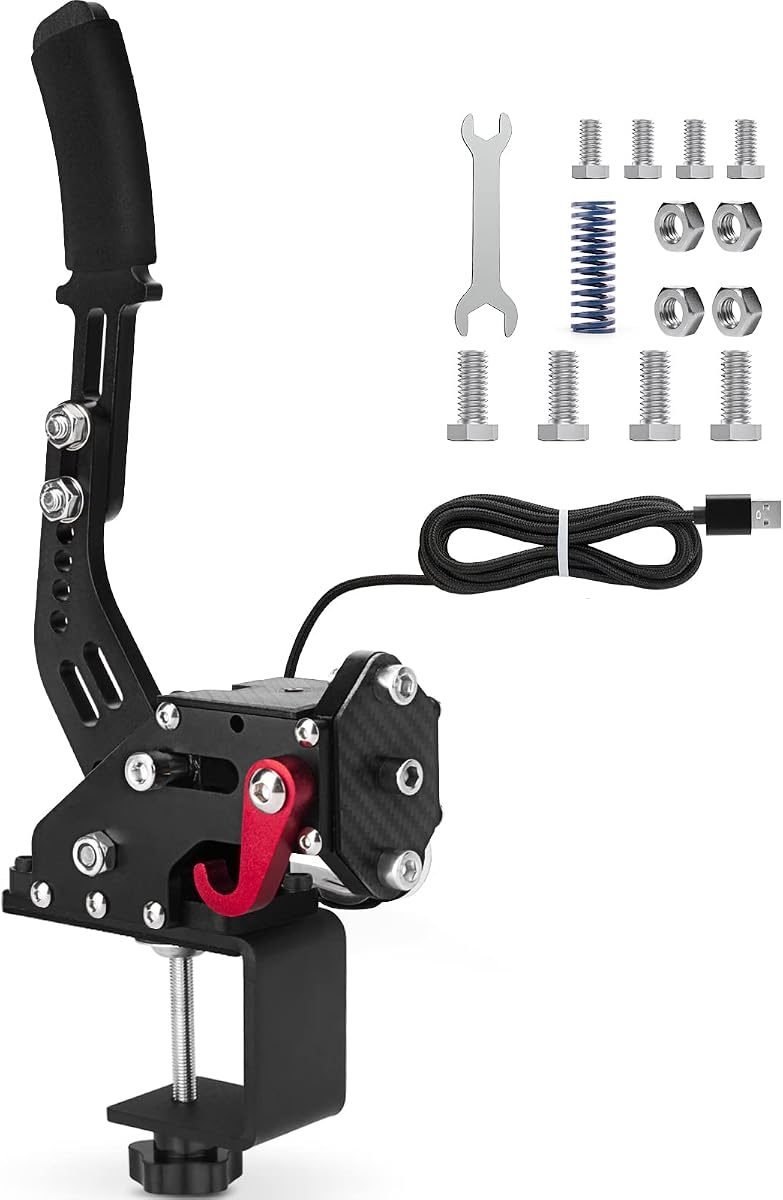
aikeec USB Sim Racing Handbrake
4.3Editor score
Windows USB plug-and-play connection
Adjustable handle height and angle
Automatic Hall sensor calibration
Explore the 10 leading SIM Racing Handbrakes, comparing sensor precision, construction, compatibility, adjustability, setup, and features for PC and console
A convincing sim racing handbrake can transform drifting, rally, and emergency braking by adding a separate input that your steering wheel cannot provide. The best models combine accurate analog sensing, convincing resistance, durable construction, flexible mounting, and straightforward setup across compatible racing games.
This guide compares ten SIM Racing Handbrakes using the specifications and features supplied by their manufacturers. We examine sensor resolution, supported platforms, steering-wheel compatibility, construction, force and stroke adjustments, mounting options, cable length, and practical usability rather than claiming hands-on testing.
The picks range from straightforward USB handbrakes for Windows rigs to premium hydraulic and software-configurable models. Each entry identifies the strongest reasons to consider it, along with limitations that may affect a particular setup. As with all consumer products, availability, features, and prices can change over time.
4.3Editor score

4.4Editor score

This side-by-side comparison highlights the main differences in sensing precision, platform support, construction, adjustability, and installation. It shows which products prioritize straightforward PC use, flexible spring tuning, console compatibility, or premium configurable feedback.


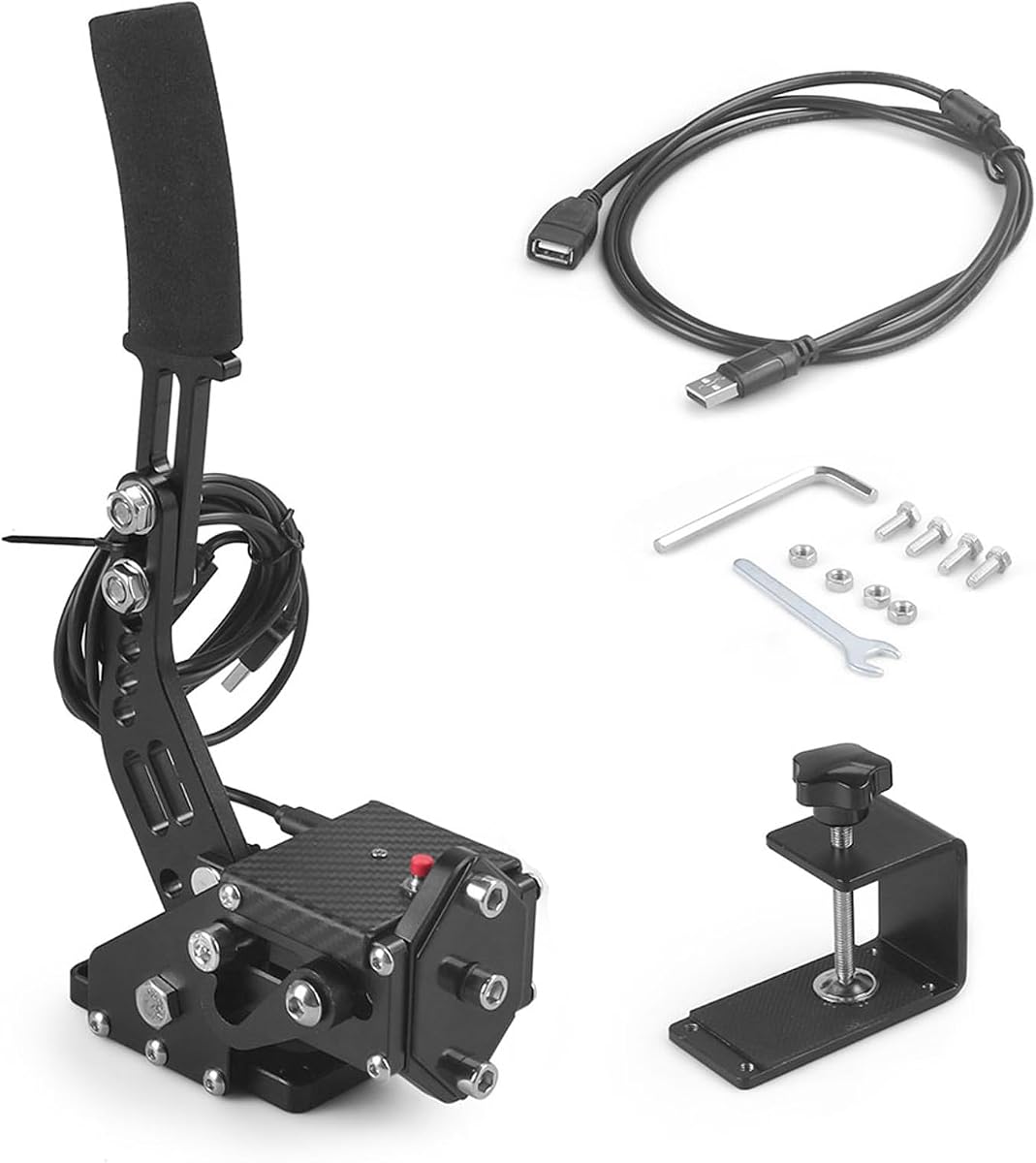


The aikeec USB Sim Racing Handbrake is a straightforward way to add dedicated pull-and-hold braking to a Windows sim racing setup. Its 4.3 rating is supported by a practical design that includes automatic Hall sensor calibration, an adjustable handle, and compatibility with several widely used Logitech and Thrustmaster steering wheels. The product is presented as an independent USB peripheral, so it can complement a wheel without replacing the existing force-feedback hardware.
We may earn a commission when you buy through this link, at no additional cost to you.
Its strongest selling point is the combination of plug-and-play installation and broad game support. The supplied information states that no drivers are required and that the unit connects directly to a USB port. It is listed for games including Euro Truck Simulator 2, American Truck Simulator, the Forza Horizon series, Assetto Corsa, DiRT Rally 2, Project CARS 2 and 3, and WRC titles. Compatibility also extends to Logitech G25, G27, G29, G920, G923, T300, and T500 wheels, subject to the Windows PC restriction.
Physical adjustment is another important strength. Users can alter the handle height and angle to fit a particular wheel seat, bracket, or cockpit arrangement. The non-contact Hall sensor is described as automatically calibrating, while the non-contact design is intended to maintain consistent sensing without a physical wiper rubbing against a potentiometer track. The result is intended to provide more repeatable progressive braking for drifts, rally stages, and hairpin maneuvers.
The main limitation is platform scope. This handbrake is not designed for Xbox One, PlayStation 4, PlayStation 5, or Mac, so console owners would need to confirm the game's input requirements and buy a compatible alternative instead. It also lacks the spring and damping customization offered by some PXN models. Even so, for a Windows player who wants a simple, adaptable, and widely supported dedicated handbrake without a complicated configuration process, this is a well-balanced budget recommendation.
The direct USB connection and driver-free setup reduce the technical barrier for newcomers. It is especially convenient for drivers who already own a compatible PC steering wheel but want a more authentic way to initiate and hold a slide.
Height and angle adjustments make the unit easier to position alongside different wheelbases or cockpits. Automatic sensor calibration also simplifies the transition from setup to a first rally or drifting session.
We may earn a commission when you buy through this link, at no additional cost to you.
The CXCESNS Sim Racing Handbrake is a 4.2-rated PC accessory aimed at drivers who want repeatable progressive input for drifting. Its sixteen-bit non-contact Hall sensor, automatic calibration, and high-rigidity compression springs distinguish it from basic potentiometer-based handbrakes. It is designed to function as a separate e-brake and connects through USB, making it a natural companion to a compatible racing wheel.
We may earn a commission when you buy through this link, at no additional cost to you.
The product data emphasizes durability for sustained use. Its body is described as being 95 percent metal, with compression springs and an integrated motherboard connection intended to resist loosening over repeated drifting sessions. The sensor is non-contact, which avoids the continuous rubbing action associated with a mechanical wiper and supports stable calibration. In practical terms, these features should be attractive to anyone who changes handbrake pressure frequently while learning to hold a slide.
Compatibility covers Logitech G25, G27, G29, G920, and G923 wheels, as well as Thrustmaster T300 and T500 models on Windows. The handle height and angle are adjustable, allowing the lever to be placed in a natural position relative to the wheel and seat. A 63-inch nylon USB cable also provides useful reach for fixed cockpit layouts, although a USB extension may be needed for unusually large rigs.
One limitation is that the unit works only on Windows PCs and is not compatible with PlayStation, Xbox, or Mac. Another is that the supplied specifications do not describe user-adjustable force or spring options. Game-specific mapping can also vary, so buyers should review the product's setup instructions for their chosen title. Even with those caveats, this is a well-specified option for PC racers who prioritize sensor precision and robust construction over advanced software customization.
A sixteen-bit non-contact sensor gives the game a more finely graduated input than a basic on-off switch. That progression helps with the delicate balance between adding lock and releasing a slide.
The mostly metal construction, rigid springs, and integrated internal connection are useful features for a component expected to be pulled and released many times during practice sessions.
We may earn a commission when you buy through this link, at no additional cost to you.
The PXN HB S PC Handbrake earns an Editor's Choice position because it combines a 4.4 rating with unusually broad physical tuning. Unlike basic fixed-resistance models, it allows users to change resistance using different springs or damping rubber and to alter travel from the default 16 millimeters down to 10 millimeters. That flexibility makes it suitable for drivers who want to fine-tune the transition between a light initial pull and a firmly held handbrake.
We may earn a commission when you buy through this link, at no additional cost to you.
Its sixteen-bit Hall effect sensor is designed to provide high-precision analog input, while the aluminum alloy body offers a rigid platform for the mechanism. The default configuration can be changed without replacing the entire handbrake. Different grip orientations are another key feature: the horizontal arrangement approximates the position of a conventional road-car handbrake, while the vertical format may suit a rally-inspired cockpit or a more compact rig.
The device supports Windows 7, 8, 10, and 11 and works with PXN V3, V900, V9, V10, and V12 wheels along with Logitech G27, G29, G920, G923, and Thrustmaster T300 and T500 models. A fixed clip is included for attachment. This wide support makes it practical for many existing PC setups, although buyers should still verify their wheel and game before assembly.
The trade-off is that the adjustable design is less immediately simple than a fixed model. Users need to understand spring force, damping material, and travel before finding the preferred setting. It is also limited to PC Windows and does not support consoles or Mac. For a racer who wants a proper tuning process and can adapt the hardware to different driving styles, those compromises are justified by the unusually broad control offered.
Interchangeable resistance components and a choice of 10- or 16-millimeter travel let users create a lighter, quicker lever or a slower, more deliberate pull. This is valuable across different genres and skill levels.
Switching between vertical and horizontal grips provides more flexibility than a fixed-orientation handbrake. It allows the component to follow the driver's preferred hand position and the design of the rig.
We may earn a commission when you buy through this link, at no additional cost to you.
The aikeec 64 Bit USB Handbrake is a 4.4-rated option distinguished by broad game compatibility and high-resolution Hall sensing. It uses CNC-machined aluminum and mild steel to create a rigid but relatively light structure, while the supplied clamp makes it suitable for fixed sim rigs. Its 64-bit on-contact Hall sensor is presented as improving brake feel and providing greater precision than basic digital handbrakes.
We may earn a commission when you buy through this link, at no additional cost to you.
Automatic calibration is particularly useful because the unit remembers its starting point and maps the full range of lever travel. No computer-side device-printer setup is required according to the supplied information, and the handbrake can work with both linear and nonlinear game configurations. This reduces setup friction for drivers moving between rally, touring, and open-world racing titles.
The compatibility list is extensive. It includes Logitech G25, G27, G29, T300, and T500 hardware, plus FANATECOSW and support for Life, Driving, and DiRT Rally. The stated game selection covers Assetto Corsa, the DiRT Rally series, Forza Horizon versions on Windows, Forza Motorsport 7, Euro Truck Simulator 2, WRC 9, Richard Burns Rally, Project CARS, Live for Speed, and TOCA Pro Race Driver. Users should still verify exact settings in the current version of each game.
This handbrake is limited to Windows 7 and later and does not offer the spring or damping adjustment available from PXN models. The included clamp may also need careful alignment to avoid interference with the steering-wheel base. Even so, the strong compatibility coverage, automatic setup, and precise sensing make this a good general-purpose choice for a PC racer who wants many supported titles without relying on console-specific hardware.
The unusually long list of supported games makes this useful for players who alternate between rally, truck simulation, touring cars, and open-world racing. Each title may still require its own axis mapping.
The handbrake calibrates from its starting position and connects through USB without a separate installation routine. This helps reduce the time needed to prepare a new component.
We may earn a commission when you buy through this link, at no additional cost to you.
The Handbrake Sim Racing USB Handbrake has a 4.5 rating, making it the highest-rated conventional plug-and-play model in this list. It combines a 64-bit Hall effect sensor with a lightweight CNC-machined aluminum and mild-steel body. The curved handle is designed to improve the driver's grip, while a two-meter USB cable offers ample reach for most desks and sim rigs.
We may earn a commission when you buy through this link, at no additional cost to you.
Installation is refreshingly direct. The product connects to a Windows PC through USB, requires no additional driver, and is described as easy to assemble. Compatible steering wheels include Logitech G920, G923, G27, G25, G29, and Thrustmaster T500 and T300 models. The integration is therefore most convenient for PC players who already own one of these wheels and want a dedicated lever rather than assigning a wheel button to the handbrake.
The listed game support includes WRC 7, 8, and 9, Assetto Corsa, ETS2, ATS, DiRT Rally 2, and Project CARS 2 and 3. As with any generic USB controller, the exact behavior depends on the game's own handbrake settings and whether it supports an analog axis. The high-resolution sensor is intended to provide smoother control than a binary switch, which is particularly helpful when progressively adding or releasing rear-wheel lock.
The principal drawback is limited hardware customization. There is no stated system for changing spring force, damping, or travel, so drivers seeking precise physical tuning may prefer a PXN model. Console and Mac users are also excluded. For a straightforward Windows setup, however, the 4.5 rating, high-resolution sensor, easy USB connection, and long cable make this a particularly approachable recommendation.
The 64-bit Hall sensor can represent a wider range of lever positions than a simple on-off input. That gives drivers finer control over how much handbrake pressure reaches the game.
The driver-free USB connection and included two-meter cable minimize setup friction. A desktop user can also move the handbrake between positions more easily than a hardwired component.
We may earn a commission when you buy through this link, at no additional cost to you.
The 64Bit PC/PS4/PS5 USB Handbrake stands apart because it is designed for both Windows 10 and PlayStation 4 or PlayStation 5 systems. Its 3.0 rating is notably lower than those of the other products, but the broad platform support may compensate for players whose racing library spans PC and console. Compatibility is listed with Logitech G29, G27, G25, G920, and T300 wheels.
We may earn a commission when you buy through this link, at no additional cost to you.
The handbrake uses a 64-bit Hall sensor with automatic calibration and a non-contact sensing arrangement. A reinforced spring is included, while the aluminum body is intended to provide a stable base for the lever. The 1.8-meter USB cable is long enough for most standard rigs, although it is shorter than the cables supplied with several alternatives.
The product's operating system note is important. The supplied information specifically mentions Windows 10, so buyers using another version of Windows should verify compatibility before purchase. PlayStation support is a useful advantage, but not every console racing title exposes the same handbrake controls. The game still needs to support a compatible input, and the controller may appear as a generic USB device rather than a licensed racing accessory.
This is also the only model in the group with a switch that can be pressed when the handbrake is not in use. According to the product information, this avoids unplugging the USB cable between sessions. The compact construction also takes up less space and is easier to carry. Despite the lower rating, this model is worth considering specifically for a mixed PC-and-PlayStation racer who values one accessory for both platforms.
The advertised PlayStation 4 and PlayStation 5 support gives this model an advantage over Windows-only alternatives. The exact experience still depends on how each racing game recognizes the device.
The built-in switch allows the connection to remain in place when the handbrake is idle. This is convenient for shared rigs where another peripheral may need the USB port.
We may earn a commission when you buy through this link, at no additional cost to you.
The aikeec 64 Bit USB PC Handbrake is a 4.3-rated PC model that emphasizes generous cable reach and compatibility. Its 78-inch USB cable is among the longest included with the products reviewed, making it particularly useful for larger cockpits where the handbrake sits well away from the computer or a nearby USB hub.
We may earn a commission when you buy through this link, at no additional cost to you.
The handbrake uses a 64-bit Hall sensor with automatic calibration. According to the product information, the non-contact sensing system avoids mechanical contact between the sensor and its target, supporting consistent accuracy over time. The handle can be adjusted in height and angle, and the supplied clamp supports attachment to compatible steering-wheel seats, brackets, and sim cockpits.
Supported wheels include Logitech G25, G27, G29, G920, G923, and Thrustmaster T300 and T500 models. The game list includes ETS2, ATS, Forza Horizon 4 and 5, Assetto Corsa, DiRT Rally 2, Project CARS 2 and 3, and WRC 7, 8, and 9. Since many modern titles have their own control menus, buyers should verify analog-axis support and follow the title-specific setup instructions.
This model shares the common limitation of most Windows-focused handbrakes: it is not compatible with Xbox One, PlayStation 4 or 5, or Mac. It also does not list interchangeable springs, damping materials, or travel settings, so users cannot tune the physical feel as precisely as they could with a PXN handbrake. The long cable, high-resolution sensor, and adaptable handle nevertheless make it a strong fit for a large PC racing setup.
A 78-inch lead gives the handbrake considerable freedom from the computer. This reduces dependence on extension hubs and makes it easier to place the lever where the driver can reach it naturally.
Automatic calibration and non-contact Hall sensing are intended to produce consistent input. That is useful for progressive drifting and for sessions involving many short, sharp handbrake applications.
We may earn a commission when you buy through this link, at no additional cost to you.
The CNRAQR PC Racing Game USB Handbrake offers a 4.2 rating and focuses on precise linear input in a compact package. Its 16-bit non-contact sensor is described as more accurate than a 14-bit USB handbrake, allowing the game to interpret a broader range of lever positions. The result is more useful for progressive control than a simple pressure switch.
We may earn a commission when you buy through this link, at no additional cost to you.
Its control system uses low-carbon steel except for the electronic chip. This gives the mechanism a rigid operating base, while the curved handle is designed for a comfortable grip during longer sessions. The unit is relatively small and easy to carry, making it practical for racers who move between a home computer and a shared or traveling setup. A two-meter braided USB cable provides enough reach for most compact rigs.
Compatibility extends to Windows 11 and earlier versions, with support listed for Logitech G920, G923, G27, G25, G29, and Thrustmaster T500 and T300 wheels. FANATECOSW and titles such as Life, Driving, and DiRT Rally are also listed. Installation requires only a USB connection, with no separate driver specified. The included fixing clip and plate provide a means of mounting the handbrake securely.
The main compromise is that the supplied information does not mention interchangeable springs, damping, or adjustable travel. The handle can change height, but the lever's basic force profile is less configurable than that of a PXN product. It is also restricted to Windows and does not support consoles or Mac. For a compact rig or a racer who values smooth sixteen-bit input over extensive physical tuning, the CNRAQR remains a sensible choice.
The sixteen-bit non-contact sensor provides a finely graduated signal as the lever moves. This is helpful for controlling the transition into a drift and for modulating rear-wheel lock.
The compact body, included mounting hardware, and two-meter cable are well suited to constrained desks. Support for current and older Windows versions also covers a wide range of existing gaming PCs.
We may earn a commission when you buy through this link, at no additional cost to you.
The SIMSONN HB Pro V2 is the premium-focused selection in this guide because it moves beyond a simple USB handbrake into configurable simulator hardware. It uses a high-strength alloy steel body and a hydraulic-style mechanism, while its upgraded structure supports the installation of a SIMSONN vibration feedback module. The older HB Pro does not offer that module support, so V2 buyers receive the more capable platform.
We may earn a commission when you buy through this link, at no additional cost to you.
Signal processing is a major strength. The controller combines two independent 32-bit processors, a dedicated 16-bit high-resolution analog-to-digital converter, and a fully differential signal amplification chip. The stated goal is stable, low-latency, high-precision input. The product also supports 16-bit HID controller axes on Windows, allowing the game to receive a smoothly changing analog value rather than a limited binary state.
Connection options include CAN for a compatible wheelbase and USB Type-C for direct PC use. The SIMSONN Manager software allows users to adjust the dead zone, synchronize RGB lighting with other SIMSONN devices, and customize pressure-display effects. An extra 70HA rubber damper is included for fine-tuning resistance. Handle choices include a standard 13-centimeter non-slip grip and an optional 20-centimeter extended version, while flat bearings are used at key support points to minimize play.
Because no customer rating is available, this recommendation rests on the supplied feature set rather than a measured score or user-review pattern. Buyers should also verify game support, software compatibility, and the intended connection method before purchase. For an enthusiast with a serious cockpit, compatible wheelbase, or willingness to configure a full simulator ecosystem, the HB Pro V2 offers the most advanced feature set here.
Software-controlled dead-zone settings let a driver decide where the game first recognizes lever movement. This is valuable for eliminating unwanted inputs without sacrificing usable travel.
Dynamic RGB lighting can display handbrake pressure, and support for a vibration module extends the feedback beyond the lever itself. These features suit a full simulator installation where visual and physical cues are coordinated.
CAN and Type-C connections, selectable lever lengths, a custom damper, and multi-angle mounting offer several routes to integrate the handbrake with a purpose-built cockpit.
We may earn a commission when you buy through this link, at no additional cost to you.
The PXN HBS PC Handbrake has a 4.0 rating and offers one of the most detailed physical tuning systems in the guide. Its 16-bit magnetic Hall effect sensor provides smooth, linear analog input, while the all-aluminum alloy body is described as rugged, stable, and suitable for long sessions. A net weight of approximately 900 grams is intended to minimize wobble when the handbrake is mounted beside a wheel.
We may earn a commission when you buy through this link, at no additional cost to you.
The included springs provide 3-, 5-, and 10-kilogram force options, and damping gel can also be changed. Stroke is adjustable between 10 and 16 millimeters. These choices allow drivers to create a short, light lever for quick corrections or a longer, heavier pull for deliberate handbrake application. Both vertical and horizontal installation modes are supported, helping the handbrake fit different rigs and preferred grip positions.
It operates on Windows 7, 8, 10, and 11 through a USB-B connection and does not require extra drivers. Compatibility is listed for PXN V3, V9, V10, and V12 wheels and Logitech G27, G29, G920, T300, and T500 models. The product data also names Assetto Corsa, ETS2, DiRT, Forza, and Horizon 5 as examples of compatible games. Users should still confirm analog input support and mapping within each title.
Its 4.0 rating is the lowest among the products with numeric scores, and changing springs, damping, or travel requires opening or modifying the unit rather than selecting settings from software. Nevertheless, the accessory kit includes screws, wrenches, springs, damping gel, a USB cable, and a clamp, while a 12-month warranty provides manufacturer support. It is a strong choice for PC users who value physical control over simplicity.
The 3-, 5-, and 10-kilogram spring choices cover a meaningful range of pulling effort. Drivers can start with a lighter setup and move toward a more forceful feel as they become comfortable with the input.
The rigid aluminum body and approximately 900-gram weight are intended to limit movement during use. Vertical and horizontal mounting expands compatibility with different wheel positions and cockpit styles.
We may earn a commission when you buy through this link, at no additional cost to you.
The right sim racing handbrake depends on your platform, wheel, game library, preferred resistance, and cockpit space. Sensor precision and physical construction matter, but compatibility and adjustability are just as important for a useful purchase.
Summary: Choose only a handbrake explicitly listed for your operating system, then verify the game's control requirements.
Summary: Prioritize smooth analog input and non-contact Hall sensing for precise drift control and long-term consistency.
Summary: Choose adjustable force and travel for fine-tuning, or a fixed mechanism for simplicity and immediate use.
Summary: Check wheel models, mounting hardware, cable reach, and cockpit clearance before choosing a physical layout.
Summary: Favor rigid metal frames, stable bases, and reinforced springs for frequent drifting and rally use.
Summary: Measure the distance from the computer to the lever and confirm whether direct USB or specialist connectivity is required.
Summary: Verify game support, analog-axis behavior, and calibration steps rather than relying only on the hardware compatibility list.
Summary: Check available desk or rig space, mounting stability, handle orientation, and storage needs before ordering.
Begin by confirming that the handbrake is compatible with your operating system, steering wheel, and selected game. Connect the supplied USB cable while the lever is fully released. On systems that calibrate automatically, leave the device untouched during startup so it can establish its neutral or starting position. In games that permit calibration, repeat this process whenever the lever has been moved significantly or its physical resistance has been changed.
Mount the unit securely using the supplied clamp, plate, or screws, then adjust the handle height and angle so it is comfortable to pull without twisting the wrist. If the model supports interchangeable springs, damping gel, or different travel settings, change only one variable at a time and test it in a familiar circuit. Begin with a low-risk practice session to confirm the game responds smoothly and that the in-game value rises and falls in the expected direction.
For care, keep the lever away from excessive sideways force and avoid pulling beyond its normal travel. Periodically check the clamp, fixing hardware, and cable for looseness or visible damage. Clean the grip and exposed mechanism with a soft, dry cloth, and do not push liquid into the sensor or electronics. If calibration becomes inconsistent, reconnect the handbrake and let it complete startup calibration. Users of software-configurable models should also keep the associated control software current and back up customized dead-zone or lighting settings when possible.
A separate handbrake is optional, but it can make drifting, rally driving, and emergency stops more realistic. Many steering wheels include a handbrake button, yet that usually behaves as a digital control. A dedicated analog lever gives finer control over the amount of braking applied and better matches the progressive movement of a real handbrake.
No. Most of the products in this guide are Windows-only and do not support PlayStation, Xbox, or Mac. The PC and console model is designed for Windows 10 and PlayStation 4 or 5, but buyers should verify the specific racing title. Hardware support does not guarantee that every game will recognize the handbrake correctly.
The bit depth indicates the number of distinct values the sensor can report along the handbrake's travel. A 64-bit device can represent more possible positions than a 16-bit device, potentially providing finer modulation. Real-world feel also depends on the mechanism, spring force, travel, calibration, and the game, so resolution should be considered alongside those factors.
The conventional USB models in this guide are described as plug-and-play and do not require additional drivers. The handbrake may still need to be assigned to an axis within the game's control menu. The premium SIMSONN model uses dedicated software for configuration, so its setup process should be followed separately.
It should start with a clear but manageable resistance, move smoothly through its travel, and register gradually rather than jumping immediately between two values. A heavier spring can make small corrections harder, while a lighter spring may feel unstable or activate too easily. Adjustable force, damping, and travel are useful because personal preference and different games often call for different settings.
Many handbrakes include a clamp, fixing clip, plate, or screws designed for attachment near a compatible wheel. The correct approach is to secure the base to a solid part of the wheelbase, bracket, desk, or cockpit and confirm that the lever does not obstruct steering. Check the wheel model's compatibility list and the available mounting space before ordering.
No. The game must support an external handbrake or a suitable analog controller axis. Even when a title recognizes the device, mapping and calibration may be required. The listed games across these products show broad coverage, but individual configurations and future game updates can change how an accessory behaves.
A quick calibration check is advisable, particularly after moving the lever, changing the mounting angle, or modifying its resistance. Automatic-calibration models generally perform this during connection, while other games may include a calibration screen. Keeping the lever fully released during the process helps establish a reliable neutral position.
The aikeec USB Handbrake stands out as the budget-friendly all-rounder, offering automatic calibration, adjustable positioning, and broad Windows game support without a complicated setup. The PXN HB S takes the lead for Editor's Choice because its interchangeable resistance components, adjustable 10- or 16-millimeter travel, and dual grip orientations provide the most balanced tuning package among the conventional models.
At the premium end, the SIMSONN HB Pro V2 serves a different need. Its hydraulic-style mechanism, software-controlled dead zone, dynamic lighting, flexible connection options, and support for a vibration module make it suited to enthusiasts building a complete simulator ecosystem. Before buying any model, prioritize operating-system support, game compatibility, physical fit, and the type of resistance that suits your driving style.
Finally, check current prices, availability, package contents, and the latest product listing before placing an order. Prices can change, included components can vary, and game updates may affect configuration. With those details confirmed, the right handbrake can add a more controlled and convincing dimension to drifting, rally, touring-car, and emergency-braking scenarios.