
Yilador Webcam Cover 3 Pack
4.3Editor score
Thin sliding privacy mechanism
Strong adhesive attachment
Three-piece multipurpose package
Explore the best laptop camera covers for privacy, fit, and everyday convenience, with ten options compared across materials, sizes, and installation styles.
Laptop camera covers provide a simple physical barrier between a webcam and the people or software around you. A good cover should block unwanted views without interfering with lid closure, fit the camera opening properly, and remain easy to operate. Adhesive, clip-on, and sliding designs each offer distinct advantages.
The products in this guide were compared using their stated dimensions, compatibility, installation method, package quantity, privacy mechanism, and customer rating. The list covers universal laptop sliders, device-specific external webcam shutters, adhesive styles, flexible no-residue models, and mixed-size collections for several types of electronics.
Each review explains the most useful features, practical trade-offs, and ideal buyer for all ten options. Ratings and product details reflect the supplied information, while availability and prices can change. Always confirm the dimensions, camera position, and device fit before making a final purchase.
4.3Editor score

4.5Editor score

4.6Editor score
The comparison below highlights each cover's installation style, package quantity, stated thickness, and best device category, helping shoppers quickly distinguish adhesive sliders, flexible clips, mixed-size sets, and the dedicated Logitech webcam shutter.



The CloudValley Laptop Camera Cover Slide is a slim metal webcam cover built around a stated thickness of just 0.023 inch, or 0.6 millimeters. It holds a 4.5 customer rating, placing it among the strongest-reviewed options in this guide. Its understated aluminum finish also allows it to blend into a laptop bezel rather than looking like an improvised privacy accessory.
We may earn a commission when you buy through this link, at no additional cost to you.
The sliding mechanism provides a clear open and closed position, allowing the camera to be used without repeatedly removing the entire cover. The product information says it is compatible with many MacBook, HP, Dell, Asus, Acer, and Lenovo laptops, along with all-in-one computers and several popular tablet families. That cross-device support makes the two-pack practical for a household with more than one type of computer.
Installation involves aligning the cover with the webcam, attaching it, and pressing it firmly for 15 seconds. The manufacturer specifically emphasizes that the thin metal profile will not interfere with closing a laptop and states that it does not interfere with web use or the camera indicator light. The main limitation is the modest quantity: with only two covers, buyers covering several devices may need another package.
This is the strongest general-purpose choice for someone who wants a thin, familiar sliding design without conspicuous styling. It suits everyday office workers, students, and travelers who want a reusable physical barrier that can be opened and closed quickly. For buyers seeking more adhesive-free flexibility, a clip-on option may be a better fit.
At only 0.023 inch thick, the CloudValley slider is designed to remain inconspicuous and accommodate a laptop being closed. This is a meaningful advantage over bulky shutters that can hold the lid slightly open or interfere with a case.
The stated compatibility list covers major laptop brands, all-in-one computers, and several tablet ecosystems. Confirm the camera position and available bezel space before installation, particularly on newer models with unusual camera placement.
We may earn a commission when you buy through this link, at no additional cost to you.
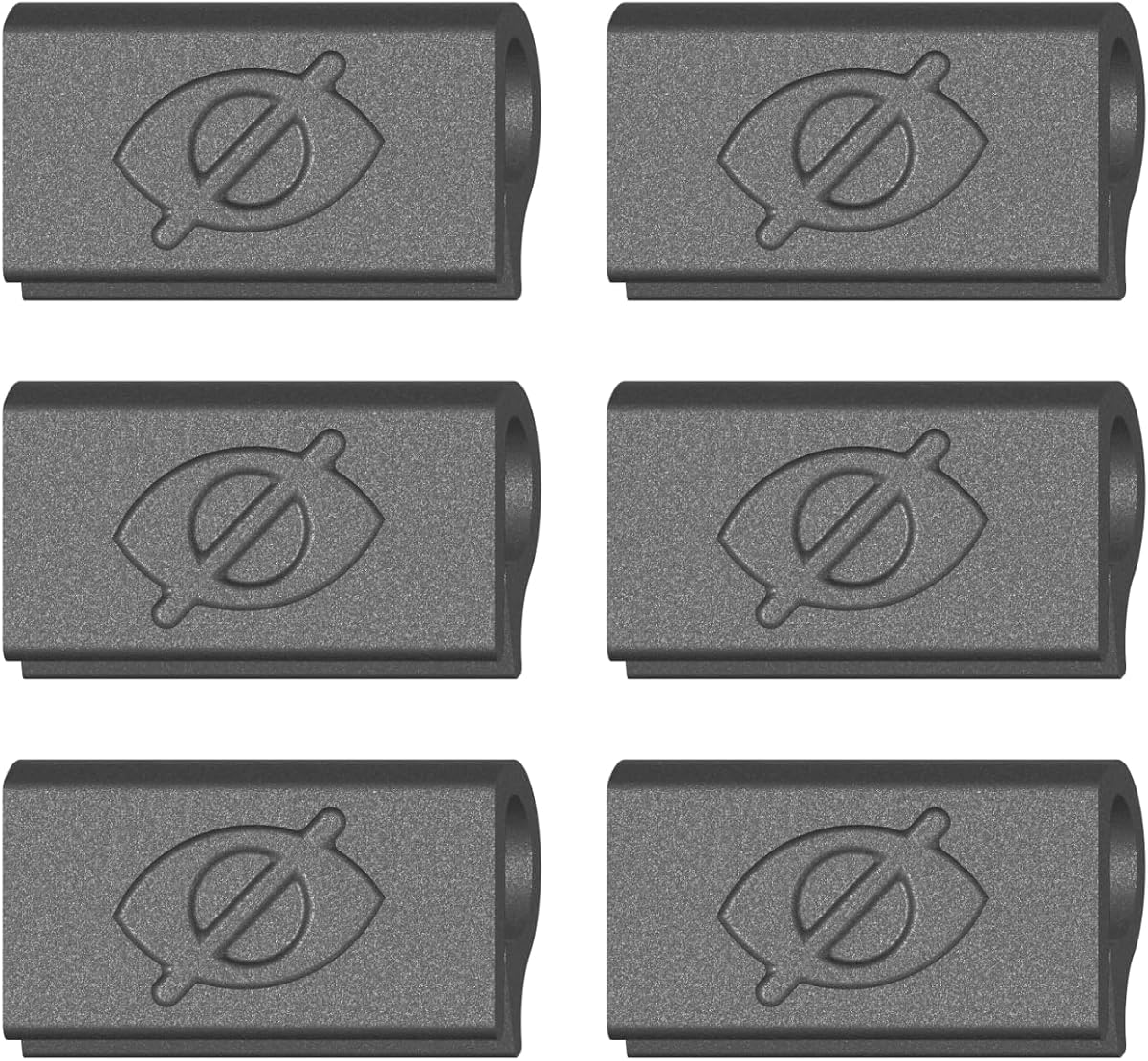
The Yilador Webcam Cover 3 Pack offers a straightforward sliding cover with a customer rating of 4.3. Its product information describes a 0.027-inch profile, placing it among the thinner designs here, while the pack includes three covers for use on separate devices or as replacements.
We may earn a commission when you buy through this link, at no additional cost to you.
The installation process is clearly organized into four steps: clean the surface, apply the adhesive, align the cover with the lens, and press for 10 seconds. A stated upgraded 3.0 adhesive is intended to provide a reliable hold, and the product information claims it can be removed without damaging the device. Its sliding action allows a user to expose the camera for meetings and close it afterward.
Compatibility is broad but not universal. The listing specifically warns that the covers are not suitable for MacBooks released after 2023, devices with a protruding front camera, full-screen or notch-style tempered-glass screen protectors, or a phone's rear camera. Those exclusions make careful model verification essential, especially for owners of recent hardware.
Yilador is a sensible budget-oriented recommendation for users with older or more conventionally framed cameras. The three-piece package adds flexibility compared with a single cover, while the thin profile helps preserve normal lid closure. It is best for buyers who understand their device's camera layout and can follow the adhesive installation instructions carefully.
The three-pack provides more flexibility than a single-cover solution. One can remain on a work laptop, another on a personal computer, and the third can serve as a replacement or travel accessory.
The explicit MacBook warning and restriction involving protruding cameras are important limitations. Checking the model before installation helps prevent a poor fit or unnecessary removal.
We may earn a commission when you buy through this link, at no additional cost to you.
The JUNGLE DEER Pattern Cover combines a sliding privacy function with decorative graphics and 360-degree rotation. It carries a 4.4 rating and includes three covers. Unlike a plain utilitarian shutter, it is intended to add a bit of personality to the camera area while providing a physical barrier when the webcam is not in use.
We may earn a commission when you buy through this link, at no additional cost to you.
A key feature is the enlarged opening of approximately 0.43 by 0.35 inch. The listing says this was an upgrade intended to avoid obstructing normal camera operation, while the rotating mechanism allows the cover to change direction and accommodate different viewing angles. The listing also describes compatibility with many laptops, tablets, desktops, Echo devices, and some smartphones.
There are notable restrictions. The product information says a MacBook Pro 16-inch Model A2141 from the 2019 release is not compatible, and MacBook Air models may have a tiny gap when closed. It also notes that some iPhone models may have face or brightness detection affected. Installation calls for cleaning the surface, attaching the cover, pressing for 30 seconds, and leaving it in place for 24 hours before sliding.
This option is most appealing to buyers who want privacy and decoration in one package. It is a reasonable choice for a compatible laptop with a conventional camera layout, particularly when visual personality matters. Buyers should not choose it for the specifically excluded MacBook Pro model or if a completely gap-free closed position is essential.
The stated 360-degree rotation makes the slider usable from more positions than a standard fixed-direction shutter. This can be useful when the webcam angle or device orientation varies.
The instructions recommend waiting 24 hours before sliding the cover. Following that interval can help the adhesive establish a more dependable hold.
We may earn a commission when you buy through this link, at no additional cost to you.
The MESMOS Laptop Camera Cover Slide uses plant-themed patterns to turn a basic webcam accessory into a more personal laptop detail. It has a 4.4 rating and includes six covers, making it especially suitable for plant enthusiasts, gift bundles, or households with several computers.
We may earn a commission when you buy through this link, at no additional cost to you.
The covers are described as thin sliders designed to let MacBook Pro and Air devices close neatly. Compatibility also extends to iPad, iMac, Echo, Surface, and other tablets, subject to the physical shape of each camera area. Their decorative design differentiates them from plain black shutters while preserving the basic open-and-close privacy function.
Installation is positioned as simple, and the listing says the covers can be removed without leaving sticky residue. That convenience matters for people who switch devices, travel with their laptops, or dislike permanent adhesive attachments. The six-pack also provides enough units to keep several devices protected or distribute them among people who value physical camera privacy.
MESMOS is a good choice when appearance and gifting are important in addition to function. It may appeal to a plant lover more than a buyer seeking a purely utilitarian cover. As with all adhesive sliders, checking the webcam shape, bezel clearance, and nearby screen protector is advisable before installation.
The generous package can cover several computers, serve as spares, or be divided among coworkers and family members. The plant theme also makes the covers easier to identify as privacy accessories.
The product information specifically highlights a slim profile intended to let laptops close snugly. Verify whether a case or raised bezel changes that fit.
We may earn a commission when you buy through this link, at no additional cost to you.
The Gadget Ray Webcam Cover Slide takes a different approach from adhesive privacy shutters. This four-pack clips over a laptop or tablet bezel using flexible material, creating a physical camera barrier without tape, glue, or a permanent backing. Its customer rating is 3.6, lower than the other listed products, so fit and customer experiences deserve close attention.
We may earn a commission when you buy through this link, at no additional cost to you.
The main benefit is convenience. Because the covers are not bonded with adhesive, they can be removed and reattached in seconds without leaving sticky gunk on the display. The flexible grip is intended to hold against the bezel without scratching the screen, and the cover slides open when the camera is needed.
Compatibility is described as covering MacBook Pro, MacBook Air, iPad, Dell, HP, Lenovo, and most standard-bezel laptops and tablets. The listing recommends the best fit on slim devices without heavy cases. It also says the cover is designed for use while the laptop is open, so buyers should not expect it to remain attached during closure.
This is a worthwhile option for anyone who strongly dislikes adhesive residue or frequently moves between work and personal devices. Its lower rating suggests the experience may depend heavily on the exact bezel shape. It is best suited to devices with a narrow, standard bezel and no bulky protective case.
The clip-on structure is the defining benefit. It can be repositioned or removed without cleaning adhesive from the bezel, making it useful for frequently changing workspaces.
Because the cover relies on gripping a narrow edge, thick cases may interfere. Confirm that the bezel is exposed and offers enough space for the clip.
We may earn a commission when you buy through this link, at no additional cost to you.
The Generic 6-Pack Ultra-Thin Webcam Cover is a straightforward adhesive slider with a customer rating of 4.2. Its stated thickness of 0.022 inch is among the lowest figures in the collection, and six black covers provide ample supply for multiple devices.
We may earn a commission when you buy through this link, at no additional cost to you.
The cover is made from flexible ABS, a material selected to avoid a fragile feel and reduce the likelihood of scratching a laptop during installation. Its adhesive base is intended to remain secure, while the sliding section opens and closes over the camera. The listing says the thin design will not affect laptop closure.
The stated device support includes laptops, tablets, computers, Echo Show, and several Apple products such as MacBook Pro, MacBook Air, iMac, Mac mini, iPad, and the front cameras of specified iPhone models. Installation requires removing the backing, aligning the cover, and pressing hard for 10 seconds.
This package is a practical choice for buyers who want a large supply of thin, understated covers. The generic branding and limited detail make it more important to compare the stated dimensions with the camera opening before buying. It is especially useful for teams, families, or anyone managing several laptops and tablets.
A six-piece package can protect a primary laptop, tablet, and home computer while keeping extras on hand. All covers use a simple black, low-profile appearance.
The 0.022-inch profile helps the cover sit close to the bezel. Flexible ABS also reduces the chance of accidental damage during handling or installation.
We may earn a commission when you buy through this link, at no additional cost to you.
The California JOS 9 Pack is built for buyers who need more than one camera shape. It contains three large oval covers, three medium rectangular covers, and three standard oval covers, all in black. The package has a 4.1 customer rating and a stated thickness of 0.03 inch.
We may earn a commission when you buy through this link, at no additional cost to you.
This range is unusually useful for multi-device households. The product information lists compatibility with laptops, smartphones, iPads, iPhones, MacBook models, tablets, PCs, PS4 systems, and all-in-one desktops. It also notes that the large oval design is intended for the interior cabin camera in Tesla Model 3 and Model Y vehicles.
Installation follows a conventional adhesive process: clean the webcam surface, remove the tape, align the lens, and press for 15 seconds. The listing says the adhesive can be applied and removed without traces. The variety of shapes reduces the need to settle for an opening that is too small or awkwardly proportioned.
This set is most useful for buyers who need a flexible solution across many electronics or who want spare sizes available. Its 4.1 rating is respectable but not among the highest here, and exact alignment remains important. The product is a better choice for a broad device collection than for a single device with a known standard camera shape.
The large, medium, and small options make it easier to match rectangular, oval, and narrow camera areas. Three copies of each shape also provide practical spares.
The stated compatibility extends to phones, tablets, gaming hardware, all-in-one computers, and a specific vehicle camera position. Check the device geometry before applying a shape.
We may earn a commission when you buy through this link, at no additional cost to you.
The USA-Made Clip-On Slider is a six-pack of flexible TPU covers designed specifically for laptop cameras. It has a 4.3 customer rating and uses a push-on installation method rather than adhesive. The cover grips the bezel and slides across the camera without leaving residue behind.
We may earn a commission when you buy through this link, at no additional cost to you.
Its installation is particularly approachable: the cover is pressed onto the bezel with one finger, with no flexing, prying, or fumbling required. That simplicity distinguishes it from adhesive models that require careful alignment and sustained pressure. When the lid closes, the thin cover is intended to allow the laptop to enter sleep mode without removal.
The product is specifically scaled for MacBook, PC laptop, and Chromebook cameras. It is not designed for tablets, phones, or devices in thick cases, so its no-residue convenience comes with a narrower compatibility range. The package includes six covers, which makes it easy to keep one at work, one at home, and extras for colleagues.
This is an attractive option for a laptop-only user who values fast installation and clean removal. It is less suitable for a mixed-device household that also needs phone or tablet protection. Buyers should compare the bezel dimensions with the cover's grip and remove any case that creates excessive clearance.
The push-on design eliminates backing paper and careful adhesive placement. It is a practical choice for users who need to move a cover between devices frequently.
The product information states that the thin cover can remain attached when the lid closes. Confirm this on the exact laptop model, particularly when a protective case changes the gap.
We may earn a commission when you buy through this link, at no additional cost to you.
The Generic Mixed-Dimension Set includes six black covers in two different sizes, with three of each. Each cover is 0.027 inch thick and made from high-strength ABS plastic. The set has a 4.0 customer rating and targets computers, tablets, and phones with conventional, flat camera surfaces.
We may earn a commission when you buy through this link, at no additional cost to you.
The package is designed to handle a range of common hardware, including MacBook Pro, MacBook Air, Surface Pro, iPad Pro, Android tablets, PCs, all-in-one desktops, and smartphones. The sliding cover opens with a finger movement, while the adhesive base can be removed and reportedly leaves no sticky traces.
The listing explains a design trade-off involving the groove between the base and slider. A deeper groove would make the sliding piece harder to remove but could preserve a thinner overall profile, so the manufacturer uses a balanced groove depth. If the slider separates during installation, the instructions say it can be aligned with the base and snapped back into place.
This set is a good general option for a household with several screen sizes, particularly where two standard dimensions are useful. Its limitations are more noticeable on full-screen devices or cameras that do not sit on a flat plane. A clip-on model is more adaptable when the priority is residue-free removal.
The package provides three large and three small covers, giving buyers a better chance of matching a narrow or wide camera opening. The two stated dimensions are 1.10 by 0.43 inches and 0.71 by 0.36 inches.
The detachable sliding piece is intentional, not necessarily a defect. If it comes apart, aligning and snapping it back into the base restores the normal mechanism.
We may earn a commission when you buy through this link, at no additional cost to you.
The CloudValley Webcam Cover for Logitech is a purpose-designed privacy shutter for external Logitech webcams rather than a universal laptop slider. It has the highest customer rating in this collection at 4.6. Its fit targets the C920x, C920, C922x, C922, C930e, and C922x Pro Stream HD Camera.
We may earn a commission when you buy through this link, at no additional cost to you.
The flip mechanism provides a clear way to open and close the camera, with the cover able to turn 180 degrees and come off after being flipped beyond that point. The product attaches securely without leaving residue, making it convenient for users who move their webcam between a laptop, desktop, or monitor setup.
Beyond privacy, the cover helps protect the camera lens from dust and scratches. Its model-specific design offers a potentially neater result than stretching a universal adhesive strip over a protruding external camera. The package includes the webcam privacy shutter, a direction booklet, and stated 18-month after-sales support.
This is the premium recommendation for anyone using one of the named Logitech cameras and wants a tailored, flip-operated solution. It is not appropriate for a built-in laptop webcam because of its external-webcam-specific design. For those with compatible hardware, it combines the strongest rating with a polished, specialized fit.
Designing the shutter around listed Logitech models should produce a more controlled fit than a one-size-fits-all strip. It is particularly suitable for desktop streamers and video-call users.
Closing the shutter blocks the view while also shielding the lens from dust and incidental scratches. The flip action preserves quick access for meetings and recordings.
We may earn a commission when you buy through this link, at no additional cost to you.
The best laptop camera cover depends on device geometry, installation preferences, portability, and how frequently the webcam is used. Compare thickness, attachment style, compatibility notes, and opening size before choosing a model.
Camera position and shape matter more than the brand of the laptop. Measure the visible camera opening, check how far the lens sits from the screen edge, and look for raised bezels or unusual camera placement. A sliding cover must cover the lens completely while still allowing its moving section to pass across the bezel. Devices with protruding or recessed cameras may require a different construction than a standard flat adhesive slider.
Adhesive covers offer a slim, unobtrusive profile but require careful placement and may leave residue if removed prematurely. Clip-on models avoid glue entirely, making them easier to reposition and share among devices, although the gripping mechanism may be sensitive to bezel thickness. Choose according to whether you prioritize a low-profile appearance or clean, repeatable removal.
A cover should not keep the laptop lid noticeably open or prevent sleep mode. Products in this guide range from 0.022 to 0.03 inch thick, with the CloudValley metal model and generic six-pack among the thinnest. Include any case, screen protector, and keyboard lip in your assessment because even a narrow gap can change how the laptop closes.
A shutter with an opening that is too small may partially obstruct the camera even when open. The JUNGLE DEER model highlights this concern with a stated upgraded opening of 0.43 by 0.35 inch. Look for a design whose open position leaves the full usable view unobstructed, while its closed position still blocks the lens.
Broad compatibility language is useful, but exclusions reveal whether a cover is truly universal. Some models exclude newer MacBooks, full-screen devices, phones with rear cameras, or hardware in thick cases. External webcam covers are even more specialized, as the CloudValley Logitech shutter only fits listed models. Match the exact device name and camera arrangement rather than relying on broad family names.
A larger pack is valuable for multiple computers, travel kits, and replacements. The six- and nine-piece sets generally offer more coverage than two- and three-piece packages, while mixed-size collections can fit a broader collection of devices. A small pack may be sufficient if you only own one slim laptop with a standard camera layout.
A one-finger slider is convenient for meetings, interviews, and remote work because it can be opened without removing the entire cover. Decorative patterns may be preferable for personal expression, while plain black covers tend to blend into a bezel. Rotation can provide added positioning flexibility, but buyers should check whether it affects the available camera view.
Look for material and attachment claims that match how the device moves. Flexible ABS and TPU can tolerate handling, while metal offers a slim and firm feel. A removable adhesive base may leave traces if pulled away too quickly or after long use. Clip-on TPU avoids adhesive concerns but requires a stable bezel and a case that does not obstruct its grip.
Begin by identifying the exact device model and examining the camera position. Clean the surrounding bezel with a suitable lint-free cloth and, where the instructions recommend it, an alcohol wipe. Allow the surface to dry completely before applying an adhesive cover, because moisture or dust can weaken the attachment. For clip-on models, make sure the protective case is removed or does not obstruct the bezel.
Align the opening of the slider directly over the webcam and make sure the moving section travels without touching the screen or case. For adhesive designs, press firmly for the stated interval and follow any manufacturer instructions about waiting before operating the slider. The JUNGLE DEER model recommends leaving it undisturbed for 24 hours, while other models specify 10 to 15 seconds of pressure. Open the cover completely before starting a video call or recording.
Close the slider whenever the camera is not needed, and avoid repeatedly peeling adhesive covers off the bezel. Clean compatible covers with a dry, soft cloth and do not use harsh liquids that might damage the finish or adhesive. If an adhesive model must be removed, lift it slowly at a shallow angle. A clip-on cover can simply be pulled away, after which it can be reused on another compatible device.
A physical cover can block the camera's view while it is closed, providing a useful layer of privacy. It does not replace operating-system updates, strong account security, multifactor authentication, or careful software permissions. Users should also check the camera indicator light and use application-level controls when sensitive video access is a concern.
Not necessarily. Ultra-thin models are specifically designed to allow normal lid closure, but thicker designs, raised screen protectors, and bulky cases can create a gap. Check the stated thickness and compatibility notes, then test the cover with your usual case before relying on it for travel or closed-lid operation.
Results depend on the adhesive, device surface, and time of attachment. Some products claim clean removal, while others may leave a mark if removed quickly or after prolonged use. If residue is a primary concern, choose a clip-on TPU design, which avoids adhesive entirely and can be repositioned between devices.
Some covers are designed for multiple devices, but full-screen phones, tablets with protruding cameras, and rear phone cameras may require a different shape. The Yilador and generic mixed-dimension products list broad device support, while the USA-made clip-on model is explicitly limited to laptops. Always verify the exact camera geometry and stated exclusions.
Use a soft, dry microfiber cloth to remove light dust from the surface. Avoid abrasive pads and harsh liquids, especially on adhesive-backed models. If the lens beneath the cover becomes dirty, clean the device's lens separately according to the computer manufacturer's guidance rather than soaking the cover.
A sliding cover moves horizontally across the camera and generally remains attached to the device. A flip cover rotates around a hinge or attachment point, as on the dedicated Logitech shutter. Sliders are convenient for built-in laptop webcams, while purpose-designed flip covers can provide a tailored fit for external cameras.
They should not when fully open, provided the opening is large enough and the camera is aligned correctly. The JUNGLE DEER model addresses this with an upgraded stated opening, but buyers should still check the full camera view. A cover that only partly opens or sits at an angle can crop the image or interfere with face detection.
Not necessarily. Privacy depends on the lens being completely blocked, while thickness mainly affects durability, appearance, and lid closure. A very thin metal or flexible ABS slider can work well, and a no-adhesive clip can be equally effective if it fits securely and remains aligned over the camera.
The CloudValley Metal Slide is the strongest all-around option because it combines a 0.023-inch profile, a straightforward sliding mechanism, broad device compatibility, and a 4.5 rating. The Yilador three-pack is a compelling budget choice for compatible older devices, while the CloudValley Logitech shutter is the premium option for users with one of the specifically supported external webcams.
Prioritize exact device fit, complete lens coverage, and the attachment method that suits your habits. Adhesive sliders offer a clean, low-profile appearance, clip-on covers are better for easy removal and repositioning, and mixed-size packs are useful for households with several kinds of hardware. A broader compatibility claim should never replace checking the product's exclusions and dimensions.
Ratings, product configurations, availability, and prices can change, so review the current listing before ordering. Confirm the camera shape, case clearance, and installation steps, and select the cover that can be operated reliably whenever the camera is not in use.