
HP 24 Touchscreen All-in-One
4.3Editor score
23.8-inch FHD touchscreen
16GB DDR4 memory
1TB PCIe solid-state drive
Windows 11 Home
Wireless keyboard and mouse
An all-in-one desktop with touchscreen combines a computer, display, speakers, and often a camera in one streamlined enclosure. That makes it convenient for homes, offices, studios, and learning spaces where desk space matters. The best model should balance a responsive screen, capable processor, adequate memory, clean connectivity, and practical ergonomics.
We compared the 10 featured models using their supplied specifications, including display size and resolution, processor platform, memory, storage, wireless standards, camera features, ports, operating system, and included accessories. The guide covers compact 23.8-inch systems as well as roomier 27-inch options for users who want a larger interactive workspace.
Each review explains who the configuration is likely to suit, along with its strongest features and practical limitations. Ratings and product details can change over time, and retailer pricing also fluctuates, so shoppers should confirm the current specification and listing information before making a final purchase.
4.3Editor score

5.0Editor score

5.0Editor score
As an Amazon Associate we earn from qualifying purchases.
This side-by-side overview highlights the differences in screen size, performance platform, memory, storage, and connectivity across all 10 models, making it easier to identify the right configuration for a particular workspace.




This Dell all-in-one is a compact general-purpose system for anyone who wants a tidy desk and strong everyday features. It carries a 4.5 rating and pairs a 23.8-inch FHD IPS display with an Intel Core 5 120U processor. Its narrow-bezel design, 99% sRGB coverage, and stated 50% higher contrast make it appealing for document work, streaming, learning, and general communication.
We may earn a commission when you buy through this link, at no additional cost to you.
The display includes Dell ComfortView Plus, which is designed to reduce harmful blue-light emissions, and its refresh rate is stated to be 66% higher than the preceding Dell generation. A tilt adjustment from 0 to 20 degrees helps position the screen, while the 5MP IR camera includes HDR support for more demanding lighting conditions. The camera can also be pushed down to hide it when privacy matters.
Media use is another strength. Dual Bluetooth speakers and Dolby Atmos spatial sound support music, video calls, and movies without requiring a separate speaker bar. Windows 11 adds modern multitasking tools, while one year of onsite service can be useful for home and business users who want support beyond standard remote troubleshooting. The main limitation is that the supplied listing does not explicitly identify the display as touchscreen, nor does it state memory or storage capacity.
This is best suited to buyers who prioritize display quality, compact construction, integrated media features, and support in a conventional home-office desktop. Those who require confirmed touch input or a clearly documented processor tier should check the current retailer listing carefully. It remains a polished all-in-one option, but its suitability for the broader touchscreen category depends on confirming that the screen supports touch.
The integrated computer and display reduce cable clutter, while the adjustable panel supports more comfortable viewing angles. Dual Bluetooth speakers and Dolby Atmos make the system useful for entertainment as well as productivity.
ComfortView Plus targets long viewing sessions, while the HDR-equipped pop-up camera provides a physical way to conceal the lens when it is not needed.
We may earn a commission when you buy through this link, at no additional cost to you.
The HP 27-inch Copilot+ PC stands out as a well-equipped touchscreen all-in-one with a 4.7 rating. Its most visible feature is the 27-inch FHD IPS touch display, which supports 178-degree viewing angles, an anti-glare panel, and DC Dimming flicker-free technology. The stand adjusts from minus 5 to 20 degrees, giving users a broad range of positions for work, presentations, or media viewing.
We may earn a commission when you buy through this link, at no additional cost to you.
Performance comes from the AMD Ryzen AI 7 350 processor and integrated Radeon graphics. The system is described as capable of handling graphics-heavy games, video editing, and numerous browser tabs, although users with demanding professional workloads should not interpret the general all-in-one form factor as a substitute for a dedicated workstation. Sixteen gigabytes of DDR5 memory and a 1TB SSD provide a solid foundation for multitasking, storage, and quick startup.
Windows 11 Pro is preinstalled, and the machine includes Wi-Fi 6, Bluetooth 5.4, HDMI, USB connectivity, an HP wireless keyboard and mouse, a touchscreen pen, a 128GB USB flash drive, a cleaning cloth, camera protector, and dust plugs. The True Vision FHD IR camera supports Windows Hello, while AI Noise Reduction helps make calls clearer. The included bundle is unusually practical for getting started without immediately purchasing several accessories.
This model is a strong recommendation for students, home-office workers, and creative users who value a large interactive display and a generous accessory package. Its main limitation is 16GB of memory, which may become less comfortable under sustained, heavy multitasking. Even so, the combination of touch input, an adjustable stand, modern wireless connectivity, Pro software, and an included pen makes this one of the most approachable choices in the roundup.
The large touchscreen supports direct interaction with documents, applications, and media. Its anti-glare finish and broad viewing angles make it practical for both a private desk and shared workspace.
Windows Hello facial recognition provides convenient sign-in, while the FHD IR camera and AI Noise Reduction support clearer online meetings. Dual-array microphones add further support for voice communication.
We may earn a commission when you buy through this link, at no additional cost to you.
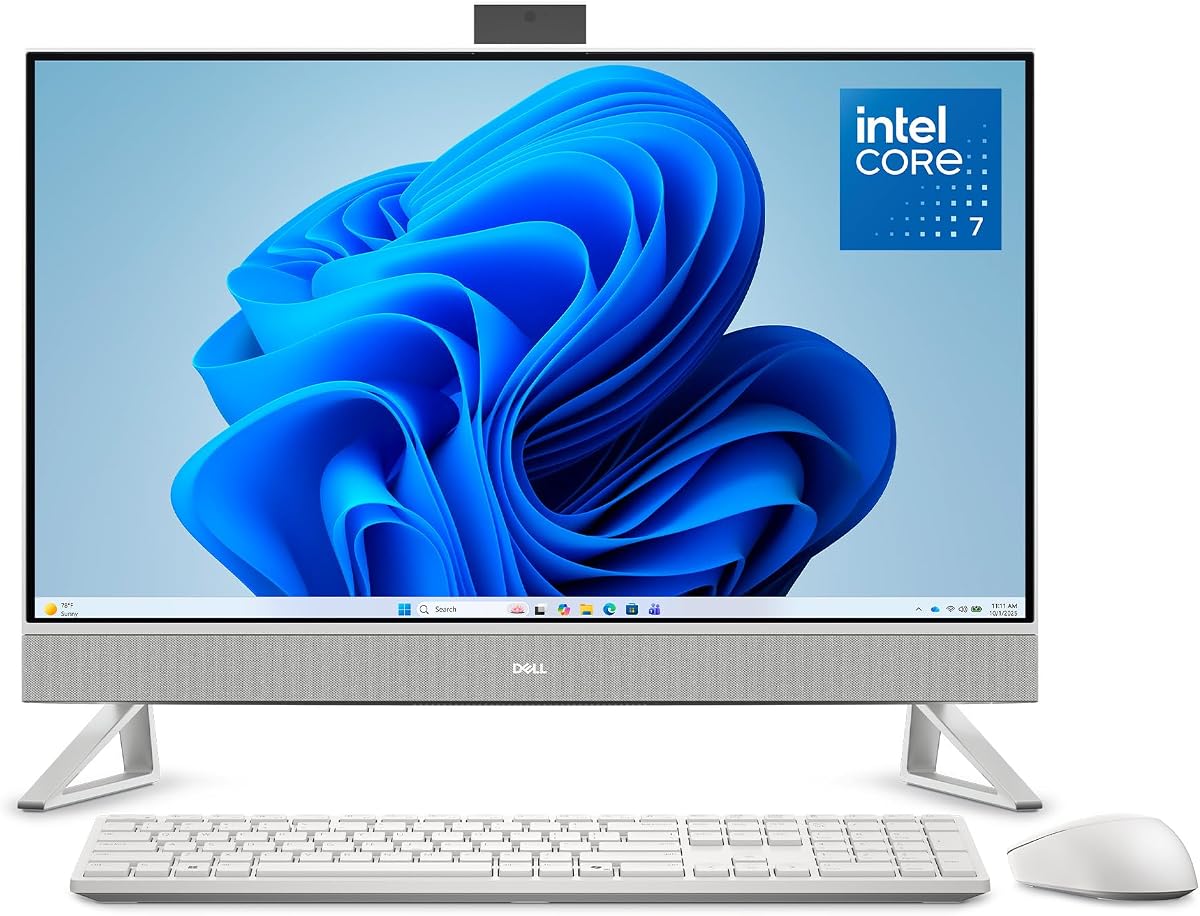
This 24-inch Dell combines a confirmed FHD touchscreen with an Intel Core 7 150U processor and a 5.0 rating. It offers ten processor cores and pairs them with 16GB of RAM, a 512GB SSD, Wi-Fi 6, and Bluetooth 5.3. The result is a sensibly proportioned all-in-one for offices, classrooms, and homes that want touch functionality without a very large display.
We may earn a commission when you buy through this link, at no additional cost to you.
Everyday usability is aided by dual speakers with Dolby Atmos spatial sound and Dell ComfortView Plus, which is designed to reduce harmful blue-light emissions. The built-in webcam uses HDR technology, and its push-down mechanism hides the camera for privacy. Easy-to-access ports and slots support connections to peripherals, making the enclosure more practical than a design that buries essential connections.
Windows 11 Pro adds useful management and productivity features for business and advanced home use. The supplied keyboard and mouse mean the package should be ready for basic setup without requiring immediate accessory purchases. The principal compromise is the 512GB SSD, which offers less room for large media libraries or extensive project files than models with 1TB drives. Sixteen gigabytes of RAM remains adequate for mainstream productivity, though heavy creative multitasking may eventually warrant more.
The Dell is a strong recommendation for buyers who prioritize a compact 24-inch format, a physical privacy solution for the camera, solid connectivity, and Pro software. It is especially sensible for business users who do not need the extra display size of a 27-inch model. Those building large local media or project archives should investigate storage expansion, while intensive creators should consider one of the higher-memory configurations.
The 24-inch FHD panel provides direct touch interaction without taking up the footprint of a larger 27-inch screen. The webcam's push-down privacy design is easy to understand and effective for shared offices.
The ten-core Core 7 processor and 16GB of RAM create a capable foundation for office applications, web work, learning, and routine multitasking. Windows 11 Pro and included peripherals improve its readiness for professional use.
We may earn a commission when you buy through this link, at no additional cost to you.
The ASUS VM670 is the strongest overall fit in this roundup because it combines a large, well-specified touchscreen with generous memory, fast storage, modern connectivity, and professional security features. It has a 5.0 rating and uses the AMD Ryzen AI 7 350 processor with eight cores, 16 threads, and boost speeds up to 5.0 GHz. A dedicated 50-TOPS NPU supports on-device AI acceleration.
We may earn a commission when you buy through this link, at no additional cost to you.
Its 27-inch FHD IPS touchscreen offers 100% sRGB color coverage, 178-degree viewing angles, anti-glare treatment, and a 93% screen-to-body ratio. That combination makes it well suited to creative work, presentations, spreadsheets, streaming, and general touch navigation. The supplied specifications do not list a discrete GPU, so users should judge it as a general-purpose integrated system rather than a high-end gaming desktop.
Memory and storage are major strengths. Thirty-two gigabytes of DDR5-5600 memory gives it ample headroom for heavy multitasking, while the 1TB PCIe 4.0 NVMe SSD supports quick boots and rapid file access. Connectivity includes Wi-Fi 6, Bluetooth 5.4, Gigabit Ethernet, USB-C, three USB-A 3.2 ports, one USB-A 2.0 port, an audio jack, and both HDMI input and HDMI output. The 1080p IR camera supports Windows Hello, while Microsoft Pluton, BIOS protection, and a Kensington lock slot reinforce its business focus.
This is an excellent recommendation for a buyer who wants a single device to handle work, learning, communication, and entertainment without assembling a separate tower and monitor. Its 27-inch footprint requires sufficient desk space, and Full HD may feel less detailed than a higher-resolution panel on such a large display. Even with those caveats, the balance of 32GB memory, AI hardware, fast storage, excellent connectivity, and security features makes the VM670 the most complete configuration here.
The anti-glare IPS panel balances vivid color, broad viewing angles, and a relatively slim bezel. It creates an inviting large-screen surface for both productivity applications and media.
Thirty-two gigabytes of fast DDR5 gives the system comfortable headroom for many applications and browser tabs. It is a particularly useful advantage for students and office users who keep substantial project files open.
We may earn a commission when you buy through this link, at no additional cost to you.
The Dell 24 Touchscreen All-in-One is a premium business-oriented system with a 5.0 rating, an Intel Ultra 7 355 processor, 32GB of DDR5-5600MT/s memory, and a 1TB SSD. Its integrated NPU supports Copilot+ PC capabilities, while Windows 11 Pro and included keyboard and mouse make it a polished option for professional and advanced home environments.
We may earn a commission when you buy through this link, at no additional cost to you.
The 23.8-inch FHD WVA touchscreen is designed for intuitive navigation in presentations, online learning, entertainment, and everyday work. Wide viewing angles and responsive touch interaction are useful when the computer is positioned away from a seated user. Pen support adds another input method for annotation, sketching, or navigation, although the exact included stylus depends on the current package.
Its advanced camera supports up to 8MP IR imaging, user detection, and more secure sign-ins, giving it a clear advantage for frequent video conferencing. Connectivity is also forward-looking: the listing specifies Wi-Fi 7 and Bluetooth 6. The sleek light-ash finish, compact footprint, and VESA mount compatibility help the machine fit neatly into professional environments while reducing cable clutter.
This Dell is an excellent fit for business users who want a compact touchscreen, substantial memory, modern wireless connectivity, and an integrated NPU without moving to a separate tower. Intel graphics should meet ordinary productivity and media requirements, though the system is not positioned as a specialized gaming or workstation machine. Its smaller Full HD panel also places it below larger 27-inch alternatives in immersive size, making its strengths more about refinement, security, and integration.
The up-to-8MP IR camera includes user detection for faster sign-ins and clearer communication. Wi-Fi 7 and Bluetooth 6 provide a modern wireless foundation for business and home use.
The light-ash enclosure, VESA compatibility, and integrated components create an uncluttered desk. A 23.8-inch footprint preserves workspace without giving up touchscreen input.
We may earn a commission when you buy through this link, at no additional cost to you.
This HP 27-inch all-in-one provides a large FHD touch display at a midrange performance level. It has a 4.4 rating and combines the AMD Ryzen 5 7520U processor with Radeon graphics, 16GB of onboard LPDDR5-5500 memory, and a 1TB PCIe NVMe SSD. Windows 11 Pro makes it suitable for work, school, and general household productivity.
We may earn a commission when you buy through this link, at no additional cost to you.
The screen is a 27-inch IPS panel with a three-sided micro-edge, anti-glare treatment, 250 nits of brightness, and 99% sRGB color coverage. These characteristics are useful for browsing, media consumption, and everyday interactive applications, although 250 nits may appear modest in a very bright room. Touch input adds value for casual browsing, media control, kiosk use, and touch-oriented applications.
For communication, the system includes an HP True Vision 1080p FHD IR tilt privacy camera with temporal noise reduction. Dual-array digital microphones support voice pickup, while the tilt privacy function gives users a physical way to shield the camera. A white wireless keyboard and mouse bundle creates a coordinated desk setup and avoids the need for immediate peripheral purchases.
The main limitation is the onboard 16GB LPDDR5 memory, which may not be user-upgradeable. The Ryzen 5 7520U is also positioned below the Ryzen AI 7 chips used in several competing models, making this choice better for general productivity than intensive rendering or advanced creative workloads. It remains a compelling option for anyone who prioritizes a large 27-inch touchscreen, a 1TB drive, a privacy camera, and Pro software without opting for the highest-tier processor.
The 27-inch IPS touchscreen provides a generous work and entertainment surface with accurate color and broad usability. Anti-glare treatment helps it remain practical in bright environments.
The Ryzen 5 processor, 16GB of memory, and Radeon graphics support standard office, school, and media tasks. A 1TB PCIe NVMe drive provides generous local storage and responsive operation.
We may earn a commission when you buy through this link, at no additional cost to you.
The Dell 27 All-in-One is a large-display desktop with a 4.3 rating, an Intel Core 7 150U processor, and 32GB of memory. Its FHD IPS panel offers 99% sRGB color coverage and a stated 50% improvement in contrast over the preceding generation, while a 66% higher refresh rate supports smoother visual presentation for work, learning, and streaming.
We may earn a commission when you buy through this link, at no additional cost to you.
A particularly useful design element is the innovative stand, which creates space to house the keyboard beneath the display. That feature helps keep a 27-inch workspace visually organized. The pop-up camera can be lowered for privacy and uses HDR technology, while the display tilts from 0 to 20 degrees for easier adjustment. These ergonomic details make the model attractive for shared offices and home workspaces.
Dual Bluetooth speakers and Dolby Atmos spatial sound support music, calls, and movies. Dell ComfortView Plus is included for reducing harmful blue-light emissions during extended sessions, and one year of onsite service adds convenience if a covered hardware issue cannot be solved remotely. The supplied listing also mentions a 30-day McAfee LiveSafe trial, which users should consider temporary rather than a permanent requirement.
The major caveat is that this product title and supplied details do not explicitly confirm touchscreen capability. It also omits storage specifications and uses Windows 11 Home rather than Pro. It is therefore best for buyers seeking a large, polished Dell display with generous memory and strong media features, while touch-dependent shoppers should verify the screen specification directly before ordering.
The keyboard-storage design keeps the desktop looking cleaner than a conventional monitor-and-keyboard arrangement. It is a practical advantage on large 27-inch desks where every centimeter matters.
The IPS panel's color coverage, contrast improvement, higher refresh rate, and ComfortView Plus support a clearer and more comfortable experience. The tilting display adds flexibility for different users.
We may earn a commission when you buy through this link, at no additional cost to you.
The HP 24 Touchscreen All-in-One is the value-focused selection for homes, students, and users who want a confirmed touch display without moving to a large premium configuration. It has a 4.3 rating, a 23.8-inch FHD touchscreen, 16GB of DDR4 memory, and a 1TB PCIe SSD. Windows 11 Home covers standard personal and small-business use.
We may earn a commission when you buy through this link, at no additional cost to you.
Its Intel Processor N100 has four cores and four threads, a 6MB cache, and a maximum turbo frequency of 3.40 GHz. That specification points toward browsing, word processing, video calls, online learning, media playback, and routine household productivity. It should handle multiple ordinary applications well, but it is not the right choice for demanding video editing, heavy 3D work, intensive engineering, or high-end gaming.
Storage is a standout at this configuration level. A 1TB PCIe SSD gives users more room for documents, applications, photos, and video than many similarly positioned machines, while also supporting fast startup and file access. Wi-Fi 6 and Bluetooth 5.3 provide current wireless connectivity, and the 23.8-inch screen is easier to fit on a compact desk than a 27-inch model.
This HP is a recommended starting point for schoolwork, home browsing, video calls, and light creative tasks. The N100's limitations are acceptable when the priority is affordability, a confirmed touchscreen, compact dimensions, and ample storage rather than maximum performance. Users who begin demanding heavier multitasking, advanced software, or more demanding games can move to a Core 7 or Ryzen AI 7 configuration.
The 23.8-inch touchscreen gives students a larger interactive area than a conventional laptop while retaining a compact footprint. It works well for browsing research, reviewing documents, joining classes, and using touch menus.
A 1TB PCIe SSD provides room for a substantial local file library and supports quick everyday operation. It is one of the most useful specifications in this comparatively restrained configuration.
We may earn a commission when you buy through this link, at no additional cost to you.
This ASUS 27-inch model combines a 5.0 rating with the AMD Ryzen AI 7 350 processor, Radeon 860M graphics, 32GB of DDR5 memory, and a 1TB SSD. The eight-core, 16-thread processor boosts to 5.0GHz, while its dedicated 50-TOPS NPU accelerates AI tools and modern Copilot+ PC experiences. It is well suited to office applications, browsing, streaming, calls, and intensive everyday multitasking.
We may earn a commission when you buy through this link, at no additional cost to you.
Its 27-inch FHD IPS touchscreen offers a 75Hz refresh rate, anti-glare coating, 100% sRGB coverage, 178-degree viewing angles, and a 93% screen-to-body ratio. These specifications create a large, clear interactive surface for creative work, learning, and media. As with the other 27-inch Full HD models in the guide, the display is well sized but does not offer the pixel density of a higher-resolution alternative.
The 1080p IR camera supports Windows Hello, array microphones work with AI ExpertMeet to improve voice clarity, HDMI input allows compatible external devices to use the screen, and HDMI output supports a second monitor. The sandstone-white enclosure, built-in speakers, Wi-Fi 6, Bluetooth 5.4, Gigabit Ethernet, USB-C, multiple USB-A connections, and included wireless keyboard and mouse make it a complete desktop package.
There is an inconsistency in the supplied product information: the title identifies a 1TB SSD, while one description line refers to a 2TB PCIe 4.0 NVMe drive. Buyers should confirm the exact capacity before ordering. Subject to that clarification, the system is an excellent recommendation for anyone seeking 32GB of memory, a large touchscreen, AI hardware, and a full set of connectivity in an attractive all-in-one enclosure.
The 75Hz IPS touchscreen combines smooth motion with broad viewing angles and accurate color. Anti-glare treatment improves visibility during extended work or study sessions.
The Ryzen AI 7 350 includes a dedicated 50-TOPS NPU, allowing supported AI workloads to operate efficiently on the device. It is a forward-looking fit for modern productivity software and Copilot+ features.
We may earn a commission when you buy through this link, at no additional cost to you.
The MSI 23.8-inch Touch Screen All-in-One is a compact business desktop built around the Intel Core 7-150U processor. It offers up to 5.4GHz performance, a 23.8-inch Full HD touchscreen, an integrated FHD webcam, Wi-Fi 6E, HDMI, USB-C, and multiple USB ports. A wireless keyboard and mouse are included, and Windows 11 comes preinstalled.
We may earn a commission when you buy through this link, at no additional cost to you.
Its most notable feature for an office is dual external monitor support. That means users can retain the touchscreen as a central interaction device while connecting additional screens for specialized workflows. HDMI-in can also allow compatible devices to use the display, although exact supported configurations should be confirmed with the manufacturer or retailer. The small 23.8-inch panel is easy to position within a compact office.
The product title identifies 8GB of RAM and 1.2TB of storage, while the supporting description states configurable memory up to 64GB and PCIe SSD storage up to 4TB. These statements appear to describe either a base configuration and maximum platform capability or different package variants. The 8GB starting point is the main concern for sustained multitasking, and the exact shipped memory and storage layout should be verified.
This MSI is best for a business user who values a compact touchscreen, strong processor class, modern connectivity, and the flexibility to work with two external monitors. It is less compelling for buyers who need more than 8GB of memory in the base package or who require a published customer rating for comparison. Its support for external displays makes it a practical multi-screen alternative to a conventional tower despite its compact all-in-one design.
Dual external monitor support makes the touchscreen useful as a third screen or central control surface. This adds flexibility for trading, operations, creative review, and general office productivity.
The integrated FHD webcam, USB-C, HDMI, USB ports, and Wi-Fi 6E cover the essentials for a modern office. Windows 11 and wireless peripherals support a tidy initial setup.
We may earn a commission when you buy through this link, at no additional cost to you.
The right touchscreen all-in-one depends less on the broadest specification list and more on how the display, processor, memory, storage, connectivity, and ergonomics fit your actual workspace. Use the following factors to narrow the field before comparing the final listing.
A 23.8-inch touchscreen is generally easier to place on a compact desk and may be more appropriate for individual work, study, or reception use. A 27-inch model creates a larger interactive canvas for presentations, shared workspaces, drawing, media consumption, and frequent touch navigation. Among the featured products, FHD is the consistent resolution, while IPS or WVA panels, anti-glare finishes, 99% or 100% sRGB coverage, and 178-degree viewing angles help distinguish several larger models. The ASUS models add a 75Hz refresh rate, while most of the other screens do not provide a specific refresh rate in the supplied information.
The Intel Core 7-150U, Intel Ultra 7 355, and AMD Ryzen AI 7 350 occupy the strongest performance positions in this group. The Ryzen AI 7 configuration includes a dedicated 50-TOPS NPU, while the Intel Ultra 7 platform also provides NPU-powered Copilot+ capabilities. AMD's Radeon 860M is identified for one ASUS model. Less powerful options include the Ryzen 5 7520U and Intel N100, which are better aligned with standard productivity than intensive creative or computational workloads.
Memory determines how comfortably a system can keep applications, browser tabs, meetings, and large files open at once. The Dell 24 Touchscreen, ASUS VM670, ASUS 27-inch Ryzen AI model, and Dell 27 all-in-One provide 32GB, while several mainstream alternatives use 16GB. The MSI title lists 8GB, which is the least comfortable starting point for long-term multitasking. Some onboard LPDDR5 memory may not be upgradeable, so buyers should consider future needs carefully rather than assuming all components can be replaced later.
A PCIe NVMe solid-state drive provides a better foundation for general responsiveness than a conventional hard drive, while 1TB gives ample room for applications and media. The Dell 24-inch model includes 512GB, and the MSI title lists 1.2TB of total storage. Some listings do not clearly state capacity, and the ASUS 27-inch listing contains conflicting references to 1TB and 2TB SSDs. Always verify the included drive rather than assuming that a maximum platform configuration is included in the package.
Wi-Fi 6 is common across the featured systems, while the Dell 24 Touchscreen advances to Wi-Fi 7 and Bluetooth 6, the MSI uses Wi-Fi 6E, and several AMD-based models offer Bluetooth 5.4. For peripherals, USB-A remains essential for keyboards, mice, flash drives, and existing accessories, while USB-C is valuable for modern accessories and charging. The ASUS VM670 offers a particularly broad port list, including USB-C 3.2, multiple USB-A 3.2 ports, USB-A 2.0, Gigabit Ethernet, audio, HDMI input, and HDMI output.
Remote work makes camera and microphone quality central to an all-in-one's value. HP offers True Vision FHD IR cameras on the 27-inch Copilot+ PC and Ryzen all-in-one, while Dell includes advanced IR camera systems on several models. The Dell 24-inch configuration has a pop-up camera that physically retracts, and the HP 27-inch Ryzen model has a tilt privacy camera. AI Noise Reduction, array microphones, IR illumination, and Windows Hello facial recognition improve both communication and sign-in convenience.
A touchscreen is only as useful as its physical positioning. Adjustable stands, broad tilt ranges, anti-glare surfaces, and keyboard-storage designs can materially improve comfort and desk organization. The HP 27-inch Copilot+ PC adjusts from minus 5 to 20 degrees and includes a pen, while the Dell 27 model's stand stores its keyboard underneath. Several packages include a wireless keyboard and mouse, and the HP Copilot+ PC adds a flash drive, cleaning cloth, camera protector, and dust plugs.
Windows 11 Home suits general personal use, while Windows 11 Pro provides additional capabilities relevant to business, advanced administration, and organized productivity. The Dell 23.8-inch and Dell 27 models use Home, whereas most of the other featured systems include Pro. Beyond the operating system, consider the bundled software carefully. A temporary security trial mentioned in one listing should be evaluated for renewal requirements, and users should verify that required academic, creative, or business applications are compatible with the hardware.
Begin by placing the all-in-one on a stable, level surface with enough ventilation around the rear enclosure. Connect the power cable and any peripherals, then power on the system and complete the Windows setup process. Update Windows, install the required security software, and configure your preferred account, display scaling, network connection, and backup method before moving large folders onto the machine.
Use touch input with clean, dry fingers and avoid pressing excessively hard on the screen. If a stylus is included or supported, use a compatible pen rather than an improvised sharp object. For longer writing or detailed annotation, increase the available workspace with a keyboard and mouse. Clean the display with a soft microfiber cloth and a screen-safe cleaner, and keep liquids away from the panel, vents, keyboard, and power connections.
Keep the software and operating system current, review privacy settings for the camera and microphone, and use the available camera privacy mechanism when appropriate. Preserve airflow by avoiding blocked vents and keep the unit away from direct heat. Periodically back up important files, particularly if the SSD has limited capacity, and confirm that the keyboard-storage compartment does not trap cables or obstruct the stand.
A touchscreen all-in-one can be more convenient for direct navigation, presentations, drawing, shared interaction, and compact workspaces. It also reduces cable clutter by integrating the computer and display. However, a conventional desktop may offer easier component upgrades and better performance for specialized workloads, so the right choice depends on how you use the computer.
A 23.8-inch model is convenient for compact desks and individual use, while a 27-inch model offers more room for touch interaction, media, and collaboration. Larger screens are easier to use for presentations but require more desk space. Consider the distance from which you normally view the display and whether it will be shared with other people.
Sixteen gigabytes is generally suitable for everyday productivity, browsing, learning, and routine application use. Thirty-two gigabytes offers more comfortable headroom for heavy browser use, large spreadsheets, creative work, and longer service life. If the memory is soldered or otherwise not upgradeable, choosing more capacity upfront is sensible.
Most general office, school, communication, and streaming tasks can be handled with integrated graphics. A discrete or stronger integrated GPU becomes more relevant for demanding games, 3D rendering, intensive video editing, and specialized professional software. All-in-one computers also tend to have limited internal upgrade options, so graphics expectations should be checked before purchase.
Many can, but support depends on the specific USB and video outputs. The MSI explicitly supports two external monitors, while both ASUS models provide HDMI output for an additional display. The Dell 24 Touchscreen is also described as VESA mount compatible, but buyers should verify the exact connector configuration and supported display arrangement.
Windows 11 Home is sufficient for many personal uses, including browsing, school, entertainment, and standard productivity. Windows 11 Pro is more relevant for business administration, domain or work-account requirements, advanced security features, and specialized management. Choose based on your software and organizational needs rather than assuming the Pro label is automatically better for every user.
Turn the computer off and use a soft, lint-free microfiber cloth lightly dampened with a screen-safe cleaner. Spray the cleaner onto the cloth rather than directly onto the display, and avoid ammonia, abrasive pads, and excessive moisture. Never use the touchscreen with wet fingers, and keep cleaning liquids away from ports and ventilation openings.
Confirm that the screen is genuinely touchscreen, since a few featured listings do not explicitly state touch capability. Also verify the exact memory, storage capacity, included accessories, operating system, and port selection, particularly where the listing describes optional or maximum configurations. Checking the current retailer listing helps prevent surprises about the package being delivered.
The ASUS VM670 27-inch stands as the most balanced overall recommendation, combining a large anti-glare touchscreen, Ryzen AI 7 350 hardware, 32GB of DDR5 memory, fast NVMe storage, extensive connectivity, and business-oriented security. The HP 27-inch Copilot+ PC is also particularly complete for touch users, while the Dell 24 Touchscreen serves buyers who want premium processing in a smaller business-oriented design.
Your priority should determine the shortlist. Choose the HP 24 Touchscreen All-in-One for a confirmed touchscreen, compact dimensions, and an entry-level configuration; select a 27-inch model when screen space matters; and favor 32GB of memory when keeping many applications open. Verify processor demands, exact storage, included peripherals, and whether the listing explicitly confirms touch input.
Ratings, specifications, package contents, and retailer pricing can change over time. Before purchasing, compare the live listing with the configuration discussed in this guide and confirm warranty, support, and accessory details. That final check helps ensure the chosen all-in-one remains a good fit long after the initial setup.