
Brother HL-L6310DW
4.2Editor score
52 ppm monochrome output
Expandable 1,660-sheet capacity
Triple Layer Security
Compare 10 laser printers for large workgroups, including speed, paper capacity, security, connectivity, duplexing, and all-in-one features for busy teams.
A laser printer for large workgroups must handle sustained document volumes without creating bottlenecks at the paper tray, scanner, toner supply, or network connection. The best models combine fast output, expandable paper capacity, reliable duplexing, strong security, and simple management for teams that print reports, forms, proposals, invoices, and operational documents throughout the day.
This guide compares ten business-focused laser printers using the specifications supplied for each model, including print speed, tray configuration, scanning capability, connectivity, security, toner yield, and multifunction features. It covers monochrome and color machines, single-function printers, and all-in-ones for workgroups that need only printing or also require scanning and copying.
The rankings identify where each model stands out, from fast monochrome throughput and high-capacity paper handling to color output and advanced finishing. Ratings reflect the supplied customer feedback, while availability, configurations, toner choices, and prices can change, so buyers should confirm current specifications and costs before ordering.
4.2Editor score
4.4Editor score

This side-by-side comparison highlights the major differences in print speed, document handling, network support, security, and paper capacity, helping workgroup managers identify the most suitable printer for their daily workload.


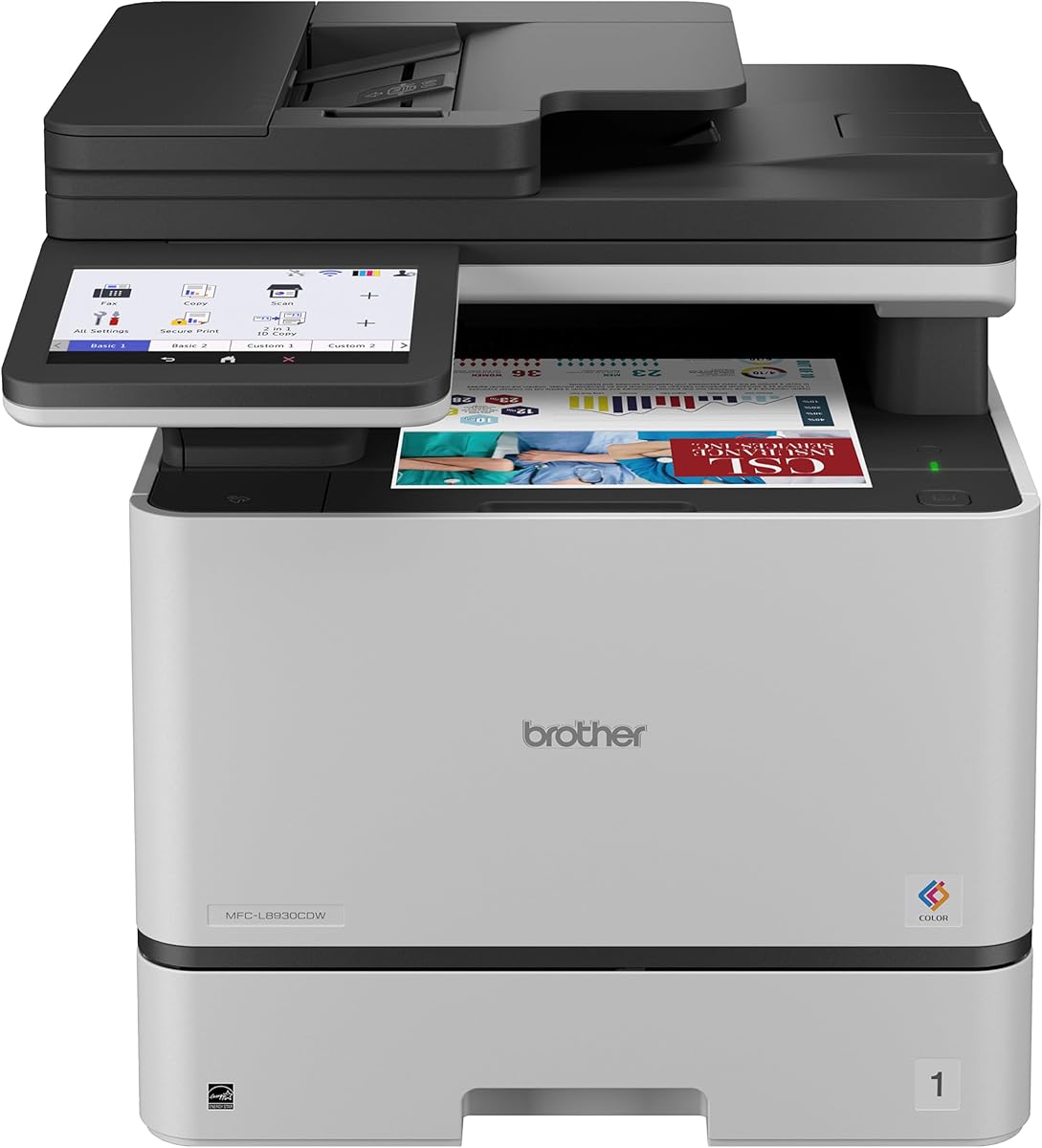
The Brother MFC-L8930CDW combines professional color output, high-speed monochrome printing, scanning, and copying in a business-oriented all-in-one. Its supplied 4.4 rating reflects broad user appeal, while the seven-inch color touchscreen and 33-page-per-minute speed make it especially useful for mixed-document workgroups that need a single device to handle several document workflows.
We may earn a commission when you buy through this link, at no additional cost to you.
Its standout strength is the balance between useful features rather than an overwhelming list of specialized functions. The printer supports duplex printing, an 80-page automatic document feeder, two-sided scanning at up to 104 images per minute, legal-size scanning glass, and destinations including cloud services, email, and SharePoint. Searchable and editable Microsoft Office documents can also be created from scans, which can reduce repeated retyping by administrative teams.
Paper and toner management are well suited to sustained use. A multipurpose tray handles envelopes and custom media, while included Genuine toner cartridges provide 3,000 black pages and 1,800 color pages. High-yield replacements are listed at 7,500 black pages and 6,500 color pages. Built-in dual-band Wi-Fi and Gigabit Ethernet make network placement flexible, and the design includes EPEAT Gold certification, ENERGY STAR certification, reduced packaging, and post-consumer recycled material.
The trade-off is that color printing requires more planning than monochrome work, and organizations that only produce white-paper forms may not use the scanner, touchscreen, or color capabilities fully. Even so, the security tools, NFC card reader, 64 customizable shortcuts, fast scanning, and convenient connectivity make this a strong all-round recommendation for a department that prints forms, presentations, reports, and scanned records.
This model handles color printing, monochrome documents, duplex output, copying, and scanning in one package. Its touchscreen shortcuts can save time on recurring tasks, while mobile printing and cloud destinations make the device more accessible beyond a fixed desk.
Triple Layer Security, document protection features, and an integrated NFC card reader suit organizations that need controlled access. These capabilities are especially relevant when sensitive forms or internal records are printed near other team members.
We may earn a commission when you buy through this link, at no additional cost to you.
The Brother HL-L5210DWT is a focused monochrome printer for teams that need high throughput and dependable paper handling more than scanning or copying. Its 4.3 rating and stated print speed of up to 48 pages per minute make it a practical middle ground for workgroups producing stacks of contracts, invoices, reports, and internal documents.
We may earn a commission when you buy through this link, at no additional cost to you.
Its two included paper trays hold 250 and 520 sheets, and a 100-sheet multipurpose tray supports envelopes and custom media. Total capacity expands to 1,390 sheets with an optional tray, reducing interruptions when several staff members are printing different media. Automatic duplex printing further improves efficiency by producing two-sided documents without manual paper turning.
Connectivity includes Gigabit Ethernet and dual-band wireless networking, with mobile-device printing support. The included 3,000-page Genuine toner cartridge provides a starting supply, while the TN920XXL high-yield cartridge is rated for 11,000 pages. Triple Layer Security adds network, device, and document-in-transit protections that are important in shared business environments.
Its limitations are straightforward: it prints only in monochrome and does not include a scanner or copier. Users who need to digitize records should choose an all-in-one instead. For a large workgroup that mainly prints conventional business documents and values efficient duplex output, however, this model offers a focused and economical feature set.
Separate main trays make it easy to keep common letter and legal stock loaded simultaneously. The optional expansion to 1,390 sheets is useful for teams that regard reloading paper as a recurring interruption rather than a minor inconvenience.
Duplex printing and an 11,000-page high-yield toner option help control paper and consumable demands. The model also supports both wired and wireless networks, allowing administrators to place it according to office layout rather than cable distance.
We may earn a commission when you buy through this link, at no additional cost to you.
The HP LaserJet Enterprise M406dn is a single-function enterprise monochrome printer aimed at organizations that value straightforward operation and security. It carries a supplied 4.4 rating, prints at up to 42 pages per minute, and includes automatic two-sided printing for teams that regularly produce multi-page business documents.
We may earn a commission when you buy through this link, at no additional cost to you.
The 2.7-inch color display allows users to handle common tasks directly from the device, while card reader support can integrate with controlled-access environments. HP FutureSmart firmware is designed to receive feature updates, helping administrators preserve the usefulness of the printer as business requirements evolve rather than replacing hardware solely for software changes.
Security receives particular emphasis through dynamic security and HP Wolf Enterprise Security. The stated approach uses defensive layers to detect and self-heal from malware and protect business data. Built-in Ethernet also provides a straightforward connection to an existing corporate network, which can be easier to manage in a fixed office environment than wireless access.
The absence of scanning, copying, and wireless networking narrows its appeal compared with more versatile all-in-ones. That limitation is acceptable when a workgroup prints primarily monochrome text documents and already has separate equipment for digital capture. As a dedicated, secure, fast printer, it remains a credible enterprise choice.
FutureSmart firmware provides a path for adding features and maintaining the device over time. This focus on longevity is useful for organizations that want a single printer platform to support changing workflows.
Dynamic security, layered defenses, and card reader support make the printer more appropriate for sensitive internal documents. The direct color display also reduces reliance on a computer for routine configuration.
We may earn a commission when you buy through this link, at no additional cost to you.
The Brother MFC-L6810DW is an impressive monochrome all-in-one for mid-sized and large workgroups, with a supplied 4.1 rating. It prints and copies at up to 52 pages per minute, while its 80-page automatic document feeder can scan two-sided material at up to 200 images per minute. That combination makes it particularly well suited to document-intensive back offices.
We may earn a commission when you buy through this link, at no additional cost to you.
The included 8,000-page Genuine toner cartridge offers a strong initial capacity, and compatible TN920UXXL replacements are listed at 18,000 pages. Paper handling begins with a 520-sheet tray, a 100-sheet multipurpose tray, and a 250-sheet output area, then expands to 1,660 sheets with optional trays. Legal-size documents can be scanned on the large glass surface.
A seven-inch touchscreen provides direct access to scanning destinations, including cloud services, and the machine supports duplex printing, copying, and cloud scanning. Gigabit Ethernet and dual-band wireless networking simplify deployment in offices with different network requirements. Triple Layer Security and an integrated NFC card reader add access and document-protection features often needed in shared environments.
Its main limitations are the absence of color and the added complexity of a full touchscreen control panel. It is also a substantial all-in-one, so a group that only prints simple documents may not need all of its functionality. Even so, its speed, scanning throughput, paper capacity, and high-yield toner make it an unusually capable budget-oriented choice for a busy workgroup.
Single-pass, two-sided scanning at up to 200 images per minute can accelerate the digitizing of contracts, records, and signed forms. The legal-size glass provides a useful alternative when the automatic document feeder is not the right tool for a particular original.
The 18,000-page high-yield toner option and expandable paper system reduce the need for frequent consumable and stock changes. These are practical advantages for teams that cannot easily pause output whenever a supply runs low.
We may earn a commission when you buy through this link, at no additional cost to you.
The Brother HL-6210DW is built for high-volume monochrome office printing, with a stated speed of up to 50 pages per minute and a supplied 4.1 rating. It offers the core traits a large workgroup values: substantial paper capacity, fast duplex workflows, flexible networking, and high-yield toner support.
We may earn a commission when you buy through this link, at no additional cost to you.
The 520-sheet main tray and 100-sheet multipurpose tray provide a generous starting configuration, while optional trays expand total capacity to 1,660 sheets. That amount of paper is especially helpful for offices that print long reports, mailing runs, or large batches of standard forms without wanting a printer to stop constantly for refills.
Built-in Gigabit Ethernet and dual-band wireless networking support shared access and mobile-device printing. Compatible Brother Genuine high-yield toner cartridges are listed at up to 18,000 pages, which helps reduce replacement frequency. Triple Layer Security is included to help protect the device, network, and documents in transit.
This printer does not scan or copy, and it cannot produce color. Those restrictions make it less attractive for teams seeking a consolidated office device, but they also keep the feature set focused on dependable monochrome printing. It is best suited to workgroups that print high volumes of text-based documents and value wireless placement and paper capacity.
A 520-sheet standard tray is already generous, and expansion to 1,660 sheets supports continuous runs. The multipurpose tray handles envelopes and custom media without requiring users to surrender the main paper configuration.
Dual-band wireless networking gives teams more freedom in where the printer is installed, while Gigabit Ethernet supports a stable wired connection. The result is a model that can fit both open offices and structured network environments.
We may earn a commission when you buy through this link, at no additional cost to you.
The Brother MFC-L5915DW is a balanced monochrome multifunction printer for busy offices that print, copy, and scan regularly. Its supplied rating is 4.3, and its stated print and copy speed of up to 50 pages per minute places it among the faster models in this guide. The all-in-one format consolidates several essential document functions without adding color expense.
We may earn a commission when you buy through this link, at no additional cost to you.
Its 70-page automatic document feeder supports single-pass, two-sided scanning at up to 56 images per minute. This is a practical arrangement for routine filing, copying, and digitizing, while the large document glass can accommodate legal-size originals. Duplex printing also helps reduce paper consumption for long internal documents.
The included 3,000-page Genuine toner cartridge is supplemented by compatibility with the TN920UXXL ultra high-yield cartridge rated at 18,000 pages. Built-in Gigabit Ethernet and dual-band wireless networking make sharing straightforward, and mobile printing can reduce dependence on a fixed workstation.
Its 4.3 rating is slightly below the strongest options here, and the model lacks a touchscreen in the supplied feature set. It also cannot produce color. Nevertheless, the combination of 50-page-per-minute output, a sizable feeder, duplex scanning, and flexible connectivity makes it an attractive all-in-one for workgroups that value a practical middle ground.
The printer, scanner, and copier cover the most common office reproduction tasks. Limiting output to monochrome can keep the device focused on the high-volume document work that many accounting, administration, and operations teams perform.
Single-pass, two-sided scanning reduces handling of multipage originals, while automatic duplex printing supports finished documents with less paper. These features make the machine more useful for repetitive daily processes.
We may earn a commission when you buy through this link, at no additional cost to you.
The HP LaserJet Enterprise M507n is a managed monochrome printer designed for established business networks. Its supplied 4.0 rating is respectable, while its defining qualities are enterprise security, centralized administration, and a long-term operating focus rather than color output or multifunction convenience.
We may earn a commission when you buy through this link, at no additional cost to you.
The printer is described as having more than 200 embedded security features intended to protect printer information, thwart malware, and detect or stop attacks. In a large workgroup, that depth can matter because networked devices are often exposed to more users and administrative systems than a home-office printer.
HP Web JetAdmin supports adding devices and solutions, updating features, and applying corporate policies. JetAdvantage Security Manager is also identified for security configuration. This management approach suits organizations that need to maintain consistent policies across multiple office locations and prefer centralized oversight over individual setup at each device.
Optional mobile printing supports printing from many smartphones and tablets, generally without requiring a separate app. Original HP 89A and 89X toner cartridges are available, along with an extra high-yield 89Y option. The main drawbacks are the absence of scanning and copying and the lower rating compared with the leading products. It remains a compelling choice for a managed corporate printing fleet.
Web JetAdmin and JetAdvantage Security Manager support centralized oversight of devices, solutions, and policies. These tools are particularly relevant when a workgroup printer must conform to broader corporate standards.
The stated portfolio of more than 200 security features addresses information protection, malware defense, and attack detection. Such controls are valuable for sensitive internal documents handled in shared office environments.
We may earn a commission when you buy through this link, at no additional cost to you.
The HP LaserJet Enterprise MFP M634z is the most elaborately equipped premium workgroup machine in this guide. It prints, scans, copies, and faxes professional-quality documents, reaches a stated 55 pages per minute, and offers a first-page-out time of 5.2 seconds. No customer rating was supplied, so numerical feedback should not be inferred from its feature set.
We may earn a commission when you buy through this link, at no additional cost to you.
Its workflow capabilities go well beyond ordinary desktop multifunction devices. The 150-page automatic document feeder performs single-pass, two-sided scanning, and the nine-inch color touchscreen helps detect potential errors, missed pages, and improper scanning orientation or size. These aids can make large digitizing jobs more manageable and reduce the need to rescan imperfect originals.
Paper handling is exceptional for a workgroup. Three additional 550-sheet trays and a wheeled stand bring total input capacity to 2,300 sheets, with support for sizes from 4 by 6 inches through legal. A 1,000-sheet, three-bin stapler and stacker handles finished output, including job offset, making the machine well suited to batches of assembled documents.
The product also provides deep embedded security intended to protect sensitive data, detect attacks, and stop malware. Its trade-off is that the advanced feeding, finishing, touchscreen, and paper system represent a premium-oriented commitment, and no supplied rating is available for direct comparison. It is the most suitable choice when finished-document handling and high-capacity production matter more than a simple printer footprint.
The three-bin stapler and stacker organizes large finished-document runs and supports job offset. This is a meaningful distinction for administrative, legal, finance, and operations teams that assemble and distribute multi-page packets.
A 2,300-sheet total input capacity and wide media range minimize reloads during long jobs. The wheeled configuration also separates the extensive paper and finishing system from a basic desktop printer footprint.
We may earn a commission when you buy through this link, at no additional cost to you.
The Brother HL-L8430CDWT stands out for its color output and has the highest supplied rating in the group at 4.6. It is a dedicated business color laser printer, printing at up to 33 pages per minute with sharp color and black text. That makes it appealing to teams producing polished reports, presentations, proposals, and internal communications.
We may earn a commission when you buy through this link, at no additional cost to you.
The dual paper trays hold 250 and 520 sheets, and an optional tray expands total capacity to 1,340 sheets. A 50-sheet multipurpose tray supports custom media and envelopes. The configuration is generous for a color printer and should help teams alternate paper sizes without constantly redistributing stock.
A 2.7-inch color touchscreen supports menu navigation, direct printing from popular business cloud services, and mobile-device printing. Default two-sided printing helps reduce paper use. Triple Layer Security and an integrated NFC card reader strengthen access control, while EPEAT Gold certification, ENERGY STAR certification, reduced packaging, and 14% post-consumer recycled material reflect sustainability-oriented design.
Included toner provides 3,000 black pages and 1,800 color pages, with replacements listed at 7,500 black and 6,500 color pages. The trade-off is that it cannot scan or copy, and color workloads can consume supplies more quickly than monochrome-only printing. Even so, its strong rating, sharp output, useful touchscreen, and expandable capacity make it a compelling dedicated color choice.
The model focuses entirely on producing polished color and monochrome documents. Teams that already handle digital capture elsewhere can benefit from a dedicated color engine without paying for a larger multifunction chassis.
The touchscreen allows direct selection of popular business cloud services, while mobile printing supports flexible job sources. Default duplex output also helps teams maintain practical paper use as color volume grows.
We may earn a commission when you buy through this link, at no additional cost to you.
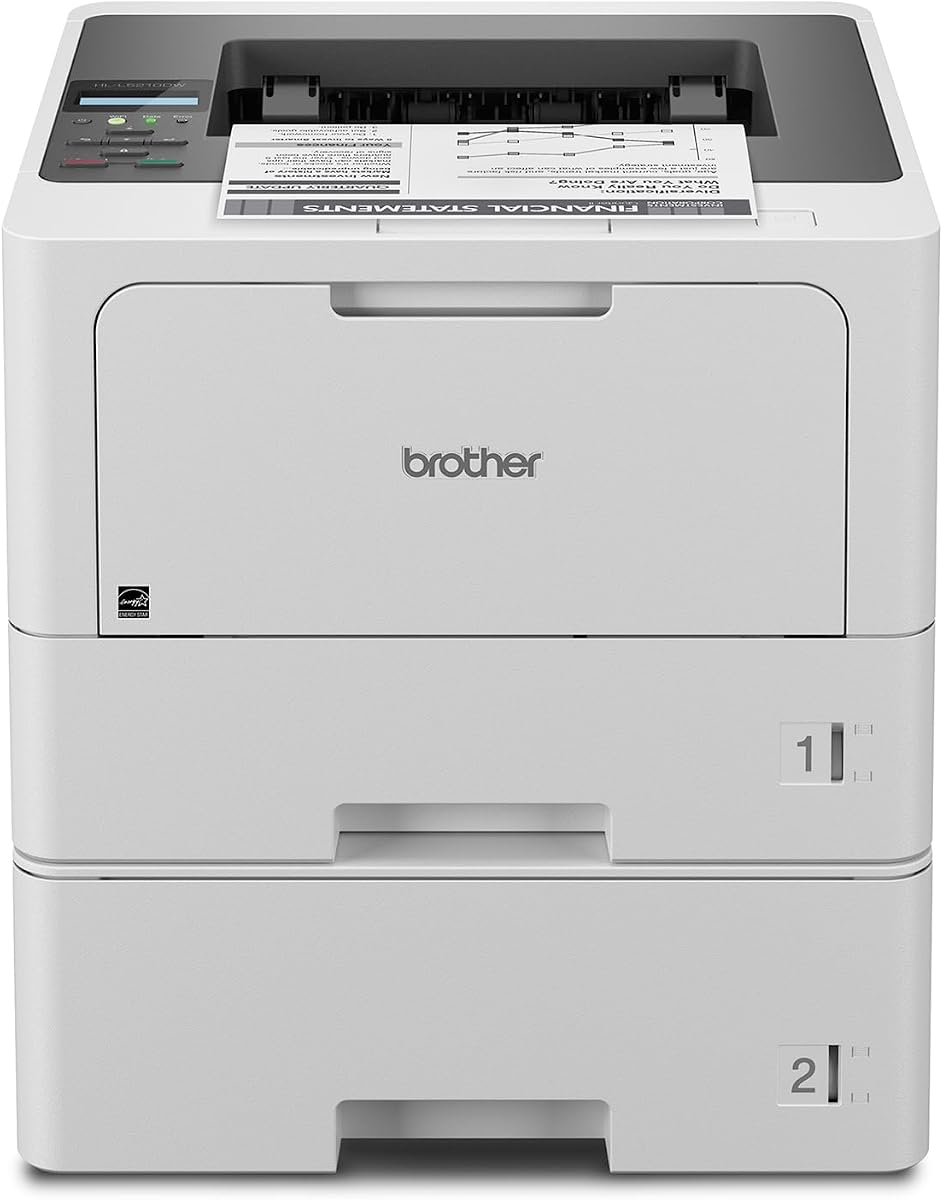
The Brother HL-L6310DW is a value-focused, high-speed monochrome printer for mid-sized and large workgroups. It has a supplied rating of 4.2 and a stated print speed of up to 52 pages per minute, placing it among the fastest dedicated printers reviewed. Its emphasis is efficient production rather than color or multifunction convenience.
We may earn a commission when you buy through this link, at no additional cost to you.
A 520-sheet main tray and 100-sheet multipurpose tray form the standard paper setup, with a 250-sheet output capacity. Optional trays expand total input to 1,660 sheets, and an optional cabinet can store paper and supplies while converting the unit into a floor-standing configuration. That flexibility is useful in high-volume offices with limited access to storage.
The included 6,000-page Genuine toner cartridge is designed to keep the printer productive between service visits, and the TN920UXXL replacement is listed at 18,000 pages. Triple Layer Security and the integrated NFC card reader help protect the device and support badge-based access. Device management solutions can distribute configurations, security settings, firmware updates, and task automation across a larger deployment.
The principal limitations are that the printer offers no scanner, copier, or color engine. A workgroup that only needs rapid monochrome documents will find that focus helpful, but one that expects integrated capture should choose an all-in-one. For dedicated high-volume output, the combination of speed, paper capacity, toner endurance, and centralized deployment tools remains compelling.
Configuration distribution, security settings, firmware updates, and task automation can be managed as a coordinated deployment. These capabilities help organizations standardize a printer across several departments or locations.
The 1,660-sheet maximum input and optional cabinet support workflows that outgrow a desktop printer. Users can add paper storage and supplies without abandoning the same print platform.
We may earn a commission when you buy through this link, at no additional cost to you.
The right large-workgroup printer is defined by the volume, document types, security requirements, and workflow of the people using it. Comparing speed alone can miss important constraints such as paper capacity, duplex scanning, finished-document handling, connectivity, and administrative support.
Print speed indicates how quickly a printer can produce pages under specified conditions and provides a useful indication of how well a model can keep pace with sustained demand. The reviewed devices range from 33 pages per minute for the Brother color models to 55 pages per minute for the HP LaserJet Enterprise MFP M634z. Monochrome models generally provide greater throughput than color machines in the same group, while the dedicated color printers remain well suited to mixed professional output.
Choose based on the workload, not merely the highest available number. A group with predictable bursts can perform well with a 42- or 48-page-per-minute model, while teams that continually produce large batches should favor 50- or 52-page-per-minute machines. Duplex capability, first-page responsiveness, and the ability to keep paper and toner loaded also influence real-world productivity.
A workgroup printer should hold enough standard paper to survive a normal printing interval without repeated intervention. Several Brother models begin with a 520-sheet tray, while the HL-L5210DWT pairs a 250-sheet tray with a 520-sheet tray. Expandable totals reach 1,340 to 1,660 sheets on many of the models, and the premium HP M634z expands to 2,300 sheets of input capacity.
A multipurpose tray is also important for envelopes, labels, and unusual media. Look for separate main trays if administrators will regularly load different sizes. For very busy environments, consider a floor-standing or wheeled configuration with nearby paper storage so refilling remains practical.
Automatic two-sided printing saves paper and reduces staff effort when contracts, reports, and manuals are printed double-sided. Every reviewed printer supports duplex printing, but the automatic document feeders vary significantly. The Brother MFC-L6810DW provides an 80-page feeder with single-pass, two-sided scanning at up to 200 images per minute, while the HP M634z accepts up to 150 pages and also performs single-pass duplex scanning.
Choose an all-in-one when records must be copied or digitized. A 70- or 80-page feeder is valuable for routine batch processing, while a 150-page feeder better suits extended originals. Legal-size glass provides added flexibility for documents that cannot safely pass through an automatic feeder.
Monochrome laser printers are the strongest choice for routine forms, invoices, contracts, shipping documents, and text-heavy reports. Their faster output and concentrated toner use make them efficient for sustained administrative work. Color models are more appropriate when presentation quality, graphics, photographs, or branded internal communication justify the greater consumable demand.
The MFC-L8930CDW and HL-L8430CDWT are the two color-focused choices here, both rated at up to 33 pages per minute. They are particularly relevant to marketing, design, operations, and executive teams that need more than black-and-white output without requiring the scanning and copying features of a full all-in-one.
Large workgroup printers normally need reliable shared access. Gigabit Ethernet is common throughout the group and can provide a stable connection in a managed corporate network. Several Brother models also include dual-band wireless networking, giving administrators more placement options and allowing staff to print from compatible mobile devices.
A wired-only model may simplify network policy and reduce wireless configuration requirements. Wireless models can be more convenient in open offices, shared departments, or locations where pulling an Ethernet cable is inconvenient. Buyers should also verify the mobile services and operating systems used by their team before assuming full compatibility.
A shared printer can expose documents, credentials, and network access if it is not properly protected. The Brother models emphasize Triple Layer Security, while the HP enterprise devices highlight dynamic security, Wolf Enterprise Security, FutureSmart firmware, and embedded protective features. The M507n is specifically described as having more than 200 embedded security features, while the M634z focuses on deep embedded protection for sensitive data and attacks.
Integrated NFC card readers on several Brother models enable badge authentication. For larger deployments, device-management tools, firmware update capability, policy controls, and consistent security configuration can be as important as individual print features. Choose the model whose administration approach matches the organization's IT resources.
High-yield toner can materially reduce replacement frequency in a high-volume office. Compatible high-yield options in this group range from 6,500 color pages to 18,000 monochrome pages, while standard cartridges vary by color and model. The supplied inventory matters because a new workgroup printer may need several replacement cycles during its first year of operation.
Do not judge operating value by cartridge yield alone. Consider the mix of black and color pages, typical job size, local availability, and the actual documents being printed. For monochrome-heavy groups, a model supporting an 18,000-page cartridge may be especially attractive, while color-focused teams should compare black and color yields separately.
Some workgroups do more than create pages; they assemble, sort, and distribute completed document sets. The HP LaserJet Enterprise MFP M634z is the clearest choice in this category because it includes a 1,000-sheet, three-bin stapler and stacker with job offset. It also has a 150-page duplex document feeder and a nine-inch color touchscreen designed to support complex workflows.
Most other models focus on printing, copying, and scanning rather than advanced physical finishing. Organizations that routinely staple packets, offset stacks, or collate large sets should determine whether a finishing system is a genuine requirement. If not, a faster and less complex dedicated printer may provide a better operational fit.
Begin by unpacking the printer, removing any transport restraints, installing the supplied toner, and confirming that the paper guides match the stock being loaded. Connect the unit through Gigabit Ethernet or dual-band wireless networking, then set the correct date, time, paper size, and default tray before allowing the whole department to use it. Assign a clear name to the printer so employees can identify it easily from mobile devices.
Load standard paper into the largest appropriate main tray and reserve the multipurpose tray for envelopes, labels, or media that is used infrequently. Adjust the guides so the paper remains aligned, and avoid overfilling a tray. Before a large job, confirm that the correct paper size and orientation are selected; this prevents wasted output and reduces the chance of jams caused by a mismatched setting.
For a productive first month, track paper use, duplex adoption, cartridge yield, and recurring jam locations. Keep toner and paper in a dry, climate-controlled storage area, clean the exterior vents, and follow the manufacturer's instructions for internal cleaning. Replace toner or drum components as prompted rather than allowing a supply to run completely dry, and contact qualified service personnel for persistent feed errors, unusual sounds, or repeated jams.
A speed around 42 to 52 pages per minute is a strong starting point for teams that print several hundred pages per day. Faster models can help with continuous batches, but speed alone is only one part of the equation. Paper capacity, duplex handling, toner duration, and the time lost to paper changes can have an equally large effect on overall productivity.
Choose an all-in-one when employees regularly copy or digitize documents because it consolidates those workflows near the shared printer. A dedicated model is often simpler and may provide better paper handling for print-only offices. If scan volume is occasional but large paper runs are common, compare the paper capacity and output speed of both categories before deciding.
A 520-sheet tray is a useful standard for many workgroups because it reduces the need to refill during ordinary jobs. Models supporting 1,340 to 2,300 sheets are better for sustained runs and mixed media. The right amount also depends on how close the printer is to a supply room and how often staff can safely replenish it.
Monochrome is usually more efficient for text-heavy forms, invoices, contracts, and reports. It generally supports faster output and avoids the higher consumable demands associated with color. Color remains valuable for polished presentations, graphics, and branded documents, but a mixed workload is best evaluated using the actual proportion of colored pages.
Look for protected network access, document-in-transit protections, secure management, firmware updates, and convenient user authentication. Several models in this guide include Triple Layer Security, while the HP enterprise printers emphasize embedded defenses and centralized control. Badge authentication is particularly useful when only a subset of staff should retrieve sensitive printouts.
Wireless access does not inherently make a printer insecure, but it should be configured with appropriate authentication, network segmentation, and administrative controls. Enterprise-oriented models provide security features intended for shared deployments. Organizations should follow the setup guidance for their network and restrict access according to internal policy.
It is important when teams regularly copy or digitize multipage documents because single-pass duplex feeders reduce handling and shorten workflows. Print-only teams still benefit from automatic duplex printing through lower paper use. The document feeder capacity and scanning speed are more important than duplex scanning to a group that only produces one-sided pages.
Confirm network compatibility, mobile printing support, security policies, paper sizes, toner availability, and the device-management approach. Also evaluate duplex needs, finishing requirements, and whether a floor-standing or wheeled setup fits the intended location. Current feature configurations can change, so confirm the exact model and included accessories before purchase.
The Brother MFC-L8930CDW is the strongest all-around choice for teams that need color, scanning, copying, and advanced workflow access in one device. The Brother HL-L6310DW offers exceptional monochrome speed and capacity at a value-focused level, while the HP LaserJet Enterprise MFP M634z stands apart for large paper capacity, advanced finishing, and sophisticated document production.
The right decision depends on the actual job mix. Favor an all-in-one when digital capture is routine, a monochrome model when high-volume text dominates, and a color machine when presentation quality matters. Paper capacity, duplex operation, toner yield, security, and the ability to manage the device centrally should be evaluated alongside headline print speed.
Ratings and specifications provide a useful starting point, but current prices, toner configurations, included trays, and retailer listings can change. Before ordering, verify the exact model, confirm compatibility with the office network and workflow, and compare the current product details. The best laser printer for large workgroups is ultimately the one that maintains dependable output with the least disruption to the team's daily work.