
Seagate 2TB Game Drive
4.5Editor score
Two terabytes of storage
Xbox-certified compatibility
Built-in green LED
Three-year recovery service
Our External SSD Xbox Series X S guide compares ten portable drives for capacity, speed, compatibility, durability, design, and everyday gaming convenience.
External SSDs can give an Xbox Series X|S console more room for games, backups, and media, but not every portable drive behaves like dedicated console storage. The right choice depends on capacity, interface speed, Xbox compatibility, and whether you want direct game launching or simple transfer and archival support.
We compared ten external SSDs using their supplied specifications, including capacity, stated transfer speeds, connector standards, compatibility, physical design, and durability features. The list covers officially licensed expansion cards, gaming-focused portable SSDs, and general-purpose external drives that can work with Xbox consoles.
Each pick highlights a different reason to buy, from native Quick Resume support to high-capacity storage and compact portability. Product ratings and technical claims may change over time, while prices and promotions also fluctuate, so readers should confirm current listing details before purchasing.
4.5Editor score

4.8Editor score
4.6Editor score
This side-by-side comparison highlights the major differences among Xbox-compatible SSDs, including their capacity, storage approach, interface performance, portability, and standout physical features.


The WD_BLACK C50 Storage Expansion Card earns a 4.8 rating because it is designed specifically for the Xbox Series X|S ecosystem rather than adapted from a general-purpose portable drive. It is an officially licensed 1TB expansion card, allowing it to integrate with the console as native storage rather than serving only as a transfer target. Games stored on the card can benefit from the console's Quick Resume feature, making it convenient for players who regularly switch between several installed titles.
We may earn a commission when you buy through this link, at no additional cost to you.
Its NVMe foundation is the central advantage. Rather than sending every game through a USB connection, the card works within the console's storage architecture, where the supplied specifications describe fast access and compatibility with Xbox Velocity Architecture. That makes it a better choice for players who want more installed games without constantly moving installations between the console and an external drive. The plug-and-play format also removes much of the complexity normally associated with external game storage.
The main limitation is specialization. Unlike a portable USB SSD, this card does not offer a general-purpose method for moving files between PCs, phones, cameras, and consoles. Its fixed storage role also means the console's available expansion bay and compatibility matter. Users who want one drive for a console and every other device will find a traditional external SSD more flexible. Within its intended purpose, however, the C50 offers a cleaner and more integrated experience.
This is the strongest recommendation for an Xbox Series X|S owner whose priority is expanding the console's native game library. It is particularly appealing for players who value Quick Resume, frequently launch different games in one session, and prefer not to manage games through external-drive transfer procedures. For that use case, the C50's official licensing and dedicated NVMe design outweigh its lack of cross-platform flexibility.
Officially licensed storage is more than a compatibility label here. The card installs into the console's dedicated expansion path, works as native game storage, and supports Quick Resume, reducing the friction associated with moving and launching games from a conventional USB drive.
One terabyte provides meaningful room for modern installations without forcing players to maintain a separate transfer workflow. It is a particularly useful middle ground for console owners who want native performance and expandability but do not need the largest possible archive.
We may earn a commission when you buy through this link, at no additional cost to you.
The Seagate 2TB Game Drive holds a 4.5 rating and serves a different purpose from native expansion cards. It is an Xbox-certified external drive designed to hold games, move them between internal and external storage, and create a larger personal game vault. The supplied listing is explicit that games cannot be played directly from it, so it is best suited to players who want to organize or archive installations rather than launch them from the drive.
We may earn a commission when you buy through this link, at no additional cost to you.
Its defining strength is capacity. Two terabytes creates a practical holding area for a large Xbox library, while USB 3.0 provides a familiar connection method. Compatibility extends across Xbox Series X, Xbox Series S, and Xbox One generations, which makes the drive useful for owners with more than one console or for a household that spans different systems. The integrated Xbox-green LED adds visual character without affecting the storage function.
The transfer-only limitation is significant, but it is manageable for the right buyer. Players who frequently install and remove the same game, alternate between internal and external storage, or want to keep older titles ready for reinstall can take advantage of the two-terabyte space. Those expecting a card-like native expansion experience should choose the WD_BLACK C50 instead. The Seagate also includes three years of Rescue Data Recovery Services and a one-year limited warranty.
The Seagate Game Drive is a sensible choice for budget-conscious console owners who need an affordable, high-capacity companion drive. It is especially helpful for building a Game Vault, maintaining a larger installed collection, or transferring games away from the console's built-in storage. Its broad compatibility and recovery support add value, while buyers should simply accept that this is an archive and transfer device rather than a direct-play external game drive.
Two terabytes gives players space to maintain a substantial collection of installations. That makes the drive useful for preserving less frequently played games or cycling older titles without constantly removing them from the console's internal drive.
The drive is designed to move games between internal and external storage. Players can store titles for later use, but they must return them to the console before launching, making this a better fit for library management than direct external execution.
We may earn a commission when you buy through this link, at no additional cost to you.
The Sandisk 1TB Optimus GX C50 Storage Expansion Card has a 5.0 rating, the highest among the supplied products. It is officially licensed for Xbox Series X|S consoles and is built to function as native expansion storage. Games can play directly from the card, and its low-latency NVMe performance is intended to align with the console's storage architecture. That combination makes it a direct alternative to the WD_BLACK C50 for players who prioritize immediate access.
We may earn a commission when you buy through this link, at no additional cost to you.
Quick Resume support strengthens the practical appeal of the card. Players can move among multiple suspended games without manually restarting an application or losing their place, provided the relevant game and console features support that function. The card is described as offering up to 1TB of storage, enough to expand a library with room for numerous modern titles. It also includes a one-month Xbox Game Pass Ultimate trial, adding a way to explore the service shortly after setup.
As with other dedicated expansion cards, its narrow purpose is the central compromise. It does not provide the cross-device portability of a USB SSD and will not serve as a general file drive for a laptop, phone, or camera. It also has a more specialized installation role than an ordinary external enclosure. Buyers seeking the most seamless console-native experience are unlikely to mind, but users who want one storage solution for many devices should look at the WD_BLACK P40 or Lexar options.
The Optimus GX C50 is a strong recommendation for Xbox Series X|S players who want games to launch directly from expandable native storage. It is ideal for maintaining several current titles, taking advantage of Quick Resume, and avoiding the repeated transfer process required by conventional external game drives. Its perfect supplied rating and official license make it stand out, although the decision ultimately depends on whether console-only storage suits the buyer's broader storage habits.
Unlike a conventional external SSD that primarily archives games, this card lets supported titles run directly from native expansion storage. That removes the transfer step between installing on the drive and launching from the console.
Quick Resume support is valuable for players who jump between different titles. Suspended games can be returned to quickly, provided their individual settings and the console's current software state support the feature.
We may earn a commission when you buy through this link, at no additional cost to you.
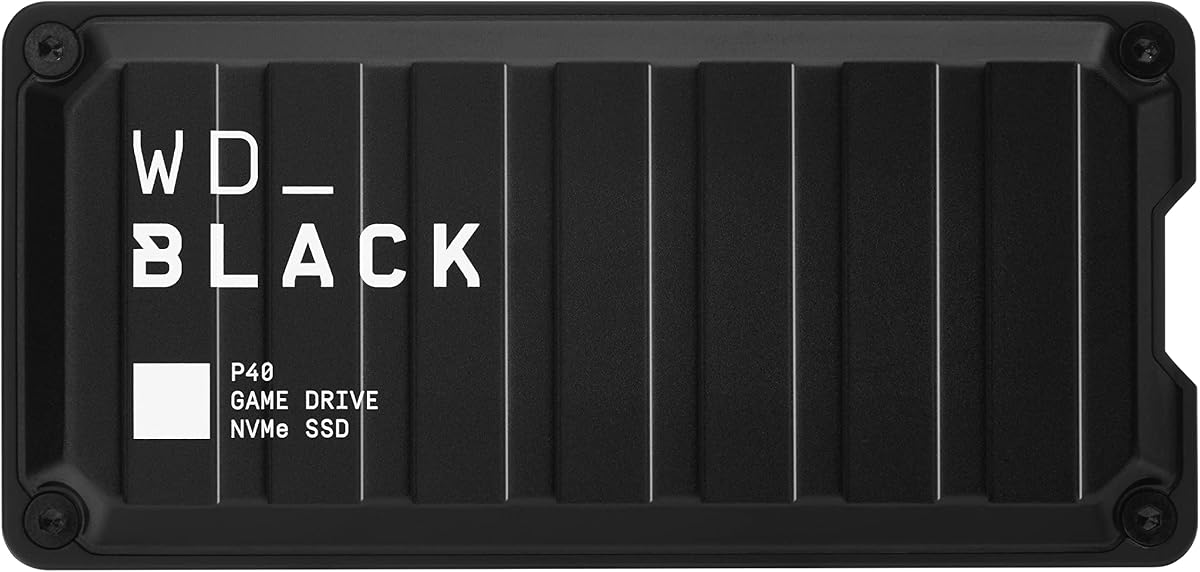
The WD_BLACK P40 Game Drive combines a 4.6 rating with high-end interface performance and gaming-focused styling. Its USB 3.2 Gen2x2 connection is specified for read speeds up to 2,000MB/s, making it well suited to moving large game installations and other files between a compatible computer and an Xbox console. The design includes customizable RGB lighting controlled through the WD_BLACK Dashboard on Windows, making it one of the more visually distinctive options in this guide.
We may earn a commission when you buy through this link, at no additional cost to you.
Cross-platform support is another major strength. The supplied specifications state compatibility with PlayStation 5, Xbox Series X|S, PlayStation 4 Pro, PS4, Xbox One, PCs, and Macs, with particular game-play and storage limitations depending on the console generation. This broad reach makes the P40 a flexible choice for households with multiple gaming systems. It also supports capacities up to 2TB within the product family, although this reviewed version is the 1TB model.
Performance depends on the host device and its port. To approach the stated maximum, the computer or console must support the appropriate USB standard and bandwidth; otherwise, transfers will be limited by the slower connection. The P40 is primarily a portable game drive for moving and organizing titles, not a native Xbox expansion card, and direct launching from USB storage is not the stated use. Its shock-resistant structure, rated to survive drops of up to two meters, does add confidence during transport.
This is the premium pick for users who want more than basic Xbox storage. It suits buyers with fast USB hosts, multiple consoles, and an interest in a drive that looks as deliberate as it performs. If direct game launching is essential, choose a licensed expansion card; if portability, aesthetics, and fast transfers lead the decision, the P40 is the stronger all-around choice.
The USB 3.2 Gen2x2 interface can substantially accelerate transfers of large game files when paired with a compatible host. This makes the P40 useful for moving installations quickly between a gaming PC and console rather than treating those devices as isolated libraries.
Compatibility with modern and older Xbox generations, PlayStation systems, Windows, and Mac adds useful flexibility. The exact games that can be played or archived depend on the connected console, so the drive works best when users understand each platform's storage rules.
We may earn a commission when you buy through this link, at no additional cost to you.
The Lexar ES3 1TB Portable SSD is built for people who want a small, general-purpose drive that can accompany an Xbox console as well as a laptop, phone, camera, or other compatible device. It has a 4.4 rating, supports up to 1,050MB/s reads and 1,000MB/s writes over USB 3.2 Gen 2, and comes in a slim silver enclosure that measures 10.5mm thick and weighs 42g.
We may earn a commission when you buy through this link, at no additional cost to you.
Its portability is the feature that distinguishes it from larger gaming SSDs. The drive is small enough to fit in a pocket and includes a Type-C cable for convenient plug-and-play use. Compatibility extends to Xbox X|S, PS4, PS5, laptops, cameras, Android devices, and newer supported iPhone models. Lexar DataShield 256-bit AES encryption software is also included, adding a useful option for protecting files stored on the drive.
The ES3 is a conventional external SSD rather than an officially licensed expansion card. It can serve as a transfer and archive destination for Xbox games, but it does not offer the same native storage integration as the Sandisk or WD_BLACK C50. Its advertised read speed also depends on the connected system supporting USB 3.2 Gen 2; older ports and some Mac configurations will deliver lower results. The listed version does not include MagSafe support, which is a minor consideration for some mobile users.
Choose the ES3 when portability, a restrained design, and cross-device usefulness matter most. It is a sensible travel companion for an Xbox Series S setup, particularly for moving files and maintaining a separate library on the go. Users who need to launch games directly from the drive or want native Quick Resume integration should consider a dedicated Xbox expansion card instead.
At 10.5mm thick and 42g, the ES3 avoids the bulk associated with many external gaming drives. It fits comfortably in a pocket, making it convenient for owners who take games or media between a console, computer, and mobile device.
The included 256-bit AES encryption software provides a way to secure stored content. It adds value for users who keep personal files alongside game installations and want an additional layer of protection beyond device-level access controls.
We may earn a commission when you buy through this link, at no additional cost to you.
The Lexar SL500 1TB External SSD is a slim, high-speed drive with a 4.4 rating. It uses USB 3.2 Gen2x2 and is specified for read speeds up to 2,000MB/s and write speeds up to 1,800MB/s. Although it is not a dedicated Xbox game card, it supports Xbox X|S along with PS4, PS5, mobile devices, cameras, and laptops, giving it broader utility as a portable working drive.
We may earn a commission when you buy through this link, at no additional cost to you.
One area that sets it apart is support for Apple ProRes recording, including direct 4K 60FPS capture with the iPhone 15 Pro and iPhone 15 Pro Max. Its unique thermal-control design is intended to maintain suitable operating temperatures during demanding transfers. Those features make the SL500 relevant not only to console owners but also to creators who need a fast drive for large media files and want to carry one device across multiple platforms.
Buyers should understand that the maximum interface speed is only achievable with a compatible host and port. Performance on Mac systems and other devices that do not support USB 3.2 Gen2x2 will be lower. The drive also lacks the native storage role of an Xbox expansion card, so games generally need to be transferred through the console's supported workflow rather than treated as though the SSD is an internal extension.
The SL500 is most attractive to Xbox Series X|S owners who also edit video, move large project files, or need a fast drive across several devices. It is less compelling if the sole requirement is launching games directly from expanded console storage. Even so, its slim metal body, high bandwidth, and thermal design make it a capable general-purpose companion for a modern gaming setup.
The Gen2x2 interface can move substantial files quickly when the host supports it. This makes the SL500 useful for users who move game archives, video footage, and project data between a console, laptop, or compatible mobile device.
The stated thermal-control design helps the drive manage heat under sustained workloads. That focus is particularly relevant for high-speed transfers and direct recording, where prolonged heavy use is more likely than with occasional file storage.
We may earn a commission when you buy through this link, at no additional cost to you.
The Samsung T7 Portable SSD in Titan Gray carries a 4.7 rating and combines a polished aluminum unibody design with USB 3.2 Gen 2 performance. It supports read and write speeds up to 1,050MB/s and 1,000MB/s, respectively, making it a fast option for moving game installations, large project files, photographs, and high-resolution video.
We may earn a commission when you buy through this link, at no additional cost to you.
Physical resilience is another point of emphasis. Samsung states that the T7 offers shock resistance and fall protection up to six feet, while the solid aluminum body gives it a durable, refined feel. It also supports direct 4K 60FPS Ultra High Resolution video recording with compatible cameras and mobile devices, including iPhone 15 Pro ProRes workflows. These features make it a capable general-purpose SSD for creators as well as console owners.
The T7 is not described as an Xbox-certified game drive, and it cannot replace a native expansion card. It can hold Xbox game files for transfer and organization, but the console's supported external-storage workflow governs how they are used. Its maximum speed also depends on the connected device and port. Buyers who need direct game launching or automatic Quick Resume integration should favor the officially licensed C50 or Optimus GX C50.
For users who want one attractive, durable drive across gaming, content creation, and everyday file storage, the T7 is an excellent recommendation. It is especially attractive when a console is part of a broader device ecosystem rather than the only destination for the SSD. The 4.7 rating, strong construction, and broad creative functions justify its place among the top options in this guide.
The aluminum unibody construction and stated six-foot fall protection make the T7 suitable for storage that travels between locations. Those qualities are reassuring for a drive used to carry console libraries, footage, and work files between home and travel.
Direct high-resolution recording support and broad device compatibility extend the T7's value beyond gaming. It is a more versatile choice for buyers who need to store creative files and console data in the same slim device.
We may earn a commission when you buy through this link, at no additional cost to you.
The WD_BLACK P50 4TB Game Drive is built for players who want an unusually large portable library. It has a 4.7 rating, a four-terabyte capacity, and SSD read speeds stated at up to 2,000MB/s. That combination makes it well suited to maintaining extensive game collections, current project files, and media that would quickly overwhelm smaller portable drives.
We may earn a commission when you buy through this link, at no additional cost to you.
The P50 supports Xbox and PlayStation systems as well as Windows and Mac environments. Its USB 20Gb/s interface can handle demanding transfers, although the included 18-inch USB Type-A to Micro-B cable has a SuperSpeed interface listed at up to 5Gbps. Users seeking the highest possible desktop transfer rates may need appropriate additional cabling and a host that supports the full interface standard. The supplied information also notes that cable length may vary.
The biggest limitation is not the drive but the nature of console storage. As a portable external SSD, it serves as a place to transfer and organize games rather than acting as native internal storage. Players should also consider how much space the 4TB capacity actually offers in their chosen formatting system, since usable capacity can differ from the nominal figure. The shock-resistant enclosure helps the drive withstand transport, making its large archive practical to carry.
The P50 is the preferred option for dedicated archivists, content creators, and multi-console households that need maximum room in one portable device. It may be unnecessary for a smaller library, but for users who regularly accumulate large games and want fewer drive swaps, the four-terabyte capacity is a compelling advantage. Fast performance and a strong rating help make the extra space practical rather than merely decorative.
Four terabytes creates room for a very large collection in a single enclosure. This reduces the need to rotate several smaller drives whenever a new game, archive, or media project needs to be stored.
The drive supports a 20Gb/s interface, but the included cable and the host's ports determine actual transfer speed. Buyers should verify their equipment and use suitable connections when handling very large game archives.
We may earn a commission when you buy through this link, at no additional cost to you.
The Crucial X10 Pro 1TB Portable SSD has a 4.0 rating and is aimed at professionals who carry important files between locations. It offers the highest stated read speed in this group at up to 2,100MB/s, with write speeds up to 2,000MB/s. Its USB-C connection and broad compatibility make it suitable for Windows, Mac, iPad Pro, Chromebook, Android, Linux, PS4, PS5, and Xbox systems.
We may earn a commission when you buy through this link, at no additional cost to you.
Durability and security are the standout features. The X10 Pro has IP55 water and dust resistance, a drop rating of up to 7.5 feet, and a lanyard loop for easier transport. Password protection is included, which is useful for professionals handling client files, unreleased media, or personal documents. The supplied information also notes three months of Mylio Photos Plus and Acronis True Image with purchase and registration.
For Xbox use, the drive functions as a conventional external SSD. It can support transfers and compatible console workflows, but it does not provide direct game launching, native Quick Resume integration, or the specialized role of an expansion card. The full 2,100MB/s read rate also depends on a compatible USB-C host and port. Buyers connecting the drive to a console should verify that their required platform and transfer workflow are supported.
The X10 Pro is most suitable for Xbox owners who are also creative professionals or need a rugged general-purpose drive. Its environmental protection, strong transfer figures, and security features make it a convincing choice for field use. If the sole objective is adding native game capacity to an Xbox Series X|S, the dedicated expansion cards offer a more integrated result, but the X10 Pro delivers broader utility.
IP55 water and dust resistance adds confidence when the drive is used outdoors or travels in variable conditions. The seven-foot drop rating further supports its suitability for mobile creative work and frequent transport.
Built-in password protection helps guard files when the SSD changes hands. It is a practical addition for users who store sensitive project material, completed media, or personal documents alongside game data.
We may earn a commission when you buy through this link, at no additional cost to you.
The Lexar 2TB ES3 External SSD provides a balanced combination of capacity, speed, and portability. Its 4.5 rating is supported by specifications for up to 1,050MB/s reads and 1,000MB/s writes. At two terabytes, it has more room than many portable SSDs while maintaining the familiar dimensions and USB-C approach of the ES3 family.
We may earn a commission when you buy through this link, at no additional cost to you.
Thermal management is handled through built-in double-layer graphite sheets, which are designed to conduct heat away from the drive and support sustained transfer performance. The enclosure is also stated to resist drops of up to two meters, giving it useful protection for routine travel. A two-in-one USB-C/USB-A cable is included, making it easier to connect the drive to computers, tablets, and smartphones that use different connector styles.
This Lexar model is a general-purpose external SSD, not a dedicated Xbox expansion card. It can be used for file transfers, backups, and instant storage expansion, but Xbox game usage still depends on the console's supported external-storage process. It also lacks the automatic native Quick Resume behavior of the licensed C50 and Optimus GX C50 cards. Its maximum transfer rate depends on a compatible host connection.
The 2TB ES3 is an excellent middle ground for users who need more space than a one-terabyte drive but do not require a four-terabyte archive. It suits Xbox Series S and Series X owners who also use a computer, tablet, or phone and want a single drive for several storage tasks. For direct console integration, choose an expansion card; for flexible, well-balanced external capacity, the ES3 is a strong choice.
Two terabytes offers enough room for a larger collection without moving to the size and weight of the largest archive drives. It is a practical middle ground for active game libraries and mixed personal storage.
The double-layer graphite construction is intended to move heat away from internal components. Efficient heat dissipation supports steadier performance during sustained transfers and reduces the chance of thermal throttling.
We may earn a commission when you buy through this link, at no additional cost to you.
The right external SSD for an Xbox depends on how you want to use it. Native expansion cards, transfer-focused game drives, and universal portable SSDs offer distinctly different benefits, so capacity and speed should be considered alongside console integration and connection requirements.
Choose native expansion for direct launching, seamless suspended-game support, and a console-centered setup. Choose a portable external drive for transfers, archives, cross-device use, and flexible storage management.
Match capacity to the number of active games and the importance of an offline archive. Larger is helpful for collections, but native integration can matter more for frequently played titles.
Verify both the drive interface and the host port. A high-speed SSD cannot exceed the capabilities of the connection, so matching standards is essential.
Read the platform-specific notes, especially when mixing Xbox One and Series X|S libraries. Compatibility does not always mean identical game access or direct launching.
Prioritize native cards if switching among active games is a major habit. For transfer-based storage, focus instead on capacity, speed, and a dependable connection.
Choose a slim drive for frequent travel and a more substantial or illuminated design when appearance and desk setup matter. Capacity should remain the priority when those goals conflict.
Look for credible drop ratings, environmental protection, and thermal design when the drive will travel. Security features are especially useful if personal or professional files share the drive with games.
For a console-only setup, native expansion is usually cleaner. For a shared device ecosystem, choose a portable SSD with broad connector and platform support.
Before using a new drive with an Xbox Series X|S, confirm that it appears in the console's storage interface and follow the on-screen formatting or setup prompts. A native expansion card should be inserted into the console's designated expansion slot, while a conventional USB SSD should be connected through a compatible port. Before moving a game, check the console's current instructions because supported transfer and launch behavior can differ by drive and system software.
Transfer only the games and files you intend to organize, and allow each operation to finish before changing the connection or removing the drive. Avoid unplugging the SSD while the console is writing data, moving installations, or saving a game. For a drive used across computers and consoles, eject it through the operating system before disconnection. Using a short, reliable cable and avoiding sharply bent connectors can also reduce accidental disconnects.
Keep the enclosure dry, away from extreme heat, and protected from impact. For drives with a stated drop rating, do not treat the figure as permission to test the product. Periodically check the console's storage view, confirm important files have been backed up elsewhere, and replace the drive if it reports repeated errors or shows signs of physical damage. Keeping firmware, console software, and any drive utility current helps maintain compatibility and reliable performance.
Yes, when the game is stored on a compatible external drive and the current Xbox software supports that workflow. However, performance and features vary by title. Some games experience longer loading times, and some Xbox-specific features may not be available. Licensed expansion cards generally provide the most integrated experience because they are designed to operate as native console storage.
It depends on your priority. A licensed expansion card offers direct access, native installation behavior, and Quick Resume support, making it ideal for a console-focused library. A USB SSD is more versatile because it can also hold files for computers, phones, and other devices. Players who frequently travel or need cross-platform storage may prefer the conventional external drive.
No. Quick Resume depends on the individual game, its current version, the console's software, and the storage configuration. Even when a drive supports the feature, some titles may not be able to use it. Treat Quick Resume as a convenient feature for eligible games rather than a guarantee that every installed title will support suspended play.
A USB 3.2 Gen 2 drive is a sensible modern baseline, while USB 3.2 Gen2x2 can be useful for large transfers when the computer supports it. The console's transfer process and host ports ultimately determine performance. For native expansion, interface speed is less important than choosing a properly licensed card designed for the Xbox.
A general-purpose external SSD can usually be used with both, provided its file system and the current console workflow support the intended use. Formatting may determine whether the same drive is recognized by Windows, macOS, and Xbox. You may need separate formatted storage for some systems or workflows, so check the drive's format before relying on seamless cross-device use.
Requirements vary significantly by game, and major releases can require a substantial amount of internal storage. Expansion cards and external drives let you move older or less frequently played titles out of the console while retaining the option to reinstall them later. A one-terabyte drive is a useful starting point, while two or four terabytes suit larger collections and mixed media archives.
Yes, when the console supports the drive and you follow its transfer prompts. The Seagate Game Drive is specifically intended for moving games between internal and external storage, while other portable SSDs can serve as compatible transfer destinations. Let every move finish, and never remove the drive while the console is actively writing or installing files.
They benefit from normal care, but most routine use does not require active cooling. Drives with graphite sheets or dedicated thermal controls are designed to manage sustained heat. Keep the enclosure ventilated, avoid extreme temperatures, protect it from liquids and impact, and use safe ejection procedures to reduce the risk of file corruption or connector problems.
The WD_BLACK C50 is the leading choice for players who want officially licensed, native expansion with direct game access and Quick Resume. The Sandisk Optimus GX C50 offers the same broad console-native concept with a perfect supplied rating, while the Seagate 2TB Game Drive is a practical transfer-focused option for building a larger vault without native expansion.
Prioritize the kind of experience you want. Choose a licensed card for console integration, a fast portable SSD for transfers and cross-device work, and a larger drive for extensive archives. The WD_BLACK P40 stands out for speed, RGB lighting, and multi-platform use, while the Lexar ES3 2TB, Samsung T7, and Crucial X10 Pro are strong general-purpose companions for buyers who need more than game storage.
Before buying, verify the current console compatibility notes, required connector, storage format, and whether your chosen games support direct external launching. Ratings, software behavior, and prices can change, so check the latest listing information and current cost before making a final purchase.