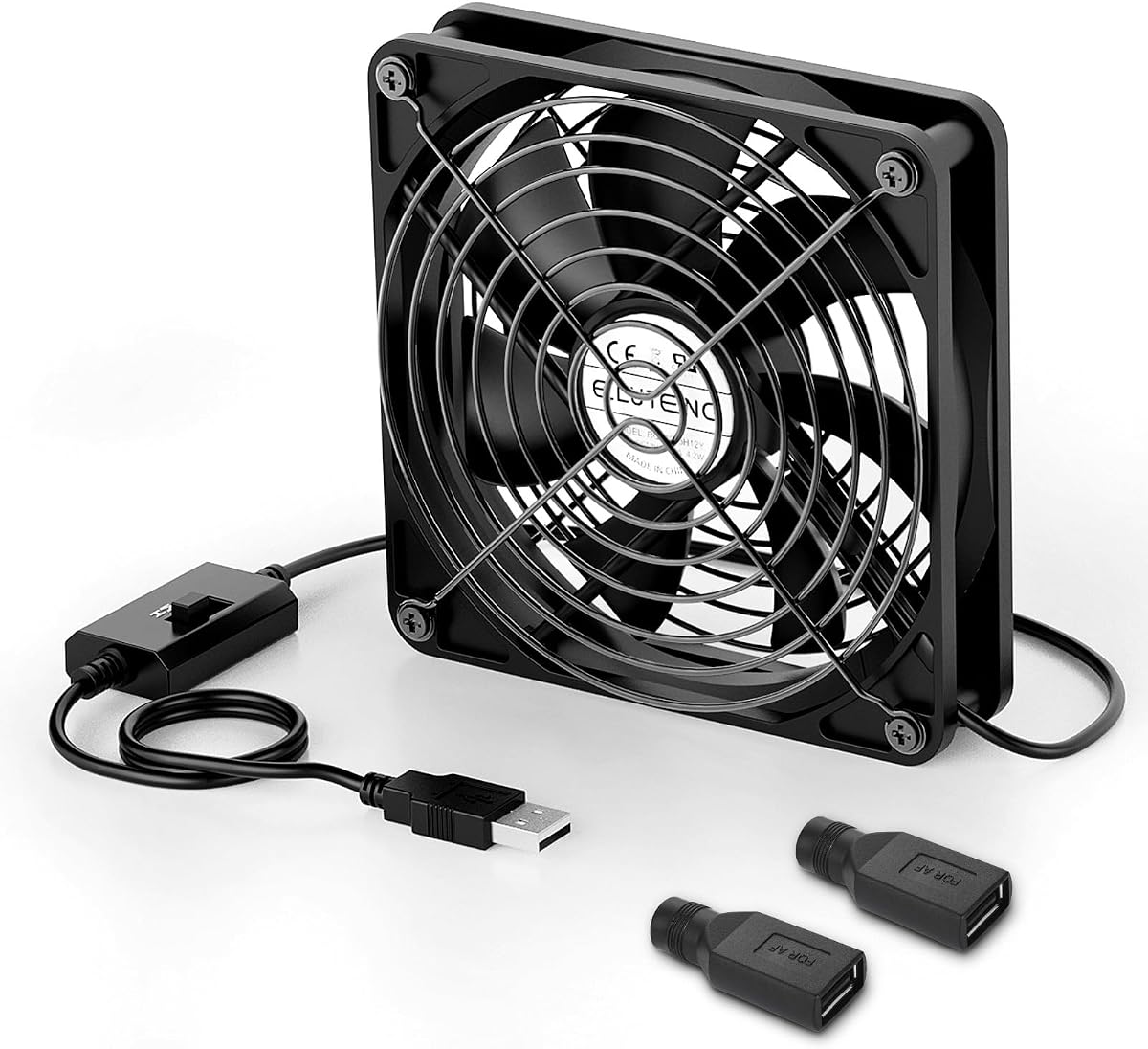
ELUTENG 120mm USB Computer Fan
4.2Editor score
Three adjustable speed levels
50-56 CFM airflow
DC-to-USB adapters included
Protective metal grilles
External USB Powered Cooling Fans are compared by airflow, noise, speed control, safety, build quality, and compatibility to help you choose the right model.
External USB powered cooling fans provide a convenient way to improve airflow around routers, game consoles, receivers, computers, and other heat-generating electronics. A useful model combines a steady USB connection, adjustable airflow, low operating noise, protective grilles, and a footprint that suits its intended setup.
This guide compares ten external USB powered cooling fans across the factors that affect everyday usefulness: fan size, airflow, sound level, speed settings, bearing construction, cable design, safety features, and device compatibility. It includes compact single-fan designs, dual-fan systems, and larger models intended to move substantial air through crowded equipment cabinets.
Each review identifies the product's strongest use case and any practical compromises, while the comparison table offers a quick overview of the complete lineup. Product configurations and availability can change over time, and current prices fluctuate, so readers should confirm the latest listing details before purchasing.
4.2Editor score
4.7Editor score
4.1Editor score
The following comparison covers every fan in the guide, highlighting the differences in size, airflow, noise, controls, and intended cooling environments. It is designed to make it easier to match a fan to a particular device or available space.


The ELUTENG Dual Cooling Fan combines two connected 80mm USB fans in a compact arrangement, earning a 4.4 rating among customers. Its strongest qualities are the balance of adjustable airflow, straightforward plug-and-play power, and the flexibility to place the unit horizontally or vertically. Both fans operate simultaneously to create more airflow than a single compact fan.
We may earn a commission when you buy through this link, at no additional cost to you.
The three-speed controller is the centerpiece of the design. Rated speeds range from 2050 to 2750 RPM, with the manufacturer listing airflow figures of 23.9, 27.90, and 31.98 CFM per fan. This range allows users to select a quieter setting for a study or office and increase output when cooling a router, receiver, console, or hard drive enclosure. Hydraulic bearings support durability, while four removable rubber shock absorbers limit movement and surface vibration.
The 80mm format is compact, but two connected units still require more surface area than a standalone 120mm or 140mm fan. Maximum sound is listed at 32.5dB, so this model is less appropriate for exceptionally sound-sensitive rooms than the quietest options in the guide. The metal grids improve safety around the rotating blades, and the protected cable joint is a thoughtful detail for a device intended to remain connected for long periods.
This is a strong general recommendation for buyers who want meaningful airflow without moving to a much larger 120mm system. It suits a media cabinet, game console shelf, network equipment area, or laptop setup where modest noise is acceptable. Buyers who need near-silence should select a lower setting, while those wanting maximum output and a larger physical format may prefer the X1 or AC Infinity design.
The three speed levels make this fan easy to tune for different environments. Use a lower setting for light background cooling and reserve the upper settings for electronics that need stronger airflow in a confined cabinet.
Metal guards, a protected cable joint, and removable rubber feet make the unit more suitable for long-running setups. The feet also help reduce vibration transferred to a shelf or cabinet.
We may earn a commission when you buy through this link, at no additional cost to you.
The X1 USB Cooling Fan is a 120mm box-style fan rated 4.4 by customers, with particular emphasis on quiet operation and tidy installation. Its nine-blade design is listed to produce 55.8 CFM at 850 RPM plus or minus 10 percent. The claimed 18dB plus or minus 10 percent operating level makes it a compelling choice for bedrooms, offices, and entertainment areas where background noise matters.
We may earn a commission when you buy through this link, at no additional cost to you.
One of its most practical features is the integrated 530mm, or 20.87-inch, USB cable. That length provides enough reach to connect to a laptop, power bank, or USB charger without requiring a separate lead. Four shock-absorbing pads help protect the surface below the fan, while the square housing can be positioned flat or upright. Its stated dimensions of 130 by 130 by 48.6mm give it a larger footprint than an 80mm model but keep it manageable in an equipment cabinet.
The main limitation is the absence of a speed controller. That makes the X1 a straightforward fixed-output option rather than a fan for users who want to dial airflow up and down. It also uses a single 120mm fan, while dual-fan products in this guide can distribute air across a wider area. The claimed 40,000-hour lifespan, ABS construction, and support for weights up to 11 pounds suggest a sturdy design, although buyers should still check clearances and airflow direction.
The X1 is best for someone who prioritizes low noise, a built-in cable, and simple placement over detailed speed adjustment. It works particularly well beside a router, receiver, console, mini PC, streaming box, or laptop. Buyers wanting two separately directed fans or multiple speed levels should look toward the dual-fan AC Infinity or NewHail packages instead.
The listed 18dB operating level and 850 RPM speed support a gentle, continuous cooling approach. This makes the fan attractive for spaces where a conventional high-speed fan would be distracting.
Because the USB cable is built into the fan, installation requires only a free USB power source. Its 20.87-inch length also offers more placement flexibility than a very short integrated lead.
We may earn a commission when you buy through this link, at no additional cost to you.
The Dual 80mm USB Cooling Fan offers the most granular airflow control in this roundup, with ten speed levels and a customer rating of 4.4. It is designed for electronics ranging from a laptop and router to receivers, AV equipment, and game consoles, but its broader voltage support also makes it more versatile than a conventional USB-only model.
We may earn a commission when you buy through this link, at no additional cost to you.
The fan can run directly through USB at 5 volts or use the included USB-to-DC connection at 12 volts. At 5V, its listed speed range is 300 to 2500 RPM; at 12V, it reaches from 1000 to 5000 RPM. This flexibility allows the controller's ten positions to cover a broad range of airflow demands. The minimum sound level is listed at 15dB, offering a potentially very quiet starting point for light cooling tasks.
Durability features include a dustproof switch, an IPX5-treated motor, and double ball bearings rated for up to 60,000 hours. Iron grilles protect the blades, anti-vibration feet improve stability, and long screws and nuts allow alternative installation arrangements. The trade-off is that the voltage and speed relationship requires more attention than a straightforward three-setting controller, and maximum output at 12V may be unnecessary for many USB-powered devices.
This model is ideal for users who enjoy fine-tuning cooling or need one fan design across different power arrangements. It is also worth considering for a terrarium or similarly controlled environment where gradual adjustments are valuable. For a plug-and-play installation with minimal configuration, one of the three-speed models would be easier to manage.
Ten controller positions and support for both 5V and 12V power make this unusually adaptable. Users can begin gently and increase airflow only when their equipment requires stronger cooling.
Dual ball bearings, an IPX5-treated motor, a dustproof switch, and protective grilles support dependable operation. The included screws and nuts add installation flexibility beyond simple placement.
We may earn a commission when you buy through this link, at no additional cost to you.
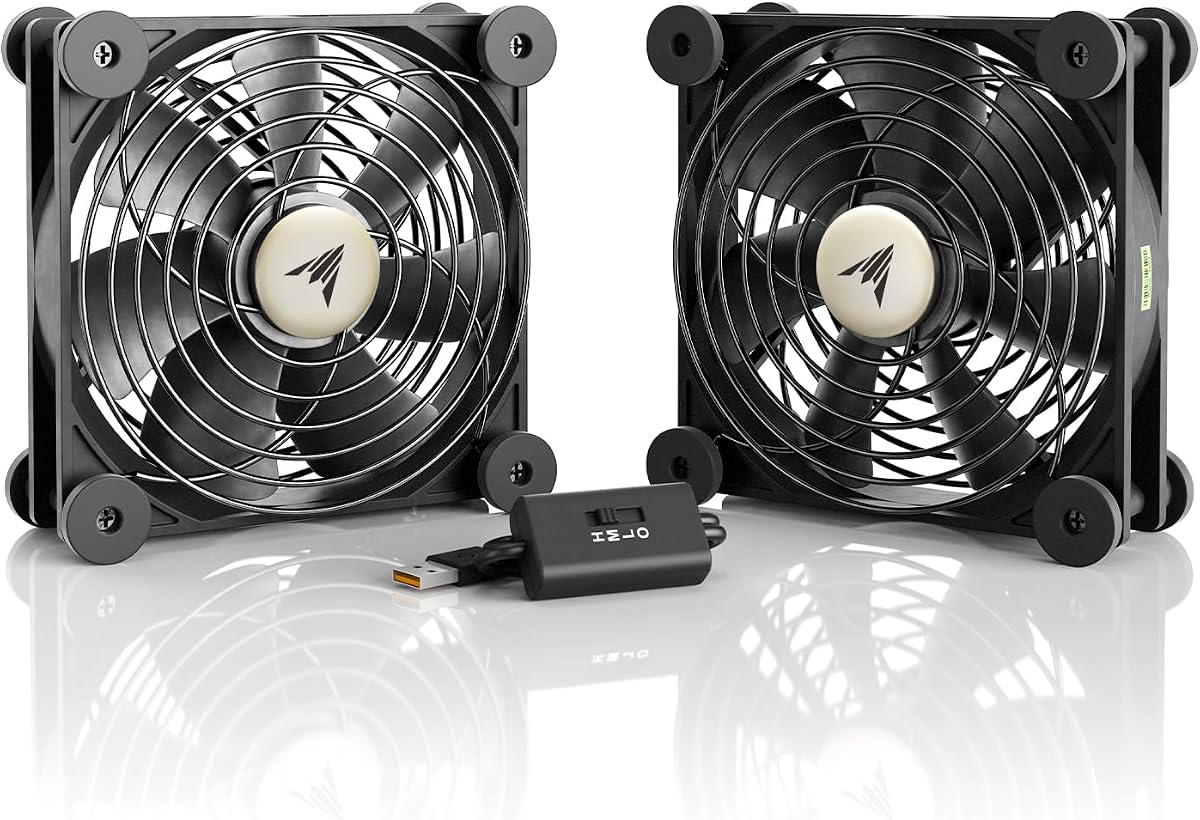
The AC Infinity MULTIFAN S7 is the most complete all-around package in this guide, combining two 120mm USB fans with a multi-speed controller. It holds a 4.7 customer rating and pairs a listed 104 CFM total airflow with 19 dBA total noise. That combination makes it well suited to AV equipment, network hardware, and game consoles that benefit from steady airflow in a closed cabinet.
We may earn a commission when you buy through this link, at no additional cost to you.
The included controller allows users to select a balance between noise and output rather than accepting one fixed operating level. Dual ball bearings are listed for a 67,000-hour lifespan, and both fans can be laid flat or stood upright. A USB plug can draw power from the ports found behind many popular AV devices and consoles, which keeps the installation conventional and broadly compatible.
Each fan measures 4.7 by 4.7 by 1 inch, so the two-unit arrangement needs more room than a standalone 120mm fan. The product description mentions a USB plug without identifying a separate splitter, so buyers who need to arrange the two fans in widely separated locations should verify the included wiring. That limitation is modest compared with the flexible speed control and high combined output.
The MULTIFAN S7 is a compelling recommendation for a media console, router cabinet, or electronics shelf where both quiet operation and meaningful airflow are priorities. It also works for a gaming station that needs cooling around several components. Buyers seeking the simplest integrated-cable design may prefer the X1, while anyone wanting a 140mm format and stackable platform can consider the X4.
The 104 CFM total airflow provides meaningful cooling capacity, while the 19 dBA listed sound level remains appropriate for many home environments. Adjusting the controller lets users avoid running at maximum output unnecessarily.
The dual ball bearings are rated for 67,000 hours, and both fan bodies support flat or upright positioning. Those details favor users planning a permanent cooling arrangement.
We may earn a commission when you buy through this link, at no additional cost to you.
The Easy Cloud 120mm USB Fan is a straightforward three-speed cooling solution with a 4.3 customer rating. It is designed for a wide assortment of equipment, including PCs, cases, cabinets, servers, receivers, routers, Xbox consoles, PlayStation systems, DVRs, televisions, and even greenhouse environments. Its versatility comes from a simple USB connection and an easy-to-understand low, medium, and high control scheme.
We may earn a commission when you buy through this link, at no additional cost to you.
The maximum listed speed is 2000 RPM, and the low setting is intended for quiet operation in bedrooms and offices. Dual ball bearings support the fan's longevity, while eight anti-vibration feet help reduce movement and impact noise. The square housing can be installed horizontally or vertically, allowing a user to direct air differently depending on the cabinet layout.
Compared with the MULTIFAN S7, this design provides only one fan and does not publish a specific CFM airflow value in the supplied information. It may therefore be less attractive to a buyer whose main priority is moving the largest possible volume of air. On the other hand, the straightforward three-position controller and compact single-fan format are easier to incorporate into a modest setup.
This fan is a sensible recommendation for a user who wants simple cooling without paying attention to a fixed-output unit. It is especially relevant to a router, media receiver, small server enclosure, or console shelf. Buyers with a crowded cabinet and a strong need for volume should compare it with a dual-fan 120mm model, while those wanting a built-in cable should look at the X1.
The low, medium, and high settings provide enough control for common cooling situations. A low setting is convenient when background airflow is enough, while stronger modes are available for warmer devices.
Eight anti-vibration feet help limit movement and reduce transferred vibration. This is particularly useful when the fan is placed on a desk, shelf, or entertainment cabinet.
We may earn a commission when you buy through this link, at no additional cost to you.
The Dual 80mm USB Speed Control Fan earns a 4.7 customer rating and combines two compact fans with a three-speed controller. It is intended for flat-screen televisions, receivers, routers, DVRs, PlayStation and Xbox systems, computer cabinets, and similar electronics. Its relatively small format makes it a practical option when a 120mm or 140mm fan would not fit comfortably.
We may earn a commission when you buy through this link, at no additional cost to you.
Each fan uses seven blades, and the low setting is listed at 21dB. A multi-speed controller lets the user choose low, medium, or high output according to the environment and the amount of cooling required. The double ball bearing is rated for 65,000 hours, while the ability to lay the unit flat or stand it upright provides some flexibility for directing air around equipment.
Iron grilles on both sides help protect fingers and reduce the chance of the power cord contacting the blades. Shockproof foot pads support stable placement. The product listing does not include a CFM airflow figure, so a direct capacity comparison with the 120mm and 140mm models is not possible from the available specifications. Nevertheless, operating two 80mm fans gives this design broader coverage than a single compact unit.
This is a strong recommendation for a narrow shelf or small cabinet where two sources of directed air would be useful. Its simple three-speed controller also makes it approachable for everyday users. Buyers seeking a larger 120mm format should examine the AC Infinity or NewHail options, while those seeking ten levels of adjustment may prefer the 10-speed dual 80mm model.
Two 80mm fans can add useful airflow where a larger fan would be difficult to position. The square housing remains easy to orient for the equipment around it.
A listed 21dB at low speed allows the system to provide background cooling without demanding maximum output. The controller makes it easy to increase airflow when conditions change.
We may earn a commission when you buy through this link, at no additional cost to you.
The Quiet 140mm USB Fan provides the largest single-fan format among the conventional 120mm and 140mm products in this guide. It carries a 4.7 customer rating and is aimed at flat-panel televisions, receivers, routers, DVRs, game consoles, and computer cabinets. A single large fan can direct a broad stream of air across equipment, making it a useful alternative to a pair of smaller fans.
We may earn a commission when you buy through this link, at no additional cost to you.
Seven blades support airflow through the cabinet, and the double ball bearing is listed for a service life of 65,000 hours. The low, medium, and high controller gives users direct control over the balance between output and sound. Low-speed noise is listed at 22.2dB, which keeps the fan suitable for relatively quiet home settings when used conservatively.
Its dimensions are 5.7 by 5.7 by 1.81 inches, so the 140mm face requires more clearance than a 120mm model. Iron grilles protect the blades and power cord, while shockproof feet let it lie flat or stand upright. There is no explicit airflow figure in the supplied product information, which limits precise comparison with models that publish CFM ratings.
This fan is best for a user who values the broad airflow area of a 140mm design but does not need two independently directed units. It works well in a media cabinet or near a network setup with adequate shelf space. If two fans would better cover separate equipment zones, the NewHail package or AC Infinity system is more adaptable.
The 140mm format gives a single unit a larger face than standard 120mm models. It is well suited to pushing air toward a larger cabinet opening or a group of nearby devices.
The three-speed controller allows users to avoid continuous maximum output. Its low mode is designed for near-background cooling, while higher modes provide stronger ventilation when needed.
We may earn a commission when you buy through this link, at no additional cost to you.
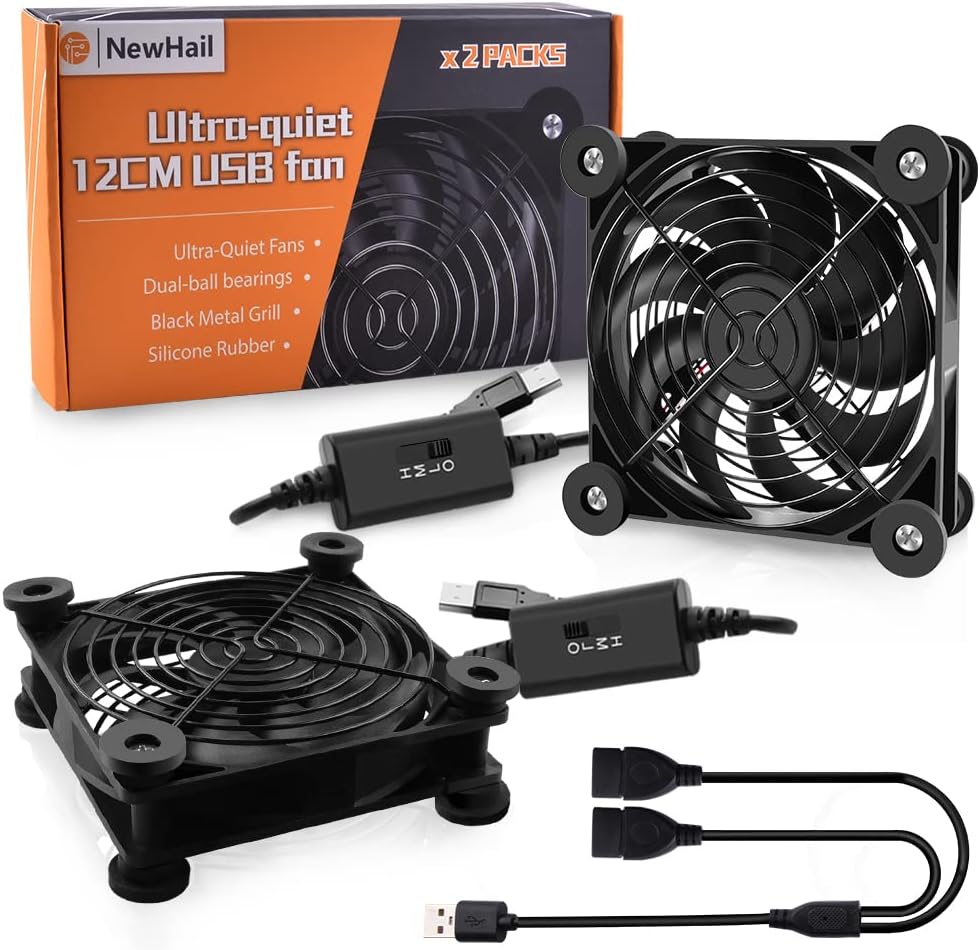
The NewHail 2-Pack Quiet 120mm USB Fan is built for setups that benefit from airflow in two directions. Its customer rating is 4.6, and the package includes two 120mm fans, a multi-speed controller, and a one-male-to-two-female USB splitter. That arrangement lets both fans run from one USB connection while remaining physically separate.
We may earn a commission when you buy through this link, at no additional cost to you.
Each fan uses a nine-blade design and dual ball bearings rated for 60,000 hours. The stated operating noise is 19 dBA, placing the pair among the quieter options in the guide. A low, medium, and high controller provides familiar speed selection, and both fans may be placed flat or upright. The splitter saves a USB socket, although both fans still depend on the same power source and cable run.
This package is particularly useful when a router sits near a media receiver, or when a console and network device occupy different parts of one entertainment unit. It is also a good fit for a desk with a computer on one side and another hot device on the other. The larger combined footprint and shared wiring may be inconvenient in a tight cabinet, but separate placement adds useful directional control.
The NewHail set is a strong recommendation for buyers who want two 120mm fans rather than one large fan or one compact 80mm unit. It offers a sensible combination of low noise, adjustable output, and a single-source power arrangement. Users with sufficient room should compare its positioning flexibility with the AC Infinity MULTIFAN S7.
The included splitter allows the two 120mm fans to cool separate equipment groups rather than sitting side by side. This is one of the package's most useful distinctions from a fixed dual-fan frame.
A listed 19 dBA sound level and three controller settings let users choose a low-noise background mode. Nine blades and dual ball bearings support the fan's practical longevity.
We may earn a commission when you buy through this link, at no additional cost to you.
The ELUTENG 120mm USB Computer Fan is the budget-focused recommendation in this guide, with a 4.2 customer rating and a useful collection of accessories. It combines a conventional 120mm format with three speed levels, published airflow data, and two DC-to-USB female adapters that broaden its connection options.
We may earn a commission when you buy through this link, at no additional cost to you.
The listed airflow figures are 50, 53, and 56 CFM across low, medium, and high settings. Corresponding rotating speeds are 1000, 1250, and 1500 RPM. These figures make it easier for a buyer to understand what changes when the controller is adjusted. The 12 by 12 by 2.5 cm housing can be placed flat or upright, which is useful for directing air toward a vent, drive bay, or router.
Hydraulic bearings are intended to reduce mechanical wear, while metal grilles protect the blades from accidental contact. A protected cable joint is another practical detail. Its 4.2 rating is the lowest among the featured products, though ratings should be considered alongside the available features rather than treated as the only measure of suitability. The fan also lacks some of the sophisticated features found in more specialized models.
This is a good choice for a budget-conscious buyer who wants adjustable airflow, a standard size, and helpful adapters. It can serve a router, laptop, television box, receiver, cabinet, PlayStation, PlayStation 4, projector, or another USB-powered device. Those seeking a quietest-in-class specification, longer rated bearing life, or a dual-fan configuration should compare the alternative picks.
Published CFM and RPM figures make the three operating modes easy to compare. Users can begin at the low setting and increase output only when the device or environment calls for it.
The two DC-to-USB female adapters improve compatibility with equipment that does not present a convenient USB power port. This makes the fan useful in a broader range of electronics setups.
We may earn a commission when you buy through this link, at no additional cost to you.
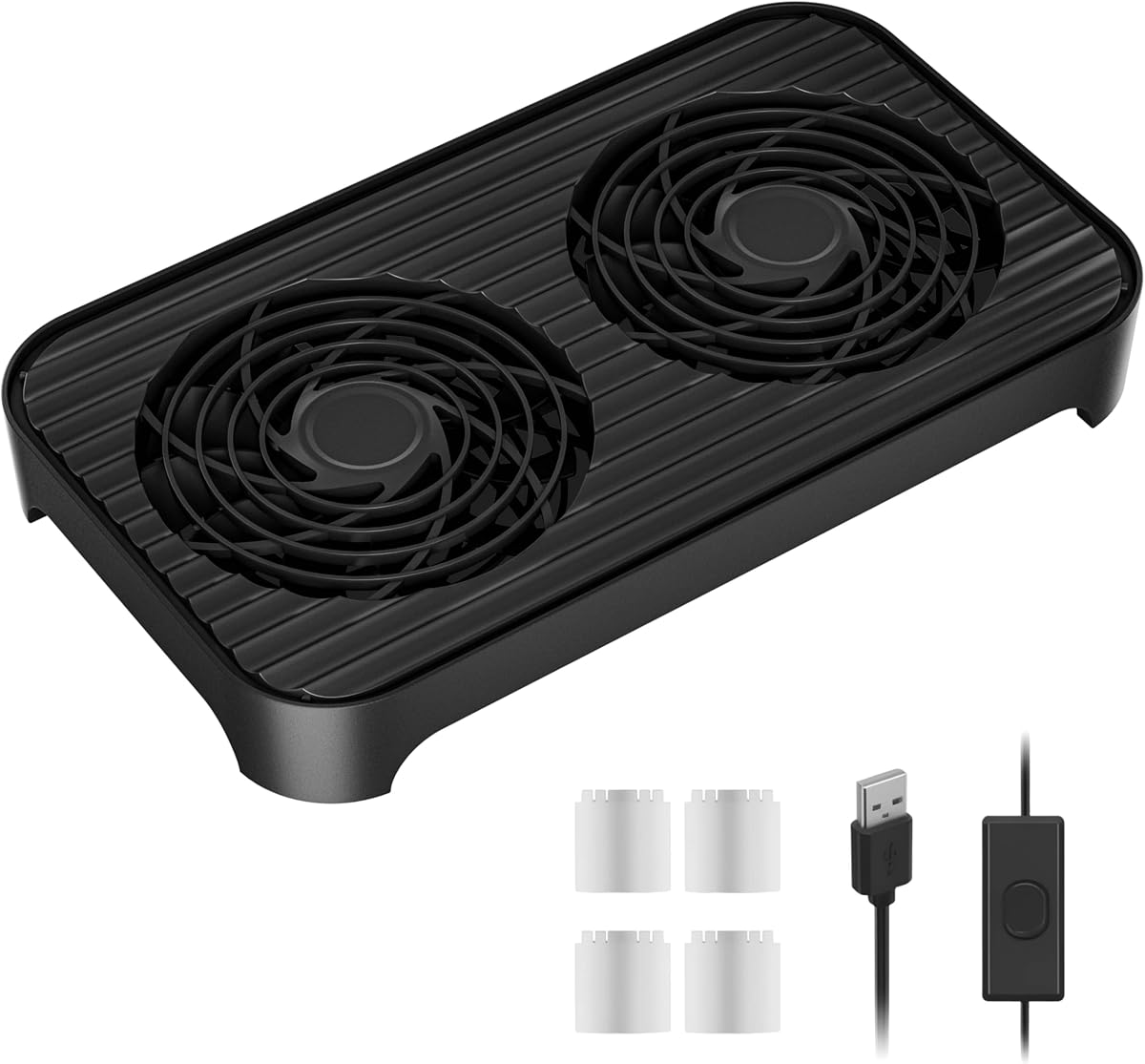
The X4 Quiet USB Cooling Fan is a large dual-140mm system with a distinctive stackable platform. Its 4.1 customer rating is the lowest in the group, but the specification set is substantial: two high-pressure 140mm fans, 65.8 CFM airflow, 18dB operation, dual USB ports, and a one-touch switch. It is built for setups where a stable raised surface could be as useful as the airflow itself.
We may earn a commission when you buy through this link, at no additional cost to you.
Each fan uses an 11-blade design and upgraded hydraulic bearings. The listed 850 RPM plus or minus 10 percent speed is accompanied by a claim of 30 percent faster cooling within 30 seconds in the product description. Four transparent raised foot pads lift the platform by 15mm, creating a lower storage area that can hold a phone, power bank, or modem while the cooling fans operate above.
The dual USB interfaces allow the fan to be powered while another device charges, and the 31.5-inch cable gives users more placement freedom. The one-touch switch makes operation simple, but there is no variable speed controller. Buyers who need fine control over noise and output may find that limitation more important than the extra platform space. The 4.1 rating may also warrant checking recent customer feedback for the current configuration.
The X4 is a compelling option for a large entertainment center, computer cabinet, or layered equipment arrangement. It is especially appealing if the raised storage shelf can organize small devices that would otherwise occupy valuable space. For the most refined airflow adjustment, the ten-speed dual 80mm model or the multi-speed AC Infinity is more flexible, but X4 offers the most specialized platform in the guide.
The raised 15mm platform creates a practical storage layer beneath the fans. Small electronics can be organized below the cooling area instead of crowding the cabinet surface.
Two 140mm fans and a listed 18dB sound level provide a balance of broad coverage and restrained noise. The design suits larger cabinets where multiple devices need ventilation.
We may earn a commission when you buy through this link, at no additional cost to you.
The most useful external fan is one that fits the available space, produces the required airflow, operates at an acceptable sound level, and can be powered without modifying the equipment it is intended to cool. These factors help narrow the options before considering secondary features.
Choose a fan whose physical dimensions fit the intended shelf and whose airflow is appropriate for the enclosed space. Larger is not automatically better if the placement restricts intake or outlet clearance.
Prioritize a low-speed mode that suits the room, then check whether a higher setting is available. Variable control is usually more useful than a permanently quiet but limited fan.
Frequent adjustment favors a multi-position controller. A fixed or one-touch design is easier for simple setups where the desired airflow level rarely changes.
Confirm connector type, cable length, and available power in advance. Use an adapter only when it matches the device's voltage and current requirements.
Look for protective grilles, non-slip feet, and a durable cable exit. Confirm that the unit is stable in its intended orientation before leaving it running.
Favor a well-documented bearing design, especially for continuous operation. Additional environmental protections are useful in damp, dusty, or less controlled locations.
Match the fan's shape to the cabinet and aim its output deliberately. Confirm clearance, airflow direction, and access to a stable USB power source before installation.
Start by identifying the device's hottest area, nearby vents, and the direction in which warm air needs to move. Place the fan on a stable, level surface with its intake and outlet unobstructed, then orient it toward the relevant equipment. Connect the supplied USB lead to an appropriate power source and begin at the lowest speed or quietest operating mode. Increase airflow gradually while monitoring noise, vibration, and the condition of the connected equipment.
Allow adequate space around every fan and do not place the unit directly against a vent if doing so prevents it from drawing air. Do not insert objects through the grille, operate the fan with a damaged cable, or use a power source that does not meet the product's requirements. When two fans are powered through a splitter, confirm that the source can support the combined load and route the cable so that it does not create a trip hazard or interfere with equipment operation.
For care, switch off and disconnect the fan before cleaning it. Use a soft brush or gentle method of removing loose dust while keeping liquids away from the motor and electronics. Inspect the grille, feet, and cable joint periodically for looseness, wear, or damage. Place the fan on a clean surface, avoid using it in an area where loose debris can easily enter the blades, and follow any additional manufacturer instructions supplied with the specific model.
Yes, if the router is receiving inadequate airflow and the fan is positioned to move room air toward its vents. A quiet 120mm or 140mm model is often sufficient for a single router on an open shelf. A router inside a tightly packed cabinet may benefit more from a dual-fan arrangement directed into the enclosure. The fan supplements existing ventilation rather than replacing adequate spacing around the device.
A USB cooling fan can be suitable for continuous operation when installed according to its instructions. Choose a model with protected grilles, stable feet, sound construction, and a reputable bearing specification. Keep the intake and outlet clear, use a compatible power source, and inspect the cable and housing periodically. If a fan becomes unusually loud, vibrates heavily, or smells hot, disconnect it and discontinue use.
Choose a 120mm fan when shelf space is limited and you want a broadly available size suited to many small electronics. A 140mm fan presents a larger airflow area and can direct air across a broader cabinet opening. Dual-fan systems may be preferable when separate equipment zones need cooling. The best size also depends on whether the fan can draw freely from the surrounding space without being pushed against a wall or cabinet panel.
A 10-speed controller provides finer adjustment, which can be useful when airflow needs change gradually or when the fan is used with both 5V and 12V power. A three-speed controller is simpler and usually sufficient for a stable cooling arrangement. Choose according to how often you expect to change the output and how much control you need, rather than treating the number of settings as the only measure of quality.
It depends on the included wiring and the available power source. The NewHail two-pack includes a one-male-to-two-female USB splitter, allowing both fans to run from one connection. Other dual-fan systems may come with shared wiring or separate leads. Check the package contents, connector arrangement, and the power capacity of the source before operating two fans together.
A single fan can help if it is correctly positioned and the cabinet is not severely congested, but it may not distribute air evenly. Two fans can create a more thorough circulation pattern, with one moving air into the cabinet and another helping move it through. For wide cabinets, consider the size of each fan, the location of the equipment, and whether elevated or upright placement would direct air toward the hottest components.
It can if the device has a suitable USB power port or if a compatible power adapter is available. The fan should be aimed toward the television or receiver's vents without blocking intake. A quieter setting is advisable in living rooms, while more airflow may be needed for equipment inside a closed cabinet. Always confirm the power requirements and avoid connecting the fan to a port that cannot supply adequate current.
Inspect it regularly and clean it whenever visible dust begins to collect, especially if the noise level increases. Switch it off and disconnect it before cleaning. Use a soft brush around the grille and blades without forcing debris into the motor housing, and keep moisture away from the electronics. More frequent inspection is appropriate in dusty environments or whenever the fan runs continuously.
The AC Infinity MULTIFAN S7 stands out as the strongest all-around recommendation because it combines 104 CFM of total airflow, a listed 19 dBA sound level, multi-speed control, and long-rated dual ball bearings. The X1 USB Cooling Fan is ideal for buyers who want very quiet operation and a built-in cable, while the X4 Quiet USB Cooling Fan adds a useful elevated storage platform for larger equipment arrangements.
Prioritize fit, noise, and usable controls before extra features. Confirm that the fan can be placed without blocking any vents, that the USB power source is suitable, and that the cable can reach without creating a hazard. A three-speed model is often enough for a straightforward setup, while ten speeds, dual fans, or a 140mm format make sense when equipment zones and cooling demands are more complex.
Product listings, configurations, and prices can change, so check the current Amazon page before making a final purchase. Review the included components, dimensions, controller details, and compatibility notes to confirm that the selected external USB powered cooling fan is appropriate for the intended device and space.