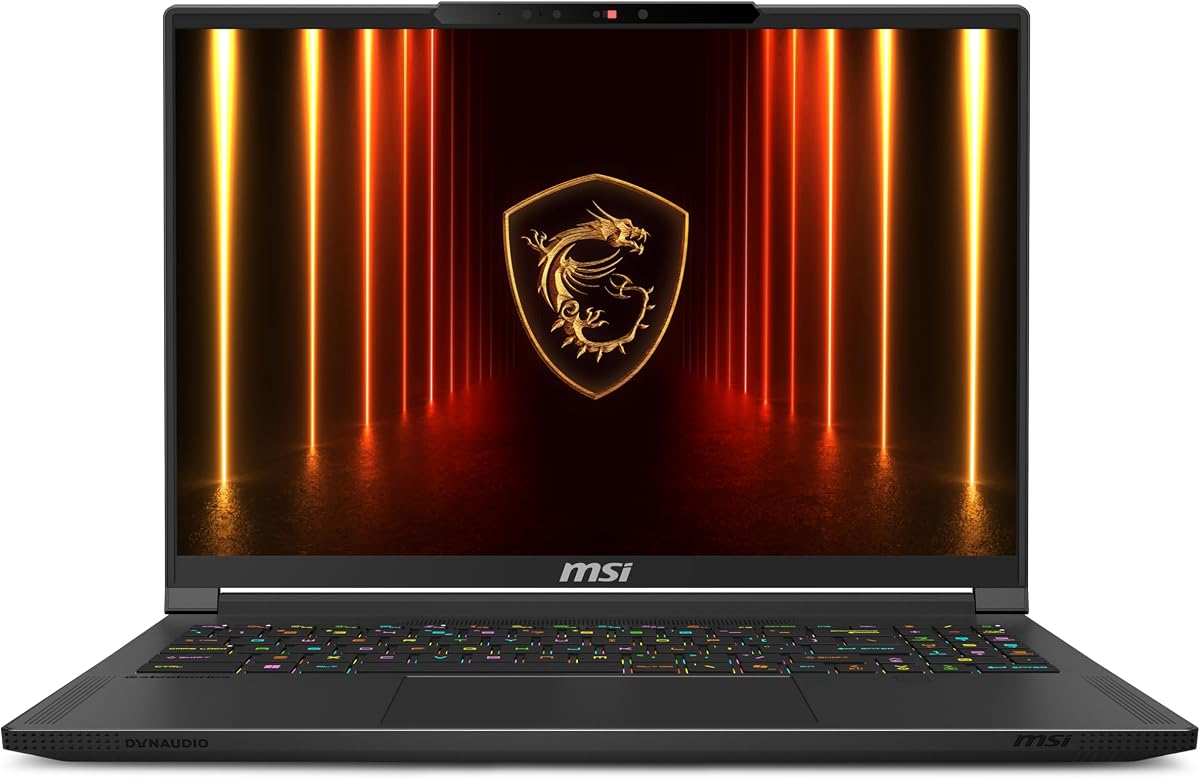
MSI Stealth A16 AI+ RTX 5070 Ti
4.7Editor score
Immersive 240Hz QHD+ OLED
RTX 5070 Ti graphics
32GB DDR5 and 2TB SSD
Gaming laptops with OLED displays combine vivid contrast, sharp detail, and fast refresh rates with the portable performance modern games demand. The strongest models pair a high-resolution OLED panel with capable dedicated graphics, ample memory, effective cooling, and a keyboard that feels good during long sessions.
This guide compares ten OLED gaming laptops using the specifications and product information available for each model. The evaluation covers processor power, GPU capability, display resolution and refresh rate, memory, storage, connectivity, thermals, portability, and features that matter to gamers.
The selections reveal several strong approaches, from well-balanced Ryzen-based systems to high-end models with faster 240Hz panels and more powerful graphics. Each review identifies the most suitable buyer, while availability, configurations, and prices can change, so confirm current details before purchasing.
4.7Editor score

5.0Editor score
5.0Editor score
As an Amazon Associate we earn from qualifying purchases.
The table below compares the core processor, graphics, display, memory, and storage specifications across all ten OLED gaming laptops, making it easier to identify the model that best matches your preferred games, performance target, and portability needs.


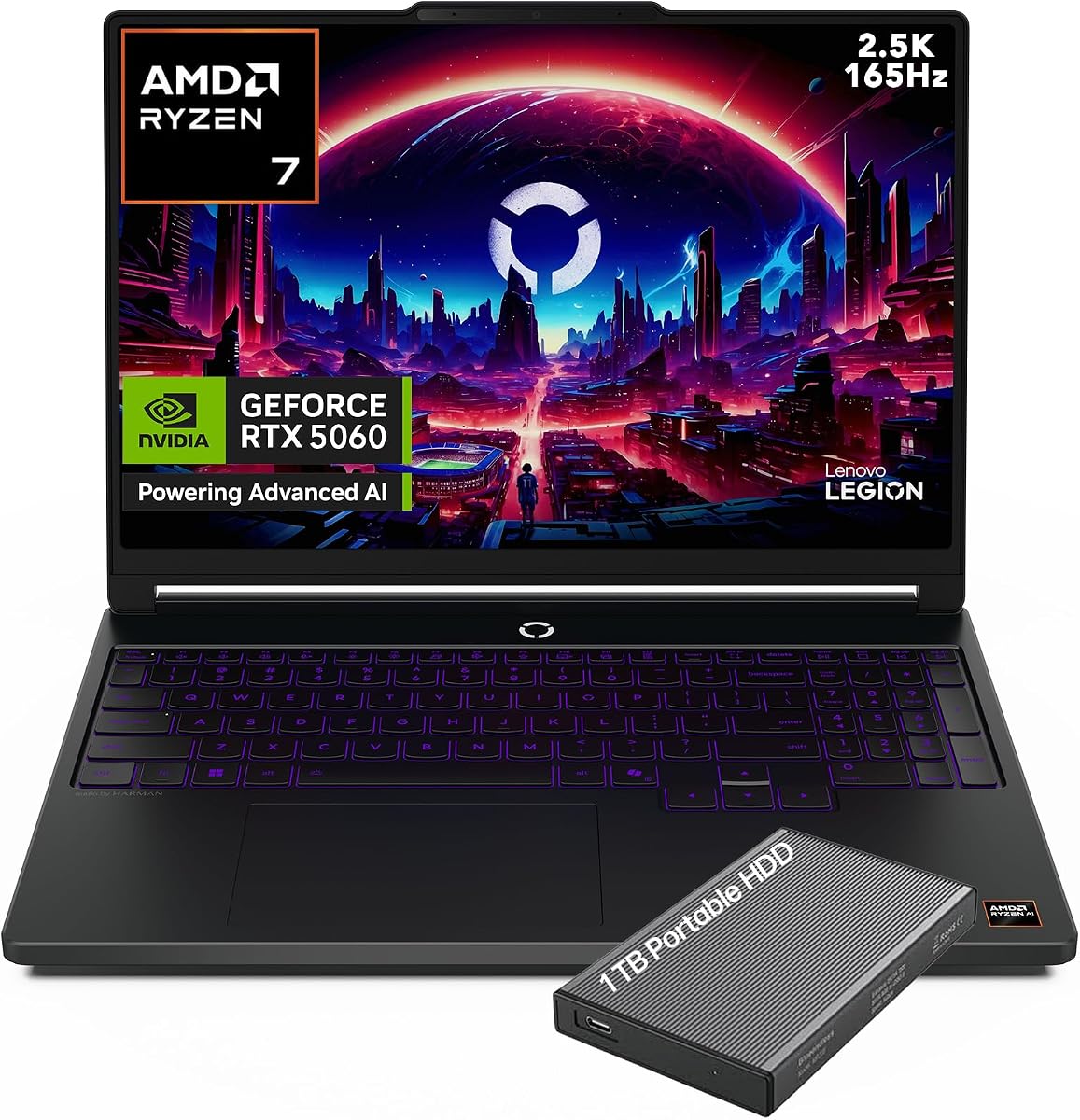
The Lenovo Legion 5a Ryzen 7 250 RTX 5060 stands out as the most balanced option in this guide, combining a high-resolution 165Hz OLED panel with a capable Ryzen 7 250 processor and NVIDIA GeForce RTX 5060 graphics. Its 5.0 rating also makes it one of the strongest customer-rated models listed here.
We may earn a commission when you buy through this link, at no additional cost to you.
The display is the main attraction. Its 15.3-inch WQXGA OLED panel provides a 2560 by 1600 resolution, 100% DCI-P3 coverage, DisplayHDR True Black 1000 support, and NVIDIA G-SYNC. These specifications favor crisp interfaces, deep blacks, rich color, and smooth motion in competitive games. The RTX 5060 adds ray tracing, 8GB of GDDR7 memory, and AI-oriented features, while the Ryzen 7 250 provides eight cores and 16 threads for gaming, streaming, and multitasking.
The 32GB DDR5 memory and 1TB SSD make this configuration particularly well equipped. Memory is ample for modern games, background applications, and creative work, while the fast storage provides room for a substantial library. Connectivity includes Wi-Fi 7, Bluetooth 5.4, USB4, HDMI 2.1, Ethernet, and multiple USB-A ports. The approximately five-pound design is reasonable for a performance laptop, although it is not as light as a conventional notebook.
This is the strongest general recommendation for gamers who want a vivid, fast display without moving into the highest graphics tier. Choose it if your priorities are a 2560 by 1600 OLED panel, generous memory, modern connectivity, and a capable all-purpose gaming platform. The RTX 5060 configuration is more appropriate for high-settings 1440p gaming than for maximizing settings and ray tracing in the most demanding releases.
The 165Hz OLED panel combines high resolution with a fast refresh rate, reducing the need to choose between visual detail and motion clarity. Its wide DCI-P3 coverage and HDR support also improve the experience in games, movies, and editing applications.
The eight-core Ryzen 7 250 handles demanding games and everyday productivity, while 32GB of DDR5 memory gives the system room to multitask. The RTX 5060 with 8GB of GDDR7 memory is well suited to current 1440p gaming and GPU-accelerated creative tasks.
We may earn a commission when you buy through this link, at no additional cost to you.
The Lenovo Legion 5i RTX 5070 combines a 14th-generation Intel Core i9 14900HX with a 15.1-inch WQXGA OLED display and NVIDIA GeForce RTX 5070 graphics. Its 4.3 rating reflects solid overall appeal, particularly for buyers who value both processing power and a chassis listed at just 4.19 pounds.
We may earn a commission when you buy through this link, at no additional cost to you.
The processor is the headline specification, with 24 cores and 32 threads based on the supplied product information. Paired with 32GB DDR5-5600 memory, a 1TB PCIe Gen4 x4 NVMe drive, and RTX 5070 graphics with 8GB GDDR7 memory, it offers a capable platform for high-refresh gaming, streaming, video work, and heavily threaded applications. The glossy OLED display supplies a high-resolution canvas suited to detailed games and media.
Gigabit Ethernet offers a dependable wired network option, while 2×2 Wi-Fi 7 and Bluetooth 5.4 provide modern wireless connectivity. Although the laptop is notably light for its performance class, the exact runtime and fan behavior will depend on the workload, power settings, display brightness, and ambient conditions. The supplied listing does not detail the battery capacity or cooling configuration, so those should be verified before purchase.
The Legion 5i is a strong choice for power users who want a high-refresh OLED panel without accepting a heavy chassis. Its CPU has ample capacity for gaming and creation, and 32GB of RAM gives it useful longevity. Buyers focused exclusively on maximum gaming performance may prefer a GPU with more video memory, but this model remains well balanced for mixed workloads.
The Core i9 14900HX brings extensive core and thread counts for games, streaming, rendering, and multitasking. Combined with 32GB of memory, it is particularly compelling for users who want one machine for both play and productivity.
At a listed 4.19 pounds, this configuration is among the lighter models in the roundup. That portability makes it easier to move between classes, offices, dorm rooms, or travel locations without abandoning an OLED gaming display.
We may earn a commission when you buy through this link, at no additional cost to you.
This 16GB version of the Legion 5a shares many of the visual and gaming strengths of the higher-memory configuration while carrying a 4.8 rating. It pairs the Ryzen 7 250 with RTX 5060 graphics, a 2560 by 1600 OLED display, and a 165Hz refresh rate, making it a capable platform for modern 1440p gaming.
We may earn a commission when you buy through this link, at no additional cost to you.
The RTX 5060 is specified with 8GB of GDDR7 memory and a power limit of up to 115W. That configuration supports AI-enhanced graphics, realistic lighting, and demanding creative workloads. The Ryzen 7 250 contributes eight cores, 16 threads, boost speeds up to 5.1GHz, and integrated AI capabilities. Together, they create a responsive system for games, streaming, content creation, and multitasking.
Display specifications include 100% DCI-P3 color coverage, G-SYNC, and DisplayHDR True Black 1000. Connectivity is also modern, with Wi-Fi 7, Bluetooth 5.4, USB4, HDMI 2.1, Ethernet, and multiple USB-A ports. The 80Wh battery and approximately five-pound design further improve its suitability for school, work, travel, and gaming away from a desk.
This model makes sense for buyers who prioritize the processor, GPU, and OLED panel over maximum memory capacity. Sixteen gigabytes can be sufficient for gaming, though 32GB is more comfortable for heavy multitasking, creative applications, and future-proofing. The included 500GB external drive provides an easy way to expand storage or move games between systems.
The Ryzen 7 250 and RTX 5060 combination handles the essential gaming workload, while 16GB of DDR5 memory covers standard game libraries and background applications. Upgrading or choosing a higher-memory configuration may benefit heavy multitaskers.
Wide DCI-P3 color coverage and HDR support make the OLED panel useful beyond games. Wi-Fi 7, Ethernet, and USB4 offer flexible options for low-latency networking, accessories, storage, and external displays.
We may earn a commission when you buy through this link, at no additional cost to you.
The Lenovo Legion 5i RTX 5070 OLED is designed for students and mobile gamers who want a capable computer without carrying a bulky desktop replacement. It has a 4.4 rating and pairs a Core i7-14700HX with RTX 5070 graphics and a 15-inch 2.5K WQXGA PureSight OLED display rated for a 165Hz refresh rate.
We may earn a commission when you buy through this link, at no additional cost to you.
Lenovo emphasizes the system's refined, portable construction and its efficient hardware. The PureSight OLED panel provides high-fidelity color, accurate visuals, fast response, and flexible refresh rates, making it well suited to competitive gaming and detailed entertainment. The RTX 5070 is based on NVIDIA Blackwell architecture and includes substantial AI capabilities for graphics and content creation.
Thermal management uses Legion Coldfront: Hyper, combining turbo-charged stealth fans, copper heat pipes, and aluminum heat sinks. The design aims to preserve performance while keeping noise under control. Fast charging can raise the battery from zero to 70% in under 30 minutes over USB-C, a useful feature for students and travelers who need to recharge between classes or sessions.
The included three-month PC GamePass subscription provides immediate access to a broad PC game catalog, including EA Play, although it should be treated as a temporary introductory benefit rather than a permanent hardware advantage. This Legion is a compelling option for users who value a thin design, fast OLED visuals, and efficient cooling, with 16GB of memory being the main specification to consider.
The thinner chassis and power-efficient platform make this system easier to carry between classes, offices, and social gaming sessions. Fast USB-C charging further reduces downtime when the battery becomes a concern.
Legion Coldfront: Hyper directs airflow through the system with stealth fans and a network of copper heat pipes. The thermal design is intended to maintain smoother performance with less noise during sustained play.
We may earn a commission when you buy through this link, at no additional cost to you.
The MSI Stealth A16 AI+ RTX 5070 Ti is the premium choice for competitive and high-refresh gaming. Its 4.7 rating, 16-inch 240Hz QHD+ OLED display, Ryzen AI 9 HX 370 processor, and RTX 5070 Ti graphics place it among the most ambitious specifications in this guide.
We may earn a commission when you buy through this link, at no additional cost to you.
The 240Hz panel is the feature that immediately distinguishes this model from the many 165Hz alternatives. A QHD+ OLED screen with that refresh rate can deliver exceptionally fluid motion in competitive games while retaining the rich contrast and color associated with OLED. The RTX 5070 Ti supplies the graphics capacity needed to take advantage of the panel in demanding titles, while the Ryzen AI processor contributes more than 50 NPU TOPS for supported AI applications.
The rest of the configuration is equally generous. Its 32GB of DDR5 memory is ideal for gaming alongside streaming or creative tools, and the 2TB NVMe SSD provides a large, fast game library. Wi-Fi 7 supports high-bandwidth wireless connections, while Windows 11 Pro provides the supplied operating-system environment for work and business tasks.
Choose the Stealth A16 AI+ when competitive frame rates, a very fast OLED panel, and a generous specification sheet matter more than minimizing cost. It also makes sense for creators who want a single portable system for demanding applications. Buyers should expect a substantial hardware investment, and they should verify their most demanding games against the specific settings and resolution they intend to use.
A 240Hz refresh rate offers a larger motion advantage over standard high-refresh panels, particularly in fast competitive games. The QHD+ resolution preserves detail while ensuring that every rendered frame can be presented quickly.
With 32GB of DDR5 memory and a 2TB NVMe drive, the system is prepared for large game libraries and concurrent applications. Windows 11 Pro and the AI-focused Ryzen platform broaden its usefulness beyond gaming.
We may earn a commission when you buy through this link, at no additional cost to you.
The MSI Stealth 16 AI+ is built around a 16GB GeForce RTX 5070 Ti, giving it the largest amount of dedicated graphics memory among the listed models. It combines that GPU with an Intel Core Ultra 9 386H processor, 32GB of DDR5 memory, and a 16-inch 240Hz QHD+ OLED display.
We may earn a commission when you buy through this link, at no additional cost to you.
The GPU specification lists exceptional 1440p and 4K performance, DLSS 4, and full VR readiness. Those capabilities make the system particularly attractive for high-resolution gaming, virtual-reality hardware, and graphics-intensive creative work. The 240Hz OLED panel offers fluid motion, while the Core Ultra 9 is designed to manage demanding productivity tasks alongside a game.
A 1TB NVMe SSD offers fast loading and enough room for a serious game collection, although it is half the capacity of the Stealth A16 model in the previous review. Wi-Fi 7 supports fast wireless transfers and streaming. Windows 11 Home is included for general use, while MSI itself notes that Windows 11 Pro is recommended for business users.
The specification is compelling for enthusiasts who need more VRAM or plan to use VR headsets, but the 4.1 rating is the lowest in this roundup. That makes it important to consider the actual user experience and current customer feedback in addition to the headline components. It is a specialist high-end option for users who will actively benefit from 16GB of graphics memory and a 240Hz OLED display.
More dedicated memory can help when using high-resolution textures, complex scenes, rendering, or VR applications. The RTX 5070 Ti configuration is therefore more future-oriented for graphics-heavy tasks than an otherwise similar laptop with 8GB of memory.
The Core Ultra 9, RTX 5070 Ti, and 32GB of DDR5 memory form a high-powered platform. It is best suited to demanding games, VR, and creative workloads rather than buyers seeking a simple, inexpensive general-purpose laptop.
We may earn a commission when you buy through this link, at no additional cost to you.
The 2026 Lenovo Legion 5a combines a Ryzen 7 250 processor, RTX 5060 graphics, 32GB of memory, and 1TB of storage with a 15.3-inch WQXGA OLED display. It carries a 5.0 rating, and its core configuration closely resembles one of the strongest balanced systems in the roundup.
We may earn a commission when you buy through this link, at no additional cost to you.
The primary attraction is the combination of 32GB memory and a fast OLED panel. A 165Hz refresh rate supports smooth competitive play, while WQXGA resolution provides more workspace and finer detail than a standard 1080p gaming display. RTX 5060 graphics bring ray tracing and AI-enhanced features for supported games, and the Ryzen 7 250 supplies enough general processing power for gaming, streaming, and productivity.
Unlike several other listings, this product entry includes very little descriptive information. It does not state the panel's brightness, color coverage, GPU memory capacity, weight, or battery size, and it does not provide a detailed port list. Those omissions make direct comparison more difficult, so buyers should inspect the full listing and confirm the exact configuration shown in the current product page.
The listed specifications are still highly attractive for a gaming laptop. It is a good fit for buyers seeking a 165Hz OLED panel, 32GB of memory, and 1TB of storage without paying for a higher-tier graphics configuration. The main recommendation is straightforward: verify the remaining display and connectivity details, then choose it if the core specifications align with your needs.
Thirty-two gigabytes gives the system ample room for games, launchers, streaming tools, and other applications. It is a particularly useful amount for buyers who expect to keep the laptop for several years or regularly multitask while gaming.
Because the supplied listing offers limited detail, check the final display specifications, connectivity, weight, and warranty information. Those omissions do not erase the strong core configuration, but they deserve attention before checkout.
We may earn a commission when you buy through this link, at no additional cost to you.
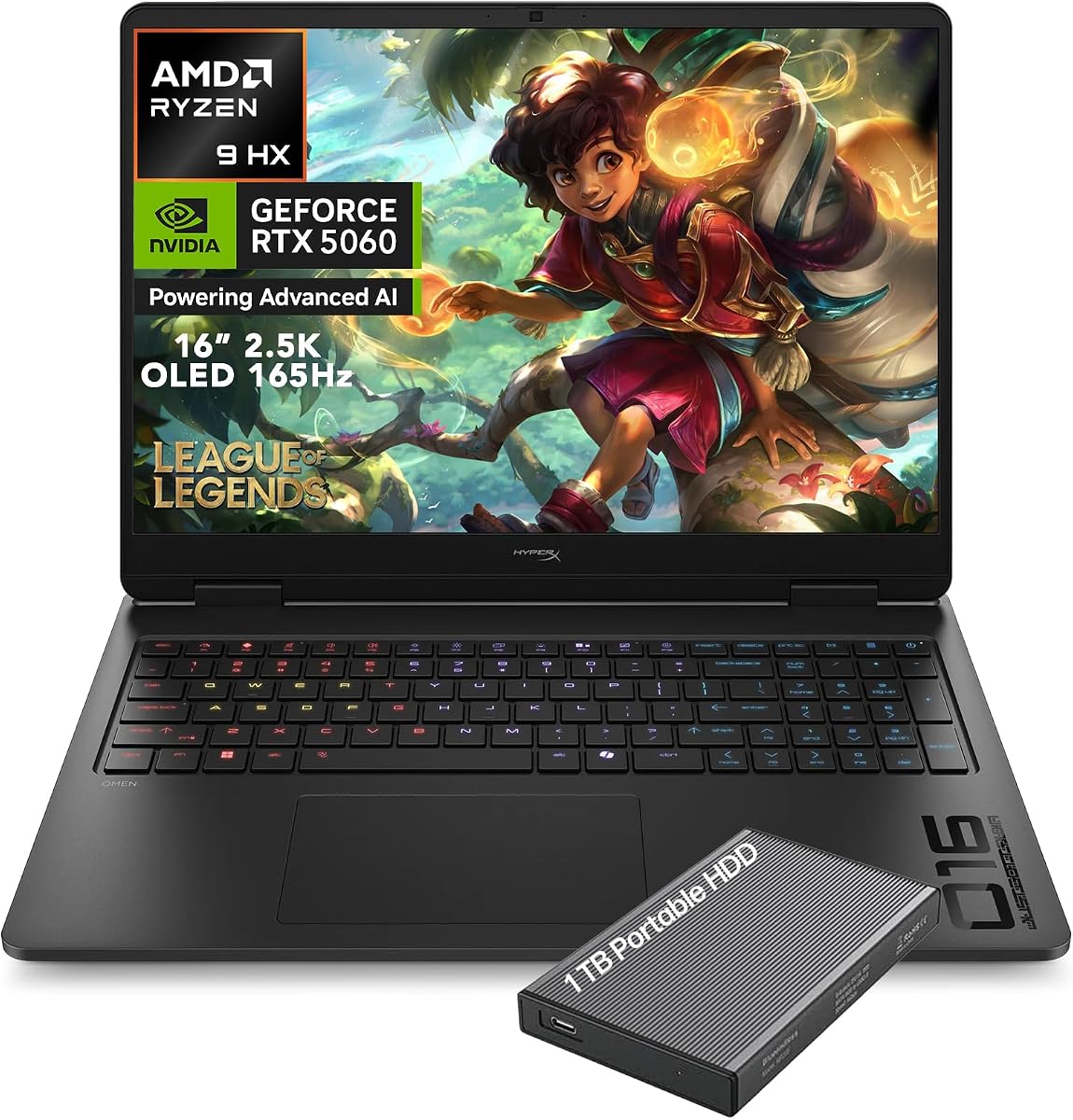
The HP HyperX OMEN 16 stands out as a feature-rich value choice, combining a Ryzen 9 8940HX with RTX 5060 graphics and a 16-inch 2.5K OLED display. Its 5.0 rating places it among the best-reviewed laptops in the guide, while the included 1TB portable hard drive adds useful storage flexibility.
We may earn a commission when you buy through this link, at no additional cost to you.
The display is particularly competitive. It offers a 2560 by 1600 resolution, 165Hz refresh rate, 0.2-millisecond response time, DisplayHDR True Black 1000 certification, and 100% DCI-P3 color coverage. AMD FreeSync Premium technology is included for synchronization with compatible content. Those specifications make the panel a strong fit for high-fidelity games, media, and creative work.
The RTX 5060 Laptop GPU includes 8GB of GDDR7 memory and supports advanced ray tracing, AI-accelerated performance, and DLSS 4.5. A 1TB PCIe Gen4 NVMe SSD supports rapid loading and transfers, while 16GB of DDR5 memory is adequate for gaming and general multitasking. OMEN Tempest Cooling and self-cleaning fan technology are designed to manage heat and reduce dust buildup over time.
This is a strong recommendation for a buyer who prioritizes display quality, gaming features, audio, and cooling over having the newest processor architecture or maximum memory. The four-zone RGB keyboard has an advertised 8000Hz polling rate, and HyperX dual speakers with DTS:X Ultra add value for entertainment. Its 16-inch size is large, so portability and desk space should be considered.
The combination of 2560 by 1600 resolution, 165Hz refresh, and a 0.2-millisecond response time creates a sharp and responsive gaming surface. Wide color coverage and HDR support also make the screen useful for movies and visual work.
The four-zone RGB keyboard offers a high advertised polling rate for responsive input, while HyperX speakers with DTS:X Ultra provide spatial audio. Built-in features reduce the need for separate accessories, especially for travel.
We may earn a commission when you buy through this link, at no additional cost to you.
The Lenovo Legion 5 5070 OLED emphasizes a bright 15.1-inch QHD+ OLED display, a Core i9-14900HX processor, and an RTX 5070. It has a 5.0 rating and pairs the display with a 165Hz refresh rate and an advertised peak brightness of 1000 nits, offering a useful advantage in bright surroundings.
We may earn a commission when you buy through this link, at no additional cost to you.
The 14900HX processor has 24 cores, 32 threads, boost speeds up to 5.8GHz, and 36MB of Intel Smart Cache according to the supplied information. The RTX 5070 provides 8GB of GDDR7 memory, Blackwell architecture, ray tracing, DLSS 4, and NVIDIA Reflex 2. Together, they target high-frame-rate gaming, streaming, and intensive creative multitasking.
Memory and storage are particularly generous at 32GB of DDR5 and a 2TB SSD. The 24-zone RGB keyboard can be personalized through Legion 5 Gaming Light Studio. Connectivity includes five USB ports, two of which are USB-C, plus HDMI, RJ-45 Ethernet, and a headset combination jack for wired gaming and accessory connections.
This laptop is a compelling high-performance option for gamers who want a bright, detailed OLED display and abundant storage. It is particularly well suited to users who work and play on the same machine, since the processor and memory can handle heavy multitasking. The main limitation is the RTX 5070's 8GB of graphics memory, which may become restrictive in future high-detail games or demanding creative applications.
The advertised 1000-nit peak brightness can make HDR highlights more impactful and improve visibility in a bright environment. A high refresh rate and 16:10 resolution complement the panel's sharp visual presentation.
The 24-core processor handles demanding parallel workloads, while 32GB of memory prevents competition among games, streaming software, and creative applications. A 2TB SSD also provides generous room for large installs and project files.
We may earn a commission when you buy through this link, at no additional cost to you.
The Lenovo Legion 5a 2026 is a travel-friendly gaming laptop with a 15.3-inch PureSight OLED panel, Ryzen 7 250 processor, and RTX 5060 graphics. It has a 5.0 rating, and its listed starting weight of 4.12 pounds makes it one of the lighter machines in this OLED-focused selection.
We may earn a commission when you buy through this link, at no additional cost to you.
The 2560 by 1600 OLED display has a 165Hz refresh rate, advertised 1-millisecond response time, 500-nit brightness, and 100% DCI-P3 color coverage. It also supports DisplayHDR True Black 1000 and G-SYNC. The RTX 5060 operates at up to 115W with 8GB of GDDR7 memory and includes DLSS 4 Multi Frame Generation and ray tracing.
Thermal controls include Quiet, Balance, Performance, and Extreme modes available through Fn+Q. Legion Coldfront: Hyper uses dual Falcon fans, 3D copper heat pipes, and hyperchamber airflow. Connectivity is particularly strong, with dual 40Gbps USB-C ports, HDMI 2.1, RJ45 Ethernet, USB-A, and Wi-Fi 7. The 80Wh battery and USB-C fast charging improve mobile use.
The TrueStrike keyboard includes 1.6-millimeter key travel, dished keycaps, anti-ghosting, and swappable caps. This makes the Legion 5a appealing to buyers who value input quality and customization. The trade-off is 16GB of memory, and the listed 500-nit brightness is less ambitious than the peak figure claimed by another Legion OLED. Even so, this is a capable and unusually portable main gaming system.
The combination of a 1-millisecond response time, 165Hz refresh rate, and high resolution benefits competitive games and fast-paced action. A starting weight of 4.12 pounds keeps the system manageable when traveling.
Four selectable thermal modes let users balance noise and performance, while the 80Wh battery supports fast charging. Dual 40Gbps USB-C connections provide modern bandwidth for displays, docks, storage, and accessories.
We may earn a commission when you buy through this link, at no additional cost to you.
A useful OLED gaming laptop balances visual quality, processing power, graphics capability, thermal behavior, memory, and portability. The most important step is identifying your most demanding games and the display size and resolution you actually want, then avoiding specifications that add cost without improving that experience.
Dedicated graphics determine much of a gaming laptop's practical capability. Every model here uses an NVIDIA GeForce RTX 5060, RTX 5070, or RTX 5070 Ti, providing features such as hardware ray tracing, DLSS, and modern video encode and decode capabilities. The RTX 5060 is a sensible starting point for 1440p gaming, while the RTX 5070 offers more headroom and the RTX 5070 Ti is aimed at demanding games, high settings, virtual reality, and heavier creative workloads.
Prioritize both GPU tier and graphics memory. The RTX 5070 Ti models include 16GB of VRAM, which is beneficial for detailed textures and future-oriented workloads, while the listed RTX 5060 and RTX 5070 configurations use 8GB. Consider the resolution you intend to use, because a higher internal resolution places greater demands on both the GPU and the laptop's cooling system.
An OLED panel can deliver excellent contrast, deep blacks, vivid color, and quick pixel response, but resolution and refresh rate determine how much detail and motion you actually see. The roundup includes 15.1-inch and 15.3-inch WQXGA or QHD+ panels at 2560 by 1600, as well as 16-inch QHD+ displays. The MSI models push the refresh rate to 240Hz, while most others use 165Hz.
Look for color-gamut information, HDR certification, response time, and brightness alongside resolution. A 100% DCI-P3 claim is especially useful for colorful games and creative work. High brightness can improve HDR impact, while G-SYNC or FreeSync support can help synchronize frames with compatible games. Remember that glossy OLED finishes can reflect ambient light, so evaluate the panel in the environment where you will use it.
The Ryzen 7 250 provides eight cores and 16 threads, the Core i7-14700HX offers a hybrid multi-core design, and the Core i9-14900HX reaches 24 cores and 32 threads. MSI adds Ryzen AI 9 HX 370 and Core Ultra 9 386H models. For conventional gaming, the GPU and thermal limits often matter more than the highest possible CPU core count.
Extra processor power becomes more valuable when streaming, recording, rendering, editing, running many background applications, or using software that benefits from parallel processing. Match the processor to the software you actually use rather than assuming the highest clock speed automatically creates a better gaming experience. Also consider the associated graphics configuration and cooling capacity.
Memory affects smooth multitasking more than it affects the maximum supported resolution of a game. The lineup includes 16GB and 32GB DDR5 configurations. Sixteen gigabytes can be enough for focused gaming, but 32GB provides more comfortable headroom for browsers, streaming software, Discord, launchers, and creative applications sharing the same system.
Storage capacity ranges from 1TB to 2TB, which can be decisive because modern games regularly require substantial space. A 1TB SSD is workable if you maintain a rotating library or use an external drive, while 2TB reduces the need for frequent file management. Check whether the laptop has accessible upgrade options, and do not treat bundled external drives as a replacement for fast internal storage.
A powerful laptop is only as effective as its ability to sustain performance without becoming excessively loud or hot. Lenovo's Legion Coldfront: Hyper uses multiple fans, copper heat pipes, aluminum heat sinks, and selectable operating modes. HP's OMEN Tempest Cooling and self-cleaning fan technology focus on airflow and reducing dust accumulation. These features are especially important with high-wattage RTX 50 Series graphics.
Look for multiple thermal modes, effective heat pipes, and well-placed intake and exhaust openings. Quiet and Balanced modes are useful for school, office, and travel, while Performance and Extreme modes can extract more power during desktop gaming. Reviews can reveal whether a particular model is acoustically restrained, but also verify the system's weight and placement because excellent cooling often adds bulk.
A 16-inch gaming laptop offers a more expansive canvas for games, editing, and split-screen work, but it is harder to carry and usually requires more room. The 15.1-inch and 15.3-inch Lenovo models are more compact, and the Legion 5i RTX 5070 and Legion 5a 2026 have listed weights of approximately 4.19 and 4.12 pounds respectively.
Do not choose a larger display solely because it sounds more premium. Consider your desk, bag, preferred screen size, and need for an external monitor. If you play primarily at a desk, a 16-inch panel may be preferable. If you travel frequently, a smaller chassis with strong battery life and fast charging may create a better overall experience.
Modern gaming laptops should provide more than one way to connect peripherals and networks. These models support Wi-Fi 7, and several include Ethernet for low-latency online sessions. USB-C is particularly useful for charging, external displays, docks, and fast storage, while HDMI, USB-A, and a headset jack remain practical for wired accessories.
The strongest port selections include multiple USB-C and USB-A ports plus RJ-45 Ethernet. Look for the exact connector count, DisplayPort support, and whether USB-C can charge while driving an external display. A privacy shutter, RGB keyboard, high-quality speakers, and a 5MP webcam can improve everyday use, especially for students and remote workers.
Gaming laptops place substantial power demands on their batteries, and high-refresh OLED screens can consume additional energy. Battery life varies with brightness, workload, wireless settings, and graphics mode. Some models in this roundup list an 80Wh battery and rapid charging, with one Lenovo configuration offering a rise from zero to 70% in under 30 minutes.
For a laptop used as a primary machine, consider whether it will spend long periods away from an outlet. Fast charging helps, but it does not change the underlying power demands of sustained gaming. For build quality, review the chassis material, weight distribution, keyboard feel, and warranty. A sturdy design and comfortable keyboard can matter more over several years than small differences in synthetic processor scores.
Start by configuring Windows updates, graphics drivers, and the manufacturer's gaming software. Lenovo Legion Space can help manage performance modes, GPU behavior, lighting, and system profiles, while MSI and OMEN provide their own control utilities. After installing your games, set the laptop to an appropriate thermal mode and verify the selected resolution, refresh rate, and display scaling.
For OLED screens, use the operating system's brightness and night-light controls to avoid prolonged full-brightness viewing. A screen saver or blank-screen timeout is especially helpful because OLED panels age more quickly when static bright images remain onscreen. Keep vents clear, avoid storing the computer in tight bags while it is running, and follow the manufacturer's guidance for cleaning the display with a soft, lint-free cloth.
During long gaming sessions, use a stable surface with open airflow, keep cables organized, and periodically check the keyboard and chassis temperature. Save work before changing power modes, and avoid repeatedly switching between extreme performance settings. For a healthier display habit, take regular breaks, keep text at a comfortable scale, and use the system's accessibility features when needed.
OLED displays generally offer deeper blacks, stronger contrast, and more vivid color than typical IPS gaming panels. They can also have very fast pixel response, although some users are sensitive to the near-instant transitions known as PWM dimming. An IPS model may still be preferable if you prefer a less reflective finish, a lower-cost package, or a different set of refresh-rate options.
A 165Hz panel is a strong all-around choice for competitive and high-refresh games, especially when paired with capable graphics. It offers a noticeable improvement over 120Hz or 144Hz while remaining available on more affordable configurations. If you compete in fast genres or want the smoothest possible motion, a 240Hz OLED such as those offered by MSI can provide another step up.
Both amounts can run modern games, but 32GB offers more flexibility for multitasking, streaming, video editing, and other demanding applications. A 16GB laptop may be sufficient if you game with a small number of background programs and want to control the total cost. Confirm memory specifications and upgradeability, as bundled configurations can change between listings.
An RTX 5070 Ti is most useful for demanding games at high settings, high resolutions, VR, and graphics-intensive creative work. Its 16GB of graphics memory provides more headroom than the 8GB configurations in several models. An RTX 5060 or RTX 5070 can still deliver a strong 1440p gaming experience, particularly when paired with DLSS and sensible settings.
It can, particularly when the screen is set to maximum brightness or a very high refresh rate. Battery life also depends on the processor, GPU mode, workload, wireless connection, and system software. Lowering brightness, using adaptive refresh features, and selecting an efficient power profile can improve runtime without materially changing the system's core gaming performance.
A 15.1-inch or 15.3-inch laptop is easier to carry and often works well in a smaller space, while a 16-inch panel gives games and creative applications more room. Resolution and visual quality matter alongside physical size. Choose based on where you will use the computer and whether portability or screen space has greater importance.
Wi-Fi 7 can provide high throughput and low latency when connected to a compatible router and network. It is most useful in homes with newer networking equipment or congested wireless environments. A wired Ethernet connection can still offer the most consistent low-latency connection for competitive sessions, so consider that option when gaming from a fixed desk.
Keep intake and exhaust vents unobstructed and use the laptop on a hard, level surface. Selecting Balanced or Quiet mode for everyday tasks lets you use Performance or Extreme modes only when sustained gaming justifies the additional heat and fan noise. Periodic cleaning can prevent dust buildup, but follow the manufacturer's instructions and power off the device before maintenance.
The Lenovo Legion 5a Ryzen 7 250 RTX 5060 is the most balanced recommendation in the guide, combining a 2560 by 1600, 165Hz OLED panel with 32GB of memory, modern connectivity, and capable RTX 5060 graphics. For the best premium experience, the MSI Stealth A16 AI+ pairs a faster 240Hz OLED display with an RTX 5070 Ti and generous storage.
The HP HyperX OMEN 16 stands out for buyers seeking a high-resolution OLED panel, strong gaming features, advanced cooling, and built-in peripherals at a value-oriented position. In every case, prioritize the graphics tier and resolution that match your games, then check memory, thermals, portability, ports, and the exact current configuration before making a final decision.
Retail listings, component bundles, customer ratings, and prices can change over time, so verify the latest product details and warranty terms on the retailer's page. An OLED gaming laptop is a substantial investment, and the most valuable purchase is the one whose display, performance, and everyday usability align with the way you actually play.