
Starlink Ethernet Adapter Gen 3/Mini IP68 Waterproof
4.4Editor score
Gen 3 and Mini support
IP68 weather protection
Up to 1200 Mbps transfer
Starlink Ethernet Adapter guide compares 10 options for Gen 2, Gen 3, and Mini systems, focusing on compatibility, ports, speed, and setup.
A Starlink Ethernet Adapter can turn a satellite internet installation into a more flexible wired network, especially when a router has limited RJ45 ports. The right adapter depends on your Starlink hardware generation, the number of wired devices you want to connect, and whether you need indoor, outdoor, or portable installation support.
This guide compares ten adapters based on the supplied compatibility information, connection speed, port count, installation approach, and physical design. It covers single-port and multi-port options for Starlink Gen 2, Gen 3, Standard Actuated, Standard 4X, and Mini systems, with particular attention to the differences between indoor and weather-resistant models.
Each review explains who the product is best suited for, along with its strongest benefits and practical trade-offs. Ratings reflect the supplied customer feedback, while product features and compatibility claims are drawn from the listed descriptions. Availability and pricing can change, so verify the current hardware and kit version before ordering.
4.4Editor score

4.6Editor score

4.6Editor score
The comparison below highlights hardware compatibility, wired port capacity, maximum stated transfer speed, and the installation environment each adapter is designed to serve.



The Starlink Ethernet Adapter for Rectangular Satellite Internet V2 is a focused solution for owners of the Starlink Actuated Gen 2 system who want a direct wired connection. It carries a 4.6 customer rating, making it one of the stronger-rated products in this guide. Its main appeal is a straightforward, compact way to turn the Starlink router connection into an RJ45 Ethernet interface.
We may earn a commission when you buy through this link, at no additional cost to you.
The adapter supports transfer speeds up to 1 Gbps and works with Ethernet-enabled devices such as desktop computers, smart TVs, third-party wireless routers, and Ethernet switches. That versatility makes it more than a gaming accessory: it can support a mixed household, a home office, or a network that needs a dependable wired path in addition to Wi-Fi.
Installation is driver-free and follows a familiar process. The adapter sits between the Starlink router and antenna cable, while a standard Ethernet cable connects the adapter to the desired wired device or network. This arrangement reduces wireless interference and can provide a more consistent connection for demanding activities such as video conferencing, large downloads, and online gaming.
The important limitation is hardware generation. The description explicitly says that it does not work with the latest Starlink Standard Kit using the kickstand base. It is also a single-port solution, so users with several wired endpoints may need a switch or a multi-port adapter. For a compatible Gen 2 installation, however, it is easy to recommend as the strongest all-around choice in this category.
The router-side installation gives compatible devices a direct Ethernet route without requiring the original Starlink cable to be cut or crimped. That is particularly useful for fixed computers, game consoles, NAS devices, and smart displays that benefit from a stable wired connection.
Because no drivers or complicated configuration are required, the adapter is approachable for first-time Starlink installers. Users should still confirm that their router belongs to the Actuated Gen 2 generation before buying.
We may earn a commission when you buy through this link, at no additional cost to you.
This dual-port Starlink Gen 2 adapter is built for users who need more than one wired connection from a compatible Starlink router. Its two-port arrangement can support combinations such as a computer and game console or a NAS and smart television. The listed customer rating is 4.1, which is solid but not as strong as the highest-rated options in this comparison.
We may earn a commission when you buy through this link, at no additional cost to you.
The product description lists compatibility with Starlink Gen 2 routers paired with Enterprise, mobile HP-Flat High Performance, High Performance Gen 1, and Standard Actuated Gen 2 systems. It also supports numerous device categories, including PCs, Macs, PS5, Xbox, smart TVs, NAS devices, mesh routers, and security systems. That range gives it useful flexibility for modern homes and compact offices.
Each port supports Gigabit-class wired transmission at up to 1 Gbps. Gold-plated ports, an energy-efficient chip, and an ABS housing with an IP65 rating are intended to improve durability and maintain stable operation. The description also mentions validation through a 72-hour industrial stress test, which addresses the concern that an inexpensive network accessory might be used continuously.
Installation remains plug-and-play, and the adapter is expected to be recognized when inserted into a compatible router. The trade-off is that the 4.1 rating is not the highest in this list, and compatibility depends on the precise router combination. Still, two ports, rugged housing, and broad device support make this a compelling premium-style choice for compatible Gen 2 networks.
The dual-port layout lets two wired devices share the Starlink router's adapter without immediately adding another switch. This simplifies small networks involving computers, consoles, storage systems, and televisions.
The ABS housing, IP65 rating, energy-efficient chip, and stated stress testing target reliability in demanding environments. They do not guarantee the same protection as a fully sealed outdoor enclosure, so placement still matters.
We may earn a commission when you buy through this link, at no additional cost to you.
The Starlink Ethernet Adapter for Standard Actuated Gen 2 is a practical single-port adapter for users who want to integrate satellite internet with a home or business network. Its 4.5 rating places it among the better-reviewed products here, while the stated 1 Gbps maximum provides ample headroom for modern home and office applications.
We may earn a commission when you buy through this link, at no additional cost to you.
One notable use case is connecting the Starlink dish to a home mesh Wi-Fi system. A direct Ethernet path can improve network organization and extend coverage beyond areas that are difficult to reach through Wi-Fi alone. The same adapter can also replace a missing or faulty RJ45 port on a device that otherwise lacks a practical Ethernet interface.
The installation process is clearly defined: unplug the router, disconnect the antenna cable, insert the adapter, reconnect the antenna cable, and restore power. No drivers are required. This makes it a relatively simple hardware conversion for compatible Standard Actuated Kit V2 users.
The product description also makes performance claims such as nearly doubled speeds and reduced latency, but actual results depend on the Starlink service plan, network equipment, device, and local conditions. The clear caveat is hardware compatibility: this is not a universal solution for the latest kickstand-based Starlink Standard Kit. For the correct Gen 2 hardware, it remains a well-regarded and versatile choice.
Connecting a Starlink router into an existing mesh system can create a more unified network around the property. The exact topology depends on the mesh equipment and the placement of the Starlink system, so careful planning remains important.
The adapter can serve as a practical solution when an Ethernet-enabled device lacks a working RJ45 port. It is most useful when the original Starlink cable termination must remain intact.
We may earn a commission when you buy through this link, at no additional cost to you.
This four-port adapter is designed for Starlink Standard 4X, Gen 3, and Mini portable dish systems, offering a larger wired network than a single-port adapter. It carries a 4.2 rating and is particularly relevant to owners of newer hardware who want to connect several wired devices at once.
We may earn a commission when you buy through this link, at no additional cost to you.
The four RJ45 ports can support computers, televisions, game systems, network storage, or other Ethernet-capable equipment. The product description emphasizes reliable wired connectivity for scenarios such as videoconferencing and online gaming, where minimizing dependence on Wi-Fi can be beneficial. The included instructions are also useful for users who want a guided setup.
Compatibility needs careful attention. The listing states that the adapter is intended for Standard 4X and Gen 3 systems as well as Starlink Mini, but it is not compatible with Mini X. The product data also does not state a specific maximum transfer rate, so buyers should not assume Gigabit performance merely from the presence of four Ethernet ports.
For a compatible four-device installation, this adapter offers a clear advantage over a single-port solution. It may also reduce the need to purchase a separate Ethernet switch. The trade-off is that its compatibility is narrower than the broad descriptions found for some Gen 2 models, making model identification essential before purchase.
Four ports provide room for a computer, television, game console, and another network device without relying on a separate switch. This keeps a temporary or compact installation physically organized.
The adapter supports Gen 3, Standard 4X, and Mini systems, but the Mini X exception is important. Check the exact dish and router labels before making a purchase.
We may earn a commission when you buy through this link, at no additional cost to you.
The Starlink Gen 3/Mini four-port adapter is a multi-device option with a matching interface design, four Gigabit ports, and an included Cat 5e cable. Its 3.9 rating is the lowest among the ten products in this guide, so prospective buyers should weigh the rich feature set against less favorable aggregate feedback.
We may earn a commission when you buy through this link, at no additional cost to you.
The stated design fits Starlink Gen 3 and Mini systems closely. Custom contours, aligned connection points, and button shapes are intended to keep the adapter secure without forcing a mismatched connector into place. The included Cat 5e cable is specified for 1 Gbps and can provide a convenient way to begin connecting a wired device.
Four Gigabit ports allow multiple devices to connect simultaneously, and dual-color LEDs indicate port status at a glance. The product is described as plug-and-play without drivers or complicated settings, while the manual and LEDs help make installation more approachable. The adapter also underwent stated 72-hour full-load testing.
Its 3.9 rating is the main drawback, and the listing does not clearly address Starlink Mini X compatibility. It is most compelling for Gen 3 or Mini owners who specifically want four ports, an included cable, visible status indicators, and a form factor designed around the newer hardware.
The included Cat 5e cable reduces the need to source a suitable lead immediately. Additional Ethernet cables may still be needed for multiple devices, depending on what is included and how the devices are arranged.
Visible port indicators can help confirm activity without repeatedly reconnecting equipment. Their color-coded design provides a quick visual reference when setting up or checking the network.
We may earn a commission when you buy through this link, at no additional cost to you.
This rectangle-dish V2 adapter is designed to connect a Starlink router directly to an Ethernet-enabled device, with particular emphasis on desktop use. It has a 4.1 rating and supports speeds up to 1 Gbps, making it a straightforward option for compatible Actuated Gen 2 installations.
We may earn a commission when you buy through this link, at no additional cost to you.
The listing highlights two practical applications: adding or replacing an RJ45 port and connecting a Starlink dish to an existing home mesh Wi-Fi system. A direct connection to a PC can reduce reliance on Wi-Fi, which may benefit fixed workstations that handle large files, video calls, or streaming. It can also help extend a network to parts of a property separated by walls or other obstacles.
Installation requires power to be disconnected from the router. The antenna cable is removed, the adapter is inserted into the relevant port, the antenna cable is connected to the adapter, and power is restored. No drivers are needed, making the procedure more approachable than software-based network configuration.
The product is compatible with the Standard Actuated Kit V2, not every Starlink system. Its single-port format and 4.1 rating place it behind the higher-rated one-port option, but it remains a sensible direct-connect adapter for a desktop or mesh network. Users should confirm their kit and router revision before ordering.
Wiring a desktop directly can provide a consistent path for transfers, conferencing, and entertainment. Ethernet also removes wireless contention from the immediate connection.
When connected to a suitable mesh system, the adapter can help carry Starlink service into difficult-to-reach areas. Network design and router placement will determine how much benefit the user sees.
We may earn a commission when you buy through this link, at no additional cost to you.
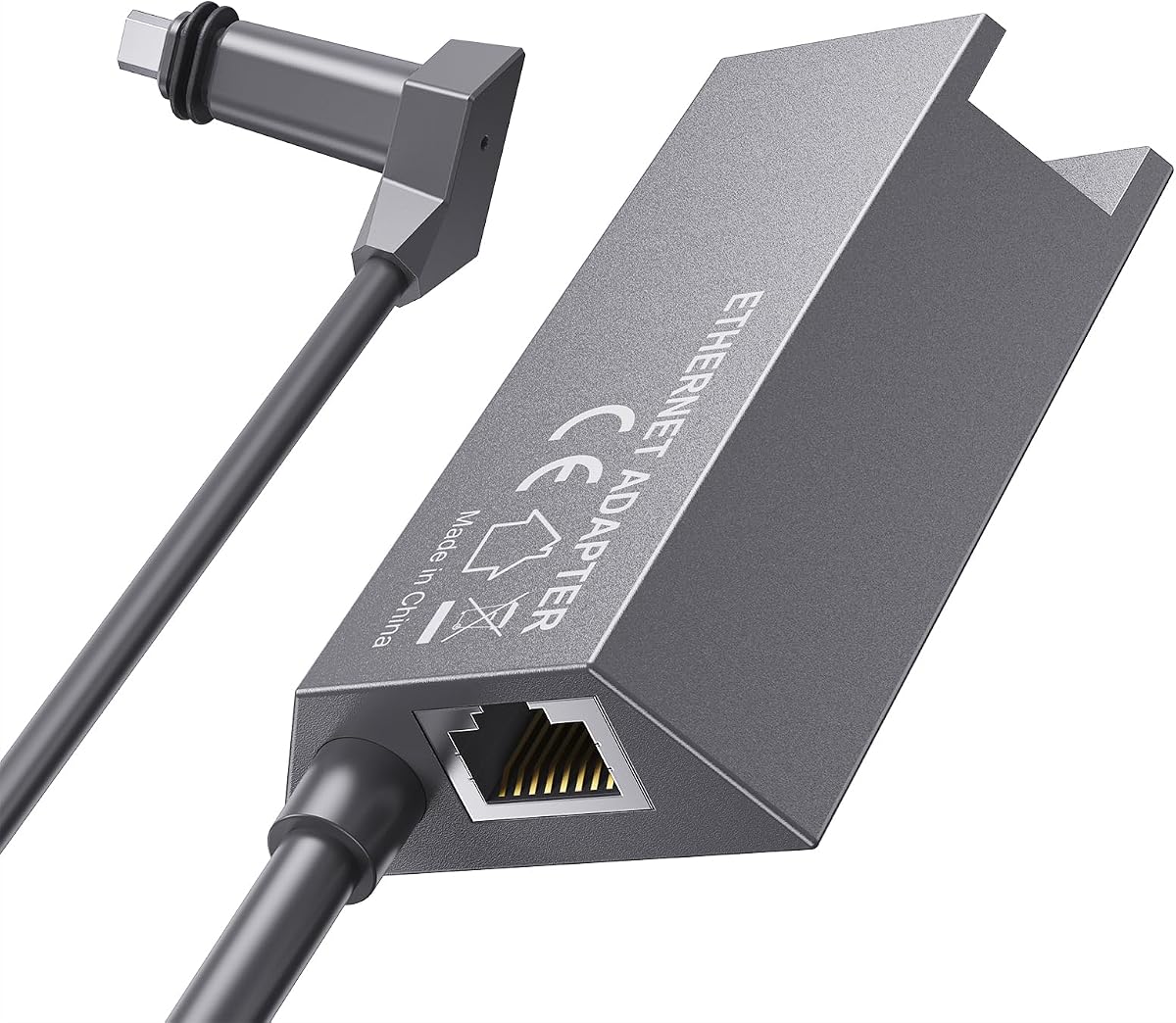
The Gen 3/Mini IP68 adapter is a compact coupler for extending or repairing a Starlink cable connection with standard Ethernet. It has a 4.4 rating and distinguishes itself through outdoor-oriented sealing, 24AWG pure copper construction, and a stated transfer rate of up to 1200 Mbps.
We may earn a commission when you buy through this link, at no additional cost to you.
Its IP68 housing is designed to protect the connection from moisture, dirt, and environmental exposure. That makes it relevant when a cable runs along a roof, down an exterior wall, or through an outdoor installation. The listing specifically says it can use any length of Ethernet cable without cutting or crimping the original Starlink wiring.
A full-metal shielding layer is included to reduce signal interference, while the 24AWG copper construction is intended to support fast data transfer. The product is compatible with Standard Gen 3 and Mini dishes and routers, which makes it a versatile option for newer installations.
The main limitation is cable length. The description recommends keeping the Ethernet run under 175 feet, or 50 meters, to maintain reliable operation and minimize potential interference or loss. This is a coupler rather than a complete multi-port network box, and the Ethernet cable is not necessarily included. For a compatible outdoor extension, it is a practical and well-rated choice.
The IP68-rated housing is especially valuable where the connection may encounter rain, dust, or changing weather. It is better suited to exposed cable routing than an ordinary indoor RJ45 coupler.
The adapter preserves the original Starlink termination and provides a standard Ethernet interface. This is convenient for replacing a damaged section or increasing the distance between compatible equipment.
We may earn a commission when you buy through this link, at no additional cost to you.
The Starlink Ethernet Adapter Gen 2 is a compact, single-port solution for adding Ethernet access to a compatible Starlink Actuated Gen 2 router. Its 4.0 customer rating reflects mixed aggregate feedback, but the core feature set remains clear: a direct wired connection with support for speeds up to 1 Gbps.
We may earn a commission when you buy through this link, at no additional cost to you.
Its plug-and-play design requires no driver installation, and the adapter works with a wide range of Ethernet-enabled equipment. The compact shape also makes it easier to carry or position close to the router than a larger network box, which can be useful in temporary installations or space-conscious setups.
The primary strength is uncomplicated access to a stable wired path. Direct Ethernet can be preferable for a stationary computer, television, or other device that does not benefit from fluctuating Wi-Fi conditions. The adapter also removes the need to modify the original Starlink cable termination.
Compatibility is the decisive issue. The description applies it to the Starlink Standard Actuated Kit and explicitly excludes the latest Standard Kit with a kickstand base. It also provides only one RJ45 port, so users needing several connections should consider a multi-port option or a switch. Within those limits, it remains a functional direct-connect adapter.
The small enclosure and driver-free operation make this adapter easy to deploy around a router. It is a sensible companion for compatible mobile or temporary Starlink arrangements.
A wired route can reduce wireless interference and provide more consistent behavior for fixed devices. Network performance still depends on the Starlink service, router, and connected equipment.
We may earn a commission when you buy through this link, at no additional cost to you.
The 11.8-inch Starlink cable adapter for Gen 3 and Mini is the highest-rated product in this guide at 4.8. It combines a short, compact cable with a dedicated Starlink connector and a standard T568B RJ45 female interface, making it useful for close-range indoor or camping connections.
We may earn a commission when you buy through this link, at no additional cost to you.
The adapter supports data transfer rates up to 1000 Mbps over Cat 5e or Cat 6 cabling. It requires no cutting or crimping of original Starlink cables, and the plug-and-play design allows quick integration with a compatible Gen 3 Standard or Mini dish and router. The included sealing ring provides an IP67 rating for outdoor-oriented reliability.
Its compact 11.8-inch length is both its defining feature and its primary constraint. It works well when equipment sits near one another, such as a router and computer, or during a temporary camping arrangement where minimizing cable clutter is important. It is less suitable when the connected device must be positioned several feet away without another Ethernet cable.
The 4.8 rating, straightforward connection method, and broad Gen 3 and Mini compatibility make this a strong choice for nearby wired devices. Buyers should consider the short lead before ordering and keep in mind that the listing specifically describes it as an indoor accessory despite its waterproof sealing feature.
The short cable keeps installations tidy when the router and wired device are close together. It can also reduce excess cable that might otherwise be awkward in a temporary setup.
The 4.8 rating is the strongest aggregate score among the listed adapters. It signals favorable customer feedback, although the score should be considered alongside compatibility and cable-length requirements.
We may earn a commission when you buy through this link, at no additional cost to you.
The four-port Ethernet Adapter for Starlink Gen 3 and Mini is the most feature-oriented product in this roundup. It carries a 4.6 rating and combines four independent RJ45 Gigabit ports with an aviation aluminum alloy housing, wide voltage support, and a design intended for continuous operation.
We may earn a commission when you buy through this link, at no additional cost to you.
Each port supports up to 1 Gbps, allowing computers, game devices, televisions, and cameras to connect simultaneously. The description says this can reduce latency and packet loss compared with Wi-Fi in suitable wired setups. A built-in chip supports plug-and-play operation without complex configuration, simplifying deployment around a compatible Gen 3 or Mini installation.
Thermal management and environmental adaptability are central features. The aluminum shell is designed to dissipate heat efficiently, while the stated operating range is minus 20°C to 60°C. The connecting cable uses tinned pure copper with a UL-certified rubber jacket, and the power input accepts 9–60 volts for compatibility with the original Starlink power adapter and certain third-party power systems.
This is a more specialized and potentially larger installation than a compact single-port adapter. The wide voltage range also calls for careful attention to the correct power source. Nevertheless, for a user who wants four wired connections in a demanding indoor or outdoor network, the combination of port capacity, metal construction, and power flexibility makes this the strongest premium-style multi-port choice.
The four-port design consolidates several wired endpoints around one adapter. It is well suited to home offices, media areas, gaming setups, and connected camera systems.
The aluminum enclosure supports heat dissipation and adds physical durability, while the 9–60V input offers flexibility. Buyers should use a compatible, appropriately configured power source rather than assuming every power supply will work.
We may earn a commission when you buy through this link, at no additional cost to you.
Compatibility should come first because Starlink adapters are designed around specific dish, router, connector, and hardware generations. After confirming the system, compare port count, installation environment, cable needs, and intended connected devices.
In short, match the exact generation and excluded models before considering price or features.
Choose one port for a single endpoint and multiple ports when several wired devices need simultaneous access.
Treat stated transfer rates as adapter limits, then consider service, router, cable, and device performance.
Use sealed options for exposed routes and ordinary indoor adapters only where cables remain protected.
Confirm whether a cable is included, what category it uses, and how much length the installation requires.
Multi-port adapters simplify busy networks, but a dedicated switch may be better for advanced segmentation.
Expect simple plug-and-play setup, but always follow the instructions for the exact adapter and router.
Prioritize fit and construction together, since stronger features are irrelevant with incompatible hardware.
Before installation, identify the dish, router, and generation names and compare them with the adapter's stated compatibility. Confirm that every proprietary connector matches, read the included instructions, and gather the required Ethernet cables before disconnecting a working installation. If the product is intended for outdoor routing, check its weather-protection rating and prepare a proper cable route before joining the connectors.
For a typical router-side installation, turn off the Starlink router by unplugging its power cord. Disconnect the antenna cable from the router, insert the adapter into the same connection point, and reconnect the Starlink antenna cable to the adapter. Connect an Ethernet cable from the adapter's RJ45 port to the desired device, network, or switch, then restore power. Allow the router to initialize and confirm that the connected device receives a network connection through the normal operating-system interface.
Do not repeatedly unplug a live proprietary connector, bend the cable sharply, or force an adapter into a different-generation port. Keep indoor connectors dry and free of dust, and tighten any weatherproof seals on exterior installations according to the manufacturer's instructions. For long Ethernet runs, observe the listed guidance of keeping the extension under 175 feet, or 50 meters, and periodically inspect exposed sections for damage, pinching, or water intrusion.
No. Compatibility depends on the dish, router, connector, and hardware generation. Several products support the Actuated Gen 2 Standard Actuated Kit, while others are designed for Gen 3, Standard 4X, or Mini systems. Some listings explicitly exclude the latest kickstand-based Standard Kit, and certain Mini variants are not supported. Check the exact model names before purchasing.
A single-port adapter provides one RJ45 Ethernet connection and is best for one fixed wired device. A two-port or four-port model can serve multiple devices at once, such as a computer, game console, smart television, or NAS. Multi-port options can simplify cable management, although a dedicated Ethernet switch may still be preferable for more advanced network segmentation.
It can provide a more stable direct path and reduce wireless interference, but it does not guarantee a particular internet speed. Results depend on the Starlink service, local router, cable quality, other network traffic, and the connected device. The adapter's stated transfer rate is an interface limit rather than a promise of guaranteed throughput.
The listed plug-and-play and extension adapters are intended to avoid cutting or crimping the original cable. A router-side adapter is installed between the router and antenna cable, while a coupler-style product connects to a standard Ethernet cable. Even so, follow the exact instructions included with the product because connector orientation can differ between adapter styles.
Only use an adapter whose stated protection rating and installation guidance match the exposure. The Gen 3 and Mini IP68 coupler is explicitly designed for outdoor cable runs, while other products are described primarily for indoor use or have a lower housing rating. Even weather-resistant connectors should not be assumed to be submersible, and all seals should be fitted correctly.
A four-port adapter may connect several devices without an additional switch, which is convenient for a compact network. A separate switch can still be useful when you need more ports, better control over individual connections, or more flexible network organization. Choose the simplest arrangement that meets your device count and placement requirements.
The listed multi-port products generally support Gigabit-class connections, and one includes a Cat 5e cable. For other installations, use an appropriate Ethernet cable that meets the adapter's stated category and length requirements. The IP68 extension product recommends keeping the Ethernet run below 175 feet, or 50 meters, to support reliable operation and minimize signal loss.
Check the labels and model information on the dish and router, then compare those names with the adapter's compatibility list. Gen 2 Actuated, Gen 3 Standard, Standard 4X, Mini, and Mini X are not interchangeable across every product. If the documentation is unclear, confirm the model number with Starlink support or the retailer before buying an adapter.
The Starlink Ethernet Adapter for Rectangular Satellite Internet V2 is the strongest general recommendation for compatible Actuated Gen 2 users because it combines a 4.6 rating, a 1 Gbps connection, broad device support, and a straightforward installation. The Gen 3 and Mini IP68 adapter is the budget-focused choice for outdoor extension, while the four-port Gen 3 and Mini model offers the most elaborate construction and power flexibility for users with several wired devices.
Compatibility should always take priority over port count or headline speed. Confirm the dish and router generation, check explicit exclusions, and then consider whether the adapter must remain indoors, run along an exterior wall, or support several devices. Cable length, included accessories, and environmental protection are just as important when the adapter will be installed permanently.
Ratings and product availability can change, and prices also fluctuate across retailers. Review the current listing, compatibility notes, customer feedback, and installation instructions immediately before ordering. For the latest kit, a dedicated switch may offer more flexibility, but for the correct Starlink generation, a properly matched Ethernet adapter can make the satellite network considerably more flexible.