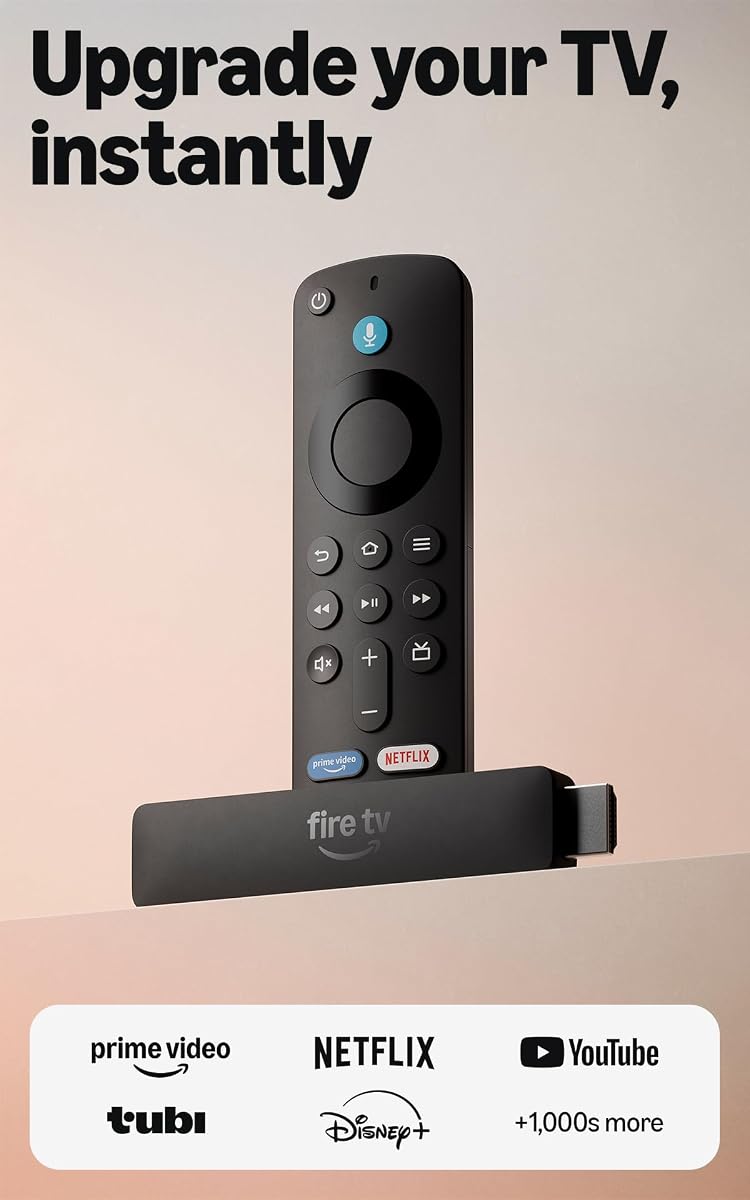
Amazon Fire TV Stick HD
4.1Editor score
Full HD streaming
Alexa Voice Remote
Direct TV power
Amazon Fall Prime Day technology deals can help you upgrade streaming, audio, smart home control, and everyday computing without committing to a single device category. The strongest options balance useful features, straightforward setup, and clear benefits over their everyday alternatives.
We compared the ten products by considering their core purpose, supported features, compatibility, ease of use, customer ratings, and practical trade-offs. The list covers Fire TV streaming devices, Echo speakers and displays, a Fire HD tablet, a remote, smart plugs, and an Amazon purchase-protection plan.
Each review explains what the product is best suited for, which supplied features stand out, and where shoppers may encounter compromises. Ratings and specifications reflect the supplied product information, while deal availability can change throughout November 2026.
4.1Editor score

4.6Editor score

4.3Editor score
As an Amazon Associate we earn from qualifying purchases.
This side-by-side comparison highlights each product's main device type, standout capability, and ideal use case, helping you narrow a large seasonal technology roundup to the upgrade that best matches your needs.






The Amazon Fire TV Stick HD is a straightforward way to add modern streaming to an older television or replace an underpowered streaming device. Its supplied rating is 4.1 out of 5, which reflects a broadly useful device with a few limitations that become clearer when comparing it with the 4K options in this roundup. Its strongest qualities are Full HD picture quality, Wi-Fi 6 support, a voice remote, and simple Direct Power setup.
We may earn a commission when you buy through this link, at no additional cost to you.
Amazon describes the newest Fire TV experience as a modernized interface with dedicated content categories, pinned apps, and personalized Alexa+ recommendations. The stick supports major services such as Prime Video, Netflix, YouTube, Disney+, Apple TV, HBO Max, Hulu, Peacock, and Paramount+. It also provides free and ad-supported content, although some apps and services require separate subscriptions. The included Alexa Voice Remote can launch content, control a compatible television or soundbar, adjust volume, and manage compatible smart-home devices.
The device's slim HDMI form factor is particularly useful because it does not block adjacent television ports, while the included USB-C cable can draw power directly from compatible televisions. Bluetooth listening adds another layer of flexibility for private viewing. The main trade-offs are its Full HD rather than 4K output and the fact that some premium apps and services cost extra. It is also a more limited choice for shoppers who prioritize advanced picture formats, gaming, or an eero mesh extension.
Choose the Fire TV Stick HD when your main goals are affordable Full HD streaming, voice search, app access, and uncomplicated setup. It is especially appropriate for a bedroom, guest room, older television, or second screen where compact hardware and simple power are more important than 4K cinematic features. As the value-focused choice in this guide, it delivers the core Fire TV experience without requiring the more advanced capabilities of the 4K Plus model.
Direct Power means the included USB-C cable can connect the stick to a compatible television, reducing cable clutter and avoiding the need for a separate wall adapter. Setup remains centered on plugging in the device, connecting to Wi-Fi, and signing in to begin browsing.
Alexa+ can search across apps, launch shows, answer questions, and control compatible smart-home equipment. Bluetooth headphones are also supported for private listening, a useful feature for shared rooms and late-night viewing.
We may earn a commission when you buy through this link, at no additional cost to you.
The Amazon Fire TV Stick 4K Select provides an accessible route into 4K streaming, with HDR10+ support and AI-powered search at the center of its feature set. It carries a supplied rating of 4.1 out of 5, matching the Fire TV Stick HD, but it differentiates itself with a higher-resolution target and cloud-gaming support. It is a natural fit for shoppers who want more picture detail than Full HD without moving to the most advanced 4K Plus model.
We may earn a commission when you buy through this link, at no additional cost to you.
The updated Fire TV interface is designed to make content easier to locate through dedicated categories, pinned apps, personalized recommendations, and natural-language Alexa+ searches. Supported apps include Prime Video, Netflix, YouTube, Disney+, Apple TV+, HBO Max, Hulu, Peacock, and Paramount+. Free, ad-supported programming is also available, while subscription fees may apply to premium content. The device is simply connected to a television and Wi-Fi network to get started.
Its cloud-gaming feature can stream games from Xbox Game Pass, including the titles listed in the supplied product information. That capability adds flexibility, but it requires an Xbox Game Pass subscription and a compatible controller, each sold separately. The 4K Select also lacks the Wi-Fi 6 support and Dolby Vision and Dolby Atmos support listed for the 4K Plus. Those omissions are reasonable for a value-oriented 4K device but may matter in a busy home network or with a highly capable television and sound system.
Pick the 4K Select if you want 4K streaming, HDR10+ support, AI-assisted discovery, and access to a wide range of apps without choosing the premium-tier stick. It is a good option for a main living-room television in a moderate-size household, particularly when Netflix, Prime Video, or other major streaming services form the core of your media use. Game Pass shoppers gain an extra benefit, provided they are comfortable acquiring the required subscription and controller.
The device streams in 4K Ultra HD with HDR10+ support, while its AI-powered search and Alexa+ voice commands help narrow large streaming catalogs. Pinned apps and personalized recommendations reduce the need to scroll through every category.
Xbox Game Pass cloud gaming extends the stick beyond conventional video streaming. Shoppers should account for the separate subscription and compatible controller requirements before planning to use that feature.
We may earn a commission when you buy through this link, at no additional cost to you.
The Amazon Echo Dot is a compact smart speaker with a supplied rating of 4.7 out of 5, the highest customer rating among the ten products in this roundup. It is designed for bedrooms, dining rooms, offices, and other spaces where a voice assistant, convenient music control, and discreet smart-home functionality are more useful than a large display. Its added value comes from built-in motion and temperature sensors plus eero mesh-extension support.
We may earn a commission when you buy through this link, at no additional cost to you.
Music, audiobooks, and podcasts can be played through Amazon Music, Apple Music, Spotify, and other supported providers, while Bluetooth offers another way to listen throughout the home. Alexa can provide weather updates, set timers, answer questions, and handle common tasks. Compatibility with Fire TV also makes it possible to create a home-theater audio setup when paired with compatible equipment.
The built-in sensors add practical automation possibilities. Routines can turn on lights when motion is detected or start a fan when the room becomes warmer than the comfort level the user defines. The eero feature can add up to 1,000 square feet of coverage to an existing eero network, but it does not turn the speaker into a general-purpose router for arbitrary networks. The lack of a screen also means information that benefits from visual presentation must be read aloud rather than viewed.
The Echo Dot is a compelling choice for a first smart-home speaker, a secondary Alexa device, or a room where a visible display would be inconvenient. It works particularly well for music listeners and shoppers who want sensor-triggered routines without installing a separate hub. Choose it over a larger Echo Show when voice interaction, compact placement, and room-filling utility matter more than visual content.
Motion and indoor-temperature sensors allow compatible routines to react when someone enters a room or the temperature changes. These features make the Echo Dot useful for lighting, fans, and other compatible smart-home equipment without requiring a separate motion sensor.
The speaker can play music, podcasts, and audiobooks from several services or stream audio through Bluetooth. Pairing multiple compatible Echo devices can extend listening to additional rooms, while Fire TV compatibility creates another path to a home-theater setup.
We may earn a commission when you buy through this link, at no additional cost to you.
The Amazon Echo Show 11 is the most visually expansive smart-home product in this guide, combining an 11-inch Full HD touchscreen with spatial audio and a built-in smart-home hub. Its supplied rating is 4.3 out of 5, and its defining advantage is usable screen area. Amazon states that the display offers 60% more viewing area than the Echo Show 8 from the 2025 release, making it better suited to recipes, calendars, entertainment, camera feeds, and photo memories.
We may earn a commission when you buy through this link, at no additional cost to you.
The AZ3 Pro processor and Omnisense technology support a more personalized experience. Alexa+ can help locate songs, recommend shows, find recipes, make reservations, order groceries, and manage shopping lists. The smart-home hub can control thousands of Alexa-compatible devices, including lights and thermostats, while camera feeds can be viewed directly on the display. Omnisense can activate routines through temperature, presence, or visual identification detection.
Video calls use a centered, auto-framing camera with 3.3-times zoom and noise reduction, which makes the larger screen more useful than it would otherwise be for checking in with family, pets, or compatible cameras. Audio is designed for a wider sound stage, crisper vocals, and up to twice the bass of the Echo Show 8 from the 2023 release. The trade-off is physical size: a display this large is less discreet and may dominate a countertop, nightstand, or work surface.
The Echo Show 11 is the premium choice for households that want a central information and entertainment display, especially when visual smart-home controls, video calls, and larger-screen streaming matter. It is less compelling for someone who only needs voice assistance, and its footprint may be substantial in a compact room. For shoppers seeking the most capable display in this roundup, however, the extra screen and spatial-audio capabilities make it the strongest premium option.
The large touchscreen makes it easier to manage lights, thermostats, camera feeds, routines, and other compatible devices visually. A built-in hub reduces the need for a separate hub, while Omnisense can make automation more responsive to presence and environmental changes.
Streaming from Prime Video, Netflix, and other services benefits from the Full HD display and spatial audio. The centered camera, auto framing, zoom, and noise reduction also make the Echo Show 11 useful for video calls and checking on pets or family.
We may earn a commission when you buy through this link, at no additional cost to you.
The Amazon Fire TV Stick 4K Plus is the most fully equipped streaming stick in the guide, earning a supplied rating of 4.6 out of 5. It combines 4K Ultra HD, Dolby Vision, HDR10+, Dolby Atmos, Wi-Fi 6, AI-powered search, Alexa+ voice control, and optional cloud gaming. Those features make it the natural all-around choice for a modern television, a capable sound system, and a household that relies heavily on streaming.
We may earn a commission when you buy through this link, at no additional cost to you.
Its picture and sound capabilities go beyond basic 4K output. Dolby Vision and HDR10+ support can reveal greater detail and contrast on compatible televisions, while Dolby Atmos provides a more immersive audio experience when connected to compatible equipment. Wi-Fi 6 is designed to maintain smooth 4K streaming when other devices are using the same router. The newest Fire TV interface adds dedicated categories, pinned apps, and personalized Alexa+ recommendations to reduce the burden of navigating large catalogs.
The stick also supports Netflix, Prime Video, Disney+, HBO Max, and many other services, plus free, ad-supported content from Fire TV Channels, Prime Video, Tubi, and Pluto TV. Subscription fees may apply where relevant. Xbox Game Pass cloud gaming adds access to a substantial game catalog, but it requires a separate subscription and a compatible controller. The 4K Plus is consequently less minimalist than the Select and HD models, although its extra capabilities justify that distinction for a main television.
Choose the 4K Plus when your television, internet connection, and soundbar can take advantage of premium formats. It is a strong choice for movie-focused households, busy wireless networks, and viewers who want a single remote for streaming, television power, volume, and compatible smart-home control. For a less demanding setup, the HD or Select models can provide the essential experience with fewer advanced features, but this device is the most complete standalone streamer listed.
Dolby Vision, HDR10+, and Dolby Atmos support allow compatible televisions and sound systems to deliver the intended high-end presentation. These benefits are most meaningful when the surrounding equipment and source content support the same formats.
Wi-Fi 6 support is intended to keep 4K streaming smooth even when other connected devices are active. Combined with optimized streaming performance and AI-powered search, it reduces both network-related friction and the time required to locate a program.
We may earn a commission when you buy through this link, at no additional cost to you.
Complete Protect is a subscription-based protection plan for eligible Amazon purchases rather than a conventional piece of hardware. It has a supplied rating of 4.3 out of 5 and offers an unusual combination of past and future purchase coverage. The plan can cover eligible technology, tools, appliances, furniture, and other items, with extra handling for drops or spills on eligible portable products.
We may earn a commission when you buy through this link, at no additional cost to you.
Protection can begin immediately for eligible purchases made during the preceding 90 days and can extend to eligible future purchases. Claims for malfunctions, failures, and qualifying accidental damage can be filed through Asurion, with covered repair or reimbursement reaching up to the purchase price. The supplied terms also include digital security features such as scam detection for emails and texts, adding a cybersecurity component beyond physical-item protection.
The plan renews monthly until canceled and can be canceled at any time, while the total claim limit is listed as up to $5,000 per 12-month period. Coverage is not universal: eligible terms apply, products used commercially are excluded, and coupons applied at checkout do not renew into the monthly plan. Shoppers must also review the plan's exclusions and claim terms carefully rather than treating it as automatic protection for every purchase.
Complete Protect makes sense for a frequent Amazon buyer who wants one plan to cover a broad collection of eligible household purchases and wants protection to continue as new items are acquired. It is less suitable for someone who makes only occasional purchases, prefers a standalone insurance policy, or needs extensive commercial-use coverage. The key purchasing decision is not hardware preference but whether the recurring plan, claim limits, and eligibility structure match your buying pattern.
The plan can cover eligible purchases from the previous 90 days immediately and eligible future purchases as they are made. This rolling structure is more convenient than separately researching or arranging coverage for each individual order.
Claims can be submitted at the Asurion site for eligible repair or reimbursement, subject to the listed terms and claim limit. Scam detection for emails and texts provides an additional layer of digital protection that complements coverage for physical purchases.
We may earn a commission when you buy through this link, at no additional cost to you.
The Amazon Fire HD 10 is a broad-purpose tablet for streaming, reading, gaming, browsing, video calls, and creative tasks. Its supplied rating is 4.5 out of 5, placing it among the stronger-reviewed devices in the guide. The 10.1-inch 1080p Full HD display gives it a clear advantage over smaller tablets for movies, books, recipes, and general touch interaction, while the octa-core processor and 4 GB of RAM support general-purpose use.
We may earn a commission when you buy through this link, at no additional cost to you.
Amazon states that performance is 25% faster than the previous generation. The listed configuration includes 4 GB of RAM and 32 GB of storage, and the battery is advertised at up to 13 hours. Storage can be expanded by as much as 1 TB with a compatible micro-SD card sold separately. The 5 MP front-facing camera supports video calls and creation of content for services such as Instagram and TikTok.
A Made for Amazon Stylus Pen is compatible with the tablet and provides 4,096 levels of pressure sensitivity, but the stylus is sold separately. That makes the device attractive for handwriting, sketching, and note-taking, although accessories are not included. Amazon Kids parental controls and Amazon Kids+ content support strengthen its family appeal. Other built-in tools are designed to help with emails, webpage summaries, and wallpaper creation, while Alexa can assist with recipes, jokes, reading, and compatible smart-home control.
The Fire HD 10 is a strong choice for a shared family tablet, a dedicated reading and entertainment device, or a portable second screen. It is less ideal as a professional productivity replacement or a high-end gaming tablet, and buyers who need extensive local storage should account for the 32 GB configuration. For general media consumption and light creative work, however, it offers a rare combination of screen size, performance, battery life, and expandable storage.
The 10.1-inch 1080p Full HD display makes the tablet well suited to movies, books, games, recipe viewing, and video calls. Its thin, light design also supports use around the home or while traveling.
The octa-core processor, 4 GB of RAM, and stated performance improvement make the tablet suitable for streaming, reading, and gaming. A compatible micro-SD card can add up to 1 TB of storage, while the pressure-sensitive stylus opens creative options when the accessory is purchased separately.
We may earn a commission when you buy through this link, at no additional cost to you.
The Amazon Echo Show 5 offers a visual Alexa experience in a compact form, with a 5.5-inch display, improved sound, and a built-in camera. Its supplied rating is 4.2 out of 5. The device is intended for people who want to check the weather, view essential information, make video calls, see compatible cameras, stream music and shows, and control smart devices without committing to a larger display.
We may earn a commission when you buy through this link, at no additional cost to you.
Audio is designed to deliver deeper bass and clearer vocals than the earlier generation, with support for services including Amazon Music, Spotify, and Prime Video. The display can show news, weather, song titles, and video imagery, making it a middle ground between a voice-only speaker and a full entertainment tablet. Its 2 MP camera supports calls with people who have the Alexa app or a compatible Echo device with a screen.
The camera also allows users to check on family and pets or view the front door through a compatible video doorbell. A photo slideshow can display favorite images when the device is idle, and Prime members receive unlimited cloud photo storage. Privacy controls include a combined microphone and camera off button, a built-in camera shutter, and support for end-to-end encrypted Ring video. As with other compact displays, the 5.5-inch screen is not ideal for prolonged reading, detailed recipes, or cinematic viewing.
The Echo Show 5 is best for a bedside table, kitchen counter, home office, or other space where a small visual assistant adds value without taking over the room. It suits shoppers who make occasional video calls or want quick smart-home controls but do not need a large screen. Choose it over the Echo Show 11 when countertop space and understated design are priorities, and choose the larger model when entertainment, recipes, and camera views need more room.
The 5.5-inch display gives quick visual context for weather, news, playlists, shows, and camera feeds. Its small footprint makes it especially practical for bedside and countertop use where a larger smart display could be intrusive.
A physical camera shutter and microphone and camera disable control provide visible ways to limit capture. The camera can also support family calls, pet checks, and compatible video-doorbell viewing without requiring a separate screen.
We may earn a commission when you buy through this link, at no additional cost to you.
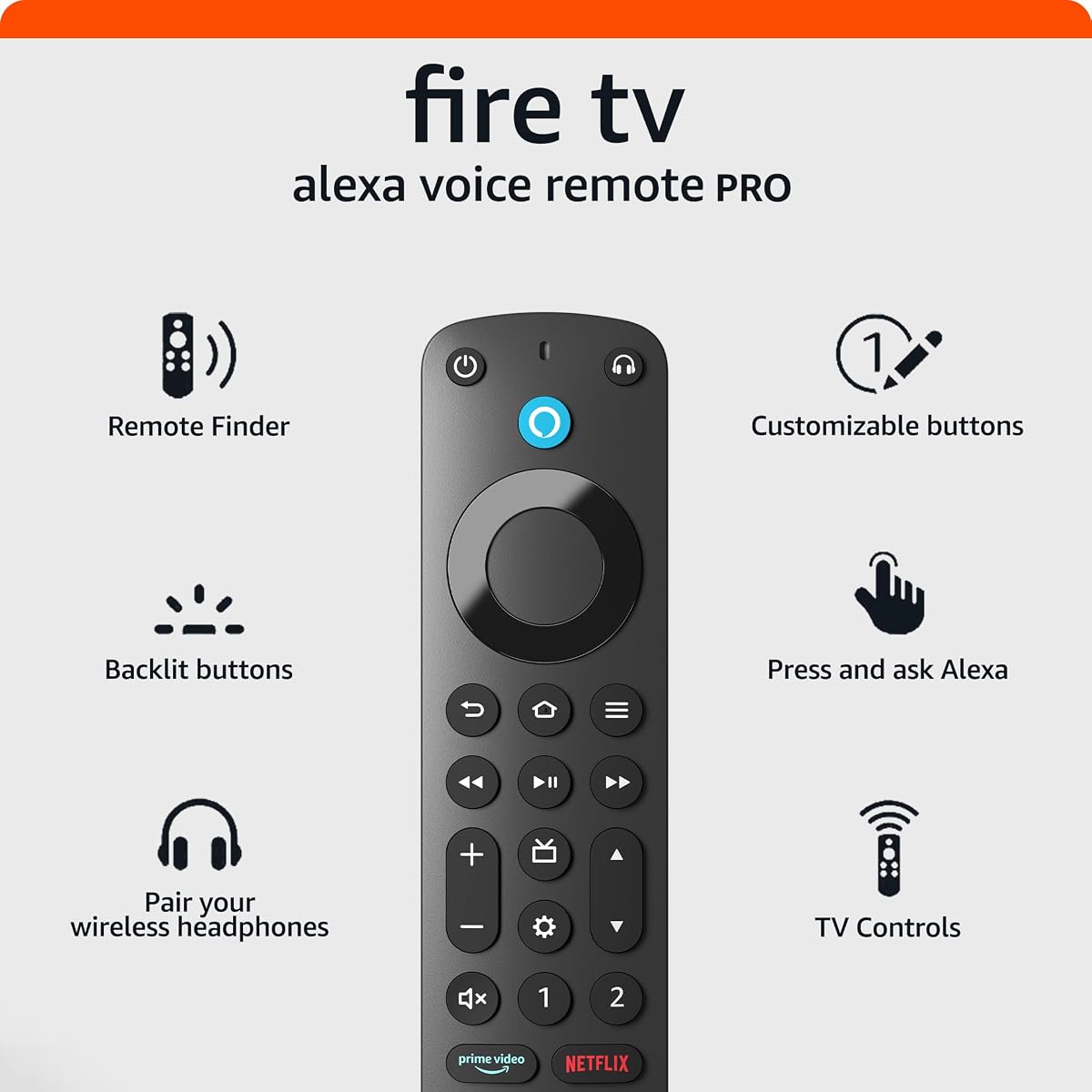
The Amazon Fire TV Alexa Voice Remote Pro is a worthwhile upgrade for shoppers who often misplace remotes, struggle to find controls in dim rooms, or want fewer devices on the coffee table. Its supplied rating is 4.5 out of 5. It combines remote-finding functionality, motion-activated illumination, dedicated television controls, voice interaction, and a dedicated Bluetooth headphone shortcut in one accessory.
We may earn a commission when you buy through this link, at no additional cost to you.
The remote finder allows the remote to emit a ring when asked to find it through a compatible Alexa-enabled device, the Alexa app, or the Fire TV app. Its backlight activates with motion, making the buttons easier to identify while watching television in a dark room. Two buttons can be customized for favorite channels, applications, or Alexa commands, allowing frequently used actions to move closer at hand.
Integrated power and volume controls reduce the need to reach for a separate television remote, while dedicated channel buttons help with live television. A headphone button opens the on-screen Bluetooth menu for quicker wireless-headphone pairing. Voice commands can locate shows, open applications, adjust volume, and control compatible smart-home equipment. The main limitation is compatibility: it does not work with Fire TV first- and second-generation devices, first-generation Fire TV Stick, Element Fire TV Edition, the specified Insignia models, the specified Hisense U6HF 4K ULED series, or Echo Show 15.
The Alexa Voice Remote Pro is best for an existing compatible Fire TV setup, especially when the current remote lacks a finder or backlight. It is less useful if your Fire TV device already includes a comparable remote or if the television requires functions the replacement cannot control. For compatible households, its combination of search, shortcut, backlight, and television-control functions makes it a practical, one-remote solution.
Asking Alexa to find the remote triggers an audible ring, removing the need to search under cushions or between furniture. The finder requires access to a compatible Alexa-enabled device, the Alexa app, or the Fire TV app.
Backlit buttons, customizable shortcuts, voice commands, Bluetooth pairing access, and dedicated television controls consolidate several tasks. Before purchasing, check the full compatibility list to avoid choosing a remote that cannot control the intended device.
We may earn a commission when you buy through this link, at no additional cost to you.
The Amazon Basics Smart Plug 4-Pack is a straightforward way to bring voice control, remote control, and scheduling to compatible household appliances. Its supplied rating is 4.4 out of 5. Each plug connects on 2.4 GHz Wi-Fi and works with Alexa, allowing lights, fans, and other compatible devices to be controlled through voice commands, the Alexa app, or automated schedules without requiring a separate smart-home hub.
We may earn a commission when you buy through this link, at no additional cost to you.
Setup can begin during checkout by selecting the option to link the device to an Alexa account, and the product can also be configured through the Alexa app. Once connected, shoppers can turn plugged-in appliances on or off while away, create schedules at designated times, and build routines based on voice commands, sunrise, or sunset. A four-pack provides enough units to cover several rooms or create a coordinated setup without purchasing individually.
The compact design fits into one socket and leaves adjacent outlets available, which is helpful in areas with crowded power strips. Compatible uses include holiday lighting, heaters, fans, lamps, water kettles, and coffee makers. Its clearest limitation is the explicit Alexa-only positioning: it does not support third-party applications, and compatibility depends on the user's willingness to use Alexa as the control layer. The 2.4 GHz network requirement may also matter in a home configured primarily around newer Wi-Fi bands or bands that do not include 2.4 GHz.
The 4-Pack is a good choice for first-time smart-home users who want an uncomplicated way to automate several ordinary appliances. It is especially useful for lamps, fans, and seasonal lighting that benefit from a schedule. Those who depend on Matter, Apple HomeKit, Google Home, or another third-party ecosystem should look elsewhere, while Alexa users can appreciate the lack of a required hub and the practical four-unit bundle.
The plugs can switch compatible appliances on or off at designated times, through voice commands, or with sunrise and sunset routines. The Alexa app provides direct remote control, and no additional smart hub or third-party application is required.
The four-pack supports multiple rooms and a range of compatible devices, including lamps, fans, heaters, coffee makers, water kettles, and seasonal lights. The one-socket footprint helps preserve access to neighboring outlets in crowded locations.
We may earn a commission when you buy through this link, at no additional cost to you.
The right Amazon Fall Prime Day technology deal depends on the problem you want to solve, the devices already in your home, and the features you will use regularly. Comparing ecosystem compatibility, display quality, setup, and long-term utility is more useful than focusing on a temporary promotion alone.
Choose the product that directly improves your main task rather than the one with the broadest specification list. Your most frequent task should guide the decision.
Verify compatibility before buying, especially for accessories and smart-home devices. A lower-listed price is not useful if the product cannot work with your setup.
For a main television, 4K is the stronger choice when your screen and content support it. For a bedside assistant, the smaller Echo Show display may be more appropriate.
Prioritize routines and integrations that match your daily behavior. More advanced automation is not useful if your existing lights, thermostats, or appliances are unsupported.
Confirm that your router supports the required band and that the intended room has adequate signal. Network compatibility can be as important as the device itself.
Picture-focused households should examine supported video formats, while music-focused homes should assess speaker size, bass, and multi-room pairing.
Look beyond the base device and list every required subscription or accessory. A deal offers better value only when its complete setup matches your intended use.
Use ratings as supporting evidence rather than the sole decision. Durable usefulness and the right fit generally matter more than a short-lived buying impulse.
Begin by unboxing the product in an open area, checking the included accessories, and confirming that its specifications match your television, network, smart-home equipment, or existing account setup. Read the quick-start instructions before connecting anything, and use the supplied USB-C cable or appropriate power connection for Fire TV devices. For smart-home products, identify the correct Wi-Fi network and make sure the device is within range during setup.
Complete software updates before diving into advanced features. For Fire TV devices, sign in, connect to Wi-Fi, and add the applications you use most. For Echo devices, position the speaker or display where it can hear requests while respecting the camera's line of sight. For the smart plugs, pair each unit in the Alexa app and name it according to the room or appliance it controls. Assigning clear names makes voice commands more natural and reduces confusion.
For ongoing care, keep Fire TV and Echo devices away from moisture, excessive heat, and heavy dust, and clean the Echo Show screens gently with a suitable soft cloth. Do not block ventilation openings, and avoid leaving plugged-in heaters or other high-draw appliances under automated control without appropriate safety consideration. Update your apps and services regularly, review smart-plug routines when your habits change, and check the terms of any protection plan before filing a claim.
The Fire TV Stick HD is the simplest option for Full HD streaming on an older or secondary television. Shoppers with a 4K television, premium picture and sound support, and a busy wireless network should consider the Fire TV Stick 4K Plus. The 4K Select occupies the middle ground by offering 4K output and HDR10+ without every feature of the Plus model.
The hardware provides access to free and ad-supported content as well as major streaming applications. Some premium services and content require separate subscriptions, and the product information explicitly notes that subscription fees may apply. Shoppers should consider the services they already use or intend to add when comparing the streaming devices.
The Echo Show 11 is better for large-screen viewing, detailed recipes, video calls, spatial audio, and a broad smart-home dashboard. The Echo Show 5 is more appropriate for compact spaces, quick information checks, music, and occasional calling. The 11-inch model offers more capability, but it also takes up significantly more physical space.
No. The product is specifically described as working with Alexa only, and setup and management take place through the Alexa account and app. It does not require a third-party hub or additional third-party application, but shoppers who depend on another smart-home platform should choose a different plug.
No. Its built-in eero feature can extend an existing eero network by up to 1,000 square feet, but it is an extension rather than a general-purpose router. You still need compatible eero equipment and suitable coverage in the area where the Echo Dot is placed.
No, although it works with most Fire TV streaming media players, Amazon Fire TV smart televisions, and smart televisions that include Fire TV. The supplied information lists exclusions including first- and second-generation Fire TV devices, first-generation Fire TV Stick, Element Fire TV Edition, specific Insignia and Hisense series, and Echo Show 15.
Neither is included. A compatible Made for Amazon Stylus Pen and micro-SD card are sold separately. The tablet supports pressure-sensitive stylus input for writing and drawing, while a compatible card can expand storage by as much as 1 TB according to the supplied information.
No. Coverage applies only to eligible purchases, and products used commercially are excluded. The plan can cover eligible purchases from the previous 90 days and eligible future purchases, subject to the listed claim terms and total claim limit. Reviewing the current exclusions before enrollment is essential.
The Fire TV Stick 4K Plus is the most complete streaming pick, combining 4K, Dolby Vision, HDR10+, Dolby Atmos, Wi-Fi 6, voice search, and smart-home control. The Echo Show 11 stands out as the premium connected-device choice, while the Fire TV Stick HD delivers the core streaming experience at a more modest level. These three products cover the strongest combinations of functionality across different budgets and use cases.
Prioritize compatibility with the equipment you already own, the task you perform most often, and the extras a product requires. A 4K television benefits from a capable streaming stick, a busy household may appreciate Wi-Fi 6, and smart-home shoppers should confirm that their preferred devices work with Alexa. Accessories such as the remote and smart plugs are especially attractive when they solve a persistent inconvenience rather than adding novelty.
Finally, check current deal availability, included accessories, and subscription requirements before purchasing. Seasonal offers and product terms can change, so the Amazon listing should be the final source for current specifications and conditions. The right deal is the one that delivers useful, compatible technology for your household rather than simply the most prominent promotion.


