
A-Tech 8GB DDR4 2400MHz
4.7Editor score
Single 8GB SODIMM module
Up to 2400MHz data rate
JEDEC 1.2V standard
Our DDR4 Sodimm Laptop RAM guide compares 10 top-rated modules for capacity, speed, compatibility, voltage, rank, and everyday laptop performance needs.
DDR4 Sodimm Laptop RAM is the removable memory format used by many compatible laptops, notebooks, and all-in-one computers. A good upgrade should match the module’s form factor, capacity, voltage, and speed while respecting the memory limits of the host system.
The ten products in this guide span single 8GB and 16GB modules as well as matched 32GB kits. We compared their published capacity, data rate, CAS latency, rank configuration, voltage, pin count, buffer status, and stated compatibility to identify practical upgrade options.
Each review explains the module’s strongest feature, meaningful trade-offs, and the systems most likely to benefit from it. Product listings and specifications can change, availability varies, and current prices should be checked on the linked Amazon pages before purchasing.
A good upgrade should match the module’s form factor, capacity, voltage, and speed while respecting the memory limits of the host system. Compatibility remains the most important consideration, followed by capacity and the speed supported by the laptop’s processor and memory controller.
4.7Editor score
4.8Editor score
4.7Editor score
This side-by-side comparison covers ten DDR4 laptop memory options across single-module and dual-module configurations, with particular attention to capacity, maximum data rate, electrical standards, and stated system compatibility.


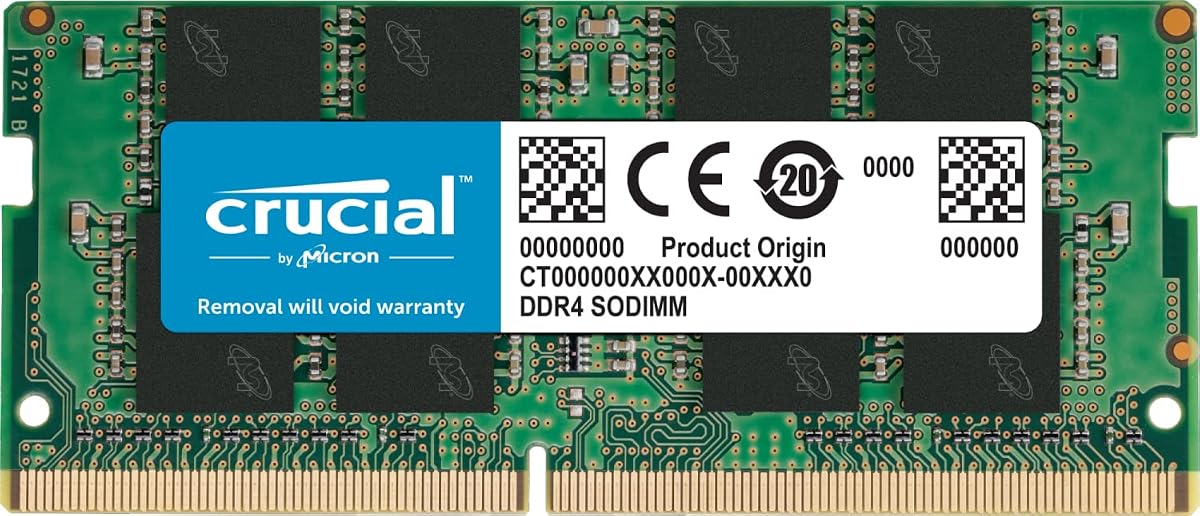
The Crucial 16GB DDR4 3200MHz CT16G4SFRA32A combines a useful memory capacity with a broadly compatible 260-pin SODIMM design. Its 4.8 rating reflects strong customer satisfaction, and the stated specifications make it a sensible general-purpose choice for a compatible DDR4 laptop that needs more working memory.
We may earn a commission when you buy through this link, at no additional cost to you.
Capacity is the module’s primary strength. Sixteen gigabytes gives applications and operating-system processes more room than a smaller 8GB module, which can be particularly helpful with browser-heavy workloads, numerous background applications, and multitasking. The module operates at up to 3200MHz and can also run at 2933MHz or 2666MHz depending on the host system.
Its electrical configuration follows common DDR4 laptop conventions: non-ECC, unbuffered operation at 1.2V, with 260 pins and either a 1Rx8 or 2Rx8 organization. The rating is PC4-25600, and Crucial provides System Scanner and Upgrade Selector resources intended to help buyers verify fit and compatibility before installation.
This is a strong recommendation for owners of a compatible laptop currently limited by 8GB, especially when they want a straightforward single-module upgrade without replacing an existing stick. Those who need maximum expandable capacity, prefer matched dual-channel kits, or use a system with stricter memory requirements should check the laptop specification first. For most compatible DDR4 notebooks, however, it offers an excellent balance of capacity, speed flexibility, and installation simplicity.
The module’s flexibility across supported data rates is useful because the fastest advertised specification does not guarantee the final operating speed. A laptop’s processor, motherboard, firmware, and maximum memory capacity all determine what the module can achieve.
Crucial also emphasizes installation guidance. While laptop memory upgrades are generally straightforward, users should consult a device-specific guide and verify that the computer supports a 16GB SODIMM before ordering.
Moving from a smaller memory configuration to 16GB can reduce pressure when several demanding applications are open. The benefit depends on the laptop’s existing configuration, so check whether adding this module would create a balanced two-slot setup.
The inclusion of System Scanner and Upgrade Selector tools is valuable because visually similar laptop memory can still be incompatible. Confirming form factor, supported capacity, and processor generation before purchase reduces the chance of an avoidable return.
We may earn a commission when you buy through this link, at no additional cost to you.
Samsung’s M471A2K43DB1-CWE is a 16GB DDR4 SODIMM rated at up to 3200MHz with a 4.6 customer rating. It combines a familiar 260-pin design, CL22 timing, and 1.2V standard voltage with a dual-rank x8 organization, making it a credible option for compatible DDR4 laptops and select all-in-one systems.
We may earn a commission when you buy through this link, at no additional cost to you.
The strongest feature is the combination of 16GB capacity and a current-generation data rate. PC4-25600 and PC4-3200AA describe the module’s bandwidth class, while the stated performance benefits include faster loading, improved responsiveness, and greater workload capacity when the host system previously had insufficient memory.
Samsung states that every module undergoes quality-assurance testing for dependable performance. That assurance is complemented by a specific part number, 2Rx8 dual-rank construction, and standard non-ECC unbuffered design. These details make the module easier to compare with other Samsung memory when system documentation lists exact requirements.
The main limitation is that it is sold as one 16GB module rather than a matched 32GB kit. A buyer who already has a compatible stick may still benefit, but mixing modules can complicate dual-channel operation and timing behavior. This choice is best for a laptop with an empty slot or for a user replacing a single 16GB module.
Its 4.6 rating is slightly below the strongest options in the list, but it still reflects a well-received product with clear specifications. Buyers should verify that their system accepts 16GB DDR4 SO-DIMMs and check maximum memory limits before installation.
The module is particularly attractive for users who recognize the Samsung part number and want a recognizable, precisely specified memory product. Its balance of capacity, speed class, and established component organization makes it a practical option rather than an extreme enthusiast choice.
A 16GB module offers more room for applications, browser tabs, and background services than an 8GB option. This additional capacity can be most noticeable when the laptop is handling several active programs or large working sets.
A specific model number helps buyers cross-check manufacturer documentation and existing memory. Matching the required DDR4 generation, SODIMM form factor, and supported module capacity remains more important than brand alone.
We may earn a commission when you buy through this link, at no additional cost to you.
The Crucial CT8G4SFRA32A is an 8GB DDR4 SODIMM capable of operating at up to 3200MHz, 2933MHz, or 2666MHz. Its 4.8 rating makes it one of the strongest-rated entries here, and it is a sensible way to add capacity to a compatible laptop without installing a large multi-module kit.
We may earn a commission when you buy through this link, at no additional cost to you.
This module offers a practical middle ground for systems that support DDR4 SODIMM memory but do not need the full capacity of a 32GB configuration. It can help a laptop manage more applications and background processes while preserving one or more memory slots for later expansion, depending on the laptop’s design.
Crucial’s compatibility resources are particularly useful for buyers who are unsure which module fits. Its specification lists a 260-pin SODIMM, non-ECC operation, 1.2V voltage, PC4-25600 speed, and rank options including 1Rx16, 1Rx8, or 2Rx8, all common in DDR4 laptop memory.
The obvious trade-off is capacity. Eight gigabytes remains below the 16GB available from several other choices in this guide, and heavy multitasking may still reach the system’s limits even if the module runs at a high advertised speed. The laptop’s existing memory matters: 8GB alone may be useful, but adding it to another 8GB module can produce a more capable 16GB total.
This module is recommended for a compatible laptop with limited memory, an open SODIMM slot, or a need for a straightforward replacement. Buyers should use Crucial’s compatibility resources, confirm the maximum supported capacity, and verify that the module’s organization works with the system.
Its flexibility at 3200MHz, 2933MHz, and 2666MHz makes it adaptable to systems with different memory-controller limits. The important point is that the laptop will choose an appropriate supported speed; the module does not force unsupported performance.
Eight gigabytes can materially improve a lightweight or older laptop compared with a very small memory configuration. It is most compelling when paired with existing memory or used in a machine designed for easy memory expansion.
Support for several common DDR4 data rates makes the module suitable for a broader range of systems. The final speed remains controlled by the laptop’s processor, firmware, BIOS, and installed memory configuration.
We may earn a commission when you buy through this link, at no additional cost to you.
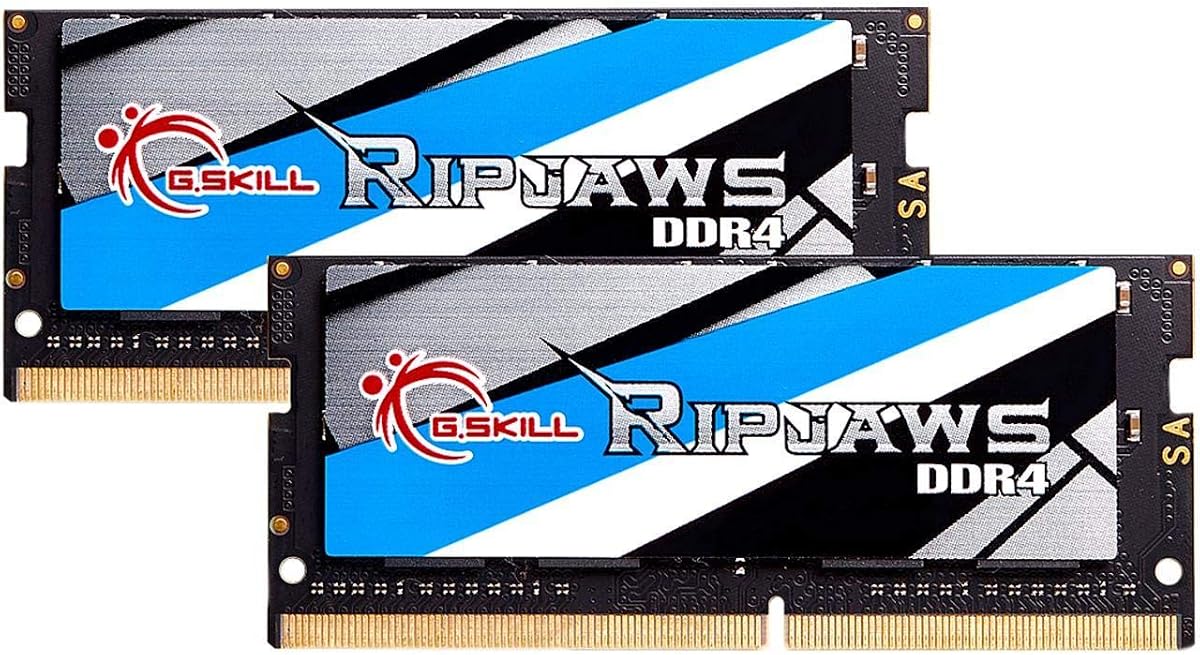
The G.SKILL Ripjaws F4-3200C22D-32GRS is a matched 32GB kit consisting of two 16GB DDR4 SO-DIMMs. With a 4.7 rating and support for up to 3200MT/s, it is the premium-capacity choice for compatible laptops that can host two modules and benefit from a balanced dual-channel configuration.
We may earn a commission when you buy through this link, at no additional cost to you.
The kit’s detailed CL22-22-22-52 timing, 1.20V operating voltage, and unbuffered non-ECC construction fit the mainstream DDR4 laptop memory profile. Because the modules are sold as a matched set, they are intended to work together, which gives users a more coherent upgrade than combining unrelated sticks.
G.SKILL includes a JEDEC default profile and explains that the kit will boot at the default SPD speed with compatible hardware. Its listed maximum speed may require overclocking or BIOS adjustments, and actual performance depends on the system’s processor, motherboard, BIOS, and supported memory configuration.
The main limitation is obvious but important: the laptop needs two slots, and both need to be available or replaced with compatible modules. Users should not mix this kit with other memory, because G.SKILL warns that mixing separately purchased kits can create stability issues or system failure.
This is an excellent recommendation for compatible workstations, content-creation notebooks, and power users who need more memory than a single 16GB module can offer. It is less appropriate for thin laptops with soldered memory, systems with only one accessible slot, or buyers who want the simplest possible upgrade.
For a compatible dual-slot laptop, the matched configuration is the key advantage. It provides 32GB of capacity and the possibility of dual-channel operation while avoiding the uncertainty associated with mixing modules of different capacities or specifications.
A factory-matched 2x16GB kit is designed to operate together as a set. That makes it a more coherent option for users replacing both sticks than combining the G.SKILL kit with unrelated memory modules.
Thirty-two gigabytes provides ample room for demanding applications, large project files, extensive browser sessions, and virtualization tasks. The laptop must support both the total capacity and a two-module layout.
We may earn a commission when you buy through this link, at no additional cost to you.
TEAMGROUP’s Elite TED432G3200C22DC-S01 is a 32GB kit made from two 16GB DDR4 SODIMMs. Its 4.8 rating, 3200MHz maximum speed, and CL22 timing place it among the strongest performers in this guide for compatible dual-slot laptops.
We may earn a commission when you buy through this link, at no additional cost to you.
The kit is designed for laptops, notebooks, and compatible all-in-one computers that support two DDR4 modules. At 1.2V with non-ECC unbuffered construction, it follows the standard electrical format used by mainstream DDR4 laptop memory. A matched pair can also give compatible systems an efficient dual-channel arrangement.
TEAMGROUP highlights JEDEC adherence, RoHS compliance, strict testing and verification, lifetime warranty coverage, and technical support. It also provides an installation video through the product image and directs buyers to the official website for the latest instructions.
The main caveat is that advertised 3200MHz is a ceiling rather than a guaranteed runtime speed. The manufacturer explicitly notes that actual memory speed may depend on the CPU, motherboard, BIOS, supported configuration, and host system. Some laptops may instead run the modules at 2933MHz or 2666MHz.
This kit is a strong recommendation for a compatible laptop that needs 32GB and has two accessible SODIMM slots. It is less suitable for systems with soldered memory, a single slot, or a maximum memory limit below 32GB. Users replacing one existing module should check whether mixing it with that module is supported.
Compared with the G.SKILL premium option, TEAMGROUP offers a similar broad capacity and speed class with a particularly strong rating and straightforward warranty support. The deciding factor between them is usually the laptop’s compatibility list and whether either kit appears in the manufacturer’s supported configuration guidance.
The kit can reach its listed data rate on compatible hardware, but the processor and memory controller establish the final operating speed. Checking the laptop specification prevents users from expecting unsupported performance.
Installation guidance, warranty coverage, and technical support add practical value beyond the raw memory specifications. These resources are especially helpful for first-time laptop memory installers.
We may earn a commission when you buy through this link, at no additional cost to you.
The A-Tech 8GB DDR4 2400MHz SODIMM is the value-focused option in this guide. Its 4.7 rating, 2400MHz maximum data rate, and CL17 timing make it a practical choice for compatible older laptops that support DDR4 memory but do not need the highest advertised speed.
We may earn a commission when you buy through this link, at no additional cost to you.
An 8GB single module offers a straightforward way to improve a lightly configured laptop or supplement its existing memory. Because it uses standard 1.2V DDR4, non-ECC, unbuffered, 260-pin construction, it is aimed at select DDR4 notebooks rather than older DDR3 systems or desktop DIMMs.
The module can be installed at home, according to A-Tech, and the company backs it with a lifetime warranty and technical support. Its stated benefits include faster loading and easier multitasking, though actual improvements depend on the starting configuration and how heavily the laptop is used.
Its lower 2400MHz ceiling is the main compromise. Newer systems may support 3200MHz, but the module will still be a reasonable fit where the laptop’s memory controller supports 2400MHz. CL17 is also tighter than the CL22 seen on most 3200MHz modules in the list, but latency figures alone cannot determine real-world performance without considering speed and platform support.
This module is recommended for budget-conscious users with a compatible laptop, especially systems that currently have very little memory. It is less attractive for heavy multitasking, large creative projects, or buyers who know their laptop supports faster memory and want to maximize future headroom.
The A-Tech is not intended to outperform the 16GB and 32GB alternatives on capacity. Its value comes from delivering the correct basic format at a lower-tier data rate, backed by a lifetime warranty and a strong customer rating.
Eight gigabytes remains a useful baseline for many general-purpose applications. The improvement is most visible when a laptop previously had substantially less memory or was operating close to its capacity limit.
A lower data rate does not prevent a module from working when a laptop supports DDR4 SODIMMs at 2400MHz or a compatible lower rate. The operating system, processor, and memory controller determine the final result.
We may earn a commission when you buy through this link, at no additional cost to you.
The GIGASTONE 32GB kit consists of two 16GB DDR4 SODIMMs and is built specifically for laptops, notebooks, and all-in-one computers. Its 4.7 rating, CL22 timing, and support for up to 3200MHz make it a strong high-capacity option for systems with two compatible slots.
We may earn a commission when you buy through this link, at no additional cost to you.
The kit provides a generous total of 32GB while using 1.2V non-ECC unbuffered modules with 260 pins. GIGASTONE lists 3200MHz as the primary speed and also identifies 2933MHz and 2666MHz operating possibilities, which reflects the way many laptop memory controllers adapt to different processors and configurations.
Its stated compatibility range covers many DDR4 laptops, notebooks, and all-in-one systems. That breadth makes the kit appealing for users replacing two older sticks, although the operating manual or system manufacturer should still be consulted for maximum capacity and supported module layouts.
As with any two-module kit, both slots must be available or occupied by suitable modules. Installing only one module is often possible, but then the kit’s matched configuration is lost and the system operates with half the included total capacity. Mixing with unrelated memory can also reduce the likelihood of stable dual-channel operation.
This kit is well suited to users running memory-intensive applications, many browser tabs, professional software, or several large files concurrently. It is less appropriate for lightweight notebooks that include only 8GB of soldered memory, systems with one accessible slot, or machines whose documented maximum is below 32GB.
The GIGASTONE provides a useful balance of capacity, speed flexibility, and conventional laptop specifications. Its appeal lies less in exotic performance and more in giving a compatible notebook enough memory for sustained multitasking and heavier workloads.
A 32GB configuration can give demanding applications more working memory than a smaller setup. Users who regularly multitask will benefit more from this headroom than from a modest increase in advertised clock speed.
The kit uses the compact 260-pin DDR4 SODIMM format required by compatible laptops. It is not intended for desktop DDR4 DIMMs or systems that use DDR3 memory.
We may earn a commission when you buy through this link, at no additional cost to you.
Samsung’s 8GB DDR4 3200MHz module provides a compact way to expand a compatible laptop. The listing identifies it as a 260-pin, non-ECC, unbuffered, 1Rx16 single-rank SODIMM and notes that it may ship as one of several equivalent Samsung part numbers with matching specifications.
We may earn a commission when you buy through this link, at no additional cost to you.
The module belongs to the PC4-25600 or PC4-3200AA class, carries CL22 timing, and operates at 1.2V. Those are common characteristics for DDR4 laptop memory, making the module easy to compare with the Crucial and Samsung 3200MHz alternatives in this guide.
Samsung describes the product as genuine memory and states that the exact part may vary among M471A1G44CB0-CWE, M471A1G44AB0-CWE, M471A1G44BB0-CWE, or an equivalent model with identical specifications and performance. This clarification is useful for buyers comparing listings rather than requiring one exact identifier.
The trade-off is its 8GB capacity. As a single module, it can be an inexpensive or convenient way to improve a lightly equipped notebook, but it may not satisfy users who want to run intensive applications. The system may support adding a second module, though combining it with unmatched memory requires checking compatibility.
This module is recommended for compatible laptops, notebooks, and all-in-one systems that specifically accept an 8GB 1Rx16 DDR4 SODIMM. It is particularly useful when adding a second stick to create a balanced 16GB configuration, provided the laptop supports that arrangement and the existing module is compatible.
Its 4.8 rating and modern speed specification make it a strong compact choice. The deciding factor should be the system’s supported memory organization and available capacity, not simply the advertised clock speed.
Adding an equivalent 8GB module to an existing compatible 8GB stick can produce a balanced 16GB setup. Support for dual-channel operation and the exact module organization should be verified in the laptop documentation.
The module supports up to 3200MHz while retaining standard 1.2V operation. Its final speed depends on the host processor and memory controller, so it does not require unusual tuning to use on a compatible system.
We may earn a commission when you buy through this link, at no additional cost to you.
This Samsung 32GB DDR4 SODIMM offers an unusual configuration: full 32GB capacity in a single module rather than a 2x16GB kit. Its 4.7 rating and stated 3200Mbps speed make it attractive for compatible laptops that support large individual modules but have limited accessible slots.
We may earn a commission when you buy through this link, at no additional cost to you.
The module is listed as DDR4 PC4-25600 with a 1.2V voltage, 260 pins, a 2Rx8 dual-rank configuration, and a component composition of (2G x 8) x 16 chips. Those details place it within the conventional DDR4 SO-DIMM format used across many compatible notebook platforms.
A single-module solution can simplify installation and may be the only practical way to obtain 32GB in a laptop with one accessible SODIMM slot. It may also spare a second slot for future expansion, although the computer must support that much total memory and should be checked for any module-size limitations.
The trade-off is that one large module does not create a two-module dual-channel arrangement. Performance also depends on the processor’s memory controller and the laptop’s firmware. The listing is shorter than those for many competing products, so buyers should rely on their system documentation and verify the stated part number before ordering.
This module is recommended for a compatible laptop with a single replaceable slot, one that already contains an appropriate matched module, or any system explicitly supporting 32GB DDR4 SODIMMs. It is not appropriate for older notebooks limited to 8GB or 16GB, even if the memory itself meets current standards.
Its defining advantage is flexibility without a mandatory two-module kit. For the right hardware, that can be more useful than choosing a standard matched pair because it solves the physical-slot problem directly.
A 32GB single module can be the simplest high-capacity option in a laptop with one accessible slot. Compatibility with large-capacity SODIMMs must be confirmed because older systems often impose lower limits.
The listed 2Rx8 organization provides a clear technical identifier for comparison with other modules. Matching the memory organization can be helpful when the laptop manufacturer documents specific supported configurations.
We may earn a commission when you buy through this link, at no additional cost to you.
The CORSAIR Vengeance CMSX16GX4M1A3200C22 is a 16GB DDR4 SODIMM with a 4.7 rating and support for up to 3200MHz. It combines a useful single-module capacity, detailed CL22-22-22-53 timing, and a slim design intended to fit compatible laptop and notebook systems.
We may earn a commission when you buy through this link, at no additional cost to you.
Its 260-pin, 1.2V construction follows the common DDR4 laptop memory format. CORSAIR states that compatible systems can use automatic overclocking without BIOS configuration, while also noting that the maximum rated speed depends on the motherboard and CPU and may require overclocking or BIOS adjustments.
The selected DRAM is intended to provide stable operation, and the module’s understated physical design is aimed at compatibility with systems built around 11th-generation Intel Core processors. That reference does not limit use to those processors, but it helps explain the form factor and design target.
As a single 16GB module, it is straightforward to install in a compatible laptop with an open slot. It may also complement an existing 16GB stick, although users should confirm that mixed modules are supported and check the laptop’s maximum total memory. It does not offer the immediate 32GB capacity of the matched kits in this guide.
This is a good recommendation for a compatible 16GB laptop seeking a straightforward replacement or for a user who prefers a recognized performance-memory brand. It is less suitable when automatic maximum-speed operation is mandatory without any BIOS considerations, or when two modules are required for a balanced dual-channel configuration.
CORSAIR’s module fits well between the basic 8GB options and the high-capacity kits. Its appeal lies in a familiar form factor, a useful amount of memory, and a clearly stated 3200MHz target without requiring an enthusiast-oriented form factor.
Sixteen gigabytes is often enough to make a previously constrained laptop feel more responsive in everyday use. It is also easier to install than a kit that requires two matching modules.
Compatible systems may automatically select the appropriate memory speed, while advanced users may explore BIOS settings. Stable operation at the maximum advertised rate still depends on the complete platform configuration.
We may earn a commission when you buy through this link, at no additional cost to you.
The right DDR4 laptop memory upgrade depends less on the largest advertised number and more on exact hardware compatibility, usable capacity, module layout, and the workloads the computer must handle.
Laptop memory must use a physically compatible module. DDR4 SODIMM is the compact removable format identified by the 260-pin specification used throughout this guide. It is not interchangeable with desktop DDR4 DIMMs, DDR3 laptop memory, DDR5 SODIMMs, or soldered laptop memory. Users should locate the laptop’s service guide, open the memory compartment, or check manufacturer specifications before ordering. A slot that accepts a physical module may still impose software, firmware, or capacity restrictions.
Bottom line: verify that your laptop accepts a 260-pin DDR4 SODIMM before comparing speed or capacity.
Laptop memory limits vary substantially by model and processor. A machine might support 8GB, 16GB, 32GB, 64GB, or another maximum, and some configurations permit only one large module while others require matched pairs. Buyers should check both the maximum capacity per slot and the total supported by the laptop. For a replacement, also determine whether existing memory must be removed to stay within that total.
Bottom line: confirm both per-slot and system-wide capacity limits before choosing an 8GB, 16GB, or 32GB module.
Single-module upgrades are simpler and can preserve a second slot for later expansion. Matched 2x16GB kits provide 32GB and are designed to operate together, making them convenient for dual-channel-capable laptops. Installing one module from a larger kit can reduce its immediate benefit, while mixing unrelated sticks may complicate stable dual-channel operation. If the laptop currently has one 8GB module, a matching second 8GB module may offer a balanced 16GB arrangement more effectively than an unmatched 16GB module.
Bottom line: select a single stick for flexibility or a matched kit for immediate 32GB capacity and coordinated dual-channel operation.
Many DDR4 laptop modules are advertised at 3200MHz or 3200MT/s, but the processor and memory controller may run them at a lower speed. CL22 is common at that class, while the A-Tech option listed here targets 2400MHz with CL17. The laptop’s supported memory speed matters more than the module’s highest potential setting. Users should also consider whether automatic speed selection is available and whether changing BIOS settings is something they are comfortable performing.
Bottom line: treat the listed data rate as a maximum and prioritize the speed actually supported by your laptop.
Every product in the guide operates at the standard DDR4 laptop voltage of 1.2V and uses non-ECC memory. Unbuffered SODIMM is also the prevailing configuration in this category. These characteristics make the modules suitable for many ordinary consumer and professional laptops, but server-class ECC requirements, proprietary memory, or unusual workstation configurations may need different products. Always confirm electrical requirements in the laptop documentation.
Bottom line: standard 1.2V non-ECC unbuffered memory covers most consumer laptops, but specialized systems can require something different.
Rank and organization describe how memory chips are arranged on a module. Options listed include 1Rx8, 2Rx8, 1Rx16, and a Samsung single 8GB module with 1Rx16 organization. Most laptop buyers can select based on the system’s general compatibility list, but matching the organization can help when a manufacturer documents a preferred module type. It is particularly relevant when adding a second stick to an existing installation.
Bottom line: match rank and organization when possible, especially when pairing modules, but prioritize the laptop’s support requirements.
An 8GB module can be a useful economical upgrade for browsing, office work, and lighter multitasking, particularly when combined with existing memory. A 16GB module offers more headroom for numerous applications, larger files, and creative or development tools. A 32GB configuration is appropriate for demanding professional workflows, extensive browser use, virtualization, or large project files. More memory improves workload capacity, but it cannot make an unsupported or outdated processor perform like a newer one.
Bottom line: choose enough memory for your heaviest common workload rather than paying for capacity the system cannot use.
Manufacturer databases, laptop service manuals, and scanning tools are more reliable than assumptions based on appearance. Crucial specifically offers a System Scanner and Upgrade Selector, while G.SKILL references its qualified vendor list and RAM Configurator. Samsung part numbers, A-Tech warranty support, and TEAMGROUP installation resources can also help buyers verify details. The most important checks are DDR4 generation, 260-pin SODIMM format, supported capacity, slot layout, and operating voltage.
Bottom line: use device-specific compatibility resources before purchasing, especially for newer or unusual laptop models.
Before installing memory, power the laptop down completely, disconnect the charger, and consult the manufacturer’s service guide. Confirm that the replacement is a 260-pin DDR4 SODIMM and that its capacity fits the laptop’s specifications. Remove the access panel in the manner specified by the manufacturer, ground yourself by touching an exposed metal surface, and avoid touching the memory contacts.
Install the module by aligning its notch with the slot and pressing evenly until the retaining clips close. Do not force the module or slide it incorrectly, as the notch defines its orientation. If adding a second module, use a compatible part with a compatible organization, and replace both sticks together when using a matched kit. Once the cover is restored, reconnect the power and start the system; the BIOS may display a brief memory-training process during the first boot.
After installation, confirm that the operating system recognizes the new total memory and check the system information or memory diagnostic utility for errors. If a machine fails to boot, shut it down, disconnect power, and reseat the module. If problems persist, return to a known-good configuration or contact the laptop manufacturer. Treat memory gently, keep the computer away from moisture and extreme heat, and avoid opening the case unless you are comfortable with the required steps.
Most laptops with an accessible SODIMM slot are designed for relatively straightforward memory upgrades. You will need the correct 260-pin DDR4 module, a compatible capacity, and the manufacturer’s installation instructions. The process usually involves powering off, disconnecting the charger, opening the access panel, aligning the notch, and securing the retaining clips. Always consult the service guide because some laptops have unusual layouts or restrictions.
A DDR4 module rated for 3200MHz is generally backward-compatible with systems that support lower DDR4 speeds, provided the form factor and electrical specifications match. The laptop’s processor and memory controller determine the final operating rate. It may run the module at 2933MHz, 2666MHz, or another supported speed. Check the device specifications before purchase and avoid forcing a speed through BIOS settings unless the manufacturer supports that configuration.
A matched 32GB kit is usually preferable when a laptop has two slots and supports 32GB. The two modules are tested as a coordinated set, which helps with stable dual-channel operation and predictable performance. Two unrelated 16GB modules may work, but their differing timings, ranks, or brands can reduce the likelihood of stable dual-channel behavior. Check the manufacturer’s supported memory list whenever possible.
Additional RAM can improve responsiveness when the computer is short on memory, especially during heavy multitasking or when working with large files. If the existing configuration already has enough memory, the improvement may be small or difficult to notice. RAM cannot overcome an older processor, slow storage, or an underpowered graphics system. The greatest benefit usually appears when upgrading from a very small memory configuration to 16GB or 32GB.
Many laptops that accept 8GB DDR4 SODIMMs also accept 16GB modules, but support depends on the exact model and its maximum capacity. Some systems support only 8GB per slot, while others accept 16GB or larger modules. Both capacity and physical fit are insufficient on their own; the laptop’s memory controller, firmware, and documented limits must support the module. Verify compatibility before ordering.
These labels describe the rank and chip organization of a memory module. A 1Rx8 or 1Rx16 module uses one rank of x8 or x16 chips, while a 2Rx8 module uses two ranks of x8 chips. The distinction can influence compatibility and performance, though most ordinary laptop upgrades work correctly when the module meets the manufacturer’s general requirements. Matching rank and organization is especially helpful when adding a second stick.
Only if the laptop supports dual-channel memory and has two compatible accessible slots. Some thin laptops have only one slot or soldered memory, while many business and performance notebooks support a matched pair. The kit will still provide memory when one module is installed on a compatible system, but it will not have the same dual-channel benefit. Check the laptop’s specification for supported memory channels, slot count, and maximum capacity.
The advertised speed is the module’s rated maximum, not a guarantee of how it will run in every laptop. The processor, motherboard, BIOS, and installed memory configuration determine the supported operating speed. A 3200MHz module may run at 2933MHz, 2666MHz, or another compatible rate. This is normal behavior and does not necessarily indicate a defective module or installation problem.
The Crucial 16GB DDR4 3200MHz module stands out as the most balanced general recommendation because it combines useful capacity, multiple supported speeds, and prominent compatibility resources. The A-Tech 8GB DDR4 2400MHz module serves budget-focused upgrades, while the G.SKILL Ripjaws 32GB kit provides a premium, matched configuration for compatible dual-slot laptops.
Compatibility should always take priority over advertised speed or capacity. Confirm the laptop uses removable 260-pin DDR4 SODIMMs, identify the number of accessible slots, check the maximum per-module and total capacity, and review the processor’s supported memory speed. After that, choose the smallest capacity that comfortably supports your usual workload, or a matched kit when more memory and coordinated dual-channel operation justify replacing both modules.
The products in this guide cover a broad range of needs, from economical 8GB replacements to 32GB matched kits and a 32GB single-module option. Current product details and prices can change, so check the linked Amazon listing and the laptop manufacturer’s documentation before making a final purchase.


