
VEVOR LED Message Writing Board
4.2Editor score
16 LED neon colors
Remote-controlled lighting
Tempered glass writing surface
Flexible indoor or outdoor power
A digital sign board can transform a blank storefront, reception desk, restaurant counter, or public area into an active communication platform. The right display balances visibility, content flexibility, installation demands, weather resistance, and day-to-day operation, with LED message panels offering scrolling text and LCD kiosks suited to detailed menus.
This guide compares ten digital sign boards spanning flexible LED strips, outdoor color displays, floor-standing LCD signage, countertop menu boards, illuminated writing panels, and a compact media player. The comparison focuses on practical factors such as screen dimensions, brightness, control methods, playback features, connectivity, installation, and intended commercial environment.
Each pick reveals which setting it suits most, from high-visibility storefront advertising to portable menu updates and centrally managed displays. Product availability, configurations, ratings, and prices can change over time, so readers should confirm the current listing and specifications before making a final purchase decision.
4.2Editor score

4.6Editor score

5.0Editor score
As an Amazon Associate we earn from qualifying purchases.
The table below compares all ten digital sign boards by format, display scale, control method, and best-suited environment, making it easier to distinguish scrolling LED panels, detailed LCD displays, portable writing boards, and media-player accessories.




The KJOY 77-Inch Flexible LED Sign is a programmable scrolling panel designed for storefronts, schools, hospitality venues, events, and other visible commercial spaces. It carries a 4.4 rating, and its standout feature is the unusually long 77-by-8-inch format, which can follow a window edge, run above a counter, or bend around a structural feature.
We may earn a commission when you buy through this link, at no additional cost to you.
Its control system is centered on a Bluetooth-connected app that supports custom text, images, animations, borders, font sizing, color, and playback speed. Multiple tasks can be added to a loop, while scrolling, stacking, flashing, and directional movements provide visual variety. The upgraded 24V system is designed for clear patterns and low heat output, making the panel more suitable for extended commercial messaging than a basic fixed sign.
Installation is handled with adhesive on a thin, flexible surface described as IP65 waterproof. That rating is particularly important for a sign near a storefront, although users should still understand that a flexible panel and its connections may have different environmental limitations from a rigid outdoor cabinet. The app-based setup and password protection add some setup effort, but these are manageable trade-offs for buyers who want frequent content changes.
This sign is a strong choice for a retailer or hospitality operator that needs a large, flexible, attention-grabbing message area without committing to a permanently installed LCD kiosk. It is particularly useful for promotions, operating notices, greetings, event information, and rotating business messages. Those wanting a detailed menu, complex graphics, or a tightly integrated video workflow may be better served by an LCD display.
Because the panel is thin and bendable, it can adapt to long horizontal runs and unusual mounting positions better than a conventional rigid screen. Its length also makes it useful for repeating a short message across a broad storefront.
Bluetooth app control allows frequent text and visual changes without physically interacting with the display. A password setting helps prevent accidental or unwanted edits, which is useful in a public commercial environment.
We may earn a commission when you buy through this link, at no additional cost to you.
The 45-Inch WiFi Scrolling LED Sign is a rectangular P10 message panel with a listed 40-by-14-inch active area and a 45-inch diagonal. It holds a 4.2 rating and targets stores, restaurants, events, exhibitions, homes, and other spaces that need readable scrolling messages in color.
We may earn a commission when you buy through this link, at no additional cost to you.
WiFi and USB transfer provide two practical ways to manage content. The supplied software works with Windows computers and Android and iPhone phones, while brightness and playback speed can be adjusted to suit the location. The display also supports scrolling text, backgrounds, and several eye-catching effects, along with English, Spanish, French, Portuguese, Arabic, Russian, and Chinese language options.
Its IP45 rating is intended to handle rain, sunlight, and heat in indoor or outdoor commercial use. That makes it a practical middle ground between a flexible indoor strip and a more robust sealed outdoor cabinet. Buyers should still plan power, mounting, and cable routing carefully. The software is not compatible with Apple MacBook or iMac systems, which is the clearest limitation for some users.
This sign is a sensible choice for a small storefront, food counter, exhibition booth, or event area where color scrolling text is more important than fine photographic detail. It offers WiFi convenience, multilingual support, and weather-oriented construction in a relatively restrained format. It is less appropriate for restaurants needing polished menus, product photography, or video shown at close range.
The P10 panel gives the sign enough scale for prominent messages while preserving a form that can fit above a doorway, near a counter, or beside an entrance. Multilingual software support also makes it useful for varied customer communities.
WiFi allows remote content changes, while USB transfer provides a dependable local route for updating the display. Adjustable brightness and speed help balance visibility with the specific character of the surrounding environment.
We may earn a commission when you buy through this link, at no additional cost to you.
The MWE 43-Inch Floor-Standing LCD Kiosk is a vertical Android display for indoor advertising, information communication, wayfinding, and brand presentation. Its 4.6 rating is the second-highest among the reviewed products, and the 43-inch FHD IPS panel offers a more detailed visual experience than a conventional LED text board.
We may earn a commission when you buy through this link, at no additional cost to you.
The kiosk includes a built-in media player, Wi-Fi, network connectivity, and an Android system that supports app installation. Content can play automatically through USB, operate with a remote control, follow scheduled on-and-off times, or connect through HDMI. Split-screen layouts allow images, videos, and animations to be arranged in customizable zones, giving operators more control over how a screen space is used.
Its slim bezel, stable open-cell technology, and wide 178-degree viewing angle are useful in retail stores, restaurants, malls, airports, hospitals, and commercial centers. The product also supports external media player boxes or PC connections. However, it is intended for indoor use, and its tall floor-standing format requires adequate space, stable positioning, and access to continuous power.
This is the most versatile choice in the guide for a business that wants detailed menus, promotional video, branded content, wayfinding, and scheduled operation in a single indoor display. Buyers choosing between a large LED message panel and a full digital signage solution will find the LCD offers finer graphics and broader media support. It is the leading recommendation for polished indoor commercial presentation.
The FHD IPS display is well suited to menus, product information, brand stories, announcements, and navigation. Its wide viewing angle helps maintain visibility in busy interiors where viewers approach from different directions.
USB, HDMI, network connectivity, app installation, and automatic playback provide several ways to operate the kiosk. Multi-zone layouts let a business combine promotions, videos, and static information without requiring separate screens.
We may earn a commission when you buy through this link, at no additional cost to you.
The Rayhome 77-Inch Flexible LED Sign is a long, programmable indoor display for stores, bars, schools, and hotels. It carries a 4.3 rating and differentiates itself through a 77-by-8-inch flexible panel, remote operation, app-based customization, and timing controls.
We may earn a commission when you buy through this link, at no additional cost to you.
The Bluetooth app supports custom text, patterns, animations, and logos. Users can adjust font size, color, and playback speed, create multiple looping tasks, and select from scrolling, flashing, slide, directional, laser, and snowflake-style effects. A controller supports brightness and display settings, while the added timing function can regulate when the sign operates.
The product is positioned as an indoor flexible sign rather than a sealed outdoor cabinet. That distinction matters because a long flexible panel may be more convenient above a bar, inside a school, or along a retail wall, where weather exposure is not the main concern. Password settings help protect programmed content, but buyers still need to follow the app's control and connection process.
It is best suited to an operator who wants a visually prominent strip and changes messages often without relying on a computer-based CMS. It can help emphasize promotions, events, directions, or brand identity in a high-traffic indoor area. Those needing all-weather deployment or high-resolution full-color imagery should consider a rigid outdoor LED panel or LCD signage system instead.
The timing function can control display periods, reducing the need for manual on-and-off management. This is particularly useful for signs that show different offers during defined operating hours.
Text, patterns, logos, colors, and animations can all be customized through the app. Multiple tasks and varied playback styles help prevent a long display from becoming visually repetitive.
We may earn a commission when you buy through this link, at no additional cost to you.
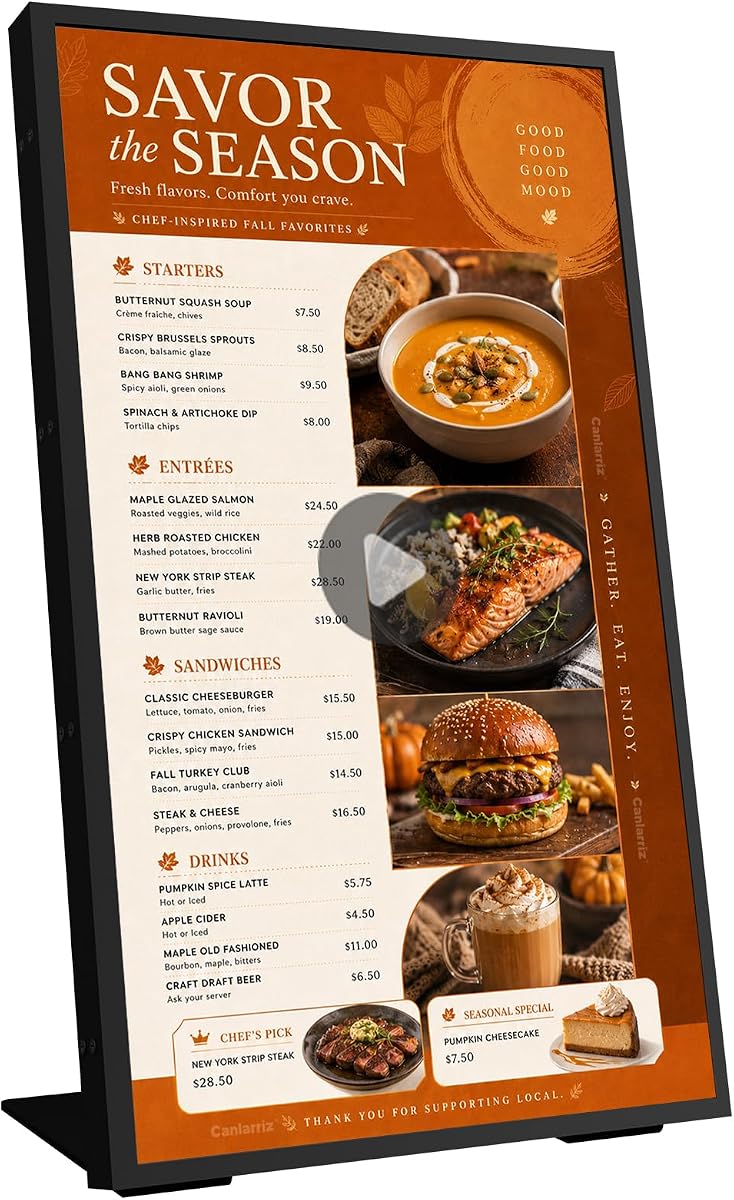
The 18.5-Inch 700-Nit Menu Board is a compact commercial display designed for countertops, checkout areas, reception desks, waiting rooms, and similar spaces. Its 3.8 rating is the lowest among the ten products, but the feature set is aimed at a specific and well-defined use: locally displaying menus, promotions, welcome messages, and product information.
We may earn a commission when you buy through this link, at no additional cost to you.
A built-in free lifetime cloud CMS allows a business to upload content, build playlists, schedule playback, manage multiple displays, create split screens, and update promotions using a PC, tablet, or smartphone. USB plug-and-play is also supported for quick local changes. The display runs on Android 12 with 2GB of RAM and 32GB of storage, while 700 nits of brightness supports visibility in brightly lit commercial interiors.
The included desktop stand allows landscape or portrait positioning, and the connection options include HDMI, LAN, TF card, USB 2.0, USB 3.0, and DC power. Its smaller screen and 720P resolution are not designed to compete with a large premium outdoor display, and the lower rating may give careful buyers pause. Even so, the focused CMS tools and compact form make it useful where counters have limited space.
This board is a good fit for cafés, bakeries, salons, clinics, hotel reception areas, food counters, and retail service desks. It is particularly compelling for operators managing several modest displays through a central cloud system. For a menu viewed only inches away, screen size is less important than organized content updates; for storefront visibility from a road, a larger LED sign would be the better choice.
The free lifetime CMS is one of the board's most useful commercial features. Businesses can create playlists, schedule displays, split content areas, and update several screens without visiting each location.
The small footprint and included stand make the display appropriate for spaces where a floor-standing kiosk would obstruct customer flow. Landscape and portrait orientation also help it fit different counter layouts and menu formats.
We may earn a commission when you buy through this link, at no additional cost to you.
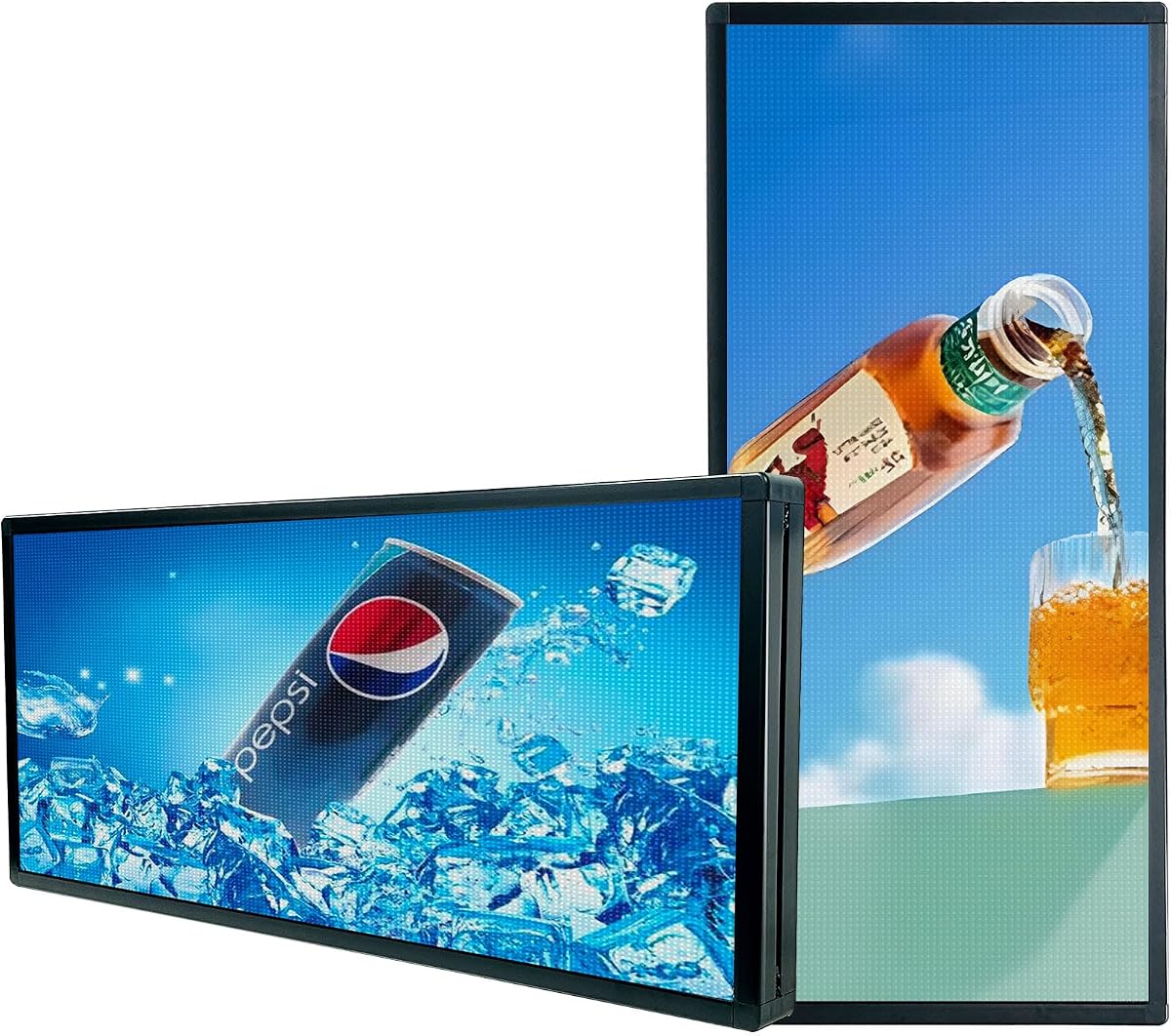
The P6 40-Inch Outdoor LED Panel is a full-color programmable sign designed for business advertising, stock-style messages, event communication, and other outdoor promotional needs. It has a 4.4 rating and a 40-by-17-inch screen with a W160-by-H64 resolution and 6mm pixel pitch.
We may earn a commission when you buy through this link, at no additional cost to you.
The panel supports scrolling text, high-definition animations, images, and video, with adjustable brightness and playback speed. A built-in Wi-Fi module allows a phone app or Windows laptop to refresh content from within the stated operating range. The product can store up to 100 programs, retains programmed data when power is lost, and provides intelligent brightness switching between indoor and outdoor conditions.
IP65 nano waterproof technology and an outdoor-oriented RGB LED configuration are central to its appeal. The trade-off is pixel density: the manufacturer specifically notes that video and pictures are not as clear when viewed up close, recommending a P3 model for detailed indoor imagery. The 6mm pitch instead prioritizes long-distance readability, making the panel better for large, simple creative than close-up product detail.
This sign suits a store, roadside advertiser, event venue, wedding installation, or mobile promotion where color movement matters across a meaningful distance. It is less appropriate for a small café menu viewed at arm's length, but it offers a much more weather-focused and visually dynamic option than a typical writing board. The included documentation and USB operation videos help with initial programming.
A 6mm pitch is optimized for visibility from farther away, where the audience mainly needs a clear headline, brand color, or simple animation. Close-range buyers should prioritize a finer pitch or an LCD panel.
The sealed P6 construction and intelligent brightness switching make the display more appropriate for exterior commercial use. Proper mounting and secure power connections remain essential in exposed locations.
We may earn a commission when you buy through this link, at no additional cost to you.
The VEVOR Illuminated Writing Board is a light-up message panel for businesses, food-service locations, events, classrooms, and temporary promotions. It has a 4.2 rating, a 32-by-24-inch format, eight fluorescent chalk markers, and an infrared remote for adjusting the presentation.
We may earn a commission when you buy through this link, at no additional cost to you.
Rather than storing electronic graphics, the board provides a writable illuminated surface. Users can select among 16 LED neon colors, four flash modes, and five brightness levels. The tempered glass is described as substantially harder than ordinary glass, with added resistance to impact, bending, and high temperatures. Wipe-clean fluorescent markers allow messages to be changed quickly without chalk dust.
Power can come through an AC 110-to-220V plug, USB, a power bank, or a battery box, adding flexibility for indoor and outdoor use. The remote makes it possible to change lighting without approaching the board. As the least expensive product in the lineup, it also provides the simplest operating concept, although it does not automate schedules, synchronize multiple displays, or support video.
This is the best budget option for a café, food truck, pop-up shop, salon, party venue, or small business that changes handwritten offers frequently. It is not a true electronic signage system, so buyers should not expect remotely managed content or animated advertising. Even so, the glowing color, easy cleaning, varied power options, and quick manual updates make it a practical low-cost sign board for temporary or frequently changing messages.
The fluorescent pens make it easy to rewrite daily specials, hours, directions, or event notices. Wiping the tempered glass clean is faster and cleaner than maintaining a traditional chalkboard.
Sixteen colors, four flash modes, and five brightness levels provide more visual variety than a standard board. Battery-box and power-bank support also helps when a fixed outlet is inconvenient.
We may earn a commission when you buy through this link, at no additional cost to you.
The HS 39-Inch Outdoor LED Sign is a P10 scrolling display designed for storefronts, bars, hotels, restaurants, food trucks, churches, doors, and windows. It has a 4.4 rating and a 39-by-14-inch panel with a stated brightness of up to 5000 nits for visibility in direct sunlight and at longer viewing distances.
We may earn a commission when you buy through this link, at no additional cost to you.
Built-in standalone Wi-Fi connects to a phone or computer so operators can customize messages. The board can show four lines at once and offers controls for font type, size, color, brightness, speed, border, and background. Multiple playback methods are supported, and up to 1000 characters can be entered for scrolling messages. Stored messages are retained even after a power failure.
A lightweight aluminum alloy frame supports hanging or wall-mounted installation, while waterproof technology is intended to handle rain and snow. Timer-based operation can reduce unnecessary running time. Compatibility is broad for mobile devices, but computer support starts with Windows 7 and excludes macOS. This is a rigid outdoor unit, so buyers still need to confirm mounting strength, power access, and local sign requirements.
The HS sign is a strong option for an operator whose priority is a bright, always-readable text message in a high-exposure location. It is less suited to close-up video because P10 is a coarser pixel format, but that trade-off supports longer-distance readability. For a business wanting a rugged commercial message board with wireless updates and multilingual content, it offers a well-balanced package.
The stated high-brightness RGB configuration is designed to remain visible in direct sunlight and from farther away. This makes the panel more useful for urgent storefront communication than a basic indoor message strip.
Four-line text, long scrolling messages, programmable formatting, and multiple languages cover many common business needs. A timer adds automation, while retained content reduces disruption after an unexpected power loss.
We may earn a commission when you buy through this link, at no additional cost to you.
The P5 65-Inch Outdoor LED Sign is the largest and most premium LED display in this guide. It has a 5.0 rating, a 65-by-34-inch screen, and 5mm P5 pixel pitch. The fine pitch is designed to deliver sharper detail, smoother color transitions, and readable output in direct sunlight.
We may earn a commission when you buy through this link, at no additional cost to you.
This display supports scrolling text, static images, full-color videos, animations, and multi-zone layouts. Its content-management options make it possible to combine store announcements, menus, event advertisements, and promotional messages in a coordinated display. Scheduling and multilingual support add value for businesses with varied campaigns or audiences.
The reinforced aluminum housing, waterproof coating, dust resistance, and IP65 rating are designed for sustained outdoor operation in rain, wind, heat, and cold. Content can be updated through WiFi or offline via USB, while an app, manuals, and video guides support setup. As a large rigid display, however, it needs a sound mounting structure, reliable electrical service, and sufficient clearance around the installation area.
This is the premium recommendation for a high-traffic storefront, roadside business, event venue, or outdoor advertiser that needs a large, vivid, weather-oriented display. Compared with the P6 panel, it offers a larger canvas and finer pixel spacing; compared with an LCD kiosk, it is better suited to outdoor use and longer viewing distances. Buyers should focus on installation quality and operating visibility rather than only headline dimensions.
The 5mm pixel pitch supports more detailed creative than coarser P6 or P10 formats. That makes the sign better suited to videos, logos, and image-based promotions while still serving long-distance communication.
The sealed aluminum cabinet, waterproof coating, and dust resistance create a more appropriate enclosure for outdoor service. Professional installation and weather-secure cable management remain critical to long-term operation.
We may earn a commission when you buy through this link, at no additional cost to you.
The Amazon Signage Stick is a compact 4K media player designed to turn a compatible screen into a managed digital signage endpoint. It has a 4.2 rating and stands apart from the other picks because it includes no screen of its own, making it ideal for businesses that already own compatible displays.
We may earn a commission when you buy through this link, at no additional cost to you.
The device uses Wi-Fi 6E and a quad-core processor to deliver 4K content, with a free mobile app used to set up one or multiple sticks. It auto-launches a compatible CMS in kiosk mode for unattended operation and can integrate with leading content management providers. Profiles can be organized by location and monitored from a phone, providing a useful centralized management layer.
Secure boot, encrypted storage, and regular updates help protect the player and keep it operating smoothly. The principal trade-off is dependency on CMS compatibility and, for many providers, a separate subscription. A compatible television or monitor is also required, and buyers should verify interface, resolution, and orientation support before installation.
This player is best for a business that wants to deploy professional signage across existing screens without purchasing complete kiosks. It is particularly useful for distributed environments, including retail locations, offices, clinics, or hospitality spaces. Those seeking a self-contained sign should choose one of the LED or LCD display models, while buyers with several compatible screens may find the central app-based management more valuable than any single display.
Because the device is a media player rather than a display, businesses can use compatible screens they already own. This can make deployment easier for organizations with a mixed hardware inventory.
Location-based profiles, remote monitoring, kiosk mode, and automatic CMS updates simplify fleet management. Buyers should confirm that their chosen CMS supports the device and budget for any required subscription.
We may earn a commission when you buy through this link, at no additional cost to you.
The most useful digital sign board is the one whose format, visibility, content workflow, and installation method fit the intended location. Start with who will see the display and what they need to understand, then evaluate the technical and operational requirements of each sign type.
LED matrix displays are built around individual light points and are excellent for large text, scrolling messages, high-contrast storefront visibility, and all-weather advertising. Their pixel pitch matters: P6 is appropriate for viewing from a meaningful distance, P10 favors prominent text, and P5 provides a finer image with greater viewing flexibility. LCD signage, by contrast, uses a conventional display panel and is generally better for detailed menus, product photography, video, and indoor information. A floor-standing LCD kiosk is the stronger choice when customers stand close enough to read fine text, while an LED panel is usually more suitable when visibility must extend across a street or busy public area.
Screen dimensions should reflect the real viewing distance, not merely the amount of space available. A compact 18.5-inch counter display works well for menus and reception information that customers read at close range. A 40-to-65-inch outdoor panel can communicate across parking areas, sidewalks, or roadside traffic. Flexible 77-inch strips are especially useful when the installation area is long and narrow. Always account for mounting height, sightlines, glare, and the distance at which a viewer can comfortably read the text before choosing a display.
Pixel pitch describes the distance between the centers of adjacent LED pixels, and a smaller number generally supports finer detail. P6 is a sensible middle ground for outdoor commercial messages, while P10 prioritizes large characters and text at longer distances. P5 is better when the display must show image-based creative while remaining visible outdoors. A 720P LCD can provide sharp close-range visuals but does not recreate the brightness or weather capability of a quality LED cabinet. Match the format to the content instead of expecting a text-oriented LED matrix to deliver close-up photographic clarity.
Brightness matters most in environments where ambient light competes with the display. Outdoor signs need a high-brightness matrix, weather-resistant housing, and intelligent brightness control for changing daylight. An IP65 enclosure offers a stronger basis for exposed installation, while an IP45 model is better suited to a protected or semi-protected location. Indoor LCD signage must instead be bright enough for cafés, stores, and reception areas; the 700-nit countertop model in this guide is explicitly designed for 24/7 commercial use in those spaces.
Consider how often content will change and who will be responsible for those changes. Bluetooth apps suit a small number of flexible LED signs, while WiFi supports convenient wireless updates across larger systems. Cloud CMS platforms are valuable for businesses managing playlists, schedules, split-screen zones, and multiple remote locations. USB remains valuable as a local update method and a backup when network access is limited. Media-player sticks can add central management to compatible screens already in operation. The best workflow is the one a nontechnical staff member can use reliably.
Installation requirements vary dramatically across the guide. Flexible panels can follow edges and use adhesive mounting, but they still need a dependable power connection. Rigid LED cabinets may require secure framing, weather-rated wiring, and professional structural support. Floor-standing LCD kiosks need enough floor area and a stable, uninterrupted electrical supply. Countertop boards are easier to reposition but depend on continuous nearby power. The illuminated writing board supports power-bank and battery-box operation, making it the most portable option. Before buying, check the proposed wall, ceiling, counter, or floor for strength, clearance, outlets, and cable routes.
A product labeled for indoor or outdoor use still needs to be matched to its actual exposure. An indoor flexible strip may be perfect above a bar but unsuitable beside an uncovered entrance. A weather-resistant LED cabinet can handle exterior conditions, provided the installation seals cables and preserves ventilation. Countertop LCD displays belong in protected commercial interiors. Portable writing boards can move between indoor and outdoor events but should not be left exposed unnecessarily. Look at enclosure ratings, frame materials, power options, and the manufacturer's stated environment rather than relying on the word outdoor alone.
Every sign benefits from a realistic maintenance plan. LED signs generally need routine cleaning, cable inspection, and occasional configuration checks. LCD kiosks may require more active system and app management, especially when a business uses cloud schedules. Cloud CMS plans can introduce recurring service costs, while USB and locally stored content can reduce ongoing dependencies. Warranty coverage and technical support are also important for commercial equipment because downtime affects customer communication. Review manuals, update methods, replacement-part availability, and support terms before integrating a sign into essential daily operations.
Begin with a clear purpose and a short content plan. Decide whether the sign will display a primary message, rotating promotions, a menu, wayfinding information, or event details. Measure the installation area, confirm power access, and test the viewing distance before drilling, adhering, or placing the unit. For a new LED sign, complete the app or software setup first and then confirm the display's orientation, brightness, scrolling direction, and scheduled operating periods.
Load content in a format supported by the chosen display. Use large, high-contrast lettering for LED matrices, simple graphics suited to the pixel pitch, and appropriately sized images or videos for LCD screens. Test scheduled playlists or multi-task loops before opening the business. On countertop LCD and Android-based kiosks, verify that each file plays correctly in both local USB mode and the remote CMS. Keep backup copies of menus, logos, campaign videos, and configuration files in more than one location.
Cleaning and inspection routines help preserve performance and safety. Power down the display where appropriate before wiping its surface, and use a soft, lint-free cloth rather than abrasive cleaners. Check flexible panels for lifting edges, exposed connections, or stress points, and inspect rigid outdoor cabinets for moisture, loose hardware, and damaged cables. Review brightness, scheduled timers, storage capacity, and app connectivity periodically, then update the display software and documentation when improvements are available.
The best storefront sign depends on viewing distance and content. A rigid outdoor LED panel is usually preferable for long-distance text, promotions, and all-weather visibility, while an LCD kiosk is better for detailed menus or indoor advertising. A flexible LED strip can work well in a long, narrow window area when the display is mounted under suitable protection.
Many programmable LED signs support images, animations, and video, but image quality depends on pixel pitch. P5 and P6 panels offer more detail than P10, while P10 is primarily optimized for readable text at a distance. For close-up photographs and detailed menus, an LCD display is generally the better choice.
A product with an appropriate IP rating and weather-resistant enclosure is designed for outdoor exposure, but installation quality still matters. Connections, mounting hardware, and cable entries should be protected, and the manufacturer's guidelines should be followed. Do not assume a flexible indoor-rated panel can withstand the same exposure as a sealed outdoor cabinet.
The main difference is pixel spacing and the viewing distance it serves. P6 provides a balance of detail and distance, P10 is better suited to large, simple text, and P5 supports more detailed outdoor images and video. A finer pitch is useful when viewers will stand closer, while a coarser pitch can be more practical for roadside messaging.
That depends on the product and control method. Bluetooth and USB-based LED signs can be managed without a cloud subscription, while some LCD displays include free CMS access. A dedicated media player may require a subscription for its compatible CMS provider, so confirm the service terms before purchasing.
Cloud CMS systems generally allow users to manage multiple displays from one account and organize them by location. Local Bluetooth controls on a single flexible sign are more limited, and a separate media player may be needed for each independently connected screen. Review the stated management features before assuming multi-screen control is included.
Indoor menu boards should remain clearly readable under the venue's normal lighting without creating unnecessary glare. A commercial display specified around 700 nits, like the 18.5-inch model in this guide, is intended for bright cafés, restaurants, and retail counters. Placement, screen orientation, and ambient light are still important.
Update content often enough to keep it accurate and visually fresh. A café may need daily menu changes, a retail store may rotate weekly promotions, and a directional kiosk may only require occasional updates. Scheduling through a CMS or timer helps maintain consistent operation without manual daily intervention.
The top recommendations reflect three distinct needs. The MWE 43-Inch Floor-Standing LCD Kiosk is the all-around indoor choice because it combines a detailed FHD display, Android operation, flexible playback, and multi-zone layouts. The P5 65-Inch Outdoor LED Sign is the premium option for large-format, weather-ready storefront communication, while the VEVOR Illuminated Writing Board is the budget choice for businesses that prefer quick handwritten updates over electronic content management.
Prioritize viewing distance, content detail, and operating environment before comparing features. A large pixel-pitch panel is ineffective if the audience cannot read it, while a high-resolution display is unnecessary for a single basic message. Confirm power, mounting, connectivity, and the software workflow, then choose the format that your team can operate consistently and maintain over time.
Ratings, configurations, product availability, and prices can change, so check the current Amazon listing before ordering. Also review the current warranty, included accessories, dimensions, and environmental specifications. Those final checks help ensure that the selected digital sign board fits the intended location and offers the right balance of visibility, functionality, and maintenance.
