
UGREEN 16K DisplayPort 2.1
4.7Editor score
VESA-certified 54Gbps bandwidth
4K gaming at 240Hz
FreeSync and G-Sync support
Our Displayport Cable for Gaming guide compares 10 VESA-certified cables for high refresh rates, HDR, durability, multi-monitor setups, and wide PC compatibilit
A DisplayPort cable can determine whether a gaming monitor reaches its advertised resolution, refresh rate, HDR mode, and adaptive-sync feature. The right cable should provide sufficient bandwidth, stable signal transmission, secure connectivity, and enough shielding to perform reliably beside a high-powered gaming PC.
We compared these ten cables by examining their stated DisplayPort generation, VESA certification, maximum bandwidth, supported resolutions, gaming technologies, audio support, shielding, connector construction, length, and device compatibility. The list covers DP 1.4, 54Gbps DP 2.1, and 80Gbps DP 2.1 options for different hardware generations.
Each pick highlights a distinct use case, from a capable everyday cable to high-bandwidth models for advanced displays and multi-screen setups. Actual display support depends on the graphics card, monitor, firmware, selected input, and resolution settings, while prices and availability change over time.
4.7Editor score

4.7Editor score

4.6Editor score
The comparison below organizes all ten cables by generation, bandwidth, gaming capabilities, physical design, and intended setup, making it easier to identify the model that matches your monitor and graphics card.


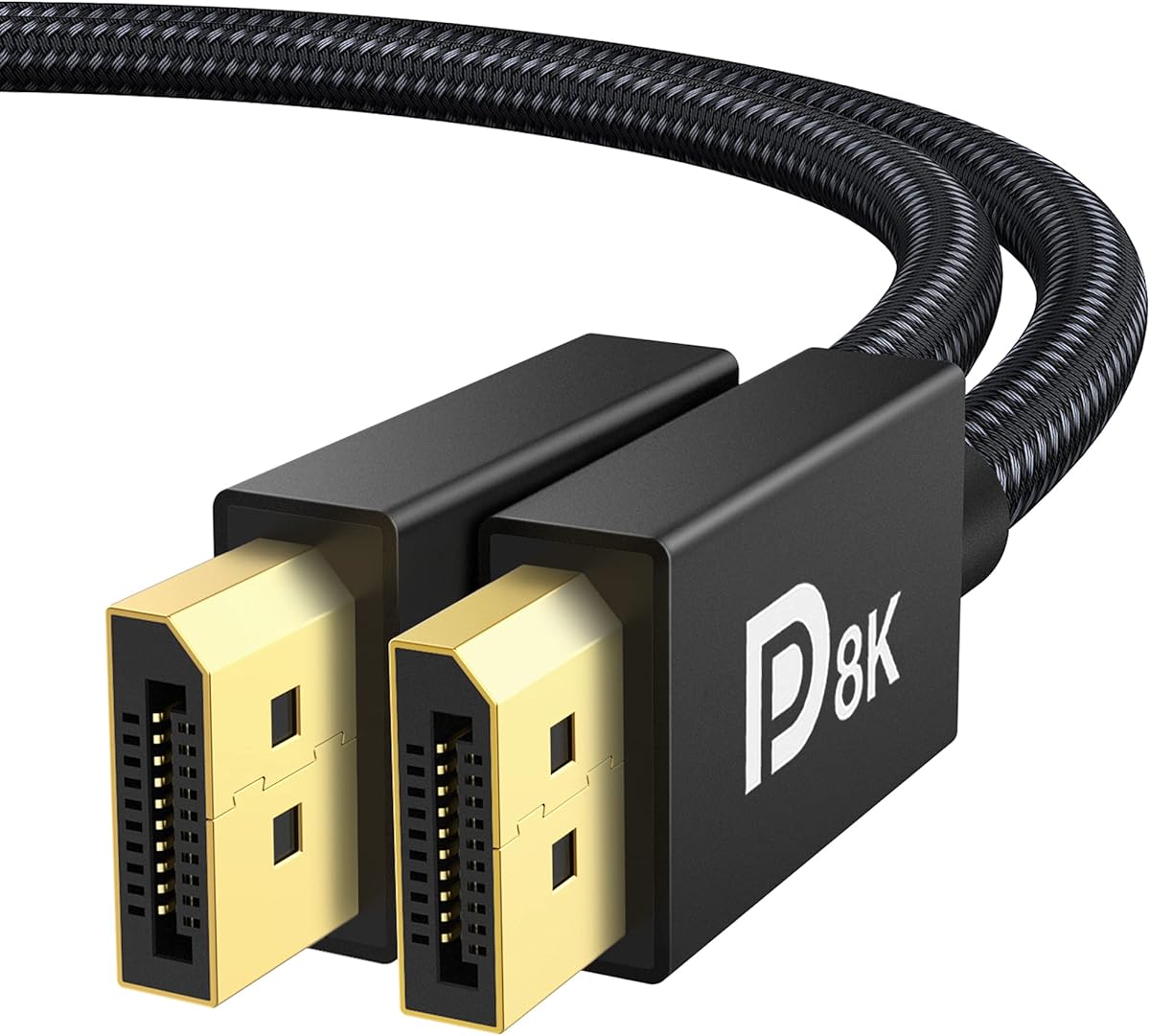


The Silkland 80Gbps DisplayPort 2.1 cable earns a 4.7 rating and stands out as the most complete option in this guide for modern gaming hardware. Its VESA-certified DP80 specification provides 80Gbps bandwidth while supporting uncompressed 4K at 240Hz, 8K at 60Hz, and 2K at 540Hz, giving high-end systems considerable headroom.
We may earn a commission when you buy through this link, at no additional cost to you.
The cable also supports demanding combinations enabled by DSC, including 16K at 60Hz, 8K at 240Hz, and 4K at 960Hz, 540Hz, 480Hz, or 360Hz. Gaming-focused features such as VRR, ALLM, FEC, and DSC 1.2a work alongside Dynamic HDR10+, HDCP 2.3, and support for 7.1, 5.1, or 2.0 uncompressed audio.
Its construction is equally considered. The cable uses 28AWG tinned-copper conductors, triple shielding, a nylon exterior, and 24K gold-plated connectors. The absence of a latch simplifies removal and avoids accidental damage to a monitor's DisplayPort socket, although that convenience comes with less physical retention than a locking design.
This is the strongest general recommendation for a new high-end gaming system, particularly owners of an RTX 5090D, RTX 5080, RTX 5090, RTX 4090, or Radeon RX 7900 XTX paired with a capable display. It is also a sensible choice for multiple monitors because MST is supported. Older DP 1.4 equipment remains compatible, but will not gain capabilities it cannot process.
The 80Gbps specification is valuable when pairing a recent graphics card with an advanced high-refresh monitor. It reduces the need to replace a cable when moving from 4K gaming to higher resolutions or more demanding display-stream-compressed modes.
VRR, ALLM, HDR, robust shielding, and a flexible nylon jacket make this more than a basic video cable. Its connector treatment and shielding make it a well-rounded choice for a permanent gaming installation.
We may earn a commission when you buy through this link, at no additional cost to you.
The UGREEN 16K DisplayPort 2.1 cable has a 4.7 rating and provides one of the strongest balances of gaming capability and practical construction in the group. Its VESA-certified 54Gbps bandwidth supports 4K at 240Hz, 8K at 240Hz, 1080p at 540Hz, and 16K at 30Hz with DSC 1.2a.
We may earn a commission when you buy through this link, at no additional cost to you.
For gamers, the cable includes support for FreeSync, G-Sync, VRR, ALLM, HDR, HDCP 2.2, FEC, and UHBR10. Multi-Stream Transport allows single-screen output and dual-screen support, which can simplify a two-monitor gaming arrangement when the graphics card, operating system, and display configuration all cooperate.
The physical design uses 28AWG tinned-copper conductors, triple shielding, an aluminum alloy housing, and a nylon braided jacket. The housing resists rust and assists heat dissipation, while the no-buckle format reduces the chance of damaging a monitor's port when disconnecting the cable.
This is the best budget-oriented choice for gamers who want modern bandwidth without requiring the very highest 80Gbps tier. It fits mainstream high-refresh 4K monitors, many 8K displays, and recent RTX or Radeon graphics cards. Those using advanced compressed modes should check their exact monitor and GPU specifications, and the disabled 20-pin power feature should be considered before purchase.
Supporting 4K at 240Hz makes this cable relevant for competitive and high-refresh 4K gaming. It also offers useful headroom for 8K and high-refresh combinations when the source device and monitor are designed for them.
Dual-screen MST support is useful for players who use a second display for chat, inventory, or game telemetry. The feature still depends on the graphics card's outputs and the monitor's supported configuration.
We may earn a commission when you buy through this link, at no additional cost to you.
The Highwings 80Gbps DisplayPort 2.1 cable carries a 4.6 rating and is a premium option for gamers seeking broad support across current and future display modes. Its 80Gbps bandwidth is listed with 16K at 60Hz using DSC, 10K at 60Hz, 8K at 120Hz, and 4K at 240Hz, 165Hz, or 144Hz.
We may earn a commission when you buy through this link, at no additional cost to you.
Gaming support includes Dynamic HDR, 32-bit audio, FreeSync, G-Sync, and Adaptive-Sync. The cable also supports MTS for multi-monitor arrangements and lossless multichannel audio, making it suitable for players who want a cable that can serve both gaming and a broader entertainment setup.
Internally, it uses 28AWG tinned-copper conductors with triple-layer shielding. Double nylon braiding and 24K gold-plated connectors are intended to withstand regular handling, while the slip-resistant connector grip offers a more secure physical hold than a completely smooth housing.
Choose this cable if you own a high-end GPU and a monitor near the leading edge of consumer display technology. It is less necessary for a standard 1080p or conventional 4K setup, but it is particularly appealing when building a premium system or preparing for future graphics hardware. Confirm that the selected display mode falls within both the cable's and the monitor's specifications.
The cable's broad resolution list supports buyers who may move between 4K, 8K, and 10K-class gaming configurations. This is useful for high-end systems where display timing and refresh targets can vary substantially between games.
Support for G-Sync, FreeSync, and Adaptive-Sync gives the cable broad gaming-platform compatibility. Its 32-bit audio support adds value for gaming and multimedia installations where the display accepts digital audio.
We may earn a commission when you buy through this link, at no additional cost to you.
The iVANKY VESA-certified DisplayPort 1.4 cable earns a 4.7 rating and remains a strong match for mainstream gaming PCs. It supports 8K at 60Hz, 5K at 60Hz, 4K at 240Hz, 2K at 240Hz, and 1080p at 240Hz through HBR3's 32.4Gbps bandwidth.
We may earn a commission when you buy through this link, at no additional cost to you.
Dynamic HDR, HDCP 2.2, FreeSync, and G-Sync are supported, covering the features most relevant to modern gaming monitors. The cable connects a DisplayPort-equipped desktop or laptop directly to a compatible display without requiring an adapter, which helps avoid unnecessary signal conversion.
Its 30AWG tinned-copper construction is described as more flexible and slimmer than 28AWG cable. The nylon braid is stated to withstand more than 28,000 bends, while 24K gold-plated connectors support durability and heat dissipation. A latch-free design avoids the possibility of a locking tab damaging a monitor port.
This cable is ideal for a desktop using an RTX 4090, RTX 3080, Radeon RX 7900 XTX, or similar card with a high-refresh 4K monitor. It is also a logical replacement for a basic cable supplied with a display. Gamers needing more than 32.4Gbps should consider a DP 2.1 option instead.
A maximum of 4K at 240Hz covers demanding 4K gaming configurations. For a typical gaming PC and monitor combination, this provides substantial capability without requiring the newest cable standard.
The latch-free connector is useful in tight spaces behind a monitor or on a desk-mounted display arm. It avoids pulling against a retention tab when the cable must be removed.
We may earn a commission when you buy through this link, at no additional cost to you.
The Silkland 54Gbps DisplayPort 2.1 cable has a 4.6 rating and offers a balanced upgrade for gamers whose hardware does not require full DP80 bandwidth. Its VESA-certified specification supports 16K at 60Hz with DSC, 8K at 120Hz, 4K at 240Hz, 2K at 360Hz, and several lower refresh alternatives.
We may earn a commission when you buy through this link, at no additional cost to you.
Dynamic HDR, HDCP 2.2, DSC 1.2a, and audio pass-through for 7.1, 5.1, and 2.0 channels provide a versatile feature set. The cable is also compatible with G-Sync, FreeSync, and Adaptive-Sync, while MTS support allows multi-screen gaming configurations when the rest of the system supports them.
The connector includes a groove intended to make removal easier in confined spaces. Internally, the cable uses 28AWG tinned copper with triple shielding, and its double nylon braid is described as ten times more durable than PVC. Gold-plated connectors help resist corrosion and support consistent contact.
This is an attractive choice for RTX 4090, RTX 4080 Ti, RTX 4070 Ti, RTX 3090, and Radeon RX 7900 XTX owners who want a modern cable without stepping up to 80Gbps. It is especially relevant for an ultra-high-refresh 4K display. The main limitation is that some future maximum-bandwidth modes may exceed what this tier can carry.
The wide range of 4K and 2K refresh options allows this cable to serve many competitive and high-resolution displays. It is particularly useful when switching between demanding games and less demanding desktop use.
The connector groove and lack of a latch make removal convenient. This reduces strain on the socket and simplifies repositioning a display or changing the cable behind a mounted monitor.
We may earn a commission when you buy through this link, at no additional cost to you.
The Silkland 80Gbps DisplayPort 2.1 cable with secure latch has a 4.5 rating and is built for installations where accidental disconnection would be disruptive. Its VESA-certified 80Gbps bandwidth supports uncompressed 4K at 240Hz, 8K at 60Hz, and 2K at 540Hz, plus higher modes with DSC.
We may earn a commission when you buy through this link, at no additional cost to you.
UHBR20, Dynamic HDR10+, HDCP 2.3, VRR, ALLM, FEC, and DSC 1.2a give it a broad feature set. It also handles uncompressed audio in 7.1, 5.1, and 2.0 configurations and uses MST for compatible multi-monitor arrangements.
Unlike most alternatives in this roundup, the connector uses a locking latch designed to resist pulls from pets, feet, or accidental movement. The release button must be pressed to detach it. Construction includes 26AWG tinned-copper conductors, triple shielding, gold-plated connectors, and a double-braided nylon exterior.
This is the pick for a permanent desk, wall-mounted display, gaming room, or shared household where connection stability matters more than effortless removal. It is compatible with recent NVIDIA and AMD graphics cards and many popular gaming monitors. Users frequently unplugging the cable may prefer the latch-free Silkland model ranked first.
The secure latch is the defining feature for permanent gaming installations. It helps preserve the connection if the cable is nudged, reducing the likelihood of an unexpected signal interruption.
The 80Gbps rating and 26AWG conductor construction suit modern high-end graphics hardware. Triple shielding and a double nylon braid provide a durable combination for long-term use.
We may earn a commission when you buy through this link, at no additional cost to you.
The Capshi 8K DisplayPort 1.4 cable holds a 4.6 rating and targets gamers who need reliable high-refresh performance without moving to the newest DP 2.1 standard. It supports 8K at 60Hz, 5K at 60Hz, 4K at 144Hz, and 2K at 240Hz, along with HDCP 2.2 and 1.4.
We may earn a commission when you buy through this link, at no additional cost to you.
Dynamic HDR is supported for improved contrast and detail, while DSC 1.2, FEC, 32-channel audio, and mirror or extended modes broaden its usefulness. HBR3 supplies 32.4Gbps bandwidth, making it suitable for many current 144Hz gaming monitors and compatible high-resolution displays.
The cable uses multiple shielding layers and 24K gold-plated connectors to support stable transmission and corrosion resistance. Its plug-and-play design requires no drivers, and compatibility extends across major gaming monitor and graphics-card brands when both devices have native DisplayPort connections.
This is a good practical choice for a 4K 144Hz gaming monitor, especially for owners of RTX 3080, RTX 4070 Ti, RTX 4090, RX 7900 XT, or other capable cards. It is not the right choice when the monitor is specified for 4K at 240Hz, where a higher-bandwidth DP 2.1 cable is more appropriate.
The cable's explicit 4K at 144Hz support aligns with one of the most common high-refresh gaming targets. It provides a straightforward route to a smooth image when both the GPU and display support that timing.
Multiple shielding layers help reduce interference around a gaming desktop. Gold-plated connectors add durability and contact reliability for a cable that may remain connected for long periods.
We may earn a commission when you buy through this link, at no additional cost to you.
The iVANKY 80Gbps DisplayPort 2.1 cable earns a 4.6 rating and is a premium option for gamers combining a powerful GPU, advanced display, and multiple screens. Its VESA certification covers 80Gbps bandwidth, with listed support for 16K at 60Hz, 10K at 60Hz, 8K at 240Hz and 120Hz, and several high-refresh 4K modes.
We may earn a commission when you buy through this link, at no additional cost to you.
Gaming features include G-Sync, FreeSync, VRR, ALLM, MST, 3D, HDR, UHBR20, HDCP 2.3, DSC 1.2a, and FEC. The cable also supports 32-bit audio and Dolby and eARC, broadening its usefulness for combined gaming and home-theater setups.
Its 30AWG tinned-copper conductors are designed for a slim, flexible profile, while triple shielding supports stable transmission. An aluminum-alloy housing assists heat dissipation and resists rust. The double nylon braid is described as ten times more durable than traditional PVC, and the latch-free design reduces the chance of damaging a connector port.
This cable is best for owners of an RTX 5090, RTX 4090, RTX 3090, RTX 3080, Radeon RX 7900-series, or similar hardware who want maximum stated bandwidth. It is especially compelling for a multi-monitor gaming station. Remember that the monitor, GPU, and graphics settings must all support the selected resolution and refresh rate.
The combination of 80Gbps bandwidth and MST support targets demanding multi-display systems. It offers useful capacity for a gaming monitor paired with a secondary high-resolution display.
The relatively slim 30AWG construction is easier to route behind desks and monitor arms. Double nylon braiding protects the internal conductors while maintaining a cleaner installation.
We may earn a commission when you buy through this link, at no additional cost to you.
The Ubluker 54Gbps DisplayPort 2.1 cable has a 4.6 rating and combines modern bandwidth with a straightforward feature list for general gaming use. Its stated capabilities include 54Gbps transmission, 8K at 60Hz, 4K at 240Hz, 10K and 8K at 120Hz, HDR, UHBR, and 12-bit color depth.
We may earn a commission when you buy through this link, at no additional cost to you.
DSC, multi-transmission, and HBR3 are included among its supported technologies. The cable is also listed with HDCP 2.3, FreeSync, and G-Sync compatibility, making it relevant to current gaming monitors and recent high-end graphics cards. Single-stream and optional multi-stream operation provide flexibility for different display arrangements.
Its nylon-braided exterior is designed to resist regular bending and wear. Unlike some competing listings, the supplied information focuses more on interface capabilities than on individual connector materials, so buyers seeking extensive construction details should compare those alternatives carefully.
The Ubluker is a practical choice for a gaming PC with a 4K high-refresh display, an 8K monitor, or a multi-screen configuration. The 54Gbps tier balances capability and flexibility without claiming the absolute 80Gbps maximum. Verify the display's supported modes, and check how your graphics card handles multi-stream arrangements.
The combination of 54Gbps bandwidth and 4K at 240Hz gives this cable practical headroom for high-refresh monitors. It also accommodates 8K and 10K-class modes when the complete hardware chain supports them.
HDR and 12-bit color depth make the cable relevant to visually rich games and high-end displays. DisplayPort's digital audio path also allows it to serve compatible gaming and multimedia setups.
We may earn a commission when you buy through this link, at no additional cost to you.
The Acer 8K DisplayPort 1.4 cable has a 4.7 rating and combines solid gaming specifications with a practical focus on multi-monitor work. It supports 8K at 60Hz, 4K at 144Hz, Dynamic HDR, and HDCP 2.2, with up to 32.4Gbps bandwidth.
We may earn a commission when you buy through this link, at no additional cost to you.
Its most distinctive feature is MST-ready daisy-chaining, allowing a single connection to support multiple monitors in extended or mirrored modes when the graphics card and displays allow it. This is useful for gamers who keep a second screen for communication, system monitoring, or additional game views.
The heavy-duty nylon braid and reinforced aluminum shell are intended to resist wear, bending, and oxidation. Multi-layer shielding helps minimize electromagnetic interference, while plug-and-play operation means no drivers are required. Backward compatibility extends across DisplayPort 1.0, 1.1, 1.2, and 1.3.
This cable suits an RTX 4090, RTX 3090, Radeon RX 7900-series, or similar graphics system with a high-refresh 4K monitor. Its multi-screen utility extends its appeal beyond gaming. It may not be the strongest choice for 80Gbps-dependent displays, but it remains a versatile option for widely deployed DisplayPort hardware.
A 4K at 144Hz mode handles fast competitive titles effectively, while MST expands the setup for chat, streaming, or multitasking. This makes the cable practical for a gaming station that also serves as a productivity environment.
The reinforced aluminum shell and heavy-duty braided jacket suit frequent handling and long installations. Multi-layer shielding supports stable transmission in crowded desktop environments.
We may earn a commission when you buy through this link, at no additional cost to you.
The right gaming cable depends on the resolution, refresh rate, HDR mode, adaptive-sync technology, and number of monitors in your setup. Compare the complete hardware chain rather than relying only on the headline bandwidth figure.
Start with the highest resolution and refresh rate you expect to use, then confirm that the cable lists that exact combination. A cable can support 4K at 144Hz without supporting 4K at 240Hz, and a monitor may accept several input modes that use very different amounts of bandwidth. Also check whether the advertised high-resolution mode requires DSC, because compression can unlock modes beyond the uncompressed limits of a cable or connection.
DisplayPort 1.4 with HBR3 provides up to 32.4Gbps, which covers many 4K high-refresh gaming configurations. A 54Gbps DP 2.1 cable adds more room for demanding 8K and ultra-high-refresh combinations, while an 80Gbps DP 2.1 cable offers the broadest headroom listed in this guide. Higher bandwidth does not force a monitor to run faster, but it provides more flexibility when selecting advanced display modes.
VRR and compatible adaptive-sync standards help a display synchronize its refresh timing with the frame rate delivered by the graphics card. ALLM can enable a lower-latency mode when both the source and display support it. G-Sync and FreeSync labels are useful indicators of broad gaming compatibility, but the graphics card, monitor firmware, game, and system settings must all participate for the desired behavior.
HDR support adds useful contrast and highlight handling when the game, GPU, and display all support the required mode. HDCP versions and DSC can influence which protected content and high-resolution combinations are available. For gaming installations that also carry sound, check for the desired channel configuration, such as 7.1, 5.1, or 2.0 audio, and verify that the monitor accepts digital audio over DisplayPort.
MST allows one DisplayPort output to drive multiple compatible monitors, which is useful for a gaming screen paired with a secondary display. Cable bandwidth is only one part of the arrangement: the graphics card must expose suitable outputs, the operating system must recognize the arrangement, and the monitors must support the intended resolution and refresh rate. A cable with a high data-rate ceiling gives MST more room, but does not make unsupported combinations possible.
A gaming desktop can place a cable near power supplies, graphics hardware, and other potential sources of interference. Triple shielding, tinned-copper conductors, and stable connector housings help maintain signal integrity. Compare conductor gauge carefully: a lower AWG number generally indicates a thicker conductor, while a higher number can support a slimmer and more flexible cable. The balance should suit the routing requirements of the desk or monitor arm.
Latch-free connectors are easier to remove and reduce the risk of stressing a monitor's DisplayPort socket. A locking latch offers better retention against accidental tugs, making it useful for permanent setups or busy rooms. Consider where the cable will be plugged in, how often it will be removed, and whether the release mechanism will be easy to access behind a monitor.
All ten cables in this guide are 6.6 feet long, but route length and desk depth vary substantially. Measure from the graphics card to the monitor's input while allowing for bends, routing through an arm, and temporary movement. Excessively long runs can add clutter, while a cable stretched tightly may make connectors easier to dislodge. If the distance is uncertain, carefully measure before ordering.
Identify the correct DisplayPort input on the monitor and the matching native DisplayPort output on the graphics card. Connect the cable before powering on or waking the system, then select the correct DisplayPort input in the monitor's on-screen menu. Avoid adapters or signal converters unless the setup has no native DisplayPort connection, because conversion can reduce available bandwidth or refresh options.
After connection, open the graphics card's display settings and choose the intended resolution and refresh rate. Enable the appropriate HDR and adaptive-sync modes in both the monitor and graphics control panel. If a higher mode does not appear, verify that every device in the signal chain supports it, update the graphics driver and monitor firmware where applicable, and reseat the connector fully.
Route the cable away from sharp edges, moving fans, and excessive heat. Do not wrap it tightly around furniture or pull it by the connector. For a locking design, release the latch before removal. Inspect the plugs periodically, keep the connectors clean and dry, and replace the cable if there is persistent flickering, signal loss, visible damage, or a connector that no longer seats securely.
It depends on the monitor and graphics card. A certified DP 1.4 cable can support many 4K high-refresh modes, but a 54Gbps or 80Gbps DP 2.1 cable provides more bandwidth for advanced 8K, 10K, or extremely high-refresh combinations. Buy DP 2.1 if your display and GPU support modes that exceed DP 1.4's 32.4Gbps limit or if you want additional upgrade headroom.
No. These products are DisplayPort-to-DisplayPort cables, and they are not directly compatible with HDMI, Mini DisplayPort, or USB ports. If a computer or monitor offers only the wrong connector type, you need a compatible active or passive adapter, although adapters can limit resolution, refresh rate, HDR, and other capabilities.
A higher-bandwidth cable does not automatically make every image look sharper. It allows the source and display to use modes that require more data, such as 4K at 240Hz, 8K, or high-refresh 4K. If your graphics card and monitor already operate within the lower cable's limits, the visual difference may be minimal.
No. The cable must support the required bandwidth, and the GPU and monitor must also support that resolution and refresh rate. Even when all three components are compatible, the graphics card may require DSC, and the selected timing or color format may affect whether the mode can be enabled.
It depends on the refresh rate and whether DSC is used. A 54Gbps cable listed for 8K at 120Hz or 240Hz may be sufficient for specific 8K modes, while an 80Gbps cable offers additional room for 16K and other compressed combinations. Check the exact mode supported by your monitor rather than relying on the resolution label alone.
Some cables in this guide support MST, which can drive multiple compatible displays from one output. The graphics card must provide a suitable DisplayPort connection, the operating system must be configured for extended displays, and the monitors must support the intended modes. A higher-bandwidth cable offers more room for this arrangement but cannot overcome hardware limitations.
Braided nylon is generally intended to better withstand bending and everyday wear than a basic PVC jacket. Connector design, conductor quality, shielding, and how the cable is routed also affect longevity. Avoid sharp bends and pulling at the plug, and periodically check the connector and jacket for visible damage.
The graphics card may be selecting a default timing after installation or may not detect the desired mode. Select the correct DisplayPort input, open the graphics control panel, choose the resolution and refresh rate manually, and update the driver and monitor firmware. Also confirm that the GPU, monitor, and cable all support the intended combination.
The Silkland 80Gbps DisplayPort 2.1 cable is the best overall choice because it combines certified high bandwidth, 4K at 240Hz support, modern gaming features, and strong construction. The UGREEN 54Gbps model is the best budget pick, while the iVANKY 80Gbps cable stands out as a premium option with extensive high-resolution and multi-monitor capabilities.
Prioritize the exact resolution and refresh rate used by your monitor, then confirm compatibility with the graphics card. Pay attention to DSC for unusually high modes, adaptive-sync support for smoother gaming, MST for multiple displays, and connector retention if the cable may be bumped or moved frequently.
Prices and product availability change over time, so compare current listings and verify the specifications before purchasing. A cable cannot make unsupported hardware exceed its limits, but choosing one with adequate bandwidth and the right gaming features helps ensure that your PC and monitor operate as intended.
