
CHESONA iPad A16 Case with Keyboard
4.5Editor score
Detachable wireless keyboard
Seven-color backlighting
Dual-device wireless switching
Integrated multitouch trackpad
An iPad A16 case with keyboard can transform a tablet into a portable typing, editing, and browsing workstation, but the strongest options differ in protection, trackpad size, hinge flexibility, lighting, and connectivity. A useful case should fit the exact tablet model while complementing the way you work, study, travel, draw, or watch video.
We compared all ten products using the information supplied for each model, focusing on compatible iPad generations, keyboard construction, detachable or magnetic designs, trackpad capabilities, viewing positions, backlighting, charging requirements, protective features, and included accessories. The guide also highlights important differences between Bluetooth keyboards and designs powered directly by the iPad.
Each entry identifies the product's strongest use case, along with practical limitations that may affect your decision. The top selections range from a feature-rich budget model to slim and premium Apple or Logitech alternatives, while several rotating cases serve demanding mobile users. Prices and product availability can change, so compare current listings before purchasing.
4.5Editor score

4.4Editor score
4.4Editor score
As an Amazon Associate we earn from qualifying purchases.
The comparison below organizes all ten cases by the factors that most directly affect daily use: model compatibility, keyboard power, trackpad support, viewing flexibility, lighting, and protection.



The Harvopu Folio Keyboard Case combines a protective cover, detachable Bluetooth keyboard, touchpad, RGB lighting, and adjustable stand in one package. Its 4.3 rating reflects a broadly capable design, especially for users who want many productivity features without moving to a premium ecosystem. It supports the 11-inch iPad A16 and the 10.9-inch 10th-generation iPad.
We may earn a commission when you buy through this link, at no additional cost to you.
The keyboard offers a complete row of iPadOS shortcuts and three levels of brightness across seven RGB colors. A high-sensitivity trackpad supports familiar actions such as tapping, swiping, scrolling, and app switching. The 420mAh rechargeable battery enters an energy-saving mode after 15 minutes of inactivity and can be charged through the included Type-C cable.
Its trade-offs come from the flexible, value-oriented construction. The keyboard needs separate Bluetooth pairing, whereas Smart Connector designs connect directly through the iPad. The case uses three internal grooves for positioning rather than the broader angular range offered by rotating or floating-stand models, and the listed package does not include a pencil.
This is a strong choice for students, commuters, and office users who want backlighting, a trackpad, and a folio-style cover in one affordable design. Confirm the model number on the back of the iPad before ordering, pair the keyboard as instructed, and expect the most convincing value when all of those functions matter to you.
The combination of shortcut keys and a gesture-capable touchpad makes the Harvopu useful for document work, web research, presentations, and everyday messaging. Detaching the keyboard also allows the case to remain in place while the iPad is used like a normal tablet.
Seven RGB colors and three brightness levels make low-light typing more comfortable, while automatic energy saving helps preserve the rechargeable battery. A full Type-C recharge is listed at approximately two to three hours.
We may earn a commission when you buy through this link, at no additional cost to you.
The ESR Ultra-Light Keyboard Case is an Editor's Choice because it balances portability, protection, and productive controls without adding unnecessary bulk. Its 4.4 rating and 6.9-millimeter thickness make it especially relevant to users who carry an iPad between meetings, classes, and travel destinations.
We may earn a commission when you buy through this link, at no additional cost to you.
The magnetic keyboard detaches easily, allowing a clean switch between a laptop-like setup and standalone tablet use. Its trackpad is listed as 65 percent larger than those on regular keyboards and supports one-finger dragging and three-finger scrolling. A triangular support creates stable positions at 65 degrees for work and viewing or 20 degrees for writing and sketching.
The main limitation is the absence of keyboard backlighting. That matters if you regularly type in dim rooms, but the slimmer construction may matter more if your priority is to minimize bulk. Two viewing angles are fewer than those offered by 360-degree designs, although they cover common working and writing positions.
Choose ESR when portability, a large trackpad, and quick magnetic detachment are central to your decision. It is especially appealing for professionals and students who want a polished mobile setup but do not need RGB lighting or a highly flexible rotating hinge.
The enlarged precision trackpad offers more room for deliberate clicking, dragging, scrolling, and navigating iPadOS. That extra area can be particularly helpful when editing a document or working in a small software interface where a compact touch surface would feel cramped.
A durable form-fit cover, reinforced Air Guard corners, magnetic strips, and precise cutouts protect the tablet while leaving buttons, ports, and speakers accessible. The slim profile preserves the portability advantage of using an iPad without a keyboard.
We may earn a commission when you buy through this link, at no additional cost to you.
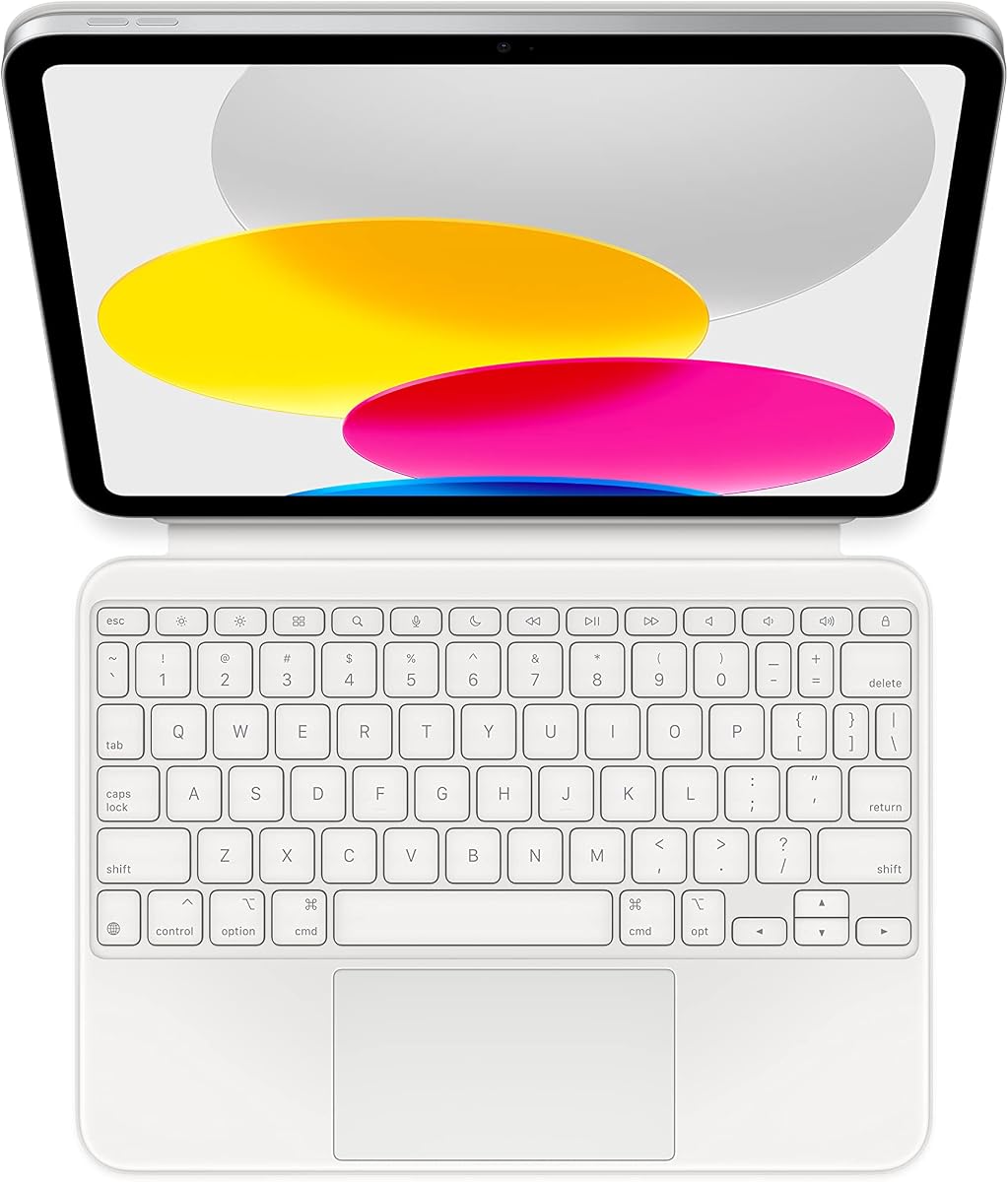
The Apple Magic Keyboard Folio delivers the most integrated approach in this roundup. Its 4.4 rating reflects a refined combination of a detachable keyboard, protective back panel, adjustable stand, function row, and large trackpad. It is designed for the iPad A16 and 10th generation.
We may earn a commission when you buy through this link, at no additional cost to you.
Both pieces attach magnetically to provide front and back protection. The keyboard uses the Smart Connector for power and communication, eliminating separate charging and Bluetooth pairing. The click-anywhere trackpad supports Multi-Touch gestures and cursor use, while the 14-key function row provides familiar iPad control.
Its most obvious constraints are ecosystem-related. This version has a US English layout, so buyers who require another language may need a different configuration. It also sits at the premium end of the category, making alternatives appealing when advanced hinge mechanics, RGB lighting, or multi-device pairing are more important than streamlined Apple integration.
The Magic Keyboard Folio is a compelling recommendation for iPad users who value effortless attachment, reliable direct power, and a polished native workflow. It is less compelling if you need a 360-degree hinge, illuminated keys, or the ability to pair a standalone keyboard with multiple devices.
The Smart Connector supplies power and communication through the tablet, removing the charging cable and Bluetooth setup found in many third-party cases. This makes the Folio particularly convenient for quick transitions between work and travel.
The detachable back panel protects the rear of the iPad while providing an adjustable viewing stand. The keyboard piece protects the front, creating a complete folio arrangement when both components are attached.
We may earn a commission when you buy through this link, at no additional cost to you.
The typecase Edge uses a floating magnetic stand to place the iPad above the keyboard in a laptop-like arrangement. Its 4.4 rating indicates a strong balance of productivity features, adjustable positioning, and a premium protective design for compatible iPad A16 and 10th-generation models.
We may earn a commission when you buy through this link, at no additional cost to you.
The keyboard includes a precision multitouch trackpad with palm rejection, a full row of iPadOS shortcut keys, and 11 backlight colors with three brightness levels. A magnetic closure, vegan-leather exterior, and Apple Pencil holder support everyday carrying, while the floating stand gives the screen more separation from the keys.
The design is not entirely self-powered. The keyboard uses a rechargeable Bluetooth connection, so it must be charged and initially paired. Buyers should also confirm that the raised stand matches their preferred typing posture; some users may prefer the lower profile of a conventional folio.
The Edge is well suited to students, writers, and remote workers who spend long sessions typing in a laptop-like position. Choose it over simpler folio cases when adjustable elevation, extensive lighting, gesture control, and a dedicated Pencil holder are central to your workflow.
Holding the tablet above the keyboard creates visual separation and can make long typing sessions feel more familiar. The magnetic floating stand keeps the iPad positioned as part of a coherent workstation rather than a separate screen.
Eleven backlight colors, three brightness levels, and dedicated iPadOS shortcuts cover both lighting preference and common system commands. The multitouch trackpad adds precise cursor control for documents and web-based work.
We may earn a commission when you buy through this link, at no additional cost to you.
The Logitech Combo Touch earns the highest listed rating in the group at 4.5, with a versatile combination of keyboard, trackpad, case, and kickstand. It supports both the iPad A16 and 10th-generation models and is aimed at users who regularly switch among typing, reading, sketching, and viewing.
We may earn a commission when you buy through this link, at no additional cost to you.
Its well-spaced backlit keyboard includes iPadOS shortcut keys plus dedicated Screenshot and Dictation controls. A familiar multi-gesture trackpad supports document editing, presentation work, and app navigation. The case offers four modes, and the kickstand provides 50 degrees of tilt for finding a comfortable position.
Like the Apple folio, the Logitech design draws power from the iPad through the Smart Connector, avoiding a separate rechargeable keyboard. That also means it does not offer the same freedom as a Bluetooth keyboard that can switch between two devices. The fixed-angle support also offers less flexibility than a 360-degree rotating hinge.
The Combo Touch is a strong recommendation for productivity-focused iPad owners who value established accessories, direct power, and distinct usage modes. It is particularly useful for students, writers, and professionals who alternate between typing and stylus or reading tasks.
Type, Read, Sketch, and View modes reflect the different ways people actually use an iPad. The detachable keyboard makes it easy to remove typing controls when the tablet becomes a reading or drawing device.
The Smart Connector powers the keyboard through the iPad, so there is no separate battery to recharge. Well-spaced illuminated keys and dedicated iPadOS functions support comfortable, efficient use.
We may earn a commission when you buy through this link, at no additional cost to you.
The typecase Touch is built around a patented 360-degree rotating hinge, giving it more positional freedom than a standard folio. Its 4.4 rating reflects a versatile design that supports seven modes for notes, video, calls, reading, presentations, and standalone tablet use.
We may earn a commission when you buy through this link, at no additional cost to you.
The keyboard supplies an adjustable 11-color RGB backlight, laptop-style keys, and a full row of iPadOS shortcuts. A multitouch trackpad supports routine navigation and editing, while the thin hard-shell enclosure protects all sides. Auto sleep and wake help conserve battery when the case is closed or opened.
Rotation introduces bulk and complexity that a fixed folio avoids. The keyboard is USB-C rechargeable and separate from the iPad's power, requiring charging before extended mobile use. Its many configurations may also take time to learn if your needs are limited to a conventional typing position.
Choose the typecase Touch if you switch frequently among typing, landscape media, calls, and tablet use. It is one of the most adaptable cases in the roundup and may be especially valuable for students, mobile creators, and frequent travelers who need one cover to support many postures.
The 360-degree hinge supports seven usage modes, reducing the need to move the entire case when changing tasks. It can accommodate typing, presentations, media viewing, and traditional tablet handling.
A thin hard-shell structure surrounds the tablet, while the integrated Pencil holder keeps a compatible stylus accessible. Auto sleep and wake adds convenience when the case is opened or closed.
We may earn a commission when you buy through this link, at no additional cost to you.
The MoKo Touch Keyboard Case offers a balanced combination of detachable hardware, lighting, trackpad control, and a folio-style shell. Its 4.4 rating places it among the stronger options, and the navy soft-touch exterior differentiates it visually from many generic black keyboard cases.
We may earn a commission when you buy through this link, at no additional cost to you.
The magnetic keyboard can be repositioned or removed, allowing the iPad to shift between laptop and tablet use. It has a QWERTY layout, iPadOS multimedia shortcuts, seven RGB backlight colors, three brightness levels, and a multitouch trackpad. A 480mAh rechargeable battery supports mobile use.
The case provides two viewing positions through anti-slip slots, fewer than the more flexible alternatives in the list. The Pen holder is convenient, but the Pencil itself is not included. It also uses a separate rechargeable Bluetooth keyboard rather than drawing power directly from the tablet.
The MoKo Touch is a practical recommendation for travelers and students who want a protective case, detachable keyboard, and illuminated typing controls without moving to a premium ecosystem. It works particularly well for users who value simple detachment and broad operating-system compatibility.
The listed compatibility with iPadOS, Windows, and Android makes the detachable keyboard useful beyond a single tablet. Practical multimedia shortcuts provide quick access to common media and volume controls.
Soft-touch PU leather surrounds a flexible TPU interior with a honeycomb grid for heat dissipation. Two viewing positions and an integrated Pen holder support reading, writing, and drawing workflows.
We may earn a commission when you buy through this link, at no additional cost to you.
The FUWANG Touch Keyboard Case combines full rotational movement with a large trackpad, colorful illumination, and a substantial shell. Its 4.4 rating reflects the case's broad compatibility with the iPad A16 and 10th generation, as well as its attention to protection and everyday functions.
We may earn a commission when you buy through this link, at no additional cost to you.
An alloy hinge supports 360-degree rotation and is listed to withstand more than 20,000 opening and closing cycles. The keyboard includes seven backlight colors, three brightness levels, iPadOS shortcut keys, and a trackpad that supports tap, pinch, and swipe gestures. A function-key shortcut can lock the trackpad during typing.
The 500mAh battery takes approximately two to three hours to recharge over Type-C and can be used while charging. The full-coverage hard shell includes precise button, port, and speaker access, an Apple Pencil holder, and auto sleep and wake. As with other rotating cases, added structure can increase overall bulk.
FUWANG is a strong fit for users who want many positions, illuminated typing, gesture control, and protection in one accessory. It is especially relevant for mobile workers and students who alternate between typing, media viewing, drawing, and tablet use.
The alloy hinge offers full 360-degree positioning and a listed cycle rating above 20,000 openings and closings. That flexibility is useful for switching quickly between work, media, and handheld tablet modes.
The trackpad lock helps prevent accidental touches while typing, and the keyboard can operate during charging. Precise cutouts preserve access to the tablet's physical controls and speakers while the shell remains attached.
We may earn a commission when you buy through this link, at no additional cost to you.
The ZAGG Rugged Book focuses on protection for users who take their iPad into demanding environments. Its 4.1 rating is the lowest in the group, but the listed drop resistance and detachable wireless keyboard make it distinct from lighter folio designs.
We may earn a commission when you buy through this link, at no additional cost to you.
The case is advertised to withstand drops from up to 6.6 feet, providing a reassuring level of impact protection for travel or field work. Its magnetic hinge supports multiple viewing angles, while the removable keyboard can be used with the case or separated as needed. An Apple Pencil holder keeps a compatible stylus with the tablet.
The seven-color backlit keys improve visibility in low-light conditions, and the keyboard can pair with more than one device for broader flexibility. However, the rugged construction may be heavier than a standard fabric or PU folio. The product information also provides less detail about trackpad performance and exact charging arrangements.
The Rugged Book is best for users who prioritize physical protection, field portability, and a removable keyboard over a minimal profile. Consider it when the iPad regularly travels, is used outdoors, or belongs in a demanding work bag where drop and scratch protection justify additional bulk.
The stated 6.6-foot drop resistance and durable materials provide the defining advantage of this model. It is aimed at people who need more protection than a conventional office folio can offer.
The detachable keyboard can pair with more than one device, and magnetic positioning supports several viewing angles. Seven illuminated colors help maintain key visibility in dim environments.
We may earn a commission when you buy through this link, at no additional cost to you.
The CHESONA Keyboard Case is a compelling budget selection because it combines a 4.5 rating with features often found in more expensive models. It supports the iPad A16 and 10th generation and provides a detachable wireless keyboard, integrated trackpad, backlighting, and Pencil storage.
We may earn a commission when you buy through this link, at no additional cost to you.
Seven LED backlight colors and three brightness levels support low-light typing, and the light automatically turns off after 30 seconds without typing. Two wireless channels allow the keyboard to pair with up to two devices and switch between them with one click. The 500mAh battery enters sleep mode after 15 minutes of inactivity.
Its two viewing positions are less versatile than the rotating and floating designs elsewhere in the guide. Pairing is handled through Bluetooth rather than the iPad's Smart Connector, so the keyboard must be set up as a separate device. The Apple Pencil and its cap and adapter can be stored, but neither the iPad nor the Pencil is included.
This case is best for budget-conscious users who want more than a basic keyboard, especially those who alternate between an iPad and another device. It offers an excellent combination of backlighting, trackpad control, multi-device switching, and protective folio functionality without relying on a premium ecosystem accessory.
Two wireless channels and one-click switching make the detachable keyboard useful with more than one tablet, laptop, or other compatible system. It is particularly handy for people moving between personal and work devices.
Seven backlight colors and three brightness levels make the keyboard easier to use in dim conditions. Automatic backlight shutoff and keyboard sleep reduce unnecessary power consumption when the accessory is not active.
We may earn a commission when you buy through this link, at no additional cost to you.
The right iPad keyboard case depends on compatibility, power, ergonomics, mobility, and protection. Reviewing these factors before buying helps prevent a costly mismatch and improves the day-to-day experience.
A16 compatibility refers to the 11-inch iPad introduced with the A16 chip, while the 10th generation uses a 10.9-inch display. Although the physical dimensions are close, the listed model numbers differ, and the supplied product information does not guarantee compatibility with iPad Air, iPad Pro, or other generations. Check the small model identifier on the rear of the tablet before ordering.
Apple and Logitech-style designs use the Smart Connector to draw power and communicate with the iPad, removing the need for separate charging or pairing. Bluetooth keyboards offer greater portability and can sometimes pair with multiple devices, but they require charging and an initial connection process. Choose direct power for simplicity or Bluetooth for flexibility.
A useful trackpad should support accurate tapping, scrolling, dragging, and multi-finger navigation. The ESR model is highlighted for a trackpad that is 65 percent larger than those on regular keyboards, while the Apple, Logitech, typecase, MoKo, FUWANG, and CHESONA options all describe multitouch or multi-gesture support. Palm rejection can also reduce accidental cursor movement during typing.
Basic folios generally provide two or three fixed positions, which are enough for typing, reading, and writing. A floating magnetic stand raises the screen for a more laptop-like arrangement, while a 360-degree hinge supports landscape, portrait, media, and tablet postures. More movement adds flexibility but can also increase bulk and complexity.
Backlit keys are valuable in low-light environments and on overnight travel. The range includes seven-color options on the Harvopu, MoKo, FUWANG, ZAGG, and CHESONA cases, along with 11-color systems on both typecase models. The ESR keyboard has no backlight, while the Apple and Logitech choices prioritize other native features.
Protective cases range from soft PU or vegan-leather folios to hard-shell and rugged designs. ZAGG is specifically listed to withstand drops from up to 6.6 feet, while several other options emphasize scratch protection, reinforced corners, and heat-dissipating interiors. A slim profile may be easier to carry, but a heavier shell may better handle demanding use.
Rechargeable Bluetooth keyboards list battery capacities from 420mAh to 500mAh and typically recharge through USB Type-C. Some automatically enter sleep mode after inactivity, while the CHESONA backlight also shuts off after 30 seconds without typing. If you prefer not to manage another battery, select a Smart Connector design.
Useful additions include Apple Pencil holders, sleep and wake functions, iPadOS shortcut rows, and access to every port and speaker. The CHESONA case includes storage for a Pencil's cap and adapter, while the typecase, MoKo, and FUWANG cases include dedicated Pencil holders. Remember that most models do not include a Pencil or the iPad itself.
Before installation, verify the iPad model number and remove any incompatible case or screen protector. Charge the keyboard if it uses a rechargeable Bluetooth design, then follow the manufacturer's pairing steps. Smart Connector models can be attached and used without a separate Bluetooth setup, while detachable Bluetooth keyboards normally require the tablet's Bluetooth settings to be enabled.
Attach the keyboard or iPad panel according to the case design, then adjust the viewing angle before beginning detailed work. For a fixed folio, move the iPad into the appropriate groove or slot. For rotating cases, secure the magnetic connection at the desired position. If the case includes sleep and wake behavior, close it fully to put the iPad to sleep and reopen it to resume.
Clean the exterior with a soft, slightly damp cloth, avoiding excessive moisture around cutouts, ports, and magnetic contacts. Keep the charging port clean and recharge the keyboard before long trips. Do not leave a Pencil pressed against the screen unnecessarily, and remove the keyboard from the case before placing the tablet in a tightly packed bag if the hinge is under pressure.
Many cases in this guide support both the 11-inch iPad A16 and the 10.9-inch 10th-generation iPad. Compatibility is not universal, however, because iPad Air, iPad Pro, and other generations use different dimensions and model identifiers. Confirm the AXXXX code printed on the back of your tablet before purchasing.
Most third-party cases with detachable Bluetooth keyboards use rechargeable USB-C batteries and need periodic charging. The Apple Magic Keyboard Folio and Logitech Combo Touch instead draw power through the iPad's Smart Connector, so they do not require a separate keyboard charge. Check the specific product's connection method before traveling.
Yes. Detachable and two-piece designs let you remove the keyboard while keeping the protective case around the iPad. This is useful for reading, sketching, watching video, or using the tablet in handheld mode. A fixed folio can also work in tablet orientation, though its viewing-angle flexibility may be more limited.
A rotating hinge supports more orientations, including landscape media, portrait viewing, and traditional tablet handling. It is useful when you change tasks frequently, but the extra hinge structure may make a case heavier and thicker. A fixed folio is usually simpler and may be more appropriate for people who mostly type in one position.
Backlighting is most useful in dim rooms, during evening work, and on travel where ambient light is limited. Several options offer seven or 11 colors with multiple brightness levels. If you rarely type in the dark, a slimmer case without illumination may better match your needs.
No. Several products include an integrated Apple Pencil holder, but the supplied information does not indicate that a Pencil is included. The CHESONA model also provides slots for the Pencil's cap and adapter, while the other cases may only provide a holder. Purchase the stylus separately if needed.
Charge the keyboard, turn it on, and open Bluetooth in the iPad's Settings. Depending on the model, you may need to hold a function combination such as Fn+C for several seconds until the keyboard appears under other devices. Select it to complete pairing, then follow the product's specific instructions for reconnecting and shortcut controls.
Look for accurate tapping, scrolling, dragging, and multi-finger gesture support. A larger surface can make small buttons and document interfaces easier to operate, while palm rejection helps prevent the cursor from moving while both hands rest near the keys. The ESR model specifically emphasizes a trackpad that is 65 percent larger than regular keyboard touchpads.
The CHESONA model stands out as the best budget selection because it combines a 4.5 rating with seven-color lighting, dual-device switching, a multitouch trackpad, and a detachable keyboard. The ESR offers the most balanced mobile design with its exceptionally slim profile, large trackpad, magnetic detachment, and stable triangular support. For a native and streamlined setup, the Apple Magic Keyboard Folio is the premium choice, with no separate charging or pairing and an integrated two-piece design.
Your priorities should determine the rest of the list. Choose typecase Edge for an elevated floating stand, Logitech Combo Touch for four defined modes and direct power, typecase Touch for seven rotating positions, or ZAGG Rugged Book for maximum-impact protection. Harvopu, MoKo, and FUWANG suit users who want RGB lighting, detachable or rotating construction, and broad accessory features.
Before buying, verify the exact iPad model and compare the keyboard's power method, viewing flexibility, trackpad, and protection against your routine. Product listings, ratings, features, and prices can change over time, so review the current details and availability on the linked pages before placing an order.