SUPVAN E10 Bluetooth Label Maker Machine with 3 Tapes, Green Bundle
4.3Editor score
Waterproof laminated label tape
Rechargeable battery for portability
Free app without registration
Continuous and die-cut tape support
Label Printer for Food Packaging guide compares 10 thermal and direct-thermal options for labels, barcodes, dates, apps, and compatibility.
A label printer for food packaging should produce clear, dependable information while fitting the way your business handles ingredients, preparation, storage, and fulfillment. The right model can identify jars, date containers, add prices, create QR codes, and prepare shipping labels without requiring ink or toner. Portability, tape format, and software support matter as much as print speed.
The products in this guide include compact label makers and thermal shipping printers for very different food-packaging workflows. We compared print resolution, supported media, connectivity, app features, label dimensions, platform compatibility, and practical considerations such as waste, portability, and setup. Some products focus on kitchen organization, while others are better suited to commercial shipping and product fulfillment.
Each review explains where a printer stands out, identifies any limitations, and clarifies the type of food-labeling work it best supports. The three top picks highlight budget, overall, and premium options, while the full list covers the complete range. Prices and availability can change, so verify current details and label compatibility before purchasing.
4.3Editor score

4.6Editor score

3.6Editor score
The table below compares print resolution, connection methods, supported media, and the most practical use for each model. It highlights the difference between compact tape-based label makers and higher-capacity thermal shipping printers.






The NULLTONEX Thermal Shipping Label Printer 4×6 Bluetooth Label Maker for Small Business has a 4.4 rating and combines rapid thermal output with flexible wireless and wired connections. Its 203 DPI resolution is suitable for clear barcodes, addresses, ingredient panels, and other text-based food-packaging labels, while direct thermal technology removes the need for ink or toner.
We may earn a commission when you buy through this link, at no additional cost to you.
Print speed reaches 150 mm/s, described as up to 72 labels per minute, making this a practical choice for small businesses that need to label finished packages quickly. Bluetooth supports wireless use with phones, laptops, and PCs, while USB provides a more stable direct connection for an office workstation. The FlashLabel Pro app includes more than 1,800 templates, over 300 fonts, and multiple editing tools, making it easier to build consistent packaging labels.
The main limitation is that output is black and white only. It also emphasizes 4-by-6-inch shipping labels and other media from 1.57 to 4.3 inches wide, so it is less natural for tiny spice jars or narrow food containers than a dedicated tape label maker. Even so, the offline template capability, protected print head, and support for major carriers and commerce platforms make it more relevant to fulfillment than pantry organization.
Choose this printer when packaged-food orders, warehouse organization, and shipping labels are your main workload. It is especially helpful for operators who want a single device to create product labels, barcodes, mailing addresses, and carrier-ready labels without replacing ink cartridges. For very small containers or full-color package design, a compact tape-based model will be a closer fit.
A fast print cycle can materially improve a small fulfillment workflow, especially when products need addresses, QR codes, and handling labels. This model also supports standard shipping platforms, including Amazon, Shopify, Etsy, USPS, UPS, FedEx, and DHL, which simplifies the transition from a marketplace order to a finished package.
The FlashLabel Pro app can store designs locally for offline use, reducing delays when connectivity is unreliable. A large template and font library also helps maintain a consistent visual identity across products without recreating every label from the beginning.
We may earn a commission when you buy through this link, at no additional cost to you.
The SUPVAN T50M Pro Bluetooth Label Maker Machine with 3 Tapes, Set 1 carries a 4.5 rating and is positioned as a versatile option for home kitchens and small food businesses. It supports label widths from three-quarters of an inch to two inches, giving it more room for ingredients, storage dates, product names, prices, QR codes, and brand logos than many handheld label makers.
We may earn a commission when you buy through this link, at no additional cost to you.
Its app accepts images from a phone, tablet, or PC and provides more than 30 fonts, over 50 frames, and more than 660 icons without requiring registration. Automatic label-size recognition reduces setup friction, which is valuable when moving between jars, bottles, boxes, and retail containers. The included square, round, address, cable, jewelry, and file labels add further versatility for a mixed packaging operation.
A key limitation is that it is a label maker rather than a high-throughput shipping printer. Three tapes are included, so buyers needing a broad permanent collection will need compatible media separately. The supplied information also does not identify a specific print-resolution figure, making it harder to compare fine text performance directly with 203 DPI models.
This printer is best for home preservers, small cafés, market sellers, and cottage-food businesses that create attractive container labels and product information. It suits users who value editing flexibility and media variety more than continuous fulfillment output. For a business printing hundreds of shipping labels each day, one of the dedicated 4-by-6 thermal printers will be more efficient.
The supported width range makes the T50M Pro useful across pantry jars, drink bottles, ingredient bins, and small retail packages. Its compatibility with multiple label shapes helps one machine cover both decorative organization and practical commercial identification.
With no registration requirement and a substantial collection of fonts, frames, and icons, the editing workflow is approachable for occasional users. Automatic size recognition is particularly helpful when a food-packaging session involves several containers and label formats.
We may earn a commission when you buy through this link, at no additional cost to you.
The NIIMBOT B2 Label Maker Machine with Tape for Home Office, Green White has a 4.6 rating, tying the highest rating in this guide. It stands out for combining a 203 DPI print head with one-button offline printing, allowing users to produce dates, historical records, or saved templates without connecting to the app first.
We may earn a commission when you buy through this link, at no additional cost to you.
The printer supports 20–50mm label widths across white, colored, round, and transparent media. This flexibility suits bakeries, coffee shops, kitchen storage, retail pricing, and general food-packaging needs. Bluetooth connects with iOS, Android, and Windows PCs, and USB is also available, though the USB route requires driver installation. The NIIMBOT app includes more than 20 languages, over 60 fonts, and more than 1,600 icons.
One important limitation is that pads are not compatible. The printer can support as many as ten phones at once, with the stated combination of three iOS and seven Android devices, which is useful for shared workspaces but makes individual setup management more important. The offline feature is nevertheless a genuine advantage in kitchens or packing areas where network access may be inconsistent.
The B2 is an excellent general-purpose recommendation for users who need both everyday kitchen organization and more polished food-business labels. Batch printing accelerates repeated product runs, while one-button date output speeds common expiration tasks. Choose it when portable operation, flexible media, and a capable editing app matter more than shipping-label speed.
One-button date printing is valuable for expiration labeling, especially in a home kitchen or a small food-preparation area. Operators do not need to open the app for every dated container, which makes routine labeling quicker and more consistent.
Support for white, colored, round, and transparent labels allows the same device to handle ingredient jars, price tags, branded packages, and warehouse identifiers. Batch printing for the same or different labels is particularly useful for product runs.
We may earn a commission when you buy through this link, at no additional cost to you.
The JADENS Bluetooth Thermal Shipping Label Printer, Wireless 4×6 Label Printer, carries a 4.4 rating and focuses on dependable thermal output for shipping, warehouse, and market labels. Its Japanese thermal print head operates at 203 DPI, providing a clear baseline for barcodes, product names, addresses, and other monochrome information on food packages.
We may earn a commission when you buy through this link, at no additional cost to you.
Bluetooth printing is available for Windows 8 or later and Mac, while Android and iOS users print through the Jadens printer app. USB works with Windows 7 or later and Mac OS 10.9 or later. Both fanfold and roll labels are supported, and the stated width range is 1.57 to 4.1 inches. These characteristics make it practical for a business that prepares both outgoing parcels and internal stock labels.
A specified drawback is that changing labels requires the user to long-press the feed button so the printer can identify and calibrate the new size. The model is therefore less convenient for constantly switching media than automatic-recognition models, although this is a manageable step in a consistent fulfillment environment.
JADENS is a sensible choice for online food sellers, warehouses, and small packaged-food businesses that need carrier labels alongside inventory identifiers. It supports platforms such as Amazon, eBay, Shopify, ShipStation, ShippingEasy, Shippo, ShipWorks, and Ordoro. Choose it when reliable wired or wireless shipping output matters more than compact pantry labeling.
Supporting both formats lets a business move between continuous rolls and stackable fanfold media without changing printer models. That flexibility is helpful for operations that maintain separate labeling stations for stock and outgoing orders.
The extensive list of marketplaces and shipping services reduces friction when a food business sells through several channels. It is particularly relevant for operators creating address labels, warehouse labels, and market labels from the same device.
We may earn a commission when you buy through this link, at no additional cost to you.
The KNAON Bluetooth Thermal Shipping Label Printer for Small Business has a 4.4 rating and emphasizes speed, compact construction, and broad digital compatibility. It supports Bluetooth and USB, with mobile printing handled through the FlashLabel Pro app. Windows and macOS can also use the app, while USB extends support to ChromeOS and Linux.
We may earn a commission when you buy through this link, at no additional cost to you.
Its listed print speed reaches 180 mm/s, the highest stated figure among the dedicated shipping models in this guide. Paper widths range from 1.5 to 4.2 inches, while the body measures 7.17 by 3.9 by 3.43 inches. A built-in USB drive contains drivers and tutorial videos, helping new users move through setup without searching for every file.
The app includes more than 3,000 templates, over 5,000 icons, and more than 100 fonts. It can produce shipping, barcode, thank-you, mailing, name, and price labels. Compatibility includes Amazon, eBay, Shopify, USPS, UPS, Etsy, PayPal, Poshmark, and DHL, although marketplace labels must be saved as PDFs and imported into the app.
KNAON is well suited to mobile-first food sellers who alternate between packing at home, a market stall, and a shared workspace. The compact enclosure makes storage easier than with a large desktop printer. Buyers who require effortless direct Bluetooth printing without the app should verify device-specific support before purchasing.
A listed speed of 180 mm/s supports fast order processing when products need address and barcode labels. This makes the printer more suitable for active small-business fulfillment than for occasional labeling alone.
Drivers and instructional videos stored on the printer's built-in USB drive streamline initial configuration. The broad template library then reduces design time for packaging inserts, thank-you labels, and shipping materials.
We may earn a commission when you buy through this link, at no additional cost to you.
The DYMO LabelWriter 550 Series has a 3.6 rating and offers a more polished, waste-conscious approach to direct thermal labeling. Automatic recognition and low-waste optimization are its defining features, while precise quantity printing avoids the practice of creating full sheets and discarding unused labels.
We may earn a commission when you buy through this link, at no additional cost to you.
The printer uses direct thermal technology, so it never requires ink or toner. It works exclusively with authentic DYMO LabelWriter labels, which are described as BPA-free and made from FSC-certified material. The product packaging is also identified as plastic-free, adding an environmental consideration for food businesses that make sustainability part of their brand presentation.
The important drawback is proprietary media compatibility. Customers cannot use ordinary third-party labels with this model, and a 3.6 rating is the lowest among the listed printers. The supplied information does not state a particular label-width range, print-resolution figure, connectivity method, or included-app details, so buyers should confirm those requirements before ordering.
This is a premium-style choice for home kitchens, gift shops, bakeries, studios, and small businesses that value neat presentation and low waste. It may be especially attractive for users who dislike the visual clutter of partially used label sheets. Those who need broad shipping-platform compatibility or a wide choice of media formats should consider the dedicated thermal printers instead.
Printing only the quantity required makes the LabelWriter 550 attractive for food businesses that create individual ingredient or product labels. It avoids preparing large sheets when only a small number of labels are needed.
Restricting the printer to genuine DYMO labels gives buyers a clearly defined media system. BPA-free labels made from FSC-certified material may also appeal to operators who consider packaging materials part of their food presentation.
We may earn a commission when you buy through this link, at no additional cost to you.
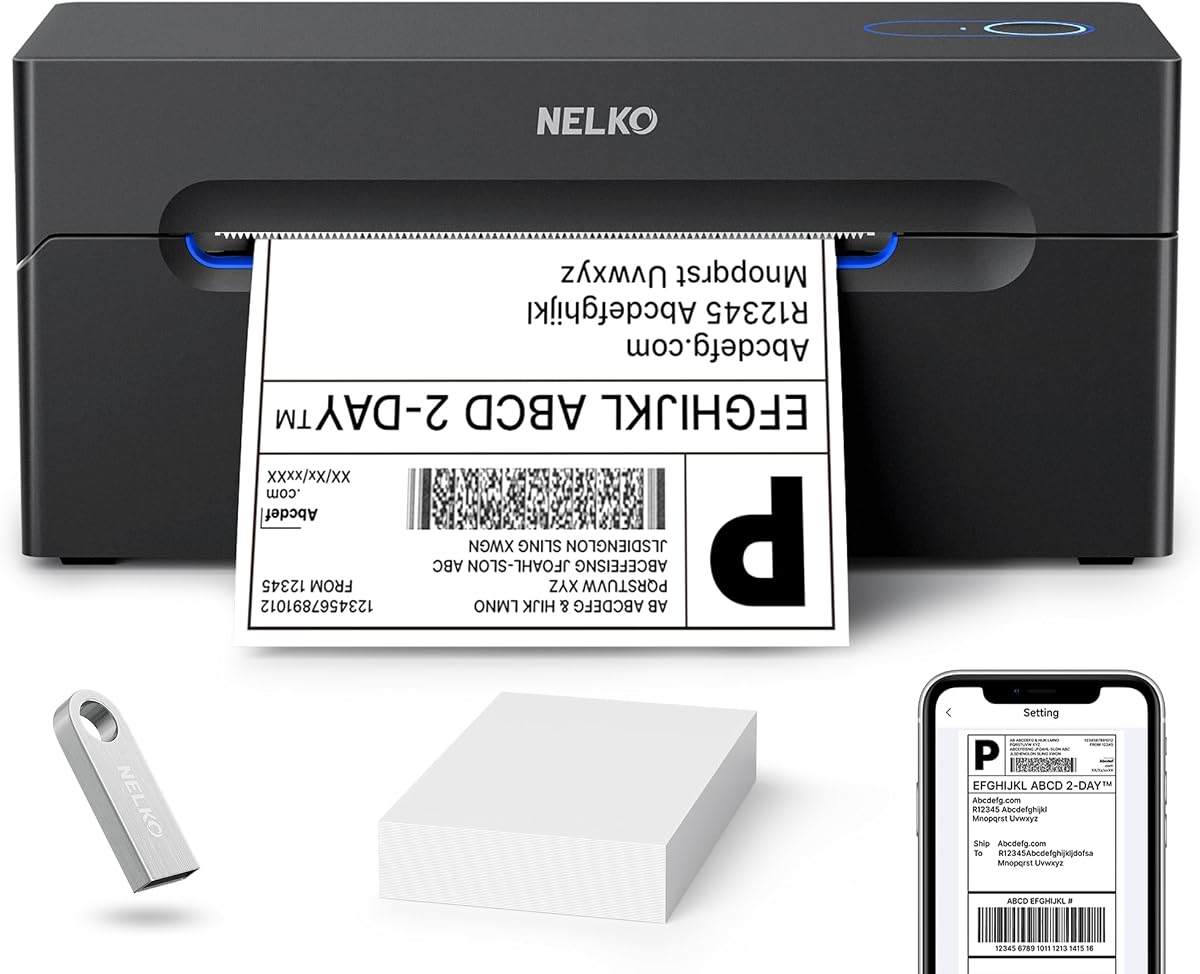
The Nelko Bluetooth Thermal Shipping Label Printer has a 4.3 rating and provides a compact thermal solution for shipping, mailing, price, barcode, and name labels. Its 203 DPI resolution and listed speed of 150 mm/s, up to 72 four-by-six labels per minute, are well suited to small food businesses handling a steady stream of customer orders.
We may earn a commission when you buy through this link, at no additional cost to you.
Bluetooth printing is available through the NELKO app for iOS and Android, while Windows 7 and later can also print over Bluetooth. Mac users with M1 or M2 processors are directed to install the app, but the product information specifies that Mac OS uses USB and cannot print via Bluetooth. USB also works with Windows, Mac, and ChromeOS.
Label widths range from 1.54 to 4.1 inches, and both fanfold and roll media are accepted. Amazon, eBay, Shopify, USPS, UPS, Etsy, PayPal, and Poshmark are listed as compatible platforms. As with many thermal workflows, users are instructed to save a marketplace label as a PDF and then upload it to the editing app.
Nelko is appropriate for online food shops and compact fulfillment spaces where speed matters but desk space is limited. It handles the full shipping-label workflow and smaller product labels. Mac users should choose it primarily for USB operation, while Android, iOS, and Windows users can benefit from its wireless flexibility.
The printer is described as much smaller than traditional desktop printers, helping small kitchens and home offices retain usable workspace. That compact footprint does not prevent it from producing standard four-by-six shipping labels at commercial speeds.
Major commerce and carrier platforms are supported, and the PDF-based app workflow provides a consistent method for preparing labels across stores. Setup videos and troubleshooting materials on a USB drive add support for new operators.
We may earn a commission when you buy through this link, at no additional cost to you.
The SUPVAN E10 Bluetooth Label Maker Machine with 3 Tapes, Green Bundle has a 4.3 rating and offers an affordable, approachable way to organize kitchen containers, storage boxes, offices, and school supplies. It uses direct thermal printing and requires neither ink nor toner, keeping everyday labeling simple.
We may earn a commission when you buy through this link, at no additional cost to you.
Its most important food-packaging feature is laminated label compatibility. The labels are described as waterproof, oil-proof, scratch-resistant, and heat-resistant, making them more suitable for kitchens than ordinary paper labels. The built-in cutter allows users to remove finished labels neatly, while continuous tape and die-cut formats support both custom lengths and batch preparation.
The app includes 40 fonts, 30 frames, and more than 450 icons, with no registration or fees required. Bluetooth makes it convenient for organizing ingredients or preparing product labels away from a desk. The rechargeable battery is advertised as lasting a full month on a single charge, although actual duration will depend on use and settings.
The E10 is a strong budget selection for home food storage, meal preparation, pantry organization, and small batches of product labels. It is less appropriate for high-volume shipping because it is a compact label maker rather than a 4-by-6 fulfillment printer. Buyers who need unusual container sizes should check tape dimensions and cutter behavior before purchasing.
Waterproof, oil-proof, and scratch-resistant laminated labels are well suited to food containers that may encounter moisture or handling. Heat resistance adds another layer of usefulness for organized kitchen workspaces.
Bluetooth operation and a rechargeable battery let users label items away from a fixed workstation. This is useful for moving between the pantry, prep counter, and a market or workshop.
We may earn a commission when you buy through this link, at no additional cost to you.
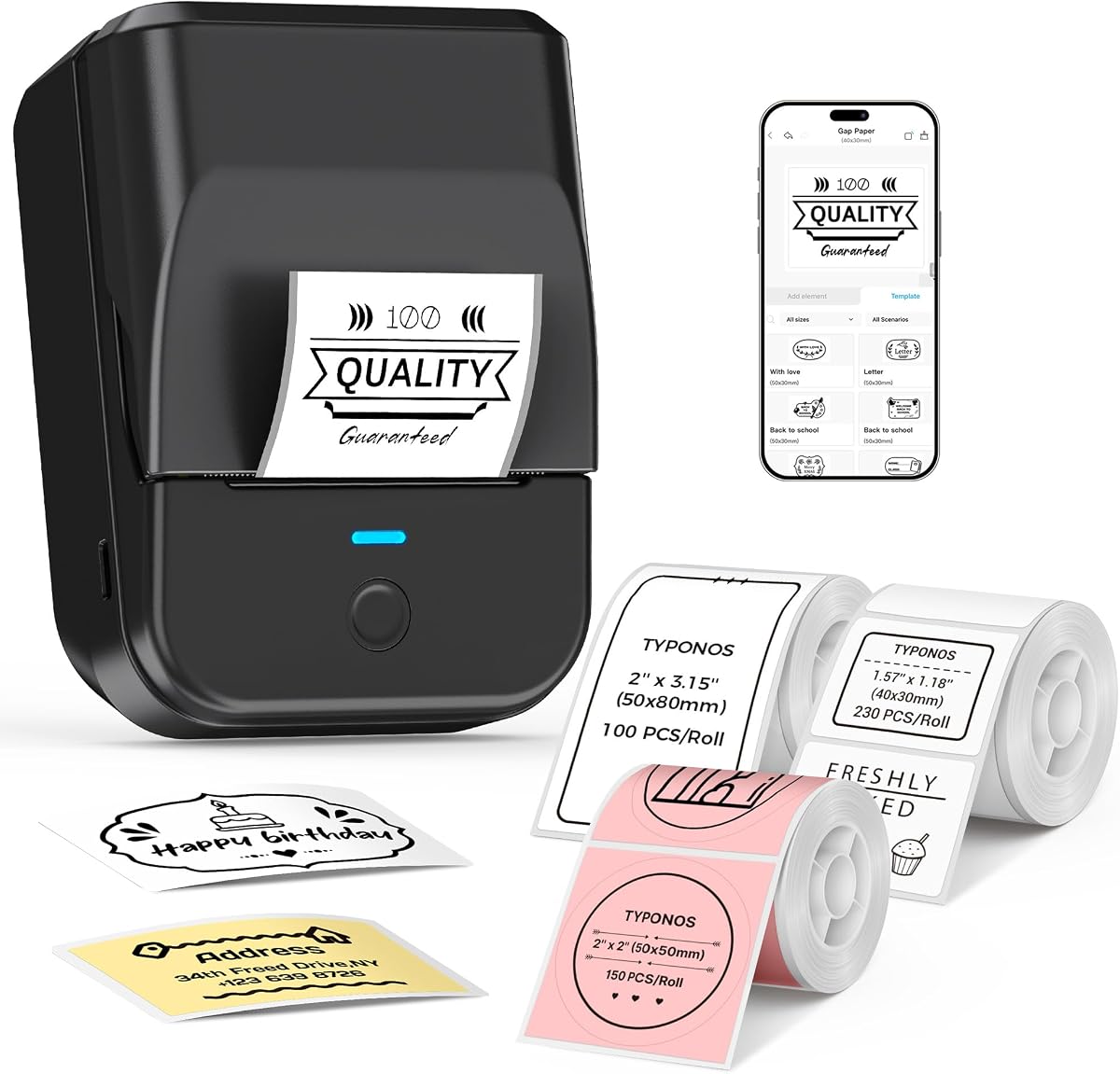
The PM240 Label Maker Machine with 3 Tapes has a 4.4 rating and combines a lightweight 207-gram body with a sophisticated app workflow. Its 203 DPI output, support for one- to two-inch labels, and inclusion of rectangular, round, and transparent media make it suitable for food jars, price tags, QR codes, and barcodes.
We may earn a commission when you buy through this link, at no additional cost to you.
The Labelnize app offers more than 2,500 icons, 3,800 templates, and 430 fonts. It supports Excel import, batch printing, AI text-to-image, and OCR text recognition. RFID chips built into compatible TYPONOS labels allow the app to identify label size automatically, a helpful feature for businesses that use several formats.
There are some notable constraints. Printing is monochrome, and users are instructed not to remove the green liner sticker because doing so may cause errors. Bluetooth and USB cannot operate simultaneously, and the device automatically powers off after 30 minutes of inactivity by default. The standby timer can be adjusted in the app, and the power adapter is not included.
The PM240 fits teachers, home organizers, and small food businesses that want sophisticated design functions without a large shipping printer. Its automatic detection and batch tools are particularly useful for classroom-style labeling or a product run with mixed containers. Ensure the correct compatible media and a suitable charging solution are available before setup.
RFID-equipped compatible labels let the app recognize media dimensions, reducing repeated manual configuration. This supports faster work when a session involves several container shapes or label formats.
Excel import, batch printing, OCR recognition, and AI text-to-image extend the app well beyond basic text labels. These features can support organized inventories, ingredient lists, and visually consistent small-business packaging.
We may earn a commission when you buy through this link, at no additional cost to you.
The NIIMBOT B1 Label Maker Machine with 3 Tapes has a 4.6 rating, tying for the highest rating among these options. At 293 grams, it is one of the lightest choices, and its rechargeable battery is advertised to provide up to 100 days of standby time. That makes it appealing for labeling jars, bottles, homemade food, and small-business inventory away from a desk.
We may earn a commission when you buy through this link, at no additional cost to you.
The B1 supports label widths from 20 to 50mm and can use rectangular, round, cable, file, and double-row small labels. Its app supplies more than 10 fonts and languages, over 100 borders, and more than 1,500 symbols, barcodes, QR codes, icons, images, and tables. Three rolls are included, covering white, clear, and colorful label media.
Compatibility is limited in specific ways. The printer works with iOS and Android smartphones but not iPads. PC use through USB requires downloading the driver from the NIIMBOT website. These limitations are reasonable for a portable label maker, but they should be checked before purchase if a business standardizes on tablets.
The B1 works well for home preservation, market packaging, teacher labels, and lightweight commercial product identification. Its broad code and icon selection makes it more versatile than a date-only device, while the pocket-friendly size helps it remain accessible for on-the-go labeling. For continuous four-by-six shipping output, choose a dedicated thermal shipping printer instead.
The low 293-gram weight and rechargeable design make the B1 convenient for market stalls, workshops, and home kitchens. Users can move from container to container without remaining tethered to a desktop setup.
Compatible NIIMBOT labels are described as waterproof, oilproof, wipeable, tear-resistant, self-adhesive, abrasion-resistant, and BPA-free. The large symbol and code library supports ingredient identification, pricing, QR codes, and brand presentation.
We may earn a commission when you buy through this link, at no additional cost to you.
The right food-packaging label printer depends on the containers, label sizes, workflow, and required information. Start with your most common label format, then prioritize durability, connectivity, and the features that remove repetitive work.
Begin with the physical dimensions of the labels you intend to use. Compact handheld models commonly handle narrow media between 20 and 50mm or one to two inches, which suits jars, bottles, pantry bins, and small cartons. Dedicated shipping printers support much wider rolls, often extending beyond four inches, and can handle standard four-by-six address labels. Confirm both the minimum and maximum width rather than relying on the product category alone, because a printer may support a useful middle range but not the smallest container label you need.
Kitchens and refrigerators expose labels to moisture, oils, handling, and temperature changes. Some handheld models offer laminated, waterproof, oil-proof, scratch-resistant, or heat-resistant label media, while other products emphasize paper and standard thermal media. A food business should match the label's environmental characteristics to the storage environment. A chilled jar, a pantry shelf, and an outdoor market table have different exposure risks, so durability should be evaluated separately from print quality.
A 203 DPI print head is a common standard among the dedicated thermal models in this guide and is well suited to small text, ingredient lines, barcodes, and QR codes. For very small jar labels, compare actual letter height and test output rather than relying only on a headline resolution. Tape-based devices may prioritize high-resolution image processing in the app, yet the supplied information does not give a comparable numeric DPI specification for every model.
Wireless printing improves flexibility at a packing bench, kitchen counter, or market stall, but app-based connections add a step compared with direct USB printing. Check the operating systems and devices you actually use: some products support iOS, Android, and Windows, while excluding iPads or requiring a driver for PC connections. For dedicated shipping printers, the common workflow is to save a marketplace label as a PDF and import it into the manufacturer's editing app.
Output speed matters when completed food orders wait to be packed. Several dedicated thermal models are rated at 150 mm/s, while the KNAON model is listed at up to 180 mm/s; the Nelko model is described as producing up to 72 four-by-six labels per minute. These figures are most relevant to daily fulfillment, not occasional pantry labeling. A compact label maker is usually the better fit for recipe jars, prepared-food containers, and small batches.
Food-packaging labels often need more than plain text. Useful software features include reusable templates, QR codes, barcodes, logos, image imports, Excel import, OCR, and batch printing. The NIIMBOT and PM240 models stand out for extensive app resources, while the SUPVAN T50M Pro offers a broad set of fonts, frames, and icons. Template volume alone does not determine quality, so consider whether the editing tools can support the exact information and visual consistency your packaging requires.
A portable label maker can move between the pantry, prep area, market, and classroom, while a desktop thermal printer usually remains connected to a workstation. Rechargeable models offer freedom from wall power but require charging planning and may not include an adapter. Wired USB models provide a steadier connection and continuous availability. The NIIMBOT B1, NIIMBOT B2, SUPVAN E10, and PM240 emphasize portable operation, with the B1 and B2 using a 203 DPI print head and the E10 offering laminated media.
Consider whether the printer accepts widely available compatible media or requires a proprietary label system. The DYMO LabelWriter 550 Series uses only authentic DYMO labels, which provides consistency but limits flexibility. Many other thermal models accept common roll or fanfold formats. Waste control is another consideration: the DYMO model prints precise quantities instead of full sheets, while automatic label-size detection in other devices can reduce setup errors and misprints.
Start by confirming that the printer supports the exact tape, roll, or fanfold media you plan to use. Charge a rechargeable unit fully, install the appropriate app, and complete the manufacturer's pairing or driver process. For a shipping printer, use the built-in test media first and confirm the label width, gap settings, and orientation before producing a large batch.
Design a clear label that matches the package. Include the product name, date or expiration information where appropriate, storage guidance, a price, barcode, or QR code when needed, and any legally required food details. Use consistent fonts and sizing, preview the result in the app, and check that the label has enough clear space around codes. Print one sample and inspect its alignment before labeling the remaining containers.
To maintain performance, keep the print head clean and follow the manufacturer's guidance for thermal media storage. Avoid abrasive wipes and liquids unless they are explicitly approved. Keep labels away from excessive heat and direct sunlight before application, and do not stretch adhesive media while positioning it. Recheck alignment when changing roll formats, calibrate or recognize the new size where required, and use the app's batch feature carefully to avoid repeating an error across many labels.
Yes, when the printer supports sufficiently small text and the label contains enough space. Thermal models with a 203 DPI print head are well suited to ingredients, dates, barcodes, and QR codes, while some handheld models offer offline date printing. Confirm the smallest supported text and label dimensions before creating your template. Always check the finished label under the conditions where the package will be stored.
Thermal printing is usually simpler for monochrome labels because it needs no ink or toner and produces crisp text, barcodes, and QR codes. It is also convenient for short runs and variable information such as dates. An inkjet may suit full-color packaging, but this guide covers direct-thermal products, and most listed models do not provide color output.
A handheld label maker is usually more convenient for narrow jars because it supports compact widths and portable operation. The NIIMBOT B2 supports 20–50mm widths and several paper types, while the NIIMBOT B1 offers waterproof and oilproof compatible labels. For a refrigerator or damp counter, verify the label's resistance to moisture and condensation before use.
Most support Bluetooth through the manufacturer's app, and several also support USB. Compatibility differs for tablets, Macs, and some Windows configurations, so check the specific model before purchasing. Dedicated shipping models typically use a PDF workflow in which the marketplace label is saved and then imported into the app for printing.
A 203 DPI thermal print head is a common and useful standard for ingredient lists, dates, prices, barcodes, and QR codes. Resolution is only one part of readability; character height, label contrast, and scanning distance also matter. Print a test label with the smallest text and code you plan to use before committing to a full batch.
Many do, but the best choice depends on the label material and storage conditions. Some products offer waterproof, oilproof, heat-resistant, or laminated media that can be better suited to kitchens and refrigerators. Avoid leaving labels exposed to condensation or water unless the manufacturer states that the specific media is suitable for those conditions.
Choose a label maker for jars, pantry organization, prepared-food containers, prices, QR codes, and other narrow labels. Choose a 4-by-6 thermal printer for outgoing parcels, address labels, barcodes, and marketplace fulfillment. A small food business may eventually want both, but the dominant workflow should determine the first purchase.
Load the media according to the manufacturer's instructions, confirm the detected or calibrated label width, and print a test page before a batch. Some models identify the first label automatically, while others require a feed-button calibration after every media change. Consistent roll direction and correct gap or continuous settings also help prevent alignment errors.
The NIIMBOT B2 is the strongest all-around recommendation because it combines a 203 DPI print head, one-button offline dates, flexible media, app tools, and batch printing. The SUPVAN E10 stands out as the budget choice for kitchen organization because its laminated labels resist water, oil, scratches, and heat. The DYMO LabelWriter 550 Series adds a premium-style experience centered on automatic recognition, precise quantities, and reduced waste.
Prioritize the label format and environment before any extra feature. A pantry or market operator should choose a narrow portable label maker with suitable food-label media, while an online food seller handling daily parcels needs a wider thermal printer and reliable marketplace support. Barcode quality, dates, wireless convenience, templates, and automatic size detection matter only when they solve a recurring task in the actual workflow.
Before ordering, confirm the supported width, media type, device compatibility, and whether color is required. Prices and availability can change, so check current product details and the latest labeling requirements for the food being packaged. With the correct media and a realistic workflow in mind, the right printer can make food packages clearer, more consistent, and easier to manage.