
Ordilend Keyboard Cleaner & Laptop Cleaning Kit
4.6Editor score
Comprehensive keyboard cleaning tools
Multiple microfiber cleaning cloths
Portable all-in-one organization
Discover the best laptop cleaning kits for keyboards, screens, ports, and delicate electronics, with expert comparisons of tools, formulas, and versatility.
Laptop cleaning kits help remove dust, fingerprints, crumbs, and grime from keyboards, displays, ports, and other frequently touched surfaces. A useful kit balances gentle cleaning tools with effective formulas, while portability, organization, and compatibility with delicate coatings deserve equal attention.
This guide compares ten laptop cleaning kits based on the included brushes, cloths, sprays, picks, blowers, swabs, and storage solutions. It covers compact all-in-one sets, screen-focused formulations, precision tools for earbuds and charging ports, and broader kits suitable for computers, cameras, and mobile devices.
Each pick demonstrates what its particular combination of tools is best equipped to handle, from routine keyboard maintenance to detailed work around narrow openings. Product listings and availability can change, so readers should verify current specifications and device-care instructions before purchasing or applying any cleaner.
4.6Editor score

4.9Editor score
4.6Editor score
The comparison highlights the cleaning coverage, included accessories, portability, and intended use of all ten kits, helping readers distinguish comprehensive device-care sets from focused screen and keyboard solutions.



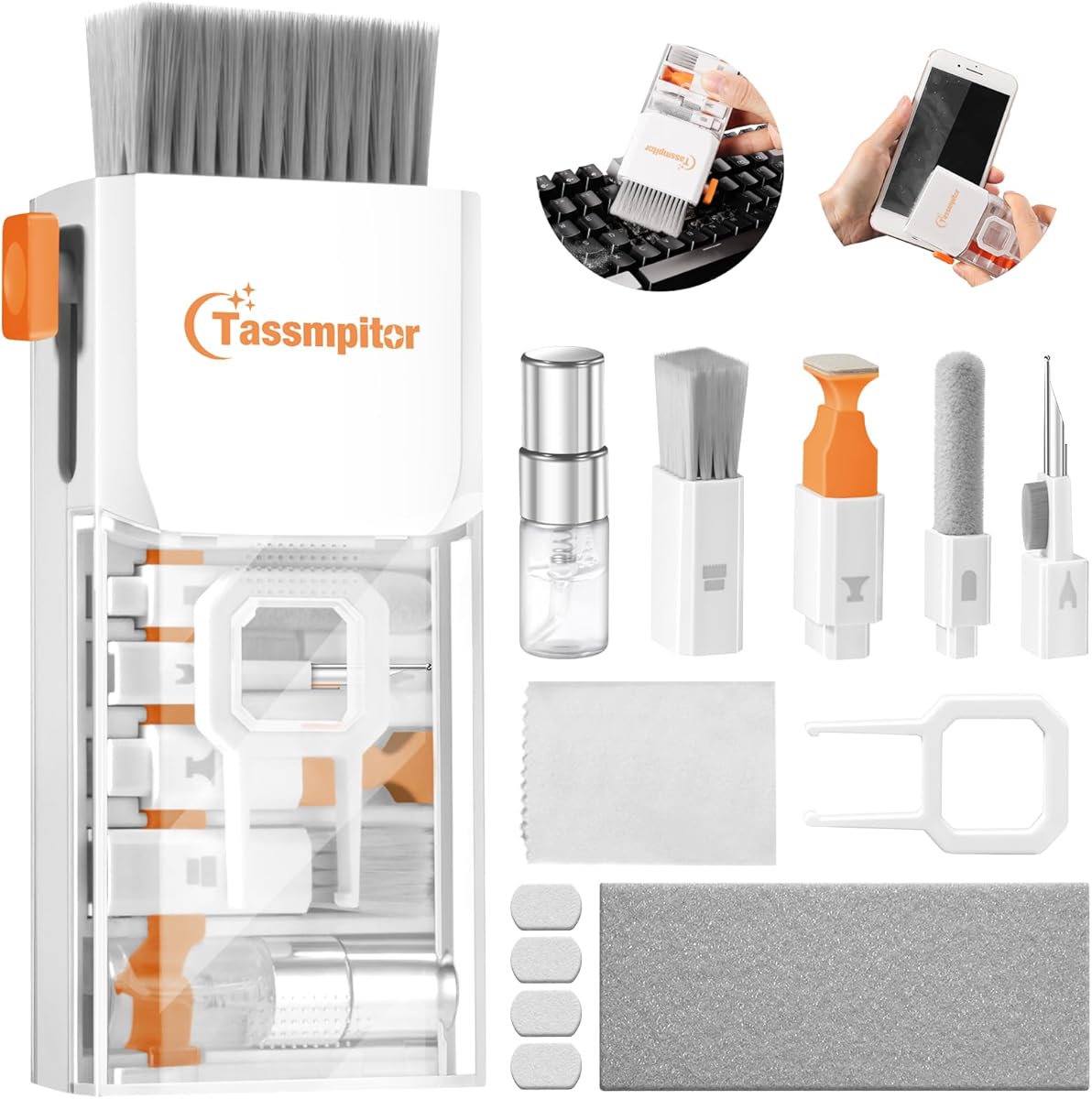
The Ordilend Keyboard Cleaner & Laptop Cleaning Kit is an unusually comprehensive set for readers who want one collection to cover several kinds of electronics. Its 4.6 rating reflects a broadly useful assortment, and the combination of brushes, cloths, a keycap puller, metal pen tip, sponge, and lens-cleaning tools makes it more versatile than a conventional screen-and-keyboard pair.
We may earn a commission when you buy through this link, at no additional cost to you.
Its strongest area is keyboard care. The retractable brush can sweep loose dust from laptop keys and desktop keyboards, while the high-density brush is intended to reach between closely spaced keys. A keycap puller adds a deeper maintenance option for compatible mechanical or gaming keyboards. Multiple polishing and microfiber cloths are also supplied, including replacement cloths for regular use.
The screen and precision tools provide useful added value. An angled polishing cloth is shaped to fit display corners, while the soft brush, plastic lens pen, flocking sponge, and metal tip are intended for cameras, lenses, earbuds, and charging cases. This breadth can be appealing for students, travelers, or office workers who maintain several devices, although the large number of components may feel excessive for someone needing only a screen wipe.
This is a strong recommendation for buyers who value versatility and want dedicated tools for keyboards, screens, and small accessories. Users should turn off and unplug their equipment before cleaning, follow the included guidance, apply liquid sparingly, and avoid pressing hard against delicate displays. For a full-featured maintenance set rather than a minimal travel tool, it is among the most adaptable options in this guide.
The keycap puller and narrow brushes distinguish this kit from basic brush-and-cloth bundles. They give compatible mechanical keyboard owners a way to remove keycaps and access grime that cannot be reached from the surface alone.
The lens pen, flocking sponge, and metal tip expand the set's usefulness to camera screens, earbuds, and charging cases. That makes the kit a practical option for people who regularly clean several types of personal electronics.
We may earn a commission when you buy through this link, at no additional cost to you.
The iFixit Laptop Cleaning Kit earns the highest rating among the ten products at 4.9, making it an especially attractive choice for buyers who value a focused, organized approach to device care. Rather than concentrating on one screen-cleaning bottle, it assembles several dry and manual cleaning tools in a compact pouch.
We may earn a commission when you buy through this link, at no additional cost to you.
The kit includes a Screen Saver, microfiber cleaning cloths, a dust blower, an anti-static brush, wipes, swabs, and picks. Each item addresses a distinct cleaning problem. The blower is well suited to moving loose debris from keyboards and cooling areas, while the anti-static brush offers a controlled way to handle dust without relying as heavily on liquid. Swabs and picks can reach narrow or hard-to-access locations.
A potential limitation is that this package does not highlight a keycap puller or an extensive set of tools for earbuds and charging ports. Buyers whose main concern is deep mechanical-keyboard work may prefer a more specialized kit. Conversely, the pouch makes this option attractive for travel, workspaces away from home, and users who dislike loose accessories scattered across a desk.
For most laptop owners, the iFixit set offers an effective balance of tools, organization, and screen-care support. Its 4.9 rating, purpose-built pouch, and mix of cloths, wipes, brush, blower, swabs, and picks make it our editorial selection and a practical choice for routine maintenance at home or while traveling.
The compact iFixit Tool Pouch keeps the smaller accessories together and makes it simple to move the kit between a home desk, office, or travel bag. Storage is an important part of usability for compact cleaning tools.
The blower and anti-static brush can address loose debris without immediately introducing moisture. That makes them useful first-line tools before more intensive cleaning or liquid application.
We may earn a commission when you buy through this link, at no additional cost to you.
The All-in-1 Keyboard Cleaner Laptop Cleaning Kit combines a 4.6 rating with a wide selection of practical accessories, making it a strong value-oriented choice for everyday users. It includes a retractable large brush, mini high-density brush, keycap puller, metal pen tip, flocking sponge, soft brush, lens-cleaning pen, two polishing cloths, five replacement cloths, and a large microfiber cloth.
We may earn a commission when you buy through this link, at no additional cost to you.
Keyboard care is the central strength. The large retractable brush handles broad surfaces, the compact brush works around and between keys, and the metal tip can assist with stubborn material in confined spaces. The keycap puller is useful for compatible mechanical keyboards, while the collection of cloths supports both routine screen wiping and general surface care.
The trade-off is complexity. A set with this many accessories takes more space than a simple dual-ended tool and requires sensible storage to avoid losing small components. Users should also follow the safety guidance in the product information: shut down and unplug the computer, use cleaning liquid carefully, wipe screens in one direction, and avoid excessive pressure or circular scrubbing.
This kit is best recommended for students, dorm residents, travelers, and families who want to clean more than just a display. The generous cloth supply and wide tool range deliver considerable utility without moving beyond a compact, portable format. It is an especially appealing choice when one package needs to cover keyboards, screens, cameras, headphones, and small electronics.
The mini brush and metal tip are the most useful components for crumbs and grime lodged between keys. Their small size makes them more suitable for detailed work than a broad desk brush.
Two polishing cloths, five replacement cloths, and a large microfiber cloth provide several options for screens and general surfaces. The replacement supply is helpful for people who plan to maintain multiple devices.
We may earn a commission when you buy through this link, at no additional cost to you.
The Altura Photo Keyboard Cleaner & Laptop Cleaning Kit is a five-piece option that balances screen care with basic debris removal. Its 4.5 rating places it among the well-regarded products in the guide, while the straightforward bundle is easier to understand than larger multi-purpose kits.
We may earn a commission when you buy through this link, at no additional cost to you.
The package contains a two-ounce screen-cleaner spray, cleaning brush, air blower, 100-gram dust-cleaning gel, and large 16-by-16-inch Magicfiber microfiber cloth. The brush and blower are complementary: the brush can dislodge surface material, while the blower can move loose dust from keyboard gaps and other openings. The gel provides another method for collecting dust from less accessible surfaces.
The main advantage is simplicity. It offers enough variety for routine laptop and keyboard care without the number of precision accessories found in some 10-piece or 20-piece sets. On the other hand, users needing swabs, picks, a keycap puller, or tools for charging ports may need another solution. The dust gel also needs to be kept sealed and handled carefully around the device.
This is a good recommendation for home and office users who want a manageable kit for screens, keyboards, and general electronics. It covers the essential categories—spray, cloth, brush, blower, and gel—in one package, making it easier to store, explain, and use than a much larger collection of specialized accessories.
The kit covers liquid cleaning, polishing, brushing, blowing, and gel-based dust pickup. That makes it versatile enough for routine maintenance without requiring a separate purchase for each basic task.
The 16-by-16-inch microfiber cloth offers ample coverage for a laptop display, monitor, keyboard deck, or other broad surfaces. Its generous dimensions make it useful beyond small precision cleaning.
We may earn a commission when you buy through this link, at no additional cost to you.
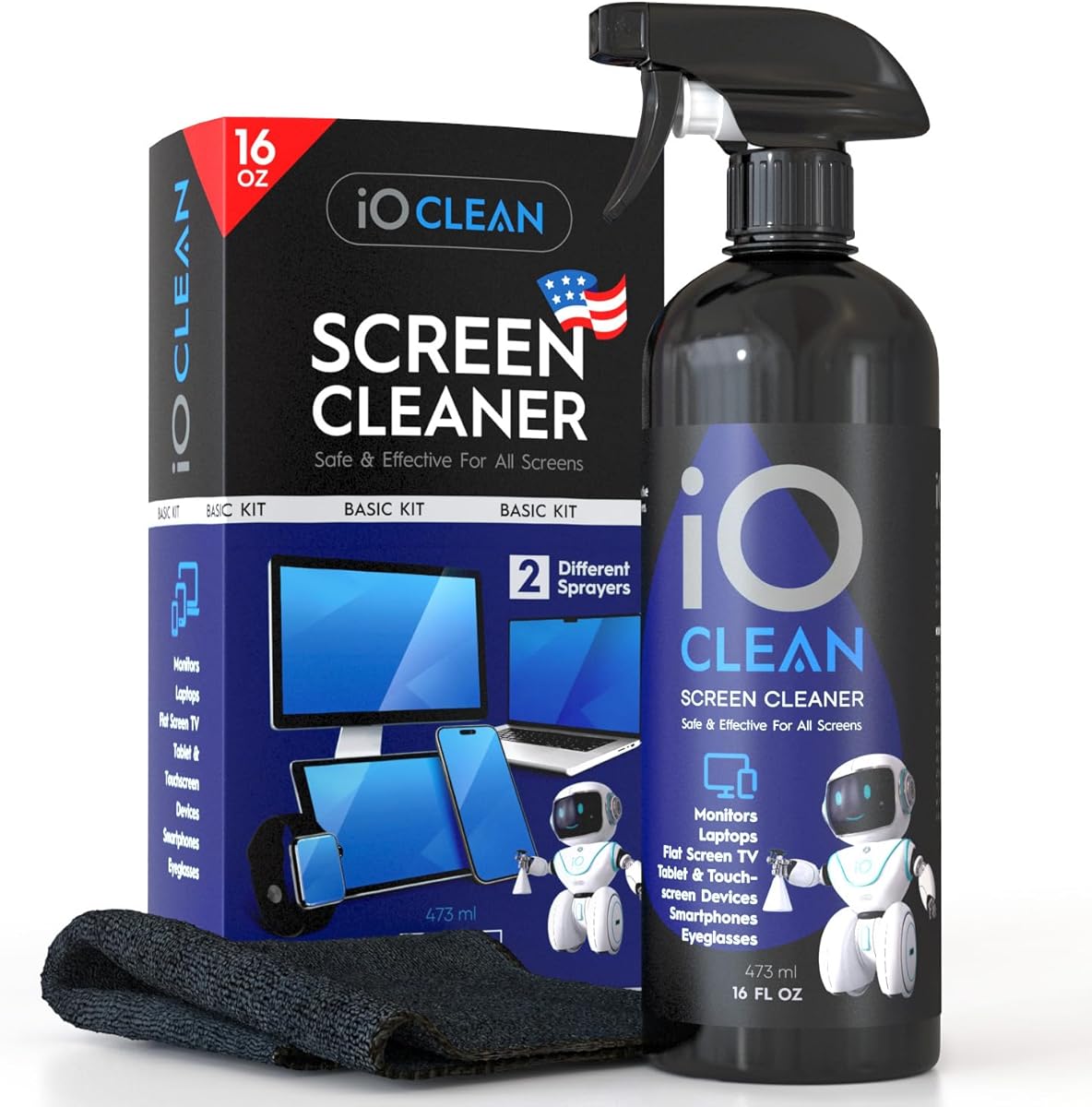
The iO CLEAN 16oz Screen Cleaner Spray is built around a large bottle and screen-focused cleaning routine. Its 4.6 rating indicates strong user reception, and the inclusion of two interchangeable nozzles distinguishes it from kits that use a single fixed sprayer.
We may earn a commission when you buy through this link, at no additional cost to you.
The formula is described as biodegradable, non-toxic, and free from alcohol, ammonia, and phosphates. It is intended to remove dust, stains, fingerprints, and grime while helping repel dirt and reduce static electricity. The product information also identifies anti-static and anti-glare benefits, making it relevant to users who frequently handle monitors, touchscreens, and portable displays.
A push-button sprayer suits smaller devices and controlled touch-ups, while the trigger sprayer covers larger screens with less repeated pressing. The included microfiber cloth supports a gentle finish. The main limitation is scope: this is primarily a screen-cleaning solution rather than a complete laptop maintenance set, so keyboard brushes, blowers, picks, and keycap tools are absent.
This product is best for households or offices with several screens that need routine cleaning and enough volume to avoid frequent refills. It can also serve as the screen-care component within a broader toolkit. Readers seeking a single all-in-one solution should look at the larger Ordilend or 20-in-1 kits instead.
The push-button nozzle offers precise application for phones, tablets, and laptop screens, while the trigger sprayer provides broader coverage for desktop monitors and televisions.
The absence of alcohol, ammonia, and phosphates makes the formula suitable for users who prefer a gentler screen-cleaning option. Users should still confirm compatibility with their device manufacturer's care instructions.
We may earn a commission when you buy through this link, at no additional cost to you.
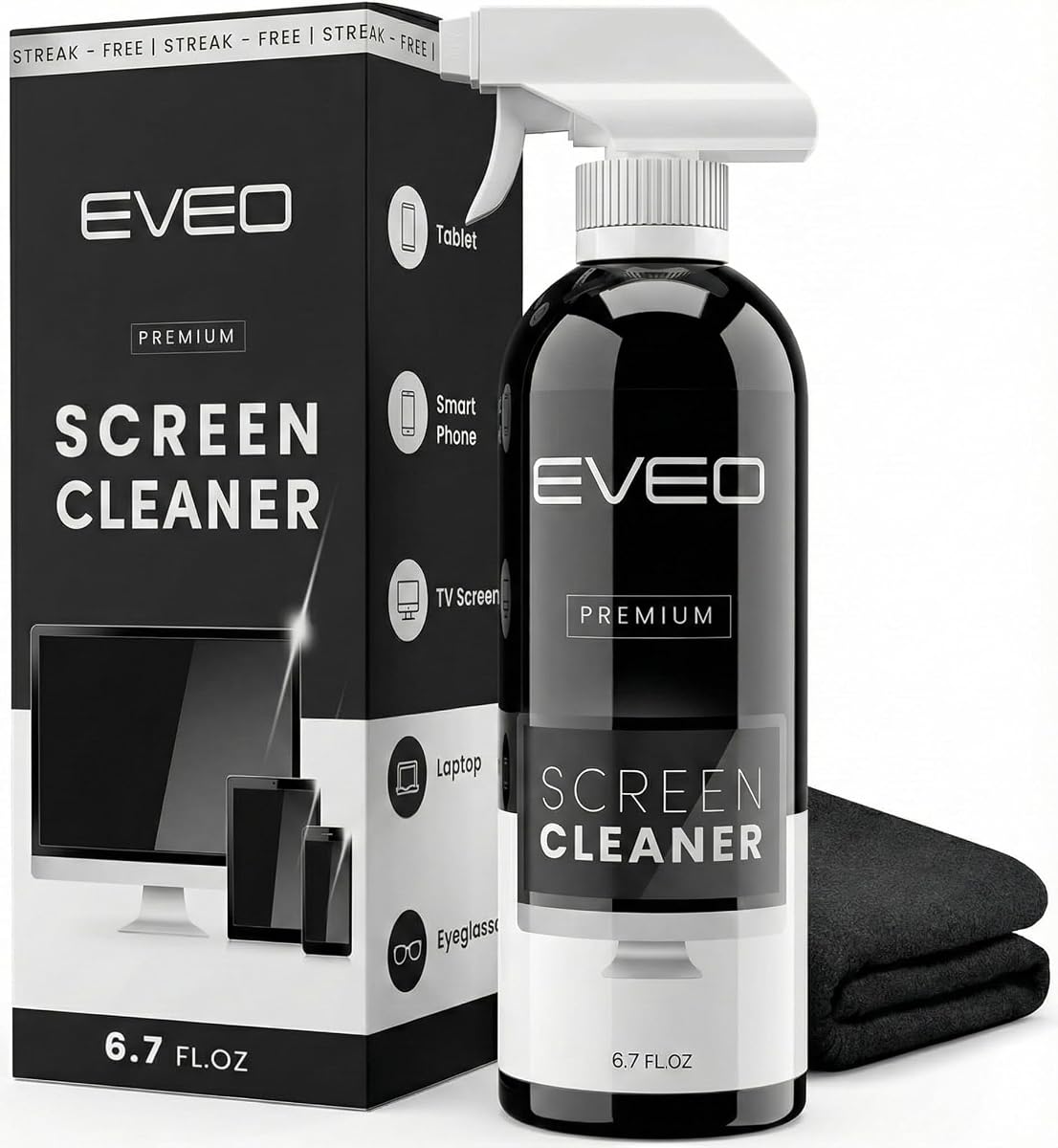
The EVEO Screen Cleaner Spray is a large-bottle screen-care product with a 4.6 rating and a simple trigger-spray workflow. Its centerpiece is the included plush microfiber cloth, which the product information describes as soft enough for screens and designed to absorb grime without leaving streaks or shedding fibers.
We may earn a commission when you buy through this link, at no additional cost to you.
The cleaner is listed as compatible with LCD, LED, CRT, and OLED screens when used properly. Intended applications include televisions, laptop displays, computer monitors, tablets, phones, e-readers, and other electronic screens. A large trigger sprayer makes it convenient to cover broad displays, while the microfiber cloth provides the surface used for the final wipe.
Those strengths also define its limitations. There are no brushes, blowers, swabs, picks, or keycap tools, so it cannot replace a full laptop-cleaning set. The trigger sprayer may also deliver more spray than a push nozzle on small screens. For those devices, applying cleaner directly to the cloth is generally more controlled than misting the display itself.
This product fits users who primarily want to clean large screens or who already own dedicated keyboard tools. It is a straightforward alternative for office displays, living-room televisions, and larger laptop screens, particularly for people who value a generous bottle and a dedicated soft cloth over an extensive collection of accessories.
The trigger-sprayer bottle and large cloth work together on television panels and desktop monitors. That focus makes the kit more suitable for broad-screen maintenance than for detailed keyboard work.
Using a purpose-included microfiber cloth can help reduce the risk of scratches from rough household fabrics. Applying the cleaner to the cloth also helps control moisture around sensitive displays.
We may earn a commission when you buy through this link, at no additional cost to you.
The Keyboard Cleaner & Laptop Cleaning Kit with 15ml spray is a detailed all-in-one option for users who clean keyboards and several smaller accessories. Its 4.6 rating reflects a versatile tool set, and the included spray, brushes, cloths, keycap puller, earbuds pen, and lens pen cover a broad range of routine maintenance tasks.
We may earn a commission when you buy through this link, at no additional cost to you.
The retractable anti-static brush and detail brush are designed for laptop keyboards, while the keycap puller provides deeper access for compatible mechanical keyboards. The 15ml spray is accompanied by high-density polishing and microfiber cloths intended to leave a residue-free finish without fading, shedding fibers, or scratching screens.
The 3-in-1 earbuds pen includes a metal tip, soft brush, and flocking sponge for charging ports, sound openings, speaker mesh, and earbud cases. That makes the kit unusually relevant to mobile-device users. The smaller bottle size, however, may require more refills than a screen-focused large spray, particularly in a busy household or office.
This is a strong choice for people who want more than a laptop screen wipe and regularly maintain phones, tablets, cameras, and earbuds alongside their keyboard. Its portable format is convenient for a desk drawer, work bag, or travel case. Users who only need a simple screen spray would likely find the broader accessory collection unnecessary.
Separate retractable and detail brushes support both broad keyboard sweeps and confined spaces. The keycap puller adds access to hidden grime on keyboards whose keys can be safely removed.
The metal tip, dense brush, and flocking sponge target earbud openings, speaker mesh, and charging cases. These small details often collect dirt that a cloth cannot reach.
We may earn a commission when you buy through this link, at no additional cost to you.
The WHOOSH! Screen Shine Duo differentiates itself with two bottle sizes: a larger 3.4-fluid-ounce option for a home or office and a 0.3-fluid-ounce Pocket version for travel and quick touch-ups. Its 4.6 rating makes it one of the stronger screen-cleaning systems in the guide.
We may earn a commission when you buy through this link, at no additional cost to you.
The formula is alcohol-free, ammonia-free, and described as non-toxic. It is intended for glossy and anti-glare displays, including iPads and MacBooks, without harming sensitive coatings or protective films. Each bottle is paired with an ultra-soft PROTX2 microfiber cloth, supporting dust and grime removal without scratching.
The dual-size arrangement is especially helpful for people who clean a desk display at home but also want a small bottle in a bag or vehicle. It eliminates the need to carry a large sprayer for a quick fingerprint on a phone or tablet. The trade-off is that this remains a screen-care set rather than a keyboard maintenance kit, and the pocket bottle will require frequent refilling.
This product is recommended for travelers and anyone who values a deliberate screen-care formula without harsh alcohol or ammonia. It is less appropriate as the sole cleaning solution for keyboards, charging ports, cameras, or earbuds. For those needs, buyers should pair it with a brush-based kit or choose a broader all-in-one option.
The larger bottle suits repeated maintenance around a desk, while the pocket bottle supports travel and quick cleanups. The paired sizes reduce the need to choose between carrying capacity and portability.
The alcohol-free and ammonia-free formula is designed for sensitive screens and protective layers. As always, users should check their device maker's cleaning guidance before applying any screen product.
We may earn a commission when you buy through this link, at no additional cost to you.
The OXO Good Grips Sweep & Swipe Laptop Cleaner is a compact, double-ended tool for readers who prefer simplicity over a large accessory collection. Its 4.5 rating reflects a straightforward design: one end uses a microfiber pad to lift fingerprints and smudges, while the other provides a soft brush for dust and dirt.
We may earn a commission when you buy through this link, at no additional cost to you.
Its strongest feature is portability. The retractable brush and storage cover protect both ends when the tool is not in use, making it easy to place in a laptop sleeve, desk drawer, or travel bag. The tool does not require a separate spray bottle for routine wiping, which also reduces the number of items users need to carry.
The compact format comes with clear limitations. There is no liquid, keycap puller, blower, swab, pick, or dedicated treatment for charging ports. While the soft brush can handle loose surface dirt, it is not designed for the deeper cleaning offered by larger multi-tool kits. Users should not expect this single tool to replace a comprehensive electronics maintenance set.
The OXO option is best recommended for travelers, students, and office workers who want a dependable screen-and-keyboard sweep without carrying many accessories. It also works well as a secondary tool alongside a spray or precision kit. For straightforward and compact daily cleaning, its protected dual-ended design is effective and easy to understand.
Combining a microfiber pad and soft brush in one compact body reduces clutter. It is especially convenient for people who clean their devices in different locations and prefer not to assemble a larger kit each time.
The retractable brush and end cover help keep the cleaning surfaces protected inside a bag or drawer. That design detail supports convenient storage between uses.
We may earn a commission when you buy through this link, at no additional cost to you.
The 20-in-1 Laptop Phone Screen Earbud Cleaning Kit offers the largest accessory collection in this guide. Its 4.5 rating demonstrates a solid level of user reception, while the numerous brushes, extension rods, extractors, blower, cloth, spray, and card-removal pin make it an appealing choice for detailed multi-device care.
We may earn a commission when you buy through this link, at no additional cost to you.
The keyboard tools are particularly comprehensive. A large retractable brush handles broad surfaces, while small hard- and soft-bristle brushes work around laptop and desktop keys. Keycap and shaft extractors support deeper cleaning on compatible keyboards, and the included blower helps move loose debris. Extension rods can carry brushes into narrow spaces where fingertips cannot comfortably reach.
The kit also targets earbuds and mobile devices. A metal clip addresses cracks and holes, charging-port brushes clean inside earbud cases, and a flocked sponge and camera-screen brush support other delicate areas. Its screen cloth and spray are listed for phones, tablets, laptops, monitors, televisions, glasses, lenses, and cameras. A card-removal pin adds another useful function.
The obvious trade-off is bulk relative to simpler products. Twenty accessories create opportunities for lost pieces, and many tools may go unused by a buyer focused on one device. The bundle is best recommended for tech owners, repair-minded users, and households that maintain phones, laptops, headphones, cameras, and keyboards. Proper organization will make the investment much easier to use.
Extension rods and several narrow brushes provide reach into charging cases, sound openings, keyboard gaps, and other confined areas. These details are where many ordinary cloths cannot clean effectively.
Beyond keyboards and screens, the kit includes specialized tools for earbuds, camera screens, shafts, and charging ports. Its broad scope makes it useful for users who own and maintain several types of electronics.
We may earn a commission when you buy through this link, at no additional cost to you.
The right laptop cleaning kit should match your devices, maintenance habits, and tolerance for liquid use. Compare the tools, formula, portability, and storage design rather than choosing only by the number of included pieces.
Start by identifying what needs cleaning most often. Screen-focused kits are effective for fingerprints, dust, and smudges but usually lack tools for crumbs lodged between keys. Comprehensive kits add retractable brushes, compact bristle brushes, blowers, swabs, and keycap removal tools for more thorough keyboard maintenance.
Inspect the formula and the device manufacturer's cleaning instructions before use. Some kits use alcohol-free, ammonia-free formulas, while others include conventional screen-cleaning solutions. Avoid assuming that a cleaner safe for one display is automatically appropriate for every coating, and confirm compatibility before applying liquid near ports, bezels, or keyboard mechanisms.
Large soft brushes sweep broad surfaces, while narrow or high-density brushes address gaps between keys and small recesses. A retractable design is useful for carrying safely, and extension rods can improve access to charging cases, speaker openings, and other tight spaces. Hard brushes may be useful for stubborn debris but require more care around delicate finishes.
Swabs, soft picks, metal tips, sponge applicators, and lens pens are valuable when dirt has entered areas that a cloth cannot reach. They are especially relevant for earbuds, camera lenses, charging ports, and mechanical keyboards. Buyers should consider whether they will actually use these tools before paying for a larger assortment.
A portable kit should protect its brushes and cloths while being carried in a bag or drawer. Retractable components, protective covers, and a dedicated pouch help prevent loose parts from spreading around. Larger all-in-one sets may include extension poles and multiple bottles, so check whether the package remains convenient for the locations where you clean.
The cloth is often the most frequently used component, so its softness and ability to lift grime without shedding matter. Some kits include several replacement cloths, while compact tools provide only one pad. Larger cloths cover broad screens and desk surfaces, whereas smaller cloths suit phones, tablets, and detail work.
A blower or dry brush should generally be used before wet cleaning because trapped moisture can turn loosened dust into a mess. Liquid is useful for stubborn fingerprints and grime, but it should be applied sparingly to a cloth rather than directly onto sensitive displays or keyboard openings.
Begin by shutting down and unplugging the device. Consult the manufacturer's guidance, remove loose food or debris with a dry brush, and use a blower to move particles from keyboard gaps and accessible vents. Never force a brush inside a vent or direct compressed air into a tightly sealed area.
For screens, spray a small amount of compatible cleaner onto the included microfiber cloth rather than directly onto the display. Wipe gently in one direction with light pressure, paying special attention to corners and edges. Avoid circular scrubbing, excess moisture, and contact with areas where liquid could seep beneath the bezel.
For keyboards and small accessories, use separate dry tools for debris and separate cloths or applicators for liquid. Remove keycaps only when the keyboard permits it, clean the removed pieces away from the laptop, and let everything dry fully before reassembly. Store brushes retracted, bottles closed, cloths clean, and loose accessories in their pouch or case.
Most comprehensive kits can handle both, but screen sprays and keyboard brushes serve different purposes. Use a soft cloth for the display and dry brushes or a blower for the keyboard. Avoid soaking the keyboard, and check the product instructions before applying liquid around keys or openings.
Alcohol-free formulas can be preferable for sensitive screens because they may be gentler on certain coatings, but compatibility still depends on the laptop manufacturer and display type. Check the device's care guide and the cleaner instructions. Never assume a product is compatible simply because it is labeled for electronics.
Light dust can be removed weekly, while visible crumbs, sticky keys, or frequent spills should be addressed promptly. Use a dry brush or blower for routine care and moisture only when needed. If liquid has entered the keyboard, stop using the device and have it inspected before powering it on.
Dedicated brushes, swabs, metal tips, sponge applicators, and extension rods can clean many narrow openings without liquid. Keep the device switched off, avoid inserting rigid objects deeply, and follow manufacturer instructions. For a severely blocked port, professional service may be safer than repeated home cleaning.
It is usually safer to apply cleaner to the microfiber cloth instead. This gives you better control over moisture and reduces the chance of liquid entering bezels, ports, or keyboard openings. Use a light touch and never press hard while wiping.
No. Some laptop keyboards, membrane keyboards, and certain mechanical designs use keycaps that are not intended for repeated removal. A puller is most appropriate for a mechanical keyboard whose manufacturer permits it. Check the keyboard guidance before pulling a key.
A blower moves loose dust without introducing moisture and can be safer than pushing debris farther into a keyboard. It is especially useful before wiping so that loose particles do not scratch surfaces. Keep the tool away from moisture and do not insert it deeply into openings.
Many all-in-one kits include soft brushes, lens pens, microfiber cloths, and precision tools intended for cameras, phones, tablets, and earbuds. Confirm that each tool is suitable for the target surface, and never use a tool that could scratch a lens or enter a sealed port.
The iFixit Laptop Cleaning Kit stands out for its organized pouch, strong 4.9 rating, and balanced collection of cloths, wipes, brushes, swabs, picks, and a blower. The Ordilend set is the most comprehensive option for keyboards, screens, cameras, and earbuds, while the All-in-1 Keyboard Cleaner Kit delivers broad functionality and replacement cloths for everyday users.
The right choice depends on the work you actually need. Choose a screen-focused spray for displays, a compact dual-ended tool for travel, or a precision-heavy bundle for mechanical keyboards, charging ports, and earbuds. Dry debris removal should come before wet cleaning, and every formula or tool should be checked against the device maker's guidance.
Before purchasing, verify the current product details, included accessories, and compatibility information for your devices. Listings can change, so confirming the latest kit contents and manufacturer instructions helps ensure that the chosen laptop cleaning kit matches your routine and remains safe to use.