
HP 14-inch Lifetime MS Office Laptop
4.3Editor score
14-inch slim display
16GB DDR4 memory
Lifetime Office 2024
A laptop with Lifetime Microsoft Office can provide the familiar Word, Excel, PowerPoint, Outlook, Access, and OneNote applications without requiring a recurring Microsoft 365 subscription. The best choice depends on screen size, processor capability, memory, storage, portability, and the specific lifetime-edition license bundled with the computer.
This guide compares ten HP laptops that pair Windows 11 Pro with a stated lifetime Microsoft Office license or Professional Plus bundle. We evaluated the supplied processor, display, memory, storage, connectivity, bundled accessories, and practical use cases, paying particular attention to the differences between Office 2021, Office 2024, and configurations that include external storage or docking accessories.
Each review identifies the configuration most likely to suit a particular buyer, from a smaller 14-inch model to larger 17.3-inch machines for work and study. Ratings and product details reflect the supplied listing information, while availability, activation instructions, accessory contents, and prices can change, so verify the current listing before buying.
4.3Editor score

5.0Editor score

5.0Editor score
As an Amazon Associate we earn from qualifying purchases.
The comparison below places all ten systems side by side, highlighting their processor class, display size, memory and storage, and operating system. These distinctions reveal which models prioritize portability, screen space, performance, or bundled accessories.




This HP 17 Laptop Business 2025 combines a large 17.3-inch HD+ display, Windows 11 Pro, a stated lifetime Microsoft Office bundle, and an unusual accessory package. Its supplied rating is 4.3, and the configuration is particularly compelling for buyers who want a roomy productivity screen without moving to the Core i5 or Ryzen alternatives.
We may earn a commission when you buy through this link, at no additional cost to you.
The Intel Core i3-N305 provides eight cores and eight threads with a maximum boost clock of 3.8 GHz. Sixteen gigabytes of DDR4 RAM is a useful amount for browser-heavy work, Microsoft Teams, document editing, and routine spreadsheets. Storage combines a 500GB M.2 NVMe SSD with a 500GB portable external drive, giving the system quick internal file access plus transferable capacity.
The bundle also includes a 6-in-1 USB-C docking station with USB 3.0, 4K HDMI, USB-C, and SD/TF card reader connections, along with an HDMI cable, USB cable, mouse pad, wireless mouse, and the external drive. That makes the package practical for a first desktop setup, although buyers who need several full-size ports or maximum built-in storage may prefer another model.
This is an excellent choice for students, home-office users, and small-business employees who regularly work across Word, Excel, Outlook, and PowerPoint documents. The anti-glare 17.3-inch panel and 720p camera support everyday productivity, while Wi-Fi 6 helps with modern wireless networks. It earns the Editor's Choice position for its unusually complete combination of usable specifications and accessories.
The 17.3-inch HD+ panel offers substantially more visual space than a compact 14-inch display. That makes side-by-side work easier in Excel, reviewing long documents in Word, or presenting a spreadsheet while keeping reference information visible.
The included hub can streamline a desk with one USB-C connection while adding video, USB, and memory-card access. The wired peripherals and portable drive also reduce the need for separate purchases immediately after setup.
We may earn a commission when you buy through this link, at no additional cost to you.
The HP 14-inch 2025 Business Student Slim Computer is the most portable selection in this guide, with a 4.3 supplied rating and a configuration centered on the Intel N150. It balances a compact screen, 16GB of memory, Windows 11 Pro, and a stated lifetime Microsoft Office 2024 installation with a sizable accessory bundle.
We may earn a commission when you buy through this link, at no additional cost to you.
The quad-core N150 offers four cores and four threads, reaches up to 3.6 GHz with Turbo Boost, and has 6MB of L3 cache. Those figures make it a practical fit for web applications, Office documents, learning platforms, and everyday photo or video tasks. The 128GB UFS drive handles internal storage, while a 500GB external drive expands file capacity.
Its accessory package includes a 6-in-1 USB-C hub, external drive, USB extension cord, HDMI cable, mouse pad, and wireless mouse. Although the computer's internal capacity is modest for a large local media library, these accessories make it easier to connect peripherals and move files between devices. The stated lifetime edition is Office 2024 rather than a generic Microsoft 365 subscription.
Choose this model for students, commuters, and home users who value a smaller footprint and ample RAM more than maximum processing power. It is also a sensible option for creating a basic Office workstation with the included hub. Its 14-inch display is easier to carry than the 17-inch alternatives, while the Pro operating system and lifetime applications create a productive package.
The slim 14-inch format is easier to carry between classes or shared workspaces. A 720p HD camera, integrated microphones, and classroom-oriented features support video calls and online learning without requiring a separate webcam.
The 500GB external drive provides a straightforward place for course materials, media, and backups. Keeping large archives there leaves the internal UFS drive focused on the operating system and frequently used applications.
We may earn a commission when you buy through this link, at no additional cost to you.
The HP Ultrabook 14 targets students, home users, and business buyers seeking a simple 14-inch system with Windows 11 Pro and a stated lifetime Office 2024 license. Its supplied rating is 4.1. It uses the same broadly capable Intel N150 platform as the preceding compact model but includes less memory and a different accessory package.
We may earn a commission when you buy through this link, at no additional cost to you.
Its 8GB DDR4 RAM is the main limitation. The system can handle standard documents, browsing, email, and remote classes, but users running many browser tabs alongside several applications may find that 16GB would offer more breathing room. Storage consists of 128GB UFS internally and 500GB externally, keeping file capacity reasonable while giving the computer a slim profile.
The anti-glare 14-inch display is listed at one million pixels and includes an HP True Vision 720p camera with dual-array microphones. The bundle adds wireless earbuds, a 500GB external drive, USB extension cord, HDMI cable, mouse pad, and wireless mouse, which covers several immediate desktop needs.
This ultrabook is best for lightweight study, browsing, document editing, and travel where compactness matters. Buyers using demanding multitasking software or extensive local media should consider a 16GB model instead. Within that limitation, it delivers the key elements sought in this category: Windows 11 Pro, lifetime Office applications, Wi-Fi 6, and a useful collection of accessories.
The listed anti-glare coating reduces reflections when the laptop is used near windows or under bright lighting. Combined with the compact panel, it makes the system well suited to reading notes, attending classes, and handling everyday Office documents.
Wireless earbuds support calls and private listening, while the mouse, mouse pad, extension cord, and HDMI cable help establish a functional workstation. The external drive serves as both additional storage and a convenient transfer medium.
We may earn a commission when you buy through this link, at no additional cost to you.
The HP 15.6-inch Business Laptop offers a touchscreen, a six-core Core i3, 16GB of memory, and a 1TB NVMe SSD. Its 4.0 supplied rating makes it a practical middle-sized choice for offices that want productive hardware alongside lifetime Microsoft Office LTSC Professional Plus 2024.
We may earn a commission when you buy through this link, at no additional cost to you.
The 12th generation Intel Core i3-1215U has six cores and eight threads, a 10MB cache, and speeds up to 4.4 GHz. That provides more conventional multitasking capability than the quad-core N-series alternatives. The 16GB of 3200MHz DDR4 RAM is also a welcome pairing for heavy browser use, spreadsheets, and multiple productivity applications.
Its 15.6-inch HD touch display uses micro-edge design, BrightView technology, 250 nits, and 45% NTSC color coverage. Touch input can be convenient for scrolling documents, navigating Windows, or using on-screen controls. Connectivity includes USB-C data, two USB-A ports, HDMI, a headphone and microphone combination jack, an SD card reader, and Wi-Fi and Bluetooth.
The main drawback is display resolution: 1366 by 768 offers less working detail than the Full HD options elsewhere in this list. The keyboard also lacks backlighting. Still, buyers prioritizing a touchscreen, one terabyte of fast internal storage, and stronger processing capacity will find this configuration balanced and versatile.
The touchscreen makes it easier to scroll through long documents, tap directly into fields, and position the display at different angles. These qualities can improve comfort during long document-review sessions or frequent presentations.
A 1TB PCIe NVMe drive provides useful room for applications, project folders, and local media. Fast internal storage also improves file access and everyday responsiveness compared with systems relying on external drives for most capacity.
We may earn a commission when you buy through this link, at no additional cost to you.
The HP 15.6-inch FHD Laptop combines one of the most balanced core configurations in the guide. It has a supplied rating of 5.0, a Full HD display, an eight-core Intel Core i3-N305, 16GB of RAM, a 1TB SSD, Windows 11 Pro, and a stated free lifetime Microsoft Office suite.
We may earn a commission when you buy through this link, at no additional cost to you.
The N305's eight cores and maximum 3.8 GHz boost clock are well suited to web browsing, document creation, communication, and multitasking. Paired with 16GB of RAM, it provides a comfortable foundation for standard Office workloads. The 1TB SSD offers more internal capacity than the 14-inch models and avoids dependence on an external drive for routine files.
Its 15.6-inch Full HD panel has a 1920-by-1080 resolution, a meaningful improvement over the two HD touchscreens in the list. The listing describes the machine as weighing 3.52 pounds and measuring 0.73 inches thick, with up to 10 hours of battery life. It also includes an eight-in-1 USB hub and a USB flash drive.
This laptop is an attractive choice for students, business users, and home offices that want a conventional mid-size screen without moving to a 17.3-inch footprint. Before purchase, confirm the exact Office edition and activation terms in the current listing, since lifetime-license bundles can differ from standard Microsoft 365 subscriptions.
The 1920-by-1080 resolution provides a sharper workspace for spreadsheets, web pages, presentations, and documents. It also makes the 15.6-inch panel more practical for extended productivity than the lower-resolution touch models.
A listed weight of 3.52 pounds and thin 0.73-inch profile support use across rooms and on the move. The 1TB SSD combines that portability with enough local space for common applications and work files.
We may earn a commission when you buy through this link, at no additional cost to you.
The HP 15.6-inch Business and Student Laptop is built around the same capable Core i3-1215U platform as the fourth-ranked model, but its listed configuration includes 12GB of memory and a 256GB SSD. No rating is supplied, so this review relies on the listed specifications rather than a customer rating.
We may earn a commission when you buy through this link, at no additional cost to you.
The six-core, eight-thread processor reaches up to 4.4 GHz, which gives it ample capability for browsing, Office applications, online learning, and communication. Twelve gigabytes of DDR4 RAM is adequate for typical productivity, although the 16GB alternatives offer a better margin for heavy multitasking. The 256GB PCIe SSD provides fast performance but limited local capacity.
The HD touchscreen has a 1366-by-768 resolution, 250-nit brightness, and 45% NTSC coverage. It supports direct interaction and is practical for scrolling and document navigation, but the resolution is modest for complex spreadsheets or detailed creative work. Fast Charge is listed at approximately 45 minutes from zero to 50 percent.
This is a sensible option for a student or business user who wants a touchscreen and Windows 11 Pro without moving to a premium-tier configuration. Verify that the stated lifetime Office 2021 installation is active and follow the seller's activation guidance. A higher-capacity SSD or 16GB of memory would be a worthwhile upgrade if the current listing permits.
The Core i3-1215U's six cores and higher boost clock provide responsive performance for browser-based work, email, online classes, and Office productivity. It is a stronger foundation than the quad-core N150 when several active applications need to share resources.
The listing says Office 2021 is provided without a key and warns against installing Office 365 because that can invalidate the lifetime license. Buyers should follow the supplied setup instructions and confirm activation before changing the installed version.
We may earn a commission when you buy through this link, at no additional cost to you.
The HP 2025 Premium 17 Laptop is an Editor's Choice because it brings a large anti-glare workspace, a five-point supplied rating, Windows 11 Pro, and a lifetime Office 2024 license to a broadly practical configuration. The Intel Core i3-N305 adds eight cores, while 16GB of memory handles typical office multitasking.
We may earn a commission when you buy through this link, at no additional cost to you.
Its 17.3-inch HD+ display uses a 1600-by-900 anti-glare panel with 250 nits and 60% NTSC coverage. That resolution is more detailed than a basic 1366-by-768 screen, while the anti-glare surface helps in bright rooms. The processor reaches up to 3.8 GHz and works with a 512GB PCIe NVMe M.2 SSD for responsive file access.
Connectivity is straightforward: one USB-C port at 5Gbps, two USB-A ports at 5Gbps, HDMI 1.4b, a combined audio jack, Wi-Fi 6, and Bluetooth. Microsoft Office LTSC Professional Plus 2024 is stated as preinstalled and activated, including Word, Excel, OneNote, Outlook, PowerPoint, Publisher, and Access.
The best audience is a home-office worker, student, or small-business employee who wants a generous display for spreadsheets, documents, and presentations. It is less suitable for travelers because 17.3-inch laptops are bulkier. Nevertheless, its combination of screen size, memory, modern connectivity, and a lifetime Office bundle makes it one of the strongest choices here.
The large panel gives users more room to keep reference documents, browser pages, and spreadsheet columns visible at the same time. Its anti-glare treatment also makes it easier to work near windows without strong surface reflections.
The stated Professional Plus bundle includes the main Microsoft applications needed for documents, presentations, email, notes, publishing, and databases. Following the listing's instruction not to install Office 365 helps preserve the lifetime license.
We may earn a commission when you buy through this link, at no additional cost to you.
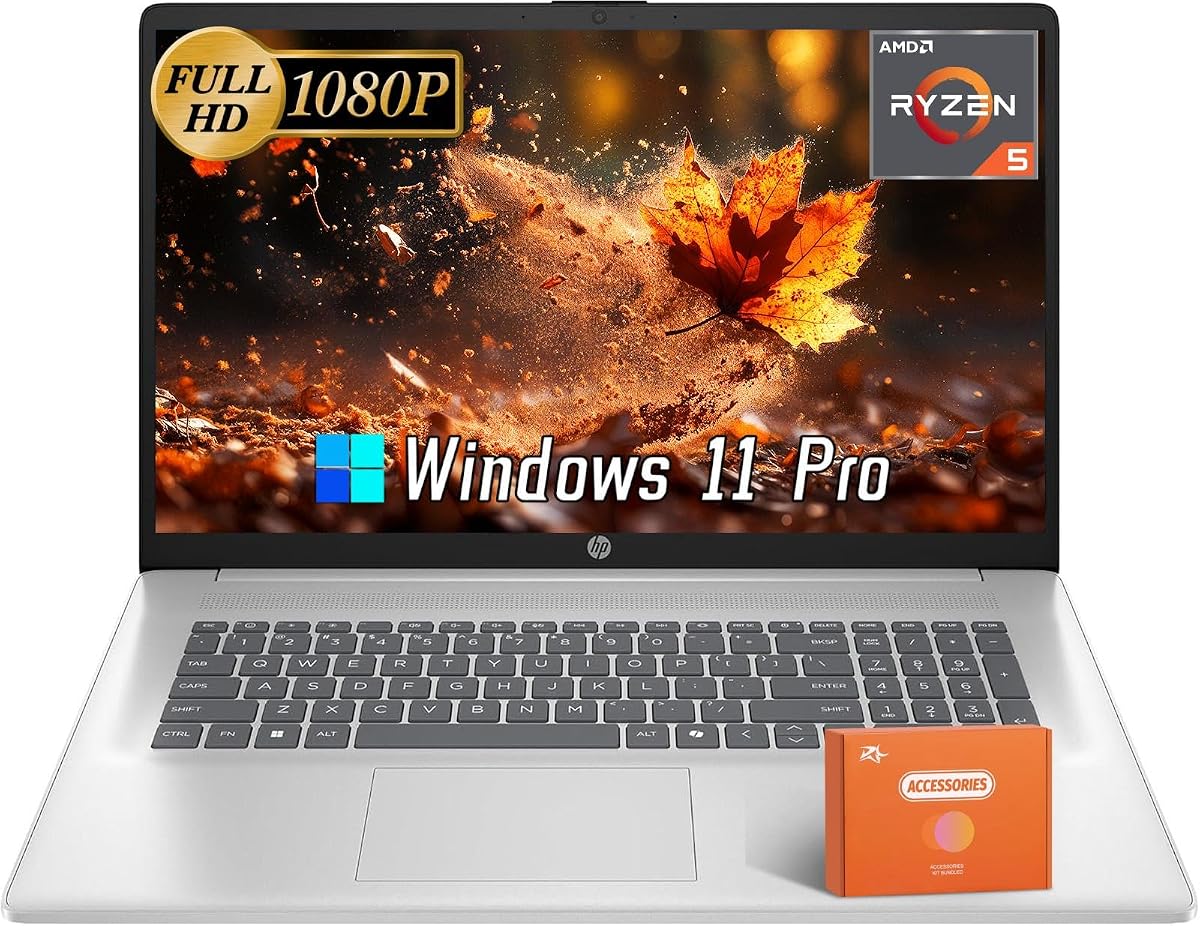
The HP 17-inch Ryzen Office Laptop stands apart through its AMD Ryzen 5 7430U processor and 17.3-inch Full HD display. No customer rating is supplied, but the listed hardware gives it a strong profile for buyers who prefer a high-resolution large screen and a different processor platform from the Intel N-series models.
We may earn a commission when you buy through this link, at no additional cost to you.
The Ryzen 5 7430U offers six cores and twelve threads, a 2GHz base clock, and boost speeds up to 4.3 GHz. With 16GB of DDR4 RAM, it is well positioned for document editing, web research, spreadsheets, and multitasking. A 512GB PCIe SSD provides fast internal storage, while integrated AMD Radeon graphics handle ordinary visual output.
Its 1920-by-1080 anti-glare screen is the sharpest large display in the guide. That advantage is meaningful for financial tables, detailed documents, and media. The webcam includes a privacy shutter and dual-array microphones, while connectivity includes Wi-Fi 6, Bluetooth 5.3, USB-C, two USB-A ports, and HDMI.
This laptop is ideal for office work, home productivity, and multimedia on a large display. It is particularly compelling for users who want more visual detail than the HD and HD+ alternatives. Because the listing describes the Office benefit more generally, verify the edition, activation method, and included applications before ordering.
The 1920-by-1080 panel gives dense spreadsheets, web pages, and documents noticeably more detail than 1600-by-900 or 1366-by-768 alternatives. The anti-glare surface supports comfortable use in bright environments.
Six cores and twelve threads provide a useful foundation for multitasking. The Ryzen processor is also an appealing option for buyers who want a configuration distinct from the many Intel-based systems in this roundup.
We may earn a commission when you buy through this link, at no additional cost to you.
The HP 2025 17.3-inch 32GB Laptop is the strongest premium productivity configuration in the guide. It combines a five-point supplied rating with 32GB of DDR4 memory, a 2TB PCIe NVMe SSD, Windows 11 Pro, Wi-Fi 6, and a preinstalled lifetime Microsoft Office 2024 Professional Plus bundle.
We may earn a commission when you buy through this link, at no additional cost to you.
Its Intel Core i3-N305 has eight cores and eight threads with speeds up to 3.8 GHz. The substantial 32GB of RAM provides a comfortable margin for many applications and browser tabs, while the two-terabyte SSD eliminates concerns about filling internal storage. Intel UHD Graphics support routine visual work, and the accessory package includes a USB hub and pouch.
The 17.3-inch HD+ display measures 1600 by 900 with 250-nit brightness. It lacks touch and a backlit keyboard, so users who need those features should look elsewhere. Connectivity includes two USB-A 3.0 ports, one USB-C 3.0 port, HDMI 1.4, an audio jack, an AC power port, Wi-Fi, and Bluetooth.
This laptop is best for demanding office productivity, large document libraries, extensive spreadsheets, and users who prefer not to manage external storage. Its lifecycle instructions warn against resetting the computer or changing the installed Office version because doing so can invalidate the lifetime license. Follow the supplied Lifetime Office User Guide during setup.
Thirty-two gigabytes of RAM gives the system considerable flexibility when many browser tabs, spreadsheets, communication tools, and background applications are active. It is particularly valuable for users who keep large working sets open.
The two-terabyte NVMe drive provides extensive room for documents, media, project files, and installed applications. Keeping that data internal offers faster access than relying on an external drive for daily work.
We may earn a commission when you buy through this link, at no additional cost to you.
The HP 17.3-inch Core i5 Office Laptop delivers the highest-tier processor configuration among these Windows 11 Pro and lifetime Office options. No rating is supplied, so its evaluation focuses on the listed Intel Core i5-1334U, 16GB of memory, 512GB SSD, and Intel Iris Xe graphics.
We may earn a commission when you buy through this link, at no additional cost to you.
The Core i5-1334U uses 10 cores and 12 threads, includes 12MB of L3 cache, and operates from 2.3GHz up to 4.6GHz. That extra multicore capability is useful for advanced multitasking, spreadsheets, demanding browser workloads, and applications beyond basic document editing. Iris Xe graphics are also more capable than the basic integrated graphics used by the N305 systems.
The 17.3-inch anti-glare HD+ panel has a 1600-by-900 resolution and 250-nit brightness. It does not offer touch or keyboard backlighting. Connectivity includes two USB-A 3.0 ports, a data-only USB-C port, HDMI 1.4, a combined audio jack, Wi-Fi, and Bluetooth. A 720p camera and dual-array microphones support calls.
This is the choice for buyers who prioritize processor capability and graphics while still wanting a large productivity display. Its 512GB SSD is modest for extensive local media, but a faster processor and stronger integrated graphics may matter more for the intended workload. Confirm the lifetime Office activation steps and preserve the installed Office 2024 version.
Ten processor cores and a boost clock up to 4.6GHz provide more headroom than the entry-level N-series options. The configuration is well suited to intensive browser use, complex spreadsheets, and sustained multitasking.
Intel Iris Xe graphics offer a useful upgrade for image viewing, video playback, and light graphical workloads. They make this configuration more versatile than systems equipped with entry-level integrated graphics.
We may earn a commission when you buy through this link, at no additional cost to you.
The right purchase balances the lifetime Office edition with screen size, processor class, memory, storage, portability, and connectivity. Comparing these factors prevents the license from becoming the only consideration and helps identify the configuration that fits the intended workload.
Verify which applications are included. The supplied listings mention Word, Excel, OneNote, Outlook, PowerPoint, Access, and, on several systems, Publisher. Lifetime Office provides familiar desktop applications, but it does not automatically include every cloud service or feature associated with current Microsoft 365 plans.
Also compare resolution rather than size alone. The guide includes 1366-by-768 HD, 1600-by-900 HD+, and 1920-by-1080 Full HD panels. Full HD provides more usable detail for dense work, while HD and HD+ models may still satisfy basic office tasks. Choose based on screen real estate, portability, and the importance of fine detail.
More cores are useful when several demanding applications run together, but processor choice should be balanced with memory and storage. A fast processor cannot compensate for only 8GB of RAM, while a modest processor paired with 16GB or 32GB can still feel responsive in office software. Avoid paying for processing power that the intended workload will never use.
Pay attention to what the memory enables rather than treating it as a simple speed number. Office documents themselves are not demanding, but communication tools, many open browser tabs, security software, and background utilities consume memory together. For most buyers, 16GB is the more comfortable long-term choice.
Consider how often the computer will travel and whether the external drive will be available. Users who need to open large local project folders daily benefit from 512GB or more internally. For the two-terabyte model, local capacity is ample, but the higher specification may be unnecessary if basic documents are the primary requirement.
Pay special attention to USB-C limitations. One model describes its USB-C port as data transfer only, with no charging or external-display support. Another indicates that USB-C is for data only. If charging a phone, connecting a display, or using a universal dock is important, rely on the dedicated HDMI port and verify each USB-C specification.
Consider compatibility with your organization, school, or family setup. Managed policies, domain connections, encryption requirements, and device-management rules may favor Pro. A standard home workflow may not use every difference, but the bundled Pro license remains part of the stated package and should be confirmed in the listing.
Before beginning everyday use, follow the seller's setup guide and confirm that the stated lifetime Office version is installed, active, and opens correctly. Open Word, Excel, PowerPoint, Outlook, and the other included applications, then check the product or activation information. Avoid installing Office 365 or another Office version over the supplied perpetual edition unless support explicitly confirms that doing so will not affect activation.
Create a structured folder system for documents and media, and use the internal SSD for applications and active files. If the laptop includes an external drive, reserve it for archives, transfers, backups, or large media that you do not need open constantly. Keep important records backed up separately, and use a reliable drive or cloud backup service according to your privacy and security needs.
Protect the device by keeping software current, enabling Windows security features, using a password or secure sign-in method, and avoiding unknown USB devices. Clean the vents and screen gently, keep liquids away from the keyboard, and avoid placing heavy objects on a closed lid. On large-screen models, use a stable surface and consider a stand or external keyboard if the laptop will remain in a fixed desk setup.
Not necessarily. These listings generally describe a perpetual version such as Office LTSC Professional Plus 2021 or Office 2024, with a lifetime license for that edition. Microsoft 365 is a separate subscription service with recurring features and updates. Confirm the exact edition and current licensing terms before replacing the bundled Office installation.
The HP 14-inch Slim Office Laptop is a strong value-focused choice because it combines a portable display, 16GB of RAM, and a docking bundle. The 14-inch Ultrabook is also compact but has only 8GB of RAM. Students who prefer a larger screen and more internal storage may find the 15.6-inch models more comfortable.
Several product listings explicitly warn not to install Office 365 because it can invalidate the lifetime Office 2021 or Office 2024 license. Other listings warn against changing versions or resetting the computer. Follow the provided Lifetime Office User Guide and ask the seller or support provider before replacing the installed software.
Yes, for typical work involving Word, Excel, Outlook, PowerPoint, browsing, and video calls. Sixteen gigabytes also gives you more headroom for numerous tabs and background applications. The 8GB model is adequate for lighter use, while 32GB is most appropriate for intensive multitasking or large working sets.
The 14-inch options are smaller and more portable, making them convenient for classes, travel, and compact workspaces. The 17.3-inch models provide more screen space for documents, spreadsheets, and presentations but usually demand more desk space and can weigh more to carry. Resolution also varies, so screen size should be considered alongside display detail.
No. An external drive can expand file capacity and help with transfers, but it does not improve the laptop's internal responsiveness or remove the need for storage for the operating system and active applications. Models with 512GB or 1TB of internal storage are better suited to users who want fast access to extensive local files.
The HP 17.3-inch Core i5 Office Laptop lists an Intel Core i5-1334U with 10 cores, 12 threads, and speeds up to 4.6GHz. It also includes Intel Iris Xe graphics. The Ryzen 5 7430U and Core i3-1215U are capable alternatives for different multitasking and platform preferences.
Open the installed Office applications, confirm the edition, and follow the supplied guide to complete any required activation steps. Save the proof of purchase and relevant support information. Avoid reinstalling Windows, replacing the installed Office version, or installing a competing edition until the seller confirms the license status.
The HP 17-inch Business Laptop stands out as the Editor's Choice for buyers seeking a balanced 17.3-inch workspace, 16GB of RAM, an eight-core processor, and a generous accessory package. The HP 17.3-inch Premium Office Laptop delivers a similar large-screen proposition with a strong supplied rating, while the 32GB, two-terabyte configuration is the most premium productivity option.
For portability, the 14-inch Slim Office Laptop offers 16GB of memory and a useful hub bundle at a more budget-oriented configuration. Buyers prioritizing Full HD detail can consider the Ryzen model or the 15.6-inch FHD laptop, while those wanting the highest listed processor performance should focus on the Core i5 configuration. Prioritize the processor, memory, and storage that match your workload rather than choosing by screen size alone.
Before ordering, confirm the current Office edition, activation process, included applications, ports, and accessory contents on the live listing. Product configurations and prices change, and a listing that appears identical may differ in memory, storage, or software activation details. Checking those points at purchase helps ensure that the laptop and its lifetime Office package meet your expectations.