
HP Victus RTX 3050
4.4Editor score
RTX 3050 6GB graphics
144Hz FHD IPS display
16GB DDR4 memory
Windows 11 Pro
A Laptop with Nvidia GPU delivers dedicated graphics, hardware-accelerated ray tracing, AI-driven frame generation, and broad compatibility with demanding games and creative applications. The right model depends on GPU tier, display quality, cooling, memory, portability, and the workloads you expect to run.
We compared ten Nvidia-equipped gaming laptops using their supplied specifications, customer ratings, display characteristics, processor platforms, memory, storage, cooling claims, connectivity, and intended use. The list covers entry-level RTX 3050 and RTX 4050 systems through RTX 5060 and RTX 5070 Ti configurations.
Each review explains who benefits most from the particular balance of performance and practicality, while noting meaningful compromises. Product details and availability can change, and marketplace prices fluctuate frequently, so confirm the current configuration and deal before purchasing.
4.4Editor score

4.4Editor score

4.3Editor score
As an Amazon Associate we earn from qualifying purchases.
The comparison below places all ten systems side by side, focusing on the Nvidia GPU, processor, display, memory, storage, and the practical strengths that distinguish each laptop.


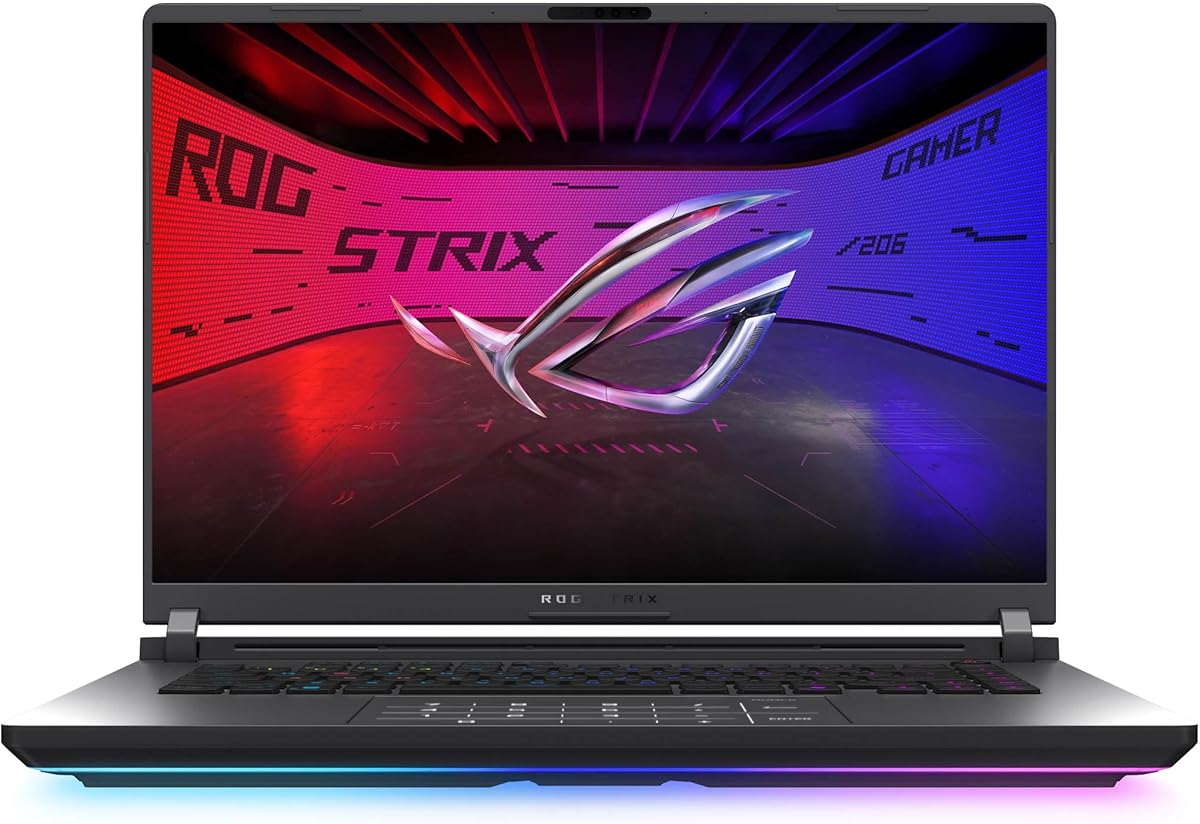


The ASUS ROG Strix G16 RTX 5060 earns a 4.4 customer rating and stands out as the most balanced recommendation in this guide. Its Intel Core i7 14650HX processor, RTX 5060 Laptop GPU, and 16GB of DDR5 memory create a capable platform for modern games, streaming, multitasking, and GPU-accelerated creative work.
We may earn a commission when you buy through this link, at no additional cost to you.
The headline feature is the RTX 5060, powered by Nvidia Blackwell architecture with DLSS 4 and Max-Q technologies. A 16:10 FHD+ panel refreshes at 165Hz with a stated 3ms response time, while the ACR film is designed to improve contrast and reduce glare. Cooling is a major strength: an end-to-end vapor chamber, three fans, and Conductonaut extreme liquid metal are all listed as part of ROG Intelligent Cooling.
There are practical trade-offs. The supplied 16GB memory is limited by modern standards for demanding multitasking, and the Full HD Plus resolution does not provide the fine detail of a 2.5K or WQXGA panel. The premium ROG styling and full-surround RGB lightbar may also be unnecessary for users who only need solid gaming performance.
Despite those limitations, this is an attractive recommendation for gamers who want current-generation Nvidia features without moving to a flagship RTX 5070 Ti configuration. It also suits streamers and creators who will benefit from the processor, fast storage, and strong thermal design. For most high-refresh gaming users, it is the easiest all-around recommendation here.
The combination of Blackwell-based RTX 5060 graphics and a Core i7 14650HX provides a strong foundation for gaming, recording, streaming, and GPU-enabled applications. DLSS 4 support also gives compatible games access to AI-assisted rendering features that can improve frame rates and image quality.
The 165Hz FHD+ screen is suited to competitive and fast-paced games, while ROG Intelligent Cooling is designed to sustain performance during extended sessions. The vapor chamber, tri-fan setup, and liquid-metal chipset cooling are particularly relevant for users who expect sustained gaming rather than brief bursts.
We may earn a commission when you buy through this link, at no additional cost to you.
This HP Victus carries a 4.3 rating and offers a straightforward route into dedicated Nvidia graphics. The RTX 4050 Laptop GPU includes 6GB of GDDR6 memory, while the Intel Core i5 13420H provides eight cores and boost speeds up to 4.6GHz according to the supplied specifications.
We may earn a commission when you buy through this link, at no additional cost to you.
Its 15.6-inch Full HD display runs at 144Hz and uses an anti-glare finish, which is useful for both gaming and regular productivity. A 16GB DDR4 memory module and 512GB NVMe PCIe SSD cover the essentials, while Windows 11 Home provides a familiar operating environment for games and everyday applications.
The main limitation is storage. A 512GB drive leaves less room for a large modern game library, creative files, and system updates, so users may need external storage or a later upgrade. DDR4 is also less forward-looking than the DDR5 configurations found elsewhere in the list.
This Victus is a sound choice for mainstream gamers who want a dedicated RTX GPU, a high-refresh display, and a familiar design without paying for a flagship machine. It is also appropriate for students or office users who want occasional gaming capability alongside daily productivity.
The RTX 4050's 6GB of GDDR6 memory makes this laptop more suitable for modern gaming than a basic integrated-GPU system. Its stable high-refresh display also gives users an immediate visual benefit in competitive titles and everyday scrolling.
The Core i5 13420H is designed to balance gaming and regular productivity. Combined with 16GB of memory and a fast NVMe drive, it offers a practical foundation for schoolwork, browsing, communication, media, and lighter creative tasks.
We may earn a commission when you buy through this link, at no additional cost to you.
The Acer Nitro V ANV15-52-76NK has a 4.6 rating, the highest among the ten products listed. It combines an Intel Core i7-13620H with the RTX 4050 Laptop GPU, offering a strong mix of CPU capability, dedicated graphics, and a 165Hz Full HD IPS display.
We may earn a commission when you buy through this link, at no additional cost to you.
Its storage and memory configuration is more generous than many competitors at this tier. The laptop includes 16GB of DDR5 and a 1TB PCIe Gen 4 SSD, with two DDR5 slots supporting up to 32GB. Thunderbolt 4, Wi-Fi 6, and Killer E2600 Gigabit Ethernet provide a versatile connection package.
The RTX 4050 remains an upper-midrange mobile GPU rather than a flagship, so buyers with demanding 4K ambitions may need a stronger option. The 1080p panel also means very high-resolution textures will not benefit from the extra detail available on 2.5K displays. These limits are understandable for a performance-focused 15.6-inch system.
This Nitro V is an excellent match for gamers who value refresh rate, multitasking capability, fast storage, and strong connectivity at a manageable tier. Its high customer rating also makes it a particularly appealing recommendation for buyers who want a well-rounded configuration without stepping up to RTX 5060 hardware.
A 1TB PCIe Gen 4 SSD gives the system more room for games and applications than a 512GB alternative. Two DDR5 slots also provide a clearer upgrade path, with the supplied configuration supporting up to 32GB of memory.
Thunderbolt 4 supports power, data transfer, and display output through a single connection. Wi-Fi 6 and Gigabit Ethernet make it straightforward to stay connected at home, at school, or in a gaming venue.
We may earn a commission when you buy through this link, at no additional cost to you.
The Acer Nitro V 16S earns a 4.4 rating and combines the RTX 5060 Laptop GPU with an AMD Ryzen 7 260 processor. Its larger 16-inch display, 32GB of DDR5 memory, and 180Hz refresh rate make it particularly compelling for gamers who prioritize screen smoothness and multitasking capacity.
We may earn a commission when you buy through this link, at no additional cost to you.
Nvidia's Blackwell architecture adds fourth-generation RT Cores, fifth-generation Tensor Cores, and DLSS 4 features. The listed 572 AI TOPS figure indicates a strong emphasis on neural rendering. The 1920×1200 WUXGA IPS panel also covers 100% sRGB, a welcome specification for content creation, photo viewing, and more accurate color work.
Its larger footprint makes it less convenient for frequent travel than a compact 15.6-inch laptop. A high-refresh panel and RTX 5060-class graphics also create meaningful power requirements, so users should expect the system to be better suited to an AC-connected gaming setup than all-day mobility.
The Nitro V 16S is a strong recommendation for competitive gamers, streamers, and creative users who want a large, fast, color-accurate panel. The 32GB memory configuration also makes it a more future-ready multitasking choice than systems limited to 16GB.
The 180Hz WUXGA display combines fast motion with a higher pixel count than a standard Full HD gaming panel. Its 100% sRGB coverage makes the same laptop more versatile for photo editing, design work, and media consumption.
With 32GB of DDR5, users can run games, browser tabs, streaming software, and creative applications without relying on unusually aggressive memory management. The two-slot arrangement supports up to 32GB, according to the supplied information.
We may earn a commission when you buy through this link, at no additional cost to you.
The ASUS ROG Strix G16 RTX 5070 Ti carries a 4.3 rating and represents the premium end of this roundup. Its Nvidia Blackwell RTX 5070 Ti Laptop GPU, Intel Core Ultra 9 275HX processor, 32GB of DDR5 memory, and 1TB PCIe Gen 4 SSD form a high-end platform for demanding games and production work.
We may earn a commission when you buy through this link, at no additional cost to you.
The 16:10 2.5K ROG Nebula panel refreshes at 240Hz with a stated 3ms response time. This combination of resolution and speed is ideal for high-end competitive gaming, detailed visuals, and creator workflows. Cooling includes an end-to-end vapor chamber, tri-fan technology, and Conductonaut extreme liquid metal on the chipset.
The trade-off is cost and thermal demand. A flagship GPU and high-refresh 2.5K display require more power than mainstream configurations and can generate more heat under sustained load. Buyers who only play lighter games may receive less benefit than buyers who regularly push demanding titles or use GPU-intensive applications.
This laptop is best for enthusiasts who want one of the most capable Nvidia configurations available in the guide without moving to a desktop replacement. It also makes sense for creative professionals who value the combination of high-resolution output, strong graphics performance, and ample memory.
The RTX 5070 Ti provides the strongest dedicated graphics specification in this comparison. DLSS 4, Max-Q, fourth-generation RT Cores, and fifth-generation Tensor Cores support demanding games, ray tracing, neural rendering, and GPU-accelerated creative applications.
The 2.5K panel provides substantially more pixels than a Full HD display, while 240Hz refresh rate supports exceptionally fluid motion. Its ACR film is designed to improve contrast and reduce glare for both gaming and longer viewing sessions.
We may earn a commission when you buy through this link, at no additional cost to you.
The HP Victus RTX 3050 offers the least demanding dedicated-GPU configuration in the guide and receives a 4.4 customer rating. Its Intel Core i5-12450H processor, 16GB of DDR4 memory, and 512GB PCIe SSD provide a functional platform for gaming, school, work, and everyday productivity.
We may earn a commission when you buy through this link, at no additional cost to you.
The RTX 3050 includes 6GB of GDDR6 memory, which is helpful for older and less demanding games as well as GPU-accelerated creative applications. Its 15.6-inch Full HD IPS Micro-Edge display has a 144Hz refresh rate and anti-glare finish, offering a smoother experience than a standard 60Hz panel.
The RTX 3050 is an older architecture and should not be expected to match the ray-tracing and AI-rendering capabilities of the RTX 50 Series models. The 512GB drive is another constraint for users with large libraries, while the supplied listing describes memory and storage upgrade capacities rather than a fully upgraded final configuration.
This Victus is the most practical budget-oriented recommendation for buyers who specifically want Nvidia dedicated graphics and a high-refresh screen. It is best suited to lighter gaming, older titles, general use, and buyers who want to control their final configuration.
The RTX 3050's dedicated 6GB of GDDR6 makes it useful for games that need more graphics memory than integrated solutions provide. It also supports GPU acceleration in compatible editing, rendering, and productivity applications.
The 144Hz IPS panel makes everyday navigation feel smoother and gives supported games more room to display fast movement. Anti-glare treatment is also useful for bright rooms and longer work sessions.
We may earn a commission when you buy through this link, at no additional cost to you.
The Alienware 16 Aurora carries a 4.1 rating and brings Nvidia Blackwell graphics to a streamlined 16-inch design. Its RTX 5050 Laptop GPU and Intel Core 7 240H processor form the core of a modern platform intended for gaming and creative workloads.
We may earn a commission when you buy through this link, at no additional cost to you.
Its WQXGA display provides a higher resolution than Full HD, while the 120Hz refresh rate and 300-nit brightness provide a balanced presentation. Cooling is handled through Alienware's Cryo-Chamber structure, which directs airflow toward core components. The streamlined chassis also supports thermal performance without a rear thermal shelf.
Among the alternatives, 120Hz is a modest refresh rate for a dedicated gaming laptop, especially when nearby competitors offer 165Hz or 180Hz panels. The supplied product information also provides fewer details about memory, storage, ports, and maximum upgrade options, so buyers should verify the exact configuration carefully.
The Aurora makes sense for buyers who prioritize a clean design, a sharp large display, and current Nvidia graphics without choosing the highest-end GPU. It is especially compelling for users who want Alienware's aesthetics and onsite service support alongside a capable everyday gaming platform.
The WQXGA screen adds useful resolution for productivity and creative viewing while remaining appropriate for gaming. Its 120Hz rate is less aggressive than the fastest panels in this guide, but the higher pixel count provides a different kind of visual refinement.
The Cryo-Chamber structure focuses airflow where it is most needed, helping the GPU and processor maintain performance during demanding workloads. Removing the rear thermal shelf keeps the chassis visually clean without abandoning thermal management.
We may earn a commission when you buy through this link, at no additional cost to you.
The GIGABYTE Gaming A16 earns a 4.4 rating and distinguishes itself with a slim 19.45mm chassis. Its RTX 5060 Laptop GPU brings Blackwell architecture and DLSS 4 capabilities to a relatively thin 16-inch design, while the Ryzen 7 260 processor handles general computing and multitasking.
We may earn a commission when you buy through this link, at no additional cost to you.
Nvidia Max-Q optimization is highlighted as part of the platform, supporting an emphasis on efficient performance and longevity. The 180-degree hinge allows the laptop to lay flat for different usage scenarios, and the slim profile should appeal to buyers who want dedicated graphics without carrying a bulky traditional gaming machine.
The supplied information does not specify the display resolution, refresh rate, brightness, memory amount, storage capacity, or weight. Those omissions matter because they can materially affect the value and everyday usability of the final configuration. Buyers should therefore review the exact listing rather than assuming capabilities from similar models.
This Gaming A16 is a strong fit for users who prioritize slimness and RTX 5060 performance. It may also interest creators because Nvidia Studio, fast image generation, and GPU-accelerated workflows are among the platform's advertised capabilities.
A 19.45mm chassis makes the Gaming A16 notably slim for a system with an RTX 5060. Users gain dedicated Nvidia graphics and DLSS 4 support without needing the bulk of a larger desktop-replacement-style gaming laptop.
The 180-degree hinge lets the display move into a flatter position for different workflows and viewing arrangements. That flexibility can be helpful for media viewing, shared-screen use, or creative applications.
We may earn a commission when you buy through this link, at no additional cost to you.
The Acer Nitro V ANV15-52-98KV has a 4.2 rating and combines the RTX 5060 Laptop GPU with an Intel Core i9-13900H processor. It is aimed at gamers who want strong multitasking performance, modern graphics features, and extensive connectivity in a 15.6-inch chassis.
We may earn a commission when you buy through this link, at no additional cost to you.
Its 165Hz Full HD IPS display offers a competitive refresh rate, while DLSS 4 and Blackwell-based ray tracing bring current Nvidia capabilities to the platform. Dual fans and an effective exhaust system manage heat, while NitroSense provides real-time performance monitoring and customizable fan speeds.
The port selection is unusually comprehensive, including Thunderbolt 4, USB-C with DisplayPort and charging, multiple USB-A ports, HDMI 2.1, Ethernet, audio, and a Kensington lock slot. The main specification weakness is the use of only 16GB of DDR4 memory, even though the two slots can support up to 32GB.
This Nitro V is a strong recommendation for users who value processor power, connectivity, and RTX 5060 features in a conventional gaming-laptop format. It is particularly useful for users who connect several peripherals, stream, edit, or rely on Ethernet for stable online gaming.
The 165Hz IPS display complements the RTX 5060 with enough refresh rate for smooth competitive gaming. DLSS 4, enhanced ray reconstruction, and multi-frame generation add tools for increasing frame rates and refining visual output in supported games.
Thunderbolt 4, HDMI 2.1, several USB ports, Ethernet, and charging over USB-C make the laptop adaptable to a wide range of peripherals. The comprehensive selection can reduce reliance on adapters when working at a desk.
We may earn a commission when you buy through this link, at no additional cost to you.
The HP Victus Ryzen 7 7445HS model has a 5.0 customer rating, the highest numerical rating in this guide. It combines the AMD Ryzen 7 7445HS processor, RTX 4050 Laptop GPU with 6GB of GDDR6 memory, 32GB of DDR5 RAM, and a 1TB SSD.
We may earn a commission when you buy through this link, at no additional cost to you.
The processor is listed with six cores, twelve threads, and speeds up to 4.7GHz, making this a capable platform for gaming, streaming, content creation, and multitasking. Its 15.6-inch Full HD IPS display offers a 144Hz refresh rate, 300-nit brightness, anti-glare coating, and AMD FreeSync Premium support.
Connectivity is particularly complete, with Wi-Fi 6E, Bluetooth 5.3, Gigabit Ethernet, two USB-A ports, USB-C with DisplayPort and power delivery, HDMI 2.1, and an audio jack. The backlit keyboard, numeric keypad, DTS:X Ultra audio, 720p camera, and dual-array microphones round out the everyday feature set.
Because the RTX 4050 is a midrange mobile GPU, this laptop is most attractive for 1080p gaming and mixed-purpose use rather than high-end 4K workloads. Its unusually strong memory and storage configuration nevertheless makes it one of the most well-equipped mainstream choices in the roundup.
The included 32GB of DDR5 gives the system considerable headroom for gaming, browser use, streaming tools, and creative applications. A 1TB SSD also reduces the likelihood that users will need immediate additional storage for their game library.
Wi-Fi 6E, Bluetooth 5.3, Gigabit Ethernet, HDMI 2.1, and DisplayPort support cover most connection needs. The backlit keyboard, DTS:X Ultra audio, webcam, and microphones make it convenient to use the laptop for school, work, calls, and entertainment.
We may earn a commission when you buy through this link, at no additional cost to you.
Choosing a Laptop with Nvidia GPU requires balancing graphics tier, processor performance, memory, display quality, cooling, portability, and the demands of your favorite games and applications.
The GPU is usually the most important specification in a gaming laptop. The RTX 3050 and RTX 4050 models in this guide target mainstream or less demanding games, while the RTX 5050, RTX 5060, and RTX 5070 Ti provide progressively more headroom for newer titles, ray tracing, AI-assisted rendering, and higher graphics settings. Resolution matters because higher-resolution displays place a greater demand on the GPU.
Choose the GPU around the games you actually play, their recommended settings, and your target resolution. Do not assume a newer model automatically guarantees a smooth experience if its power is constrained or the workload is unusually demanding.
Dedicated VRAM helps games store textures, models, frame buffers, and other data without competing with system memory. The RTX 3050 and RTX 4050 configurations listed here include 6GB of GDDR6, which is useful for many mainstream games, while higher RTX 50 Series models can benefit even more from their additional memory capacity in demanding titles.
Pay attention to VRAM when purchasing for future games, high-resolution textures, creative work, or multiple demanding applications. More memory is valuable, but the GPU's raw processing power, cooling, and display resolution also influence real-world performance.
The processor handles CPU-heavy game logic, system responsiveness, streaming, and multitasking. Core i5, Core i7, Core i9, Core Ultra 9, Ryzen 7 260, and Ryzen 7 7445HS configurations all provide credible performance, but the overall balance determines how well the laptop handles gaming alongside other applications.
Memory deserves equal attention. Sixteen gigabytes is workable, but 32GB is more comfortable for heavy browser use, streaming, video editing, and demanding games. In short, prioritize a balanced platform rather than assuming the fastest processor is automatically necessary for every workload.
A high refresh rate makes motion feel smoother and can provide a competitive advantage in fast games. The list includes 120Hz, 144Hz, 165Hz, 180Hz, and 240Hz panels, allowing buyers to choose between cost-conscious, mainstream, and enthusiast-focused configurations.
Resolution is equally important. Full HD remains practical and is often easier for a GPU to drive, while WQXGA, 2.5K, and WUXGA provide more workspace and finer detail. A high-resolution display also benefits creative work, but it may require a stronger GPU to maintain high frame rates.
A laptop can deliver impressive short bursts while becoming slower if heat causes the CPU or GPU to reduce its power. ROG Intelligent Cooling, Nitro V dual fans, and Alienware's Cryo-Chamber all indicate attention to sustained thermal performance, which matters more in demanding games than isolated benchmark results.
Look for multiple fans, heat pipes, vapor chambers, effective exhaust design, and software fan controls. Keep vents clear and understand that ambient temperature, game settings, and power mode all affect how consistently the system performs.
Modern games and creative files can consume substantial storage, making 1TB more comfortable than 512GB. Several models in the guide include a 1TB PCIe Gen 4 SSD, while some lower-tier configurations use a 512GB NVMe drive. Check whether the SSD is replaceable and whether additional M.2 slots are available.
Storage upgrades can be an economical way to expand capacity after purchase. If the laptop has limited internal upgrade options, a fast external drive can hold completed projects, media libraries, or games that are not needed constantly.
Gaming laptops can be heavy, but size and thickness vary meaningfully. The GIGABYTE Gaming A16 highlights a 19.45mm slim chassis, while the larger 16-inch models may prioritize screen space and cooling over travel convenience. The listed Nitro V measurements also demonstrate how much bulk remains in conventional gaming laptops.
Consider how often the laptop will travel, what bag can support its weight and dimensions, and whether you will game on battery or mostly near an outlet. A slim design is convenient, but sustained performance and keyboard comfort remain important at a desk.
Modern gaming setups often need more than two USB-A ports. Look for USB-C with DisplayPort and charging, Thunderbolt 4, HDMI, Gigabit Ethernet, Wi-Fi 6 or newer, Bluetooth, and an audio jack. These connections can improve productivity and make the laptop easier to use with an external monitor, headset, controller, or wired network.
Also consider the operating system, keyboard backlighting, webcam, speakers, microphones, and manufacturer support. These smaller features influence daily comfort even when they are less important than the GPU and processor.
After setup, install the latest graphics drivers from Nvidia or the laptop manufacturer's support site, then choose a suitable power and performance mode in the included control software. A balanced or performance mode can help the GPU maintain stronger clocks, while a quieter mode is useful during travel or lighter work.
For games, choose a resolution and graphics preset that your hardware can sustain consistently. Enable DLSS or other supported upscaling features when they meet your visual preferences, and avoid excessive background applications so the processor, memory, and GPU have more available resources.
Care for the system by keeping intake and exhaust vents unobstructed, cleaning dust from the cooling path, and using a stable surface during intensive sessions. Periodically check for driver and firmware updates, maintain free storage, and avoid placing the laptop on soft fabric that blocks ventilation.
An RTX 4050 laptop can provide a good dedicated-GPU experience for many mainstream games, especially at Full HD resolution. Performance depends on the processor, cooling, power limits, and settings, so newer demanding titles may require reduced graphics options. The RTX 4050 models in this guide also offer 6GB of dedicated memory and are well suited to 1080p gaming.
RTX 5060 models use newer Nvidia Blackwell architecture and provide improved graphics capabilities, including DLSS 4 support. They are a better choice for newer games, ray tracing, AI workloads, and higher graphics settings, provided the laptop's cooling and power delivery are adequate. An RTX 4050 remains a viable option for users focused on mainstream gaming at a lower tier.
Sixteen gigabytes can support many games, especially when the laptop also has a dedicated GPU and fast storage. However, 32GB gives you more comfort when running games with browsers, voice chat, recording software, launchers, and background applications. It is also preferable for video editing and other memory-intensive creative workflows.
A 144Hz display is a strong mainstream choice and offers noticeably smoother motion than 60Hz. Competitive players may prefer 165Hz, 180Hz, or 240Hz, while creators may appreciate a higher-resolution panel. The ideal combination depends on the GPU because a demanding game at high resolution may not consistently reach the display's maximum refresh rate.
Both platforms in this guide can support strong gaming experiences, and the right choice often depends on the entire configuration. Intel Core i7 and i9 models appear alongside AMD Ryzen 7 systems, while GPU capability, cooling, memory, and display quality may matter more than processor branding. Check benchmark results for the specific games you intend to play.
DLSS uses AI-assisted rendering techniques to improve frame rates and image quality in supported games. Depending on the game and Nvidia GPU generation, available features may include upscaling, ray reconstruction, and frame generation. These tools can make demanding games more manageable, though settings and visual output vary between titles.
Several configurations list memory slots, maximum memory capacities, and M.2 storage availability, which suggests at least some upgrade flexibility. However, specifications can differ by exact model and retailer listing, and some systems may include memory soldered to the motherboard. Verify the service guide and component layout before buying parts or opening the chassis.
A 1TB SSD is the more comfortable choice for a modern gaming library because individual titles and updates can require substantial space. A 512GB drive can work if you manage installations carefully, use an external drive, or plan to expand later. Users who also edit video or store large creative projects should favor 1TB or greater.
The ASUS ROG Strix G16 RTX 5060 is the strongest overall recommendation because it pairs current Blackwell graphics with a Core i7 processor, a 165Hz FHD+ display, strong cooling, Wi-Fi 7, and practical 16GB memory. The HP Victus RTX 3050 serves as the budget choice, while the ASUS ROG Strix G16 RTX 5070 Ti is the premium pick for maximum gaming and display performance.
Prioritize the combination that matches your actual workload rather than focusing on one isolated specification. GPU capability and VRAM matter for games, memory and processor strength help with multitasking, and display quality becomes most useful when it is matched by sufficient graphics performance. Cooling, portability, connectivity, and storage should complete the decision.
Finally, check the current listing before buying because configurations, bundled software, availability, and marketplace prices can change. Confirm the exact GPU, display resolution, memory, storage, keyboard layout, ports, and operating system, and review current customer feedback for the specific configuration you are considering.