
BENGOO Gaming Mouse Wired with RGB Backlit
4.6Editor score
Four adjustable DPI levels
Multicolor RGB backlighting
Six-button wired design
Our Light Up LED Mouse guide compares ten illuminated mice for gaming, work, wireless freedom, silent clicks, adjustable DPI, compatibility, comfort, and
A Light Up LED Mouse combines practical pointing performance with colorful ambient lighting, making it easy to add personality to a desk while gaming, studying, or working. The best models balance attractive illumination with responsive tracking, comfortable handling, useful controls, reliable connectivity, and broad device compatibility rather than treating illumination as the only feature.
We compared the ten featured mice by examining their connection style, lighting behavior, DPI ranges, button layouts, silent-click features, power options, compatibility, and ergonomic design. The list includes wired, 2.4 GHz wireless, and dual-mode Bluetooth models, giving readers options for gaming setups, travel, office use, and shared workspaces.
Each review explains the strongest features and practical compromises of its mouse, while the comparison and buying guide highlight which options suit different priorities. Lighting and availability can change, so readers should confirm the current product details and listing information before making a final purchase decision.
4.6Editor score
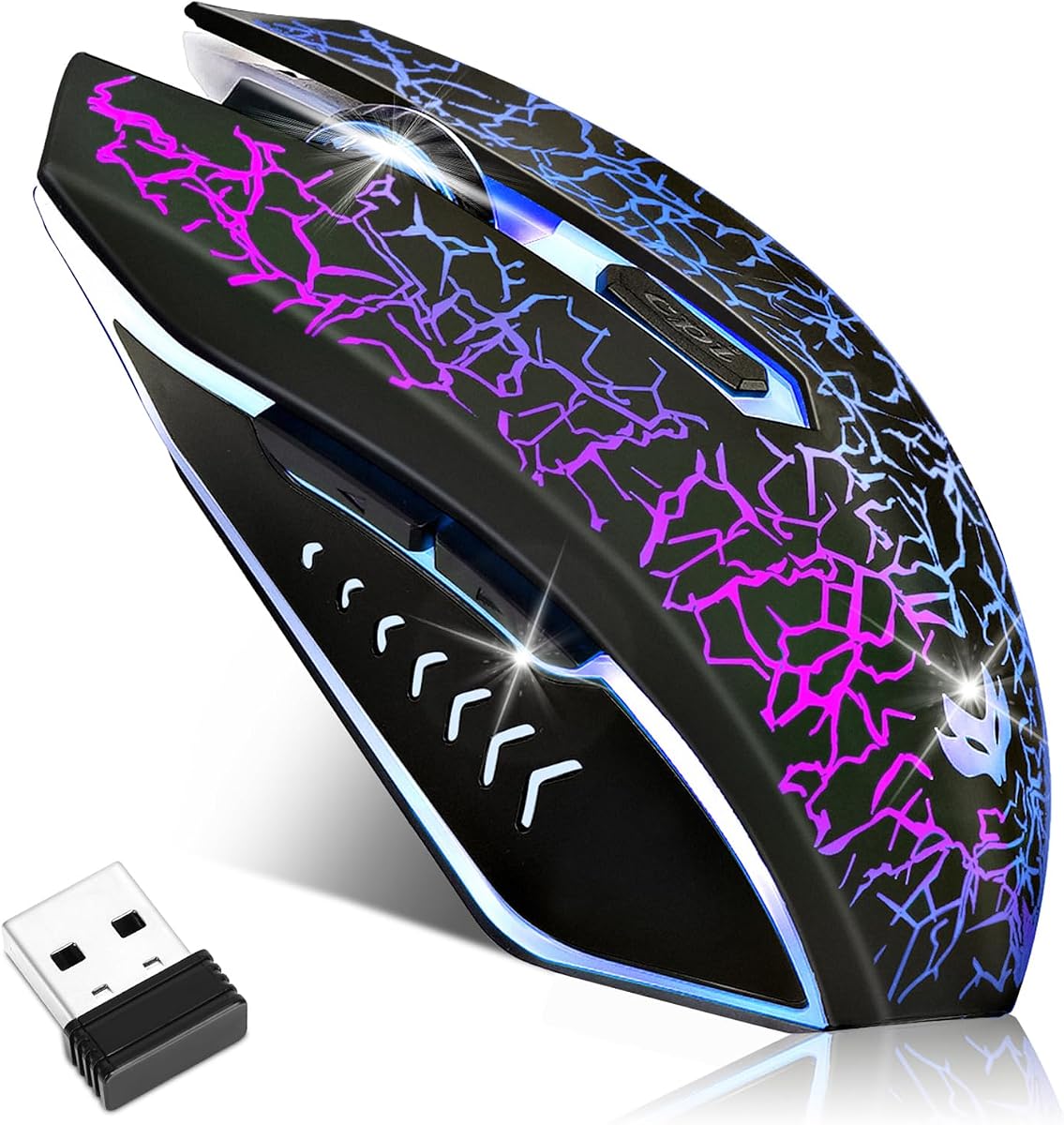
4.3Editor score

4.5Editor score
The table below compares the ten illuminated mice by connection, lighting, sensitivity, and everyday convenience, making it easier to identify the model that best fits a gaming rig, office desk, or portable setup.




The BENGOO Gaming Mouse Wired with RGB Backlit combines colorful lighting, four adjustable sensitivity levels, and a straightforward six-button layout. Its 4.6 rating is the highest among the featured products, and the balance of features makes it an appealing first choice for gamers and everyday computer users who want illumination without complicated setup.
We may earn a commission when you buy through this link, at no additional cost to you.
One of its strongest advantages is the 1200, 1600, 2400, and 3600 DPI selection. The dedicated DPI button makes it easy to move between precise cursor work and faster movement in games without installing software. Multicolor lighting gives the mouse a lively RGB appearance, while the forward and back buttons add useful shortcuts for a gaming-oriented layout.
The wired connection is the main limitation. It will not suit someone who wants an uncluttered desk or a mouse that can travel freely between locations. It also lacks a stated silent-click feature, making it less appealing for shared offices, late-night study, or quiet libraries. Even so, the simple plug-and-play operation and broad platform support offset these drawbacks.
This mouse is best for buyers who want a capable RGB gaming mouse without paying for rechargeable power or wireless convenience. It suits desktop PCs, laptops, notebooks, and MacBook-style systems that use compatible USB connections. For the combination of lighting, useful controls, adjustable DPI, and straightforward operation, it is a particularly well-rounded recommendation.
The four DPI settings provide meaningful control over pointer speed. Use a lower setting for documents and interface navigation, then select a higher setting for fast movement in games without changing software settings.
Multicolor backlighting gives the mouse a recognizable gaming appearance. Because the lighting operates over a wired connection, there is no battery-drain tradeoff when it is left illuminated.
We may earn a commission when you buy through this link, at no additional cost to you.
This wireless gaming mouse stands out as a flexible option for anyone who wants colorful lighting, silent operation, and wireless freedom. Its 4.3 rating reflects a practical feature set, while the rechargeable battery, selectable DPI, and six-button arrangement make it suitable for both gaming and ordinary productivity tasks.
We may earn a commission when you buy through this link, at no additional cost to you.
The 2.4 GHz connection is listed as working up to 10 meters, allowing the mouse to be used away from the computer without a visible cable. Its mini USB receiver stores in the mouse for easier transport, and the device can also operate in wired mode while charging. The seven-color backlight adds atmosphere, and a convenient underside switch lets the user turn it off when a subdued appearance is preferable.
The three DPI levels of 1200, 1600, and 2400 provide useful cursor-speed variation, although the 2400 setting is more relevant to quick movement than routine document editing. The product also specifies up to 20 days of battery life with the lights on and up to 25 days with them off, making light management relevant to long work sessions.
This is a strong recommendation for shared rooms, offices, dormitories, and quiet nighttime setups where silent clicks and wireless mobility matter. It is also suitable for users who do not want to replace disposable batteries. Those who need a higher maximum DPI, a physical USB-C adapter, or a more complex button mapping system may want to compare it with the other models.
Silent left and right clicks help reduce noise in offices, libraries, and dormitories. The six-button layout still provides forward, back, DPI, and scrolling functions for regular computer work.
The rechargeable design avoids battery replacements, while wired operation during charging provides a useful fallback. The stored mini receiver also helps keep the setup portable.
We may earn a commission when you buy through this link, at no additional cost to you.
The RGB Light up Wired Gaming Mouse offers a more robust construction story than many of its competitors, with metal flanking, a coated surface, and a stated one-year warranty. Its 4.5 rating and support for gaming systems, modern Windows versions, macOS, and Linux make it a strong choice for a permanent desktop setup.
We may earn a commission when you buy through this link, at no additional cost to you.
Four selectable DPI levels extend to 3200, giving users a useful balance between precise control and responsive movement. The seven-color breathing illumination and six-button configuration reinforce its gaming focus. At the same time, the contoured body and skin-friendly coating are intended to remain comfortable during extended sessions.
Its listed construction features—laser carving, a four-layer coated finish, and metal components—are intended to improve durability and resistance to everyday wear. These claims cannot be independently verified from the listing alone, so buyers should still consider the product warranty and normal care. The fixed cable is the clearest practical drawback for people who prefer a clean, wireless desk.
The mouse is best for gamers who want a stationary RGB device, a broad operating-system range, and construction details that go beyond a basic plastic shell. It is also a logical option for PS4 use and compatible notebooks or desktops. Its combination of stronger materials, multiple DPI levels, and warranty coverage makes it our premium-oriented selection.
Metal flanking and a coated chassis add a more durable feel to the design. The stated anti-drop, shockproof, and wear-resistant characteristics are especially relevant to a mouse used daily on a gaming desk.
The compatibility list includes Windows versions from XP through Windows 12, Linux, Mac and MacBook systems, Chromebook devices, and PS4. That makes the mouse a more versatile wired option than many basic office models.
We may earn a commission when you buy through this link, at no additional cost to you.
The HOTLIFE Wireless Mouse is a slim, illuminated option designed for mobility and flexible connectivity. It supports both 2.4 GHz wireless and Bluetooth, carries a 4.4 rating, and includes silent clicks, three DPI levels, and a rechargeable battery for a practical mix of travel, office, and everyday use.
We may earn a commission when you buy through this link, at no additional cost to you.
Its compact 4.52-by-2.35-by-0.78-inch size and lightweight construction make it easier to pack than a full-size gaming mouse. The USB receiver stores inside the body, automatic sleep mode helps conserve energy, and the stated range reaches up to 10 meters. A two-hour charge is said to provide 8–10 days of use.
The three DPI levels reach only 1600, which is sufficient for general computing but less flexible for fast-paced games than several higher-DPI choices. Compatibility with both micro USB and Type-C devices is another advantage, although Bluetooth requirements and operating-system support should still be confirmed for the intended device.
This mouse is ideal for travelers, students, and office users who want a slim illuminated pointer with flexible wireless connectivity. Its silent operation and back-to-desktop button make it especially useful in shared environments, while the dual-mode design reduces the need to carry different peripherals for different computers.
Switch between the included 2.4 GHz receiver and Bluetooth as needed. This makes the mouse useful with different computers while preserving a simple plug-and-play setup.
The slim dimensions, low weight, and receiver storage make this model convenient for laptop bags. Automatic sleep and wake behavior also helps reduce unnecessary power consumption between sessions.
We may earn a commission when you buy through this link, at no additional cost to you.
The Six-Button Breathing Wired Mouse is a straightforward option for users who want the illumination and sensitivity range of a gaming mouse while retaining a simple, dependable setup. Its 4.5 rating reflects a balanced feature set, with 3200 maximum DPI, four selectable levels, and broad compatibility across major desktop systems.
We may earn a commission when you buy through this link, at no additional cost to you.
Its circular breathing light creates a distinct visual effect, and the four DPI settings support changes between detailed cursor work and faster in-game movement. Optical tracking is designed to work across a variety of surfaces, while USB 2.0 and 3.0 support makes setup straightforward on compatible laptops and desktops.
The product does not explicitly advertise silent clicks, which may matter in quiet offices or shared homes. It is also a wired mouse, so it will not suit buyers seeking a cable-free desk. The six-button arrangement includes forward and back controls, adding convenience without requiring configuration software.
This mouse works well for buyers who split their time between games and office tasks and want one illuminated device for both. It is particularly suitable for Windows, Mac, and Linux computers that use standard USB connections. The combination of plug-and-play operation, four DPI levels, and broad compatibility makes it a flexible middle-ground option.
The 1000, 1600, 2400, and 3200 DPI options let users tune sensitivity to different applications. A dedicated on-the-fly switch is more convenient than changing operating-system settings.
Circular LED illumination and a breathing multicolor effect create an eye-catching appearance. Since the mouse is powered through its cable, keeping the lighting active does not consume a rechargeable battery.
We may earn a commission when you buy through this link, at no additional cost to you.
The VersionTECH Wireless Gaming Mouse is aimed at users who want an illuminated 2.4 GHz mouse that can move between a computer and supported gaming systems. Its 4.4 rating, rechargeable construction, silent primary clicks, and three DPI levels create a versatile everyday option for work and gaming.
We may earn a commission when you buy through this link, at no additional cost to you.
The product listing identifies compatibility with PS4, PS5, PlayStation, Xbox One, and Xbox Series X, in addition to laptops, desktops, Chromebooks, Windows, macOS, and Linux. A six-button layout includes forward and back controls, while the 800, 1600, and 2400 DPI settings provide useful sensitivity variation.
The built-in battery eliminates disposable battery changes, and the included charging cable simplifies recharging. Smart power-saving behavior sends the mouse to sleep after eight minutes without operation. Users should be aware that the LED lighting consumes additional power, and devices limited to USB-C will need a separate USB-C-to-USB-A adapter, which is not included.
This mouse is a good fit for a gaming setup that needs one illuminated mouse across multiple supported devices. It also suits users who want silent clicks for work or study but do not need Bluetooth. Those seeking the highest sensitivity, a dual-mode connection, or a very low-profile body may find one of the other models better aligned with their needs.
The 2.4 GHz receiver is designed for use with computers and listed gaming consoles. This broad support makes the mouse a convenient shared peripheral for compatible gaming setups.
Silent primary clicks reduce distraction, and the rechargeable battery avoids repeated battery replacement. Turning off the lighting when it is not needed can help preserve operating time.
We may earn a commission when you buy through this link, at no additional cost to you.
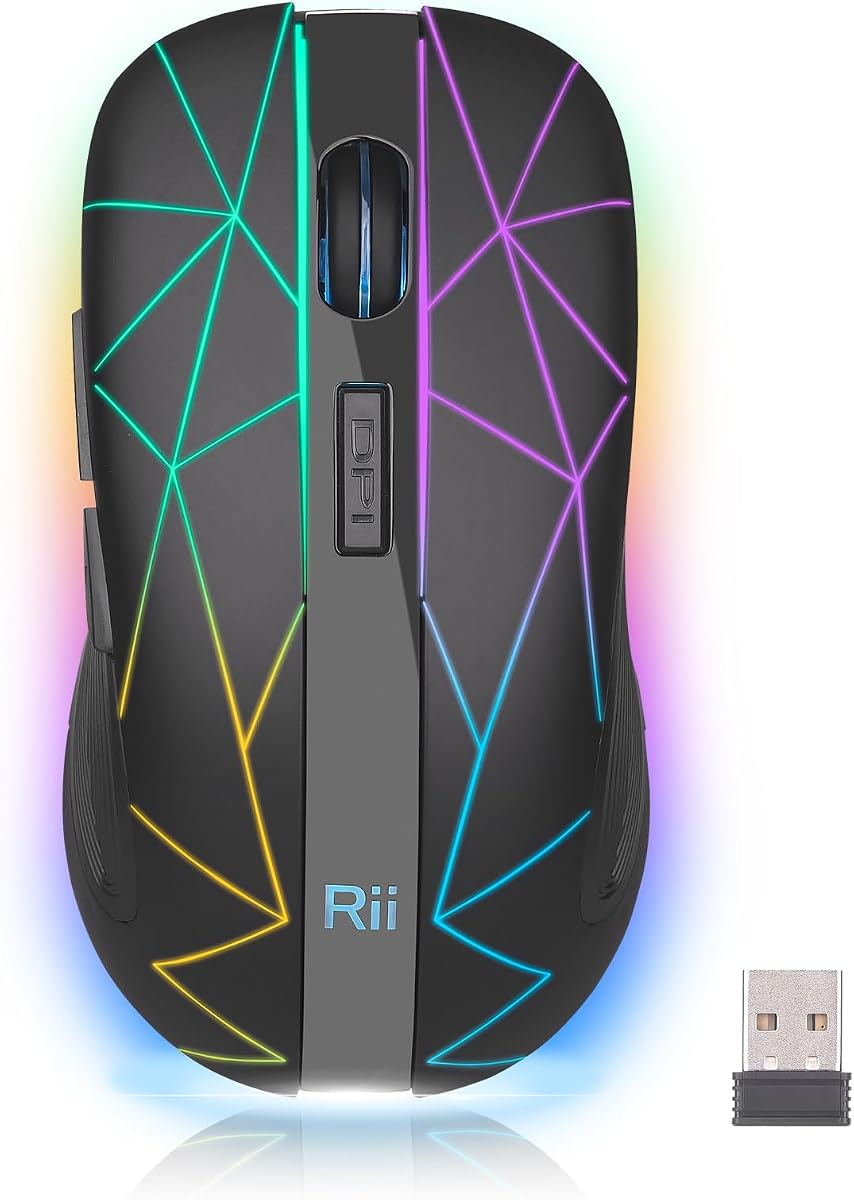
The Rii Wireless Mouse with USB Nano Receiver is a compact RGB option that moves easily between work and gaming. Its 4.4 rating reflects a solid combination of rechargeable power, seven changing light colors, adjustable sensitivity, and a portable shape that suits laptop bags and compact desks.
We may earn a commission when you buy through this link, at no additional cost to you.
The mouse uses 2.4 GHz wireless transmission and includes a USB nano receiver, making setup largely plug-and-play without additional drivers. Three DPI settings at 800, 1200, and 1600 provide basic control for document navigation and lighter games. The contoured body is designed to follow the hand's natural curve while remaining compact.
A built-in rechargeable lithium battery eliminates the need for disposable batteries, while intelligent sleep mode activates after five minutes of inactivity. The absence of listed Bluetooth support means it cannot pair directly with every Bluetooth-only device, and the maximum DPI is lower than that of several competing models.
This mouse is best for users who prioritize portability and decorative RGB lighting over maximum gaming sensitivity. It is a practical choice for a compact workspace, travel, and casual gaming with a laptop or desktop. The included receiver and straightforward charging process keep the everyday experience uncomplicated.
The portable shape is easier to carry and store than a large gaming mouse. Its curved surface still aims to support a natural grip during extended computer tasks.
Seven colors change randomly while the mouse is in use, producing a shifting RGB effect. The rechargeable battery and automatic sleep mode help balance appearance with convenience.
We may earn a commission when you buy through this link, at no additional cost to you.
The TENMOS M2 Wireless Gaming Mouse offers a well-balanced combination of lighting, sensitivity, rechargeable power, and silent operation. Its 4.4 rating makes it a strong candidate for users who want more control than a basic office mouse without moving into a bulky, highly specialized gaming design.
We may earn a commission when you buy through this link, at no additional cost to you.
The 800, 1600, and 2400 CPI settings allow users to move between precise desktop work and faster game movement. Advanced 2.4 GHz wireless technology is listed as providing lag-free operation up to 10 meters, while silent primary clicks help keep distractions low. The lighting changes among seven colors and can be turned off through a bottom switch.
The built-in rechargeable battery is supplemented by a charging cable, and the mouse can be used while charging. The listing recommends an initial charge of about two hours. It does not list Bluetooth connectivity, so compatibility depends on a usable 2.4 GHz receiver connection rather than direct Bluetooth pairing.
This model suits gamers who value a higher sensitivity ceiling, quiet clicks, and the freedom to move around their desk. It is also appropriate for office and study use, particularly where reduced clicking noise matters. Buyers who need Bluetooth or an especially compact profile should compare the M2 with the dual-mode and slim alternatives in this list.
The 2400 CPI setting provides a useful upper limit for more demanding game movement. Lower settings retain precision for everyday tasks, making the adjustment range useful beyond gaming.
Rechargeable construction removes the need for disposable batteries, and the stated ability to operate while charging adds flexibility. An initial full charge helps establish the intended battery experience.
We may earn a commission when you buy through this link, at no additional cost to you.
The TENMOS V7 Wireless Gaming Mouse is a straightforward illuminated model with a 4.5 rating, silent clicks, rechargeable construction, and a 2400 CPI maximum. Its random rainbow lighting adds personality without requiring a large, aggressively styled gaming shell, making it suitable for desks that blend work and play.
We may earn a commission when you buy through this link, at no additional cost to you.
The wireless connection is listed as stable and lag-free up to 10 meters. Users can select 1000, 1600, or 2400 CPI settings, giving them a practical range for documents, browsing, and games. The rechargeable battery includes a charging cable, so the mouse does not depend on regularly replacing disposable cells.
After ten minutes without activity, the mouse enters sleep mode and wakes when a button is pressed. The LED can be switched off, which is useful for conserving energy or avoiding distraction in a professional setting. Bluetooth is not listed, so the device requires a compatible USB receiver arrangement.
This mouse is a good match for users who want colorful lighting, quiet operation, and a rechargeable 2.4 GHz design. It works for both studying and casual gaming, especially when the mouse can remain connected to a desktop or laptop. It is less suitable for buyers whose priority is direct Bluetooth pairing or an unusually low-profile body.
The breathing-style rainbow illumination changes colors randomly, giving the mouse a lively appearance. A dedicated LED switch lets users turn the effect off when a quieter appearance is preferable.
Automatic sleep after ten minutes helps reduce unnecessary power use. The included charging cable and rechargeable design simplify daily maintenance compared with a disposable-battery mouse.
We may earn a commission when you buy through this link, at no additional cost to you.
The Guiheng Dual Mode Bluetooth Wireless Mouse is the most flexible connectivity option in the group, supporting both Bluetooth and 2.4 GHz wireless operation. Its 4.4 rating, rechargeable battery, six silent buttons, and seven-color breathing light make it an interesting option for users who switch among computers and mobile devices.
We may earn a commission when you buy through this link, at no additional cost to you.
Bluetooth support includes Windows 8 and 10, Mac OS, and iPad or iPhone devices using iOS 13 or later. The 2.4 GHz mode uses a USB receiver and provides a stated range up to 10 meters. This dual-mode approach allows the mouse to work with compatible systems that may not have an available USB receiver port.
The 800, 1200, and 1600 DPI settings are sufficient for general computer use but do not offer the high ceiling of several gaming-focused models. The LED lighting consumes additional power, as the listing specifically notes, and can be turned off when it is not needed. Automatic sleep after eight minutes helps manage energy between work sessions.
This mouse is best for buyers who want direct Bluetooth pairing and a wired-free desk, particularly across a mixed collection of laptops, tablets, and phones. It also works for standard PC gaming with the included receiver. Those requiring rapid sensitivity changes for competitive games may prefer a higher-DPI wired or wireless alternative.
Bluetooth mode provides direct wireless use with listed modern devices, while the 2.4 GHz receiver remains available for systems where a reliable receiver connection is preferred.
Silent buttons reduce clicking noise, and the rechargeable design removes disposable batteries from the routine. Turning off the seven-color lighting can further reduce power consumption.
We may earn a commission when you buy through this link, at no additional cost to you.
The right illuminated mouse depends on how you use it. Connection type, sensitivity, lighting behavior, battery design, noise level, grip, and device support should be considered together rather than treating the LED effect as the only deciding feature.
A wired mouse connects directly through USB and generally avoids charging, receiver pairing, and wireless power management. The BENGOO, metal-reinforced RGB, and six-button breathing models use this approach, making them dependable choices for permanent computer stations. A cable can create visual clutter or restrict movement, however, so a wireless model may be better for a flexible desk or travel setup.
Among wireless options, 2.4 GHz uses a small USB receiver and generally provides a simple dedicated connection. Bluetooth removes the need for a receiver but can be limited by the operating system and device. Dual-mode models offer both approaches for greater flexibility. Choose wired for consistent power and fewer connection variables, or wireless when mobility and a cleaner desk matter more.
DPI and CPI describe how far the pointer moves for a given physical mouse movement. Most users can work effectively with lower settings, while faster settings can help during active game navigation. The featured ranges vary from 800–1600 to as high as 3600, and the number of available stages determines how easily you can adapt to different applications without installing software.
Higher sensitivity is not automatically better. Match the available stages to your screen size, resolution, and preferred hand movement. For general office use, a moderate setting with several lower stages is often more versatile. For gaming, having one or two higher options can make rapid repositioning more convenient.
The featured lighting ranges from fixed multicolor RGB to seven-color breathing, random changes, rainbow effects, and crackle-inspired designs. A wired model can keep illumination active without battery concerns, while rechargeable wireless mice benefit from a light-off switch. Buyers who use their computer in a shared or professional setting may prefer the ability to disable the effect.
Treat lighting as an aesthetic benefit rather than a substitute for performance. Check whether the color effect is fixed, cycles, or breathes, and whether the listed controls include an easy way to turn it off. A controlled lighting effect is generally more versatile than one that cannot easily be disabled.
Silent primary clicks can make a mouse more appropriate for offices, libraries, dormitories, and homes where conventional clicking noise is disruptive. Seven of the ten featured products explicitly describe silent left and right buttons. They are especially useful for people who spend long periods working beside others or using a computer late at night.
Silent operation does not guarantee that every sound is eliminated, so expectations should remain realistic. If noise is a primary requirement, select a model that explicitly identifies the left and right buttons as silent rather than assuming all illuminated gaming mice are quiet.
Rechargeable mice are more convenient for frequent use because they do not require regular disposable-battery replacement. Several models include a charging cable and can be used while charging, which can be helpful during long sessions. Their stated battery durations are best understood under particular lighting conditions, and using the backlight may reduce operating time.
Look for an underside light switch, automatic sleep behavior, and a clear explanation of charging requirements. Wired models avoid this consideration entirely, while rechargeable models suit users who want wireless freedom without keeping spare batteries on hand.
A comfortable mouse should fit the hand without requiring a cramped grip, and it should support natural wrist and finger movement during long sessions. The featured models generally use contoured shapes and skin-friendly surfaces. Slim models prioritize portability, while fuller gaming designs may provide a more substantial palm grip. Hand size and preferred control style remain individual.
Consider the shape, button placement, surface texture, and overall dimensions rather than relying on the word ergonomic alone. A compact mouse is easier to travel with, whereas a larger contoured body may feel more supportive during long gaming sessions. Users who can try a model in person should compare it with their existing mouse.
The most useful illuminated gaming mice provide more than the standard left, right, and scroll controls. Six-button layouts commonly add forward, back, and DPI buttons, allowing common actions to be performed without keyboard shortcuts. A dedicated back-to-desktop button found on the HOTLIFE model offers a useful shortcut for browsing or multitasking.
More buttons do not automatically mean better usability. Side buttons should be easy to reach without accidental activation, and the DPI control should be identifiable by touch. Consider which shortcuts you actually use before prioritizing a more complex button arrangement.
Compatibility should be checked against the exact devices and ports you plan to use. Most products support common Windows, macOS, and Linux environments, but some Bluetooth modes have minimum operating-system requirements. USB-C-only computers may need an adapter for a mouse that uses a USB-A receiver, and that adapter may not be included.
The listing details also mention support for devices such as Chromebooks, iPads, iPhones, and gaming consoles, but the supported mode may differ. Confirm Bluetooth requirements, receiver format, and platform version before purchasing. Plug-and-play operation is convenient, but it only helps when the required connection method is supported.
Begin by installing the batteries or charging the mouse according to its instructions, then connect it through the appropriate method. Wired models can be connected directly to a compatible USB port. For 2.4 GHz models, insert the included receiver and move the mouse to its wireless setting; for dual-mode models, select the desired connection mode before pairing over Bluetooth.
Choose a suitable DPI or CPI level for the task, using the dedicated control when available. Lower settings are useful for precise desktop work, while higher settings can support quicker game movement. Test the lighting and confirm that every button is accessible. If the mouse includes a light switch, turn the illumination off when saving power or reducing visual distraction is important.
Keep the underside sensor clear of dust and debris, and clean the shell with a soft, lightly dampened cloth rather than abrasive cleaners. Protect the charging port and receiver when traveling, and allow the mouse to rest on a suitable surface rather than forcing it to track along an edge. If tracking becomes uneven, check the battery and clean the optical sensor before troubleshooting the connection.
Yes, many illuminated mice work well for normal office tasks. A model with silent primary clicks is preferable in shared rooms, while a light-off switch can reduce visual distraction. Adjusting the DPI to a lower setting may also provide more precise cursor movement during document editing.
It generally can, which is why several featured wireless models include a light switch. The product information for the VersionTECH and Guiheng models specifically notes that lighting mode increases battery consumption. Leaving the backlight off when it is not needed can help preserve operating time.
A 2.4 GHz mouse uses a small USB receiver and often has a straightforward computer-focused connection process. Bluetooth connects directly over a wireless Bluetooth link and can also work with compatible phones or tablets. Dual-mode mice offer both, giving the user more flexibility across different devices.
No. Higher DPI or CPI settings allow the pointer to travel farther with less physical movement, but that is not automatically more comfortable or accurate for every user. Screen resolution, desk space, hand movement, and game type all influence the most comfortable setting.
Most of the featured products are designed for plug-and-play use without additional drivers. DPI levels can generally be changed using a dedicated physical button. Check the product listing for any device-specific pairing instructions, especially when using Bluetooth for the first time.
It depends on the receiver and computer port. A USB-A receiver may require a compatible USB-C adapter, and some adapters may not support the receiver or data transfer as expected. The featured dual-mode and 2.4 GHz models list different compatibility conditions, so confirm the exact port before buying.
No illuminated mouse is likely to eliminate every sound. Silent-click specifications generally mean the primary left and right buttons reduce mechanical click noise, while scroll wheels, movement across a surface, and other actions can still produce sound.
Disconnect or turn off the mouse, then wipe it with a soft, lightly dampened cloth. Avoid spraying liquid directly onto the shell, buttons, charging port, or optical sensor. Compressed air can help remove loose debris around the sensor, while careful cleaning prevents dust from interfering with tracking.
The BENGOO RGB Wired mouse offers the strongest overall balance of rating, adjustable sensitivity, multicolor lighting, and simple operation. The rechargeable seven-color wireless model is especially appealing for quiet rooms and cable-free use, while the metal-reinforced RGB wired model stands out for more durable construction and broad platform support.
Prioritize the features that affect daily use: choose a wired mouse for a permanent station, 2.4 GHz for a simple receiver connection, or dual-mode Bluetooth for maximum device flexibility. Consider silent clicks for shared spaces, a light-off control for rechargeable models, and a DPI range that suits both work and gaming. Shape and grip are equally important for long sessions.
Before purchasing, verify the current listing, supported devices, receiver format, and any included charging accessories. Product details and availability can change, so the most suitable option depends on the current setup as well as the features outlined in this guide.