
StarTech M.2 PCIe SSD Adapter
4.6Editor score
PCIe 3.0 x4 interface
NVMe and AHCI support
Full and low-profile brackets
Our M2 Pcie Adapter guide compares ten options for NVMe drive compatibility, PCIe lane support, cooling, installation, and overall value for desktop PC
An M2 PCIe adapter lets a desktop motherboard use an M.2 NVMe solid-state drive through a conventional PCIe expansion slot, making it useful for builds, upgrades, and systems with limited storage options. The right card depends on drive key, slot width, PCIe generation, thermal design, physical clearance, and whether you need room for a graphics card.
This guide compares ten M2 PCIe adapters across important compatibility and usability factors. It includes single-drive cards, a dual-drive SATA and NVMe option, a four-drive RAID-oriented expansion card, and a compact PCIe x1 model, with special attention to M-key support, bracket options, cooling, boot support, and installation requirements.
The list shows why the most capable adapter is not automatically the right choice for every system. A one-drive Gen5 card may suit a modern workstation, while a PCIe x1 model preserves a graphics slot and a multi-drive card is most useful when the motherboard can support bifurcation. Product availability and prices change, so compare current listings before buying.
4.6Editor score
4.6Editor score

4.6Editor score
The comparison below highlights drive support, PCIe connection options, cooling, and practical installation features across all ten adapters, from a single Gen5 x4 card to models designed for multiple drives.




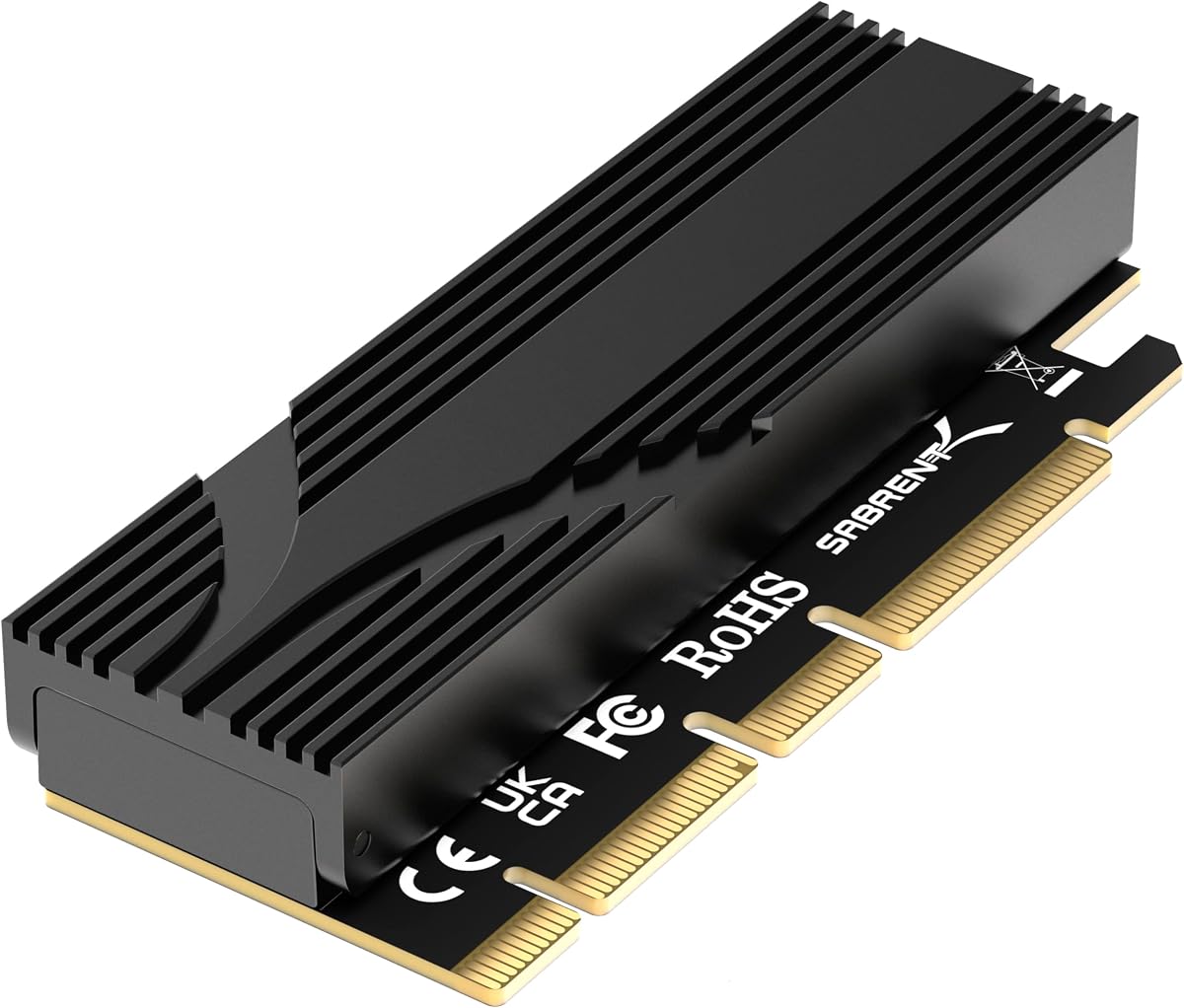
The SABRENT M.2 NVMe SSD to PCIe x16 Adapter is a versatile single-drive solution rated 4.6 stars. It uses a full-length physical x16 edge while communicating through PCIe x4 lanes, making it suitable for modern systems that want to add an NVMe drive without occupying an M.2 socket. Its most prominent feature is support for PCIe 5.0 when the motherboard slot provides it.
We may earn a commission when you buy through this link, at no additional cost to you.
The adapter accepts M-key NVMe drives in 2230, 2242, 2260, and 2280 formats, as well as older B+M-key PCIe AHCI or NVMe drives. SATA M.2 drives are not supported, which is an important distinction when selecting an SSD. The included aluminum heatsink and thermal padding manage heat without a fan, reducing noise while helping the drive maintain consistent performance during sustained workloads.
Physical x16 construction can provide a stable fit in a full-length slot, and the card may also fit certain x4 or x8 slots. It uses only one drive, so it does not require motherboard bifurcation support. The trade-offs are that genuine Gen5 throughput depends entirely on the host slot, and SATA compatibility is excluded. Buyers must also verify clearance for graphics cards, tower coolers, and case fans.
A tool-free retention mechanism allows the SSD to be secured and removed without searching for a tiny screw. This makes the SABRENT particularly convenient for builders who expect to move the drive between systems. It is the strongest general recommendation for a modern desktop with a suitable PCIe slot, especially for users who value broad M.2 size support, clean installation, and fanless thermal management.
The adapter can operate at PCIe 5.0 x4, PCIe 4.0 x4, or older compatible slot speeds, depending on the motherboard and CPU. This makes it a useful bridge for several generations of hardware, although no adapter can create PCIe generations that the host system does not provide.
The tool-free retention design simplifies installation, while the passive heatsink and thermal pad combine to dissipate heat without adding another fan to the case. This is particularly attractive for compact builds where minimizing moving parts and noise is important.
We may earn a commission when you buy through this link, at no additional cost to you.
The GLOTRENDS M.2 NVMe to PCIe 4.0 x4 Adapter combines a 4.6-star rating with a practical set of installation features. It converts a PCIe x4, x8, or x16 slot into an M.2 Key M connection for NVMe drives and includes a heatsink intended to reduce drive temperatures by approximately 5–20°C under applicable conditions.
We may earn a commission when you buy through this link, at no additional cost to you.
Drive support is broad, covering 2230, 2242, 2260, and 2280 sizes without a stated capacity limit. The product description specifically notes that 2TB and 4TB drives work, making it relevant to builders moving beyond smaller capacities. It supports Windows, Linux, and Mac OS environments and can serve as a boot device on compatible motherboards, though some older boards may only recognize it as storage.
Achieving full PCIe 4.0 x4 throughput requires cooperation among the CPU, motherboard slot, adapter, and SSD. Older Intel processors below 11th generation do not support PCIe 4.0, so buyers should verify platform capabilities rather than relying on the adapter label alone. M.2 SATA drives are also excluded, and new SSDs may require initialization and formatting before use.
The included 12-centimeter regular bracket and 8-centimeter low-profile bracket make the card adaptable to different chassis layouts. FCC and CE certification adds a measure of formal compliance. Overall, this is a well-rounded option for users who want a straightforward single-drive adapter, flexible mounting, and broad operating-system support without a multi-drive complexity.
Support for all common M.2 lengths and large-capacity drives makes this adapter useful for both conventional desktop upgrades and storage-focused builds. The important caveat is that the drive must use the M key and NVMe protocol rather than the SATA protocol.
Regular and low-profile brackets allow the card to fit desktop cases and smaller systems with different clearance requirements. Checking the case and adjacent components before purchase can prevent a mismatch during installation.
We may earn a commission when you buy through this link, at no additional cost to you.
The StarTech M.2 PCIe SSD Adapter, model PEX4M2E1, is a 4.6-star option built around a PCIe 3.0 x4 interface. It is a well-established choice for bringing an M.2 PCIe SSD into a desktop through an expansion slot, with support for both NVMe and AHCI drives as well as backward compatibility with PCIe 2.0 and PCIe 1.0 systems.
We may earn a commission when you buy through this link, at no additional cost to you.
The adapter supports 2242, 2260, 2280, and 22110 drives, giving it wider length coverage than several shorter-format alternatives in the list. It can be installed in PCIe x4, x8, and x16 slots, and native operating-system support is intended to make setup straightforward. That makes it suitable for system builders, IT technicians, and users adding storage to an older platform.
StarTech includes a full-profile bracket and a half-height, low-profile bracket for compact cases. The low-profile option is especially useful in small-form-factor computers where the standard card height would not fit. The trade-off is that the interface centers on PCIe 3.0 rather than newer generations, so users seeking PCIe 4.0 or PCIe 5.0 throughput should choose a newer card.
The product is backed by a two-year warranty and includes free technical assistance, which adds reassurance for an installation that involves both hardware fit and drive recognition. It is best suited to professionals or careful buyers who want broad protocol support, multiple drive lengths, and two bracket options. It remains a strong premium pick despite not targeting the newest PCIe generation.
Supporting both PCIe protocols means the adapter can work with more than one category of M.2 PCIe drive. This is valuable for technicians who may encounter different SSDs across client and workstation systems.
The two-year warranty, multilingual technical assistance, and choice of full or low-profile brackets distinguish this card for professional installations and compact systems. Its PCIe 3.0 foundation remains the main limitation for newer platforms.
We may earn a commission when you buy through this link, at no additional cost to you.
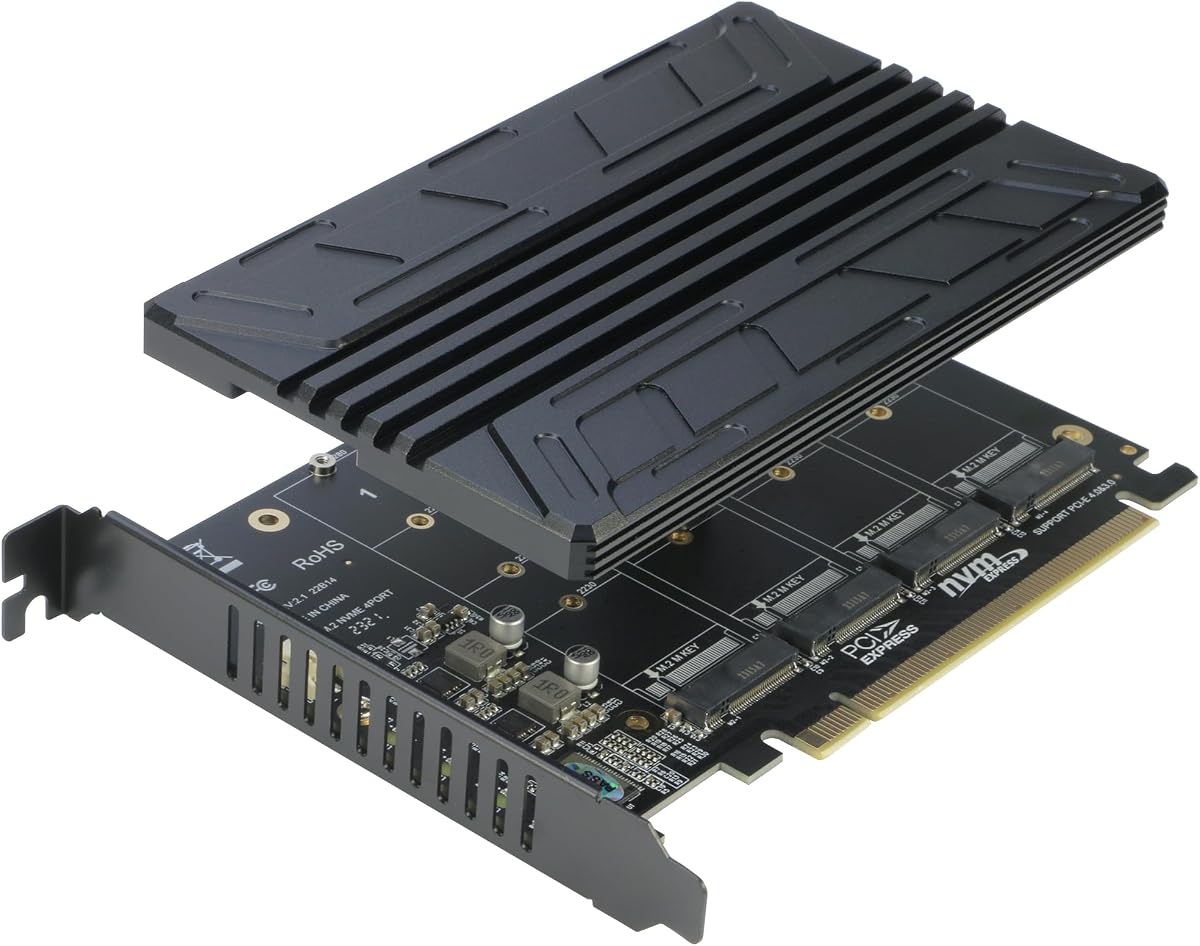
The ASUS Hyper M.2 X16 PCIe 3.0 x4 Expansion Card V2 is built for a different purpose from most entries in this guide: adding four NVMe drives. Its 4.4-star rating reflects a specialized design aimed at Intel VROC and AMD Ryzen Threadripper NVMe RAID configurations, making it a strong option for storage-dense workstations and compatible servers.
We may earn a commission when you buy through this link, at no additional cost to you.
The card uses a PCIe 3.0 x16 interface and can operate in compatible x8 or x16 slots. It supports 2242, 2260, 2280, and 22110 drive formats, and the supplied information describes transfer capability of up to 128 Gbps. Real performance still depends on the number of active lanes, host platform, CPU channels, operating system, and workload.
Thermal management is more elaborate than on a basic single-drive adapter. A stylish heatsink and integrated blower-style fan are intended to prevent M.2 throttling when multiple drives operate, while a two-phase power solution is rated for up to 14 watts. Active cooling is a practical advantage in multi-drive systems, although it adds a moving part and consumes more power than a passive card.
Users should confirm that their motherboard, CPU, and intended software support the relevant storage configuration before buying. This is not a general-purpose way to turn any PCIe slot into four independent high-speed slots. For a compatible Threadripper or VROC system, however, it offers an efficient way to consolidate multiple NVMe drives onto one expansion card.
Four drive positions make this card useful when a system needs more storage than its motherboard provides. The arrangement reduces the number of separate adapters required, although platform and lane support must be confirmed in advance.
The integrated blower-style fan helps move heat away from densely installed SSDs. That cooling becomes more important as the number of active drives increases and can help maintain performance during sustained transfers.
We may earn a commission when you buy through this link, at no additional cost to you.
The Dual M.2 PCIe Adapter stands out for supporting two M.2 SSDs simultaneously, including one that uses SATA and one that uses PCIe NVMe. It carries a 4.3-star rating and serves users who want a single expansion card to cover both drive protocols instead of maintaining separate SATA and NVMe adapters.
We may earn a commission when you buy through this link, at no additional cost to you.
The NVMe side converts an M-key drive to a PCIe 3.0 x4 interface and is compatible with PCIe 2.0. The SATA side accepts B-key or B+M-key M.2 SATA drives through a SATA 6 Gbps interface, but it requires a SATA cable connection. This distinction matters because the card is not simply a two-slot PCIe carrier; each drive follows its appropriate protocol path.
Thermal management uses two heatsinks, a 24-by-5-millimeter copper-hole area in the PCB, and ventilation-focused construction. Supported drive sizes include 2230, 2242, 2260, 2280, and 22110 millimeters. The card also includes regular and low-profile slot brackets, making it adaptable to different chassis designs, and LED indicators show power and data activity.
No driver installation is required according to the supplied product information, and the dual-drive layout can be convenient for a compact workstation or a system with limited expansion slots. The trade-off is that the card is based on PCIe 3.0 and requires more deliberate setup than a single-drive adapter. It is best for users who specifically need mixed-protocol M.2 support.
The separate interfaces let one card carry both a modern PCIe NVMe drive and an M.2 SATA drive. Users must provide the required SATA cable for the SATA connection, so this is most useful when that cable can reach the drive position.
Separate heatsinks and ventilated PCB construction help cool both drive positions. This is an advantage over passive designs intended for only one drive, particularly when both SSDs may operate at the same time.
We may earn a commission when you buy through this link, at no additional cost to you.
The M.2 NVMe to PCIe X4 Adapter with Heatsink is a capable budget-oriented card rated 4.6 stars. It supports PCIe 4.0 and PCIe 3.0 environments through an x4 connection, accepts common M.2 NVMe and AHCI drives, and includes an aluminum heatsink, making it a practical option for extending storage in a desktop.
We may earn a commission when you buy through this link, at no additional cost to you.
Compatibility extends to 2230, 2242, 2260, and 2280 drives. The card can be inserted into PCIe x4, x8, or x16 slots, and the supplied information states that it is backward compatible with PCIe 1.0, 2.0, and 3.0. On modern systems, the link is limited by the slowest participating component, so an older slot or Gen3 drive will not deliver PCIe 4.0 x4 performance.
Two thermal pads are supplied, allowing one to sit between the SSD and carrier and the other between the SSD and heatsink. The package also includes a screwdriver, spare SSD bolts, low-profile and regular brackets, heatsink fixing springs, PCB screws, and bracket screws. This is a notably complete installation kit for an adapter at the value-focused end of the list.
Modern Windows, Windows Server, Linux, and major Linux distributions are supported without a driver according to the product details. Windows 7 and Windows Server 2008 R2 require an additional NVMe driver. The adapter is best recommended for builders who want Gen4-capable single-drive expansion, broad slot compatibility, and a well-equipped installation package.
The included screws, spring retainers, thermal pads, screwdriver, and both bracket styles reduce the chance of an incomplete installation. It is especially useful for a first PCIe-to-M.2 conversion where not every required piece is already in the case.
The card adapts to multiple PCIe generations, giving it useful longevity across older and newer systems. Expected speed still depends on the motherboard slot, processor, and installed SSD rather than the adapter alone.
We may earn a commission when you buy through this link, at no additional cost to you.
The RIITOP Quad NVMe PCIe Adapter is a 4.4-star four-drive card designed to turn a compatible PCIe x16 slot into a multi-NVMe expansion platform. It supports PCIe 4.0 or 3.0 systems, requires the motherboard to support x16 bifurcation in an x4x4x4x4 configuration, and uses a BIOS setting to split the available lanes.
We may earn a commission when you buy through this link, at no additional cost to you.
The listed hardware requirements extend beyond having a physical x16 slot. The motherboard must support bifurcation, the BIOS must expose the required split configuration, and the CPU must have enough channels to support multiple drives. If those conditions are absent, the supplied information notes that only one M.2 SSD may be recognized. These are essential checks before purchase.
The adapter supports the four common M.2 NVMe lengths: 2280, 2260, 2242, and 2230. It does not support SATA-based B+M-key drives. A 0.32-inch heatsink is designed to limit thermal throttling without taking up as much room as a large shroud, and individual LEDs indicate the working status of each installed drive.
The card does not provide hardware RAID. It can support a software RAID configuration in Windows 10 or through third-party software, with the supplied guidance recommending the same SSD model for all four positions. It is a specialized choice for workstation or server-style builds with verified bifurcation support, not a general upgrade for an arbitrary desktop.
A four-drive installation depends on the motherboard dividing a x16 slot into four x4 groups. Buyers should review the motherboard manual, confirm the BIOS option exists, and ensure the processor can supply the necessary channels.
The adapter can participate in a software RAID array, but it does not include a hardware RAID controller. Matching drive models and using suitable third-party or operating-system software are important for predictable results.
We may earn a commission when you buy through this link, at no additional cost to you.
The ELUTENG M.2 NVMe PCIe Adapter is a straightforward single-drive card with a 4.4-star rating. It supports M-key NVMe SSDs and can be installed in PCIe x1, x4, x8, or x16 physical slots, making it unusually flexible in terms of where it can be placed. The included low-profile bracket also helps it fit compact computer cases.
We may earn a commission when you buy through this link, at no additional cost to you.
An aluminum heatsink is included to reduce operating temperature and help stabilize SSD performance. The card uses solid-state capacitors for voltage regulation, which are intended to manage current more smoothly if a drive experiences damage. Its stated theoretical read and write speed is 16 Gbps, although actual transfer rates depend on the PCIe interface, drive, system, and operating conditions.
The adapter supports PCIe 1.0 through 4.0. It is compatible with M.2 PCIe drives using the NVMe specification, but not M.2 SATA drives. Booting from the adapter requires BIOS support for PCIe booting. For operating systems, Windows 8 and newer generally do not require an additional driver, while Windows 7 and earlier systems need suitable NVMe driver support.
Installation involves securing the included backplate to the card and inserting it into a compatible slot. The product is well suited to expanding storage in a compact system where a low-profile card and broad slot-width acceptance are important. Its single-drive design and lack of a multi-drive cooling system make it less appropriate for dense high-throughput arrays.
The low-profile bracket reduces the chance that the adapter will conflict with a compact chassis or side panel. Users should still inspect the case for slot spacing, drive placement, and nearby cooling hardware.
Recent Windows versions and common Linux distributions can use the adapter without an additional driver. Boot support still depends on the motherboard firmware, and very old operating systems may require manufacturer-provided NVMe drivers.
We may earn a commission when you buy through this link, at no additional cost to you.
The M.2 NVMe to PCIe 4.0 x4 Adapter with Aluminum Heatsink Solution is a compact, single-drive option with a 4.6-star rating. It converts a PCIe x4, x8, or x16 slot into an M.2 M-key connection and is aimed at builders who want to add NVMe storage without moving the drive to another system.
We may earn a commission when you buy through this link, at no additional cost to you.
The adapter supports 2280, 2260, 2242, and 2230 M.2 SSDs. Its aluminum heatsink is described as providing a cooling effect of approximately 5–20 degrees Celsius, helping a high-speed drive dissipate heat under sustained use. The physical design remains focused on one drive rather than attempting to provide the cooling requirements of four-drive cards.
PCIe 4.0 x4 capability allows the card to work with modern platforms, but the motherboard, processor, and SSD must all support the corresponding generation. In an older system, the adapter still provides a straightforward way to use an NVMe drive, though throughput will be limited by the available slot and drive.
The product information lists compatibility with several widely recognized NVMe families, including Samsung, Plextor, and Kingston HyperX Predator models. That does not mean every drive from those brands is guaranteed compatible; keying, protocol, physical length, and firmware behavior still matter. This is a focused recommendation for users who want a simple M-key adapter with Gen4 capability and passive cooling.
The card gives a compatible M-key NVMe drive a straightforward path into a PCIe expansion slot. It supports common x4, x8, and x16 physical slots, making it less dependent on finding one exact lane configuration.
The aluminum heatsink is a useful feature for a single high-speed SSD and avoids adding fan noise. Multi-drive users should instead consider a card designed specifically to cool several active modules.
We may earn a commission when you buy through this link, at no additional cost to you.
The GLOTRENDS PA09-X1 takes a different approach from most PCIe-to-M.2 adapters by using a PCIe x1 slot. It carries a 4.5-star rating and is especially useful in systems where preserving the primary x16 slot for a graphics card matters more than maximizing NVMe transfer speed.
We may earn a commission when you buy through this link, at no additional cost to you.
The adapter supports 2230, 2242, 2260, and 2280 M.2 NVMe drives and has no stated capacity limit, with 2TB and 4TB examples specifically mentioned. Its primary benefit is spatial and architectural: a drive can be added through an otherwise secondary expansion slot without occupying the graphics card's lane connection.
The compromise is bandwidth. A PCIe x1 connection cannot provide the full throughput of an NVMe drive designed for x4 or wider links, and the product description clearly states that x4 full speed cannot be reached. Users considering a high-end NVMe should choose this card for convenient capacity expansion, not for maximum transfer performance.
Windows, Linux, and Mac OS are supported, and compatible systems can boot from the NVMe drive, although some older motherboards may only use it as storage. Regular and low-profile brackets are included, and the card carries FCC and CE certification. It is best for compact builds, secondary storage, and users who would otherwise give up their graphics slot.
Installing the drive through x1 can leave a full-length graphics slot free for a high-performance GPU. This makes the adapter practical for small cases and office or home systems that need storage more than maximum throughput.
The lack of a stated capacity limit and support for large NVMe drives make this useful for simple storage expansion. The x1 link remains the deciding limitation, so high-speed workloads are better served by an x4 adapter.
We may earn a commission when you buy through this link, at no additional cost to you.
Choosing an M2 PCIe adapter starts with the drive and motherboard rather than the adapter name. Confirm the protocol, key, size, lane width, physical clearance, and intended use before comparing models.
Buy an NVMe M-key card unless you have a specific reason to support SATA M.2 modules. Confirm the drive label, connector shape, and protocol rather than relying on physical size alone, because 2280 describes length rather than protocol.
Prioritize an x4 card for general high-speed use, a multi-drive card only when its lane requirements are met, and an x1 model when conserving the graphics slot is the main objective.
Choose a single-drive card for ordinary upgrades. Move to a multi-drive model only when the number of drives, available lanes, platform support, and thermal demands justify the added complexity.
Check the motherboard manual and CPU specifications before buying any multi-lane card. Physical slot compatibility alone does not guarantee that all connected drives will operate at the intended width.
For one drive, a properly fitted heatsink and pad are usually sufficient. For several active drives, choose a design explicitly engineered for multi-drive cooling and leave room around the card for unobstructed airflow.
Measure the available space around the intended slot and confirm the card's bracket height. Checking GPU thickness, cooler overhang, fans, and case drive cages avoids installation problems after the adapter has arrived.
Verify both the operating system and motherboard before purchasing. If boot capability is essential, look for explicit board support and check the adapter or motherboard documentation for NVMe boot requirements.
Check the package contents before ordering, especially if your case requires a low-profile bracket. Warranty and technical support can also matter for workstation installations, where dependable assistance is more valuable than a few extra mounting accessories.
Before installation, power down the computer completely, disconnect the power cable, and use the operating system to shut down any additional components. Compare the adapter with the drive label to confirm that the SSD is M-key NVMe rather than M.2 SATA. Check the motherboard manual for slot width, generation, boot support, and any bifurcation requirements. Inspect the case for clearance around the selected expansion slot.
Install the SSD into the adapter according to its retention mechanism. Some cards use a spring or tool-free latch, while others require a small securing bolt. Place the thermal pad over the controller and NAND area, remove any protective film from the heatsink, and secure the heatsink evenly. Fit the correct bracket, align the card with the slot, and press it firmly until the retention latch closes. Reconnect power and peripherals before starting the system.
After boot, check the system utility and operating system storage manager to confirm that the full drive capacity is visible. If the drive is new, initialize it and format it with the file system appropriate for the intended use. Install the current NVMe driver on older supported systems, update the motherboard firmware when appropriate, and verify that the link width and negotiated speed meet expectations. Keep the card unobstructed and periodically check temperatures during sustained workloads.
Most models support only M-key NVMe drives, so an M.2 SATA SSD will not work with them. The Dual M.2 PCIe Adapter is the exception because it includes a dedicated SATA interface for a B-key or B+M-key drive, but that drive also requires a SATA cable connection. Always verify both the protocol printed on the SSD and the interfaces provided by the adapter.
A card with a full-length physical x16 edge may physically fit a shorter slot, but it will operate using the lanes the slot actually provides. For example, the SABRENT card uses a single drive over x4 and does not require bifurcation. You should confirm both the connector shape and the slot's electrical lane width before installation.
It can improve performance when the motherboard lacks a suitable M.2 slot or the existing storage is a much slower SATA drive. However, the motherboard, processor, adapter, and SSD must all support NVMe booting. Some older boards can see the adapter as storage but cannot boot from it, so firmware support must be confirmed.
Yes, most compatible adapters and drives are backward compatible, but the transfer rate will be limited by the slowest component. A PCIe 4.0 SSD in a PCIe 3.0 x4 slot may operate at PCIe 3.0 x4 speed. You will also need a drive and adapter that support the protocol and physical connection you intend to use.
A multi-drive card such as the RIITOP Quad adapter requires motherboard PCIe x16 bifurcation, a compatible BIOS configuration such as x4x4x4x4, and sufficient CPU channels. If any requirement is missing, the system may not recognize all four drives. Consult the motherboard manual and confirm the exact platform requirements before installation.
The adapter itself does not make a compatible SSD inherently faster, because performance still depends on the PCIe slot, drive, processor platform, and workload. A good adapter can provide full x4 bandwidth and effective cooling when the host supports them. Inadequate clearance, poor contact with the heatsink, or a bottleneck slot can reduce the result.
A low-profile bracket is needed only when the case or expansion-slot area cannot accommodate a standard-height card. Compact cases and small-form-factor systems often require it, while full-size towers frequently do not. Bracket height is separate from slot clearance, so also check for conflicts with graphics cards, CPU coolers, fans, and drive cages.
It depends on the chosen card. The GLOTRENDS PA09-X1 uses a PCIe x1 slot specifically to preserve the main graphics slot, while most high-speed cards require a larger PCIe slot. Before buying, map the card against the motherboard layout and current expansion-card usage to avoid taking away a slot or obstructing another component.
The SABRENT M.2 NVMe to PCIe x16 Adapter is the most well-rounded recommendation because it supports Gen5, broad M.2 sizes, a passive heatsink, and a tool-free retention system. The StarTech PEX4M2E1 is the premium choice for users who value NVMe and AHCI support, multiple drive lengths, professional warranty coverage, and both standard and low-profile brackets.
For value-focused buyers, the M.2 NVMe to PCIe X4 Adapter offers PCIe 4.0 compatibility, a cooling assembly, and a comprehensive accessory kit. A PCIe x1 design makes sense only when preserving the graphics slot is essential, while four-drive cards should be reserved for systems with verified bifurcation, adequate CPU channels, and suitable cooling.
The most important purchasing checks are the SSD protocol, drive key, physical length, motherboard slot generation, lane width, and physical clearance. Multi-drive systems also require motherboard and software support. Prices and product availability can change, so compare the current listing and recent technical details before making the final purchase.