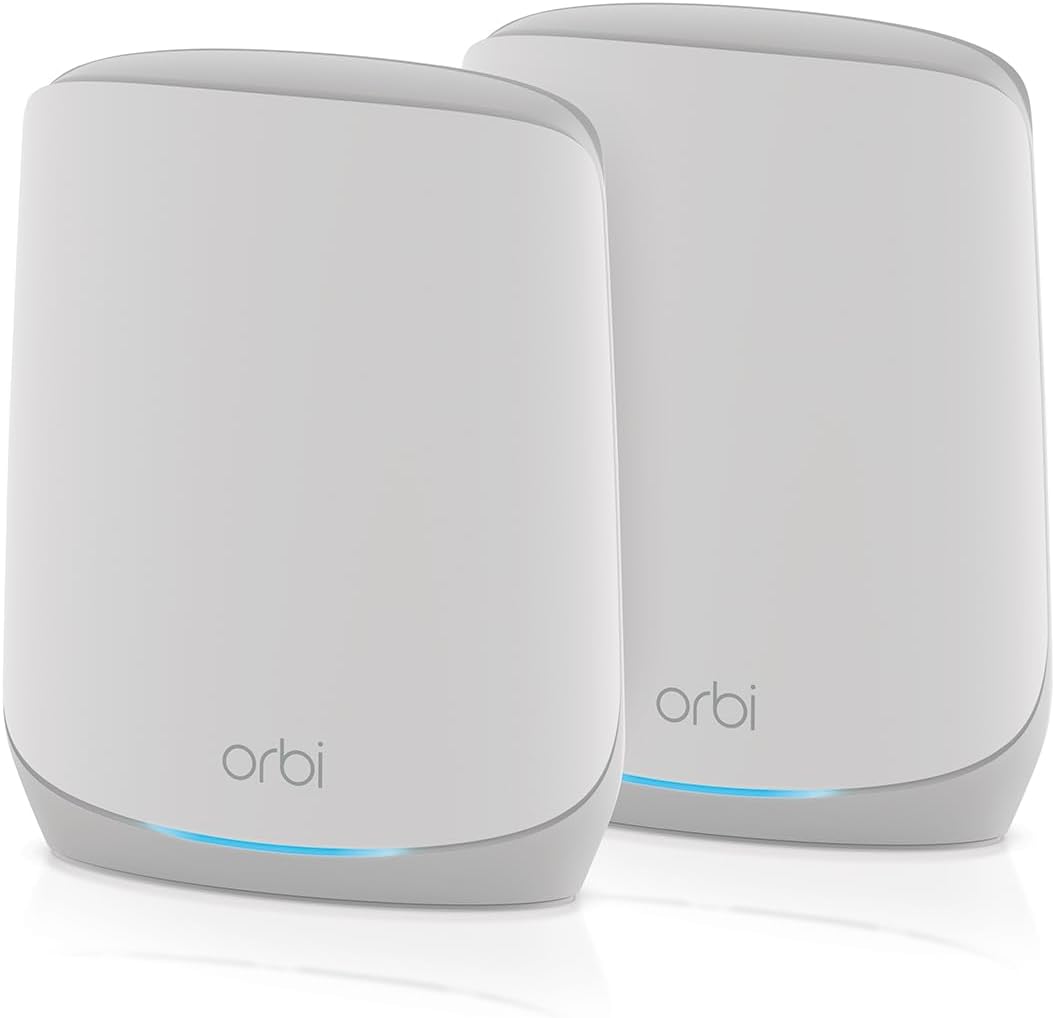
NETGEAR Orbi RBK762S
4.1Editor score
AX5400 tri-band WiFi 6
Up to 5,000 square feet
Router and satellite included
Five 1 Gig Ethernet ports
This guide compares the best Netgear Orbi WiFi System options, covering mesh coverage, WiFi speed, hardware, expansion, and security features.
A whole-home mesh network can solve weak WiFi in rooms far from the router, but choosing the right system requires balancing coverage, speed, hardware, and expansion options. Netgear Orbi systems combine a primary router with one or more satellites, while newer WiFi 7 models add faster bands and dedicated backhaul for demanding homes.
The products in this guide are compared using their published specifications, including wireless generation, aggregate speed, stated coverage area, device capacity, Ethernet options, security features, and mesh-expansion compatibility. The list also includes two TP-Link Deco systems because they represent relevant alternatives for shoppers considering a new WiFi 7 mesh network.
Each review identifies the strongest reason to consider a system, along with practical limitations such as modem requirements, compatibility constraints, or the need for separate expansion hardware. Ratings and product details can change over time, while prices and promotions fluctuate frequently, so shoppers should confirm current listings before purchasing.
4.1Editor score

4.3Editor score

3.7Editor score
This side-by-side comparison covers ten whole-home mesh options, emphasizing the differences in wireless generation, coverage, wired connectivity, device capacity, and the size of each complete system.

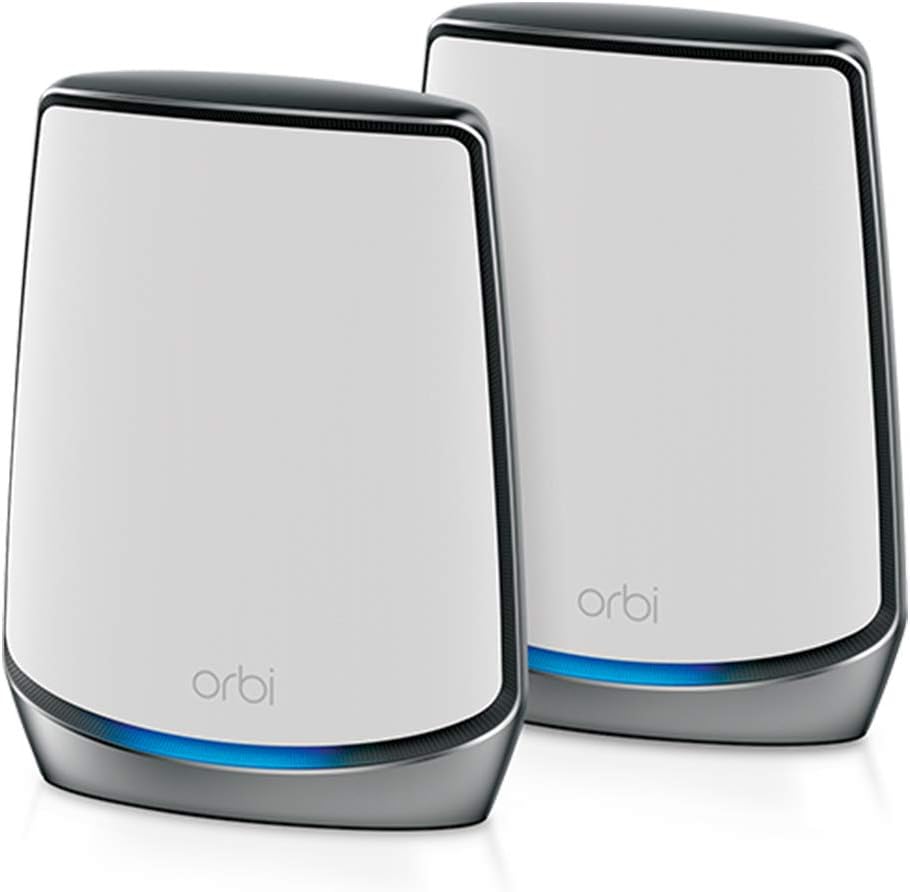


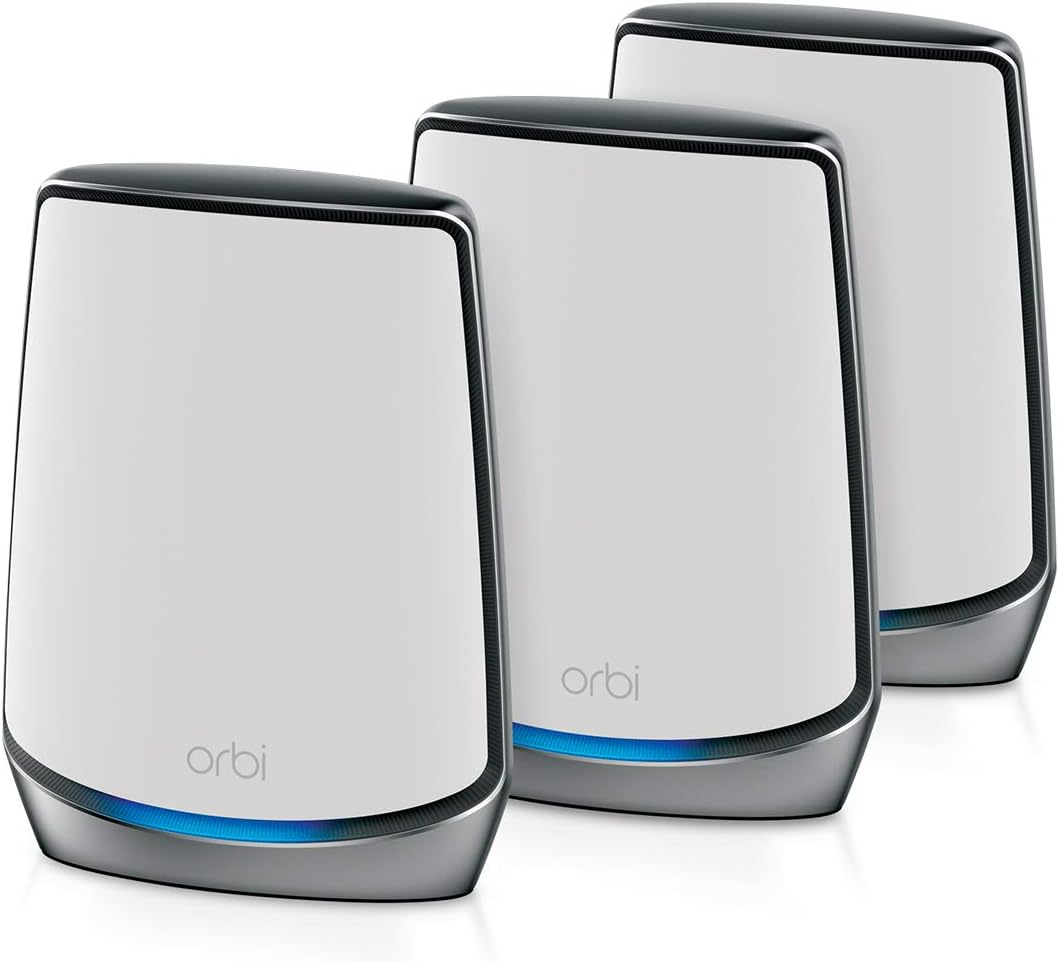


The NETGEAR Orbi 970 Series Add-on Satellite is a specialized expansion unit for households that already own a compatible Orbi 970 mesh setup. It carries a 3.3 rating, making its customer feedback less emphatic than that of several WiFi 6 Orbi bundles, but its technical purpose is clear: extend a high-speed WiFi 7 network to another area of the home.
We may earn a commission when you buy through this link, at no additional cost to you.
Each satellite adds up to 3,300 square feet of stated coverage and works with the RBE971, RBE972, and RBE973 systems. Its patented quad-band architecture uses Enhanced Dedicated Backhaul, separating satellite traffic from client traffic so wireless capacity is not as heavily shared as it would be on a basic dual-band system. The system advertises speeds up to 27 Gbps and remains compatible with WiFi 6, WiFi 5, and older connected devices.
The principal drawback is its narrow purpose. This is not a complete mesh system and cannot function independently; a compatible 970 Series router is required. Shoppers with an older Orbi generation should verify compatibility before buying, while those starting from scratch will find more flexibility in a bundled router-and-satellite configuration. Actual speed will depend on the client device, internet plan, distance, walls, interference, and the quality of the mesh connection.
This satellite is best for existing 970 Series owners who need more coverage without changing their network name or adding an entirely different ecosystem. It is also a sensible way to address a stubborn dead zone after the main system has been installed in appropriate locations. For a new installation, however, a complete 970 Series bundle is generally the more logical starting point.
Enhanced Dedicated Backhaul reserves a band for communication between the router and satellite. That design can preserve client performance in homes where several high-bandwidth devices operate at once.
Because it integrates with the RBE971, RBE972, and RBE973 systems, this satellite lets compatible owners expand an existing mesh while retaining a single network name and coordinated roaming.
We may earn a commission when you buy through this link, at no additional cost to you.
The RBE973S is the most expansive complete Orbi system in this guide. It combines a router with two satellite extenders, supports up to 200 devices, and covers as much as 10,000 square feet according to NETGEAR. Its 3.7 rating is lower than the ratings of the leading WiFi 6 Orbi bundles, but the specification sheet makes a strong case for unusually large or connectivity-heavy homes.
We may earn a commission when you buy through this link, at no additional cost to you.
Quad-band WiFi 7 and Enhanced Dedicated Backhaul are the centerpiece of this configuration. The dedicated wireless lane for satellite traffic helps maintain performance across many active clients, while backward compatibility allows older WiFi 6 and WiFi 5 devices to join. A 10 Gig internet port prepares the system for high-speed plans, and the included satellites reduce the need to purchase expansion hardware immediately.
Those capabilities come with a clear cost in complexity and potential overinvestment. A 27 Gbps aggregate figure represents the theoretical capability of the combined wireless system, not the internet speed delivered to every device. The large stated coverage area also depends heavily on building construction and placement. Buyers with a modest apartment, older WiFi 6 equipment, and a typical internet plan may receive little practical benefit from the extra capability.
The RBE973S is best suited to large homes, multigenerational households, and users preparing for a larger collection of high-bandwidth clients. It is also a strong option for shoppers who want one complete WiFi 7 installation rather than a router and separate satellites. For value-focused buyers, the RBK852 or RBK762S offers a more conventional WiFi 6 path.
Quad-band operation and dedicated backhaul help the system serve demanding activities such as 8K streaming, gaming, virtual reality, and video calls. The 27 Gbps maximum remains a laboratory-style aggregate figure, so real-world results depend heavily on hardware and conditions.
Support for as many as 200 devices and a stated 10,000-square-foot coverage area distinguish this bundle from more compact two-unit systems. Two included satellites also provide a more ready-to-use whole-home layout.
We may earn a commission when you buy through this link, at no additional cost to you.
The RBK852 is a strong all-around mesh purchase because it pairs a 4.3 rating with a balanced set of specifications. It includes a router and one satellite, provides tri-band WiFi 6, and advertises aggregate speeds up to 6 Gbps. Stated coverage reaches 5,000 square feet, while the system is designed to support as many as 100 connected devices.
We may earn a commission when you buy through this link, at no additional cost to you.
NETGEAR's tri-band design helps preserve performance for client devices by assigning radio resources to different roles. The router and satellite each include four Gigabit Ethernet ports, allowing computers, consoles, streaming devices, and other hardware to connect by cable. The system is compatible with cable, satellite, fiber, and DSL providers with internet plans up to 2.5 Gbps, subject to provider and equipment requirements.
The bundle does not include an integrated cable modem, and a second satellite must be purchased separately if the home requires another 2,500 square feet of stated coverage. It also operates on WiFi 6 rather than the newer WiFi 7 standard. Despite those limitations, its 4.3 rating is among the strongest customer-feedback results in this list, making it a more established-looking option than the newest flagship systems.
The RBK852 is the best fit for a medium or large home seeking dependable whole-home WiFi 6 without moving to a WiFi 7 platform. It is particularly attractive when a wired connection is useful in multiple rooms. Buyers who need only one satellite in a smaller space may find the RBK762S more economical, while very large homes should consider the RBK853 or a WiFi 7 bundle.
Four Gigabit Ethernet ports on each unit provide a practical benefit for devices that benefit from stable wired connections. A console, desktop, or network storage device can be connected near a satellite without relying on WiFi.
Support for internet services up to 2.5 Gbps and WiFi 6 makes the system suitable for many existing homes. Older clients can connect as well, allowing a gradual transition to newer devices.
We may earn a commission when you buy through this link, at no additional cost to you.
The RBK762S offers a complete WiFi 6 mesh system for buyers who want more capability than a basic router but do not need the highest-end Orbi hardware. Its 4.1 rating reflects generally favorable customer feedback. The bundle includes a router and one satellite, covers up to 5,000 square feet, and supports up to 75 devices.
We may earn a commission when you buy through this link, at no additional cost to you.
The tri-band platform is rated at up to 5.4 Gbps and works with internet providers offering service up to 2.5 Gbps, including cable, satellite, fiber, and DSL connections. The router provides three 1 Gig Ethernet ports, while the satellite provides two. NETGEAR Armor is included with a one-year subscription, and the Orbi app supports setup and ongoing management.
Its main limitation is that it has fewer wired connections and a lower stated device capacity than the RBK852. Expansion is also tied to the Orbi 760 satellite, which is sold separately. Those constraints make the RBK762S less attractive for households with several wired devices or plans to grow the system considerably. The 5,000-square-foot claim is a maximum figure, not a guarantee that every layout will perform equally well.
This is a sensible pick for a medium home that needs satellite coverage, uses cable or another compatible broadband service, and has a mix of modern and older devices. It may also appeal to budget-conscious shoppers who prioritize a complete two-unit system over maximum Ethernet availability. For denser homes with numerous wired endpoints, the RBK852 provides more ports at a higher tier.
A router and satellite are included, allowing immediate extension into a second area of the home. This makes the RBK762S more convenient than buying a router and discovering later that an additional unit is required.
WiFi 6 supports newer high-performance clients while remaining compatible with common older devices. The stated capacity of 75 devices is appropriate for many families and connected-home environments.
We may earn a commission when you buy through this link, at no additional cost to you.
The RBE972S provides a middle ground between a compact two-unit Orbi system and the larger RBE973S bundle. It combines a 970 Series router with one satellite extender, supports up to 200 devices, and covers as much as 6,600 square feet. The 3.3 rating is the joint lowest here, so potential buyers should weigh current customer feedback carefully.
We may earn a commission when you buy through this link, at no additional cost to you.
Its quad-band WiFi 7 design and Enhanced Dedicated Backhaul are intended to maintain speed when client devices and mesh traffic share the system. The advertised maximum of 27 Gbps is an aggregate figure, not a guarantee for individual devices. A 10 Gig internet port is useful for ultrafast broadband plans, and backward compatibility allows older WiFi devices to remain connected.
Compared with the RBE973S, this bundle includes one fewer satellite and has a smaller stated coverage area. That makes it more appropriate for a large but not sprawling home, or for owners who can add compatible 970 Series satellites later. It remains a more advanced platform than the WiFi 6 RBK bundles, and the single included satellite may not solve every troublesome area without careful placement.
The RBE972S is best for a shopper who wants WiFi 7, dedicated backhaul, and 10 Gig readiness in a more focused two-unit arrangement. It is less compelling for a small home where the coverage and capacity figures are far beyond normal demand. Customers should also compare the newest Orbi generation's cost and rating against the well-regarded RBK852 before finalizing their decision.
The 10 Gig internet port and advertised 200-device capacity prepare the network for high-speed services and large connected-device collections. These are headline specifications, while actual household performance remains dependent on client hardware and conditions.
Compared with the three-unit RBE973S, the RBE972S offers a router and one satellite with a stated 6,600-square-foot reach. It can suit larger homes that need high-end wireless features but do not need two satellites immediately.
We may earn a commission when you buy through this link, at no additional cost to you.
Although it is not a Netgear Orbi model, the TP-Link Deco 7 Pro is a strong alternative for shoppers seeking a new WiFi 7 mesh network. It carries a 4.2 rating and includes three units, providing a ready-to-deploy system for a large home. Its BE10000 designation refers to an aggregate class of performance, with the published band rates totaling more than 10 Gbps.
We may earn a commission when you buy through this link, at no additional cost to you.
The system covers up to 7,600 square feet and supports more than 200 devices. Each unit is described as offering four 2.5G WAN/LAN ports and a USB 3.0 port, while the overall platform supports 10G Ethernet networking. Tri-band WiFi 7, wired backhaul, and AI-driven roaming are designed to balance traffic across Deco units and maintain a unified network.
Security and management features include network protection, parental controls, real-time IoT security, remote VPN server support, and ongoing firmware management through the Deco app. The main limitation is ecosystem compatibility: it is a TP-Link Deco system, so it cannot be used as an expansion satellite for an existing Orbi network. A separate modem is also required for most internet providers.
The Deco 7 Pro is best for shoppers willing to consider alternatives to Orbi and wanting three WiFi 7 units with strong wired options. It is especially relevant to owners of compatible Deco equipment who want to expand with matching units. If retaining NETGEAR's Orbi app and ecosystem is more important, the RBK852 or a 970 Series bundle will be the more direct choice.
Four 2.5G WAN/LAN ports on each unit offer practical room for high-speed wired devices and network infrastructure. The 10G Ethernet capability can also support a wired backhaul arrangement when appropriate hardware and configuration support it.
Network protection, parental controls, IoT security, and VPN server support create a broad management feature set. These tools complement the mesh networking role, although readers should review current subscription terms before purchase.
We may earn a commission when you buy through this link, at no additional cost to you.
The RBK853 is a complete three-unit Orbi package designed for homes that need more extensive coverage than a router and one satellite can provide. It holds a 4.2 rating and combines tri-band WiFi 6 performance of up to 6 Gbps with up to 7,500 square feet of stated coverage. The system supports as many as 100 connected devices.
We may earn a commission when you buy through this link, at no additional cost to you.
Unlike the RBK852, this bundle includes two satellite extenders, each of which can add up to 2,500 square feet of stated coverage. Every unit has four Gigabit Ethernet ports, creating 12 wired connections across the set. Internet service up to 2.5 Gbps is supported, and NETGEAR Armor includes a 30-day trial for its broader online-protection tools.
A three-unit network is more complicated than a two-unit one because correct placement matters. Too much overlap between satellites can create unnecessary wireless competition, while poor placement may leave gaps. The RBK853 also remains a WiFi 6 product, so buyers seeking the newest wireless generation or 10G connectivity should investigate the 970 Series instead.
This system is best for a substantial home with several floors, thick walls, or multiple areas that need a satellite. It offers one of the strongest customer ratings among the larger bundles and includes enough Ethernet ports for several wired endpoints. The RBK852 may be more efficient for a medium home, while the RBE973S is the premium route for WiFi 7.
Two satellites are included, making the package suitable for a router at the center of a home and extension points in separate wings or floors. This can reduce the need for additional mesh units immediately after installation.
Four Gigabit Ethernet ports on each of the three units create 12 possible wired connections. This is useful for homes that want network access in rooms where a wired device benefits more from a stable Ethernet link.
We may earn a commission when you buy through this link, at no additional cost to you.
The CBK752 is different from the other Orbi recommendations because it combines a DOCSIS 3.1 cable modem with a WiFi 6 mesh router and satellite. Its 4.0 rating makes it a solid option for cable subscribers who want to reduce the number of devices providing internet access and WiFi coverage in the home.
We may earn a commission when you buy through this link, at no additional cost to you.
The tri-band AX4200 platform is rated up to 4.2 Gbps and dedicates a full band to the mesh connection. The router and satellite cover up to 5,000 square feet in open layouts and support 40 or more devices. Four Gigabit LAN ports are located on the modem-router and two on the satellite, while the Orbi app or a web browser handles setup and management.
Provider compatibility is the crucial limitation. The product is certified with Xfinity up to 900 Mbps, Spectrum up to 1 Gbps, and Cox up to 1 Gbps. It is not compatible with fiber, DSL, or satellite internet, and activation may require contacting the provider. A separate RBS750 satellite can extend the stated area by another 2,500 square feet.
The CBK752 is best for a compatible cable-internet household that wants an integrated modem-router solution and does not need a standalone router. It may also appeal to anyone tired of coordinating separate modem and WiFi equipment. Buyers on other connection types should choose a standard Orbi mesh bundle instead.
Integrating DOCSIS 3.1 cable modem functionality with the Orbi router reduces the number of boxes in the chain. The product is designed for straightforward activation with supported cable providers.
A dedicated band for backhaul separates communication between the router and satellite from client traffic. This is especially relevant when streaming, gaming, and other high-use devices are active across the home.
We may earn a commission when you buy through this link, at no additional cost to you.
The RBS750 is an add-on satellite rather than a complete mesh system, and it earns a 4.4 rating, the highest customer score among the products reviewed. It is intended for compatible Orbi WiFi 6 systems and is specifically listed as compatible with the RBK752. Each unit adds up to 2,500 square feet of stated coverage.
We may earn a commission when you buy through this link, at no additional cost to you.
Its tri-band AX4200 design is rated up to 4.2 Gbps, with one band serving as a dedicated link to the primary Orbi system. A single network name lets connected devices move between the router and satellite without requiring users to select separate WiFi networks. Setup and management are handled through the Orbi app, reducing configuration complexity.
The compatibility requirement is the central limitation. Shoppers without a compatible Orbi system should purchase a complete bundle rather than this satellite. Its AX4200 specification is also lower than the AX5400 and AX6000 capabilities of the RBK762S and RBK852, respectively, so matching performance with the existing primary router is important.
The RBS750 is best for RBK752 owners who need to eliminate another dead zone, reach a detached area, or extend coverage to another floor. Its high rating and simple installation make it a focused and practical expansion choice. For a new mesh network, choose a complete two-unit system such as the RBK852 or RBK762S instead.
Adding the satellite in a poorly served area can extend the mesh without changing the household's primary network name. This makes it a practical option for filling a specific gap rather than redesigning an entire network.
The Orbi app guides setup and ongoing management, helping users incorporate the extension into their existing system. A compatible RBK752 or another supported Orbi configuration is required for operation.
We may earn a commission when you buy through this link, at no additional cost to you.
The TP-Link Deco 7 offers a more compact WiFi 7 alternative to the higher-speed Deco 7 Pro. It has a 4.3 rating, a dual-band BE5000 platform, and a stated aggregate capability of 5 Gbps. Its published band speeds are 4,324 Mbps on 5 GHz and 688 Mbps on 2.4 GHz.
We may earn a commission when you buy through this link, at no additional cost to you.
Coverage extends up to 6,600 square feet for more than 150 connected devices, and users can expand the system with another Deco router. AI-driven roaming creates a unified network, while 2.5G Ethernet works with the WiFi 7 wireless system to balance traffic between units. Setup, monitoring, and firmware updates are handled through the Deco app.
This is not an Orbi product, so it cannot extend an existing NETGEAR mesh network. It also requires a separate modem for most internet providers. As a dual-band system, it does not have the same tri-band or quad-band capacity as the Deco 7 Pro and the Orbi 970 Series, although it can still provide high-end WiFi 7 performance in many homes.
The Deco 7 is best for buyers seeking WiFi 7 without moving to a premium tri-band or quad-band platform. It offers a strong 4.3 rating, useful device capacity, and room for future expansion. Orbi buyers should choose an RBK system for its ecosystem and dedicated backhaul, while shoppers open to alternatives may appreciate the Deco app and broad WiFi 7 compatibility.
The dual-band platform separates 2.4 GHz and 5 GHz traffic into distinct roles. This gives the Deco 7 a useful WiFi 7 foundation without the complexity or higher aggregate class of tri-band and quad-band systems.
Additional Deco routers can be added as coverage needs grow. This makes the system appealing to owners of compatible Deco hardware, but the expansion units must come from the same supported ecosystem.
We may earn a commission when you buy through this link, at no additional cost to you.
The right mesh system depends on the shape of your home, the devices in use, the available internet service, and whether you need wired connections or room to expand. Reviewing these factors before buying helps prevent both underpowered coverage and unnecessary spending.
Start with the floor plan rather than using square footage alone. A 5,000-square-foot home may be easy to cover if it is open and has few interior walls, while a smaller home with several floors, masonry, or dense obstructions can be more difficult. Mesh coverage figures are maximum estimates, and actual performance depends on where the router and satellites are placed.
WiFi 6 Orbi systems such as the RBK852, RBK853, and RBK762S remain capable for many households, especially when clients and internet plans do not require the newest standard. WiFi 7 systems add newer radio capabilities and higher theoretical throughput, which can be useful for future devices, but the benefits are less visible when the fastest client equipment and service are absent.
Backhaul is the connection between mesh units, while client traffic travels over the same overall wireless system in many configurations. Tri-band and quad-band designs can reserve valuable spectrum for backhaul, reducing competition with connected devices. This is particularly important in large homes where several satellites relay traffic across substantial distances.
A mesh router cannot deliver internet speed faster than the service plan or upstream connection. Confirm that the system supports your provider and desired speed. Most standard Orbi systems work with cable, satellite, fiber, and DSL services up to their stated limits, while the CBK752 is a cable-specific DOCSIS 3.1 combination and cannot be used with fiber, DSL, or satellite internet.
Count the devices that benefit from a stable wired connection, including desktop computers, game consoles, televisions, and network storage. The RBK852 and RBK853 provide four Gigabit Ethernet ports on every unit, while the RBK762S has three on the router and two on the satellite. The CBK752 offers LAN ports across its modem-router and satellite, and the Deco 7 Pro includes 2.5G options.
Published device limits offer a rough guide to network scale, but actual performance depends on the number of active clients, radio congestion, device capabilities, and internet speed. The 970 Series supports up to 200 devices, while the RBK852 and RBK853 support up to 100 and the RBK762S supports 75. Capacity figures should be treated as a planning tool rather than a promise of identical performance for every client.
Check whether the system can expand with the exact satellite required later. The RBS750 works with compatible Orbi WiFi 6 systems and adds 2,500 square feet, while the 970 Series add-on supports up to 3,300 square feet and requires a 970 Series router. The RBK762S specifically pairs with an Orbi 760 satellite. Orbi and Deco satellites are not interchangeable.
Consider the Orbi or Deco app, automatic firmware updates, parental controls, guest networking, and broader security subscriptions. NETGEAR Armor trial and subscription details differ among the listed Orbi products, while TP-Link Deco systems provide their own HomeShield, parental-control, VPN, and IoT security features. Review current terms rather than assuming every feature is permanently included.
Begin by identifying the best position for the main Orbi router, usually near the internet source but also near the center of the home. Connect the appropriate modem or gateway using its Ethernet connection, complete the Orbi app setup, and update the firmware before adding satellites. The primary router should remain in an open, elevated position with minimal obstruction.
Place each satellite where it can communicate clearly with the router or another unit while also reaching the intended client area. Avoid hiding units inside cabinets, beside metal appliances, or at the far end of a long hallway when a more central position is available. After adding each satellite through the app, walk through the home and test important rooms before making further adjustments.
Treat the system as a coordinated network rather than a set of unrelated access points. Keep the same network name and security settings across units, avoid changing the backhaul configuration without a reason, and periodically check for firmware updates. If performance changes, first power cycle the relevant equipment, then use the app to review the network before adding more hardware or changing placement.
The Orbi router connects directly to the modem or internet gateway and manages the network. A satellite extends the mesh to another part of the home but does not normally operate as a standalone router. Satellites must be compatible with the selected Orbi system, and mixing generations can limit functionality or prevent expansion entirely.
The correct number depends on the building's layout, construction, and the location of weak areas. One satellite can cover many average homes, but multiple floors, masonry, long corridors, and separate wings may require additional units. Start with the units in the recommended bundle, position them carefully, and test each area before expanding.
WiFi 7 is most compelling when the household has newer compatible devices, a fast internet plan, and enough bandwidth demand to stress the network. It also offers useful future capacity and dedicated-backhaul options in higher-tier systems. Homes with older clients and modest service speeds may see smaller practical gains from a well-positioned WiFi 6 Orbi mesh.
No. Orbi satellites are designed for compatible NETGEAR Orbi mesh systems, while Deco units form a mesh with supported Deco equipment. The two ecosystems may offer similar features, but their routers and satellites should not be treated as interchangeable parts of one network.
Most Orbi mesh routers need a modem or compatible internet gateway to deliver the provider's service. The CBK752 is the major exception in this guide because it combines a DOCSIS 3.1 cable modem with WiFi 6 mesh networking. It is intended for compatible cable providers and cannot be used with fiber, DSL, or satellite service.
A mesh system can remove WiFi dead zones and provide faster local wireless links, but it cannot exceed the available internet service. Maximum figures such as 27 Gbps describe aggregate wireless capability across the system and bands. Real client speeds depend on the device, distance, interference, network layout, and internet plan.
A wired connection can provide a stable, high-capacity path between mesh units and may be preferable where running Ethernet is practical. It can also reduce dependence on crowded wireless backhaul. If running cables is inconvenient, the tri-band and quad-band Orbi systems use dedicated backhaul to reduce the impact of client traffic.
Test the areas where weak or inconsistent WiFi matters most, such as bedrooms, offices, upstairs rooms, and outdoor-adjacent spaces. If speed drops sharply or roaming does not transfer smoothly between units, reposition the existing equipment before adding hardware. Additional compatible satellites can then address a confirmed coverage gap.
The best overall balance in this guide is the NETGEAR Orbi RBK852, which combines a 4.3 rating, tri-band WiFi 6, a router and satellite, and generous Ethernet availability. The RBK762S is the strongest budget-oriented option for a home that needs complete two-unit coverage without a larger multi-satellite layout. For a large home seeking the newest generation, the RBE973S stands out with WiFi 7, two satellites, and extensive stated capacity.
Prioritize compatibility before maximum specifications. A satellite can only expand a supported generation, a cable-only combination cannot work with fiber, and a fast internet plan still requires a suitable modem or gateway. Placement and the shape of the home often influence everyday results more than small differences in aggregate speed. Buyers should also consider the number of wired ports, future expansion, and the current terms of optional security services.
Customer ratings and product availability can change, and promotions are never static. Review the current Amazon listing, provider requirements, satellite compatibility, and subscription details before ordering. By matching the system to the home's layout and the devices that will actually use it, shoppers are more likely to choose an Orbi configuration that remains useful after the initial installation.