
Epson FastFoto FF-680W
4.5Editor score
Batch scans up to 36 photos
Automatic photo enhancement
Single-step duplex capture
300, 600, or 1200 dpi
A scanner for old photos should make preservation easier without adding unnecessary risk to fragile prints. The right model balances resolution, automatic handling, color restoration, software tools, and the ability to scan everything from loose snapshots to pages removed from albums.
This guide compares ten scanners based on the supplied specifications, including scan speed, optical resolution, feeder capacity, photo formats, wireless support, OCR, image enhancement, and included accessories. It covers flatbed, sheet-fed, and multifunction models for different archive sizes and workflows.
Each pick highlights the strongest use for the product, from budget-conscious digitizing to high-volume family projects and professional restoration. Ratings reflect the supplied customer feedback, while product features and availability can change as manufacturers update their equipment and software.
4.5Editor score

4.5Editor score

4.4Editor score
As an Amazon Associate we earn from qualifying purchases.
The comparison covers ten scanners for old photographs, emphasizing scan speed, optical resolution, format support, feeder capacity, connectivity, and restoration features so readers can match each model to their archive and workflow.



The Epson FastFoto FF-680W combines a strong 4.5 customer rating with a feature set tailored to photographs rather than ordinary paperwork. It can scan as many as 36 photos in one batch and is advertised to process photos at up to one image per second at 300 dpi, making it a practical choice for substantial family collections.
We may earn a commission when you buy through this link, at no additional cost to you.
Its image tools are particularly relevant for aging prints. Automatic enhancement, color restoration, red-eye reduction, cropping, deskewing, and rotation can improve scans that have faded or arrived slightly crooked. The single-step duplex function is also valuable because it captures the photograph and any handwritten notes on the reverse in one operation.
The main limitation is that this is a sheet-fed design rather than a full flatbed. Very large, fragile, or irregular prints may require careful carrier-sheet placement, and the flatbed experience offered by dedicated photo scanners is unavailable. Nevertheless, the combination of speed, restoration features, 300, 600, and 1200 dpi options, wireless connectivity, and cloud destinations makes it unusually capable for the category.
This model suits families that want to digitize albums and shoeboxes without processing every photograph individually. It is a particularly strong recommendation for users who value automatic enhancement, reverse-side capture, and easy wireless organization more than the ability to scan books or oversized objects.
The 36-photo feeder and advertised one-photo-per-second performance reduce the friction associated with scanning large collections. Automatic feed and batch handling can make the process more consistent than feeding loose prints one at a time.
Color restoration and automatic enhancement target common aging issues, while duplex scanning preserves handwritten names and dates. Together, these features help retain the context surrounding each image.
We may earn a commission when you buy through this link, at no additional cost to you.
The ScanSnap iX2500 Photo Edition carries a 4.5 rating and is the most purpose-built high-volume option in this group. Its headline capability is a claimed scan speed of up to 100 photos per minute, while the automatic document feeder accepts as many as 36 photographs or 100 documents.
We may earn a commission when you buy through this link, at no additional cost to you.
This model is designed to make archive management more than a one-device task. A large touchscreen provides access to personalized profiles for photos, receipts, business cards, and documents. Files can be sent to a PC, Mac, mobile device, or supported cloud service, and automatic optimization, naming, and sorting help maintain a consistent digital structure.
Three photo carrier sheets are included, which is important for delicate prints that should not be dragged directly across the feed rollers. Wi-Fi 6 and USB-C connectivity provide flexibility, but the extensive feature set creates a steeper learning curve than a simple flatbed. Buyers who only have a handful of photographs may find that complexity unnecessary.
It is best suited to large albums, institutions, family archivists, and anyone who values speed and workflow automation. For those users, the combination of photo-specific profiles, high feeder capacity, wireless transfer, and organization tools makes it the most complete choice here.
A claimed rate of up to 100 photos per minute and a feeder that holds 36 photographs make the iX2500 Photo Edition well suited to sustained digitizing sessions. Automatic profiles reduce repetitive setup work.
Automatic optimization, naming, sorting, and cloud destinations streamline what happens after capture. The touchscreen allows users to tailor workflows for photographs and mixed paper records without navigating a complex menu.
We may earn a commission when you buy through this link, at no additional cost to you.
The Epson Perfection V19 II is a compact 4800 dpi flatbed with a 3.9 rating. It is a straightforward option for users who want to scan a limited number of old photographs and also need ordinary document, artwork, illustration, and book scanning.
We may earn a commission when you buy through this link, at no additional cost to you.
The removable high-rise lid makes it possible to capture pages in books and photo albums without removing them from the source. One-touch controls reduce the number of steps, while Easy Photo Fix can restore color to faded photographs with one click. ScanSmart also adds OCR, searchable PDFs, and editable Microsoft Office documents.
Compared with the FastFoto FF-680W and ScanSnap iX2500 Photo Edition, its chief disadvantage is throughput. A flatbed normally requires placing and scanning each item separately, which becomes tiring across hundreds of prints. Its 3.9 rating also trails the stronger-rated models, although that figure should be considered alongside the simplicity it provides.
This scanner is a sensible choice for an apartment, home office, or occasional archive where space and ease of operation matter. It is especially useful for album pages, small collections, mixed creative projects, and documents that need searchable text.
The high-rise removable lid allows books and album pages to remain open during scanning. This is useful when users prefer to preserve an album's arrangement or scan only selected pages.
Easy Photo Fix provides a quick starting point for faded images, while one-touch buttons shorten the workflow. ScanSmart broadens the device into a practical photo and document scanner.
We may earn a commission when you buy through this link, at no additional cost to you.
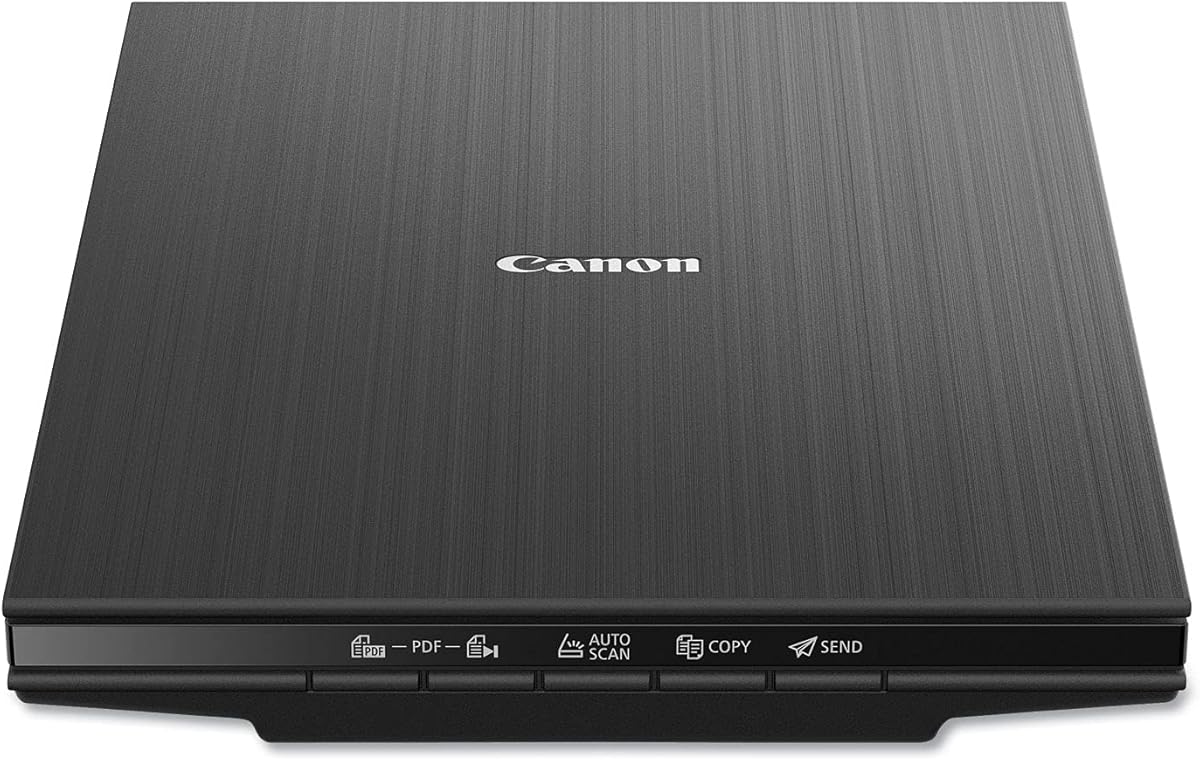
The Canon CanoScan LiDE 400 is a slim flatbed scanner rated 4.1 by customers. Its 4800 x 4800 dpi resolution provides ample detail for photographs, while the claimed eight-second scan time helps keep individual capture sessions efficient.
We may earn a commission when you buy through this link, at no additional cost to you.
Automatic Scan Mode detects the type of material on the glass and adjusts settings accordingly. The built-in PDF controls produce editable and searchable multi-page files, while image enhancements include color restore and dust removal. A single USB Type-C cable supplies both data and power, simplifying setup.
The trade-off is that Canon emphasizes fast, convenient flatbed scanning rather than elaborate archive management. It does not offer a large automatic document feeder for batch photos, and its enhancement tools are less extensive than those found in the FastFoto or AMBIR bundles. Physical prints must also be placed and scanned individually.
The LiDE 400 is well matched to users who value a slim footprint, detailed scans, and minimal setup. It works especially well for mixed photo and document collections, selected album pages, and home archiving projects that do not require continuous batch feeding.
The scanner's slim profile makes it easier to store in a drawer or place on a compact workspace. Its modern USB Type-C connection reduces cable clutter.
Automatic Scan Mode identifies the document type and applies suitable settings. Built-in PDF buttons streamline the creation of editable, searchable files.
We may earn a commission when you buy through this link, at no additional cost to you.
The AMBIR Photo Scanner Bundle has a 4.3 rating and distinguishes itself with an unusually complete photo-care package. It offers 300 and 600 dpi scanning, automatic crop and deskew, support for numerous standard sizes, and panoramic images up to 12 inches.
We may earn a commission when you buy through this link, at no additional cost to you.
Its cleaning kit includes a bellow-based blower, microfiber cloth, anti-static soft brush, and protective carrier sheet. These accessories are meaningful for fragile prints because they help reduce dust and provide a safer scanning surface. The software can also import existing images from Apple Photos, Google Photos, cameras, and memory drives into Picture Studio by AMBIR.
Users can build custom albums, apply tags, mark favorites, add notes, restore faded photographs, and make fine adjustments to brightness, contrast, exposure, sharpness, and gamma. That organization focus is useful, although 600 dpi is the maximum stated resolution, lower than several flatbed options in the list. Connectivity is also limited to a single USB cable.
This bundle is a compelling choice for users who value physical cleaning tools and software-based organization alongside scanning. It is less appropriate when maximum optical detail is the primary goal, but for many family archives, its protective accessories and editing environment create a balanced package.
The included blower, microfiber cloth, and anti-static brush help users prepare photographs before scanning. A protective carrier sheet adds another layer of separation from the scan surface.
Custom albums, tags, favorites, notes, and imported digital images can live together in Picture Studio. Detailed editing controls help users refine faded or uneven scans.
We may earn a commission when you buy through this link, at no additional cost to you.
The Epson Perfection V39 II offers 4800 dpi optical resolution and a 3.7 customer rating. It is designed for photographs, artwork, illustrations, books, and documents, making it a versatile flatbed option for mixed creative and archival work.
We may earn a commission when you buy through this link, at no additional cost to you.
Its standout photo feature is one-click Easy Photo Fix restoration for faded images. ScanSmart supports oversized-image stitching and sending scans to cloud storage, while one-touch controls reduce workflow complexity. The high-rise removable lid accommodates pages in books and albums, and letter-sized documents can be scanned in approximately 10 seconds.
Its lowest rating in the group suggests that buyer experiences are less consistently favorable than those of the higher-rated models. As a manual flatbed, it also lacks the throughput offered by automatic photo feeders. These factors make it less attractive for very large collections or unattended batch processing.
Despite those limitations, the V39 II remains a capable option for users who specifically want a removable album-friendly lid and quick color-restoration tools. It works best for selected prints, album pages, artwork, and occasional documents rather than mass digitization.
Easy Photo Fix applies a one-click restoration process to faded photographs. It is a convenient starting point for users who want enhanced color without navigating numerous manual controls.
Beyond photographs, the V39 II handles artwork, illustrations, books, and documents. ScanSmart adds stitching and cloud export, while the removable lid supports album pages.
We may earn a commission when you buy through this link, at no additional cost to you.
The ScanSnap iX2500 is a 4.3-rated, high-speed document scanner that can also handle photographs. It scans up to 45 pages per minute in duplex mode, and its automatic document feeder holds 100 sheets, making it a strong choice for archives containing both records and loose pictures.
We may earn a commission when you buy through this link, at no additional cost to you.
A large touchscreen, Wi-Fi 6, USB-C, cloud support, and customizable profiles create a flexible workflow. Scanned material can be sent to computers, Macs, mobile devices, or cloud services, while automatic optimization, naming, and sorting reduce repetitive administrative work.
The supplied description does not assign the iX2500 Photo Edition's stated photo-per-minute figure or mention included photo carrier sheets, so the Photo Edition is more obviously tailored to photographs. The standard model's 100-sheet feeder is excellent for documents, although careless loading of mixed media can increase the chance of misfeeds.
This model is recommended for users with a broad archive of receipts, records, identification cards, and photographs. It combines serious feeder capacity, duplex speed, and modern connectivity into one flexible system, while the Photo Edition remains preferable when photos are the primary focus.
The 100-sheet automatic feeder is a major advantage for folders of records and receipts. Its capacity keeps interruptions lower during large document projects.
A brake roller, multi-feed sensor, and skew detection work together to support smoother feeding. These features can reduce jams, damaged pages, and lost capture data.
We may earn a commission when you buy through this link, at no additional cost to you.
The Epson Workforce ES-50 is a compact mobile document scanner with a 4.3 rating. It is not a dedicated photo scanner, but its 5.5-second single-page scanning speed and support for media up to 8.5 by 72 inches make it relevant to users digitizing a small number of loose photographs alongside documents.
We may earn a commission when you buy through this link, at no additional cost to you.
It connects through USB 2.0, draws power from the computer, and requires neither batteries nor an external supply. ScanSmart provides review, save, cloud, OCR, searchable PDF, and editable Word and Excel functions. Automatic feeding mode combines multiple pages into one file as each new sheet is inserted.
Its principal weakness is that it lacks a photo-specific carrier system, automatic photo enhancement, and a multi-sheet feeder. Users wanting to preserve dozens of prints in one session will find dedicated photo models more convenient. Large flatbed originals and books also do not suit its single-sheet design.
The ES-50 is best for travelers, students, home users, and occasional archival work where portability and document flexibility matter more than high-resolution photo throughput. It can be a useful secondary scanner for correspondence and small print batches.
USB power eliminates the need for a separate battery or supply, while the compact body simplifies storage and transport. The scanner is well suited to a temporary workspace away from a permanent desk.
Automatic feeding mode combines inserted pages into a single file. OCR and cloud export make the captured documents easier to search, edit, and store.
We may earn a commission when you buy through this link, at no additional cost to you.
The Epson Perfection V850 Pro carries a 4.4 rating and is the most specialized high-resolution option in the guide. Its 6400 dpi optical resolution and exclusive dual-lens system are designed to preserve fine detail in photographs intended for large prints or close inspection.
We may earn a commission when you buy through this link, at no additional cost to you.
A 4.0 Dmax value supports a broad tonal range and smooth gradations, which is particularly helpful for monochrome photographs, shadow detail, and images with subtle tonal transitions. Digital ICE provides automated dust removal, reducing the need for careful manual retouching when the scanner glass and original are clean.
This level of optical capability comes with a specialized workflow that may feel excessive for casual users. The listed operating system compatibility also includes several older Windows and Mac OS X versions, so buyers should verify that their current computer environment is supported. Its advantage is image quality rather than high-volume automation.
The V850 Pro is the strongest recommendation for serious photographers, archivists, and restoration enthusiasts preparing images for exhibition or large-format reproduction. Choose it when maximum detail, tonal accuracy, and automated dust correction outweigh the need for straightforward batch photo feeding.
The 6400 dpi optical resolution captures dense fine detail from prints and negatives. Dual lenses allow the scanner to select an appropriate optical path for different scan requirements.
Digital ICE helps remove dust artifacts automatically, while the 4.0 Dmax specification supports nuanced shadow detail and smooth tonal transitions. These features are especially valuable for professional reproduction work.
We may earn a commission when you buy through this link, at no additional cost to you.
The Canon CanoScan LiDE110 is a compact entry-level flatbed with a 4.3 rating. Its 2400 x 4800 dpi specification provides useful detail for standard prints, and the included one-cable USB design simplifies both power and data connections.
We may earn a commission when you buy through this link, at no additional cost to you.
Automatic Scan Mode detects the material on the glass and adjusts settings, reducing the need for manual configuration. The Advanced Z-lid expands to accommodate bulky items, making the scanner more versatile than a fixed-lid model. Letter-sized color documents can be scanned in approximately 18 seconds.
Compared with newer Canon and Epson flatbeds, its maximum resolution is lower, and the supplied information mentions no specialized faded-color restoration or advanced photo organization software. It also cannot match the automatic photo feeders offered by the FastFoto and ScanSnap models for large albums.
The LiDE110 remains a reasonable choice for occasional scanning of family photos, documents, and images when simplicity is the priority. It is best for users who value automatic setup, a compact profile, and a flexible lid rather than high-throughput or professional restoration features.
Automatic Scan Mode identifies what is on the platen and adjusts the settings accordingly. This keeps the process approachable for occasional users and mixed document collections.
The expanding Advanced Z-lid provides additional clearance for thick papers, small books, and other nonstandard materials. Its single-cable design keeps the footprint relatively uncluttered.
We may earn a commission when you buy through this link, at no additional cost to you.
The right scanner depends on the number, condition, and physical format of your photographs, as well as whether you need automatic restoration, document OCR, wireless transfer, or professional-level image detail.
Flatbed scanners offer the gentlest handling and can capture album pages, books, and irregular objects, but each photograph must generally be placed and scanned individually. Sheet-fed models are faster for loose prints because an automatic document feeder can capture batches without repeated manual placement. The Epson FastFoto FF-680W accepts up to 36 photos at once, while the ScanSnap iX2500 Photo Edition also lists a 36-photo feeder capacity and a much higher claimed photo throughput.
Optical resolution indicates how much detail the scanner hardware can capture during a single pass. The Epson V19 II, V39 II, and Canon LiDE 400 reach 4800 dpi, the Epson V850 Pro reaches 6400 dpi, and the AMBIR bundle offers 300 or 600 dpi. Higher resolution is useful for enlargements and fine detail, but it produces larger files and requires more storage. Choose based on your intended output rather than selecting the highest figure automatically.
Old prints often have faded color, dust, red-eye effects, or uneven alignment. The FastFoto FF-680W provides color restoration, red-eye reduction, deskewing, cropping, and rotation. The AMBIR bundle includes auto-enhance, restoration, filters, borders, and detailed controls for brightness, contrast, exposure, sharpness, and gamma. Canon flatbeds offer simpler color restore and dust removal, while the V850 Pro focuses on dust-free optical capture and tonal accuracy.
Loose prints, postcards, Polaroids, panoramas, and album pages have different dimensions. The FastFoto FF-680W supports Polaroids, panoramas, postcards, and prints up to 8 by 10 inches. The AMBIR bundle covers common sizes from 1 by 1 inches through 8 by 10 inches, plus panoramas up to 12 inches. Flatbeds naturally accommodate varied sizes, provided the item fits within the scanning area.
Feeder capacity determines how many photographs can be scanned per session, while speed affects the time required to finish. The ScanSnap iX2500 Photo Edition is listed at up to 100 photos per minute and holds 36 photos or 100 documents. The FastFoto FF-680W handles up to 36 photos and is advertised at one photo per second at 300 dpi. Flatbeds are slower for batches but can be appropriate for smaller collections.
The FastFoto FF-680W and both ScanSnap iX2500 models offer wireless workflows alongside USB connectivity. The FastFoto app supports phone-based organization, slideshow creation, and cloud backup to Dropbox or Google Drive. ScanSnap's touchscreen profiles support direct transfer to computers, mobile devices, and cloud services. Flatbed models generally rely on a USB-connected computer, with Epson ScanSmart handling OCR and editable documents.
Fragile prints should be kept clean and handled as little as possible. The AMBIR bundle includes a bellow blower, microfiber cloth, anti-static brush, and protective carrier sheet. The FastFoto FF-680W includes a carrier sheet and microfiber cloth, while the ScanSnap iX2500 Photo Edition includes three photo carrier sheets. For bound albums, choose a flatbed with a high-rise or expanding lid.
Resolution has a major effect on file size, especially for TIFF archival scans and high-resolution enlarging files. The FastFoto offers separate 300 dpi sharing, 600 dpi TIFF archiving, and 1200 dpi enlargement options, while ScanSnap models can optimize and route files automatically. A sensible system should preserve a working copy in an organized folder and maintain at least one additional backup before editing or sharing originals.
Begin by cleaning the scanning surface and the original with a soft, lint-free method appropriate for the material. Dust can be mistaken for image detail, while fingerprints and oils may cause glare or reduced contrast. Keep the room light stable, close blinds if necessary, and handle prints by their edges. For album pages, confirm that the lid can open without pressing down on fragile photographs.
Choose a profile or resolution based on the intended use: a lower setting for ordinary sharing, a middle setting for reliable viewing and printing, and a higher setting when enlargement or fine-detail reproduction matters. Scan a representative group first, check color, sharpness, cropping, and orientation, and adjust the profile before processing the full collection. For feeder-based models, use the appropriate carrier sheet whenever prints are delicate.
After scanning, review every image and keep an untouched master file. Organize photographs by event, date, family, or album rather than relying on a cluttered collection of generic filenames. Confirm that the backups are complete, and only then apply restoration, cropping, rotation, or other edits to working copies. Periodically dust the scanner, review cables and feed rollers, and follow the manufacturer's cleaning guidance.
The ScanSnap iX2500 Photo Edition is the strongest high-volume option in this guide. It is listed at up to 100 photos per minute, accepts up to 36 photographs in its feeder, and includes three photo carrier sheets. The Epson FastFoto FF-680W is another efficient choice for loose prints, with a 36-photo batch capacity and automatic restoration tools.
A flatbed is often safer for fragile, warped, or unusually shaped prints because the original remains stationary during the scan. Models such as the Epson V19 II and V39 II also have removable high-rise lids for album pages. Sheet-fed models can still work well, but they require careful loading and suitable carrier sheets.
For ordinary screen viewing and printing, 300 dpi is generally a practical starting point. A 600 dpi setting captures more detail for archival viewing and larger prints, while 1200 dpi is most useful when substantial enlargement is planned. The Epson V850 Pro provides 6400 dpi for specialized professional reproduction work.
Several models include automatic enhancement. The Epson FastFoto FF-680W offers color restoration, red-eye reduction, de-skewing, cropping, and rotation, while Epson flatbeds include Easy Photo Fix. The AMBIR bundle adds restoration, filters, and fine adjustment controls. Automatic results should still be reviewed because overly strong corrections can distort skin tones or change the appearance of the original.
It depends on whether the reverse contains information worth preserving. Handwritten names, dates, or notes may justify duplex scanning, which the Epson FastFoto FF-680W can capture in a single operation. For prints that are unstable, lightly coated, or too fragile for duplex feeding, use single-sided scanning and handle the reverse separately.
OCR is not essential for capturing the photograph itself, but it can make letters, receipts, captions, and family documents searchable. The Epson FastFoto, V19 II, V39 II, and ES-50 include OCR-related functions. ScanSnap models also organize mixed documents and photographs, which can be useful when an archive includes both.
Remove a print only when it can be handled safely and without damaging its edges, surface, or adhesive. For bound albums, a flatbed with a high-rise lid can capture the page while it remains in place. If the album is valuable or the photographs are glued down, scanning the whole page may preserve more context than attempting removal.
Keep the original high-resolution files unchanged, then save copies in at least one separate location. A practical system uses a clearly organized folder structure plus external or cloud storage, with routine checks to confirm that files can be opened. Restoration and edits should be applied to copies so that the untouched scan remains available.
The ScanSnap iX2500 Photo Edition leads for high-speed, large-scale digitizing, while the Epson FastFoto FF-680W offers an effective balance of batch capacity, automatic restoration, duplex capture, and wireless flexibility. For professional detail work, the Epson Perfection V850 Pro provides the strongest optical specifications in this selection.
Before buying, decide whether your archive consists mainly of loose prints, album pages, mixed documents, or unusually large formats. Match the scanner format to the originals, confirm that software supports your computer and cloud services, and include cleaning materials and protective carriers in the preservation plan.
Finally, review current product specifications, compatibility information, software requirements, and availability before ordering. Product features and bundles can evolve, so checking the current listing ensures that the selected scanner continues to meet your preservation and workflow needs.