
3 Pack iPencil Holder Grips
4.4Editor score
Three assorted color options
Thin silicone construction
Supports magnetic charging
Designed to resist slipping
Discover the best Apple Pencil Grips for comfort, control, charging compatibility, and daily use with our detailed comparison of ten popular options.
An Apple Pencil grip can make long writing, sketching, and note-taking sessions more comfortable by adding texture, shape, and friction where your fingers meet the otherwise smooth pencil. The best option balances ergonomic support with a secure fit, reliable Apple Pencil features, and compatibility with your iPad and case.
We compared ten grips based on their stated Apple Pencil compatibility, ergonomic design, materials, installation process, charging considerations, and everyday practical features. The list includes silicone sleeves, adjustable holders, faceted grips, and multi-pencil sets designed for different generations and user preferences.
Each review explains what makes the grip distinctive, where it may fall short, and who is most likely to benefit from it. Ratings and product details reflect the supplied marketplace information, while prices can change, so compare current listings and verify your exact Apple Pencil model before buying.
4.4Editor score

4.3Editor score

4.6Editor score
The table below compares all ten grips by their strongest practical attributes, including supported pencil models, grip construction, charging approach, and best-fit use case. Ratings are included separately as a quick reference, while the detailed reviews explain the trade-offs that specifications alone cannot reveal.




The Paperlike Pencil Grips combine an ergonomic shape, soft-touch silicone, and unusually clear consideration for people who use an iPad case. With a 4.3 rating, this two-color set stands out as the most complete choice in the roundup for users who want improved control without losing access to magnetic charging or common Pencil gestures.
We may earn a commission when you buy through this link, at no additional cost to you.
Its angled sidewalls are designed to keep the grip from interfering with most iPad cases while the Pencil remains attached for charging. That case-aware shape is a meaningful advantage for anyone who stores and charges an Apple Pencil directly on a tablet. Ultra-thin silicone zones are also specified to maintain responsiveness for Double-tap, Squeeze, Barrel Roll, and Haptic Feedback on supported Pencil generations.
The grip is not merely a decorative sleeve. Its tapered, ergonomic form is intended to reduce fatigue during extended writing or drawing and provide a more natural relationship between the Pencil and the hand. Soft-touch silicone adds friction without the tacky feeling associated with some rubbery accessories, while the stated construction is designed to resist stretching, slipping, and everyday wear.
Trade-offs include the need to check fit with your particular case and the possibility that some users may prefer the nearly invisible profile of a thinner sleeve. The manufacturer specifically recommends the Paperlike Folio or Bumper Case for a guaranteed match. Even so, this grip is an especially strong pick for people who alternate between bare iPad use and a protective folio, provided they confirm the dimensions and charging arrangement before ordering.
Many grips work on a bare iPad but create a gap when the tablet is inside a folio. This grip's angled sidewalls are specifically shaped to reduce that interference, making it a more considered choice for case-based workflows.
The thin silicone zones around sensitive areas are intended to preserve magnetic charging and supported gestures. That balance makes the grip practical for users who rely on the Pencil's broader feature set rather than treating it only as a writing tool.
We may earn a commission when you buy through this link, at no additional cost to you.
The ProElife Ergonomics Grip Holder is a straightforward, highly rated silicone sleeve for Apple Pencil 1st and 2nd Generation models. Its 4.5 rating reflects a favorable balance of affordable utility, adjustable positioning, and a shape designed to follow the curve of the user's hand.
We may earn a commission when you buy through this link, at no additional cost to you.
A notable feature is the ability to slide the holder along the Pencil barrel. That adjustability allows the user to place the wider lower section where it best supports the fingers rather than locking the grip into one fixed location. Internal anti-slip grooves add holding force, which is particularly useful for controlled drawing, handwritten notes, or writing while moving around.
The silicone is described as high quality, soft, and molded to make installation and removal smooth. Its tapered profile follows the hand's natural curvature more closely than a plain cylinder. The strong contact between sleeve and stylus is intended to limit rolling and slipping while still allowing the Pencil to be repositioned when desired.
The principal limitation is model coverage. The supplied information names first- and second-generation Apple Pencils but does not explicitly list Apple Pencil Pro or the USB-C model. Users with those versions should check the dimensions and listing details. Wireless charging is also not clearly guaranteed by the product description, so owners of a second-generation Pencil should verify that the grip does not obstruct the charging alignment.
Because the sleeve can move, users can shift the grip to suit different finger positions. This is useful when switching between note-taking, sketching, and more precision-oriented tasks.
The internal ribbing provides additional friction between the grip and Pencil. It is a simple feature, but one that can make a substantial difference when small movements or long sessions are involved.
We may earn a commission when you buy through this link, at no additional cost to you.
The Pro-Draw Grip is designed around a practical problem: a grip should improve control, but it should not make charging a second-generation Pencil unnecessarily difficult. With a 4.4 rating, it offers an ergonomic option for first- and second-generation Pencils, as well as compatibility claims for Apple Pencil Pro and the USB-C model.
We may earn a commission when you buy through this link, at no additional cost to you.
Its split-back design provides an alternative to sliding a closed sleeve over the Pencil's tip. Users can open the split, align the flat edge of the Pencil, and press the grip into position. The edges are designed to wrap around an iPad, creating a more secure relationship between the grip and tablet than a simple loose sleeve would offer.
When charging is required, the grip can be pulled away more easily than a traditional one-piece sleeve. With a case attached, the product description recommends rotating the Pencil's flat edge into alignment and rolling the grip over the iPad edge to widen the split. For a tablet without a case, the same edge alignment opens the grip for easier removal.
The most important caveat is that the grip may still need to be removed for charging in some setups. Users should treat the instructions as model- and case-specific rather than assuming every charging arrangement will work. International listings may also carry separate terms and potentially differ in fit or instructions, so purchasers outside the primary market should confirm those details.
The split-back construction changes how the grip is installed and removed. It is particularly helpful for users who prefer not to push a full sleeve over the Pencil's sensitive tip.
Wraparound edges can help stabilize the grip when it is positioned against an iPad. The design is intended to feel more deliberate than a loose accessory that can rotate around the barrel.
We may earn a commission when you buy through this link, at no additional cost to you.
The UPPERCASE NimbleGrip earns the highest rating in this roundup at 4.6, supported by its premium silicone, dual-sided shape, and unusually broad compatibility claim. It is designed for Apple Pencil Pro, 2nd Generation, 1st Generation, and USB-C models, making it a versatile option for users who may own more than one Apple device ecosystem.
We may earn a commission when you buy through this link, at no additional cost to you.
One of the grip's most distinctive features is the choice between round and hexagonal exterior surfaces. Fingers can settle into the hexagonal form for a more tactile hold, while the round side offers a smoother, more traditional grip. A ribbed interior keeps the holder from sliding around the Pencil, and the premium silicone is described as soft but supportive rather than floppy.
A dust-free coating is applied to reduce lint attraction, an understated benefit for anyone who keeps a Pencil in a bag, drawer, or tablet case. The streamlined shape is intended to reduce hand fatigue during extended periods while still allowing the Pencil to function normally. Its versatility comes with a small adjustment: for Double-tap on Pro and second-generation models, the top of the grip should sit about half an inch below the tap-sensitive area.
The supplied instructions also state that the NimbleGrip can be removed for wireless charging on certain supported models. That means this is not a completely hands-off solution for every charging arrangement, and the exact procedure matters. In return, buyers receive a refined material choice, two usable grip geometries, and one accessory designed to cover nearly every major Apple Pencil version.
The alternating round and hexagonal sides let users change tactile feedback without buying another accessory. That is particularly useful for drawing, where a more defined edge may feel better than a fully cylindrical profile.
The material is described as soft yet supportive, while the ribbed interior adds resistance. This combination is intended to improve control without creating an overly bulky or sticky grip.
We may earn a commission when you buy through this link, at no additional cost to you.
The 3 Pack iPencil Holder Grips offers a useful combination of variety, compact construction, and broad compatibility. With a 4.4 rating, it stands out as the most practical multi-pack in the roundup, providing white, pink, and purple grips for users who like to keep matching accessories for different devices or share a set with others.
We may earn a commission when you buy through this link, at no additional cost to you.
Each grip is made from silicone rubber with a threaded exterior designed to resist slipping and perspiration. Unlike some thicker ergonomic sleeves, the profile is only 0.35 millimeters thick, preserving the Pencil's familiar shape while adding friction. The stated compatibility includes Apple Pencil 2nd Generation, USB-C, and Pro models, covering the major versions used with current and recent iPads.
The thin cross-section is also intended not to interfere with magnetic charging or the Double-tap function. That does not mean charging will always work in every situation, however. The product instructions warn that nothing should obstruct the iPad's charging area while the grip is installed, so cases with deep or tightly enclosed Pencil channels may still interfere.
The main practical trade-off is that a slim threaded sleeve offers less palm-filling ergonomic support than a contoured grip. It is better viewed as a low-profile control and texture accessory than a full ergonomic redesign. For users who want minimal bulk, multiple colors, and easy sharing, though, the three-piece format is especially appealing.
Three colors allow users to assign a grip to different iPads or keep spares available. That convenience makes the pack more useful than a single grip for households sharing accessories.
At 0.35 millimeters, the sleeve stays close to the original Pencil profile. The thin shape can preserve magnetic alignment, although the actual charging area must remain completely unobstructed.
We may earn a commission when you buy through this link, at no additional cost to you.
The elago Grip is a polished, broad-compatibility option for Apple Pencil Pro, first-generation, second-generation, and USB-C models. Its 4.5 rating places it near the top of the roundup, and its core appeal is an uncomplicated ergonomic shape that seeks to improve comfort, reduce fatigue, and protect the Pencil while resting on a desk or other surface.
We may earn a commission when you buy through this link, at no additional cost to you.
The holder is made from premium silicone, providing a softer and more tactile surface than the Pencil's bare finish. Its shape is intended to sit comfortably within the hand and boost control during extended use. The silicone also helps prevent scratches when the Pencil is placed down, making it useful for owners who keep their stylus on a shared work surface or transport it loosely in a bag.
Unlike a grip that adds a pronounced external texture, the elago relies on an ergonomic silhouette and material softness. That makes it potentially suitable for users who find highly patterned sleeves distracting. It also offers broad model support without requiring the buyer to choose between separate accessories for different Pencil generations.
The product information does not explicitly describe how the grip interacts with magnetic charging, Double-tap, or the tight Pencil channels used by some cases. Owners should therefore verify those physical relationships before committing, especially if they depend on charging while a case is attached. The understated appearance and lack of detailed charging instructions are reasonable trade-offs for its simple comfort-focused design.
A silicone layer reduces the chance that the Pencil's finish will contact a hard table directly. That adds practical protection beyond the grip's main ergonomic purpose.
The smooth exterior favors a restrained look over a highly textured or decorative one. It may appeal to users who want improved handling without a conspicuous accessory.
We may earn a commission when you buy through this link, at no additional cost to you.
The NimbleSleeve is the roundup's clearest choice for buyers who want full-body protection in addition to improved grip. It is made specifically for Apple Pencil Pro and second-generation models, and its 4.3 rating reflects a solid balance of protective coverage, tactile handling, and feature compatibility.
We may earn a commission when you buy through this link, at no additional cost to you.
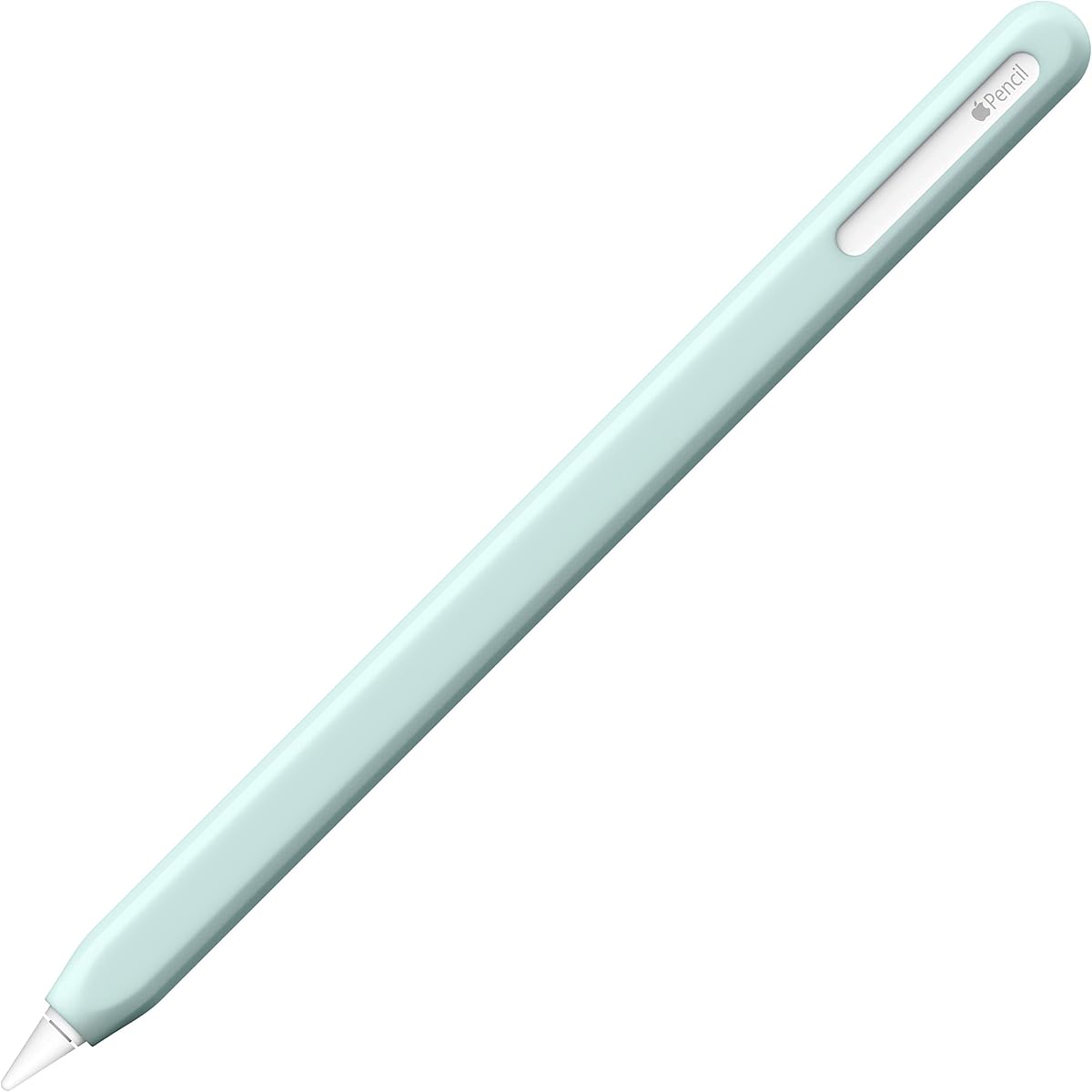
Complete coverage is the defining feature. Rather than surrounding only a narrow section of the barrel, the sleeve encloses the Pencil so it gains protection from dust, dirt, and accidental drops. The soft silicone exterior also provides a more comfortable surface for extended handling, while the faceted shape adds a subtle geometric texture and helps the Pencil resist rolling after it is set down.
Its slim profile is designed to maintain magnetic charging compatibility and the Double-tap feature for supported second-generation Pencils. The interior finish helps secure the sleeve around the Pencil so it does not shift during use. A dust-free coating keeps the finish from attracting lint, making the sleeve better suited to regular carrying than an untreated textured surface.
The important compatibility warning concerns third-party iPad cases. A case must have an Apple Pencil cutout that allows wireless charging with the NimbleSleeve installed; otherwise the sleeve can obstruct the magnetic connection. First-generation Apple Pencil users are not supported by the stated design. For owners of a Pro or second-generation Pencil who use a compatible charging case, it remains a neat, protective option.
Full-length coverage protects the Pencil from dust and dirt while it is stored. It also cushions the barrel against minor impacts and accidental drops.
The angular exterior gives the Pencil a defined resting shape on a desk. It offers a subtle textural change that can also help users orient the grip by touch.
We may earn a commission when you buy through this link, at no additional cost to you.
The SIXFU Grip uses a combined square-and-circle design to give the Apple Pencil multiple comfortable holding positions. Rated 4.2, it supports Apple Pencil Pro, second-generation, and USB-C models, and it arrives as a two-color set with a mini storage box for keeping unused grips organized.
We may earn a commission when you buy through this link, at no additional cost to you.
Its mixed geometry is the primary feature. Users can rotate the Pencil to settle their fingers against a rounded section or use the flatter edges for a more guided grip. The shape is also designed to resist rolling and slipping, which can be useful on a desk, in a notebook workflow, or during longer drawing sessions.
A patented ultra-thin cross-section is intended to align with the Pencil's charging area, allowing magnetic charging and Double-tap without removing the grip. Compatibility extends to stylus pens with a diameter of approximately 0.35 inch, or 8.9 millimeters, as stated in the product information. That broader dimension can be helpful for users who also work with compatible third-party styluses.
There are two notable limitations. The grip is explicitly incompatible with compact pen slots, and nothing should sit between the iPad's charging surface and the grip's thin charging section. Users with tightly fitted storage cases should test the physical clearance before purchasing. Within those constraints, the adjustable holding styles and included storage case make it a distinctive two-pack option.
The dual-geometry design supports more than one natural finger position. Users can rotate the Pencil without removing the grip when a different hold feels more comfortable.
The reduced-thickness section is positioned to leave the charging relationship intact. It works best when the iPad case does not create a deep or narrow channel around the Pencil.
We may earn a commission when you buy through this link, at no additional cost to you.
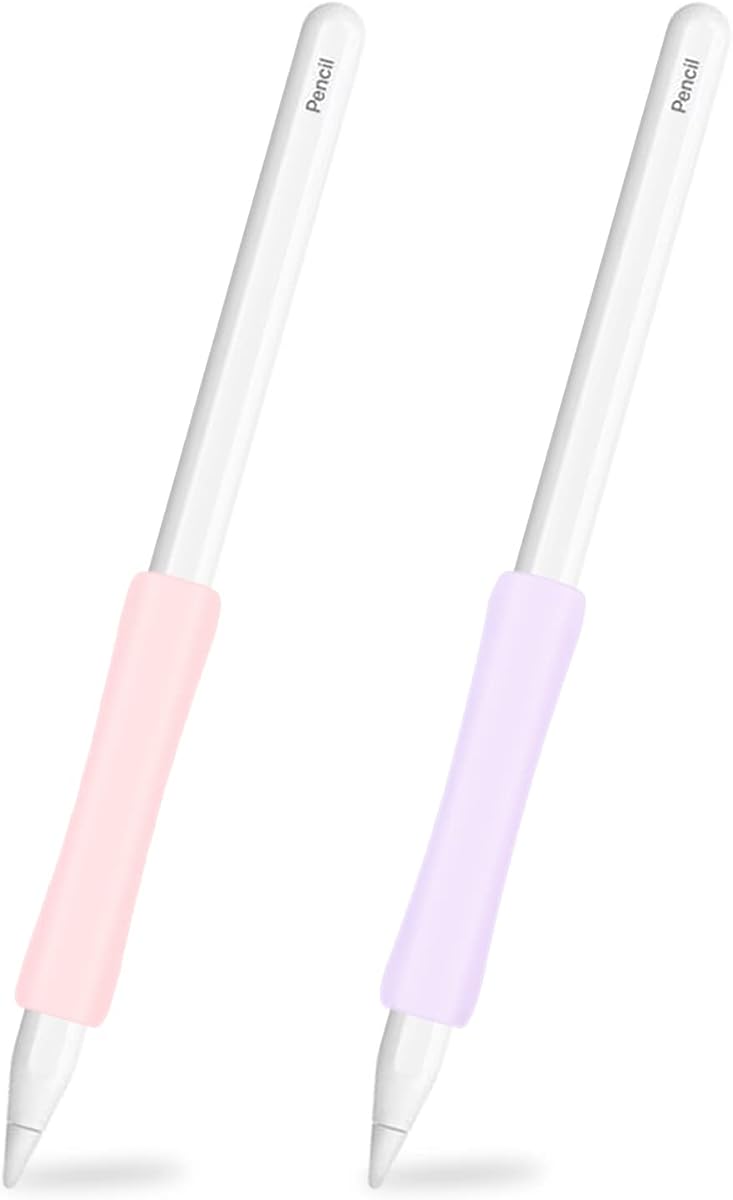
The ProElife 2-Pack offers pink and purple silicone grips with a centered ergonomic contour and broad Apple Pencil compatibility. Its 4.4 rating makes it one of the stronger mid-range choices in the guide, particularly for users who want a spare or matching grip for more than one device.
We may earn a commission when you buy through this link, at no additional cost to you.
The middle of each sleeve is more concave than its ends, creating a shape that better follows the hand's curvature. This is a subtler ergonomic approach than a grip with pronounced finger channels, but it can provide a more natural resting position for the hand. The soft, stretchy silicone also conforms to the Pencil and creates friction that is intended to prevent slipping.
Installation is simple, and the sleeve can be moved to a different point along the barrel when another position is more comfortable. Compatibility information includes Apple Pencil Pro, USB-C, second-generation, and first-generation models, along with a wide selection of current and recent iPad Pro, iPad Air, iPad, and iPad mini releases. The product therefore offers one of the broadest model claims in the roundup.
What is missing is a clear statement about magnetic charging or Double-tap behavior. Since the sleeve can be repositioned, users may be able to align its edge with the required areas, but the product description does not guarantee that outcome. Buyers who rely heavily on wireless charging should confirm dimensions and alignment before ordering. Otherwise, the two colors, adjustable design, and broad compatibility make this a convenient pack.
The concave middle changes the grip's shape where the fingers naturally settle. It offers ergonomic support without the pronounced bulk of a deeply contoured ergonomic sleeve.
The pink and purple grips can be assigned to separate iPads or kept as spares. Having two sleeves also reduces the need to remove and reinstall the same grip when switching between devices.
We may earn a commission when you buy through this link, at no additional cost to you.
The ProElife New-Generation Grips are a focused two-pack for Apple Pencil Pro, second-generation, and USB-C models. With a 4.3 rating, they appeal to modern iPad owners who want a contoured grip, basic surface protection, and magnetic charging support without paying attention to the first-generation model.
We may earn a commission when you buy through this link, at no additional cost to you.
Like the other ProElife ergonomic option in this guide, these grips have a concave middle that is designed to align with the curve of the hand. The result is a more comfortable place for fingers to rest without requiring a large external frame. Soft, stretchy silicone helps the sleeve grip the Pencil firmly while resisting lateral sliding during use.
The ultra-thin sleeve skin is stated not to interfere with wireless charging on a second-generation Pencil. Installation is straightforward, and the grip's friction is designed to remain attached during active writing. It also helps protect the Pencil body from scratches, dust, dirt, and minor falls onto a desk or iPad surface.
Compatibility is the decisive restriction: this pack explicitly does not fit the first-generation Apple Pencil. The listed devices cover recent iPad Pro, iPad Air, and iPad mini combinations that use modern Pencils, but buyers should still match the exact model before ordering. It is a sensible option for a current setup, though the single-color, two-pack format offers less variety than the broader three-color grip set.
The grip is intentionally built around Pro, second-generation, and USB-C Pencils. This narrower focus can simplify selection for owners of a recent iPad but excludes older first-generation hardware.
The low-profile sleeve is intended to preserve magnetic charging. Alignment still matters, so users should avoid placing accessories or case structures between the grip and iPad charging surface.
We may earn a commission when you buy through this link, at no additional cost to you.
The best Apple Pencil grip depends on your exact stylus, tablet case, charging method, and preferred feel. Use the following factors to narrow the field before comparing comfort, coverage, and feature compatibility.
Compatibility should be the first filter because Apple Pencil dimensions and features vary by generation. Some grips explicitly support first-generation, second-generation, USB-C, and Pro models, while others focus only on recent versions. Pay particular attention if you own a first-generation Pencil, since many modern grips exclude it even when their general descriptions mention Apple Pencil accessories.
Match the listed model and generation rather than relying on a general reference to Apple Pencil. Also confirm that the intended grip is suitable for the iPad generation you use, especially if your tablet or Pencil was acquired as part of a specific bundle.
Ergonomic grips range from nearly invisible threaded sleeves to deeply contoured forms with rounded and faceted surfaces. A minimal sleeve mainly adds friction and texture, while a shaped grip can change the angle at which the Pencil rests between your fingers. Consider whether you want stronger tactile feedback, finger support, or simply a less slippery surface.
Choose a shape you can hold without consciously repositioning your hand. A comfortable contour for writing may feel different during fine drawing, so consider both tasks and favor an adjustable or multi-geometry design if your work changes often.
Silicone is the dominant material in this category because it is soft, grippy, and less likely to scratch the Pencil. Ribbed, threaded, faceted, and smooth surfaces create different levels of tactile feedback. Soft-touch coatings may reduce lint attraction, while a heavily textured exterior can provide stronger finger feedback for users who write with sweaty or less steady hands.
Look for material that feels supportive rather than sticky. A good grip should hold the Pencil firmly without making it difficult to rotate, remove, or position for charging. Interior ribbing is especially useful when smooth barrel surfaces tend to rotate.
Magnetic charging depends on precise alignment between the Pencil and iPad. A grip with an ultra-thin charging section may work without removal, but only if nothing separates it from the iPad's charging surface. Deep folio cases, narrow Pencil channels, and other accessories can block the magnetic connection even when the grip itself is thin.
Check the product instructions for whether the grip must be removed. If your workflow depends on attaching the Pencil directly to a case-covered iPad, prioritize a design that explicitly addresses charging clearance or provides a convenient split-back removal system.
Double-tap, Squeeze, Barrel Roll, and Haptic Feedback may depend on specific areas of the Pencil's body. A grip that fully covers those zones can limit their use. Some products solve this with thin sections, repositionable sleeves, split backs, or specific instructions for exposing a tap-sensitive area.
List the Pencil features you use before choosing a sleeve. If you only need writing and drawing, a traditional ergonomic cover may be sufficient. If you rely on gestures or pressure feedback, look for explicit feature-compatibility guidance and leave the relevant sections accessible.
The grip and tablet case form one working system, even when each was purchased separately. A bulky grip may prevent the Pencil from seating properly, while a case with a tight channel may not allow the grip's charging section to reach the iPad. Angled sidewalls and wraparound edges can help stabilize the Pencil in a folio-style case.
Measure the available Pencil channel and consider how you store and charge the device. A bare-iPad setup offers more freedom, whereas a case-based workflow demands tighter attention to alignment, clearance, and the order in which the case, grip, and Pencil are installed.
A single grip is usually sufficient for one iPad and one Pencil. Multi-packs make sense if you own several devices, want different colors, share accessories, or want a spare that can be kept in a bag. They can also be useful when different case setups require more than one grip profile.
A set is not automatically better than a single premium sleeve. Compare the added convenience against the fit and material of each option. If you need one dependable grip for frequent charging and travel, a carefully matched single accessory may serve you better than several inexpensive sleeves.
A sleeve that slides on easily is convenient, while a split-back design can simplify access to the Pencil's tip and charging area. Adjustable grips provide flexibility, but they may move more than a fixed silicone sleeve. Consider how often you will remove the accessory for charging, storage, or pairing.
Silicone sleeves can collect dust and lint, so cleaning should be straightforward. Follow the manufacturer's care instructions and avoid abrasive chemicals or sharp tools that could tear the material or leave residue on the Pencil.
Before installation, confirm the exact Apple Pencil model and inspect the grip for damage. Most designs stretch gently over the Pencil, but users should follow the specific instructions because split-back, adjustable, and one-piece sleeves install differently. If the grip includes a charging-sensitive section, identify that area before sliding it into place.
Position the grip where your fingers naturally rest. Adjustable sleeves can be moved along the barrel, while contoured grips may need to be rotated to align a rounded section, flat edge, or hexagonal surface with the natural angle of the hand. Do not force the Pencil into the charging position if the grip is twisted or misaligned; remove it and reseat it first.
For charging, confirm that the iPad's charging area is clear and that the grip's relevant section is positioned correctly. If magnetic charging fails, check for a case wall, debris, or another sleeve between the Pencil and iPad. Clean silicone gently with a soft, lightly dampened cloth, let it dry fully, and store the grip away from sharp objects when it is not in use.
It depends on the grip's thickness, the charging section, and the iPad case. Ultra-thin designs may allow charging without removal, while thicker grips often need to be taken off. Check whether anything blocks the Pencil's charging area and follow the manufacturer's removal instructions. If charging is unreliable, repositioning or removing the grip is safer than forcing the Pencil into position.
Only if the manufacturer explicitly lists the relevant generations. Some sleeves support first-generation, second-generation, USB-C, and Pro models, while others are limited to recent versions. First-generation compatibility is particularly important to verify because its shape differs from newer models. Always match the exact model before ordering rather than assuming all Apple Pencils have identical dimensions.
It depends on where the grip sits and whether it covers the gesture-sensitive area. Thin sections and repositionable sleeves can preserve some functions, and the UPPERCASE NimbleGrip specifically instructs users to expose about half an inch for Double-tap. Squeeze, Barrel Roll, and Haptic Feedback can also be affected by a covering grip, so check the product details before installation.
Silicone can improve comfort by adding softness, friction, and a more natural finger position. The degree of benefit depends on the shape: a minimal sleeve adds texture, while an ergonomic model may provide a deeper contour for the hand. Users who write for many hours may prefer a grip with internal ribs, a textured exterior, or an adjustable position.
It may, but the case's Pencil channel and charging design matter. Folio-style cases can interfere with a grip's sides or prevent a magnetic connection, while cases with a dedicated Apple Pencil cutout may accommodate more accessories. Check the case dimensions, confirm the charging alignment, and look for grips specifically designed with angled or wraparound edges.
Most silicone grips can be removed and wiped with a soft, lightly dampened cloth. Avoid soaking the accessory, using abrasive cleaners, or pulling hardened debris across the surface, which could scratch or tear the silicone. Let it dry completely before reinstalling it, and consult the product instructions if the manufacturer provides specific cleaning guidance.
One grip is usually enough for a single iPad and Pencil. A multi-pack is more useful when you own several devices, want different colors, share the accessory, or keep a spare available. The best choice depends less on pack size and more on whether each included grip provides the fit, texture, and charging clearance you need.
Faceted and textured grips can make rolling less likely because their irregular shape creates more contact points when the Pencil is set down. A perfectly cylindrical sleeve may not prevent movement on a level surface. If rolling is a frequent annoyance, prioritize a faceted design such as the NimbleSleeve or a grip with an explicitly anti-rolling shape.
The Paperlike Pencil Grips are the strongest all-around choice for users who combine an iPad case with a desire for improved comfort and preserved Pencil functionality. The UPPERCASE NimbleGrip stands out for premium materials, two grip surfaces, and broad compatibility, while the three-color grip pack offers a practical way to cover multiple devices or share accessories.
Before buying, prioritize exact Pencil compatibility, the shape of the grip, and charging clearance in your specific iPad case. A more sculpted grip may provide more hand support, while a thin textured sleeve may be better for people who prioritize low bulk. Feature users should also check instructions for Double-tap, Squeeze, and magnetic charging.
Ratings and product details can change, and current prices vary by retailer and over time. Review the latest listing, customer feedback, dimensions, and case compatibility before purchasing, then choose the grip that best matches your Pencil model and everyday workflow.