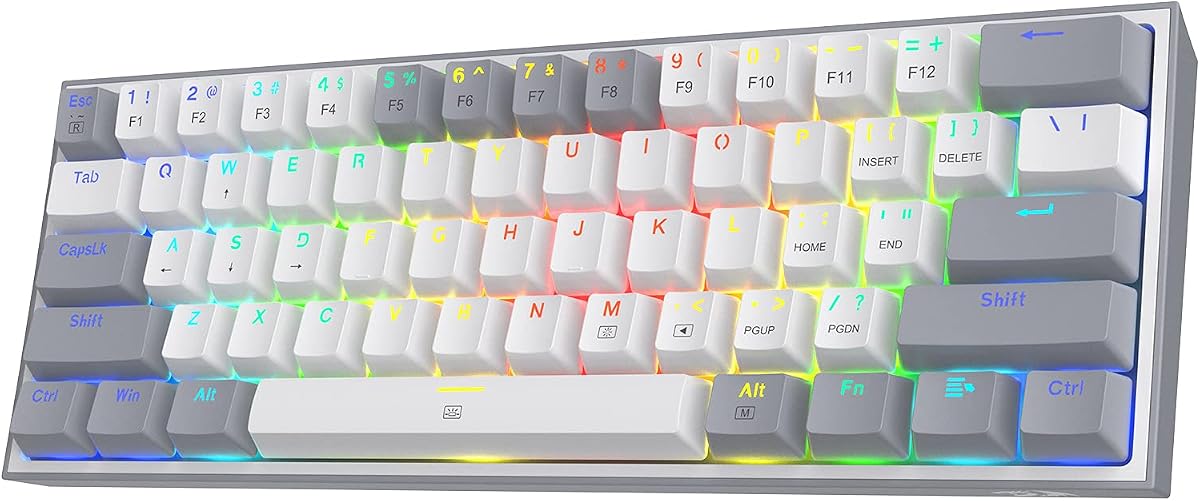
Redragon K617 Wired 60% Compact Hot-Swap RGB Gaming Mechanical Keyboard
4.6Editor score
Compact 60% gaming layout
Three- and five-pin support
Custom RGB and macro software
Our Hot Swappable Mechanical Keyboard guide compares 10 top models across switch compatibility, layout, connectivity, sound, build quality, and customization.
A hot-swappable mechanical keyboard lets you change switches without soldering, making it easier to match feedback, sound, and feel to your preferences. The best models also balance layout, connectivity, stability, lighting, and software with a construction that suits everyday typing or gaming.
This guide compares ten hot-swappable boards based on their published layouts, switch compatibility, mounting systems, connection options, acoustic features, programmability, and stated construction. It covers compact, traditional tenkeyless, full-size, and wireless designs for people who want an upgrade path without replacing the entire keyboard.
Each pick highlights a different reason to consider a hot-swappable keyboard, from desk-friendly sizing and multi-device wireless control to premium input technology and extensive programming. Product availability and prices can change, so confirm the current specifications and listing before making a purchase.
4.6Editor score

4.7Editor score

4.5Editor score
The comparison below covers ten distinct approaches to hot-swappable typing, ranging from compact wired gaming boards to wireless full-size models and an advanced magnetic analog system. Key differences include physical layout, connection mode, acoustic construction, switch support, and software depth.


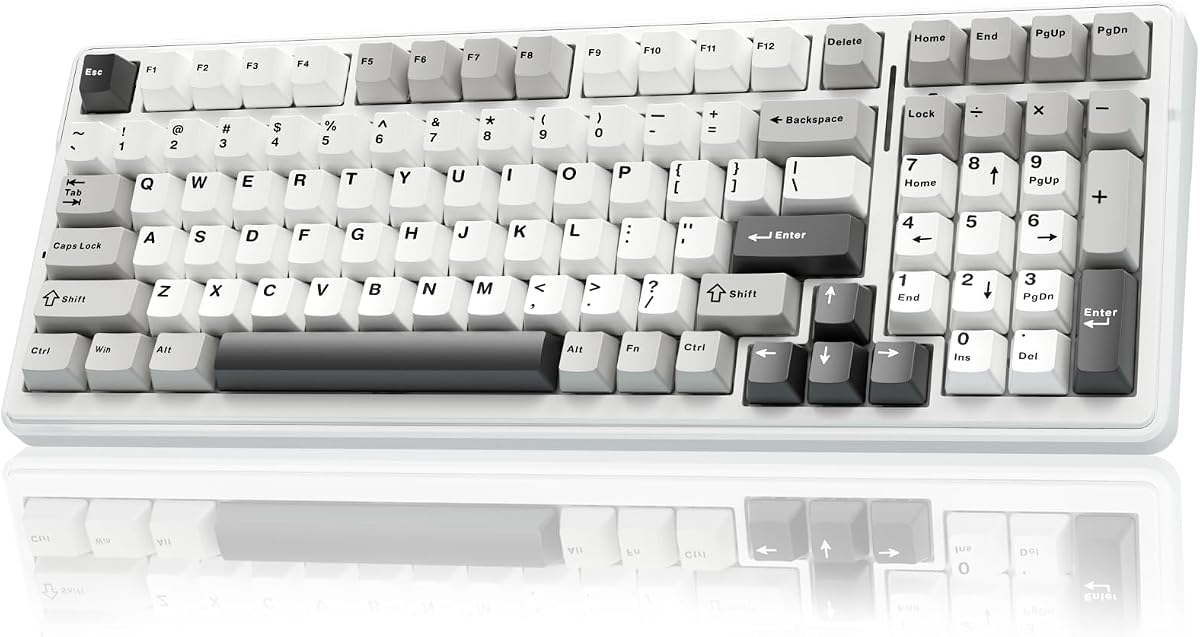


The Keychron C1 is an 87-key tenkeyless hot-swappable mechanical keyboard with a 4.7 rating, making it a strong all-around recommendation for users who want useful features without an oversized frame. Its most important advantage is the combination of broad switch support, a familiar layout, a detachable USB-C connection, and compatibility with both macOS and Windows.
We may earn a commission when you buy through this link, at no additional cost to you.
The board accepts nearly all MX-style three-pin and five-pin mechanical switches, including examples from Gateron, Cherry, and Kailh. It comes with pre-installed Gateron G Pro Brown switches, whose stated lifespan is 50 million keystrokes. The included ABS keycaps are double-shot, while additional Mac and Windows keycaps allow the legends and shortcuts to suit the chosen operating system.
Acoustic construction is more restrained than that of many modern gaming boards. The C1 uses an inclined bottom frame and two levels of adjustable feet, prioritizing a stable typing position over elaborate gasket-mounted customization. Its white LED lighting offers static, flashing, and breathing effects. SMD-LED-compatible switches are recommended when the backlight needs to pass clearly through the legends.
This is the most balanced pick for productivity-focused users who still want a keyboard suited to light gaming. The absence of wireless mode is the main compromise, but the wired design is straightforward, dependable, and suitable for a fixed desk. Choose the C1 when you value switch freedom, cross-platform keycaps, and a compact-but-complete layout more than elaborate RGB effects.
The C1 makes it simple to test different MX-style switches without committing to a permanent soldered build. Its support for common three-pin and five-pin options gives users a broad selection of tactile, linear, and clicky choices, although switch pins and LED compatibility should still be checked before installation.
Separate keycaps for macOS and Windows are a meaningful convenience for people who move between platforms. The layout includes the required multimedia and function keys, while the tenkeyless arrangement preserves the navigation cluster without dedicating desk space to a number pad.
We may earn a commission when you buy through this link, at no additional cost to you.
The Keychron C2 is a 104-key full-size hot-swappable board rated 4.5, offering a complete desktop layout for users who rely on a number pad. It shares several strengths with the C1, including USB-C wired power, broad MX switch compatibility, adjustable feet, and extra keycaps for macOS and Windows.
We may earn a commission when you buy through this link, at no additional cost to you.
The pre-installed Gateron Red switches provide a linear feel, while the socket accepts almost all three-pin and five-pin MX mechanical switches. That makes the board a convenient starting point for people who prefer smooth travel but want to experiment with tactile or clicky alternatives later. The stated switch lifespan is 50 million keystrokes.
The C2 is optimized primarily for Mac while remaining compatible with Windows. It includes multimedia and function keys, a dedicated Siri or Cortana key, and alternate keycaps, though Num Lock operates with Windows only. The wired connection uses a braided USB-C cable and is presented as a consistent option for home, office, and light gaming setups.
The obvious trade-off is footprint. A full-size keyboard takes more room than a tenkeyless, compact, or 60% design, but it offers a complete set of dedicated keys for spreadsheets, data entry, and shortcuts. It is best suited to users who need the number pad and value dependable wired operation over wireless convenience.
The dedicated number pad and function row make the C2 more useful for spreadsheets, accounting, and productivity software than compact alternatives. It also provides a comfortable transition from a standard office keyboard because the overall dimensions and key organization remain conventional.
Nearly universal MX-style socket compatibility means users can begin with the included linear switches and later try other manufacturers or feedback styles. A switch puller and basic care will help keep the process clean and reduce the chance of bending pins.
We may earn a commission when you buy through this link, at no additional cost to you.
The Redragon K771 is a 108-key wireless hot-swappable gaming keyboard with a 4.4 rating. It combines a full-size layout, three connection methods, a large battery, gasket mounting, and five-layer sound dampening, making it a feature-rich option for gamers who want flexibility across computers and devices.
We may earn a commission when you buy through this link, at no additional cost to you.
Connectivity includes 2.4GHz wireless, Bluetooth 5.0 and 3.0, and USB-C wired operation. The keyboard can pair with up to five devices, making it useful for a desktop, laptop, tablet, and other mobile setups. An 8000mAh rechargeable battery supports extended use, while the pre-lubed linear switches are designed to reduce scratchiness and improve smoothness.
The hot-swappable socket supports nearly all three-pin and five-pin switches. Inside the chassis, a gasket mount and five integrated foam or silicone layers are intended to absorb case ping and hollow sound. The result is positioned as a softer, quieter typing experience than a basic rigid gaming keyboard, while still retaining an RGB-focused appearance.
Software support adds per-key lighting effects, dynamic patterns, macros, remapping, and advanced key bindings. Four dedicated hotkeys are assigned to Mute, Calculator, Lock Screen, and Show Desktop, which are convenient functions outside competitive play. This is a strong pick when wireless switching, battery capacity, and extensive gaming features matter more than a minimal footprint.
The ability to pair with five devices and move among Bluetooth, 2.4GHz, and wired modes is a major advantage for hybrid work setups. It reduces the need to maintain separate keyboards for a gaming PC, office computer, laptop, and mobile device.
Five-layer dampening and a gasket mount provide more acoustic refinement than many entry-level gaming boards. RGB lighting, programmable effects, and macro support remain available, so the acoustic design does not come at the expense of typical gaming features.
We may earn a commission when you buy through this link, at no additional cost to you.
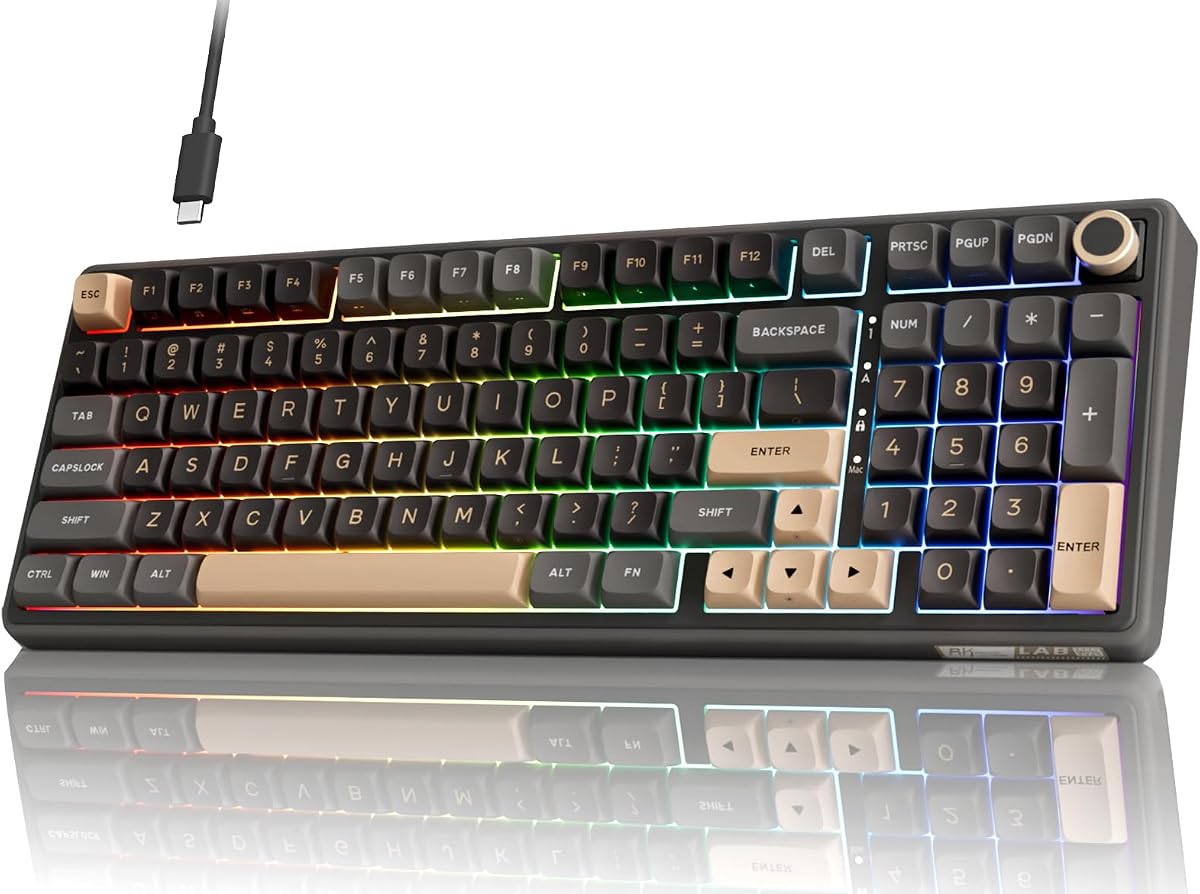
The RK Royal Kludge R98 Pro is a 98-key wired hot-swappable keyboard with a 4.5 rating. It seeks a middle ground between a full-size board and a compact model by retaining the number pad and arrow keys in a space-saving 96% arrangement, while adding a detachable volume knob.
We may earn a commission when you buy through this link, at no additional cost to you.
Its gasket mount and five layers of sound-absorbing foam are intended to create a softer, creamier sound. The pre-installed linear cream switches support three- and five-pin replacement, making it possible to alter the feel without soldering. MDA-profile PBT keycaps offer a shaped surface, a matte appearance, and resistance to the common gloss and fading issues associated with cheaper keycap plastics.
Four indicator lights show Num Lock, Caps Lock, Win Lock, and Mac mode, while the aluminum knob provides quick volume adjustment. The wired RK online driver supports key redefinition, macros, and custom RGB, with stated compatibility for Windows and macOS. More than 20 RGB modes, full-color displays, and monochrome or dynamic effects are included.
Its wired design and online-driver dependence make it less convenient for frequent device switching, but the wired approach keeps the design straightforward. It is a compelling recommendation for someone who wants spreadsheet-friendly number-pad access, a more compact footprint, a useful knob, and enthusiast-style tactile presentation in one board.
The 98-key layout retains the number pad, arrow keys, and most familiar full-size functions. That makes it easier to move from a traditional office keyboard than a 60% or 75% arrangement, while still reducing the amount of desk space occupied.
The detachable CNC aluminum knob adds convenient volume control, and dedicated indicators reveal several important states at a glance. These are useful details that are often absent from budget boards or require repeated software checks.
We may earn a commission when you buy through this link, at no additional cost to you.
The AULA F99 is a 99-key 96% hot-swappable keyboard with a 4.5 rating. It is designed for people who want the productivity benefits of a number pad in a relatively compact body while also moving frequently among desktop, laptop, tablet, and other compatible devices.
We may earn a commission when you buy through this link, at no additional cost to you.
Bluetooth 5.0, 2.4GHz wireless, and USB-C wired modes provide three connection routes. The keyboard can connect to up to five devices, and an FN combination changes between them. Pre-lubed linear switches create the initial smooth feel, while the hot-swap PCB accepts three-pin and five-pin switches without requiring a soldering iron. A keycap and switch puller are included.
The internal design combines a gasket structure, an integrated silicone pad, PCB single-key slotting, and five layers of filling material. These components are intended to improve resilience, stability, and sound while reducing cavity noise. Sixteen RGB effects, 16.8 million color choices, music-rhythm lighting, macro recording, and key-function editing are supported through the driver.
The 8000mAh battery and double-shot PBT keycaps further distinguish the F99 from simpler compact boards. Its principal compromise is software dependence for advanced configuration. Buyers who value wireless flexibility, a number pad, broad switch compatibility, and a layered acoustic structure will find it more compelling than someone who only wants a simple plug-and-play keyboard.
Five-device pairing and three connection modes make the F99 particularly useful for hybrid workers and gamers who move between systems. Wired mode remains available when low-latency consistency or continuous charging is preferred.
The gasket structure, silicone pad, single-key PCB slotting, and five internal silencing layers are all intended to produce a more controlled feel and reduce internal noise. These features are especially relevant to users who prefer a deeper sound than a thin, rigid gaming board.
We may earn a commission when you buy through this link, at no additional cost to you.
The Redragon K617 is a 60% wired hot-swappable RGB mechanical keyboard with a 4.6 rating. Its strongest selling point is space efficiency: removing the number pad and navigation cluster creates a compact board that leaves more room for mouse movement on a gaming desk.
We may earn a commission when you buy through this link, at no additional cost to you.
The upgraded socket accepts almost any three-pin or five-pin mechanical switch, allowing the stock configuration to be changed as preferences evolve. Red linear switches provide a relatively discreet feel and sound for shared spaces, and they are stated to withstand 50 million keypresses. The keyboard remains focused on gaming rather than elaborate office-oriented ergonomics.
Lighting includes as many as 20 preset modes, with adjustable brightness and flow speed. Redragon software adds custom lighting effects, advanced macros, and custom keybindings. These features let the board adapt to different games or productivity tasks, although users who dislike software may use only the immediate onboard controls.
The compact format is the clear trade-off. A 60% layout does not provide dedicated arrow, function, or navigation keys, and it can require a separate keycap or layer for those inputs. Even so, the combination of hot swapping, RGB, macro support, and a compact footprint makes the K617 a compelling entry point for budget-conscious gamers.
The 60% layout removes the number pad and navigation cluster, giving the mouse a larger operating area. This is particularly useful in competitive games where lower pointer sensitivity and wide flicks are important to the user's preferred aiming style.
Three- and five-pin switch support, twenty RGB presets, and macro programming cover the essentials of a personalized gaming keyboard. The result is a practical introduction to hot swapping without requiring advanced firmware knowledge.
We may earn a commission when you buy through this link, at no additional cost to you.
The TECKNET Tri-Mode 96% is a hot-swappable compact keyboard with a 4.5 rating. It combines a number pad, metal frame, RGB lighting, five-layer sound dampening, and wireless connectivity, while a 36-month warranty provides a different kind of reassurance from the software and acoustic features.
We may earn a commission when you buy through this link, at no additional cost to you.
Bluetooth 5.0 can connect with three devices, 2.4GHz wireless provides another connection route, and USB-C wired mode is included. Users can move among Windows, Mac, and Linux systems, with the product description emphasizing low-latency wired performance for gaming. The hot-swap sockets accept three-pin and five-pin switches, and a keycap puller plus four extra keycaps are included.
Tuned Sky switches and five layers of dampening are intended to deliver smooth keystrokes and a soft, lower-pitched typing sound. The 96% metal-frame design includes a number pad and 16.8 million-color RGB lighting. This makes it more productivity-capable than a 60% board while still reducing the footprint of a traditional full-size model.
The main limitation appears in customization. TECKNET's Windows software supports macros, remapping, and RGB changes, but Mac users are told that software customization is unsupported; basic RGB control remains available through FN keys. With that caveat in mind, the board is best for hybrid users who mainly program in Windows and value wireless flexibility.
The 96% layout is a useful middle ground for people who want a number pad without the footprint of a conventional 104-key keyboard. Bluetooth, 2.4GHz, and USB-C modes also make it practical to alternate between office and gaming systems.
A 36-month warranty and stated 24/7 customer support add confidence for a product intended for long-term use. Registration through the official website is required to activate the full support offering.
We may earn a commission when you buy through this link, at no additional cost to you.
The HyperX Origins 2 1800 is a compact gaming keyboard with a 4.6 rating and an unusually broad customization concept. It combines hot-swappable five-pin switches, interchangeable colored housings, a high 8000 Hz polling rate, and official design files that let users create their own physical components.
We may earn a commission when you buy through this link, at no additional cost to you.
Its 1800-style layout packs the essential controls into a smaller shape without following a conventional tenkeyless, 96%, or 60% arrangement. An eight-screw assembly and frosted colored housings make exterior changes straightforward. The O-ring mount supplies light bounce and a deeper sound, while a removable silicone weight lets users adjust the board's feel and mass.
Five-pin sockets allow switches and keycaps to be changed without soldering. The included HyperX Linear Red switches use half-wall POM stems, are factory-lubed, and are stated to last up to 80 million keypresses. Plate-mounted stabilizers are designed to reduce wobble on larger keys, and flip-down feet provide angle adjustment.
NGENUITY software supports key rebinding, macros, RGB colors and patterns, and up to three distinct input profiles. The trade-offs are its high-profile shape and lack of a number pad. It is best for gamers who want fast polling, unusually deep physical customization, and the ability to print or redesign exterior parts.
Interchangeable frosted housings and downloadable official design files give the Origins 2 a DIY character that extends beyond ordinary keyboard customization. Users can change the visual appearance or create and print a custom platform.
The stated 8000 Hz polling rate communicates with the PC at up to 8000 times per second. NGENUITY profile support and programmable macros add practical control, while the high-profile shape provides elevated keys and an adjustable typing angle.
We may earn a commission when you buy through this link, at no additional cost to you.
The Logitech G512 X is a premium gaming keyboard with a 4.5 rating and a genuinely distinctive approach to switchable input. Its DUAL SWAP system lets the keyboard use magnetic analog sensing in dedicated TMR beds or traditional mechanical switches, delivering two input technologies within one board.
We may earn a commission when you buy through this link, at no additional cost to you.
Tunnel Magneto-Resistance sensors support adjustable actuation from 0.1 to 4.0 millimeters, allowing users to trigger sooner or later according to their game and preferences. Rapid Trigger enables immediate re-actuation during travel, while SAPP Rings add a tangible second-actuation pressure point that can be positioned around 2.8 millimeters.
The board also includes nine Gateron K20 analog switches for use across 39 dedicated DUAL SWAP TMR beds. It toggles between 1K and 8K reporting rates, with a stated response of 0.125 milliseconds. A silicone gasket mount, double-shot PBT keycaps, LIGHTSYNC RGB, and recycled-plastic content contribute to its premium construction.
This is not a conventional MX hot-swap socket board, and buyers should not treat it as a drop-in replacement for one. Its advantage is specialized control that can benefit players willing to learn actuation and re-trigger settings. G HUB handles remapping, macros, multiple layers, analog profiles, RGB, and lighting effects.
The magnetic sensing system measures travel rather than relying solely on a fixed mechanical contact. Adjustable actuation and Rapid Trigger can make repeated inputs more responsive, giving competitive players more control over movement and firing actions.
DUAL SWAP allows compatible beds to operate with either analog Gateron K20 switches or mechanical switches. That makes the keyboard adaptable to different play styles, although users should verify exactly which keys support the advanced system before configuring analog behavior.
We may earn a commission when you buy through this link, at no additional cost to you.
The Keychron K10 Max is a full-size wireless hot-swappable mechanical keyboard with a 4.6 rating. Its defining feature is flexible firmware support: users can configure it through the Keychron Launcher web app or create a keymap with open-source QMK firmware across macOS, Windows, and Linux.
We may earn a commission when you buy through this link, at no additional cost to you.
The keyboard supports 2.4GHz, Bluetooth 5.1, and wired connections. Bluetooth can connect to three devices, while the 2.4GHz and wired modes use a stated 1000 Hz polling rate. This combination makes the board useful for multitaskers who want to move between a computer, phone, and tablet while retaining a conventional full-size layout.
Almost all three-pin and five-pin MX mechanical switches can be installed without soldering. Screw-in stabilizers on the PCB support the space bar, Shift, Enter, and Delete with less wobble. IXPE acoustic foam and resilient EPDM foam sit beneath the switches, while the steel plate contributes responsive feedback and a fuller sound.
OSA-profile double-shot PBT keycaps are designed for comfort and oil resistance, and south-facing RGB is intended to illuminate the legends more effectively from the typist's position. The main trade-off is complexity. Buyers who want simple media controls may find QMK excessive, but power users gain a high level of control over layers, remapping, and macros.
QMK support makes the K10 Max attractive to users who want layers, shortcuts, and custom key behavior beyond a typical graphical keyboard utility. The Launcher web app provides a more approachable route, while QMK gives advanced users direct control over the keymap.
The 108-key layout retains a number pad and familiar key arrangement for spreadsheets and everyday office work. Three-device Bluetooth, 2.4GHz wireless, and USB-C wired operation offer more ways to use the board than a basic desktop model.
We may earn a commission when you buy through this link, at no additional cost to you.
The best hot-swappable keyboard is one whose layout, switch platform, connection method, acoustics, and software match your habits. Compare the physical design and daily workflow before focusing on decorative features or specifications that do not apply to your setup.
Layout is the most visible permanent decision. A 60% keyboard removes the number pad and navigation cluster to maximize mouse space, while a tenkeyless board keeps a compact navigation section. A 96% arrangement generally preserves a number pad in a shorter frame, and a traditional full-size board separates the main keys, function row, navigation group, and number pad for familiar positioning. Less conventional designs such as the HyperX Origins 2 1800 condense controls in a different way, so examine an image and compare it with your existing desk arrangement before choosing.
Choose the smallest layout that still contains every key you use regularly. A compact board can be ideal for gaming, but frequent spreadsheet work may make a number pad worthwhile. Consider monitor placement, mouse reach, and whether you are willing to use a navigation layer for missing keys.
Most conventional hot-swappable boards accept MX-style three-pin and five-pin mechanical switches, but exact support should be checked. Pin configuration, plate compatibility, LED placement, and manufacturer-specific components can affect installation. The Logitech G512 X is an important distinction because its DUAL SWAP magnetic analog system is not the same as a universal MX socket. For standard boards, compatibility with common brands and both three- and five-pin layouts provides a wide upgrade path.
Verify the supported switch standard and examine the included puller and stabilizer arrangement. If you already own switches, confirm their pin count and bottom housing before buying. For users experimenting with new brands, a board that states broad compatibility offers more flexibility than one with a narrowly defined ecosystem.
A wired keyboard offers a straightforward connection, continuous power, and a reliable low-latency path for gaming. Wireless designs provide cleaner desks and allow movement between systems, while tri-mode boards add both 2.4GHz and Bluetooth alongside USB-C. Bluetooth is convenient for switching among computers, phones, and tablets, whereas 2.4GHz is generally better suited to a responsive desktop connection.
Match the connection method to your workflow. Choose tri-mode if you regularly alternate between systems, wired if the keyboard stays at one computer, and wireless if desk flexibility is the priority. Check the number of paired devices, stated polling rate, battery capacity, and whether the keyboard can be used while charging.
A keyboard's sound comes from the switches, keycaps, plate, case, stabilizers, and internal materials working together. Gasket mounts, flexible PCB mounting, foam, silicone pads, and dampening layers can reduce hollow case resonance and soften the sound. Switch choice remains equally important: linear switches tend to feel smooth, tactile switches add a noticeable bump, and clicky switches produce distinct audible clicks. Pre-lubed switches may begin smoother than dry alternatives.
Do not judge sound by the word thock alone. A deeper sound may be pleasant at home but distracting in an office, while a very soft board can feel less pronounced during gaming. Consider your room, nearby coworkers, and whether you prefer a muted or articulate acoustic character.
Build quality affects long-term comfort, stability, and the consistency of the typing experience. Metal frames, gasket mounting, layered dampening, and substantial weights can help control resonance and prevent movement. A stable plate is also important because it influences how directly each keypress registers. Keycap material matters as well: double-shot PBT resists shine and is generally easier to maintain, while ABS offers a smoother surface but can become glossy over time.
Look for details that support daily use, including adjustable feet, a centered USB-C connection, sturdy stabilizers, and a layout that keeps your hands in a natural position. Premium construction is useful, but it should be matched to your needs rather than treated as the only measure of keyboard quality.
The software determines how easily you can assign macros, remap keys, adjust lighting, and manage connection profiles. Redragon, RK, AULA, TECKNET, HyperX, Logitech, and Keychron each provide different levels and styles of control. TECKNET's listed software customization is centered on Windows, while basic lighting control remains available on Mac. Keychron's K10 Max supports QMK and a web app, giving advanced users unusually deep control. Consider whether you want ready-made presets or the freedom to build detailed keymaps.
Choose software you can learn or an interface you already trust. Check operating-system support before purchasing, especially if you alternate between macOS and Windows. Software quality also influences how easily firmware updates, device switching, lighting profiles, and macro exports can be managed over time.
For gaming, response features, polling rate, anti-ghosting, rollover behavior, and macro support can matter as much as the switch system. The Redragon K771, Redragon K617, AULA F99, and TECKNET board support programmable functions, while the Logitech G512 X offers advanced magnetic actuation, Rapid Trigger, and selectable reporting rates. The HyperX Origins 2 1800 adds an 8000 Hz polling rate and three software profiles. These features are useful, but they should complement rather than replace good ergonomics and a layout that suits the game.
Prioritize the controls used in your favorite titles and verify that they are available on the selected layout. A gaming-focused board can still be excellent for typing, and a productivity-focused model can still handle shortcuts well. Look for a balanced set of features rather than assuming more effects automatically produce a better gaming experience.
Before changing switches, power the keyboard down and disconnect its cable. Photograph the original switch locations, note the switch orientation, and remove the keycap and switch with the appropriate puller. Inspect the socket and metal contact, then align the replacement switch's pins with the socket before pressing it gently into place. Avoid forcing the switch or bending its pins.
After installing a switch, reconnect the keyboard and test several keys for consistent registration. Add the appropriate stabilizer components when changing larger keys, and check the keycap for proper alignment. If a key does not register, remove the switch and inspect the pins rather than repeatedly pressing harder. Updating the keyboard firmware and testing its lighting, macros, and connection modes can help ensure the new configuration is working correctly.
For ongoing care, keep dust and debris away from the sockets and switches, wipe the case and keycaps with a soft dry or lightly damp cloth, and avoid spilling liquids into the keyboard. Charge wireless models according to the manufacturer's guidance and avoid leaving a rechargeable keyboard in a depleted state for long periods. Periodically inspect loose keycaps and stabilizers, particularly after heavy use.
A hot-swappable mechanical keyboard uses sockets that allow mechanical switches to be removed and replaced without desoldering them from the PCB. This makes it easier to change between linear, tactile, and clicky feedback styles or to replace a damaged switch. Most of the listed models support common MX-style three-pin and five-pin switches, but compatibility should always be verified before installation.
Most of the keyboards in this guide explicitly support both three-pin and five-pin MX-style switches. A five-pin switch normally includes two additional stabilizing legs that help center it in the socket, while a three-pin switch uses a different plastic base. Even when both are supported, check the manufacturer's compatibility note and inspect the socket before pressing a new switch into place.
Yes. Many of the featured models include pre-lubed switches, macro programming, RGB effects, anti-ghosting, and adjustable polling rates. The Logitech G512 X goes further with magnetic analog actuation and Rapid Trigger, while the Redragon K617 prioritizes a compact layout and mouse space. The right gaming choice depends on whether you value compactness, wireless freedom, analog control, or conventional switch customization.
Choose a 60% layout for maximum desk and mouse space, a tenkeyless board for a compact navigation cluster, a 96% layout for a shorter frame that usually retains a number pad, and a full-size board for the most familiar arrangement. Consider whether you use arrow keys, function keys, and a number pad regularly. Compact layouts can use alternate layers, but learning those shortcuts takes time.
Wireless performance depends on the connection mode and implementation. The listed tri-mode boards provide USB-C wired operation, while 2.4GHz is generally intended for responsive desktop use. The Keychron K10 Max states 1000 Hz polling for 2.4GHz and wired modes, and the HyperX Origins 2 1800 offers a stated 8000 Hz rate. For the most consistent low-latency connection, wired mode remains a straightforward choice.
Basic typing and switch replacement normally do not require special software. Software is useful for configuring RGB, macros, key remapping, device profiles, analog settings, or advanced functions. Operating-system support varies: TECKNET's stated customization software is for Windows, while the Keychron K10 Max supports macOS, Windows, and Linux through its web app and QMK options.
Yes, and many of the listed models are designed for both forms of customization. Keychron, Redragon, RK, AULA, TECKNET, HyperX, and Logitech models support hot-swappable switches, and the Keychron K10 Max uses screw-in stabilizers for larger keys. Keycap profiles and stem standards should still be checked, and switch pins must align correctly with the sockets.
First confirm that the switch is seated fully and oriented correctly. Several featured keyboards include pre-lubed switches or factory-lubed HyperX switches, while the Redragon K771 and AULA F99 also arrive with pre-lubed linear switches. If a replacement switch feels rough, it may need compatible switch lubrication or a stabilizer lubricant on applicable keys. Avoid putting general lubricant on the switch housing or other parts without checking manufacturer guidance.
The Keychron C1 is the strongest all-around choice because it combines broad MX switch compatibility, cross-platform keycaps, a practical tenkeyless layout, and a dependable wired connection. The Redragon K617 stands out as the budget pick for gamers who want a compact 60% board with switch replacement, RGB, and macro controls, while the Logitech G512 X earns the premium position for its unusual magnetic analog and mechanical DUAL SWAP system.
Prioritize the parts of the keyboard you will notice every day. Select a layout that fits your desk and workflow, check the switch standard, decide whether wireless switching matters, and consider the sound you want in your environment. Software, lighting, acoustic layers, stabilizers, and mounting construction can refine the experience, but they are most valuable when they support your actual habits.
Before ordering, verify the current product listing, included accessories, operating-system support, and warranty details. Prices and availability change over time, and revised versions of a keyboard can alter specific features. Comparing the current listing with the strengths and limitations in this guide will help narrow the field without overlooking the details that matter to your setup.