
AOC Q27G41ZE
4.6Editor score
240Hz DisplayPort refresh
0.3ms advertised MPRT
Dual HDMI 2.0 connectivity
A 1440p IPS monitor can give modern consoles a sharper, more detailed image than a typical television while adding useful features such as variable refresh rates, adjustable stands, gaming modes, and better HDR support. The strongest models balance console compatibility with low-latency gaming and accurate color.
This guide compares ten monitors using the specifications and feature descriptions supplied for each product. The analysis covers resolution, panel type, refresh rate, response time, adaptive synchronization, HDR, connectivity, stand adjustment, and practical gaming functions without suggesting that every feature is equally useful in every console environment.
Each review identifies the product's strongest benefits, honest limitations, and ideal buyer. The top selections represent the best budget, overall, and premium choices in this roundup. Prices and availability change frequently, so readers should verify current listings and console-specific compatibility before purchasing.
4.6Editor score
4.6Editor score
4.4Editor score
As an Amazon Associate we earn from qualifying purchases.
The table below places all ten monitors side by side, focusing on the specifications that most directly affect console play: panel and resolution, refresh rate, latency, synchronization, and connection options. It also highlights important differences in HDR and stand adjustment.


The AOC Q27G41ZE is the strongest overall value in this guide for buyers who want a detailed 2560×1440 IPS image without moving into the most expensive premium tier. Its 4.6 rating reflects a favorable balance of speed, clarity, and useful features. The headline specification is a 240Hz refresh rate over DisplayPort, while console users can connect through two HDMI 2.0 ports.
We may earn a commission when you buy through this link, at no additional cost to you.
Motion performance is the main attraction. AOC advertises a 0.3ms MPRT response time, and the monitor's high refresh rate can produce smooth movement when the connected PC or console supplies matching frames. Adaptive-Sync support, Shadow Control, and dedicated Game Mode presets give players more control over clarity and presentation. A 300-nit brightness level and 1000:1 contrast ratio support a punchy image, although that brightness is less dramatic than some HDR-capable alternatives.
The trade-offs are primarily ergonomic rather than fundamental. The stand offers tilt adjustment from -3 to +21 degrees but no documented height, swivel, or pivot adjustment, so some users may need a monitor arm. Its maximum advertised refresh rate depends on DisplayPort, meaning console performance will depend on the HDMI path and the console's supported output. These constraints do not undermine its value, but they are worth considering for a dedicated console desk.
This is an excellent choice for Xbox or PlayStation owners who also game on PC and want one capable display to handle both roles. It also suits buyers who prioritize high refresh rates, an IPS panel, and useful gaming controls without paying for a top-tier model. For straightforward console use, verify the current output and resolution support in the display's specifications and console menu.
The 240Hz DisplayPort refresh rate makes the Q27G41ZE particularly compelling when paired with a gaming PC. Adaptive-Sync support also helps align output with compatible graphics hardware, while the low advertised MPRT targets visible motion blur.
Two HDMI 2.0 inputs simplify switching between a console and another source. Shadow Control, Game Mode presets, and the graphical OSD make the monitor practical for players who want quick adjustments without navigating a deep menu system.
We may earn a commission when you buy through this link, at no additional cost to you.
The Acer Nitro KG271U combines a 2560×1440 IPS panel with strong color specifications, making it an appealing choice for console players who also enjoy photography, video, or creative work. Its 4.5 rating supports its reputation as a solid general-purpose gaming display. The listed 180Hz maximum refresh and 0.5ms GTG response target fast motion, while DCI-P3 95 percent support is the standout for color-conscious buyers.
We may earn a commission when you buy through this link, at no additional cost to you.
The monitor's zero-frame design keeps the visual footprint relatively uncluttered and gives a 27-inch screen a more modern appearance. AMD FreeSync is included for compatible PC setups, reducing tearing by synchronizing frames. For console use, the detailed 1440p image is the central benefit because it can reveal finer environmental textures than a standard high-definition television.
Acer does not describe the KG271U's stand adjustments in the supplied information, so buyers who need height, pivot, or swivel control should confirm those details before ordering. The stated refresh rate also needs to be understood as a maximum panel capability; actual console frame rates depend on the console, game, and output settings. A 0.5ms GTG figure is also a manufacturer specification rather than a guarantee of perceived latency.
The KG271U is best for gamers who want more color capability than a basic gaming monitor and may use the display for mixed entertainment. It is a particularly strong recommendation for PC gamers on AMD graphics hardware because of its FreeSync support. Console buyers should check the product's HDMI specifications and ensure that their preferred game supports the desired 1440p presentation.
DCI-P3 95 percent coverage gives the KG271U a distinct advantage for mixed-use setups. The specification is particularly relevant when viewing content on a larger screen, although actual console color output also depends on the game, console settings, and surrounding lighting.
A 180Hz maximum refresh rate and advertised 0.5ms GTG response support smooth motion on compatible hardware. At 1440p, the panel offers enough detail for crisp console imagery without the extreme GPU requirements associated with 4K gaming.
We may earn a commission when you buy through this link, at no additional cost to you.
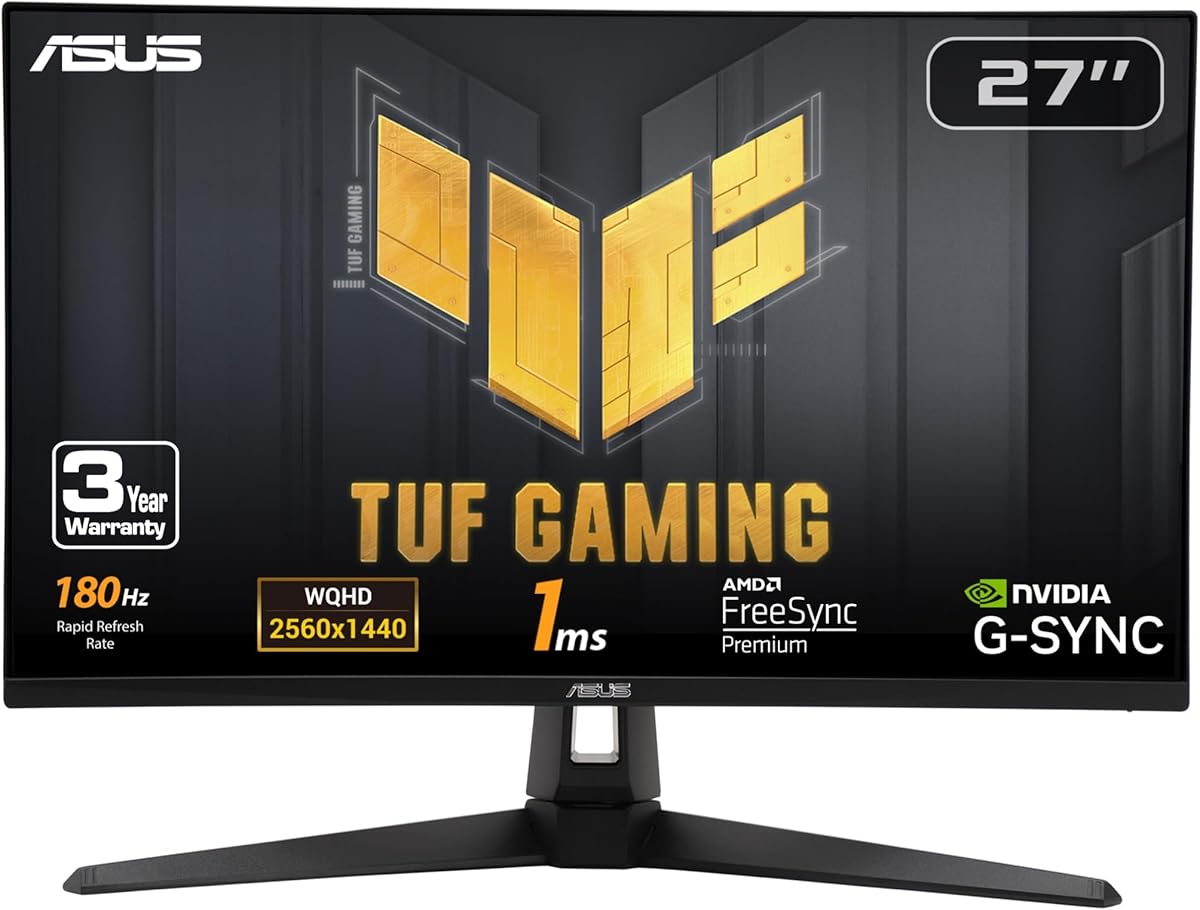
The ASUS TUF Gaming VG27AQ3A is the most balanced all-round recommendation in this guide. Its 4.6 rating, Fast IPS panel, 180Hz refresh rate, and synchronization support make it equally suitable for console players and PC gamers. The 2560×1440 resolution improves fine detail, while the 1ms GTG response specification addresses motion clarity.
We may earn a commission when you buy through this link, at no additional cost to you.
Its synchronization flexibility is a major strength. The supplied information lists ELMB Sync, FreeSync Premium, G-SYNC compatibility, and AdaptiveSync, allowing the monitor to work with different graphics hardware. HDR10 support improves bright and dark areas, and the stated 130 percent sRGB gamut is useful for colorful games and general media. Integrated speakers also offer a convenient option when separate gaming audio is not available.
The principal caveat is that a monitor's headline features do not guarantee every console mode is available. Buyers should verify HDMI version, maximum console resolution, and supported refresh rates in the final specifications. The free three-month Adobe Creative Cloud subscription included with the product is useful for creators, but it is not a reason to purchase the display solely for gaming. The monitor also has no documented USB hub in the supplied feature list.
Choose the VG27AQ3A if you want a single display that performs well with both consoles and PCs without prioritizing only peak refresh rate. It is especially attractive for owners of different GPU brands because of its wide synchronization support. The package includes a DisplayPort cable, power components, a quick-start guide, warranty card, and an L-shaped screwdriver.
ELMB Sync allows the motion-blur feature to operate alongside variable refresh technologies. Support for FreeSync Premium and G-SYNC compatibility makes this one of the most flexible choices for owners of PCs using different graphics-card brands.
The Fast IPS panel combines a 2560×1440 resolution with a 180Hz refresh rate and 1ms GTG response. HDR10 support adds stronger highlights and deeper shadows, while the wide color specification benefits vivid games and everyday entertainment.
We may earn a commission when you buy through this link, at no additional cost to you.
The GIGABYTE GS27QA SA is a competitive gaming monitor with a strong feature set, including a 180Hz refresh rate, advertised 1ms MPRT, HDR10 readiness, and AMD FreeSync. Its 4.5 rating suggests a favorable user reception. The SuperSpeed IPS panel and wide color coverage make it appealing for fast-paced competitive games and general media.
We may earn a commission when you buy through this link, at no additional cost to you.
Color specifications are unusually clear for a budget-oriented gaming monitor. The supplied data lists a 1000:1 contrast ratio, 100 percent sRGB gamut, and 8-bit color depth. Those figures support accurate-looking colors in games, movies, and everyday use. HDR10 certification can provide a more dimensional presentation when the connected source and game support it, although the included information does not state a high brightness figure.
The product title includes the term FHD even though the guide category concerns 1440p models, and the supplied feature description does not explicitly confirm a 2560×1440 native resolution. That ambiguity is the most important issue for a console buyer. Before purchase, verify the actual resolution on the official product listing and make certain that the desired console output mode is supported.
This monitor makes sense for competitive PC players and value-focused buyers who can confirm its resolution and console compatibility. Its fast refresh, low-latency claims, FreeSync support, and color specifications are compelling for that audience. It should not be chosen solely on the basis of its placement in a 1440p roundup until its panel resolution has been confirmed.
A 180Hz maximum refresh rate and 1ms MPRT specification target fast on-screen transitions. AMD FreeSync is included for compatible PC hardware, helping reduce tearing and stuttering when frame delivery varies.
The listed 100 percent sRGB coverage and 8-bit color depth produce a strong foundation for gaming and media. HDR10 readiness adds another layer, although brightness and console-mode details should be confirmed before purchase.
We may earn a commission when you buy through this link, at no additional cost to you.
The Acer Nitro XV271U M3 stands out for practical connectivity and one of the strongest ergonomic packages in the guide. Its 4.5 rating reflects a well-rounded monitor with a 27-inch 2560×1440 IPS panel, 180Hz refresh over DisplayPort, and an adjustable stand. For console owners, the stated 144Hz maximum through HDMI is a particularly useful detail to see stated clearly.
We may earn a commission when you buy through this link, at no additional cost to you.
Ergonomics are a major strength. The stand supports tilt from -5 to 25 degrees, 4.7 inches of height adjustment, 360-degree swivel, and plus-or-minus 90-degree pivot. That range makes it easier to position a large 27-inch display comfortably and to switch between console and PC viewing angles. The display is also VESA Mounting Compliant with a 100x100mm pattern.
The connection package includes DisplayPort and HDMI cables, which is helpful when the console or gaming PC sits away from the desk. Two HDMI 2.0 ports, one DisplayPort 1.2 port, and an audio-out connection support several devices. Two included two-watt speakers add basic sound, though external speakers or headphones will provide a better experience. The DisplayPort 1.2 specification is modest for a monitor that otherwise emphasizes speed.
This Nitro is an excellent match for console players who also use a PC and want flexible positioning. It is particularly suitable when one display must serve a desk, media station, and gaming setup. Buyers focused entirely on maximum high-refresh console performance should confirm the supported resolutions and refresh combinations, since the supplied specification caps HDMI at 144Hz.
Height adjustment, full swivel, and extensive pivot movement make the stand unusually flexible. These controls are particularly valuable for a 27-inch monitor because they allow the screen to be aligned with different seating positions and switched between console and PC use.
DisplayPort and HDMI cables are included, reducing the need for immediate extras. Two HDMI 2.0 ports make it convenient to connect a console and PC simultaneously, while the audio-out port offers a simple way to route sound.
We may earn a commission when you buy through this link, at no additional cost to you.
The Samsung Odyssey G5 G50F is a polished 1440p IPS option whose gaming features are especially relevant to console players. It carries a 4.5 rating and combines a 2560×1440 resolution with a 180Hz refresh rate and advertised 1ms GTG response. The broad 178-degree viewing angle also makes it easier to maintain a consistent image from different positions.
We may earn a commission when you buy through this link, at no additional cost to you.
Black Equalizer is the standout console-oriented feature because it can brighten deep shadow areas to reveal concealed details. Virtual Aim Point provides a central reference for players who value aiming assistance. HDR10 adds brighter highlights and nuanced shadows, while G-SYNC compatibility can reduce choppiness, screen lag, and tearing with compatible graphics hardware.
Auto Source Switch+ is particularly useful in a mixed-console setup because it can change between connected devices automatically. The ergonomic stand adjusts in height and pivots, tilts, and swivels, giving users several ways to arrange the 27-inch panel. The supplied information does not state the HDMI version or maximum console refresh rate, so those details should be checked before buying for a specific console.
Choose the G50F if console gaming benefits and convenient source switching matter more to you than a very high PC refresh rate. It is also a strong option for mixed-device households because the display can serve a console, PC, and other sources without frequent manual input changes. Its feature set feels particularly complete for players who often explore dark environments.
Black Equalizer adjusts difficult shadow regions, helping reveal environmental detail that might otherwise disappear. The feature can be valuable in exploration, stealth, and survival games, though the preferred setting will vary by title.
Auto Source Switch+ reduces the need to reach for the monitor controls whenever a console or PC changes. Combined with the adjustable stand, this makes the G50F well suited to a shared entertainment and gaming station.
We may earn a commission when you buy through this link, at no additional cost to you.
The ASUS ROG XG27ACS is a feature-rich Fast IPS monitor with a 4.4 rating and a particularly useful USB Type-C hub. It delivers a 2560×1440 image at 180Hz with an advertised 1ms GTG response, placing it firmly in the competitive gaming category. The USB-C hub differentiates it from conventional console-focused displays and can simplify a compact workstation.
We may earn a commission when you buy through this link, at no additional cost to you.
DisplayWidget Center is a practical quality-of-life feature because it allows users to adjust monitor settings with a mouse rather than relying only on physical buttons. The USB Type-C connection can carry DisplayPort video and serve as a hub for wired peripherals, reducing cable clutter around the desk. ELMB Sync combines low-motion-blur processing with variable refresh technology for sharper high-frame-rate visuals.
Console buyers should not mistake the USB Type-C feature for a replacement for HDMI. The supplied information does not enumerate the monitor's HDMI inputs or console refresh limits, so compatibility must be verified on the product listing. The included three-month Adobe Creative Cloud subscription is also more relevant to creative users than console players. As with all HDR monitors, actual HDR presentation depends on brightness, game support, and console output.
This monitor is best for gamers who want a high-refresh 1440q display alongside a tidy USB-C workstation setup. It also works well for PC users who value mouse-driven OSD control and low-latency motion. Console-focused shoppers should make sure the required port and resolution are supported before placing it at the top of their shortlist.
The USB Type-C hub can connect a computer while also serving wired peripherals, reducing the number of separate cables at the desk. It is a meaningful convenience for buyers who move between console and PC use but still need an organized workspace.
The Fast IPS panel pairs a 180Hz refresh rate with 1ms GTG response. ELMB Sync allows motion-blur reduction to work alongside variable refresh rates, supporting sharp images in fast-moving games.
We may earn a commission when you buy through this link, at no additional cost to you.
The LG UltraGear 27GR83Q-B is a high-performance 1440p IPS monitor with an unusually complete feature set. Its 4.4 rating reflects a capable panel and broad gaming support, while the ability to reach 240Hz through both HDMI 2.1 and DisplayPort 1.4 gives it unusual flexibility. The advertised 1ms GTG response reinforces its focus on competitive motion.
We may earn a commission when you buy through this link, at no additional cost to you.
Color and HDR specifications are strong. VESA DisplayHDR 400 support is paired with up to 95 percent typical DCI-P3 gamut coverage, aiming to deliver brighter highlights, richer color, and better contrast. The monitor supports NVIDIA G-SYNC Compatible and AMD FreeSync Premium, so it can work well with either major GPU brand. Gamer, FPS, and RTS presets offer quick starting points for different genres.
The feature list can overwhelm newcomers. Dynamic Action Sync, Black Stabilizer, an FPS counter, and a crosshair are useful for different players but not essential for every game. DTS Headphone:X and the four-pole headphone output add value for compatible headsets, while the stand supports tilt, height, and pivot. Console users still need to confirm the game, console, and exact output mode because connection support alone does not guarantee a desired frame rate.
This is an excellent choice for buyers who want premium-level speed, color, synchronization support, and useful gaming tools in one package. It is particularly well suited to PC gamers who alternate between NVIDIA and AMD hardware. For console-only use, the display may offer more capability than the console can use, but its HDMI 2.1 connection and adjustable ergonomics make it a strong centerpiece.
HDMI 2.1 and DisplayPort 1.4 both support refresh rates up to 240Hz according to the supplied information. This dual-path capability gives PC and console gamers more flexibility when matching the display to different devices.
Black Stabilizer improves visibility in dark scenes, Dynamic Action Sync targets lower perceived input lag, and the crosshair provides a central aiming reference. The built-in FPS counter also gives players a quick view of real-time frame delivery.
We may earn a commission when you buy through this link, at no additional cost to you.
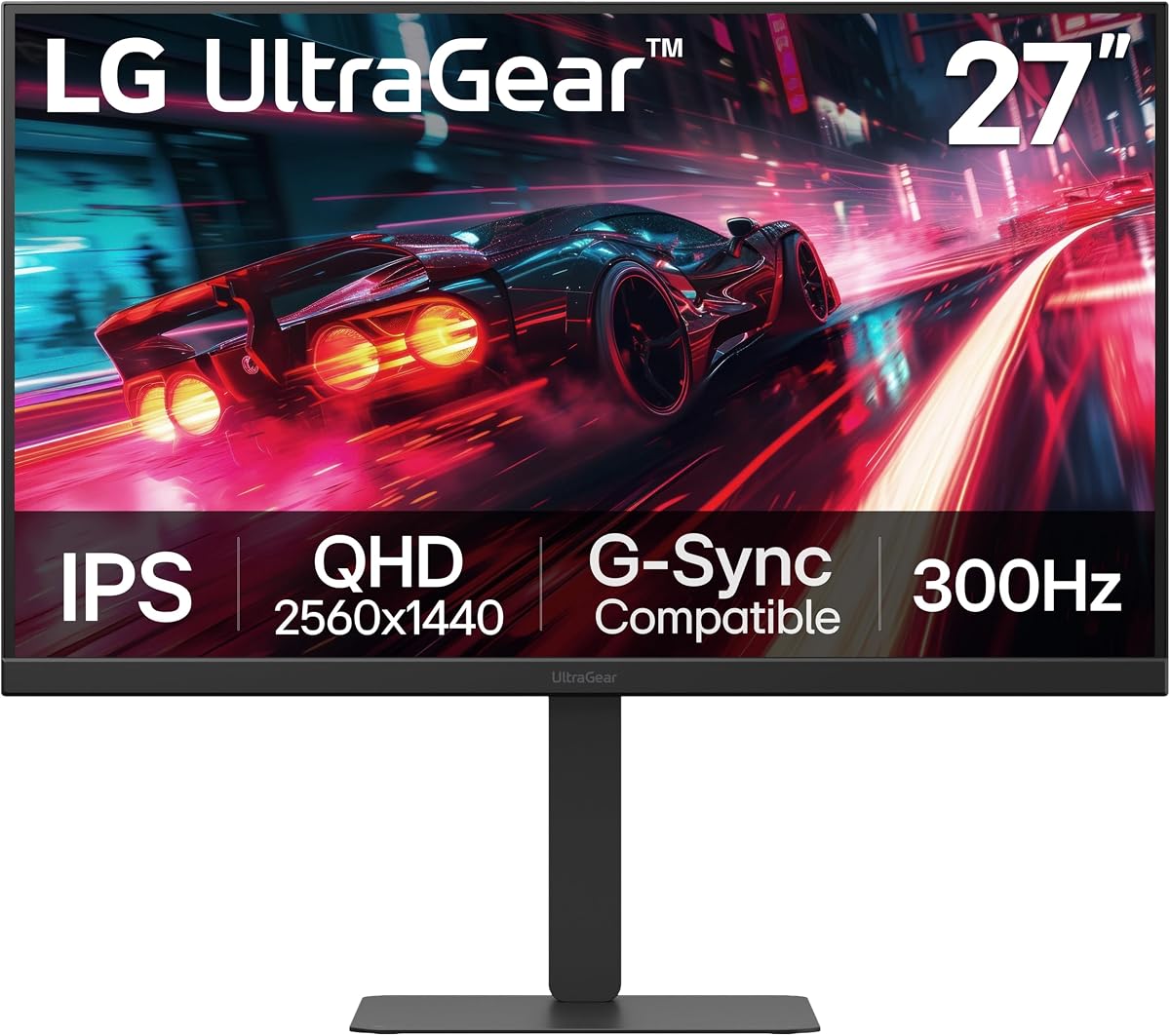
The LG UltraGear 27G640A-B is the premium selection in this guide and the only monitor listed with a 300Hz refresh rate. It pairs that headline capability with a 27-inch 2560×1440 IPS panel, advertised 1ms GTG response, and broad synchronization support. Its 4.4 rating makes it a credible high-end choice for buyers who want a monitor prepared for demanding PC gaming as well as console play.
We may earn a commission when you buy through this link, at no additional cost to you.
Connectivity is a major strength. Dual HDMI 2.1 ports, DisplayPort 1.4, and USB Type-C with 15-watt power delivery provide several ways to connect devices. The USB-C port can charge compatible accessories or small devices while the display handles video and data duties. Both FreeSync Premium and G-SYNC compatibility support a broad range of PC graphics hardware.
The principal limitation is that a console may not be able to drive the full 300Hz mode, even though the monitor supports it. Console buyers should treat 300Hz as a platform-dependent capability rather than an automatic console benefit. The supplied listing also does not enumerate every HDMI mode, so exact console resolutions and refresh rates should be confirmed. This model's sophistication may exceed the needs of a console-only household.
Choose the 27G640A-B when you want one premium display for gaming, console entertainment, and a connected desk. Its adjustable height, tilt, swivel, and pivot controls make long sessions more comfortable, while VESA DisplayHDR 400 and up to 95 percent DCI-P3 color coverage support vibrant HDR content. It is our premium pick because its speed, connectivity, and feature set are the most ambitious in the group.
The 300Hz refresh rate and 1ms GTG response specification make this the fastest-listed option for competitive PC play. Console performance will depend on native output support, but the panel has considerable headroom for fast hardware.
Dual HDMI 2.1 ports simplify console and PC connections, while DisplayPort 1.4 serves high-refresh PC setups. USB Type-C adds video, hub, and 15-watt charging functions, making the monitor useful beyond a single console.
We may earn a commission when you buy through this link, at no additional cost to you.
The MSI G272QPF is a straightforward 1440p gaming monitor that covers the essentials without an elaborate feature list. Its 4.2 rating is the lowest among the ten products in this guide, but the supplied specifications still present a capable combination of a 27-inch Rapid IPS panel, 170Hz refresh rate, and 1ms response time. It may appeal to console buyers who prioritize resolution and low-latency specifications over premium extras.
We may earn a commission when you buy through this link, at no additional cost to you.
Adaptive synchronization and G-SYNC compatibility can reduce visible tearing and stuttering with compatible graphics hardware. A 178-degree viewing angle supports consistent visibility, while the Rapid IPS panel targets quick transitions and smooth motion. For PC gaming, the 170Hz rate places it in the middle of this group, below the 180Hz models but still well above standard 60Hz displays.
The stand supports tilt, swivel, height adjustment, and pivot, giving the monitor better ergonomics than many simpler gaming screens. HDMI and DisplayPort connections are listed, but their exact versions, maximum resolutions, and console-specific modes are not described in the supplied information. Buyers should verify those details, particularly if their console is the primary device. HDR Ready is also less specific than formal HDR certification with a stated brightness target.
The G272QPF is best for budget-conscious buyers who want a proper 2560×1440 IPS gaming screen and standard ergonomic adjustment. It is a sensible choice for mixed PC and console setups that do not need a 240Hz or 300Hz panel. Its lower rating may reflect mixed experiences, so the product listing and recent customer feedback should be reviewed before finalizing the purchase.
The Rapid IPS panel, 170Hz refresh rate, and 1ms response specification form a solid foundation for fast games. Its 2560×1440 resolution delivers more detail than Full HD without moving to a much more demanding 4K panel.
Tilt, swivel, height adjustment, and pivot give users more control over a large 27-inch display. That flexibility is useful for switching between a console and PC setup or aligning the screen with different seated positions.
We may earn a commission when you buy through this link, at no additional cost to you.
Choosing the right 1440p IPS monitor for console gaming means balancing image clarity, console output support, latency, synchronization, ergonomics, and practical features. The most important step is confirming that the display supports the resolution and refresh combination available from the intended console and game.
A native 2560×1440 panel can reveal more environmental detail than a Full HD television, making it a strong choice for consoles capable of outputting at 1440p. The monitor should explicitly support the desired resolution through its HDMI input, and the console game itself may have its own resolution or graphics options. A high refresh-rate rating does not mean every console mode can use it, so buyers should check the manufacturer's port and supported-mode details rather than assuming compatibility.
Prioritize a confirmed 1440p mode and a refresh rate the console can actually deliver.
HDMI 2.0 and HDMI 2.1 are not interchangeable when evaluating high-resolution, high-refresh output. HDMI 2.1 can provide more bandwidth for modern gaming displays, but the number of supported modes also depends on the monitor's implementation, resolution, color format, and refresh rate. The supplied monitor specifications are therefore a useful starting point, though they do not replace checking the complete supported-resolution list.
Match the HDMI standard to the console output and game settings you actually intend to use.
Refresh rate determines how many times the display updates per second. A higher rate can make motion appear smoother when the source delivers enough frames, but a 240Hz or 300Hz panel may have limited value with a console that outputs at 60Hz, 120Hz, or another standard mode. For mixed PC and console use, a 170Hz or 180Hz monitor often provides a more balanced combination of speed and flexibility.
Choose the fastest mode the console, game, and monitor can support together.
Advertised response times can refer to different measurements, including GtG or MPRT, and do not directly equal total input lag. Fast specifications are still useful for reducing visible smearing during quick movement, but console latency also depends on game mode, television-style processing, frame-rate caps, and the source device. A monitor with a low-latency mode and no aggressive processing may provide a better practical experience.
Treat response time as one part of smoothness rather than a complete measure of input lag.
Adaptive synchronization helps align a monitor's refresh timing with the frames delivered by the source, reducing tearing and stuttering when frame rates fluctuate. Compatibility with FreeSync, G-SYNC Compatible, or AdaptiveSync matters most for PC gaming, but console users may also benefit from VRR in supported games. Because current console support can vary by platform and title, buyers should confirm the exact behavior in the monitor documentation.
Prioritize broad synchronization support for a PC-and-console desk, but verify VRR behavior per game.
HDR support can improve highlights, shadow detail, and perceived contrast when the console game implements the format correctly. A label such as HDR Ready or HDR10 support may not mean the display can deliver a strong peak-brightness presentation, so brightness figures and formal certifications are worth comparing. Wide gamut coverage such as DCI-P3 support helps produce more saturated colors, while IPS panels generally offer stable viewing angles and accurate everyday color.
Compare brightness, gamut coverage, and real-world HDR behavior rather than relying on HDR labels alone.
A 27-inch 1440p monitor is large enough to benefit from height, swivel, and pivot adjustment, particularly when moving between seated console play and a standing PC desk. Tilt-only stands may work if the display is placed on a riser or monitor arm, but adding an arm introduces another cost and setup requirement. Check VESA compatibility if you already use an arm or plan to use one for multiple consoles.
Prefer full ergonomic adjustment when the display will serve several seating positions or devices.
Features such as Black Equalizer, Black Stabilizer, Virtual Aim Point, crosshairs, shadow controls, and game-specific presets can improve visibility or provide a cleaner starting point. They are not substitutes for game skill, and some players may prefer a neutral image. Mouse-controlled OSDs, automatic input switching, built-in speakers, and a USB hub can provide everyday convenience, though a separate audio device usually produces better sound.
Choose assistance features that solve a real problem and keep the core image accurate.
After connecting a console, select the matching HDMI input in the monitor's on-screen display and choose the highest resolution and refresh mode supported by both the console and game. Before enabling HDR or variable refresh, update the console firmware and check the monitor's operating manual for any required settings. Allow the display several minutes to warm up before making color or brightness adjustments.
For the clearest console picture, use the monitor's native 2560×1440 mode when available and avoid stretching or overscan. Keep console graphics output in the range that matches the monitor's native specification. Competitive players may prefer a lower-latency game mode, while cinematic players can enable higher-quality picture processing. Avoid repeatedly switching modes because each setting can change brightness, color, or latency.
Clean the screen with a soft microfiber cloth and avoid abrasive cleaners or excessive moisture around the bezel. Keep vents unobstructed, route cables so they do not pull against the stand, and adjust the display using the base or arm rather than lifting by the panel. Periodically check console and monitor firmware updates, along with adaptive-sync and HDR settings, to maintain the intended configuration.
Yes, a 1440p IPS monitor can provide a sharper console image than a Full HD television while offering a compact footprint and useful gaming features. The best results require an HDMI connection that supports the desired 1440p mode and a game that can output at that resolution. Variable refresh and HDR support also depend on the console, game, and specific monitor implementation.
Usually not. Consoles commonly operate at standardized frame rates that may remain well below 240Hz or 300Hz, so those headline refresh rates provide little extra benefit in console-only use. They become more valuable when the same monitor is connected to a gaming PC that can render games at very high frame rates. Console buyers should prioritize supported 1440p modes, latency, HDR, and ergonomics instead.
An IPS monitor often provides a sharper image at a desk viewing distance, consistent colors, and a compact design that fits a gaming setup. A television may still offer a larger screen, stronger built-in speakers, and convenient living-room placement. The better choice depends on room size, viewing distance, and whether the display will be used at a desk or across the room.
No. An HDMI 2.1 port provides the necessary foundation, but actual support depends on the monitor's implementation, resolution, refresh rate, and color format. Console output standards and individual game support also matter. Check the manufacturer's supported-resolution list for the exact console and desired game rather than relying on the connector label alone.
It can be useful when a console supports variable refresh and the game includes VRR support. Adaptive synchronization helps reduce tearing and stuttering when delivered frame rates fluctuate. Compatibility is not automatic across every console, monitor, and game, so verify the requirements for each platform and title before purchase.
IPS is a strong general-purpose choice because it typically combines accurate color, wide viewing angles, fast pixel transitions, and competitive refresh rates. The panel type alone does not determine the final experience, so resolution support, input lag, HDR implementation, synchronization, and stand adjustment should be considered together. Every true 1440p candidate in this guide uses an IPS-family panel.
It can be worthwhile when the game supports HDR and the display has enough brightness to show a visible difference. A basic HDR label may represent only modest peak brightness, so the result can be limited. Players should compare formal certification, brightness figures, color gamut, and reviews rather than assuming every HDR-ready monitor delivers dramatic highlights.
A monitor arm can provide a cleaner desk, flexible positioning, and easier movement between console and PC use. It is particularly helpful if the included stand offers only tilt, although a good stand can still meet the needs of many buyers. Confirm VESA compatibility, check the arm's weight rating, and make sure your desk can support the chosen mounting arrangement.
The AOC Q27G41ZE offers the best overall value, combining a 2560×1440 IPS panel, a 240Hz maximum refresh rate, adaptive synchronization, gaming controls, and dual HDMI connectivity. The ASUS TUF Gaming VG27AQ3A is the strongest balanced choice for mixed PC and console use because of its Fast IPS panel, broad synchronization support, HDR10, and integrated audio. The LG UltraGear 27G640A-B takes the premium slot with its 300Hz rate, dual HDMI 2.1 ports, USB Type-C, and extensive adjustment options.
For most console buyers, exact output support should guide the decision more than the highest advertised refresh rate. Confirm native 1440p operation, the available HDMI version, supported console refresh modes, and whether the game supports HDR or variable refresh. Ergonomics also deserve attention because a 27-inch display used for both console and PC play benefits from height, swivel, and pivot controls when available.
Prices, promotions, and product availability can change at any time, so confirm the current listing before buying. Check the monitor's supported-resolution chart, read recent customer feedback, and compare the full console connection package. Those final checks can prevent an otherwise strong gaming monitor from becoming an awkward match for the console and games you actually play.