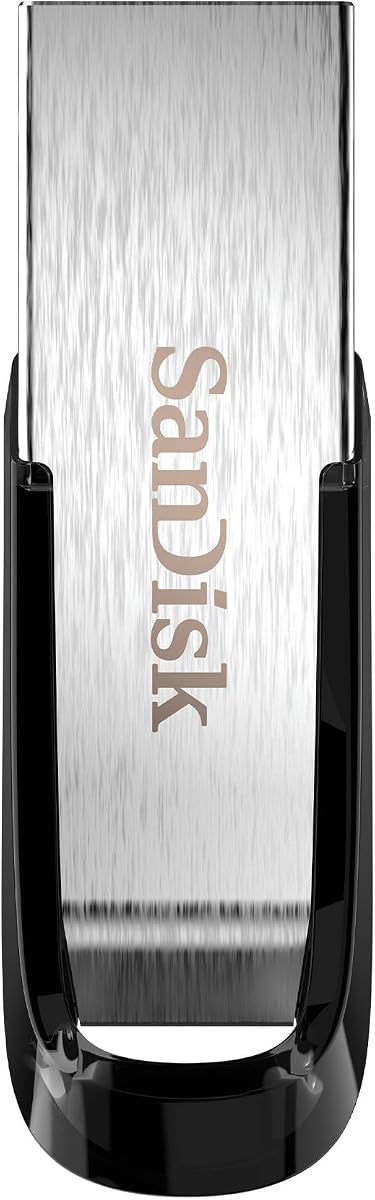
SanDisk Ultra Flair 128GB
4.6Editor score
Up to 150MB/s read speed
128-bit AES file protection
Durable metal enclosure
Our Bootable Flash Drive guide compares ten options for Windows installation, Linux use, recovery, security, capacity, and everyday portability for 2026.
A bootable flash drive is more than a piece of portable storage: it can provide a clean Windows installation environment, run Linux without altering the internal drive, or help a user access repair and recovery utilities. The best choice depends on firmware support, included software, capacity, device compatibility, and how confidently the buyer can navigate BIOS or UEFI settings.
This guide compares ten products across preloaded Windows installers, multi-distribution Linux media, and conventional high-capacity flash drives that can serve as portable storage. Each review considers the stated features, compatibility boundaries, customer rating, capacity, security options, and practical fit for installation, troubleshooting, and everyday file transfer tasks.
Every pick reveals a different part of the market, from compact Windows recovery media to expansive Linux collections and fast general-purpose drives. Ratings and product configurations can change over time, as can retailer listings and technical requirements, so readers should verify the current details and their own computer's boot settings before purchasing.
4.6Editor score

4.3Editor score

4.7Editor score
The comparison below distinguishes preloaded installation media from high-speed conventional flash drives, while showing capacity, supported systems, security features, and the most important limitation for each option.




This 64GB bootable USB drive earns the Editor's Choice position because it combines broad Windows coverage with a collection of utilities that can help users move beyond a simple installer. Its 4.3 rating reflects generally favorable customer feedback, while the stated compatibility with Windows 11, 10, 8.1, and 7 makes it relevant to a broad range of installation and recovery situations.
We may earn a commission when you buy through this link, at no additional cost to you.
The drive is prepared for 64-bit Pro and Home installations and does not require a TPM, which is valuable for systems that do not meet the usual Windows 11 hardware expectations. It supports both UEFI and Legacy boot modes and includes WiFi and LAN network-drive utilities. The additional partitioning, data-recovery, and repair-oriented applications give the device more utility than a bare Windows installation stick, although it cannot perform the built-in Automatic Repair option.
Users must disable Secure Boot in BIOS before booting from the media, and existing Windows cannot be preserved during a reinstall. The Windows product key is not included, and some machines may need network drivers after installation. Installation errors may also indicate a storage hardware problem, which the seller says should be diagnosed through its technician support rather than assumed to be a USB failure.
This is the strongest all-purpose choice for a user who wants one drive to install Windows, access network drivers, manage partitions, attempt data recovery, and carry out a clean reinstall. It is less appropriate for a complete beginner who has never entered a boot menu, but the included tutorial and technical support reduce that barrier. Overall, its utility bundle, Windows range, and recovery functions justify the top recommendation.
Rather than limiting buyers to installation media, this drive includes WiFi and LAN drivers, hard-drive partitioning tools, data-recovery utilities, and repair functions. That broader toolkit can be especially helpful after a system replacement, when the internal drive or network connection is not yet working.
Support for both firmware styles is valuable in a mixed household or workshop environment. Buyers should still confirm that the target computer can access its boot menu and that Secure Boot is disabled when the operating system requires it.
We may earn a commission when you buy through this link, at no additional cost to you.
The SanDisk Ultra Flair is a strong value-oriented flash drive for anyone who needs generous capacity, quick file transfer, and a widely recognized storage format. Its 4.6 rating is one of the highest in this guide, and the combination of USB 3.0 performance, a metal enclosure, and password protection makes it useful well beyond the narrow role of a boot medium.
We may earn a commission when you buy through this link, at no additional cost to you.
SanDisk specifies read speeds of up to 150MB/s when connected to a USB 3.0 host device, while noting that actual performance varies with the host, workload, and file attributes. The drive also supports password protection based on 128-bit AES encryption for private files. That protection is available in Windows 7, Windows 8, Windows 10, and Mac OS X 10.9 or later, although the Mac version requires a software download.
This product's listing does not say it includes Windows installation files, Linux distributions, or a recovery environment. Buyers who want an immediately bootable installer should not confuse its fast storage performance with preloaded boot capability. It can be used for conventional file storage without special software, but creating boot media generally requires separate files and suitable preparation.
The Ultra Flair is best for users who need a dependable everyday drive and may also want the flexibility to prepare their own boot media later. Its high rating, useful capacity, and strong transfer specification justify the Best Budget designation, even though the dedicated installation products in this list offer more out-of-box functionality.
An advertised read speed of up to 150MB/s makes the drive suitable for moving large documents, photographs, and video files between a compatible computer and removable storage. The speed figure is an upper limit, so the host port and transferred file sizes influence real results.
The 128-bit AES password-protection function is a meaningful advantage for sensitive documents. Mac users should download the required SanDisk SecureAccess software, while supported Windows users can use the protection feature through the appropriate software workflow.
We may earn a commission when you buy through this link, at no additional cost to you.
This 16-in-1 USB drive stands out for users who want one portable device containing many Linux environments plus Windows 11 installation media. The 4.1 rating is modest relative to the highest-rated products, but the breadth of the collection addresses experimentation, recovery, system testing, and installation in a single 64GB drive.
We may earn a commission when you buy through this link, at no additional cost to you.
The stated selection includes Linux Mint, Kali, Ubuntu, Zorin Pro, Tails, Debian, Garuda, Fedora Workstation, Manjaro, Pop!_OS, Solus, Archcraft, Neon, Fosspup, and SparkyLinux. The listing also identifies specific versions for many of those systems and says the included ISOs have been tested. It supports UEFI and Legacy modes and provides beginner-oriented boot instructions and a hot-key reference.
The product is intended to run Linux directly from USB without first installing it, which makes it useful for evaluating an unfamiliar distribution before committing to a full change. However, Secure Boot generally needs to be disabled for compatible UEFI booting, and software versions can evolve. The drive's 64GB capacity is also shared among many images, so it is not the place for extensive personal file storage.
Choose this option when experimenting with Linux is the main goal and having several familiar alternatives on one device matters more than owning a high-capacity general-purpose drive. It is less suitable for someone who needs a single streamlined Windows recovery tool or a high-speed storage stick. Within the bootable category, it is the most ambitious multi-environment option in the guide.
The ability to run a Linux environment directly from the drive lets a user explore the interface, applications, and hardware behavior before installation. This lowers the risk of replacing a working operating system merely to test a distribution.
Different Linux distributions can serve different purposes, and keeping a varied set available may help when one environment lacks a needed driver or tool. The included Windows 11 image also gives the device a more comprehensive recovery role.
We may earn a commission when you buy through this link, at no additional cost to you.
This 32GB Windows installer is a focused option for users who need to install or reinstall Windows 10 or 11 without requiring TPM support. Its 4.2 rating suggests a generally positive reception, and the inclusion of network drivers, partitioning tools, backup features, and data-recovery utilities makes it more useful than a plain installation stick.
We may earn a commission when you buy through this link, at no additional cost to you.
The drive supports both UEFI and Legacy boot modes, allowing it to address newer and older systems with compatible firmware. It can install 64-bit Pro and Home editions, although no product key is included. The listing explicitly says it is intended for clean reinstallation, not Windows Automatic Repair, and warns that existing Windows cannot be preserved when the installation process proceeds.
At 32GB, this is a modest capacity compared with the 64GB and 128GB alternatives. That is less concerning for a dedicated installer than for a drive expected to hold backups, but it means the buyer should not treat it as a general file vault. Secure Boot must be disabled before booting, and the included video tutorial is positioned especially for beginners.
The product is a sensible choice for someone rebuilding a compatible PC with Windows 10 or 11, especially when internet access is unavailable during setup and network drivers are a concern. Users who need Windows 8.1 or 7, broader Linux support, or substantial file storage should look elsewhere. For its focused reinstallation remit, it remains a well-equipped option.
Some fresh installations reach the desktop before the operating system has a working internet connection. Including WiFi and LAN drivers gives the installer a better chance of reaching the setup screens with online features and updates available.
The drive is built for a fresh installation rather than preserving the existing operating system. That makes it most relevant to a new build, a failed system, or a user intentionally replacing Windows.
We may earn a commission when you buy through this link, at no additional cost to you.
This 8GB Windows 11 installer is the most compact dedicated boot product in the guide. Its 4.0 rating places it near the lower end of the customer ratings shown, but the listing is unusually direct about what the drive can and cannot do, making it easier to assess before purchase.
We may earn a commission when you buy through this link, at no additional cost to you.
The drive supports Windows 11 setup and recovery, does not require TPM support, and is compatible with UEFI and Legacy boot modes. The seller states that it is handmade and tested in a small Texas technology shop. Importantly, the listing clarifies that a product key is not included and that the drive reinstalls or repairs Windows rather than providing a complete operating system license.
Its limitations extend beyond capacity. It cannot repair dead motherboards, faulty memory, failing hard drives, or a computer that will not power on or enter BIOS. It is also not intended for Chromebooks, ARM or Snapdragon computers, Apple-silicon Macs, failed hardware, BitLocker recovery, or saving files from a failed drive. Those restrictions are useful because they establish a clear boundary around the product's purpose.
This is most appropriate for a compatible desktop or laptop that can enter BIOS or its boot menu, supports USB booting, and needs a compact Windows 11 installer. The tiny capacity is acceptable for a focused setup drive but rules out extensive backup storage. Buyers should appreciate its simplicity and candid limitations rather than expecting a universal repair solution.
The exclusion of Chromebooks, ARM systems, Apple-silicon Macs, and machines with failed hardware prevents the listing from implying universal repair capability. Confirming that a computer reaches its firmware setup is the first practical step.
Eight gigabytes is sufficient for the stated setup and recovery role, and the compact format can be convenient to keep in a repair kit. It is not designed to compete with high-capacity drives used for media, backups, or everyday file transfer.
We may earn a commission when you buy through this link, at no additional cost to you.
The 32GB 9-in-1 Linux drive is designed with Windows users who want to explore Linux without immediately committing to an installation. Its 4.2 rating is solid, and the combination of a printed guide, beginner-focused distributions, and try-before-install operation distinguishes it from more technical boot-media collections.
We may earn a commission when you buy through this link, at no additional cost to you.
The listed environments include Ubuntu, Linux Mint, MX Linux, Elementary OS, Linux Lite, Fedora Workstation, Pop!_OS, Zorin OS Core, and a 32-bit-oriented option described as Peppermint Debian or an MX Linux replacement. The seller notes that versions may change as the collection is updated to newer or long-term-support releases.
Most of the included systems are presented as approachable and include common productivity, communication, image-editing, and multimedia applications. Users can launch a distribution directly from USB to evaluate it without touching the hard disk. Compatibility spans many laptop and desktop brands with Legacy BIOS or UEFI, but Macs, Chromebooks, and ARM-based devices are excluded. UEFI use requires enabling USB boot and disabling Secure Boot.
This is a good match for a curious user, student, or Windows regular who wants a guided introduction to Linux. A printed guide and support contact make the product more approachable than a collection assembled from raw images. It is less appropriate for advanced administrators who need a specific current enterprise distribution or for anyone expecting recent ARM-based hardware support.
Booting into a live environment without altering the internal hard drive gives users a safe way to assess speed, interface layout, application availability, and hardware compatibility. A failed trial costs little beyond the time spent configuring the boot menu.
A printed user guide reduces the need to search for setup instructions, while the seller's support contact adds another route for troubleshooting. Buyers should still expect to learn the basics of firmware boot order and Secure Boot settings.
We may earn a commission when you buy through this link, at no additional cost to you.
The Lexar A30E 3-Pack is a versatile conventional storage bundle rather than a preloaded bootable installer. Its 4.6 rating, matching 64GB capacity, and inclusion of three drives make it appealing for users who want one for boot media, one for portable files, and another for sharing or backup.
We may earn a commission when you buy through this link, at no additional cost to you.
The USB Type-A drives offer transfer speeds of up to 100MB/s under supported conditions and work with tablets, laptops, Macs, and other traditional Type-A devices without requiring software installation. Lexar DataShield can create a password-protected safe with automatic encryption, while files removed from that safe are securely erased and cannot be recovered through the application.
Physical design is also practical: each drive weighs 7.41 grams, uses a push-button retractor, and includes a lanyard loop. The main limitation is that the listing does not specify any preloaded Windows or Linux media. A user who wants immediate boot functionality must obtain installation files and prepare one of the drives with suitable software, whereas the three-pack benefit is most apparent in general storage scenarios.
Choose this set when portability, capacity, security, and the convenience of several matching drives matter most. It may also serve as the physical starting point for a DIY boot-media kit, but it should not be mistaken for an out-of-box installer. The high rating and flexible storage role make it one of the strongest conventional flash-drive choices in this comparison.
Having three identical drives can simplify organization: one may hold installation media, another personal files, and a third a backup or shared collection. Each remains a normal removable drive rather than a permanently specialized recovery stick.
DataShield's auto-encrypted safe provides a straightforward way to isolate private files. The security workflow is especially useful because the drives support a broad range of Type-A devices without routine software installation.
We may earn a commission when you buy through this link, at no additional cost to you.
This 64GB Windows bootable driver is one of the broadest repair-oriented options in the guide. Its 4.2 rating is respectable, and the combination of installation media, WinPE, password-reset capability, network drivers, backup tools, and hardware testing gives it a broader technical remit than a standard Windows installer.
We may earn a commission when you buy through this link, at no additional cost to you.
The drive supports 64-bit Pro and Home installations of Windows 11, 10, 8.1, and 7 without requiring TPM. It works with UEFI and Legacy systems, with Secure Boot disabled when necessary. Included utilities cover WiFi and LAN connectivity, Windows password reset, hard-drive partitioning, data backup and recovery, and hardware testing. The seller also includes video instruction for installation and password reset.
As with several other installation products in this list, the drive cannot perform the Windows Automatic Repair option, and a full reinstallation will not preserve the existing operating system. The seller says installation media comes from officially published resources and that the drive was scanned with antivirus software. While that provides useful provenance information, the buyer must still follow responsible backup practices before replacing a system.
This product is a good fit for a technically supported home user or repair technician who wants more than installation files in one place. It may be overkill for a simple clean install, but for password recovery, connectivity troubleshooting, or preparation of a new build, the expanded toolkit provides meaningful value. Its 64GB capacity also leaves more room than the smallest installer options.
WinPE, backup tools, recovery functions, and hardware testing turn the drive into a broader maintenance kit. These features can make it useful before, during, and after a Windows installation rather than only at the setup screen.
The included password-reset workflow addresses a common reason users seek boot media. A user should still confirm their legal ownership of the account and follow the supplied tutorial carefully before making changes.
We may earn a commission when you buy through this link, at no additional cost to you.
The Lexar D40E combines a substantial 256GB capacity with both USB Type-A and Type-C connectors, making it especially convenient for modern phones, tablets, laptops, and traditional computers. Its 4.4 rating is among the stronger results in the guide, while the dual-interface design provides flexibility that many single-connector alternatives lack.
We may earn a commission when you buy through this link, at no additional cost to you.
The 360-degree swivel form factor lets the user switch between connectors without handling a detachable cap, reducing the chance of losing a protective piece. Transfer speeds are stated at up to 100MB/s, subject to the host device, interface, and usage conditions. The enclosure is made of metal, and the listed operating-temperature range is 0 to 50 degrees Celsius, or 32 to 122 degrees Fahrenheit.
Security is handled through software offering 256-bit AES encryption. Lexar also backs the product with a three-year limited warranty. It is important to note that the product data does not identify any preloaded Windows or Linux image, so its native role is broad file storage rather than immediate system installation. The flexible connector is useful for a boot project, but the media still must be prepared separately.
Choose the D40E when capacity, modern connector compatibility, and secure portable storage are priorities. It is a good travel drive for moving large files between USB-C and USB-A devices, and its lack of a loose cap adds everyday convenience. Users specifically seeking a preloaded recovery environment should instead select one of the dedicated bootable Windows or Linux products.
The rotating dual design removes the need to carry a separate adapter for USB-A and USB-C devices. That makes the drive more convenient for common travel, office, and classroom workflows.
At 256GB, the D40E offers the largest stated capacity in this group. It is better suited to substantial file collections and media than the 8GB, 32GB, or focused installer drives, while remaining easy to carry.
We may earn a commission when you buy through this link, at no additional cost to you.
The Samsung BAR Plus is the premium general-purpose flash drive in this guide and holds the highest customer rating at 4.7. Its 128GB capacity, metal construction, fast transfer specification, and five-year limited warranty make it a strong choice for users who value dependable everyday performance over an included operating-system image.
We may earn a commission when you buy through this link, at no additional cost to you.
The product title references 400MB/s, while the supplied feature details specify read speeds up to 300MB/s under the latest USB 3.1 standard. Real performance depends on the host device and file transfer, but either figure indicates a drive oriented toward fast, high-volume transfers. Samsung also states that a 3GB 4K UHD video can be moved to a PC in about 10 seconds under its cited test conditions.
Durability is a major selling point. The body is described as waterproof, shock-proof, temperature-proof, magnet-proof, and X-ray-resistant, and it includes an integrated keyring to reduce the chance of losing the drive. Samsung produces its own firmware and components, including DRAM and NAND, and provides a five-year limited warranty.
The product is ideal for photographers, media users, and professionals who regularly move sizable files and want a durable, fast drive. It can also serve as a general-purpose companion to a bootable installer, but the listing does not state that it includes Windows, Linux, or recovery files. Its premium build, high rating, and warranty make it the most refined storage-focused choice here.
The metal body and resistance claims make the BAR Plus appropriate for a portable kit that may be carried, dropped, exposed to moisture, or used in demanding work environments. Its integrated keyring also supports convenient attachment to a bag or key set.
High transfer rates benefit large photographs, videos, backups, and working files, while the five-year limited warranty adds long-term reassurance. Buyers should use a compatible USB 3.1 host and interpret the quoted transfer figures as controlled maximums rather than guaranteed real-world results.
We may earn a commission when you buy through this link, at no additional cost to you.
The right bootable flash drive depends on the operating system you need, the age of your computer, your comfort with firmware menus, and whether you also want recovery, security, or high-capacity storage.
A preloaded bootable drive arrives with installation or recovery media already present, making it convenient for a user who wants to boot without creating an image. A conventional flash drive offers faster everyday transfers, more capacity, and stronger security software, but it does not become an installer simply because it uses a USB connector. Reviewers should therefore distinguish a ready-to-use Windows or Linux device from a blank drive that can be prepared with separate software and files.
In short, buy preloaded media for immediate setup help; buy conventional storage when you value speed, capacity, and portability more than an operating-system environment.
Windows-focused drives may cover several releases, while Linux products can contain multiple distributions such as Ubuntu, Mint, Kali, Debian, Fedora, and Zorin. More included systems increase flexibility but also consume capacity and can make the boot menu less intuitive. A buyer should consider which operating system they actually need, whether they want live or trial operation, and whether the listed versions correspond to the tasks they have in mind.
Choose a collection for experimentation and varied recovery needs; choose a focused Windows installer for a planned system rebuild or a targeted Linux drive for one familiar distribution.
UEFI and Legacy support determines whether a drive can boot on both newer and older computers. Secure Boot can prevent unsigned or incompatible boot media from loading, and the products in this guide generally instruct buyers to disable it where necessary. Before purchasing, confirm that the target machine can reach its BIOS or UEFI setup and boot menu; some modern systems hide these controls behind a different key or require a specific startup procedure.
Prioritize broad firmware support for mixed hardware, and verify the required Secure Boot setting for the exact operating system you plan to install.
Capacity needs vary sharply. An 8GB drive can handle a focused Windows setup or recovery role, 32GB and 64GB provide more room for installers, Linux collections, backups, and drivers, while 128GB and 256GB favor general storage. Reviewing included utilities is just as important: network drivers, partitioning tools, password reset, backup, data recovery, and hardware testing can make a modest drive more useful.
Match capacity to the number of images and utilities required, rather than choosing the largest drive when portability and a single purpose matter more.
TPM support is one of the most important hardware considerations for a modern Windows installation. Several products explicitly state that TPM is not required, which can be helpful for an otherwise eligible system that lacks the required module or firmware support. A bootable drive can still require a valid Windows product key after installation, and the products described here generally do not include one. The drive's technical ability to install an operating system is separate from the license needed to activate it.
Check TPM compatibility before purchase, and obtain a legitimate product key independently when the edition of Windows being installed requires activation.
Most targeted installers are intended for conventional x86 PCs and laptops, not every modern device. The 8GB Windows 11 product explicitly excludes Chromebooks, ARM and Snapdragon systems, and Apple-silicon Macs. The Linux 9-in-1 also excludes Macs, Chromebooks, and ARM-based devices. A drive cannot overcome a dead power supply, failed motherboard, unusable storage device, or a system that cannot reach its firmware interface, so hardware troubleshooting may be necessary before any boot attempt.
Confirm the processor architecture, device type, and firmware accessibility first. A boot drive is a software tool, not a substitute for functioning computer hardware.
For installation media, boot relevance matters more than maximum sequential transfer speed. For conventional drives used for photos, video, backups, or boot-file preparation, speed becomes much more important. Products range from 100MB/s to 150MB/s and higher stated read rates, but the host port, controller, file size, and workload affect actual results. A USB 3.0 or newer interface is needed to achieve the fastest listed performance.
Match speed to the workload: prioritize capacity and compatibility for an installer, but select a faster interface for routine media transfer and large working files.
A boot drive may contain installation files, network credentials, recovery data, and personal documents, so protective features matter. The conventional storage products in this guide offer password protection with 128-bit or 256-bit AES encryption, while the premium Samsung model emphasizes a rugged metal enclosure and resistance to common environmental stresses. For a Windows installer, durability is useful, but a user may still want to encrypt sensitive data separately or avoid leaving recovery media unattended.
Choose encryption for private files and a durable enclosure for frequent travel. Keep boot media secure, and create important backups independently of the USB drive.
Before attempting a boot, back up the important files on the target computer and confirm that the device can reach its BIOS, UEFI setup, or one-time boot menu. Insert the flash drive, restart the computer, and use the boot-menu hot key shown by the manufacturer. The listed Windows products generally require Secure Boot to be disabled for their media to load, while UEFI Linux use can also depend on that setting.
Select the USB drive from the boot menu and follow the supplied instructions. For a Windows installation, choose the appropriate drive or partition carefully because a clean reinstall can erase the existing operating system. A Windows product key may still be required, and network connectivity can depend on the included drivers. For Linux, select a distribution and choose live or trial mode before deciding whether to install it to the internal drive.
After use, safely eject the drive and store it in a clean, dry place. Do not format a preloaded installer if the included recovery or network-driver utilities are still needed. Keep a separate backup of personal files, use the drive's security features when appropriate, and avoid repeatedly unplugging it while Windows is writing files. For conventional flash drives, periodic safe ejection and avoiding sudden removal protects the data.
A regular USB drive primarily stores and transfers files, while a bootable flash drive contains files that allow a computer to start an operating system installer, recovery environment, or live Linux system. The physical connector and capacity do not make a drive bootable by themselves; compatible boot files must first be present on it. Some products in this guide arrive preloaded, while conventional drives require separate preparation.
Most of the dedicated Windows and Linux products in this guide instruct buyers to disable Secure Boot before booting. The setting can prevent incompatible or unsigned boot media from loading, depending on the operating system and firmware. A conventional flash drive may boot with Secure Boot enabled, but that does not guarantee that a manually created installer will load. The target operating system's current requirements should always be checked.
No. The bootable Windows products reviewed here generally state that a product key is not included, including the 64GB Windows 3.2 drive, the 32GB Windows 10 and 11 drive, and the 8GB Windows 11 installer. The flash drive supplies installation media, not a software license. Users need an appropriate legitimate key or activation method for the edition they install.
No bootable USB drive can repair a system that cannot reach the firmware or boot menu. The compact Windows 11 installer explicitly excludes dead motherboards, bad memory, failing hard drives, and computers that will not power on or enter BIOS. First confirm that the hardware starts and allows access to its boot settings; otherwise, the computer requires hardware diagnosis before a USB installer can help.
The 32GB 9-in-1 Linux drive is particularly suitable for beginners because it supports trying included distributions before installation and includes a printed guide. The 64GB 16-in-1 drive offers an even broader collection for users who want more operating-system choices. Both require a compatible traditional PC or laptop, firmware USB-boot support, and the necessary Secure Boot adjustment.
Yes, although the fast conventional drives in this guide do not list preloaded installation media. The SanDisk Ultra Flair, Lexar A30E, Lexar D40E, and Samsung BAR Plus can provide storage for installers, backup files, drivers, and other tools, provided the buyer prepares the boot media separately. Their larger capacities, security tools, and faster transfers make them useful companions to a dedicated installer.
Several products explicitly say their reinstallation process cannot keep the existing Windows installation. Even when a product offers recovery utilities, it may support a different function from the built-in Windows Automatic Repair option. Back up personal data and confirm the desired installation method before launching setup, because choosing the correct internal drive or partition is a critical step.
Confirm that the computer can access its boot menu, that the flash drive is detected, and that Secure Boot is configured as required for the selected media. Also check storage capacity, locate the legitimate Windows product key, and back up every file that must be retained. Users should also determine whether they want a clean installation and which internal drive should receive Windows.
The 64GB Bootable USB 3.2 is the strongest overall choice because it combines Windows 11 through 7 support, network drivers, partitioning, backup, and recovery utilities in one package. The 16-in-1 Linux drive is ideal for broad distribution testing, while the compact 8GB Windows 11 installer offers a focused solution for compatible machines. For users seeking fast, high-capacity portable storage rather than preloaded media, the SanDisk Ultra Flair, Lexar dual drive, and Samsung BAR Plus are the stronger choices.
Prioritize the operating system and task you actually need, then verify firmware support, Secure Boot behavior, device exclusions, capacity, and included utilities. A preloaded installer is most useful for a planned reinstall or recovery session, while a high-speed conventional drive is better for media, backups, and preparing boot files. Whichever category fits, confirm that the target computer can reach its boot menu before relying on USB installation.
Product listings, ratings, included software, and technical requirements can change, and retailer offers may also change over time. Review the current product page and seller instructions immediately before purchasing, and confirm the target computer's architecture and firmware behavior. This guide is designed to narrow the field, while the final decision should reflect the system being repaired or prepared.