
hohem iSteady X3 SE
4.2Editor score
Beginner-friendly three-axis design
Detachable remote controller
Eleven-hour operating time
Explore the best gimbal for beginners with a comparison of camera gimbals covering stabilization, tracking, battery life, portability, and ease of use.
A gimbal can transform handheld phone footage into smoother, more polished videos, but beginners should look beyond stabilization alone. Tracking accuracy, balancing requirements, controls, battery life, portability, and app compatibility all influence how comfortably a new gimbal fits into a daily creative routine.
The ten options in this guide range from compact one-axis phone stabilizers to advanced three-axis models for phones, mirrorless cameras, DSLRs, and action cameras. We compared the stated features, device compatibility, shooting modes, power options, and learning curve to identify the most approachable options for different kinds of beginners.
Each review explains what stands out, where the compromises are, and which creator may benefit most. Ratings reflect the supplied customer feedback, while product features and specifications come from the available listings. Availability and pricing can change, so confirm the current listing and compatibility details before purchasing.
4.2Editor score

4.4Editor score

4.2Editor score
This side-by-side overview highlights each gimbal's stabilization system, supported devices, creative features, and practical strengths, making it easier to find an option that matches your experience level and intended type of footage.




The DJI Osmo Mobile 8 is a polished, feature-rich phone gimbal with a 4.4 customer rating, and it stands out as the most complete beginner option in this guide. It combines three-axis stabilization, native intelligent tracking, seamless 360-degree horizontal rotation, and a built-in extension rod and tripod in one portable package.
We may earn a commission when you buy through this link, at no additional cost to you.
Its most useful feature for a new creator is the direct phone connection for tracking. Instead of making app setup the first hurdle, the gimbal can connect quickly to begin following a subject. The Multifunctional Module adds tracking, audio reception, and lighting, while the extended battery can charge a phone during long events, travel days, or live streams.
There is an important app-related caveat: the listing notes that DJI Mimo has been removed from Google Play and directs buyers to the official DJI website for the latest version. That means the experience is not completely app-independent, and beginners should confirm installation and phone compatibility before buying. The advanced feature set may also feel more complex than the simplest alternatives.
Despite those considerations, the Osmo Mobile 8 gives beginners room to grow. A beginner gets polished stabilization and straightforward tracking, while more experienced creators can take advantage of lighting, audio, rotation, and extended shooting options. It is the strongest all-around recommendation for someone who wants one phone gimbal to handle vlogs, family events, travel footage, live streaming, and everyday social content.
Direct phone connection and intelligent tracking reduce the friction of filming a moving subject. The gimbal can follow people, pets, or other selected subjects while the creator focuses on movement and framing rather than manually rotating the handle.
The included Multifunctional Module, magnetic phone clamp, built-in tripod, and extension rod reduce the need for separate accessories. Audio reception and lighting also make this more versatile than a basic stabilizer-only model.
We may earn a commission when you buy through this link, at no additional cost to you.
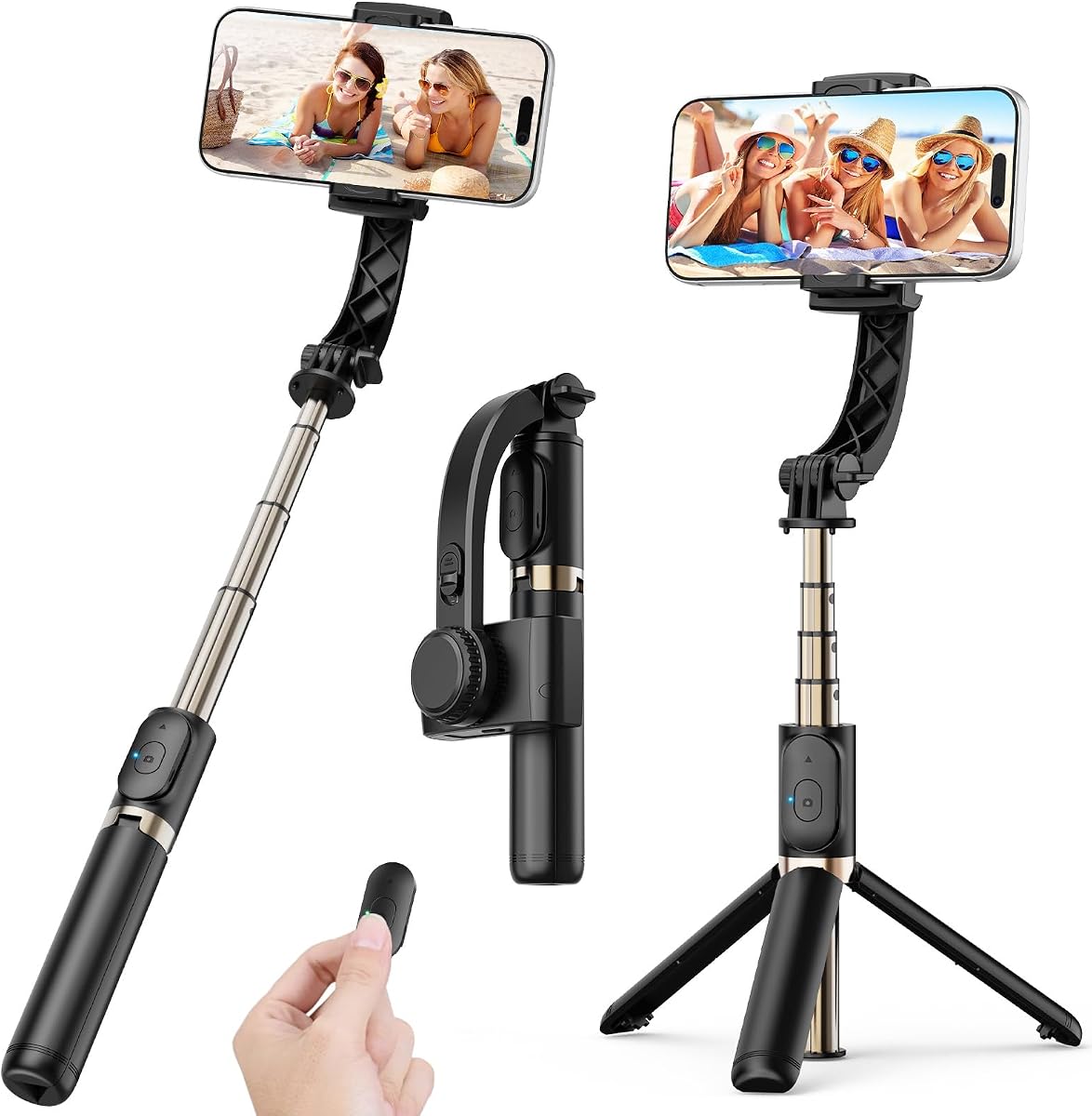
The hohem iSteady X3 SE combines approachable three-axis stabilization with a portable folding design, making it a strong budget-oriented choice for first-time mobile filmmakers. Its 4.2 rating reflects generally favorable customer feedback, while the supplied specifications emphasize low weight, straightforward operation, and long battery life.
We may earn a commission when you buy through this link, at no additional cost to you.
At 0.79 pounds, the gimbal is easy to carry, and its stated payload capacity of 0.66 pounds accommodates a broad selection of iPhones and Android phones. New users benefit from quick horizontal-to-vertical switching, a detachable magnetic remote with a 32.81-foot operating range, and an 11-hour maximum runtime supported by a two-hour charge.
The main learning requirement is manual balancing, which is a standard step for three-axis phone gimbals. The Hohem Joy app also adds AI tracking, gesture control, and creative templates, so beginners who want only stabilization may have more features available than they initially need. Manual balancing and app operation can take a little practice compared with an app-free one-axis model.
The X3 SE is best for travelers, casual vloggers, and students who want smooth phone footage without carrying a larger camera system. Its long runtime, compact body, remote, and quick orientation switching make it especially useful for events, family gatherings, and solo travel recordings. For this audience, it offers a well-balanced introduction to mobile stabilization.
The foldable construction and low weight make the iSteady X3 SE easier to carry than a full camera gimbal. It is a sensible companion for trips where footage must be captured quickly with a phone rather than a larger interchangeable-lens setup.
The detachable magnetic remote lets the operator start recordings or take selfies from a distance. This is especially useful for group shots, travel sequences, and any situation where the camera needs to remain out of reach.
We may earn a commission when you buy through this link, at no additional cost to you.
The DJI Osmo Mobile 7 is a light, capable three-axis phone gimbal that offers an approachable introduction to mobile filmmaking. With a 4.4 rating, a stated weight of 300 grams, and a maximum operating time of 10 hours, it combines customer appeal with a practical balance of portability and endurance.
We may earn a commission when you buy through this link, at no additional cost to you.
Its 3-axis system is designed to reduce shake during walking and other movement, while ActiveTrack 7.0 adds subject-following capability. The magnetic phone clamp, folding integrated tripod, anti-slip handle, and USB-C phone charging make it suitable for travel, everyday vlogging, and extended recording sessions.
Its strongest dependency is the DJI Mimo app, which supplies functions such as ShotGuides, One-Tap Edit, and tracking. The listing also notes that the app has been removed from Google Play and should be downloaded through DJI's official website. Users who want the full tracking and tracking-kit experience should confirm app availability and accessory requirements beforehand.
This gimbal is a good fit for beginners who value low weight and a familiar phone workflow over maximum integrated lighting or audio. It offers enough creative assistance to help new users form better recording habits, while the compact body and built-in tripod keep setup uncomplicated. It remains a versatile choice for casual creators and travel-focused vloggers.
ShotGuides help creators follow suggested camera movements, while One-Tap Edit streamlines post-production. These features are particularly useful for beginners who understand stabilization but are still learning how movement, pacing, and editing work together.
A 300-gram body and anti-slip handle help reduce fatigue, while the integrated tripod creates a stable alternative to holding the phone. The design is well suited to long vlogging days and casual travel documentation.
We may earn a commission when you buy through this link, at no additional cost to you.
The DJI Osmo Mobile 7P has a 4.5 customer rating and is designed as an all-in-one mobile creation kit. Its Multifunctional Module combines intelligent tracking, reception for DJI Mic 2 or DJI Mic Mini, and lighting, while the gimbal itself provides three-axis stabilization.
We may earn a commission when you buy through this link, at no additional cost to you.
Setup is refreshingly direct for a capable gimbal. It unfolds to power on, the magnetic clamp makes mounting quick, and the Mimo app is prompted automatically after pairing. A built-in extension rod and tripod support wide selfies and steady vlogs without requiring separate accessories, and the stated 10-hour runtime supports extended work.
The advanced module and app-based workflow may feel intimidating to someone who wants only a simple stabilizer. As with the other DJI models in this guide, the listing explains that Mimo has been removed from Google Play and should be obtained through DJI's official website. Users should also verify their phone and microphone compatibility.
The 7P is best for a beginner who wants to build a mobile production setup gradually. It supports straightforward recording today while leaving advanced tracking, audio, lighting, editing, and vertical content tools available as the creator's skills develop. Users who want one integrated accessory rather than several separate pieces will find that convenience especially valuable.
The Multifunctional Module consolidates tracking, microphone reception, and lighting into a compact component. This creates a flexible platform for vlogs and social videos without requiring separate tracking and lighting attachments.
The fold-out design, magnetic phone mount, and automatic app prompt minimize the delay between unfolding the gimbal and recording. That convenience supports a more natural workflow when opportunities appear without warning.
We may earn a commission when you buy through this link, at no additional cost to you.
The COOVOAMAE One-Axis Gimbal is the simplest technical entry in this guide, but its 4.7 rating is the highest among the supplied products. It combines a built-in sports gyroscope, app-free one-button operation, an extendable selfie stick, a rotating phone holder, and a wireless remote in a notably portable design.
We may earn a commission when you buy through this link, at no additional cost to you.
The gimbal weighs 0.49 pounds and folds to 7.5 inches, while its aluminum rod extends to 31.5 inches. It fits phones from 4.0 to 6.2 inches and can also support a GoPro with a 1/4-inch adapter. The remote operates up to 32 feet away, and the phone holder rotates through 360 degrees.
Its limitations are significant for some projects. A one-axis design cannot correct movement in every direction like a three-axis gimbal, and the stated battery life of up to two hours is much shorter than the endurance offered by the DJI and hohem three-axis models. It is therefore most useful for simple stabilization, selfies, travel clips, and casual content.
For a complete beginner who wants to learn stabilization without dealing with apps or complicated settings, this is a practical starting point. The tripod mode, remote, and extendable rod broaden its usefulness beyond basic handheld recording. Creators who expect professional multi-axis smoothing or all-day battery life should move to a three-axis alternative.
One-button control changes between horizontal and vertical shooting without requiring software. This keeps the learning process focused on framing, movement, and basic stabilization technique.
The rotating holder, extending rod, wireless remote, and built-in tripod create several shooting positions from one accessory. That versatility is useful for group photos, travel views, tutorials, and hands-free video.
We may earn a commission when you buy through this link, at no additional cost to you.
The AOCHUAN Smart XE offers a 3-axis gimbal, AI face tracking, a 10-hour battery, and a selection of creative modes at an accessible entry point. Its 4.1 customer rating is slightly lower than most of the other products, but the supplied feature set is generous for creators learning mobile filmmaking.
We may earn a commission when you buy through this link, at no additional cost to you.
The foldable design weighs 0.78 pounds and supports phones up to a stated 250-gram payload. Three brushless motors and the Smart 7.0 anti-shake algorithm target smooth results, while a focus wheel and zoom slide provide controls that are often absent from basic stabilizers. One-button switching supports quick landscape-to-portrait changes.
The AOCHUAN app expands the product with AI Face Track 4.0, panorama, wide-angle, cinematic, movie, time-lapse, motion-lapse, and livestream modes. A new user may initially find this array of options overwhelming, and the stated payload is lower than that of several three-axis competitors. The phone is not included, as is typical for this category.
This gimbal is a good match for social creators who want to experiment with multiple shooting styles and value a long runtime. It offers more capability than the simplest one-axis model while remaining lighter and less demanding than a full camera gimbal. Beginners should begin with stabilization and orientation switching, then add tracking and creative modes as they become comfortable.
Panorama, time-lapse, motion-lapse, cinematic, and livestream options give beginners several ways to learn beyond standard recording. The built-in tutorials and integrated app guidance can shorten the discovery process.
The focus wheel and zoom slide allow adjustments without relying entirely on software menus. These controls can make camera operation feel more direct once the user has mastered basic balancing and stabilization.
We may earn a commission when you buy through this link, at no additional cost to you.
The DJI RS 3 Mini is a compact three-axis camera gimbal for beginners who want to move beyond phone footage. It has a 4.3 rating, weighs 795 grams, supports camera and lens combinations up to 2 kilograms, and includes a 1.4-inch full-color touchscreen.
We may earn a commission when you buy through this link, at no additional cost to you.
Its third-generation RS stabilization algorithm supports conventional and low-angle shooting, while native vertical shooting broadens its usefulness for social media. Bluetooth shutter control allows the camera to be triggered from the gimbal after initial pairing, and the compact body is more suitable for travel than many larger three-axis systems.
The major distinction from the phone gimbals in this guide is that the RS 3 Mini is not a complete standalone camera system. A compatible Canon, Sony, Nikon, Fujifilm, or other supported camera must be purchased separately. The listing also says DJI Ronin-family gimbals require the DJI Ronin app for activation and full functionality, including wireless firmware updates.
The RS 3 Mini suits a beginner who already owns a mirrorless camera or wants room to upgrade from a phone. Its touchscreen, vertical support, and manageable weight simplify a camera gimbal without stripping away essential professional functions. For someone starting from an empty kit and expecting phone-style simplicity, a dedicated phone model is a more direct route.
At 795 grams, the RS 3 Mini offers a manageable introduction to full camera stabilization. Its compact size makes it more practical for travel than large studio-oriented gimbals while preserving a 2-kilogram payload.
Native vertical shooting uses the quick-release plate and vertical arm arrangement. This makes the gimbal more useful for short-form video and social content without changing the underlying camera system.
We may earn a commission when you buy through this link, at no additional cost to you.
The hohem iSteady Mobile Plus is built around three-axis stabilization, creative effects, and a stated battery life of up to 13 hours. Its 4.2 rating and extensive feature list make it a strong choice for beginners who want long recording sessions and multiple creative shooting styles.
We may earn a commission when you buy through this link, at no additional cost to you.
Its iSteady 7.0 system uses increased motor torque for stability, while the ultra-wide-angle mode is intended to reduce the obstruction that can occur when a gimbal motor sits near a phone camera. The Hohem Joy app provides Moment templates, Inception, Fantastic Rotation, CloneMe, panoramic video, timelapse, dolly zoom, tracking, and editing tools.
The listing specifically advises users to balance the phone manually, especially with large Pro Max models. It also notes that some larger devices may not support wide-angle because of motor interference. The creative inception mode rotates the phone vertically through a 600-degree range, but beginners should treat that as an advanced effect rather than an everyday control.
This gimbal is ideal for events, travel days, weddings, sports, and long outdoor sessions where battery endurance matters. It can also act as a power bank for a connected phone. Users who value long runtime and broad creative effects will get substantial capability, while those who only need a basic stabilizer may find the app and manual setup more involved than necessary.
A stated 13-hour operating time is the longest runtime listed among these products. That makes the Mobile Plus useful for creators who record continuously, travel far from reliable power, or stream and document events throughout the day.
The ultra-wide-angle function helps preserve a broader view when the gimbal geometry approaches a phone's camera. It is particularly relevant to creators using large-screen devices, although phone size and lens placement should still be checked before filming.
We may earn a commission when you buy through this link, at no additional cost to you.
The FeiyuTech SCORP Mini 2 Kit is the most versatile premium package in this guide. With a 4.2 rating, a 1.2-kilogram payload, and support for mirrorless cameras, smartphones, DSLRs, video cameras, and action cameras, it allows a beginner to choose a device rather than committing to one ecosystem.
We may earn a commission when you buy through this link, at no additional cost to you.
Its most notable feature is the independent AI tracking built into the body. The listing states that it can follow faces or objects without connecting to an app, reducing the software barrier for beginners. Five-way joysticks and a 1.3-inch touchscreen provide direct control, while Bluetooth and wired control options assist with focus adjustment, photo capture, and video operation.
The kit is not as simple as a basic phone gimbal. Changing between phones and cameras requires different mounting arrangements, and balancing remains an important skill when moving among devices with different shapes and weights. The included carrying case and extension rod add portability, but the combination of features is better suited to a creator ready to learn the full camera-gimbal workflow.
The SCORP Mini 2 is best for a beginner who wants flexibility across several camera types or plans to upgrade equipment later. It is particularly compelling for travel creators because a single gimbal can support a phone today and a mirrorless camera later. Buyers should compare the supported mounting requirements and their own device before ordering.
The body-level AI tracking system can recognize and follow faces or objects without connecting to an app. That makes subject-following footage more accessible and potentially more reliable for first-time operators.
A 1.2-kilogram payload and support for phones, mirrorless cameras, DSLRs, action cameras, and video cameras create a flexible platform. The accompanying case and extension rod help make that versatility easier to carry.
We may earn a commission when you buy through this link, at no additional cost to you.
The hohem iSteady M6 combines three-axis stabilization with an OLED information display, a magnetic AI tracking and fill-light module, and physical camera controls. Its 4.3 rating reflects a solid customer reception, while the display and control layout distinguish it from simpler phone gimbals.
We may earn a commission when you buy through this link, at no additional cost to you.
The OLED screen presents gimbal status, Bluetooth status, battery level, operating mode, and other parameters without requiring the user to open an app. The magnetic module supports subject tracking through the phone's native camera, along with cold, warm, and RGB lighting from 2700K to 6500K. A single control wheel handles roll-axis rotation, focus, and lighting adjustments.
Its stated payload is 400 grams, which accommodates most smartphones but is lower than the 1.2-kilogram and 2-kilogram limits of the dedicated camera gimbals. It also does not include the tracking module or phone in the stated package context, so buyers should read the current listing carefully. The app-free appeal of the display does not mean every function is independent of software.
The M6 is a good fit for a beginner who wants clear system feedback and direct physical controls while remaining within the phone ecosystem. It is useful for creators who want natural-camera tracking, adjustable fill lighting, and smooth stabilization without carrying a full mirrorless setup. The OLED screen makes operation particularly understandable for someone still learning gimbal menus and modes.
The OLED display reduces guesswork by showing battery, Bluetooth, mode, and other operating information directly on the handle. This is especially helpful for new users who are still learning how gimbal states affect recording.
The magnetic module combines tracking with adjustable cold, warm, and RGB illumination. Working with the phone's native camera can also provide a more familiar starting point than a highly specialized editing interface.
We may earn a commission when you buy through this link, at no additional cost to you.
The right beginner gimbal depends on your device, subject matter, tolerance for setup, and need for portability. Use the following factors to narrow the field before comparing advanced features.
A phone gimbal is the most straightforward starting point for social video, travel, and everyday documentation because the phone is already familiar and often less expensive than a camera system. A camera gimbal offers higher payload capacity, interchangeable lenses, and a more cinematic workflow, but it also requires a separate compatible camera, careful balancing, and more considered settings. One-axis models emphasize simplicity, while three-axis designs correct movement in pitch, roll, and yaw.
Choose a phone gimbal if you want to learn quickly with minimal equipment. Choose a camera gimbal if you already own a mirrorless camera or plan to shoot serious video with interchangeable lenses.
An axis is one direction in which the gimbal corrects movement. A one-axis model can reduce movement along its primary axis but cannot manage every kind of shake. A three-axis gimbal uses three brushless motors to stabilize the camera against vertical, rotational, and lateral movement, producing a more consistent result during walking, running, panning, and action filming. More axes are not automatically better for every task, but they provide greater flexibility for dynamic footage.
For a new creator making walking vlogs and travel videos, three-axis stabilization is generally the safer choice. A one-axis device is best for simple, budget-conscious, mostly stationary use.
Payload is the maximum combined weight the gimbal can support, and it is not the same as the weight of your device alone. Phone cases, lenses, microphones, adapters, and camera bodies all matter. A phone gimbal should comfortably support the phone and accessories you intend to mount, while a camera gimbal must account for the body and attached lens. Compatibility lists should also be checked for port, mounting, and feature limitations.
Never operate a gimbal close to its maximum payload. A moderate safety margin gives the motors room to correct movement without straining under a heavy, unbalanced setup.
Face and object tracking can be valuable for solo vlogs, family footage, pets, interviews, and live demonstrations. Some systems connect directly to the phone or track through the native camera, while others rely on a companion app with specific modes. Independent body-level tracking can be easier for beginners because it does not depend on an app connection. Before buying, verify whether tracking works with the camera app you normally use.
If you mainly film static scenes, tracking is optional. If you frequently move around a subject, choose a model with a clearly documented tracking method and simple activation process.
Runtime matters most for events, travel, street photography, and livestreaming. The listed maximum operating times range from two hours on the simplest one-axis model to 13 hours on the hohem iSteady Mobile Plus. Longer advertised runtimes can support full-day recording, but battery behavior varies with tracking, lighting, and motor load. Some gimbals can also recharge a connected phone, which is valuable during long events but may reduce the gimbal's own available runtime.
For daily short clips, any listed runtime may be sufficient. For extended work, favor long runtime, phone charging, or the ability to top up through a standard power bank.
A technically capable gimbal is not useful if it is uncomfortable to carry. Phone gimbals in this guide range from lightweight folding designs to larger all-in-one systems, while the dedicated camera models weigh 795 and 852 grams. Check the folded size, included carrying case, extension rod, tripod, and required app. Comfortable grips, anti-slip surfaces, and a manageable weight are especially important for long recording sessions.
Choose the smallest gimbal that supports your device and essential features. Extra bulk becomes a problem when a creator stops carrying the tool on every trip.
Beginner-friendly does not mean zero setup. Most three-axis gimbals require manual balancing, orientation selection, and practice walking before movements look natural. App-based models add menus, templates, tracking modes, and firmware considerations. Simpler one-button systems reduce early friction, but they offer fewer corrections and less sophisticated automation. The best choice is therefore not simply the model with the most features; it is the one whose controls you will understand and use.
Look for quick orientation switching, clear displays, physical controls, and tutorials. These details can make a substantial difference during your first few hours of recording.
A gimbal may be sold with or without a phone, camera, clamp, module, remote, tripod, extension rod, case, and lighting. The hohem iSteady M6 and FeiyuTech SCORP Mini 2 illustrate how modular packages can support multiple devices, while the DJI Osmo Mobile 8 and 7P integrate more functions directly into the main system. Compare what is actually included instead of assuming every model has the same accessories.
List the equipment you already own and the items you genuinely need. A simpler package can be easier for a beginner to master, while a complete package offers fewer separate purchases later.
Begin with a fully charged gimbal, a securely mounted phone or camera, and a clear path to your intended subject. Before powering on, balance the device on the relevant axis. Adjust the clamp or quick-release plate until the device remains stable without the motors, then tighten the controls. Connect the app if the chosen features require it, confirm that the camera is recognized, and update the software through the manufacturer's official source when necessary.
Practice the fundamentals before recording an important event. Hold the gimbal with both hands, keep your elbows close to your body, and move your feet rather than swinging the entire arm. Walk slowly, pause before turning, and allow the gimbal time to correct. Learn how to switch between landscape and portrait orientation, start and stop recording, operate the remote, and activate any tracking or lighting features you intend to use.
Treat the gimbal as precision equipment. Avoid exposing it to rain, dust, extreme heat, or drops, and do not block its vents or motors. Wipe the handle and phone clamp with a soft dry cloth, and avoid liquid cleaners near the openings. Re-balance whenever you change phones, cases, lenses, or camera configurations. Store the unit in its case or in a cool, dry place, and keep the gimbal folded only when the manufacturer recommends doing so.
A three-axis gimbal generally gives beginners smoother results because it corrects movement across three directions. It is particularly useful for walking vlogs, running shots, and action footage. A one-axis model is simpler and lighter, but it cannot correct every form of hand movement. Choose based on the kind of footage you expect to make rather than on the number of axes alone.
Yes, most three-axis phone gimbals should be balanced before use. Loosen the clamp, position the phone until it can rest without support, and then tighten it firmly. A properly balanced device reduces motor strain and produces more consistent stabilization. Repeat the process whenever you change the phone, case, or mounted accessories.
Only if the specific model has sufficient payload, compatible mounting hardware, and appropriate control support. Dedicated camera gimbals such as the DJI RS 3 Mini and FeiyuTech SCORP Mini 2 are designed to accommodate mirrorless cameras and other supported devices. Check the complete camera-and-lens weight and the manufacturer's compatibility list before ordering.
Tracking support varies by model and may depend on a companion app, direct phone connection, or a supported native camera interface. Confirm that the phone operating system and camera app meet the listed requirements. If an app is unavailable in the normal store, download it only from the manufacturer's official website and verify the latest version.
Short clips are easier to stabilize and edit while learning the controls. Practice with clips of roughly 10 to 30 seconds, focusing on smooth walking, deliberate turns, and subject placement. As movement becomes more natural, record longer sequences. Many beginners improve faster by reviewing one specific skill at a time instead of recording one lengthy event immediately.
A brief correction is normal because the motors are establishing their reference position. If the movement continues, stop recording, check that the device is balanced, and make sure the phone or camera is firmly mounted. Obstructions, unbalanced equipment, excessive payload, or a restricted motor range can also cause persistent correction.
A phone gimbal is usually the more practical first purchase because it is simpler, lighter, and immediately familiar. It is ideal for social content, travel, and learning stabilization. A camera gimbal becomes worthwhile when you already own a compatible camera, need interchangeable lenses, or want more control over cinematic footage.
Keep the gimbal balanced, hold it firmly with both hands, and move your body smoothly from the legs instead of swinging the arms. Avoid sudden pivots, keep the phone unobstructed, and give the motors time to correct after each change in direction. Practicing slow walking and deliberate turns is often more effective than trying to correct shaky movement afterward.
The DJI Osmo Mobile 8 is the strongest all-around choice for a new mobile creator because it combines three-axis stabilization, direct tracking, integrated lighting and audio, long battery life, and a built-in tripod and extension rod. The hohem iSteady X3 SE delivers a more budget-focused package with three-axis stabilization, an 11-hour runtime, a detachable remote, and a portable folding design.
Prioritize the device you already own, the type of footage you want, and the setup process you are willing to learn. A simple one-axis model can be ideal for casual use, a dedicated phone gimbal offers the smoothest transition into mobile content creation, and a multi-camera kit makes the most sense if you already have a camera or expect to upgrade. The FeiyuTech SCORP Mini 2 Kit stands out for flexible device support and independent AI tracking.
Before ordering, verify the current phone or camera compatibility, included accessories, app availability, and return terms. Availability and pricing change over time, so check the current listing at the time of purchase. Taking a few minutes to balance the device and learn the basic controls will produce a much smoother and more satisfying first recording experience.