
Caydo P2 Art Projector
3.8Editor score
Built-in drawing assistant
Offline image transfer
Swivel tripod mount
A projector for murals can turn a reference image into a scalable guide for walls, canvases, easels, and large decorative surfaces. The most useful models combine accurate projection, dependable focus, flexible placement, and controls that make it easy to resize, rotate, grid, or simplify a design before the first mark is made.
We compared ten projectors using the supplied specifications, focusing on mural-specific needs such as usable brightness, projection range, distortion correction, image transfer, artistic modes, and whether the device can operate without continuous internet access. The list includes dedicated art projectors, adaptable entertainment models, portable tracing tools, and high-end laser options.
Each review explains where a projector stands out, what limitations should be considered, and which kind of artist or space it is best suited for. The recommendations range from compact tracing devices to large-screen laser systems, while product listings, software, and configurations may change over time.
3.8Editor score

4.0Editor score

4.5Editor score
As an Amazon Associate we earn from qualifying purchases.
The comparison below highlights the principal differences in brightness, projection capability, image control, and portability, helping mural artists identify the most suitable device for their workspace.



The Caydo P2 is a purpose-built art projector with a 3.8 rating, and its strongest feature is not entertainment but the dedicated drawing workflow. It provides zoom from 0 to 200 percent, 360-degree rotation, a 3-by-3 grid, four artistic modes, three background colors, and a rotating base. Those controls make it more directly relevant to mural planning than a generic projector that primarily mirrors a phone.
We may earn a commission when you buy through this link, at no additional cost to you.
Its 250 ANSI lumens and native 1080P output are suitable for controlled indoor conditions, while automatic focus and keystone correction help establish a sharp, rectangular guide. Artists can load images through an app QR code or a USB drive and continue using the drawing tools offline. A standard 1/4-20 thread expands placement options by allowing the projector to sit on a camera tripod when the rotating base is not sufficient.
The main compromises are its lower customer rating and a stated image range of 40 to 100 inches, with supported projection distances of 2.3 to 5.8 feet. That makes it more appropriate for a wall section, canvas, or medium mural panel than for an entire broad wall in one throw. Its 250 ANSI lumens also calls for some control over ambient light if fine lines need to remain visible.
Choose the P2 when you want mural-oriented features without paying for a large entertainment system, particularly if you work in a basement, studio, or other space where offline operation matters. It is a sensible entry point for tracing, scaling references, planning grids, and projecting onto tilted canvases.
The built-in assistant handles rotation, zoom, grids, and style conversion directly within the projection workflow. These features reduce the need to redraw proportional guides before beginning a larger composition.
The rotating base and tripod-compatible thread help artists aim at walls, tabletops, ceilings, and tilted canvases. Keystone correction then helps recover a more regular rectangular shape.
We may earn a commission when you buy through this link, at no additional cost to you.
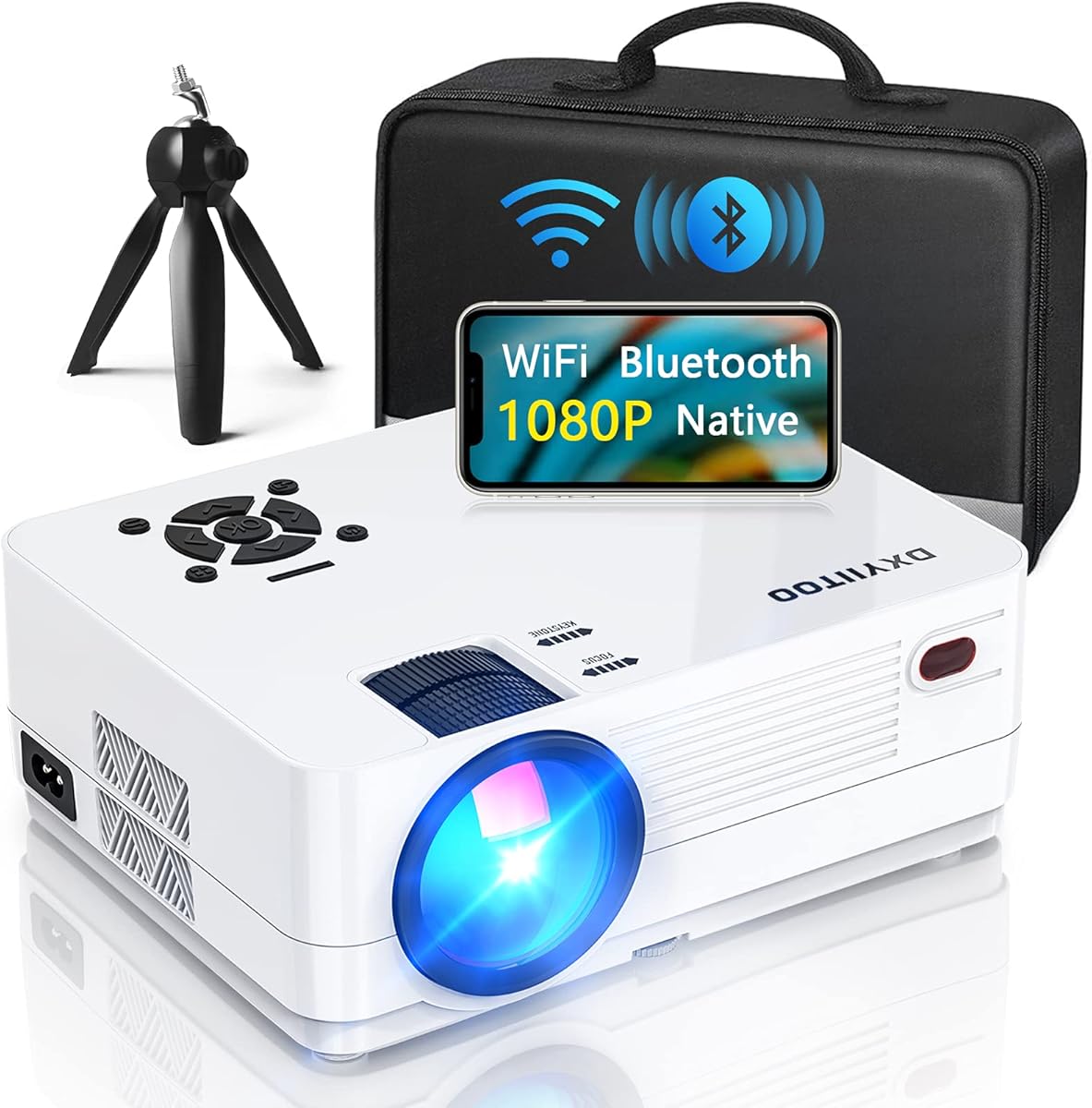
The Dxyiitoo native 1080P projector has a 4.3 rating and is aimed more broadly at movies, media playback, and large displays than at tracing. It supports screen mirroring, Airplay, wired connections, HDMI, USB, AV, and a 3.5 mm audio jack, making it a practical way to send reference artwork from several types of devices to a wall.
We may earn a commission when you buy through this link, at no additional cost to you.
Its stated 20,000-lumen output and 300-inch maximum display are attractive for large-format work, while native 1920 by 1080 resolution provides a clear base for photographic references. The built-in dual-speaker system and two-way Bluetooth 5.2 are not essential for mural work, but they make the projector useful for visual playback, tutorials, and reviews while working.
Unlike the dedicated Caydo models, this projector does not list artistic modes, grid tools, dedicated zoom and rotation controls, or offline drawing software. It is therefore a less specialized option, and the 20,000-lumen claim should not be compared directly with ANSI lumen or ISO lumen measurements used elsewhere in this guide.
Consider it when your mural process depends on displaying images from a laptop, tablet, or streaming device and you also want one device for entertainment. It is less suited to artists who need a repeatable tracing interface or want the projected guide to remain fully functional without a network.
Multiple wired interfaces and wireless mirroring options make it straightforward to connect the projector to different reference sources. That versatility is useful when work comes from cameras, computers, storage devices, or mobile apps.
The native 1080P panel and large supported image size suit viewing design references, tutorials, and time-lapse footage. Built-in speakers reduce the number of accessories needed for an informal review session.
We may earn a commission when you buy through this link, at no additional cost to you.
The Caydo P3 combines dedicated art software with 400 ANSI lumens of brightness, making it a strong all-around choice for muralists who want more working light than the P2. Its 4.0 rating reflects a generally favorable reception, and the key tools—zoom, rotation, a 3-by-3 grid, four artistic modes, and three background colors—are tailored directly to drawing and tracing.
We may earn a commission when you buy through this link, at no additional cost to you.
Automatic focus is specified to sharpen the image in under three seconds, while automatic keystone correction helps maintain a proportional rectangle. Artists can import references by scanning the app QR code or using the included 8GB USB flash drive. The drawing tools remain available offline, making the P3 useful in studios, basements, and other locations where reliable internet access may be unavailable.
Its supported projection distance of 3.6 to 8.7 feet and maximum image size of 100 inches mean that the P3 is still better suited to sections of a mural or a scaled working area than to a vast wall in one pass. The 360-degree swivel base and 1/4-20 tripod thread help with placement, but wall dimensions and room depth still need to match the projection range.
This is our top general recommendation for artists who prioritize a dedicated drawing interface, usable brightness, and flexible offline operation. It is especially attractive when the project will be developed in stages on a canvas, wall panel, or section of a larger installation.
The P3 retains the focused drawing tools of the smaller Caydo models while increasing brightness to 400 ANSI lumens. That gives artists more flexibility when the room cannot be completely dark but the projected reference must remain legible.
QR-code and USB transfer methods provide two ways to bring references into the projector. Since the drawing tools operate offline, an interrupted connection does not necessarily stop the creative process.
We may earn a commission when you buy through this link, at no additional cost to you.
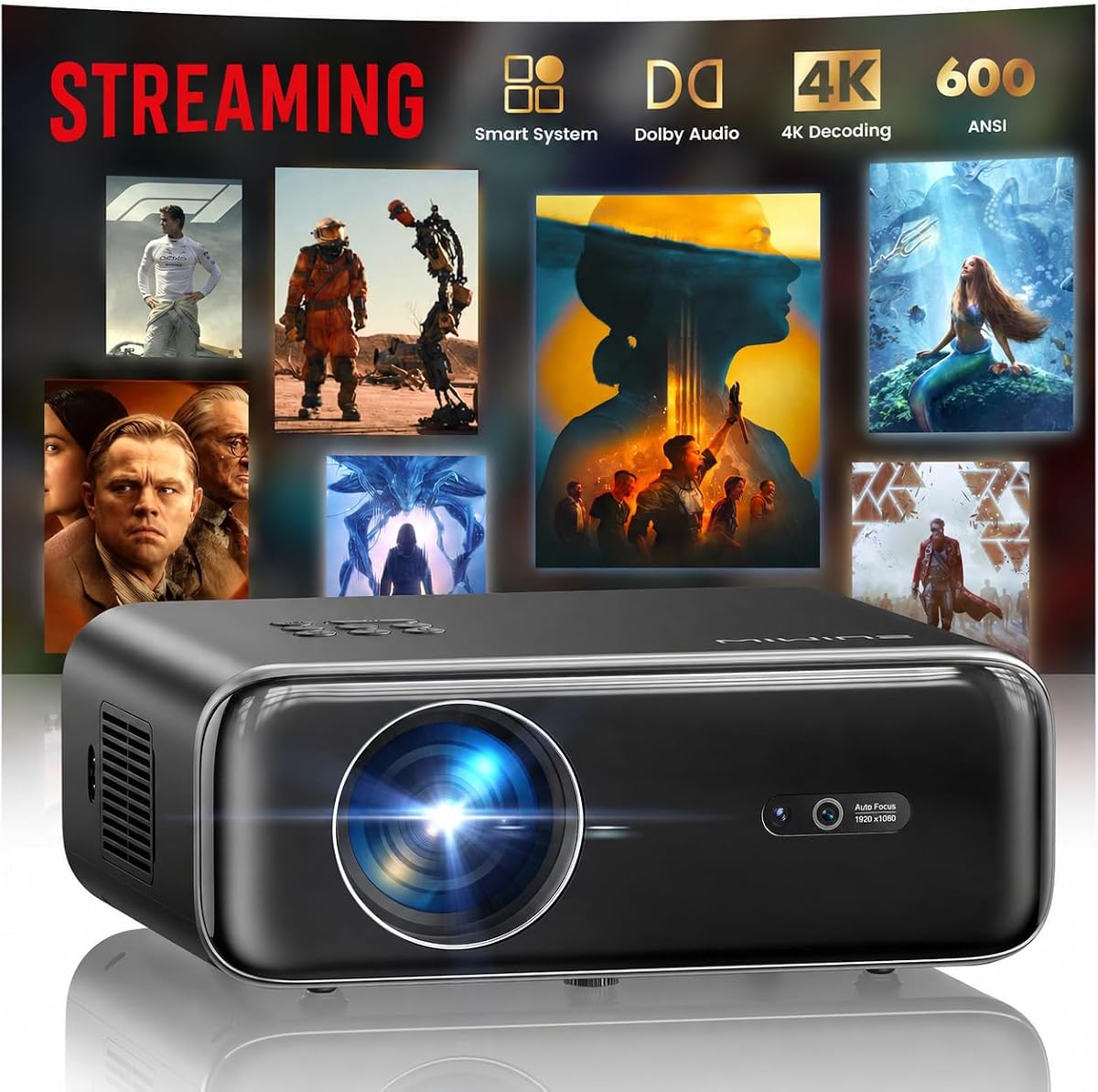
The WIMIUS P62 Pro has a 4.5 rating and combines 600 ANSI lumens with smart-projector features that can make it useful beyond a basic tracing setup. Its built-in application access, browser, YouTube, and Prime Video support allow reference material to be opened without relying on an external streaming device, while dual HDMI and dual USB ports offer more connection options.
We may earn a commission when you buy through this link, at no additional cost to you.
Automatic focus, automatic keystone correction, obstacle avoidance, screen alignment, and a 50 to 100 percent zoom range are particularly useful when the projector cannot be placed perfectly square to a mural wall. Native 1080P, 4K support, HDR10, and dual 10-watt speakers improve its suitability for presenting visual concepts and watching tutorials around an art project.
The important limitation is that videos labeled 4K are displayed at a native 1080P resolution, so the feature should be understood as 4K content support rather than native 4K panel output. The projector also lacks the Caydo art app's grids, rotation, zoom presets, and stylistic modes, making it a more general-purpose smart projector than a dedicated tracing machine.
Choose the P62 Pro if you want brightness, smart apps, strong automatic setup, and flexible media connections in one device. It can work well for mural concept presentations, image playback, and collaborative reviews, while dedicated artists may need another method to create precise drawing guides.
Obstacle avoidance, screen alignment, focus, and keystone functions work together to simplify setup. These tools are useful when murals occupy a wall that is difficult to approach with a perfectly centered projection.
Built-in smart applications, multiple media ports, and strong speakers make the device practical for sharing concepts before painting begins. It also works as a general entertainment projector when the mural project is finished.
We may earn a commission when you buy through this link, at no additional cost to you.
The Aurzen Roku TV D1R carries the highest rating in this group at 4.6 and prioritizes an approachable smart-projector experience. Its Roku home screen, quick search, personalized recommendations, and mobile app control make it easy to browse visual references without navigating a complicated interface, although a Roku account and internet connection are required for activation.
We may earn a commission when you buy through this link, at no additional cost to you.
Automatic focus and automatic keystone correction reduce setup time, while 1080P resolution and a recommended 60-to-150-inch image make the projector suitable for presentations and large reference displays. Dual 5-watt speakers with Dolby audio, dual-band WiFi, Bluetooth 5.2, AirPlay, and built-in Apple TV support add flexibility for collaborative artwork reviews.
This is not a dedicated tracing projector. It does not list artistic filters, reference grids, artistic rotation controls, or a drawing application. A Roku account and online service also need to be considered if the intended space is a basement, workshop, or outdoor site without dependable connectivity.
The D1R is best for artists and educators who want a simple, attractive way to present references, lessons, or finished project footage. Choose a dedicated art projector instead when the projected image must function as a working drawing guide with scalable, rotatable, and grid-based controls.
The Roku platform provides direct access to popular streaming applications and a large collection of channels. This makes the D1R convenient for presenting inspiration, tutorials, and time-lapse content on a larger wall.
Automatic focus and keystone correction minimize manual adjustment. Mobile control and voice-command support also make it easier to change content while presenting to clients or students.
We may earn a commission when you buy through this link, at no additional cost to you.
The Caydo M1C is built for creators who need a compact art projector rather than a large entertainment unit. It has a 4.2 rating, a palm-size body, and the same core drawing features as the larger Caydo models, including zoom, rotation, a 3-by-3 grid, three background colors, and Gridify, Sketchify, Comicize, and Monochromize modes.
We may earn a commission when you buy through this link, at no additional cost to you.
Reference images can be transferred through the app QR code or a USB drive, and the included tripod supports more precise positioning. Mirroring through EShare, AirPlay, or Miracast provides additional ways to display content, while the built-in app remains useful for tracing. The adjustable image range of 10 to 100 inches allows the device to move between very small craft surfaces and larger panels.
Its 110 ANSI lumens are the lowest specified output in this roundup, meaning it will be most effective in dim conditions or over relatively dark artwork. The 8,000mAh battery supports up to 2.5 hours of cordless playback, which covers a focused work session but is not ideal for an entire day of installation work. The 30,000-hour lamp specification concerns longevity rather than brightness.
The M1C is a strong choice for sketching on a small canvas, decorating cookies, developing an illustration away from a wall outlet, or working in a compact studio. It is less suitable as the sole projector for a large, brightly lit mural wall.
The dedicated drawing app keeps the projector focused on creative tasks despite its compact enclosure. Grids, rotation, zoom, and stylistic modes make the small device useful for tracing and composition studies.
Cordless operation offers flexibility for outdoor sketches, pop-up events, and locations without convenient power access. The included tripod helps maintain alignment when the device cannot be placed on a stable table.
We may earn a commission when you buy through this link, at no additional cost to you.
The HAPPRUN 4K decoder projector combines a 4.4 rating with 2,000 ANSI lumens, the highest ANSI figure among the included models. It also supports 4K decoding, a 20,000:1 contrast ratio, and a claimed 95 percent color gamut, making it a strong general-purpose option for presenting artwork in rooms where ambient light is less controlled.
We may earn a commission when you buy through this link, at no additional cost to you.
Its AI-assisted setup can produce a rectangular picture within five seconds of startup. Automatic focus, 6D keystone correction, obstacle avoidance, and screen alignment reduce the manual work required when the projector sits on a table, near a bed, or in another imperfect position. Two HDMI ports, two USB ports, AV, and a 3.5 mm headphone jack support a wide range of reference sources.
There is no dedicated art interface, grid system, or set of tracing styles. The product guidance also notes that autofocus can fail when the angle exceeds 15 degrees, so accurate placement remains important. In addition, 4K decoding should be understood as decoding support rather than a native 4K panel specification.
Choose the HAPPRUN for large-scale presentations, high-brightness reference viewing, or flexible media playback during a mural project. Artists who need a precise trace should pair it with a separate drawing workflow or favor one of the dedicated art projectors in this guide.
The 2,000-ANSI-lumen output provides a useful margin in spaces that cannot be fully darkened. It is particularly relevant for collaborative reviews, classroom demonstrations, and daytime concept presentations.
Automatic obstacle avoidance and screen alignment help the image find a usable rectangle in less controlled environments. These features complement the multiple inputs for presenting work from computers, drives, and streaming devices.
We may earn a commission when you buy through this link, at no additional cost to you.
The Portable Art Projector takes a deliberately simple approach to tracing. Instead of requiring a dedicated app download, it provides app-free web control through a QR code. A phone or tablet can then be used to adjust projection settings, rotate an image, and change its scale, making the device approachable for beginners and artists who dislike complicated software.
We may earn a commission when you buy through this link, at no additional cost to you.
Its dual-band WiFi is designed for stable, low-latency mirroring of intricate lines and complex sketches, while the adjustable stand can be raised or tilted toward horizontal canvases, vertical walls, and small craft surfaces. Manual focus control provides a direct way to refine sharpness, which is important when fine mural lines need to remain readable.
The device also works offline for creative use, making it suitable for studios and remote locations. However, the supplied information does not state an ANSI or ISO lumen rating, native resolution, maximum image size, or specific artistic modes. Those omissions make it harder to compare confidently with more fully specified products for a large mural installation.
This projector makes the most sense for small-scale tracing, teaching, architectural-plan work, cookie decoration, and quick reference projection. For a large wall with complex line work, choose it only after confirming brightness, throw distance, and maximum image size in the current product documentation.
Browser-based control reduces setup friction for users who already work on a phone or tablet. Rotating and scaling references can be adjusted without installing a separate creative application.
Offline operation and the adjustable stand support remote locations and varied surfaces. The device can be used for small canvases, wall exercises, and instructional demonstrations without a constant network dependency.
We may earn a commission when you buy through this link, at no additional cost to you.
The Epson EpiqVision Flex has a 4.4 rating and differentiates itself with 3-chip 3LCD technology that displays the full RGB signal for every frame. Its 3,000 lumens of color and white brightness are designed to maintain clear images in varied lighting while avoiding distracting rainbow effects and color-brightness issues associated with some projection technologies.
We may earn a commission when you buy through this link, at no additional cost to you.
The compact enclosure fits into a backpack, which makes the projector practical for moving between a studio, client meeting, or installation site. It can display images up to 300 inches and uses a built-in HDMI port for connecting an Apple TV, Roku, Amazon Fire TV, Android TV, computer, or another source. The emphasis is on portable, color-accurate presentation rather than tracing software.
Because it lacks a dedicated art application, artists would need to manage reference rotation, scaling, and distortion through the source device and projector controls. It is also not described as a battery-powered model, so cordless portability should not be assumed. These factors make it more of a presentation and visualization tool than a complete mural tracing system.
Choose the Epson when color fidelity, portable construction, and reliable large-image presentation are the priorities. It is well suited to showing design mockups, color studies, and digital artwork to clients, particularly if you already understand basic projector alignment and use external streaming hardware.
Three-chip 3LCD technology provides full RGB color on every frame, which can be useful when judging color references. The stated 3,000 lumens of color and white brightness also supports use in conditions that are not completely dark.
The lightweight enclosure makes the projector easier to move between creative sessions and meetings. Its large supported image provides an effective way to review murals, mockups, and color plans with a group.
We may earn a commission when you buy through this link, at no additional cost to you.
The AWOL Aetherion Pro has a 4.5 rating and represents the most specialized high-end option in the guide. Its ultra short throw configuration, triple-laser light source, 2,600 ISO lumens, and 4K specification are designed to produce a large, detailed image from a relatively short distance, making placement easier near a mural wall than with a conventional long-throw projector.
We may earn a commission when you buy through this link, at no additional cost to you.
PixelLock technology, advanced lens architecture, and support for a 200-inch screen emphasize edge clarity and large-format detail. The Noirscene System II uses a six-level iris and EBL algorithm to provide up to 6,000:1 native contrast, while Dolby Vision, HDR10+, HDR10, HLG, and dynamic tone mapping support flexible treatment of bright highlights and shadow detail.
Its 1-millisecond latency, VRR, ALLM, and Dolby Vision gaming features are aimed at responsive entertainment rather than mural tracing. The supplied specifications do not mention dedicated grids, artistic filters, reference rotation, or an offline drawing application. It should therefore be considered a premium visualization system that can display artwork with exceptional quality, not a purpose-built tracing tool.
Choose the Aetherion Pro for a dramatic, precisely rendered presentation of mural concepts, digital artwork, or large-scale visual plans. It is best for users who prioritize image quality, color capability, and minimal throw distance over a built-in artistic assistant.
Native 4K, 110 percent Rec.2020 coverage, professional color management, and ISF certification make the projector suitable for evaluating detailed visual work. The wide HDR support helps preserve highlight and shadow information in supported content.
Ultra short throw placement is valuable in compact rooms where a long projector-to-wall distance is unavailable. The projected image can reach 200 inches while preserving fine edge definition and deep native contrast.
We may earn a commission when you buy through this link, at no additional cost to you.
The right mural projector depends on the size of the surface, the amount of ambient light, the importance of a live tracing workflow, and how often the equipment must move. Brightness, throw range, correction tools, color performance, and connectivity should be evaluated together rather than in isolation.
Brightness determines whether a projected guide remains visible enough to trace. ANSI lumens and ISO lumens provide comparable standardized measurements, while vague lamp or peak-lumen figures should be treated cautiously. A dedicated art projector with 250 or 400 ANSI lumens can work well in a controlled room, but a larger or brighter wall may justify a general projector with 600 ANSI lumens, 2,000 ANSI lumens, or a premium laser system. The Epson's 3,000 color and white lumens and the AWOL's 2,600 ISO lumens are also relevant figures, but they still do not eliminate the need to control ambient light for delicate line work.
Prioritize a standardized brightness rating and use a darker work area whenever possible. Extra brightness is useful, but it does not automatically improve focus, geometry, or color accuracy.
Projection distance determines whether a wall can be filled from the available space. Dedicated Caydo models have clearly defined ranges: the P2 supports 2.3 to 5.8 feet and 40 to 100 inches, while the P3 supports 3.6 to 8.7 feet and reaches up to 100 inches. Entertainment-oriented models advertise images as large as 200 or 300 inches, and the AWOL uses ultra short throw placement to create a large image from a short distance. Before buying, measure both the room depth and the intended mural area, then allow for tripod height, wall offsets, and the need to move around the projected image.
Match the stated throw range to the actual room rather than focusing only on maximum screen size. A larger headline image does not help if the device cannot focus or maintain a stable rectangle at the required distance.
A projector intended for tracing should do more than display a mirrored image. Useful controls include zoom, rotation, a 3-by-3 grid, background colors, and artistic modes such as Gridify, Sketchify, Comicize, and Monochromize. These features help an artist judge proportions, transfer selected lines, and simplify a reference before working at mural scale. The Caydo P2, P3, and M1C include this dedicated assistant, while the Portable Art Projector offers browser-based rotation and scaling.
Choose dedicated controls when the projection will serve as an active work guide. General entertainment models are more useful for displaying finished references than for creating a repeatable trace.
Mural walls are rarely perfectly square, and the projector may need to sit on a table, tripod, shelf, or custom support. Automatic focus and keystone correction can simplify setup, but they should be treated as aids rather than substitutes for stable placement. The Caydo models combine automatic focus with manual adjustment and keystone correction, the HAPPRUN adds obstacle avoidance and screen alignment, and the WIMIUS includes several automatic positioning features.
Set up the device on a level, stable support and aim it as squarely as possible. Automatic correction works best when it only needs to make small adjustments rather than completely repair a severely angled setup.
Native 1080P is the baseline across many of the included projectors and can provide enough detail for tracing medium-scale guides. 4K support or decoding should not automatically be read as native 4K: the WIMIUS explicitly states that 4K-labeled videos display at native 1080P, while the HAPPRUN is described as a 4K decoder. The AWOL provides a native 4K laser specification and is intended to maintain clarity on a 200-inch image. For intricate line art, assess the actual reference sharpness, output size, focus stability, and contrast rather than relying only on a resolution label.
Use native 4K when precise large-scale detail is a central requirement. For most controlled tracing workflows, a well-focused 1080P image and suitable artist tools can be more valuable than extra decoding support.
Color accuracy matters when a mural includes painted references, fabric samples, or a digital design that must be translated faithfully. The Epson emphasizes full RGB color through 3-chip 3LCD technology and reports 3,000 lumens of color and white brightness. The AWOL goes further with triple-laser light, 110 percent Rec.2020 coverage, professional color management, ISF certification, and substantial native contrast. Dedicated tracing projectors prioritize usable brightness and controllable images rather than listing an extensive professional color calibration system.
For color-critical presentation work, consider measured color performance and broad format support. For simple line tracing, a clean neutral background, accurate focus, and stable geometry are usually the more important characteristics.
The way a mural is designed may differ from the way it is painted. Some artists work at home and transfer a final guide to a site, while others need a projector to travel to the wall. The M1C is palm-size and includes a tripod with a rechargeable battery, the Epson is described as lightweight and backpack-friendly, and the WIMIUS supports ceiling, table, tripod, and wall mounting. Larger systems may need permanent placement or a sturdy support, so portability should be evaluated as more than the presence of a handle.
Choose a portable model for mobile sketching and compact workspaces. Choose a larger or laser system when image quality and room placement matter more than frequent transport.
A mural workflow may involve a phone, camera, laptop, streaming device, USB drive, or projector app. The dedicated Caydo art projectors support QR-code and USB transfers while keeping drawing tools available offline. The Portable Art Projector also works offline and uses browser-based control. Smart entertainment models may require an internet connection for activation, applications, or streaming, so they are better suited to spaces with dependable connectivity. Multiple HDMI and USB inputs, AirPlay, Miracast, and Bluetooth can improve flexibility, but they do not replace a clear image-transfer method.
Prioritize offline operation when working in basements, workshops, or remote locations. For presentation-based use, ensure the required streaming service, account, and source device are supported in the space where the projector will be used.
Begin by measuring the mural area, choosing the projection surface, and deciding whether the device will display a full composition or a smaller section at a time. Clean the wall or canvas where possible, because dust and uneven texture can affect line visibility. Place the projector on a level, stable support, connect power securely, and point it squarely at the intended area before turning on automatic focus or keystone correction.
Load the reference using the projector's supported method, then adjust focus, image size, and position before making any marks. For a dedicated art projector, use zoom and rotation to align the composition, add a grid when proportions need assistance, and select an artistic mode only after checking that it still communicates the essential shapes. Test the projected guide from the artist's normal working position to confirm that thin lines remain visible.
After the project, let the projector cool, clean the lens as directed by its manufacturer, and keep the device away from dust and moisture. The Aurzen model specifically recommends inspecting and cleaning its lens every three months and leaving at least 20 centimeters of space on both sides and the rear. Cover the unit before storage, avoid placing it where ventilation can be blocked, and use the supplied case or a protected container when transporting it between a studio and installation site.
A dedicated art or tracing projector is usually the most convenient because it offers zoom, rotation, grids, and artistic modes. A general projector can display references effectively, but you may have to control scaling and geometry through the source device instead. For large or brightly lit walls, a higher-brightness model may also be necessary.
Yes, a regular projector can show a reference image, and many can mirror phones, tablets, or computers. The drawback is that general entertainment models may lack built-in grids, dedicated zoom, rotation, and offline drawing tools. You should also verify brightness, throw distance, focus stability, and available connection methods before projecting onto the mural.
The right level depends on room light, image size, and the precision of the lines you need to trace. Controlled indoor spaces can work well with dedicated models around 250 to 400 ANSI lumens, while brighter rooms or large displays benefit from more output. Reducing ambient light remains important because it improves contrast and reveals fine details.
Keystone correction is useful when the projector cannot be positioned perfectly square to the wall. It can restore a more rectangular image, but extreme angle correction can reduce the effective sharpness and brightness of the guide. Positioning the projector as directly and evenly as possible generally produces a better result than relying entirely on digital correction.
It can be very useful in basements, workshops, and outdoor sites without reliable internet. Dedicated art projectors such as the Caydo P2, P3, and M1C can load references through QR-code or USB methods and keep their drawing tools available offline. Smart entertainment projectors may depend more heavily on network access for activation and applications.
A projector can display a guide on a wall, but it does not automatically trace or mark the surface. The projected image must be transferred manually or with an appropriate aid. Test a small area, check the material's response to your marking method, and confirm that the projected lines are clear enough before beginning.
An ultra short throw model can be valuable when the available distance between the wall and projector is short. It can create a large image without requiring the device to sit far back in the room. However, it may not provide dedicated tracing controls, so the image-quality and placement advantages should be weighed against the need for art-specific software.
Keep the lens clean, use the projector in a low-dust environment, and never block its ventilation openings. Follow the model-specific instructions for lens cleaning and cooling. Before moving it, let the unit cool and protect the lens and casing in a dedicated bag or case.
The Caydo P2 is the budget-focused choice for artists who want dedicated drawing controls and offline image transfer. The Caydo P3 is the most balanced recommendation, combining 400 ANSI lumens, an art-specific interface, fast automatic focus, and flexible placement. For a premium large-format presentation, the AWOL Aetherion Pro leads with 4K laser projection, ultra short throw placement, high contrast, and professional color capabilities.
Your priorities should reflect the actual project. Use a dedicated art projector for tracing, grid alignment, and repeated reference placement. Choose a brighter general projector for active rooms, large presentations, or frequent media connections. Consider color accuracy and portability for client presentations, and look closely at throw distance, focus, correction, and offline support for installation work.
Before purchasing, confirm the current specifications, supported image size, software version, and room requirements for the selected model. Product details and configurations can change, so checking the latest manufacturer or listing information will help ensure that the projector is ready for the surface, workflow, and working conditions you have planned.