
GLOTRENDS 2-Pack M.2 SSD Heatsink
4.5Editor score
Fits 2280 NVMe and SATA drives
Passive three-millimeter aluminum design
Includes pads, clasps, and bands
Our guide compares the best low profile SSD heatsink options for laptops, PS5 builds, and desktops, covering fit, materials, cooling design, and installation.
A low profile SSD heatsink must manage heat without adding unwanted height to a laptop, console, adapter card, or tightly packed desktop. The best choices combine compact dimensions, effective contact surfaces, reliable thermal pads, and secure mounting while remaining compatible with the drive and enclosure you already use.
We compared ten M.2 2280 cooling solutions using their stated compatibility, dimensions, materials, installation methods, and intended environments. The list includes aluminum and copper designs, thin thermal films, double-sided coolers, and kits designed specifically for laptops, PS5 systems, and desktop motherboards.
Each review reveals how a product approaches the same central challenge: moving heat away from an SSD without creating fit, clearance, or installation problems. Rankings reflect the supplied product information and customer ratings, while current product listings and availability can change over time.
4.5Editor score

4.4Editor score

4.7Editor score
This side-by-side comparison highlights each heatsink's material, thickness, drive coverage, and intended installation environment, helping you identify the option that best matches your SSD and available clearance.



The GLOTRENDS 2-Pack is a compact passive cooler for 2280 M.2 drives, earning a 4.5 customer rating. Its most appealing feature is how broadly it supports 2280 NVMe and SATA SSDs, including Gen3 through Gen5 drives, while the three-millimeter body avoids the height of many traditional finned heat sinks.
We may earn a commission when you buy through this link, at no additional cost to you.
The kit includes two aluminum heatsinks measuring 22 by 70 by 3 millimeters, two low-viscosity thermal pads, four metal clasps, four rubber bands, and a manual. Installation can use either the clasps, the bands, or both, and the product description states that assembly takes less than a minute without a screwdriver, adhesive, or a drive-warranty void.
Its stated cooling gain of 5–20 degrees Celsius depends on the environment, but that broad range reflects the reality that no passive accessory creates identical results in every case. The drive, enclosure, workload, and available airflow all matter. Even so, the broad compatibility and simple mounting system make this a practical choice for desktops, PS5 builds, PS5 Slim systems, and M.2 riser cards.
Buyers wanting a straightforward two-drive kit should start here, especially if the drives are mounted in a system with enough airflow around the top surface. Laptop owners should look elsewhere because the manufacturer explicitly says this model is not for laptops. For desktop and console use, it is an adaptable, low profile solution with a restrained footprint.
Support for 2280 NVMe and SATA SSDs makes this kit less dependent on protocol assumptions. It can cover several generations of drives and is explicitly intended for compatible storage in PS5, PS5 Slim, desktop, and riser-card installations.
Metal clasps and rubber bands provide different ways to hold the cooler in place. This flexibility is useful when a screw-fastened design would be inconvenient or when a removable band is easier to work with in a crowded enclosure.
We may earn a commission when you buy through this link, at no additional cost to you.
This graphene-coating, full-cover copper heatsink has a 4.4 customer rating and targets 2280 NVMe SSDs used in laptops, desktops, and PS5 systems. Its full-length construction and striped air-channel design distinguish it from basic flat copper films intended only for minimal clearances.
We may earn a commission when you buy through this link, at no additional cost to you.
The product information highlights graphene's stated thermal conductivity of up to 5,300 W/m·K and compares it with copper and aluminum. Regardless of the underlying material science, effective drive cooling still depends on uninterrupted contact, proper pad placement, and airflow through the surrounding enclosure. Here, the air-duct pattern is designed to increase contact area with moving air.
A silicone thermal pad secures the cooler to the SSD without tools, and the slanted slots are intended to give the installed assembly a cleaner appearance. The main trade-off is that adhesive retention is less convenient than a removable clip or band when a drive may need frequent access. Users should also preserve the protective layers and ensure that the pad sits between the drive and heatsink.
This is a strong choice for builders who want more visual surface coverage than an ultra-thin foil while keeping the unit practical for narrow installations. It is especially relevant to PS5 and laptop users who can accommodate a full-cover design but need a more substantial cooler than a simple thermal sheet.
A design that covers most of the 2280 footprint gives the thermal interface a larger area than a small contact plate. That broader coverage can help transfer controller heat into the copper body and then into surrounding airflow.
The air-channel pattern and adhesive silicone pad are both aimed at systems where tools and extra mounting hardware are inconvenient. Compatibility with laptops and PS5 systems broadens its useful range, provided the enclosure offers enough room.
We may earn a commission when you buy through this link, at no additional cost to you.
The Laptop NVMe M.2 Heatsink is a two-piece copper set designed specifically for 2280 SSDs in compact computers. Its 4.6 customer rating reflects a generally strong response, and its stated minimum installation height of 1.5 millimeters makes it one of the more deliberately laptop-focused products in this list.
We may earn a commission when you buy through this link, at no additional cost to you.
The package provides two polished copper heat sinks, four silicone thermal pads in 0.5- and 1-millimeter thicknesses, and mounting hardware for two approaches: rubber rings or a high-temperature insulation sticker. Having two pad thicknesses helps address uneven surfaces and differences between laptop configurations, though correct selection remains important.
The listed cooling effect of 10–20 degrees Celsius varies with the environment. Laptop cooling is rarely determined by the heatsink alone, since processor and graphics-chip heat can influence the shared internal space. Nevertheless, lowering direct drive temperature can reduce the likelihood of thermal throttling during sustained transfers.
This set is best for laptop owners who have already confirmed the M.2 bay's dimensions and mounting style. Its two-pack format is convenient for systems with multiple accessible slots, while laptops that place the SSD directly beneath the motherboard or battery may still offer insufficient clearance. Measure before ordering and select the pad thickness conservatively.
The 1.5-millimeter minimum height directly addresses the tight spaces found inside many laptops. That focus makes this a more purposeful low profile choice than a general desktop cooler, although the actual laptop model still needs to be checked.
Including 0.5- and 1-millimeter pads lets installers match the gap between the SSD and the cooler more closely. More complete contact can improve heat transfer while reducing the chance of an uneven or poorly seated thermal interface.
We may earn a commission when you buy through this link, at no additional cost to you.
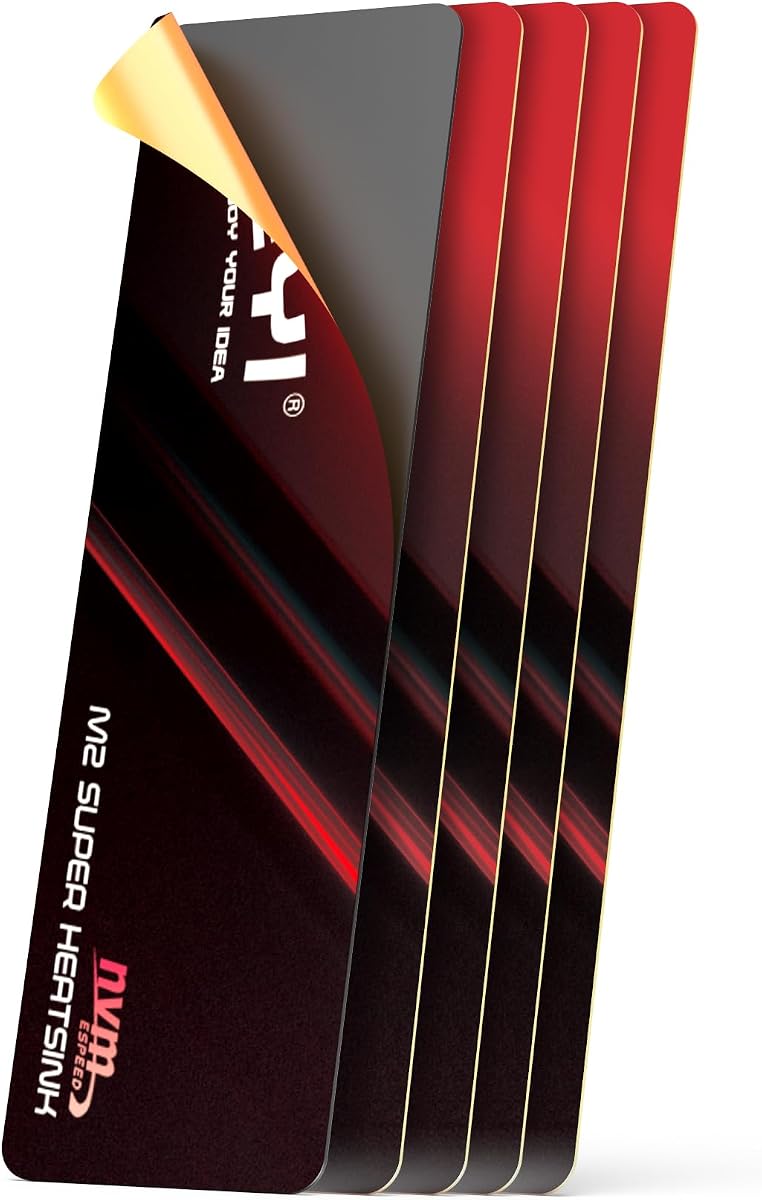
The JEYI M.2 2280 SSD Heatsink is a half-millimeter graphene-and-copper thermal film with a 4.4 customer rating. Unlike a rigid finned cooler, it is designed to preserve clearance in PS5 systems, ultra-thin laptops, desktop builds, and other environments where every fraction of a millimeter matters.
We may earn a commission when you buy through this link, at no additional cost to you.
The product is listed as 21 by 69 millimeters, making it slightly shorter and narrower than a full 2280 drive. It is intended to fit 2280 SSDs while avoiding the connector and mounting-hole areas. Its adhesive layer is rated for temperatures from minus 40 to 120 degrees Celsius, allowing it to remain attached across normal operating conditions.
The manufacturer states that the material can cut peak SSD temperatures by as much as 25 degrees Celsius and that thermal pads may be applied to both sides for additional heat dissipation. Results will vary with application, contact quality, and airflow, and the product cannot create the same broad passive surface offered by a rigid heatsink.
This is the option to consider when a conventional heat sink simply will not fit. It is less suitable for users who want easy removal or who require a substantial metal structure. Peeling the protective film carefully is important, and the instructions recommend gently flattening the film if it bends, because proper contact is essential to its stated performance.
At just 0.5 millimeters, this film addresses the most restrictive installations. It can be used where a three- or four-millimeter heat sink might prevent a cover, adapter, or laptop assembly from closing properly.
Applying thermal material to both sides of a drive can broaden the available heat-transfer surface. The approach is particularly useful for double-sided modules, where the controller and NAND components may occupy different areas.
We may earn a commission when you buy through this link, at no additional cost to you.
This double-sided aluminum cooler has a 4.6 customer rating and focuses on stable installation in desktop PCs and PS5 systems. Its compact body is described as 3 by 0.95 by 0.4 inches, making it more substantial than a thermal film but still designed for a 2280 drive bay.
We may earn a commission when you buy through this link, at no additional cost to you.
The main body uses aluminum alloy with silver plating and an anodized surface treatment. Low-viscosity thermal pads are included to create the interface between the drive and cooler, while the double-sided clip design secures the assembly and is intended to accommodate various drive heights.
Compatibility is limited to single-sided Type 2280 drives, an important qualification for buyers with double-sided modules. The stated cooling effect of 10–20 degrees Celsius varies with the environment, but the rigid body provides a larger surface than a flat copper sheet and can dissipate heat more effectively when the case supplies moving air.
This cooler is a good match for a desktop or PS5 builder who values secure retention and straightforward clip-based mounting. It is less appropriate for a very thin laptop or for a double-sided SSD. Confirm the drive layout and physical bay dimensions before installation, and make sure the clips do not press against components that need clearance.
The double-sided clips hold the heat sink against the SSD more consistently than an adhesive-only design. That makes the assembly easier to remove while still reducing the chance that the cooler shifts during handling.
Silver plating and anodization are intended to improve surface characteristics, including resistance to static electricity. These finishes also give the cooler a more finished appearance in a visible desktop or console expansion area.
We may earn a commission when you buy through this link, at no additional cost to you.
The Haojiaho pure copper heat sink provides a 1.5-millimeter-thick cooling surface for 2280 M.2 SSDs. It carries a 4.5 customer rating and is positioned as a flexible option for laptops, desktop computers, PS5 systems, and even other compact heat-generating devices when enough space is available.
We may earn a commission when you buy through this link, at no additional cost to you.
Its 67 by 18 millimeter dimensions fit beneath the length of a standard 2280 drive, which can be useful when avoiding the connector end. The grooved pure copper design is intended to increase exposed surface area, while the included low-viscosity silicone thermal pad fills the interface between the drive and cooler.
A rubber ring secures the assembly, and the product description lists a stated 5–20 degree Celsius cooling effect that depends on the environment. The 1.5-millimeter profile is more substantial than the thinnest films but less bulky than a traditional fin stack, making it a middle-ground choice for constrained systems.
This is a sensible recommendation for a builder seeking more structure than a copper film without giving up much clearance. It is less compelling for a system requiring full-length 2280 coverage or multiple-drive protection because only one heat sink and one thermal pad are included. Measure the bay and consider the shorter contact length before purchasing.
The grooves create additional surface area around the basic copper plate. When exposed to circulating air, those channels can help warm air move away from the contact region more efficiently.
At 1.5 millimeters, the heat sink offers more rigidity than a foil-style cooler while preserving substantial installation clearance. It is a practical middle option for laptop and compact desktop layouts that cannot accept tall finned designs.
We may earn a commission when you buy through this link, at no additional cost to you.
The be quiet! MC1 is a premium low profile M.2 cooler with a 4.7 customer rating, tied for the highest rating among the listed products. Its primary distinction is support for both single-sided and double-sided 2280 modules, reducing the risk of choosing a cooler based only on drive length.
We may earn a commission when you buy through this link, at no additional cost to you.
The product is designed to lower M.2 SSD temperatures so the drive can maintain read and write performance for longer periods. It also carries a 4.7 customer rating, which indicates strong buyer satisfaction among customers who have evaluated its fit, appearance, and cooling role.
Although it is styled for low profile use, it is not positioned as the smallest possible option. The product information does not provide the same detailed component list or mounting alternatives found in several other listings. Buyers should therefore check their enclosure's available space and follow the included product instructions rather than assuming universal clearance.
The MC1 is the strongest all-around recommendation for users who want broad drive-layout compatibility and a well-regarded finished product. It is particularly useful for PS5 owners adding M.2 storage and for builders who may move between single-sided and double-sided drives. Its premium badge reflects the supplied rating, flexible module support, and polished product positioning.
Many M.2 drives place their controller and NAND on one side, while double-sided modules distribute components across both faces. Supporting both formats makes the MC1 more adaptable when storage is replaced or upgraded.
The MC1 is intended to keep an SSD within a more favorable temperature range during extended read and write activity. That focus makes it relevant to game installations, large transfers, and other workloads that can expose thermal throttling.
We may earn a commission when you buy through this link, at no additional cost to you.
The Graphene Copper Radiator combines a graphene coating with a 70 by 20 by 4 millimeter copper heat sink and carries a 4.7 customer rating. It is designed for 2280 NVMe SSDs in laptops, compact PCs, and PS5 systems where a more structured radiator can fit.
We may earn a commission when you buy through this link, at no additional cost to you.
Its slanted air-duct geometry is intended to increase contact with ambient air, while the full-cover shape gives the thermal interface a larger area than a small copper block. A silicone pad attaches the cooler without tools and is specified to sit between the radiator and the SSD.
The listing makes a high conductivity claim for graphene and compares it with copper and aluminum. In practical use, the quality of the thermal interface, the position of the heat sink, and the enclosure's airflow remain just as important as the headline material. The four-millimeter body also demands more clearance than the film's half-millimeter profile or the laptop set's 1.5-millimeter minimum height.
This radiator is most appropriate when a user can accommodate four millimeters but wants a more substantial passive surface than an ultra-thin film. It is less attractive for extremely compact laptop bays, but the stated 70 by 20 millimeter dimensions and broad 2280 support make it a flexible choice for PS5 and desktop installations.
The slanted slot pattern is more than a decorative feature; it is intended to increase the surface that can exchange heat with moving air. Positioned near an intake or ventilation path, the geometry may be more useful than a flat plate of the same footprint.
The broad graphene-coated copper design covers most of the usable 2280 surface. It offers a meaningful improvement over a small contact block when the drive needs to dissipate heat from several components.
We may earn a commission when you buy through this link, at no additional cost to you.
This ultra-thin pure copper heat sink is only 0.5 millimeters thick and carries a 4.4 customer rating. Its 75 by 23 millimeter dimensions provide broad coverage of a 2280 SSD while remaining one of the least intrusive cooling options in the guide.
We may earn a commission when you buy through this link, at no additional cost to you.
The package includes one copper heat sink, ten silicone thermal pads, a small screwdriver, a triangular plastic spudger, and two M.2 SSD screws. The extra pads allow installers to try different thicknesses or retain spares, while the screwdriver and spudger help with a careful M.2 installation.
The copper is described as chemically polished to create a smooth surface without burrs, which can improve contact and reduce the risk of scratching components. However, a flat film still has less exposed surface than a grooved plate or a finned radiator, so its effectiveness depends heavily on direct contact and the surrounding airflow.
This heat sink is ideal for laptop, desktop, or PS5 users whose enclosure has almost no vertical room. It is also convenient for a single-drive setup because the included accessories cover common installation needs. Users who want easy future removal may prefer a clip-on design, and those seeking a larger passive surface should look to a grooved copper block instead.
The half-millimeter profile can preserve the position of a laptop cover, console panel, or adapter bracket. It is one of the most practical options when the choice is between a heat sink and no additional cooling at all.
A smooth surface helps the thermal pad make consistent contact across the drive. The stated dimensions also provide broad coverage without requiring a tall mounting structure or complex clip assembly.
We may earn a commission when you buy through this link, at no additional cost to you.
The Micro Connectors 5mm heat sink is a compact aluminum design for 2280 M.2 SSDs, with a 4.6 customer rating. Its five-millimeter height remains low enough for many tight spaces while offering a more recognizable finned structure than flat copper films or thin thermal layers.
We may earn a commission when you buy through this link, at no additional cost to you.
Cross-cut aluminum alloy fins are designed to increase exposed surface area and support heat dissipation into surrounding air. The heat sink can be mounted on a motherboard or M.2 adapter, and the product information specifically notes compatibility with a PS5 M.2 NVMe storage upgrade.
Thermal pads are included for the interface, while heat-resistant silicone rings secure the heat sink to the drive. This arrangement is straightforward for a user comfortable with standard M.2 installation. The silicone rings should be seated correctly so they retain the cooler without shifting it onto the electrical connector.
The product is a good compromise for builders who want a traditional finned cooler without a large footprint. Its five-millimeter profile is less subtle than the 0.5-millimeter films, but the extra surface may be worthwhile where a case fan or ventilation path can move air across the fins. Confirm that the enclosure has room for the full height and mounting hardware.
The intersecting cuts expose more aluminum to air than a simple flat sheet. The gain is greatest when the installed drive sits near a source of moving air, allowing heat to leave the fins rather than remain trapped in the enclosure.
Support for motherboard positions, M.2 adapters, and PS5 storage expansion makes the design useful across several types of builds. The five-millimeter specification still calls for a clearance check, particularly beneath a tight laptop cover.
We may earn a commission when you buy through this link, at no additional cost to you.
The right low profile SSD heat sink depends on drive format, available clearance, enclosure airflow, and whether the installation must be removable. These factors matter more than headline material claims alone.
Check the drive label, your laptop service guide, or the motherboard documentation before buying. Also verify whether the SSD is single-sided or double-sided, because some coolers support only one layout. In short, confirm both the 2280 format and the module construction before installation.
For a laptop, compare the available bay height with the heat sink and pad combined. For a PS5 or desktop, check whether a cover, riser, shroud, or cable will cross the installed cooler. Measure first and leave a little tolerance.
Choose based on the form factor you need. Copper suits very thin or compact assemblies, while aluminum fins are attractive when there is room for a larger passive surface. Material should support the physical design rather than substitute for correct installation.
Do not assume adhesive is automatically better than a removable pad. Adhesive can provide broad and secure contact, while a pad may allow repositioning. Follow the included directions and avoid sliding a mounted cooler across the drive.
Install the SSD near a ventilation path when possible and avoid burying it beneath cable bundles. If a case fan is available, position its intake or exhaust path to pass across the heatsink. Clearance and airflow should be evaluated together.
Frequent SSD replacement favors clips, bands, or rings. Permanent installations can benefit from adhesive when the unit is easy to access. Choose the method that matches the device and the likelihood of future maintenance.
Look for a cooler that explicitly names the module type it supports. If the information is unclear, avoid assumptions and compare the physical components with the cooler's intended placement. Correct layout compatibility prevents poor contact and accidental pressure on components.
Let the target device guide your shortlist, then confirm exact dimensions. A design marketed for a console is not automatically right for a laptop, and a desktop heat sink may be unnecessarily large for a portable system.
Begin by powering down the system, disconnecting its power source, and opening the case or laptop service panel according to the manufacturer's instructions. Locate the M.2 2280 drive, note the position of its controller and NAND components, and check the available clearance before touching the heat sink.
Prepare the SSD and cooler in a clean environment. If the supplied thermal pad is already installed, inspect it for movement or damage. Otherwise, place the appropriate pad between the drive and metal contact area, remove any protective film from the adhesive surface, and lower the heat sink straight onto the SSD without sliding it across the components.
Secure the heat sink using the supplied clips, bands, rings, or adhesive method, then confirm that the drive's screw or latch is properly seated and that no band interferes with the connector. Reassemble the system, use SSD monitoring software to observe temperatures under a normal workload, and reseat or replace the thermal pad if temperatures rise unexpectedly or the cooler shifts over time.
The safest choice is the lowest profile that still provides full contact with the drive. Products in this guide range from half a millimeter to five millimeters, but the complete assembly may be taller once pads and mounting hardware are included. Measure the laptop's M.2 bay and account for the drive, cables, and cover before buying.
No. The 2280 designation refers to the drive's width and length, not its protocol or component layout. A suitable cooler must match the physical format and should also support whether the SSD is single-sided or double-sided. Compatibility information for NVMe and SATA protocols provides another useful check.
Copper conducts heat effectively and works well in thin plates, films, and compact blocks, while aluminum is effective and lightweight in finned designs. The best result also depends on pad quality, contact area, and airflow. A well-installed aluminum cooler can be more useful than a copper piece that is poorly seated or surrounded by trapped air.
Adhesive and a thermal pad serve different purposes. The pad fills microscopic gaps and improves thermal contact between the drive and the metal surface, while the adhesive or clips hold the pieces together. Products using adhesive may integrate one or more layers, so follow their included instructions rather than adding extra material that could create instability.
A properly fitted heat sink can help keep the drive within a favorable temperature range and reduce throttling risk, especially during sustained transfers. It cannot control heat generated by the rest of the system or compensate for poor airflow. Monitor actual temperatures under your normal workload because cooling results vary by drive and enclosure.
Several models in the guide explicitly support PS5 storage expansion, including the GLOTRENDS kit, the Graphene Full-Cover Copper, the be quiet! MC1, and the Micro Connectors 5mm design. You should still confirm the exact console model, bay position, screw arrangement, and available space before installing an aftermarket module.
It is generally prudent to check the manufacturer's transport guidance and the stability of the cooler before moving the system. A properly retained heat sink should remain in place, but a loose band, adhesive film, or clip can be affected by vibration. Do not power on the laptop if the drive or heat sink has shifted.
After installation, inspect the thermal interface and monitor SSD temperatures during a sustained workload. A cooler that rocks, leaves an obvious gap, or sits over a different section of the drive may need repositioning. Consistent contact across the controller and NAND regions, together with a visible temperature improvement, provides the clearest practical evidence that the installation is working.
The GLOTRENDS 2-Pack is the most adaptable budget-oriented option, offering broad 2280 support, a three-millimeter profile, two complete assemblies, and both clasp and band mounting. The Graphene Full-Cover Copper is the Editor's Choice for its broad surface, striped air channels, and suitability for laptop, desktop, and PS5 installations.
For a premium, polished option, the be quiet! MC1 stands out with the highest customer rating in the group and support for both single-sided and double-sided 2280 modules. In all cases, prioritize correct dimensions, drive-layout compatibility, complete thermal contact, and enough surrounding airflow before focusing on a material claim.
Current product listings can change, so check the latest dimensions, package contents, compatibility notes, and customer feedback before making a final decision. Then measure the actual installation space and choose the simplest design that fits without interfering with the drive, enclosure, or surrounding components.